
 US
US 
IEC 60945 Explained: Maritime Computing Requirements, DNV Type Approval and IEC 61174 ECDIS
IEC 60945 is the test baseline for bridge electronics. Here are its equipment categories and tests, DNV type approval to CG-0339, IEC 61174 ECDIS and what to look for in marine computers and displays.
IEC 60945 is the international standard for the general requirements, test methods and required results of maritime navigation and radiocommunication equipment and systems. Published by the IEC and adopted in Europe as EN 60945, it sets the environmental, EMC, safety and ergonomic tests that a bridge computer, display or radio has to pass before it is accepted on a ship, and the performance standards for individual equipment types, such as ECDIS under IEC 61174, build on it.
Most computer buyers meet it alongside two other names. DNV, the classification society formed when DNV and GL merged in 2013 and known as DNV GL until 2021, type approves equipment for use on vessels it classes, using its own environmental test specification. IEC 61174 sets the requirements for Electronic Chart Display and Information Systems, the chart displays that replaced paper charts on most SOLAS ships. A marine display or marine PC for a vessel may need one, two or all three, depending on where it is mounted and what it does.
This guide explains what IEC 60945 covers and when it applies, the equipment categories and test conditions, compass safe distance, DNV type approval and the CG-0339 location classes, IEC 61174 and IEC 62288 for ECDIS and bridge displays, and what to look for when specifying computers and displays for the bridge, the engine room and the open deck.
Key takeaways
- 01IEC 60945 is the baseline for bridge equipment
- It sets common environmental, EMC and safety tests that navigation and radio equipment performance standards call on.
- 02Four equipment categories set the tests
- Portable, protected, exposed and submerged equipment face different temperature, water and corrosion tests.
- 03DNV type approval is a class society route
- DNV tests to its CG-0339 specification, with location classes for temperature, humidity, vibration, EMC and enclosure.
- 04ECDIS adds display requirements
- IEC 61174 covers ECDIS function and IEC 62288 the presentation, including day, dusk and night palettes and dimming.
- 05Approvals cover a configuration
- A type approval often names the exact power input, such as 24 V DC, so options outside it may not be covered.
Maritime computing standards at a glance
Equipment on a ship sits under several layers of rules: the international conventions, the performance standards for each type of equipment, the test standards they call on, and the rules of the classification society that classes the vessel. The table sets out the ones that apply to computers and displays.
| Standard or scheme | What it covers | Who requires it | Relevance to a computer or display |
|---|---|---|---|
| IEC 60945 | General requirements and tests for navigation and radio equipment | Flag states, through IMO performance standards and the MED | The environmental and EMC baseline for bridge equipment |
| IEC 61174 | ECDIS operational and performance requirements and tests | SOLAS ships carrying ECDIS | Applies to the ECDIS as a system, including its display |
| IEC 62288 | Presentation of navigation information on shipborne displays | Bridge equipment performance standards | Colors, palettes, symbols and dimming |
| IEC 61162 series | Digital interfaces for navigation equipment, including NMEA 0183 and NMEA 2000 | Bridge system integration | Serial and network ports the computer must provide |
| DNV-CG-0339 | DNV environmental test specification for electrical and electronic equipment | DNV-classed vessels and offshore installations | The basis of DNV type approval |
| IACS UR E10 | Unified test requirements for type approval of electrical equipment | IACS member class societies | Harmonises tests across DNV, Lloyd’s Register, ABS, BV and others |
| Marine Equipment Directive | EU approval of equipment required by international conventions | EU-flagged ships | Wheelmark for equipment such as ECDIS and radar |
| IEC 60092 series | Electrical installations in ships | Shipyards and class societies | Cabling, installation and power systems on board |
| IEC 60533 | EMC of electrical installations in ships | Shipyards and class societies | EMC for equipment outside the bridge scope of IEC 60945 |
The pattern is that IEC 60945 provides the tests, the performance standards say which apply to each type of equipment, and the class society or flag state decides what evidence the vessel needs. A general-purpose computer on the bridge, for example a PC running a planning station, is usually expected to meet IEC 60945 so that it does not interfere with navigation equipment, even when it carries no navigation function itself.
Is IEC 60945 mandatory?
For navigation and radiocommunication equipment required by the SOLAS convention, in effect yes. IMO performance standards for equipment such as radar, ECDIS, AIS and GMDSS radios call on IEC 60945 for the general requirements, and in the EU the Marine Equipment Directive, with the Wheelmark it confers, requires testing to these standards. Other flag states apply equivalent rules, and the USA runs its own scheme for UK-flagged ships.
For other equipment on the bridge it is usually a contractual requirement rather than a legal one. Shipyards, integrators and class societies commonly ask for IEC 60945 EMC compliance from any electronic equipment mounted on the bridge, because a computer that radiates in the VHF marine band can interfere with radios and receivers. In the engine room or elsewhere on the ship, class rules and IEC 60533 are more often the reference.
IEC 60945 equipment categories
IEC 60945 does not test everything the same way. The first step is to classify the equipment by how it is installed, because a display behind the bridge windows faces a very different environment from a radar scanner on the mast. The current edition, IEC 60945:2002, edition 4, defines four categories.
| Category | Definition | Typical equipment | Additional tests that apply |
|---|---|---|---|
| Portable | Equipment intended to be carried or used away from a fixed position | Handheld radios, portable pilot plugs | Drop, thermal shock and immersion tests |
| Protected from the weather | Equipment installed inside the ship, protected from rain and spray | Bridge consoles, ECDIS displays, chart table computers | Dry heat, damp heat, low temperature and vibration only |
| Exposed to the weather | Equipment installed on open deck or otherwise exposed to rain, spray and sun | Bridge wing displays, antennas, deck terminals | Rain and spray, solar radiation, corrosion and lower temperature tests |
| Submerged | Equipment intended to work under water or in continuous contact with sea water | Transducers and underwater sensors | Immersion and pressure tests |
Almost every computer and display on the bridge is classed as protected. That still means a demanding test programme: the full temperature, humidity and vibration tests, and the full EMC program, which is where most commercial hardware fails. Bridge wing displays, often sunlight readable monitors, and deck terminals fall into the exposed category and need a sealed housing, typically IP66 or better, with UV-stable materials and corrosion-resistant finishes.
What tests are included in IEC 60945?
IEC 60945 combines environmental tests, EMC tests, safety requirements and some bridge-specific checks. The environmental tests below are the ones most often quoted on computer datasheets. The conditions are summarised from the published standard; the full test durations and pass criteria are in the standard itself, and the test laboratory will confirm which apply to your category.
| Test | Typical condition | Applies to |
|---|---|---|
| Dry heat, operational | +55 °C | Protected and exposed equipment |
| Dry heat, storage | +70 °C | All categories |
| Damp heat | +40 °C at 93% relative humidity | All categories |
| Low temperature, operational | −15 °C protected; −25 °C exposed | Protected and exposed equipment |
| Vibration | 2 to 13.2 Hz at ±1 mm; 13.2 to 100 Hz at 7 m/s², with resonance search and endurance | All categories |
| Rain and spray | Water jets simulating heavy seas and rain | Exposed equipment |
| Solar radiation | Simulated sunlight on exposed surfaces | Exposed and portable equipment |
| Oil resistance | Exposure of external materials to mineral oil | Exposed and portable equipment |
| Corrosion (salt mist) | Salt spray cycles | Exposed and portable equipment |
| Thermal shock and drop | Sudden immersion and drop tests | Portable equipment |
The vibration profile, with its 7 m/s², or 0.7 g, plateau above 13.2 Hz, matches the general location class in DNV-CG-0339, which is why marine displays often quote both. Winmate, for example, rates the Winmate W32L100-MRA1FP ECDIS monitor at 0.7 g vibration to DNV-CG-0339 Class A and 15 G shock for 11 ms.
IEC 60945 EMC tests
EMC is the part of IEC 60945 that most often decides whether a computer can go on the bridge. Bridge equipment sits close to VHF radios, GNSS receivers, radar and AIS, so the emission limits are tighter than for ordinary commercial equipment, especially in the marine VHF band. Our explainer on EMC testing covers the general method.
| EMC test | What is checked | Note for computers |
|---|---|---|
| Conducted emissions | Noise fed back onto the power supply lines | Wide-range DC inputs need good input filtering |
| Radiated emissions | Noise radiated from the enclosure and cables | A tighter limit applies around the 156 to 165 MHz marine VHF band |
| Conducted RF immunity | Operation with RF injected on cables | Long cable runs on a ship act as antennas |
| Radiated RF immunity | Operation in a strong RF field | Equipment near radio transmitters |
| Fast transients | Bursts on power and signal lines | Switching of motors and relays elsewhere on board |
| Slow transients (surge) | Higher-energy surges on power lines | Supply events on the ship’s DC or AC system |
| Power supply variation and failure | Behavior during short variations and loss of supply | Must recover without loss of configuration or data |
| Electrostatic discharge | Typically 6 kV contact and 8 kV air | Touch screens, keys and exposed connectors |
Displays are a particular challenge because LCD timing controllers, backlight drivers and touch controllers all radiate. A monitor that passes CE Class A for an office can still fail the IEC 60945 radiated emissions limit, so marine displays are designed and tested for it from the start. Electromagnetic interference sets out how the noise couples.
What is compass safe distance?
Compass safe distance is the minimum distance at which a piece of equipment can be installed from the ship’s magnetic compass without disturbing it beyond a set limit. IEC 60945 requires it to be measured for equipment intended for the bridge, both for the standard magnetic compass and for the steering compass, and marked on the equipment. Speakers, motors, transformers and steel housings all have magnetic fields that can deflect a compass needle.
Bridge layout depends on these figures. A display with a short compass safe distance can be placed in the console close to the compass; a large monitor with a steel chassis may need to sit further away. Ask for the measured distances before a console layout is fixed.
IEC 60945 also limits acoustic noise, so that fans and transformers do not mask alarms or make the bridge tiring to work on, and sets requirements for operator controls, illumination and the ability to dim indicators. Together these are why fanless designs and dimmable controls are usual on marine computers; the advantages of fanless computers go beyond silence.
What is DNV type approval?
DNV type approval is a certificate issued by the classification society DNV confirming that a product design has been tested and assessed against DNV rules for use on the ships and offshore installations it classes. For electrical and electronic equipment the test basis is the class guideline DNV-CG-0339, Environmental test specification for electrical, electronic and programmable equipment and systems, which follows the IACS unified requirement E10. A type approval certificate names the product, the standards and the location classes it has been approved for.
Class society approval matters wherever the equipment forms part of a system the society is checking, such as machinery control, alarm and monitoring, propulsion control or dynamic positioning. Bridge navigation equipment is approved through IEC 60945 and the performance standards; in practice many marine computer and display makers test to both, because DNV-CG-0339 and IEC 60945 share so much.
| DNV-CG-0339 class | What it describes | Typical classes |
|---|---|---|
| Temperature | Ambient air temperature at the installation | Class A to +55 °C for general spaces; higher classes for hotter locations; low-temperature classes for open deck |
| Humidity | Humidity and condensation | Class A for general spaces; class B where condensation is expected |
| Vibration | Vibration level at the mounting point | Class A, 2 to 13.2 Hz at ±1 mm and 13.2 to 100 Hz at 0.7 g, for most locations; higher classes near machinery |
| EMC | Electromagnetic environment | Class A for general locations; class B with stricter limits for the bridge and open deck |
| Enclosure | Protection against water and dust | An IP rating to suit the space, from IP22 in dry rooms to IP56 or above on deck |
Approvals are tied to a configuration. Winmate’s marine displays and computers list DNV-CG-0339, IEC 60945 4th edition and IACS E10, and note that only the 24 V DC input is covered by the DNV approval. A display run from its AC adapter or at another DC voltage still works, but falls outside the approved configuration, which matters if the class surveyor checks the installation.
How a marine computer gains type approval
The manufacturer carries out this process once per product design. As integrators, we make sure the build we supply stays inside the approved configuration.
-
Define
Scope and classesThe manufacturer defines the product, its variants and the location classes it should be approved for.
-
Test
Accredited laboratoryThe product is tested to DNV-CG-0339 or IEC 60945 at a laboratory DNV accepts, with tests witnessed where required.
-
Review
Documents and designDNV reviews the test reports, drawings, manuals and quality system.
-
Certify
Type approval certificateDNV issues a certificate naming the product, classes and conditions, valid for a fixed period with renewal.
-
Install
Survey on boardThe surveyor checks the installed equipment matches the certificate, including power input and mounting.
Other class societies and the Wheelmark
DNV is one of the twelve members of the International Association of Classification Societies (IACS). The others include Lloyd’s Register, the American Bureau of Shipping, Bureau Veritas, ClassNK, the Korean Register and RINA. Because IACS UR E10 harmonises the environmental tests, a product tested for one society can often be approved by another with additional paperwork rather than a full repeat of the tests.
| Approval | Issued by | When you meet it |
|---|---|---|
| DNV type approval | DNV | Equipment for DNV-classed ships and offshore installations |
| LR type approval | Lloyd’s Register | Equipment for LR-classed ships |
| ABS type approval | American Bureau of Shipping | Equipment for ABS-classed ships, common on US and offshore projects |
| BV type approval | Bureau Veritas | Equipment for BV-classed ships |
| Wheelmark (MED) | EU notified bodies under the Marine Equipment Directive | Convention equipment on EU-flagged ships, such as ECDIS, radar and GMDSS |
The Wheelmark is not a class approval. It applies to equipment that international conventions require on board, such as an ECDIS or a radar, and it is issued to the complete equipment rather than to a computer or display used inside it. A computer that forms part of a Wheelmarked ECDIS is approved as part of that system by the ECDIS manufacturer.
What is IEC 61174 ECDIS?
ECDIS, the Electronic Chart Display and Information System, is the navigation system that displays official electronic navigational charts with the ship’s position, route and sensor data, and that can replace paper charts on SOLAS ships. Carriage of ECDIS was phased in between 2012 and 2018 for most ship types. IEC 61174 sets the operational and performance requirements, test methods and required results that an ECDIS must meet, turning the IMO performance standard into testable clauses.
IEC 61174 applies to the ECDIS as a whole: the software, the computer that runs it and the display that presents it. It relies on IEC 60945 for the environmental and EMC tests, IEC 62288 for presentation, the IHO S-52 standard for chart colors and symbols, and the IHO S-57 and S-63 standards for chart data. The newer S-100 framework is being introduced through updated IMO performance standards, so check which edition an ECDIS project is being built to.
For hardware suppliers the practical point is that a display or computer is not “IEC 61174 certified” on its own. It is designed for ECDIS use and tested to the hardware parts of the standards, and the ECDIS manufacturer approves it as part of their system. Our existing summary still holds: ECDIS displays are color calibrated and switch between day, dusk and night modes.
IEC 62288 and bridge display requirements
IEC 62288 governs how navigation information is presented on the bridge. It sets color palettes, symbols, text sizes and the behavior of controls so that a watch officer can read any approved display in the same way, whatever its maker. For hardware, that translates into a short list of features that separate a marine display from an industrial monitor.
| Requirement | What it means | Hardware feature |
|---|---|---|
| Day, dusk and night palettes | Color sets that keep the display readable without spoiling night vision | Palette keys and color calibration for ECDIS |
| Dimming to near black | Brightness reducible to a level that does not dazzle at night | Dimming knob or keys covering close to 0% to 100% |
| Readable in daylight | Contrast high enough for a sunlit bridge | High-brightness panels and optical bonding where needed |
| Consistent colors | Chart colors match the S-52 presentation library | Factory color calibration and stable backlights |
| Controls usable at night | Illuminated and dimmable keys | Backlit keys that follow the display brightness |
Brightness is a balance on the bridge. A display bright enough for the bridge wing at noon must also dim almost to nothing for the middle watch, so look for a wide dimming range as well as a high maximum. Winmate’s Winmate R15L100-MRC3HB pairs a 1000 nit panel with a dimming knob that runs from nearly 0% to 100%. Nits and sunlight readability are covered in our FAQs.
Navigation interfaces: IEC 61162 and NMEA
Bridge computers collect data from GNSS receivers, gyro compasses, echo sounders, AIS and radar, and most of it still arrives as NMEA sentences. The IEC 61162 series standardises these interfaces, so the number and type of ports is a core part of a marine computer specification.
| Interface | Standard | Physical layer | Typical use |
|---|---|---|---|
| NMEA 0183 | IEC 61162-1 and -2 | Isolated serial, RS-422 style | GNSS, gyro, log, echo sounder, AIS |
| NMEA 2000 | IEC 61162-3 | CAN bus | Engine data and smaller-vessel networks |
| Lightweight Ethernet | IEC 61162-450 | Ethernet multicast | Integrated bridge systems on newer ships |
| Secure Ethernet | IEC 61162-460 | Ethernet with network security controls | Connecting bridge networks to other ship systems |
Isolation matters on a ship, where long cable runs connect equipment with different ground potentials. Computers with built-in isolated NMEA 0183 ports, such as the Winmate I330EAC-IMT with eight NMEA 0183 ports and eight isolated DIO lines, avoid separate multiplexers in the console. Galvanic isolation explains why the barrier is needed, and our CAN bus explainer covers the bus under NMEA 2000.
How marine computers are designed for IEC 60945
Marine computers and displays share a set of design features with any rugged computer, plus some that come straight from the tests above. The table maps each one to the requirement behind it.
| Requirement | Design feature | Why it matters at sea |
|---|---|---|
| Dry heat and low temperature | Fanless design rated −15 to 55 °C or wider | Consoles run warm and wheelhouses can be cold at start-up |
| Vibration | Fanless, SSD storage, locking connectors | Engine and propeller vibration for the life of the ship |
| EMC on the bridge | Filtered inputs, shielded housings, careful cable design | Keeps the VHF band and GNSS receivers clear |
| Ship’s power | Isolated DC input, commonly 24 V DC nominal with a 9 to 36 V DC range | Matches the ship’s battery-backed supplies |
| Navigation interfaces | Isolated NMEA 0183 serial and digital I/O | Connects instruments directly |
| Night operation | Dimming to near black, illuminated keys | Preserves night vision on watch |
| Daylight readability | High-brightness panels and optical bonding | Readable on sunlit bridges and wings |
| Front sealing | IP66 front, aluminum bezel | Spray, condensation and cleaning in the console |
| Corrosion | Anodised aluminum or marine grade stainless steel | Salt air on the bridge and deck |
| Lifecycle | Long-availability platforms and spares | Ships run for decades and approvals are tied to a model |
Lifecycle is easy to underestimate, as how long computers last shows for the electronics alone. Because approvals name a specific model and configuration, a replacement computer that is not covered by the same certificate can mean new paperwork for the vessel. Choosing a model with a long availability commitment, and agreeing a last-time buy when a change notice arrives, keeps a fleet on the same approved hardware. Condensation is the other common problem in consoles; preventing condensation covers the options.
Where on the vessel: choosing by location
The location of each computer or display decides the category, the class and the evidence to ask for. These are the combinations we see most often.
| Location | IEC 60945 category | What to specify |
|---|---|---|
| Bridge console, ECDIS and conning | Protected | IEC 60945 environmental and EMC, ECDIS-ready display with day, dusk and night modes |
| Bridge wing | Exposed | Sealed IP66 or better, high brightness, wide temperature, UV-stable materials |
| Engine control room | Not usually in scope; class rules apply | DNV or other class type approval, vibration class for the location, isolated I/O |
| Machinery spaces | Not usually in scope; class rules apply | Higher temperature and vibration classes, sealed connectors |
| Open deck and cranes | Exposed | Sealed housing, corrosion protection, low-temperature rating |
| Accommodation and crew areas | Not usually in scope | General EMC and marine power input |
| Uncrewed vessels and survey boats | Depends on the craft | Rugged sealed computers, often IP66 or IP69K, with GPU for perception |
Uncrewed and survey craft are a growing part of the market. Our maritime surveillance case study shows IP69K GPU computers on board, and the uncrewed surface vehicle explainer covers the platform. See how we support marine computing projects more widely.
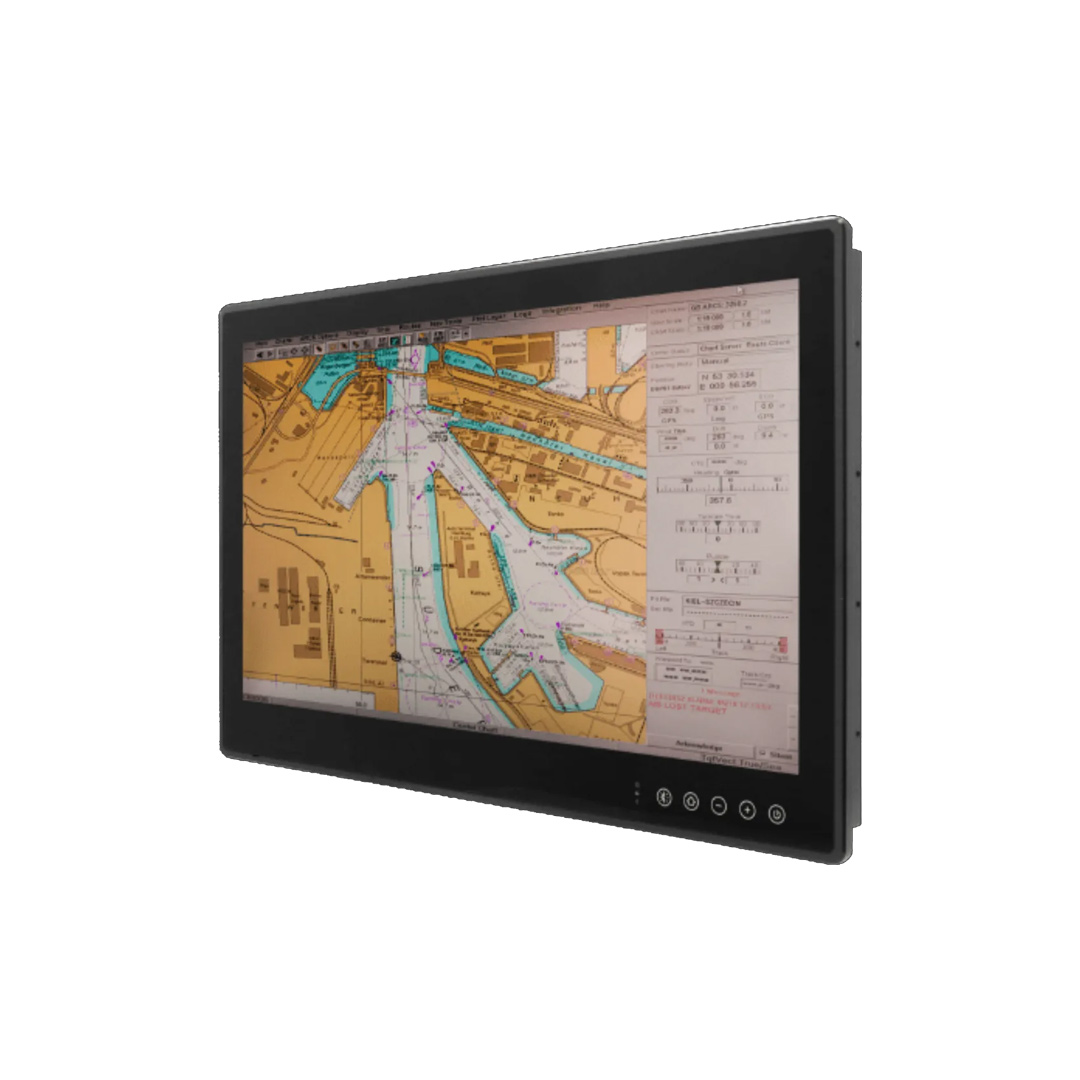
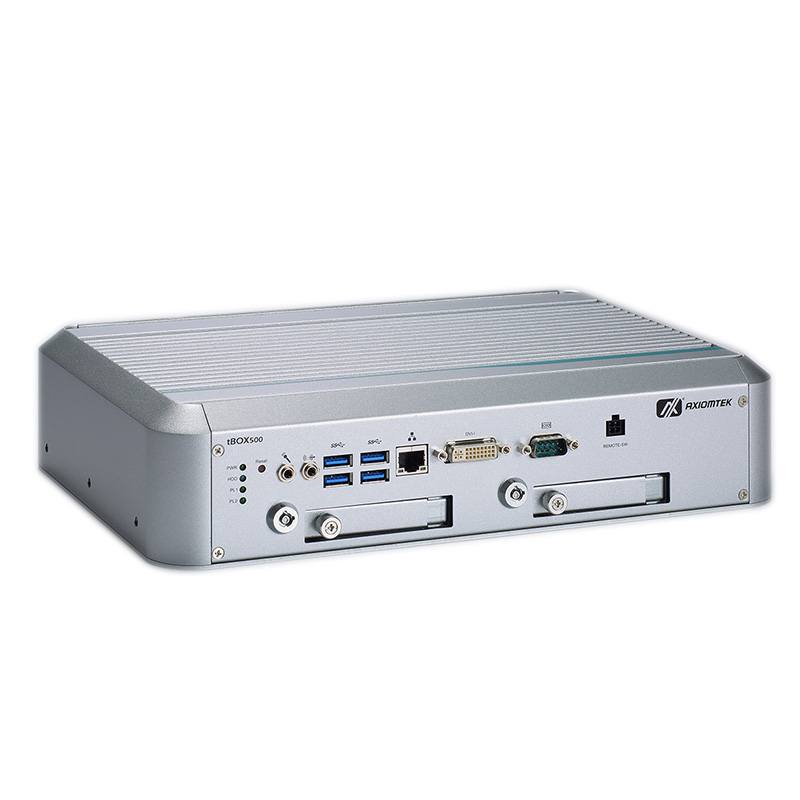
Marine computers and displays
Displays and computers designed for the bridge, the engine room and the open deck.
Marine hardware in our range
Categories where IEC 60945 and DNV products are grouped.
Marine computers
Fanless computers with isolated NMEA 0183 and 24 V DC input.
View range
Marine panel PCs
ECDIS-ready panel PCs for bridge consoles.
View range
Marine monitors
Displays with day, dusk and night modes and dimming to near black.
View range
Sunlight readable monitors
High-brightness displays for bridge wings and open deck.
View range
IP69K computers
Sealed computers for deck and uncrewed craft.
View range
Stainless steel monitors
Sealed stainless displays for wet and salty locations.
View rangeMarine computers and displays from our range
The products below list IEC 60945 or DNV in their manufacturers’ specifications. As your system integrator we configure each computer, image the operating system and application, and test it before it ships; displays are configured and tested. Approvals belong to the manufacturer, so we supply the certificates and test reports for your vessel file and keep each build inside the approved configuration.
| Bridge role | Example from our range | Marine standards in its specification |
|---|---|---|
| ECDIS panel PC for a console | Winmate R15IAD3S-MRA3FP | DNV-CG-0339, IEC 60945 4th edition and IACS E10; DNV approval on the 24 V DC input |
| Bridge computer with NMEA inputs | Winmate I330EAC-IMT | DNV-CG-0339, IEC 60945 4th edition and IACS E10 |
| Large ECDIS chart display | Winmate W32L100-MRA1FP | Certified to DNV-CG-0339, IEC 60945 4th edition and IACS E10; vibration to CG-0339 Class A |
| ECDIS monitor with mode keys | Winmate W24L100-MRA1FP | DNVGL-CG-0339, IEC 60945 4th edition and IACS E10 |
| Compact bridge panel PC | Nexcom PPC-120T-AL | Designed to IEC 60945; IP65 front, redundant DC and PoE power |
| Edge AI on deck or on uncrewed craft | Neousys NRU-170-PPC series | IP66 panel PCs with NVIDIA Jetson Orin |
Our marine panel PCs cover more console sizes. Where a vessel needs an approval a model does not hold, such as Lloyd’s Register or ABS type approval, or an exposed-category rating, we say so at the quotation stage rather than after delivery.
Marine computers and displays
Four starting points from the table above: an ECDIS panel PC, a bridge computer with eight NMEA 0183 ports, a 32 inch ECDIS display and a compact IEC 60945 panel PC.
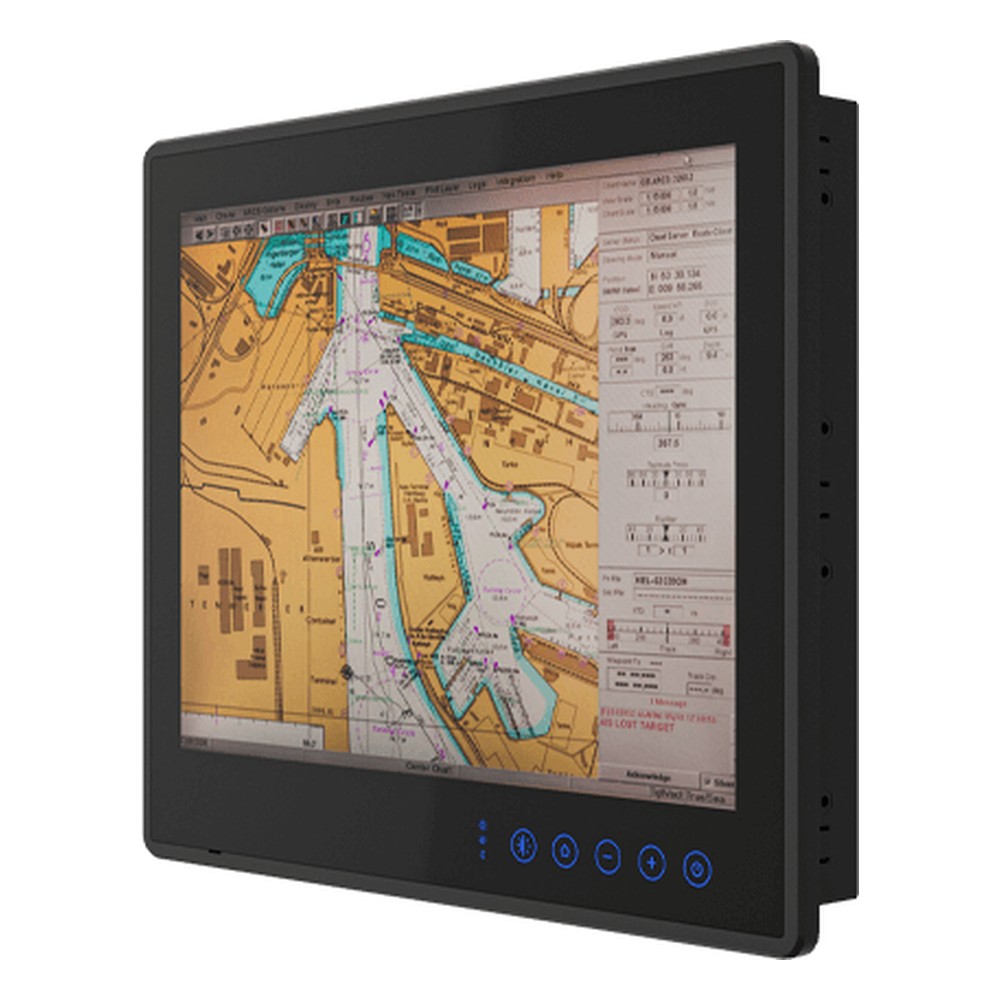
15″ ECDIS Marine Panel PC with 13th Gen Intel Core i5-1335U and 9 to 36V DC
- Display
- 15″ (4:3, 1024×768, XGA)
- Brightness
- 500 nits
- Touch
- Multi Touch PCAP
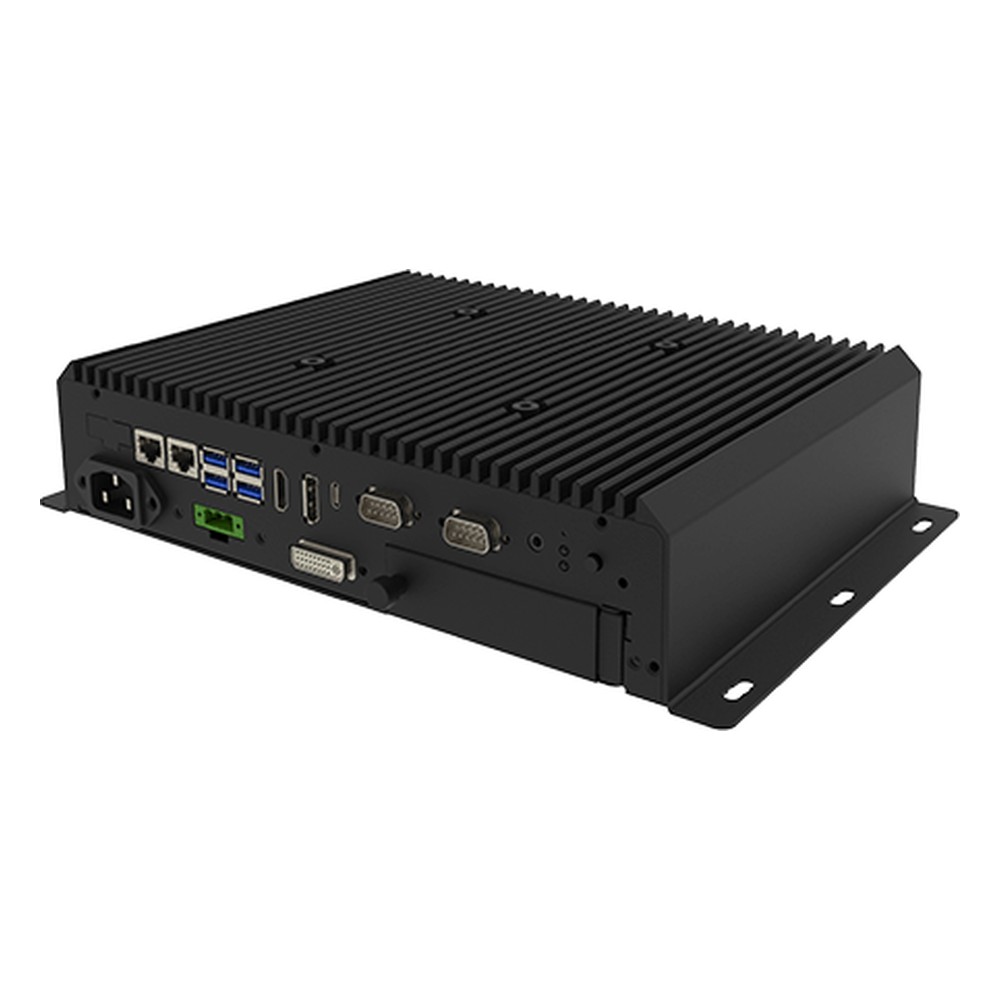
Intel Core Ultra 5 125U Marine Embedded Computer with 9 to 36V DC
- AI
- 11 TOPS
- CPU
- Intel Core Ultra 1 (Meteor Lake)
- Ethernet
- 2× GbE
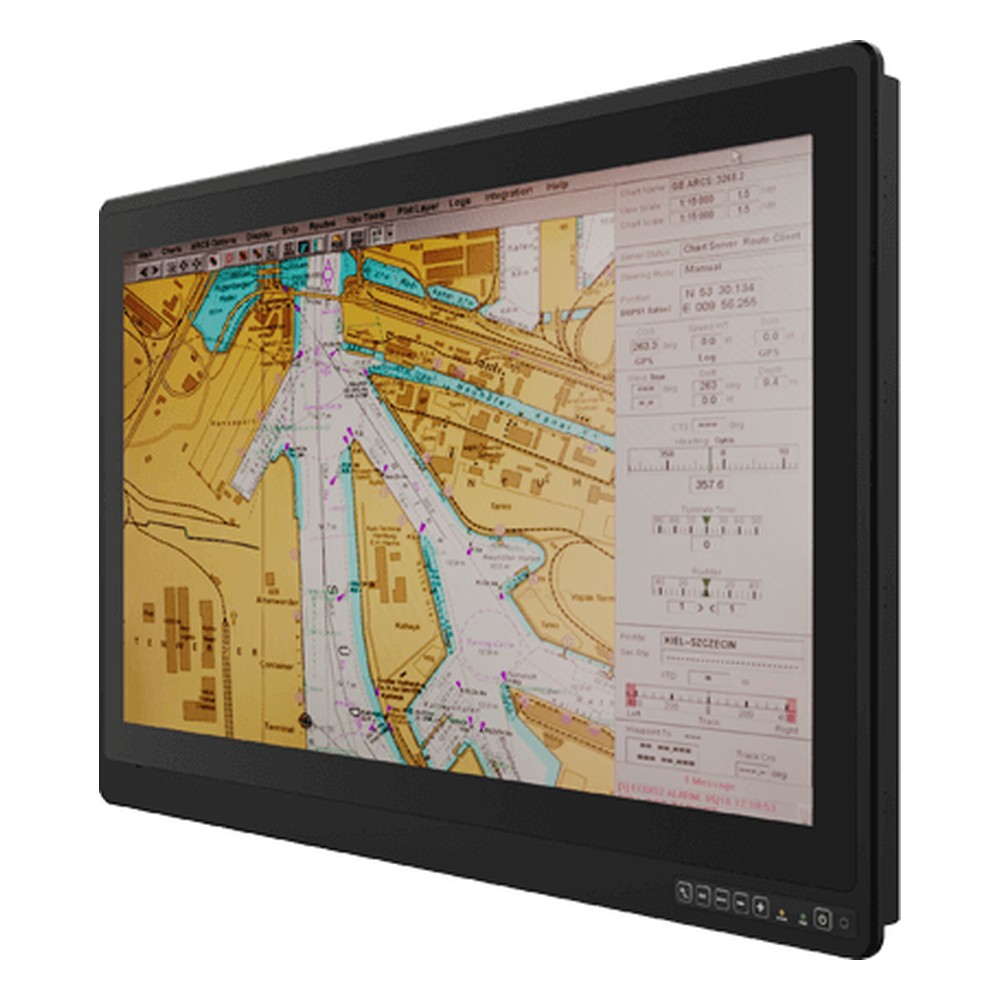
32″ ECDIS Marine Monitor with 9 to 36V DC and PCAP Touch
- Display
- 32″ (16:9, 3840×2160, UHD)
- Brightness
- 350 nits
- Touch
- Multi Touch PCAP
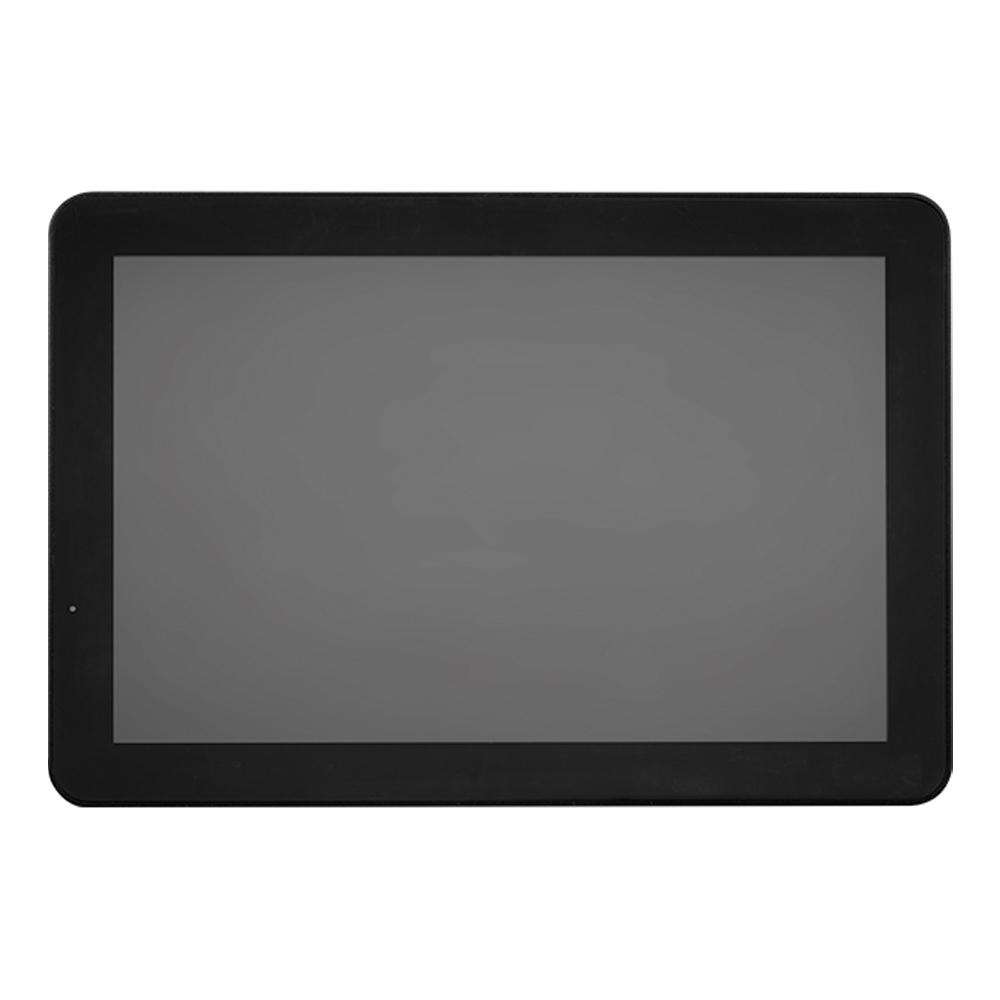
12.1″ 600 Nit PCAP Marine Panel PC with Intel Celeron J3455E and IEC 60945
- Display
- 12.1″ (5:3, 1280×800, WXGA)
- Brightness
- 600 nits
- Touch
- Multi Touch PCAP
Specifying a computer for a vessel
Eight checks before a computer or display goes on board.
-
01
Location
Decide the IEC 60945 category for each position: protected, exposed or portable.
-
02
Approvals
Confirm whether the vessel needs IEC 60945, class type approval from DNV or another society, or both.
-
03
Configuration
Check the certificate covers the exact model, power input and options being fitted.
-
04
Power
Match the input to the ship’s supply, usually 24 V DC, and confirm isolation.
-
05
Interfaces
Count NMEA 0183, NMEA 2000 and Ethernet connections, with isolation.
-
06
Display
For ECDIS or conning, ask for day, dusk and night modes, dimming range and color calibration.
-
07
Compass
Get the compass safe distances before the console layout is fixed.
-
08
Lifecycle
Agree availability and a last-time-buy plan so replacements stay on the same approval.
IEC 60945: common questions
Quick answers
What is IEC 60945?
The general test standard for marine navigation and radio equipment. It sets the environmental, EMC, safety and ergonomic tests that bridge equipment must pass, and equipment performance standards call on it.
What is the difference between protected and exposed equipment in IEC 60945?
Where the equipment is installed. Protected equipment sits inside the ship, out of the weather; exposed equipment is on open deck and also faces rain and spray, solar radiation, corrosion and lower temperatures.
What tests are included in IEC 60945?
Environmental, EMC, safety and bridge-specific tests. They include dry and damp heat, low temperature, vibration, conducted and radiated emissions, immunity, ESD and compass safe distance.
What is DNV type approval?
A DNV certificate that a product design is fit for DNV-classed vessels. It is based on tests to DNV-CG-0339 and names the location classes and configuration approved.
Is IEC 60945 mandatory?
For SOLAS navigation and radio equipment, effectively yes. For other bridge electronics it is usually a contractual or class requirement, mainly for EMC.
What is compass safe distance?
The minimum distance from the magnetic compass. It is measured under IEC 60945 for the standard and steering compasses and marked on bridge equipment.
What is IEC 61174 ECDIS?
The test standard for Electronic Chart Display and Information Systems. It sets the operational and performance requirements an ECDIS must meet, and calls on IEC 60945 and IEC 62288.
Is DNV GL the same as DNV?
Yes. DNV and GL merged in 2013 to form DNV GL, and the society returned to the name DNV in 2021. Older certificates and datasheets still say DNV GL or DNVGL.
Marine computing FAQs
-
What Is Marine Grade Stainless Steel?
Marine grade stainless steel usually means grade 316 or 316L: austenitic stainless steel with 2 to 3% molybdenum, which resists pitting from salt water and sea spray far better than 304. It is a trade description rather than a formal standard, so always check the actual grade on the specification.
-
What Makes a Display Sunlight Readable?
A sunlight readable display stays clear in bright light because it combines high brightness, typically 1,000 nits or more for direct sun, with low reflection. Optical bonding removes the air gap behind the cover glass, and anti-reflective or anti-glare treatment cuts surface glare, so contrast holds up outdoors and in bright vehicle cabs.
-
What Are Nits? Display Brightness Explained
A nit is the standard measure of display brightness: one nit equals one candela per square meter (cd/m²). The higher the figure, the brighter the screen. A typical office monitor gives 250 to 350 nits, while a display meant for direct sunlight usually needs 1,000 nits or more, combined with low reflection.
-
What Is EMC Testing?
EMC testing checks that an electronic product is electromagnetically compatible: its emissions stay under legal limits, and it keeps working when exposed to static discharge, radio fields, transients and mains surges. It is carried out to standards such as CISPR 32 and IEC 61000-4, and is required before most products can be sold in the USA, EU and US.
-
What Is Galvanic Isolation?
Galvanic isolation separates two circuits so that no current can flow directly between them, while power or data still passes across the gap by light, a magnetic field or an electric field. It breaks ground loops, blocks damaging voltages and noise, and protects people and equipment wherever circuits at different potentials have to connect.
-
How Do You Prevent Condensation on Electronics?
Condensation forms when a surface is colder than the dew point of the air around it, so moisture in the air turns to water on it. To prevent it on electronics, keep their surfaces above the dew point with steady heat or a heater, seal the enclosure, control humidity with desiccants or breather vents, and protect boards with conformal coating.
-
What Is an Unmanned Surface Vehicle (USV)?
An unmanned surface vehicle (USV) is a boat that operates on the water with no crew on board. It is either driven remotely from a control station or navigates autonomously using onboard sensors and computers. Also called uncrewed surface vessels or sea drones, USVs carry out survey, inspection, environmental monitoring, security patrol and naval missions.
Need IEC 60945 computers or displays for a vessel?
Tell us where each screen and computer will be installed, the approvals your vessel needs and the ship’s supply. We will recommend marine computers and displays, then configure and test them, imaging the computers, before they ship.