
 US
US Industrial IoT Gateways
Edge Gateways for Machine and Sensor Data
An industrial IoT gateway sits between field devices and the network. It reads machines, meters and sensors over serial, CAN and digital I/O, translates protocols such as Modbus and passes clean data on to SCADA, a local server or the cloud.
Options include low-power Arm IoT gateways for the DIN rail, x86 edge gateways that also run Windows or Linux applications, and AI gateways with an NPU or Jetson module, with 4G and 5G cellular, Wi-Fi, PoE power and wide temperature ratings.
They suit factories, utilities, remote sites and fleets: anywhere data has to leave the machine reliably, from a cabinet with no wired uplink to a vehicle gateway that starts with the ignition.


Browse Our Industrial IoT Gateways
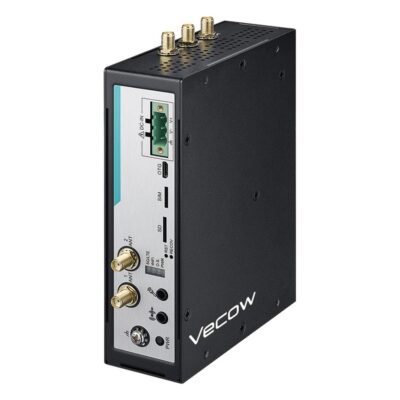
- CPU: Qualcomm Dragonwing IQ-615
- Memory: 8GB Soldered On-board
- OS: Linux
- Display Outputs: 1x HDMI
- Ethernet: 2x GbE LAN [RJ45]
- USB: 2x USB 3.0 [Type A]
- Serial: 2x RS232/485 [Terminal Block]
- M.2: 1x M.2 B-Key [3052], 1x M.2 E-Key [2230]
- Power: 9-50V DC Input [Terminal Block]
- Temp: -30°C to 70°C [-22°F to 158°F]
- Certification: CE, EN50121-3-2, EN50155, FCC, RoHS
- Mounting Options: DIN Mount, Wall Mount
- Storage: 1x Micro SD, 64GB eMMC
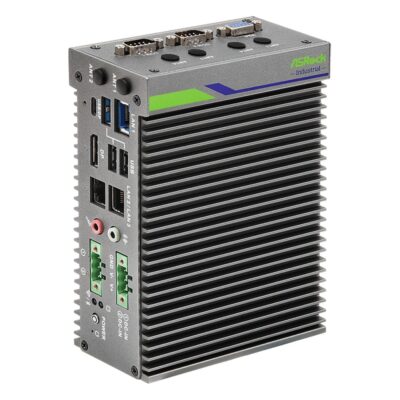
-
iEP-5020G-023
iEP-5020G-023 with five LAN ports, 4G/5G slot with Nano SIM and 6-36V DC -
iEP-5020G-020
iEP-5020G-020 with Atom x7433RE, triple LAN, Wi-Fi and 4G/5G slots, 6-36V DC -
iEP-5020G-021
iEP-5020G-021 with two 802.3af PoE ports, five LAN, Wi-Fi slot and 19-36V DC -
iEP-5020G-022
iEP-5020G-022 with five LAN ports, Wi-Fi 6E slot and 6-36V DC -
iEP-5020G-024
iEP-5020G-024 with isolated 8DI/8DO, triple LAN, Wi-Fi slot and 6-36V DC
- CPU: Intel Atom X Series Amston Lake
- Memory: 1x DDR5 4800MHz SO-DIMM, 16GB
- OS: Linux, Windows 11
- Display Outputs: 1x Display Port, 1x USB Type C, 1x VGA
- USB: 1x USB 2.0 [Type A], 1x USB 3.2 Gen 2 [Type C], 2x USB 3.2 Gen 2 [Type A]
- Serial: 2x RS232/422/485 [DB9]
- Storage: 1x M.2 SSD, 1x Micro SD
- Certification: CE, FCC, LVD
- Mounting Options: DIN Mount, Wall Mount
- Ethernet: 1x 2.5 GbE LAN [RJ45], 4x GbE LAN [RJ45]
- M.2: 1x M.2 B-Key [PCIe/USB] [3042/3052], 1x M.2 M-Key [PCIe x2 Gen3] [2280]
- Power: 6-36V DC Input [Terminal Block]
- Temp: -40°C to 70°C [-40°F to 158°F]
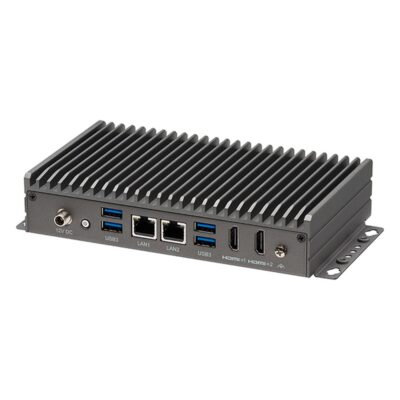
- CPU: Intel Processor N Series Alder Lake
- Memory: 1x DDR5 4800MHz SO-DIMM, 16GB
- OS: Linux, Linux Ubuntu 22.04, Windows 11
- Display Outputs: 2x HDMI
- Ethernet: 2x 2.5 GbE LAN [RJ45]
- USB: 3x USB 2.0 [Board], 4x USB 3.2 Gen 2 [Type A]
- Serial: 1x RS232 [Board], 1x RS232/422/485 [DB9]
- M.2: 1x M.2 M-Key [PCIe/SATA] [2242]
- mPCIe: 1x mPCIe [PCIe/USB/SIM]
- Storage: 1x M.2 SSD [PCIe & SATA]
- Power: 12V DC [Barrel Connector], AC Power Supply Included
- Temp: -5°C to 50°C [23°F to 122°F]
- Certification: EN62368-1, CE, cUL 62368-1, FCC, LVD, UL 62368-1
- Mounting Options: Desktop, Wall Mount
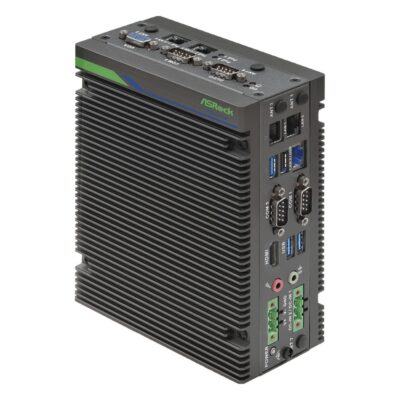
-
iEP-7041E-024
iEP-7041E-024 with Core Ultra 5 225H, optional 5G or 4G LTE, Wi-Fi and three 2.5GbE -
iEP-7041E-020
iEP-7041E-020 with Core Ultra 5 225H, three 2.5GbE, 4DI/4DO, three COM and Wi-Fi option -
iEP-7041E-021
iEP-7041E-021 with Core Ultra 5 225H, two 802.3af PoE ports and five LAN in total -
iEP-7041E-022
iEP-7041E-022 with Core Ultra 5 225H, five LAN ports, three COM and Wi-Fi option -
iEP-7041E-023
iEP-7041E-023 with Core Ultra 5 225H, five LAN ports and 5G or 4G LTE option -
iEP-7041E-025
iEP-7041E-025 with Core Ultra 5 225H, isolated 8DI/8DO, 4DI/4DO and three COM
- CPU: Intel Core Ultra Series 2 Arrow Lake-H
- GPU / AI Accelerator: Intel NPU
- AI Performance: 13 TOPS
- Memory: 2x DDR5 5600MHz SO-DIMM Slot, 96GB
- OS: Linux, Windows 11
- Display Outputs: 1x HDMI, 1x VGA
- USB: 1x USB 2.0 [Type A], 3x USB 3.2 Gen 2 [Type A]
- Serial: 3x RS232/422/485 [DB9]
- M.2: 1x M.2 B-Key [PCIe/USB] [3042/3052], 1x M.2 E-Key [PCIe x1 Gen3/USB 2.0] [2230/2260], 1x M.2 M-Key [PCIe x4 Gen4] [2280]
- Storage: 1x M.2 SSD, 1x Micro SD
- Temp: -25°C to 50°C [-13°F to 122°F]
- Certification: CE, FCC, LVD
- Ethernet: 3x 2.5 GbE LAN [RJ45]
- Power: 9-36V DC Input [Terminal Block]
- Mounting Options: DIN Mount, Wall Mount
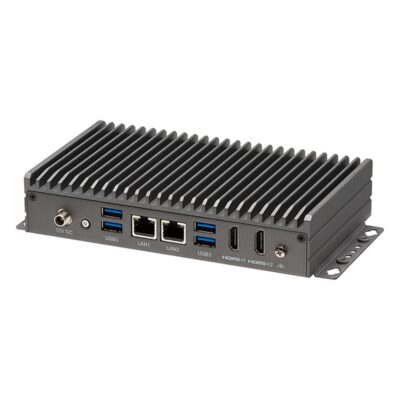
- CPU: Intel Processor N Series Alder Lake
- Memory: 1x DDR4 3200MHz SO-DIMM Slot, 16GB
- OS: Linux, Linux Ubuntu 22.04, Windows 11
- Display Outputs: 2x HDMI
- Ethernet: 2x 2.5 GbE LAN [RJ45]
- USB: 3x USB 2.0 [Board], 4x USB 3.2 Gen 2 [Type A]
- Serial: 1x RS232 [Board], 1x RS232/422/485 [DB9]
- M.2: 1x M.2 M-Key [PCIe/SATA] [2242]
- mPCIe: 1x mPCIe [PCIe/USB/SIM]
- Storage: 1x M.2 SSD [PCIe & SATA]
- Power: 12V DC [Barrel Connector], AC Power Supply Included
- Temp: -5°C to 50°C [23°F to 122°F]
- Certification: EN62368-1, CE, cUL 62368-1, FCC, LVD, UL 62368-1
- Mounting Options: Desktop, Wall Mount
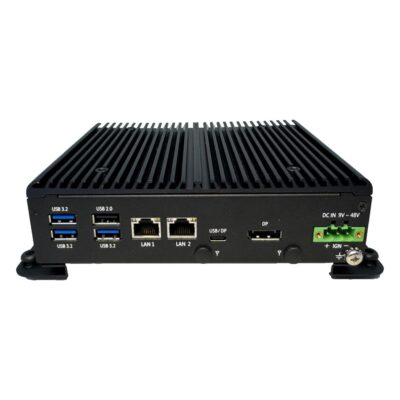
- CPU: Intel Processor N Series Twin Lake
- Memory: 1x DDR5 4800MHz SO-DIMM, 16GB
- OS: Linux, Windows 11
- Display Outputs: 1x Display Port, 1x USB Type C
- Ethernet: 2x 2.5 GbE LAN [RJ45]
- USB: 1x USB 2.0 [Type A], 1x USB 3.2 Gen 2 [Type C], 3x USB 3.2 Gen 2 [Type A]
- Serial: 2x RS232/422/485 [DB9]
- M.2: 1x M.2 B-Key [PCIe/USB 3.0/SIM] [2230/2242/2280], 1x M.2 M-Key [SATA] [2230/2242/2280]
- mPCIe: 1x mPCIe [PCIe/USB/SIM]
- Storage: 1x 2.5" HDD/SSD, 1x M.2 SSD [SATA]
- Front Accessible Storage: Front Accessible Storage
- Power: 9-48V DC Input [Terminal Block]
- Ignition Sensing: Supports Ignition Control
- Temp: -40°C to 70°C [-40°F to 158°F]
- Certification: CE, FCC
- Mounting Options: Wall Mount
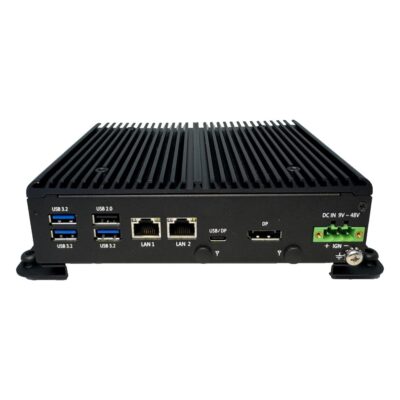
- CPU: Intel Processor N Series Alder Lake
- Memory: 1x DDR5 4800MHz SO-DIMM, 16GB
- OS: Linux, Windows 11
- Display Outputs: 1x Display Port, 1x USB Type C
- Ethernet: 2x 2.5 GbE LAN [RJ45]
- USB: 1x USB 2.0 [Type A], 1x USB 3.2 Gen 2 [Type C], 3x USB 3.2 Gen 2 [Type A]
- Serial: 2x RS232/422/485 [DB9]
- M.2: 1x M.2 B-Key [PCIe/USB 3.0/SATA/SIM] [2230/2242/2280]
- mPCIe: 1x mPCIe [PCIe/USB/SIM]
- Storage: 1x 2.5" HDD/SSD, 1x M.2 SSD [SATA]
- Front Accessible Storage: Front Accessible Storage
- Power: 9-48V DC Input [Terminal Block]
- Ignition Sensing: Supports Ignition Control
- Temp: -40°C to 70°C [-40°F to 158°F]
- Certification: CE, FCC
- Mounting Options: Wall Mount
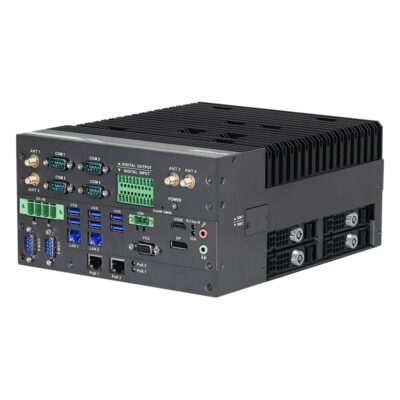
- CPU: Intel Core Series 2 Bartlett Lake
- Memory: 2x DDR5 5600MHz SO-DIMM Slot, 96GB
- OS: Linux, Windows 11
- Display Outputs: 1x Display Port, 1x HDMI, 1x VGA
- Ethernet: 2x 2.5 GbE LAN [RJ45], 2x 2.5 GbE LAN [RJ45] [PoE]
- USB: 1x USB 2.0 [Board], 2x USB 2.0 [Type A], 4x USB 3.2 Gen 2 [Type A]
- Serial: 2x RS232 [DB9], 4x RS232/422/485 [DB9]
- M.2: 1x M.2 B-Key [PCIe x1/USB 3.2 Gen 1/USB 2.0/SIM] [3042/3052], 1x M.2 B-Key [PCIe x1/USB 3.2/USB 2.0/SIM] [2280/3042/3052], 1x M.2 E-Key [PCIe x1 Gen3/USB 2.0] [2230], 1x M.2 M-Key [PCIe x1 Gen3] [2242/2280/22110/25110]
- Storage: 1x CFAST, 1x M.2 SSD, 4x 2.5" HDD/SSD
- Power: 9-36V DC Input [Terminal Block]
- Ignition Sensing: Supports Ignition Control
- Temp: -40°C to 50°C [-40°F to 122°F]
- Certification: CE, FCC, LVD
- Mounting Options: Desktop
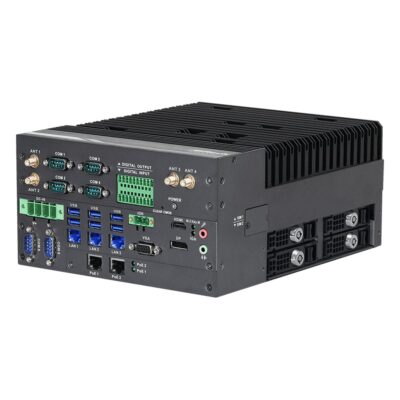
- CPU: Intel Core Series 2 Bartlett Lake
- Memory: 2x DDR5 5600MHz SO-DIMM Slot, 96GB
- OS: Linux, Windows 11
- Display Outputs: 1x Display Port, 1x HDMI, 1x VGA
- Ethernet: 2x 2.5 GbE LAN [RJ45] [PoE], 3x 2.5 GbE LAN [RJ45]
- USB: 1x USB 2.0 [Board], 6x USB 3.2 Gen 2 [Type A]
- Serial: 2x RS232 [DB9], 4x RS232/422/485 [DB9]
- M.2: 1x M.2 B-Key [PCIe x1/USB 3.2 Gen 1/USB 2.0/SIM] [3042/3052], 1x M.2 B-Key [PCIe x1/USB 3.2/USB 2.0/SIM] [2280/3042/3052], 1x M.2 E-Key [PCIe x1 Gen3/USB 2.0] [2230], 1x M.2 M-Key [PCIe x4 Gen3] [2242/2280/22110/25110], 1x M.2 M-Key [PCIe x4 Gen4] [2242/2260/2280]
- Storage: 1x CFAST, 2x M.2 SSD, 4x 2.5" HDD/SSD
- RAID: RAID 0, RAID 1, RAID 5, RAID 10
- Power: 9-36V DC Input [Terminal Block]
- Ignition Sensing: Supports Ignition Control
- Temp: -40°C to 50°C [-40°F to 122°F]
- Certification: CE, FCC, LVD
- Mounting Options: Desktop
-
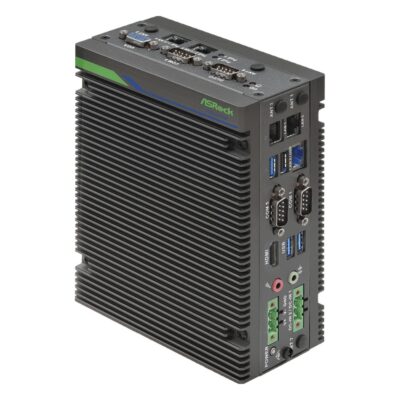
iEP-7040E-024
iEP-7040E-024 with Core Ultra 7 255H, optional 5G or 4G LTE, Wi-Fi and three 2.5GbE -
iEP-7040E-020
iEP-7040E-020 with Core Ultra 7 255H, three 2.5GbE, 4DI/4DO, three COM and Wi-Fi option -
iEP-7040E-021
iEP-7040E-021 with Core Ultra 7 255H, two 802.3af PoE ports and five LAN in total -
iEP-7040E-022
iEP-7040E-022 with Core Ultra 7 255H, five LAN ports, three COM and Wi-Fi option -
iEP-7040E-023
iEP-7040E-023 with Core Ultra 7 255H, five LAN ports and 5G or 4G LTE option -
iEP-7040E-025
iEP-7040E-025 with Core Ultra 7 255H, isolated 8DI/8DO, 4DI/4DO and three COM
- CPU: Intel Core Ultra Series 2 Arrow Lake-H
- GPU / AI Accelerator: Intel NPU
- AI Performance: 13 TOPS
- Memory: 2x DDR5 5600MHz SO-DIMM Slot, 96GB
- OS: Linux, Windows 11
- Display Outputs: 1x HDMI, 1x VGA
- USB: 1x USB 2.0 [Type A], 3x USB 3.2 Gen 2 [Type A]
- Serial: 3x RS232/422/485 [DB9]
- M.2: 1x M.2 B-Key [PCIe/USB] [3042/3052], 1x M.2 E-Key [PCIe x1 Gen3/USB 2.0] [2230/2260], 1x M.2 M-Key [PCIe x4 Gen4] [2280]
- Storage: 1x M.2 SSD, 1x Micro SD
- Temp: -25°C to 50°C [-13°F to 122°F]
- Certification: CE, FCC, LVD
- Ethernet: 3x 2.5 GbE LAN [RJ45]
- Power: 9-36V DC Input [Terminal Block]
- Mounting Options: DIN Mount, Wall Mount
-
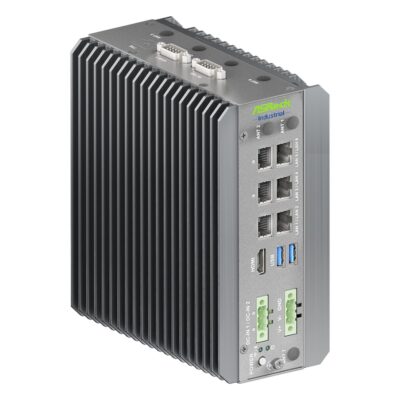
iEP-7050E-022
iEP-7050E-022 with Core Ultra X7 358H, optional 5G or 4G LTE, Wi-Fi and six LAN -
iEP-7050E-020
iEP-7050E-020 with Core Ultra X7 358H, six LAN ports, 4DI/4DO and Wi-Fi option -
iEP-7050E-021
iEP-7050E-021 with Core Ultra X7 358H, two 802.3af PoE ports and eight LAN in total -
iEP-7050E-023
iEP-7050E-023 with Core Ultra X7 358H, isolated 8DI/8DO, 4DI/4DO and six LAN -
iEP-7050E-024
iEP-7050E-024 with Core Ultra X7 358H, dual CAN bus, 4DI/4DO and six LAN -
iEP-7050E-025
iEP-7050E-025 with Core Ultra X7 358H, out-of-band management port and seven LAN
- CPU: Intel Core Ultra Series 3 Panther Lake
- GPU / AI Accelerator: Intel NPU
- AI Performance: 50 TOPS
- Memory: 2x DDR5 7200MHz SO-DIMM Slot, 128GB
- OS: Linux Ubuntu 26.04, Linux, Windows 11
- Display Outputs: 1x HDMI
- USB: 2x USB 3.2 Gen 2 [Type A]
- Serial: 1x RS232/422/485 [DB9]
- M.2: 1x M.2 B-Key [PCIe/USB] [3042/3052], 1x M.2 E-Key [PCIe x1 Gen3/USB 2.0] [2230/2260], 1x M.2 M-Key [PCIe x4 Gen5] [2280]
- Storage: 1x M.2 SSD, 1x Micro SD
- Temp: -25°C to 60°C [-13°F to 140°F]
- Certification: CE, FCC, LVD
- Ethernet: 3x 2.5 GbE LAN [RJ45], 3x GbE LAN [RJ45]
- Power: 9-36V DC Input [Terminal Block]
- Mounting Options: DIN Mount, Wall Mount
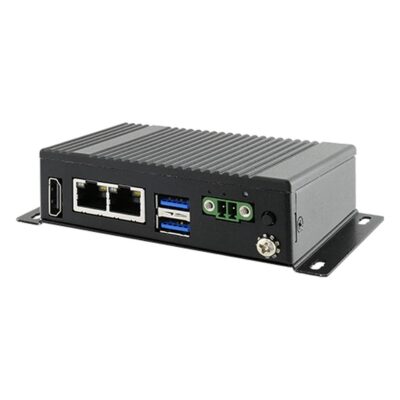
- CPU: Intel Celeron N Series Elkhart Lake
- Memory: 8GB Soldered On-board
- OS: Linux Ubuntu 22.04, Windows 11
- Display Outputs: 1x Optional HDMI
- Ethernet: 2x 2.5 GbE LAN [RJ45]
- USB: 2x USB 2.0 [Board], 2x USB 3.2 Gen 2 [Type A]
- M.2: 1x M.2 B-Key [2242]
- Storage: 1x M.2 SSD, 32GB eMMC
- Power: 9-36V DC Input [Terminal Block]
- Temp: 0°C to 55°C [32°F to 131°F]
- IP Rating: IP30
- Certification: CE, FCC
- Mounting Options: Desktop, Wall Mount
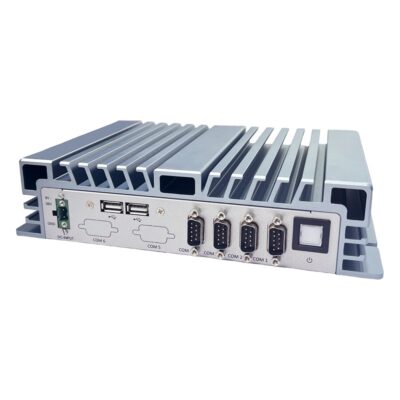
- CPU: Intel Celeron J Series Elkhart Lake
- Memory: 2x DDR4 3200MHz SO-DIMM Slots, 32GB
- OS: Linux, Windows 11
- Serial: 2x RS232 [DB9], 2x RS232/422/485 [DB9]
- Storage: 1x 2.5" HDD/SSD, 1x M.2 SSD [PCIe & SATA]
- Temp: -20°C to 60°C [-4°F to 140°F]
- Certification: CE, FCC
- Mounting Options: Wall Mount
- Display Outputs: 1x HDMI, 1x VGA
- Ethernet: 2x 2.5 GbE LAN [RJ45]
- USB: 2x USB 3.2 Gen 1 [Type A], 4x USB 2.0 [Type A]
- M.2: 1x M.2 B-Key [PCIe/USB 3.0/SIM] [3042/3052], 1x M.2 M-Key [PCIe x2/SATA] [2280]
- mPCIe: 1x mPCIe [PCIe/USB]
- Power: 9-24V DC Input [Terminal Block]
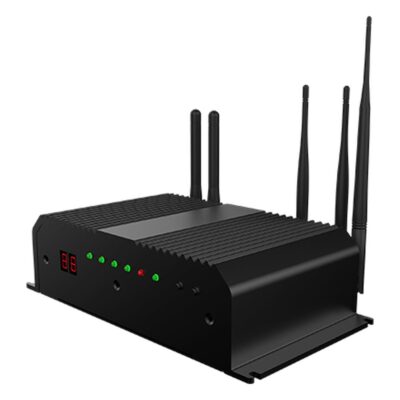
- OS: Linux
- Storage: 1x Micro SD
- Power: 9-36V DC Input [Terminal Block]
- Temp: 0°C to 60°C [32°F to 140°F]
- Certification: CE, FCC
- Mounting Options: VESA Mount
-
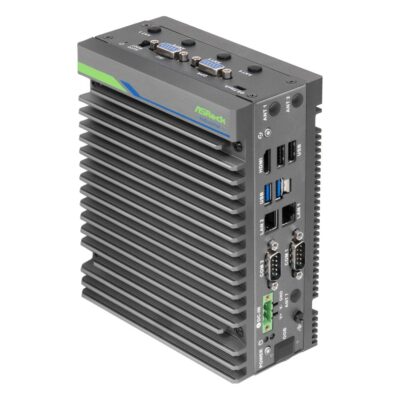
iEP-6022E-003
iEP-6022E-003 with Jetson Orin Nano 8GB, 5G or 4G LTE module, Nano SIM, dual GbE -
iEP-6022E-000
iEP-6022E-000 with Jetson Orin Nano 8GB, dual GbE, CAN, two COM and optional second SSD -
iEP-6022E-001
iEP-6022E-001 with Jetson Orin Nano 8GB, two 802.3af PoE ports, dual GbE and CAN -
iEP-6022E-002
iEP-6022E-002 with Jetson Orin Nano 8GB, four 802.3af PoE ports and dual GbE
- AI Performance: 40 TOPS
- SOM: NVIDIA Jetson Orin Nano 8GB
- Memory: 8GB Soldered On-board
- OS: Linux, Linux Ubuntu 22.04
- Display Outputs: 1x HDMI
- USB: 2x USB 2.0 [Type A], 2x USB 3.2 Gen 2 [Type A]
- Serial: 1x RS232 [DB9], 1x RS232/422/485 [DB9]
- CANbus: 1x CANbus [DB15]
- Power: 12-36V DC Input [Terminal Block]
- Certification: CE, FCC
- Ethernet: 2x GbE LAN [RJ45]
- M.2: 1x M.2 B-Key [PCIe x1 Gen3/USB 3.2 Gen 2] [2280/3042/3052], 1x M.2 E-Key [PCIe x1/USB 2.0] [2230], 1x M.2 M-Key [PCIe x4] [2280]
- Storage: 1x M.2 SSD, 1x Micro SD
- Temp: -25°C to 55°C [-13°F to 131°F]
- Mounting Options: DIN Mount, Wall Mount
Beyond the Gateway: Industrial and Edge Computers
 Industrial PCsWhen the job grows from collecting data to running control, HMI or vision software, with more processing and expansion than a gateway.
 Industrial DIN Rail PCsFull x86 computers that clip onto the same top-hat rail as the PLC, for heavier work inside the control cabinet.
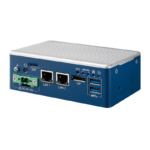 Industrial Mini PCsSmall form factor computers for kiosks, machine housings and cabinets with little free space.
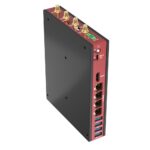 Fanless Industrial PCsPassively cooled industrial systems with room for more memory, storage and expansion than a gateway carries.
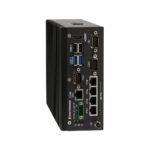 PoE Industrial PCsComputers that power IP cameras, readers and sensors straight from their own LAN ports.
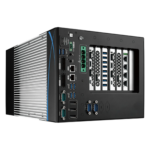 Edge AI ComputersSystems built for AI inference on site, from NPU boxes to NVIDIA Jetson and GPU computers for camera analytics.
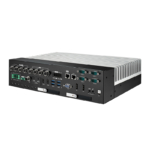 Rugged Industrial ComputersSealed, shock-rated systems for outdoor plant, quarries, ports and defense sites.
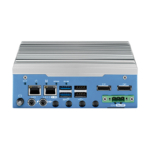 In-Vehicle ComputersVehicle PCs with ignition control, wide DC input, CAN bus and E-Mark options for buses, trucks and mobile machinery.
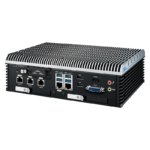 Railway ComputersEN 50155 computers for trains and trackside cabinets, with isolated train power inputs and M12 networking.
 Wide Temperature ComputersComputers rated from −40 °C for unheated cabinets, outdoor enclosures and cold stores.
 Industrial Ethernet SwitchesManaged and unmanaged switches, with PoE and fiber uplinks, that link gateways, cameras and controllers on site.
 Arm Single Board ComputersNXP, Rockchip and other Arm boards for building a gateway into your own enclosure.
Industrial Gateways Compared: Arm, x86 and Edge AI
Industrial gateways fall into three broad groups. Arm gateways do the collecting and forwarding on a few watts, x86 gateways add the processing to run full applications beside the data, and edge AI gateways bring a GPU or NPU for inference on site. The rows below show where each group fits.
| Feature | Arm Gateway | x86 Gateway | Edge AI Gateway |
|---|---|---|---|
| Processor | Low-power Cortex-A7 or Cortex-A8 cores, up to octa-core Kryo on newer models |
Atom, Celeron and N-series, up to Core Ultra with an NPU |
NVIDIA Jetson Orin NX or Orin Nano with an integrated GPU |
| Operating system | Debian or Yocto Linux, with Python and Node-RED on some models |
Windows 11 IoT or Ubuntu, with room for containers |
Ubuntu with NVIDIA JetPack |
| Field I/O | Serial, isolated DIO, CAN and analog inputs on terminal blocks |
Serial, digital I/O and several LAN ports, with CAN on some models |
Serial, digital I/O and CAN beside USB and LAN camera inputs |
| Cellular and wireless | 4G LTE or Wi-Fi modules, with 5G on newer models |
4G LTE or 5G modules with a Nano SIM, plus Wi-Fi |
5G or 4G LTE module plus Wi-Fi |
| Power | Wide DC inputs from around 6 to 50 V at a few watts, with PoE PD on some models |
9 to 36 V DC on most, with surge protection and redundant inputs on some |
12 to 36 V DC, drawing more under AI load |
| Choose it when | the job is collecting, converting and forwarding data on very little power. | the gateway also runs Windows software, containers, a local database or a dashboard. | cameras or sensors need inference on site, so only results cross the cellular link. |
When the job grows from moving data into control, operator screens or multi-camera vision, an industrial PC with more expansion is usually the better fit, and the gateway can stay at the edge of the network.
Edge Computing Gateway Features
Beyond reading and forwarding data, a gateway can process it, power itself from the network and ride on a vehicle. These are the features that set one design apart from the next.

Linux, Node-RED and Containers
Arm gateways ship with Debian or Yocto Linux, and some add Python, Node.js and the Node-RED flow editor ready to use. x86 models run Ubuntu or Windows 11 IoT, with containers for rolling one application image out to every site.

Processing at the Edge
Core Ultra processors with an NPU and NVIDIA Jetson Orin modules filter, analyze and run AI models on the gateway itself, so only events and summaries travel over a metered cellular link.
Current Loop and Isolated Inputs
Some gateways read 4 to 20 mA current loops or 0 to 10 V signals directly, and isolated digital inputs and outputs protect the electronics from ground loops and electrical noise on the plant floor.
Power Over Ethernet
PoE PD models take power and data over one network cable from a PoE switch, so a gateway can sit beside a meter or machine with no local power supply.

Vehicle and Telematics Gateways
A vehicle gateway reads engine and body data from the CAN bus, starts and stops with the ignition and sends telematics data home over 4G LTE, with GPS on selected Arm models and E-Mark approval on selected x86 models.
Multiple Networks
Several LAN ports keep the machine network apart from the plant or office network, with 2.5GbE and TSN for time-sensitive traffic on newer x86 gateways.
How to Choose IoT Gateway Devices
Start with what the gateway reads, then decide how its data leaves the site, how it is protected and where it will be mounted.

Field I/O and Modbus
List every device the gateway must read. Serial ports carry Modbus RTU from meters and PLCs, LAN ports carry Modbus TCP, and CAN, isolated digital I/O or analog inputs cover drives, contacts and transmitters. A Modbus IoT gateway needs RS-485, not just RS-232.
5G and 4G Cellular
Where there is no wired uplink, a cellular IoT gateway carries a 4G LTE or 5G module and a Nano SIM. Check the bands for the country of use, the number of antennas and whether Wi-Fi is needed for local devices too.

Security
A secure IoT gateway starts with TPM 2.0 and secure boot, so only signed software runs. Then check the firewall and VPN support in the operating system, and how the gateway will be updated once it is installed.
Mounting and Power
Most gateways clip onto a DIN rail beside the PLC or mount on a wall. Match the DC input to the cabinet supply, look for terminal-block power with surge protection, and check the temperature range at the mounting point, not in the office.
A hardware security chip that stores keys and measures the boot chain, so a gateway can prove its software has not been changed. What Is TPM 2.0, and Why Do Industrial PCs Need It?
Industrial IoT Gateway Manufacturers We Work With
We work with the leading industrial IoT gateway manufacturers, and the series below are our hand-picked selections: the edge IoT gateways we specify most often for factories, utilities, remote sites and fleets. Every card names the field I/O, connectivity and power that made it our choice, so you can compare series side by side or ask us for a shortlist.
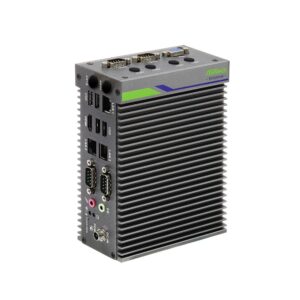
Neousys industrial IoT gateways are designed and built by a Taipei manufacturer that specializes in rugged embedded computing for machine vision, vehicles and robotics. Its computers run on Intel, AMD, NVIDIA Jetson and Arm processors, with wide-temperature operation standard across the range.
ASRock Industrial IoT edge gateways are designed in Taipei by a company that began as ASRock’s industrial division and has run independently within the Pegatron group since 2018. Its range runs from NUC and Mini-ITX boards to fanless box PCs and Jetson Orin systems.
Vecow edge gateways are designed in Taiwan by a manufacturer of rugged edge AI and embedded computing for machine vision, robotics, rail and vehicles. Its wider range runs on Intel, AMD, NVIDIA Jetson, Qualcomm and NXP processors, with fanless, wide-temperature designs across much of it.
Arestech IoT gateways come from a Taiwanese maker of fanless computers, IP-rated panel PCs and touch monitors founded in 2011. Its BPC and CB gateway lines pair Elkhart Lake, Alder Lake-N and Twin Lake processors with serial ports, wide DC inputs and 4G or 5G expansion, with ignition control on the CB-2200 and CB-2210 families.
Nexcom IIoT gateways are designed by a company that has built industrial computers in Taipei since 1992, with more than 300 R&D engineers across six business divisions. Its embedded range covers fanless computers, signage players, gateways, boards, panel PCs and touch monitors.
Winmate industrial gateways are designed and manufactured in New Taipei City by a company that has built rugged computers since 1996. Its range is built in Taiwan to IP, MIL-STD-810 and ATEX requirements for logistics, maritime, defense, healthcare and process industries.
Axiomtek vehicle gateways are designed by one of Taiwan’s major manufacturers of industrial and embedded computers. Its range spans fanless box PCs, panel PCs and HMIs, railway and in-vehicle computers, single board computers and edge AI systems on Intel, AMD and NVIDIA Jetson.
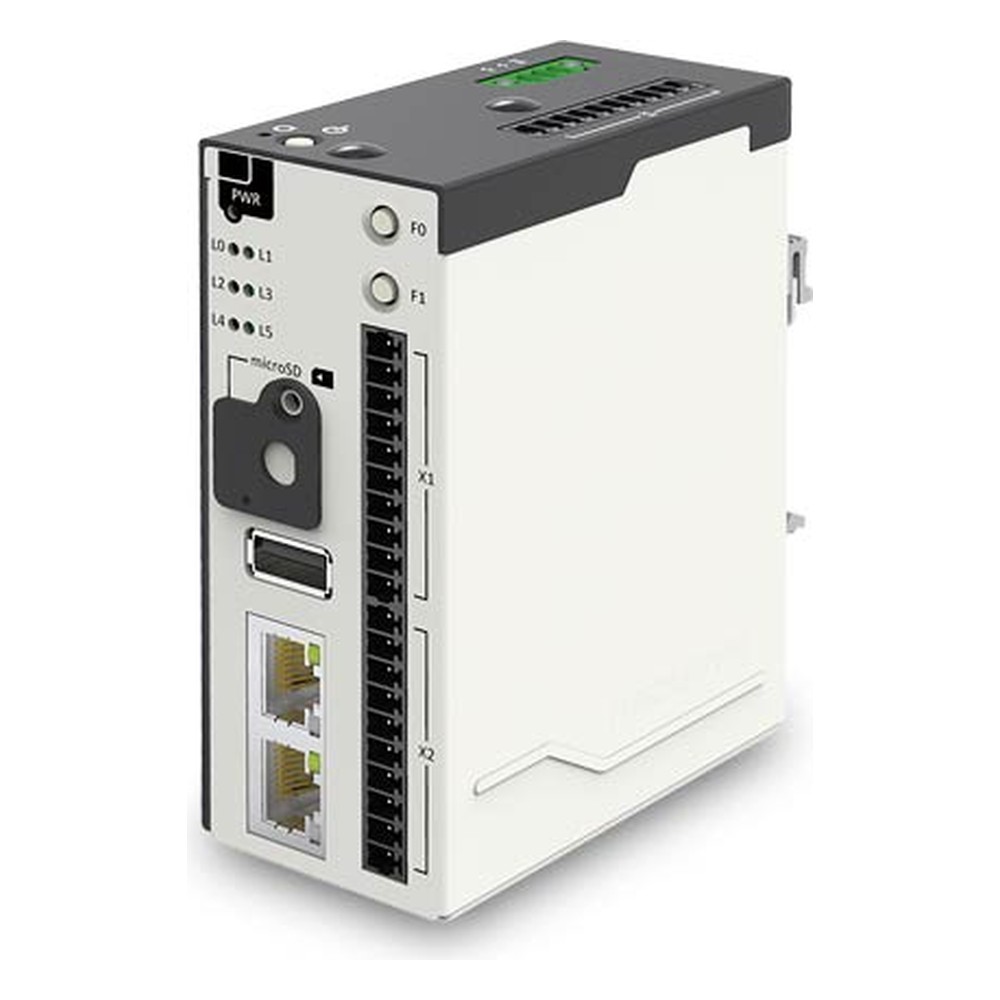
IGT-30 Neousys Industrial IoT Gateway
Our first pick when sensors sit far from a power supply: PoE PD takes power from the network cable, and builds read 4 to 20 mA or 0 to 10 V signals, isolated digital I/O or CAN on a DIN-rail Sitara gateway.
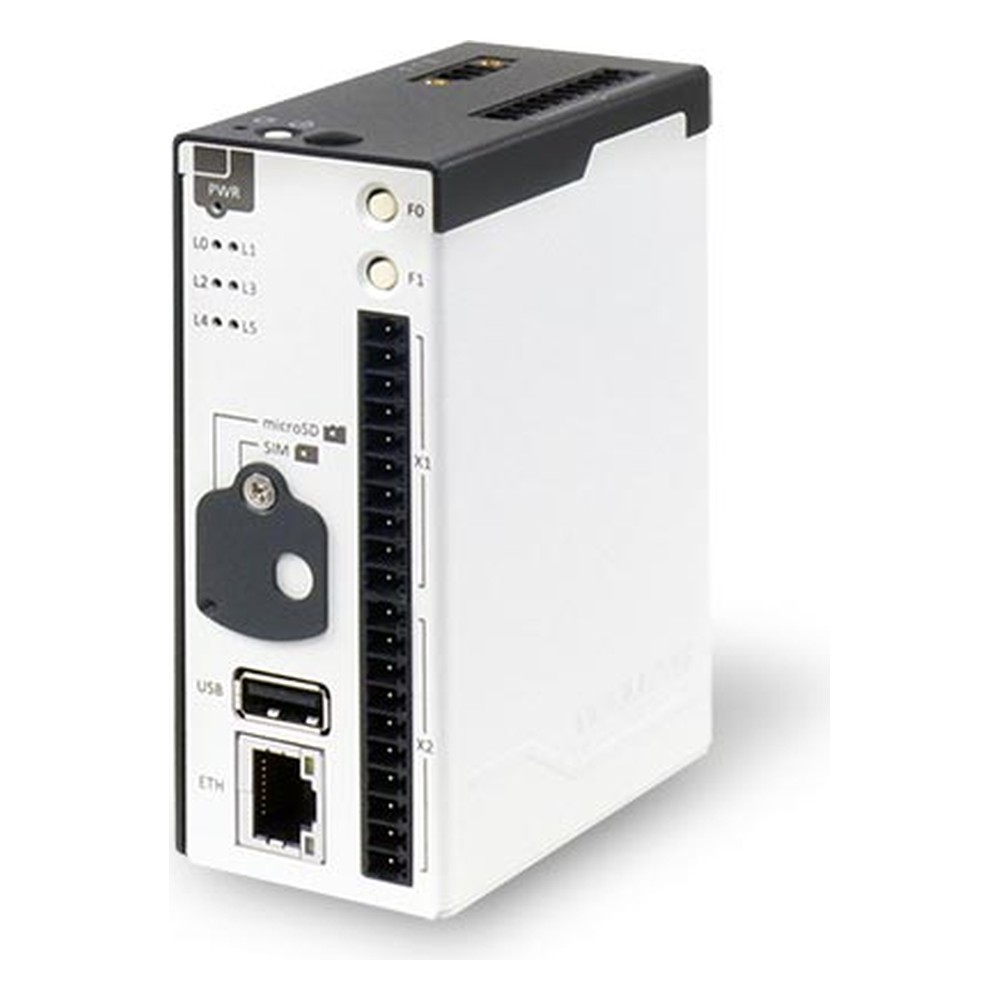
IGT-20 Neousys IIoT Gateway
Chosen for cabinets that need a small Arm gateway with Debian ready to go, isolated digital I/O, two RS-232/422/485 ports and an isolated CAN build, plus a mini PCIe socket for a 4G or Wi-Fi module.
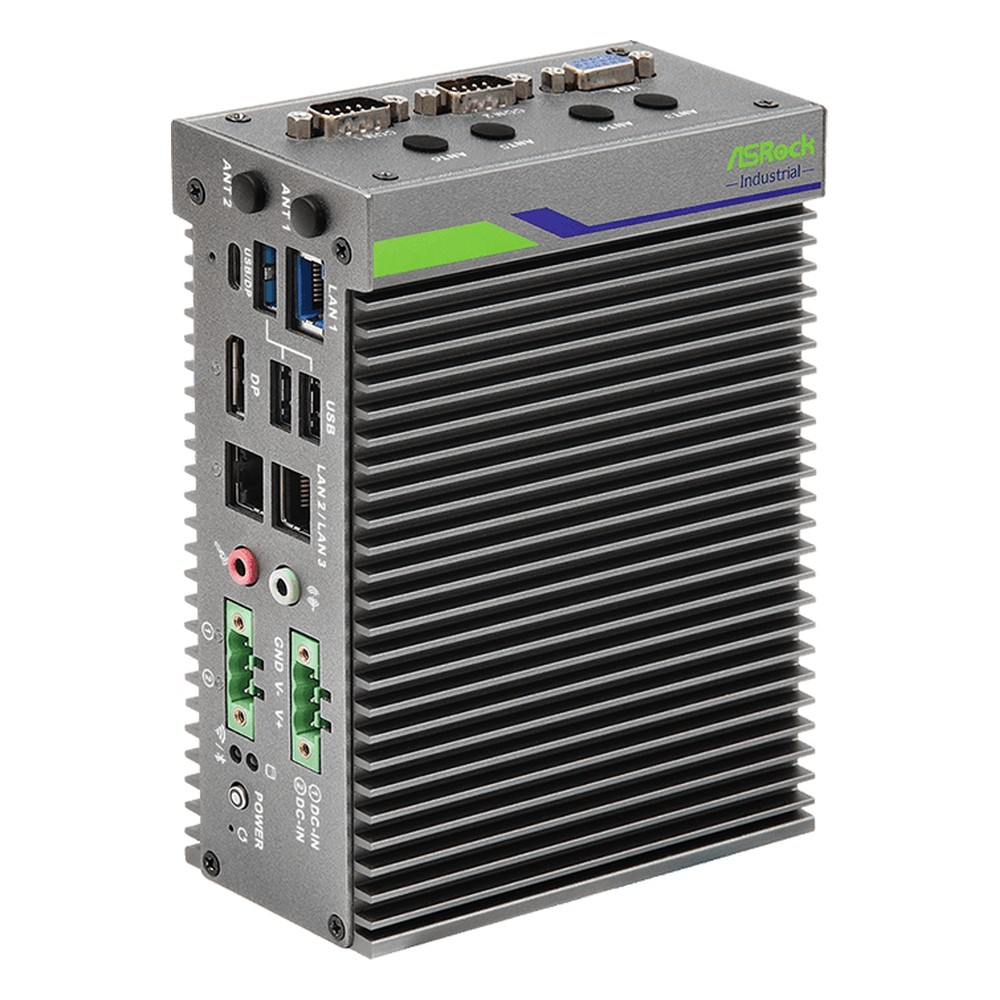
iEP-5020G ASRock Industrial Edge Gateway
Our lead ASRock Industrial pick for sites that need wired and cellular networks from one fanless box, with an Amston Lake Atom x7433RE, up to five Intel LAN ports, TPM 2.0, TSN and a 4G or 5G option.
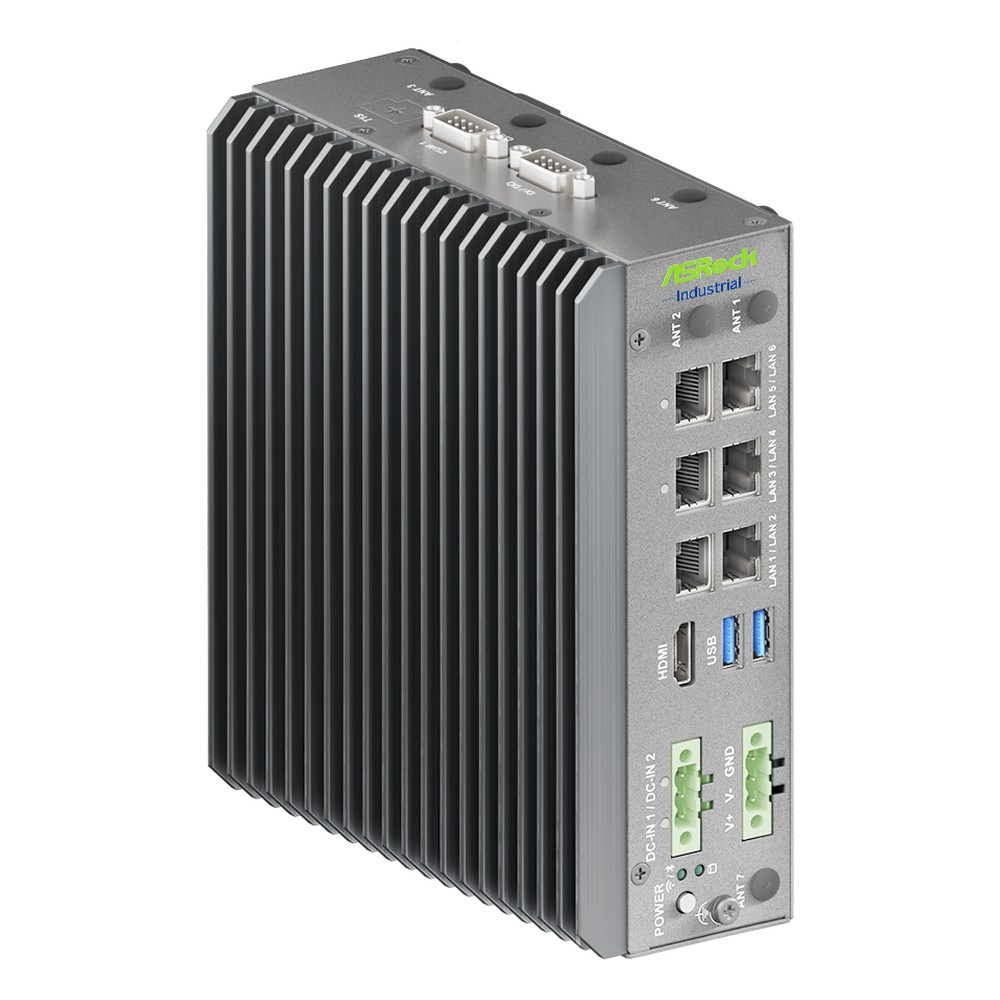
iEP-7050E ASRock Industrial 5G IoT Gateway
Picked when the gateway also runs local control or AI, with a Core Ultra X7 Panther Lake processor and NPU, 2.5GbE and Gigabit ports, redundant 9 to 36 V inputs and a slot for a 4G or 5G module.
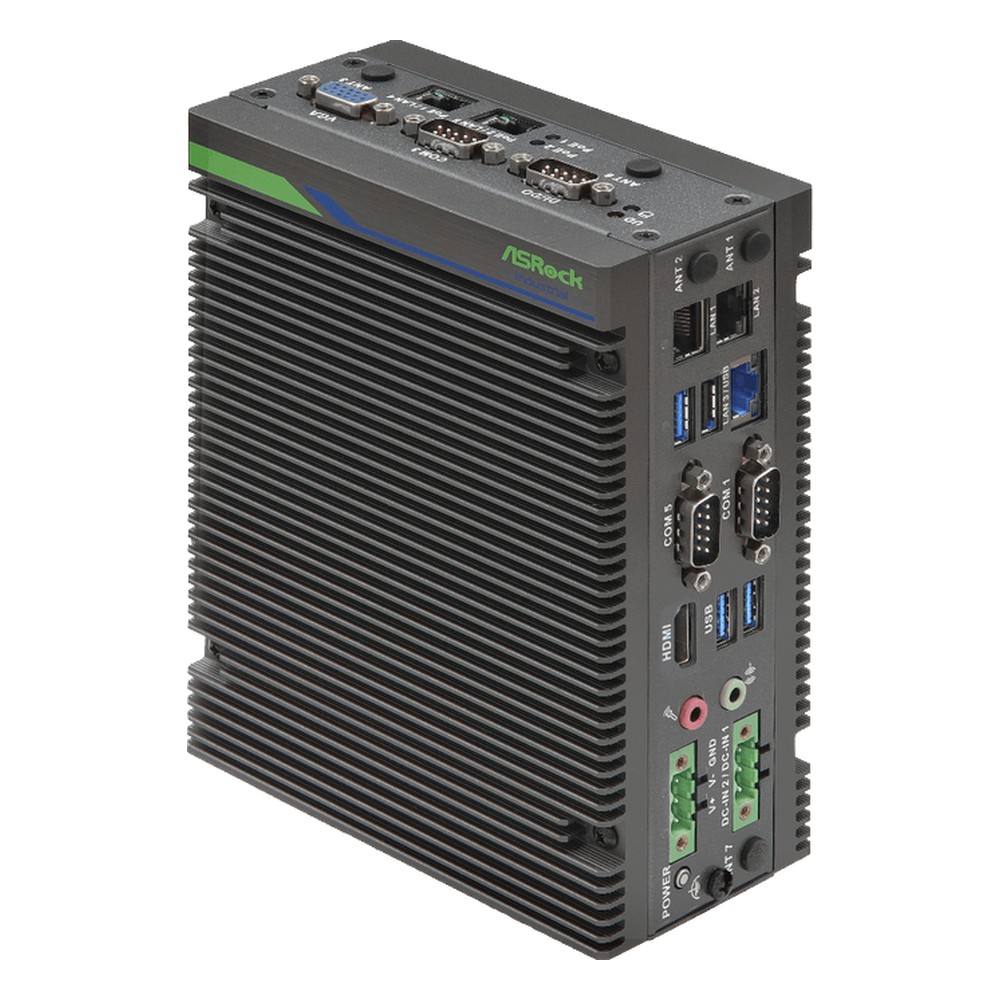
iEP-7041E ASRock Industrial Edge Computing Gateway
An Arrow Lake Core Ultra 5 for edge computing beside the machine, with an integrated NPU, 2.5GbE networking, redundant 9 to 36 V DC feeds and sockets for 5G and Wi-Fi modules, mounted on a DIN rail or wall.
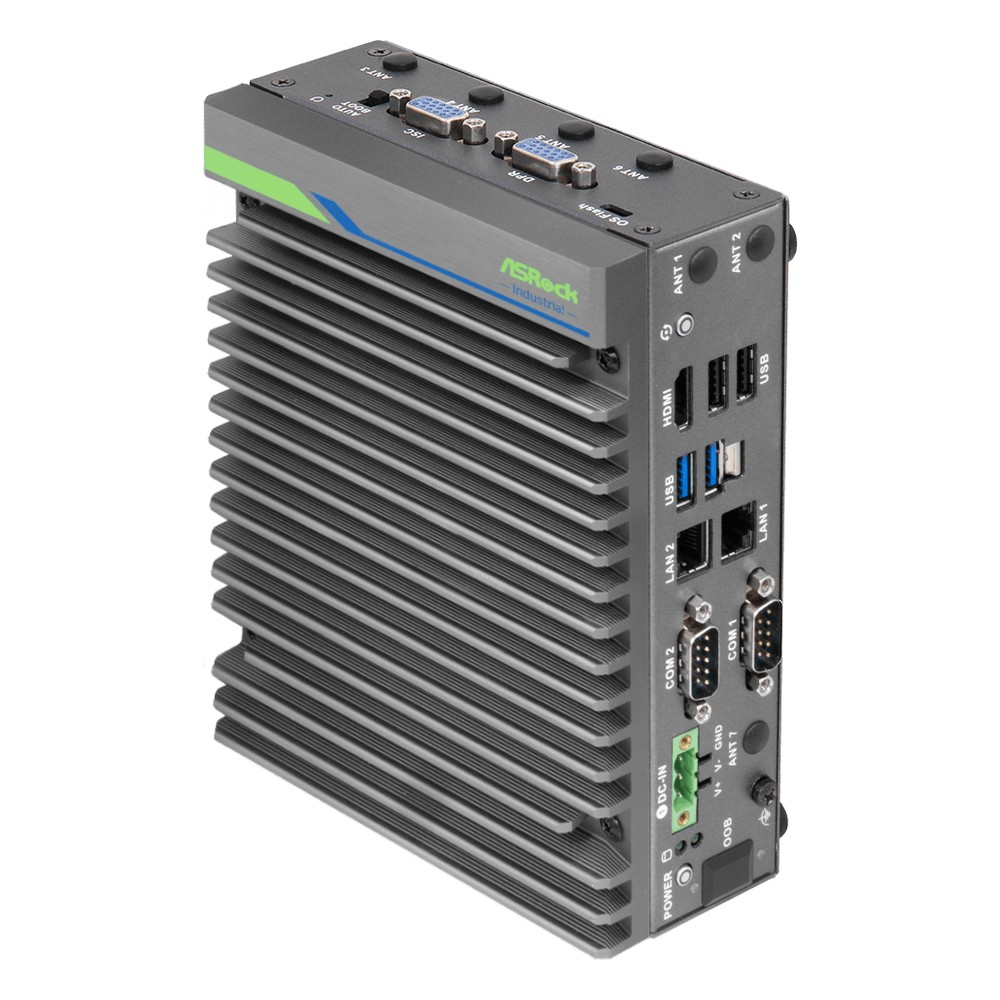
iEP-6020E ASRock Industrial Cellular IoT Gateway
For camera and sensor sites with only a cellular link, its Jetson Orin NX 16GB runs detection on site and sends events over 5G or 4G LTE, with CAN bus, digital I/O and serial ports alongside.
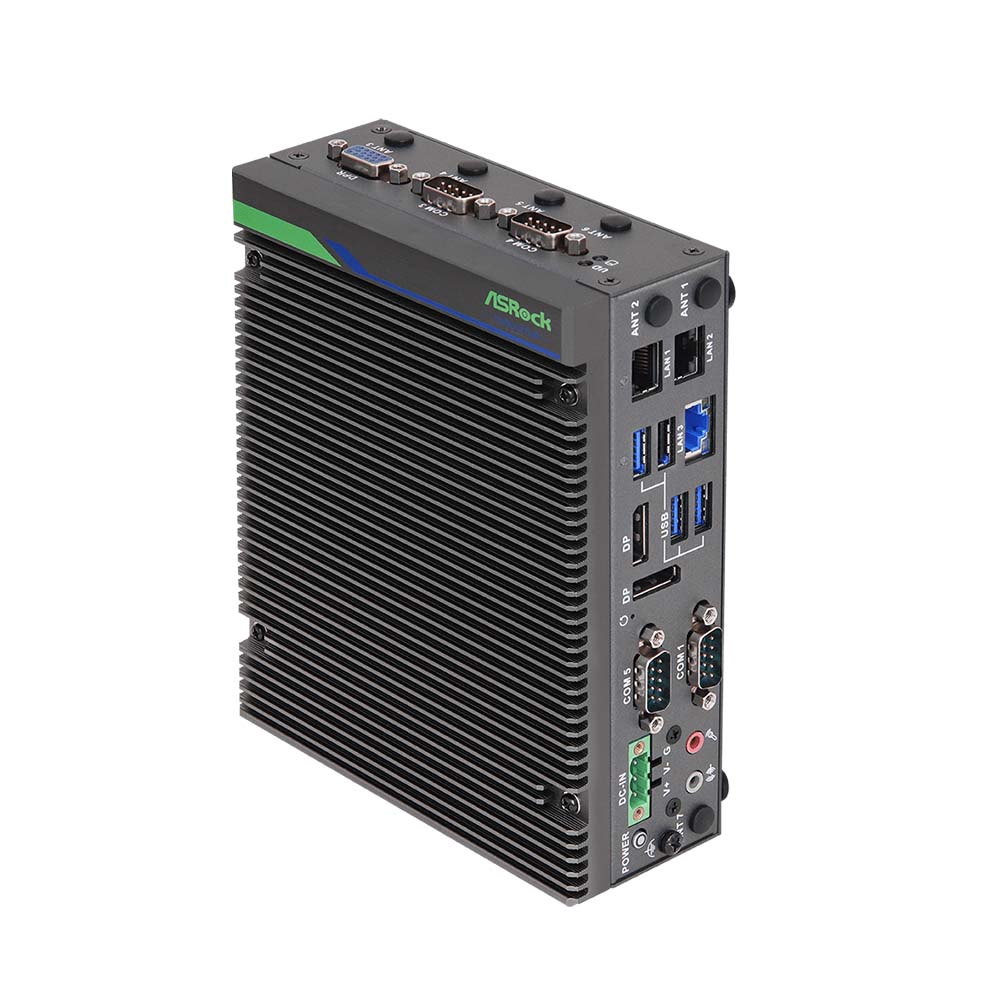
iEP-7020E ASRock Industrial IoT Edge Gateway
Chosen where cameras and controllers share a cabinet, with 13th Gen Core processors, TSN, four RS-232/422/485 ports, digital I/O and a PoE build that powers two devices straight from the DIN-rail box.
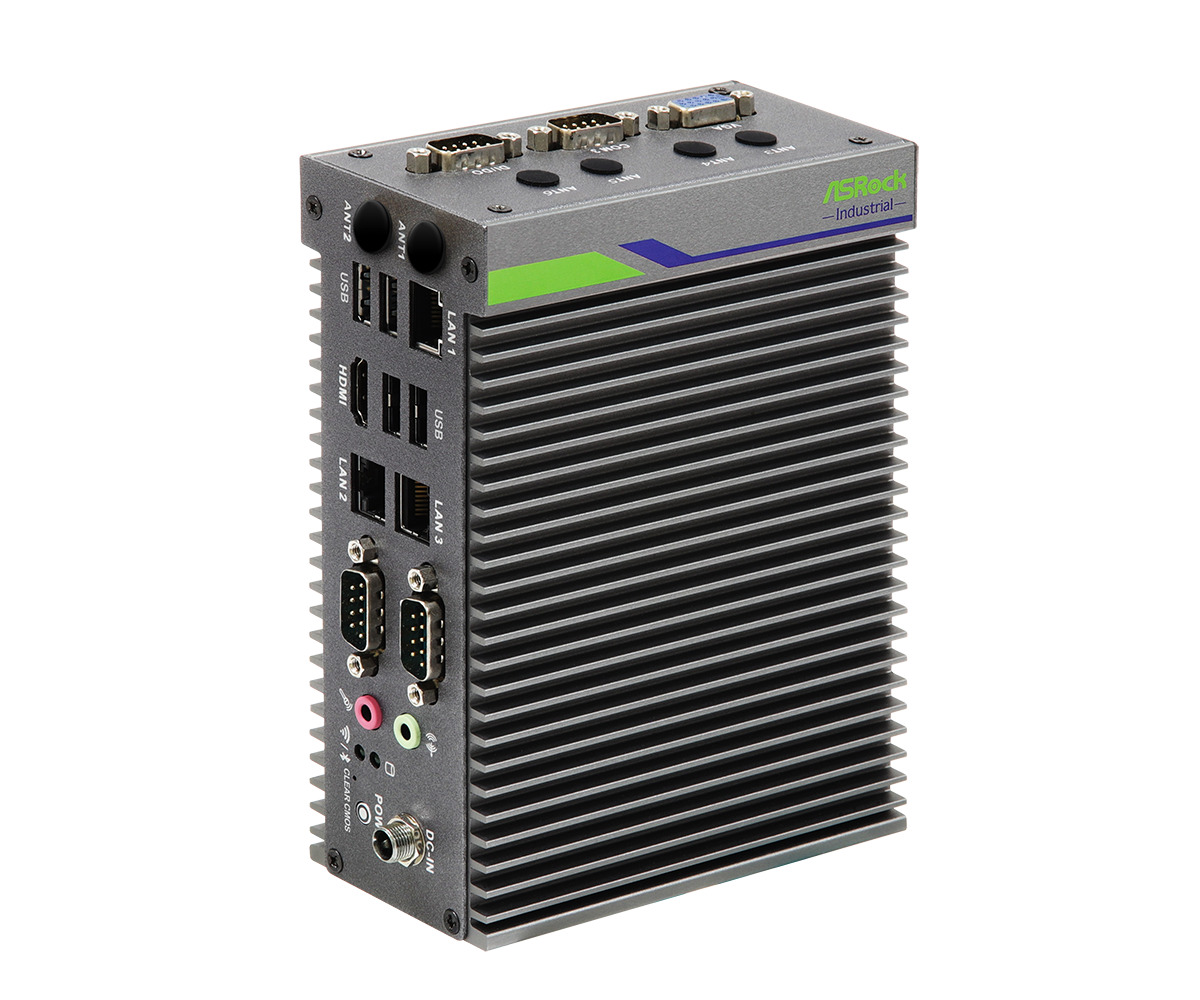
iEP-5000G ASRock Industrial Edge IoT Gateway
A proven Elkhart Lake gateway for data collection, with an Atom x6425RE, three RS-232/422/485 ports, digital I/O, TSN support, M.2 sockets for 4G or 5G and Wi-Fi 6E, and −40 to 70 °C builds.
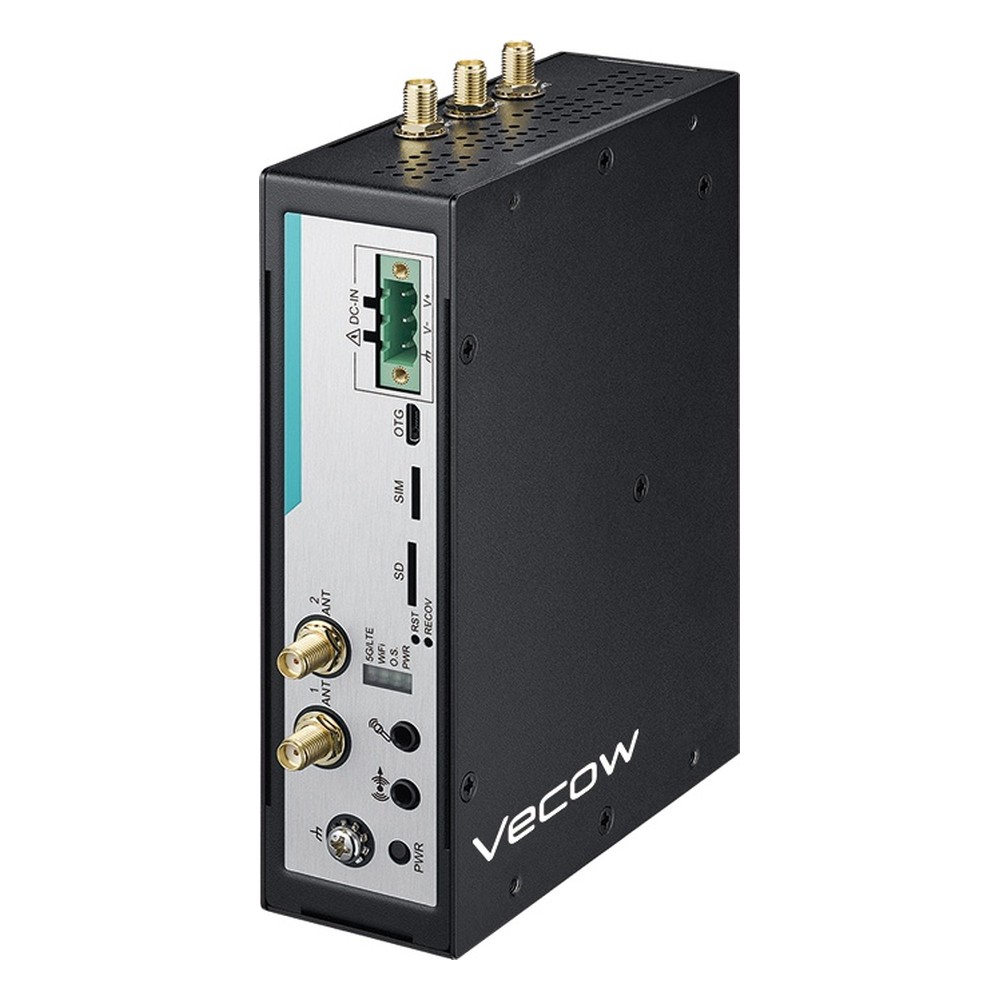
AIC-200 Vecow Industrial IoT Gateway
Our lead Vecow pick for gateways that run several applications at once, with an octa-core Qualcomm Dragonwing IQ-615, Yocto Linux, serial ports on terminal blocks, a 5G or 4G option and fanless −30 to 70 °C operation.
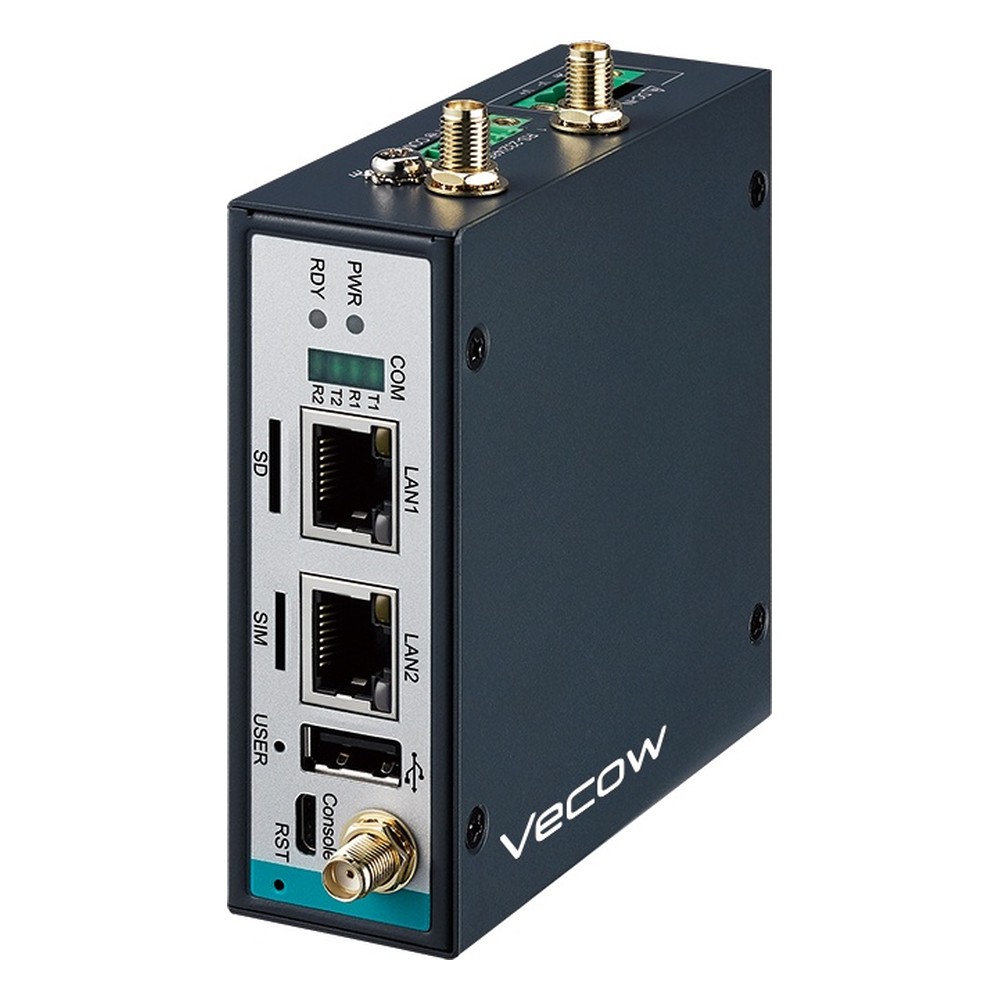
AIC-100 Vecow IIoT Gateway
A low-power Arm gateway for charging stations and plant equipment, running Debian with Python, Node.js and Node-RED, with isolated DIO and dual CAN on the AIC-110 builds and 9 to 50 V DC power.
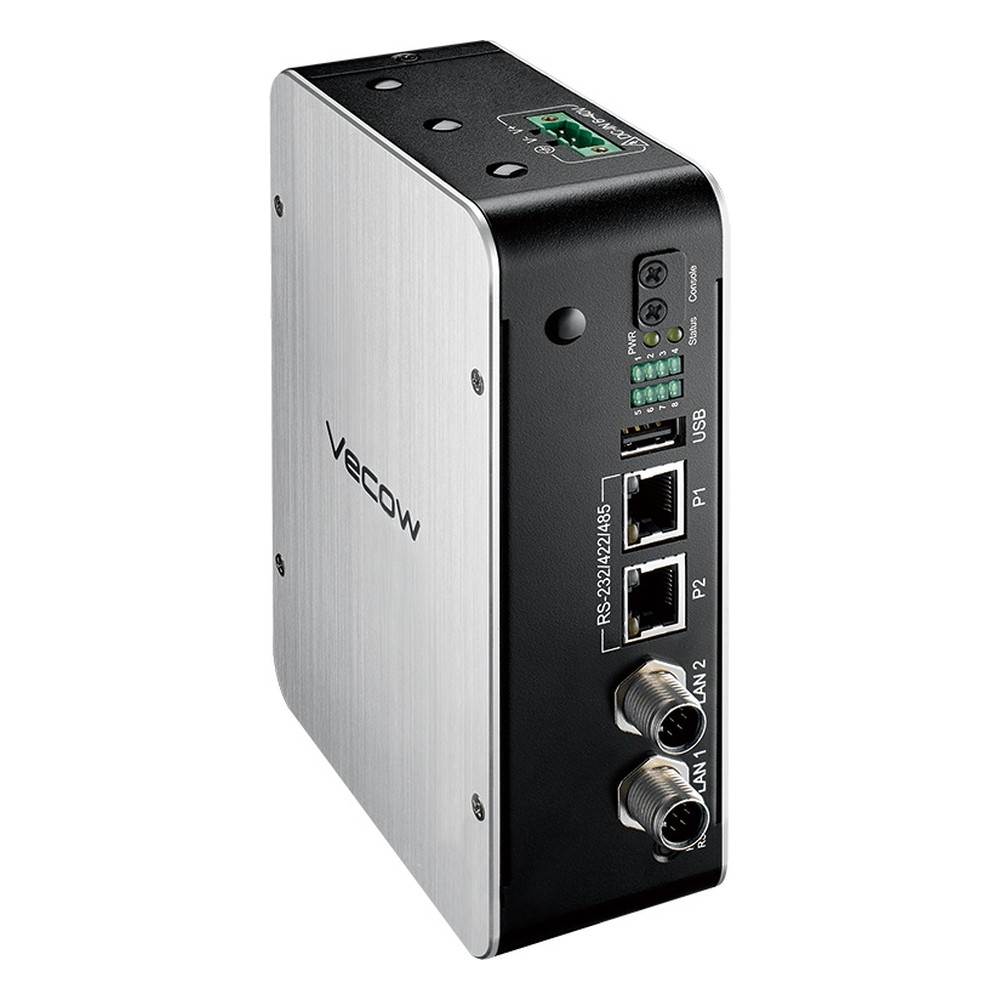
VIG-100 Vecow Cellular IoT Gateway
Picked for machines and fleet equipment that shake connectors loose, with M12 LAN builds, dual CAN bus on the VIG-120 builds, up to four serial ports and a mini PCIe socket for 4G LTE with GPS.
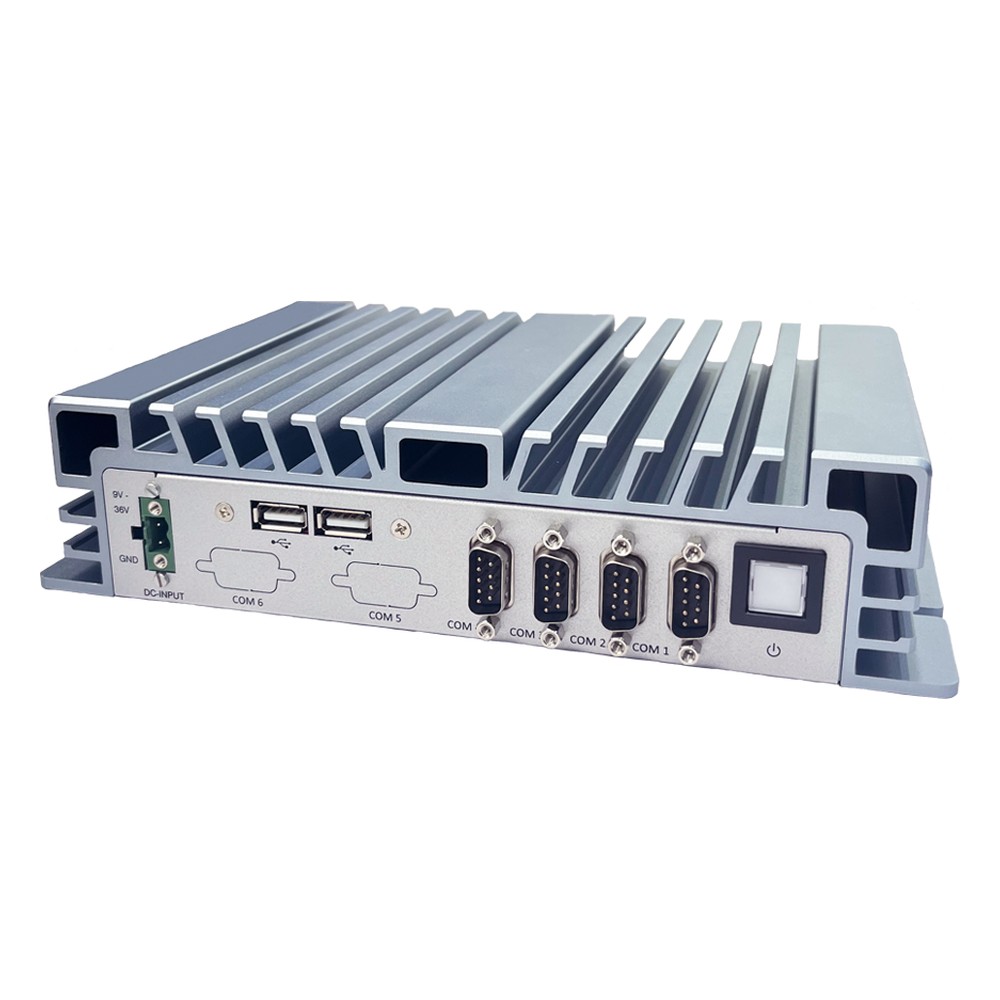
BPC-3064 Arestech IoT Gateway
Our lead Arestech pick for collecting machine data on 2.5GbE or Gigabit networks, with an Elkhart Lake Celeron J6412, four COM ports, a 4G module option, Wi-Fi and 9 to 24 V DC power in a fanless case.
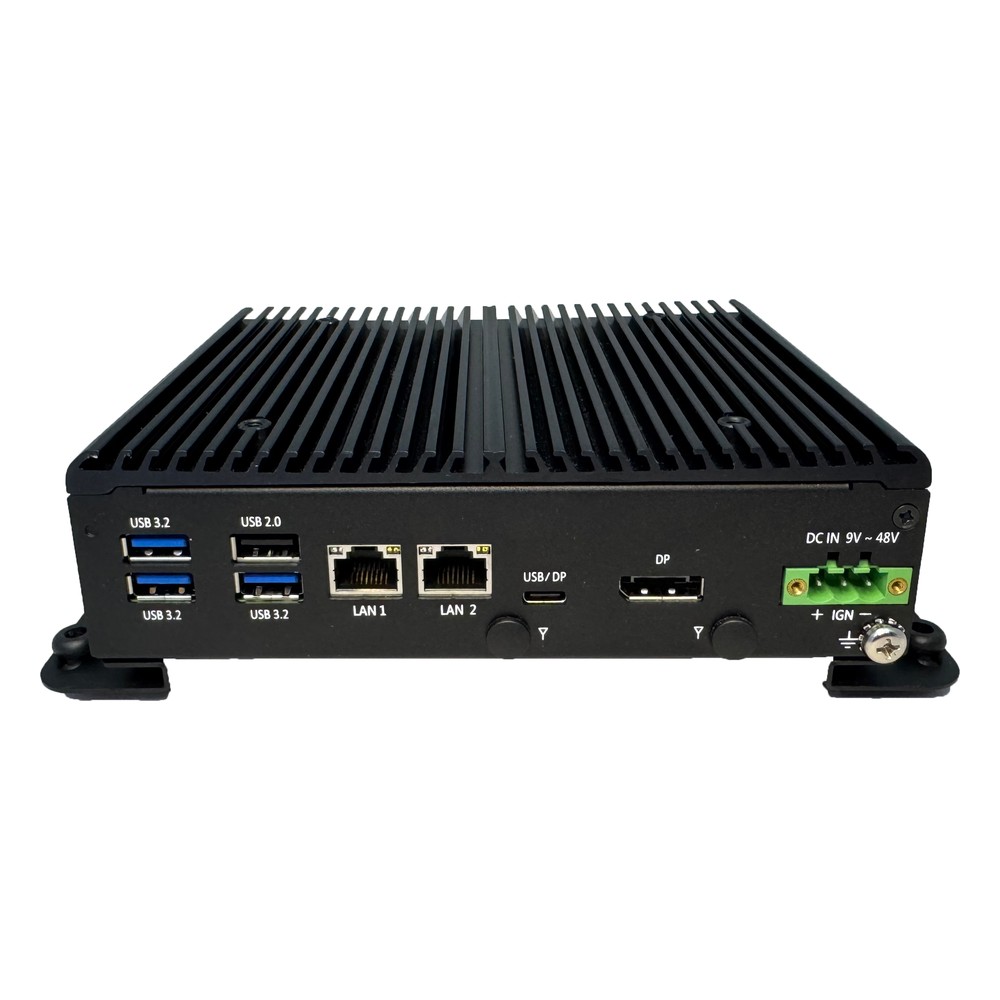
CB-2210/2260 Arestech Vehicle Gateway
Chosen for vans and mobile machines, it follows the ignition on a 9 to 48 V supply, runs from −40 to 70 °C and takes a 4G or 5G module with two SIM holders, on a Twin Lake N150 or Core i3-N355.
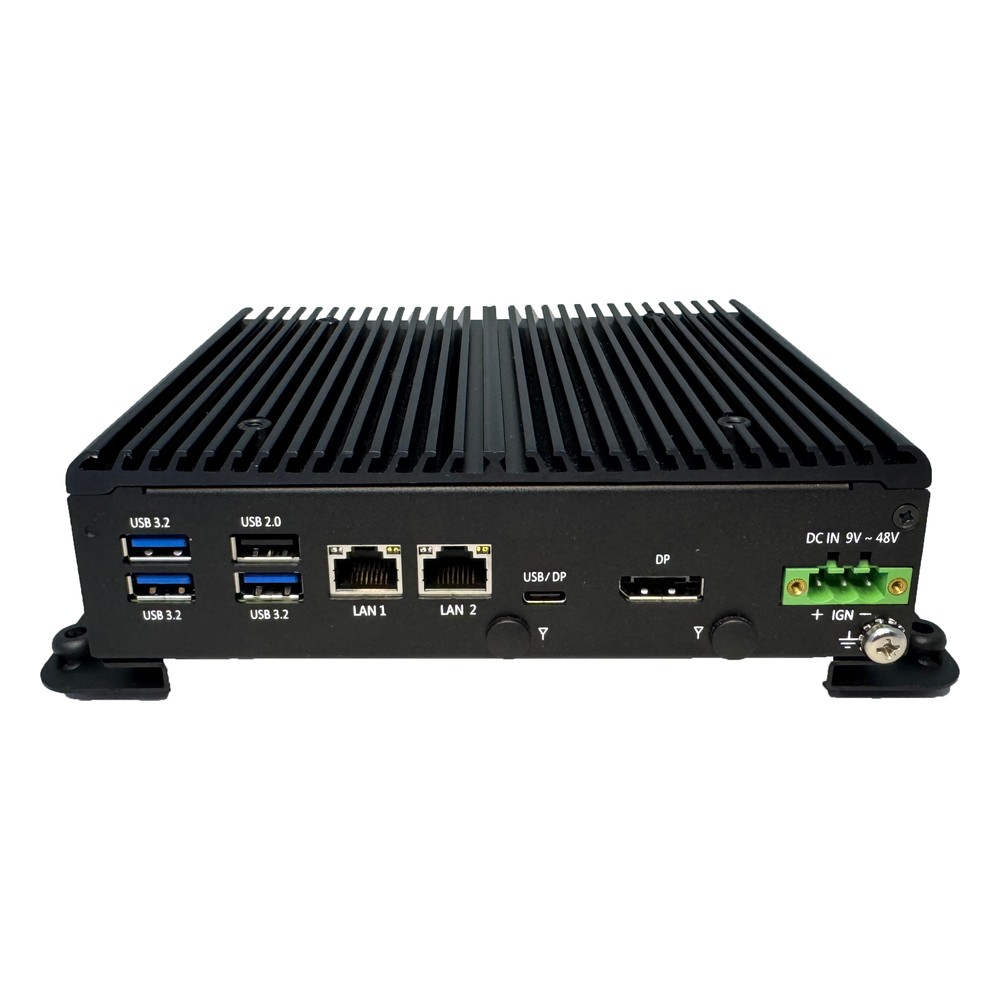
CB-2200/2250 Arestech Edge Gateway
Suited to edge gateways that run a broker, a database and a dashboard side by side, since the N97 or eight-core Core i3-N305 has headroom, while isolated DI and DO and serial ports reach the field wiring.
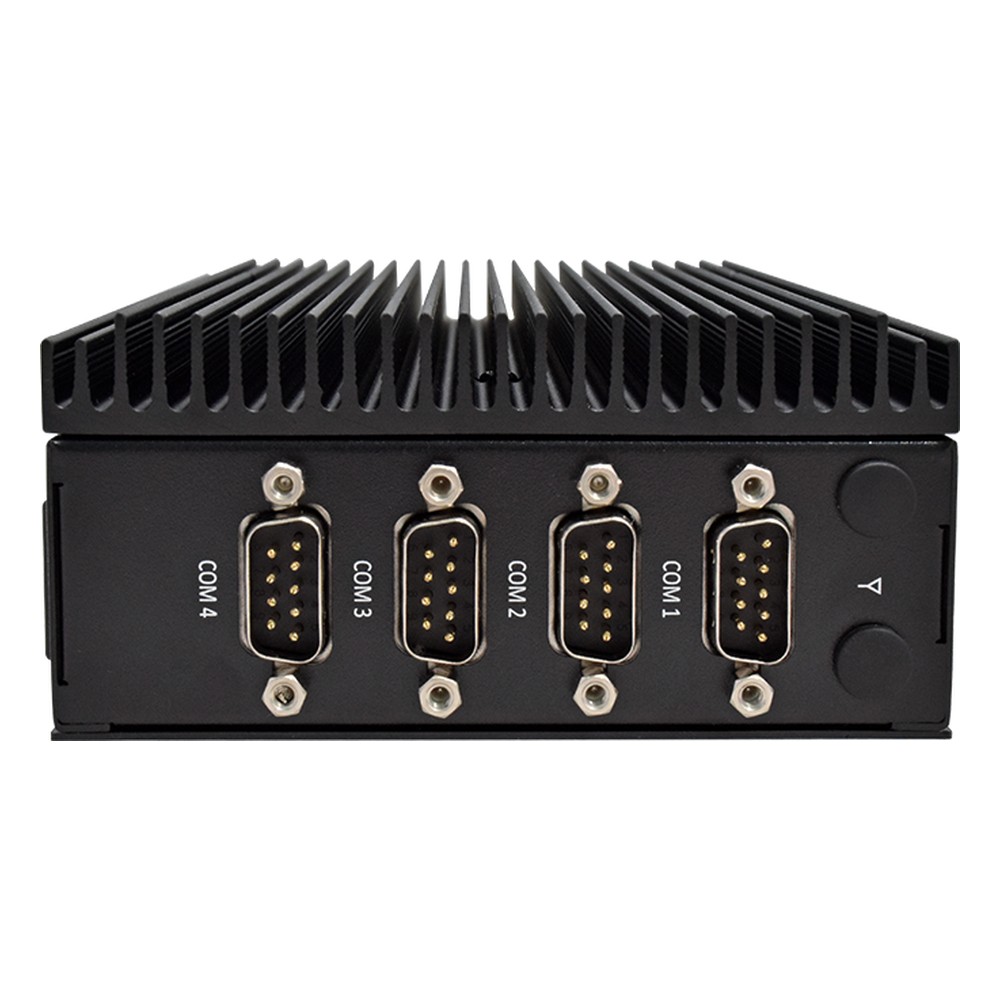
CB-2264 Arestech Industrial Gateway
Picked for control cabinets where the gateway must clip onto the PLC rail, with a Celeron J6412, four COM ports, two Gigabit ports, dual HDMI and a 4G or 5G module slot on 12 to 36 V DC.
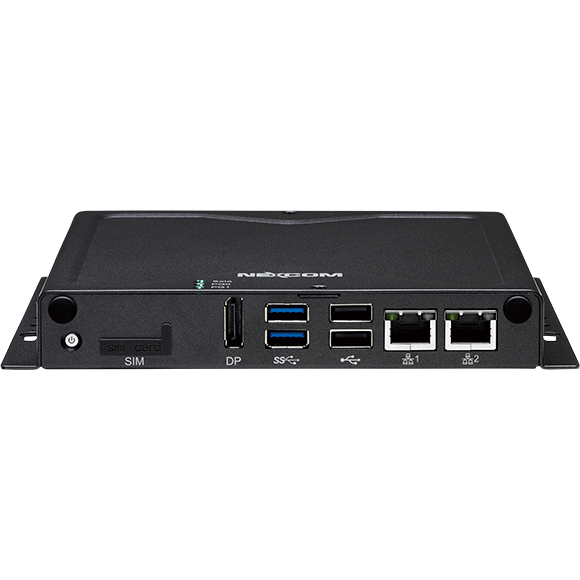
NISE 51-J3455 Nexcom Industrial IoT Gateway
A straightforward Modbus gateway for walls and street cabinets, pairing a quad-core Celeron J3455 with RS-232 and RS-422/485 ports for Modbus RTU, Gigabit LAN for Modbus TCP and a 4G LTE option.
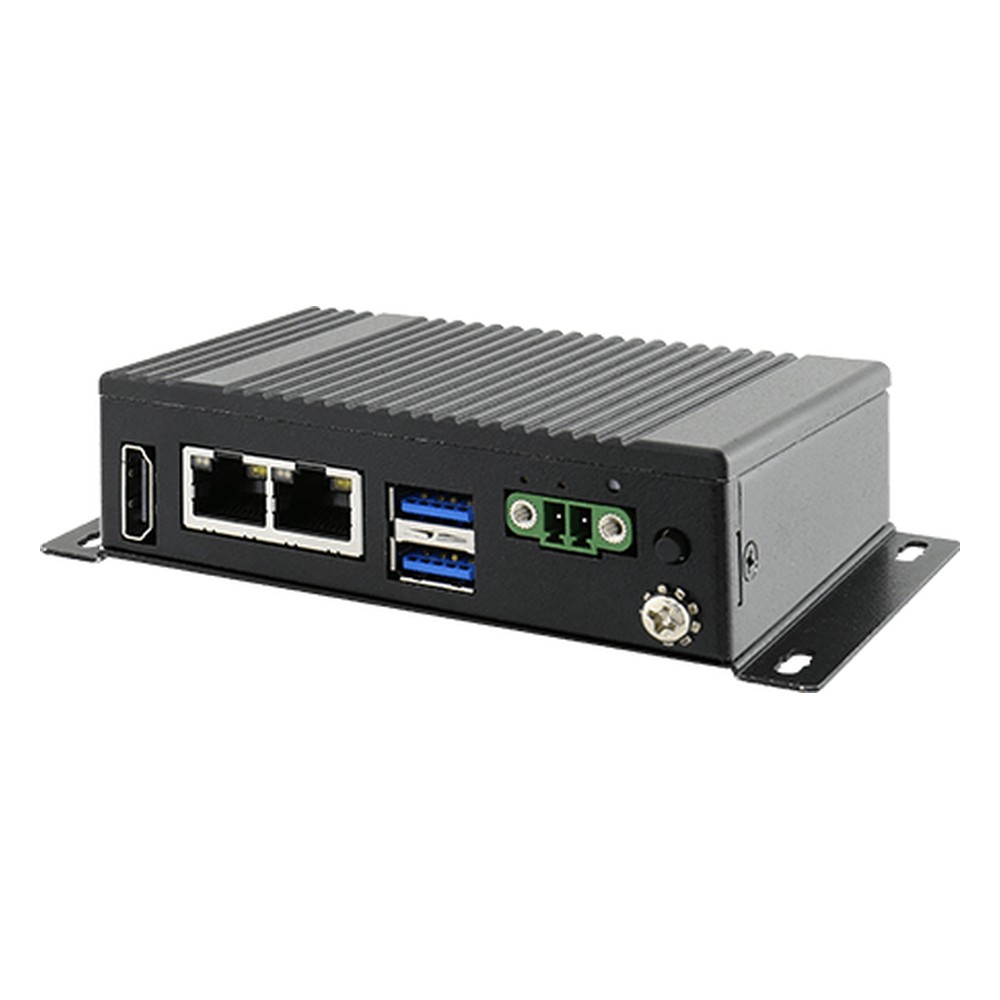
EACIEK20 Winmate IoT Edge Gateway
Our lead Winmate pick, listed with Azure IoT and AWS IoT Greengrass certification, so cloud-connected projects start from a tested base, on an Elkhart Lake Celeron N6211 with TPM 2.0, dual 2.5GbE and optional WWAN.
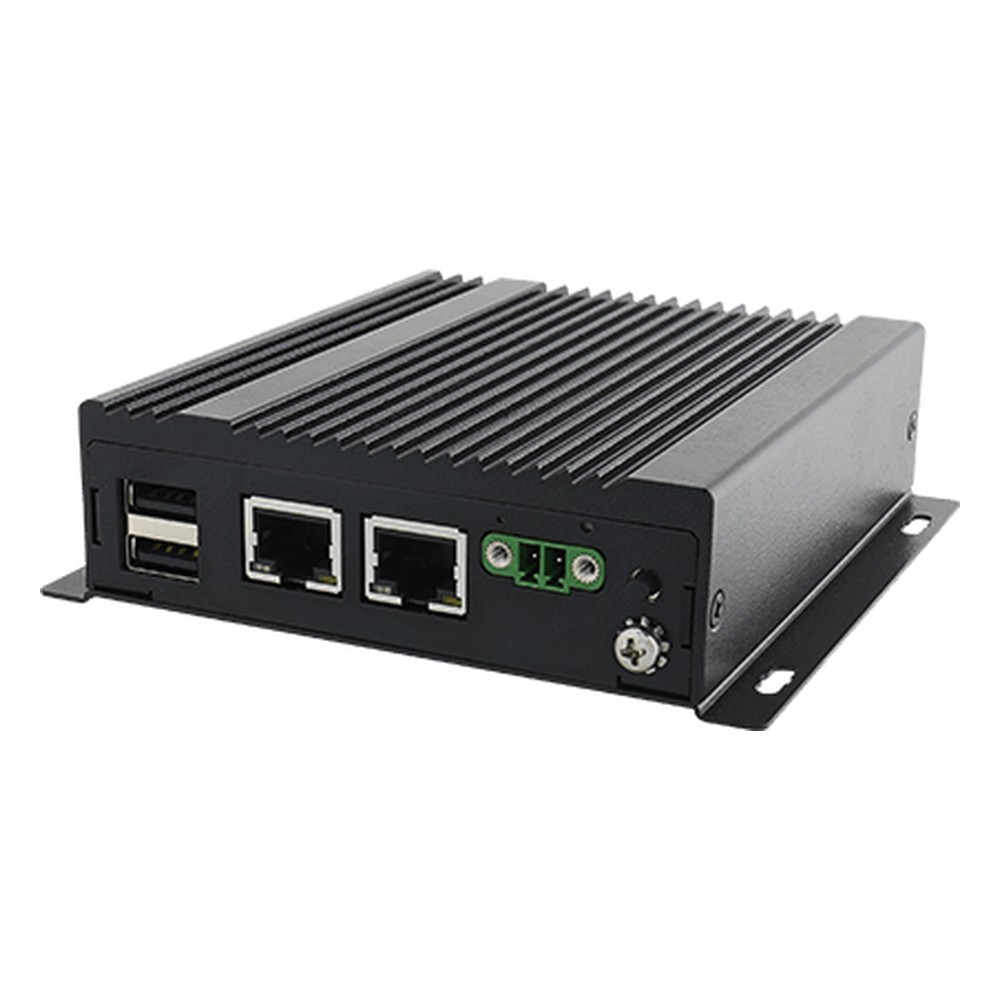
EACIL21 Winmate IoT Gateway
Chosen when the gateway also drives a status screen, with a USB-C port that carries 4K DisplayPort video beside an Apollo Lake Celeron N3350 or Pentium N4200, TPM 2.0 and dual Gigabit LAN.
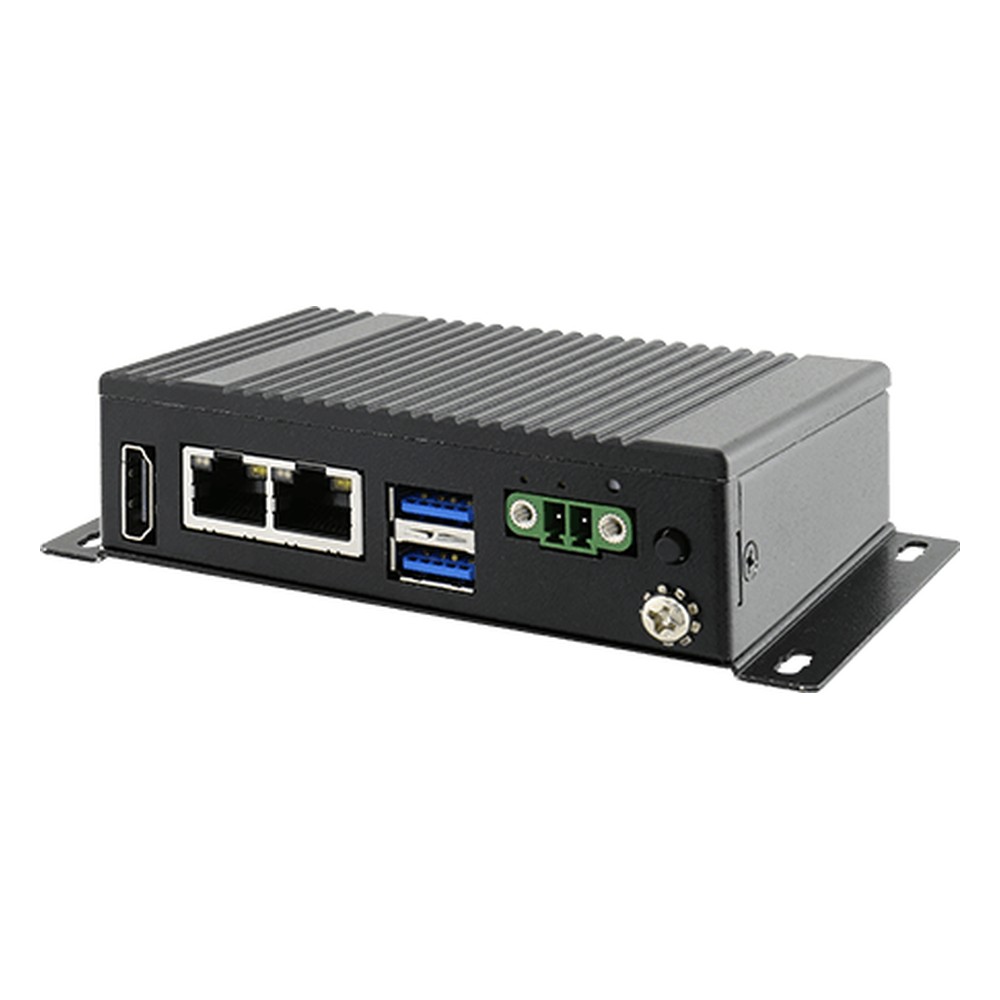
EACIL20 Winmate Industrial Gateway
For x86 gateway software on a 9 to 36 V DC supply, with an Apollo Lake Celeron N3350 or Pentium N4200, TPM 2.0, dual Intel Gigabit LAN and optional Wi-Fi, Bluetooth and WWAN modules.
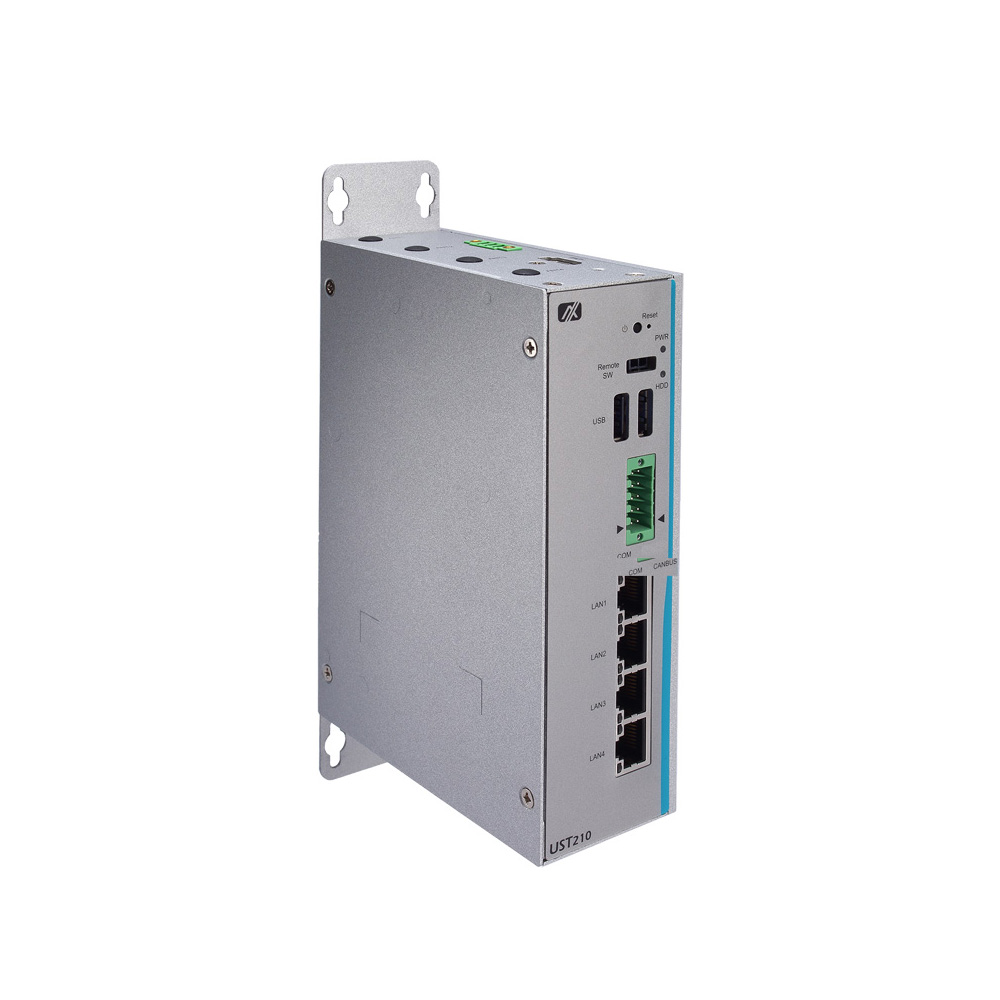
UST210-83K-FL Axiomtek Telematics Gateway
Picked for fleet telematics, it reads the CAN bus, forwards data over an LTE modem and starts with the ignition on 12 or 24 V, with E-Mark approval, four Gigabit ports and −40 to 70 °C operation.
Not sure which range fits? Tell us the application and we will recommend the right model.
IIoT Gateway Projects and Guides












Industrial IoT Gateway FAQs
What is an industrial IoT gateway?
An industrial IoT gateway is a small, usually fanless computer that connects machines, meters and sensors to a network or the cloud. It reads field protocols such as Modbus and CAN, filters and converts the data, and forwards it securely over Ethernet, Wi-Fi or cellular. Arm models handle simple collection, while x86 and AI models also run local applications.
What is an IIoT gateway?What is the difference between an industrial edge gateway and an industrial PC?
A gateway is built around connections: field I/O, protocol conversion and a network or cellular uplink, on low-power hardware. An industrial PC is built around the application, with more processing, display outputs and expansion for control, HMI or vision. The two overlap, and many x86 edge gateways can also run a light control task, much like a DIN rail controller, or a dashboard.
What is an edge device?Is an Arm or x86 IoT gateway better for my project?
Choose by the software. If the job is collecting, converting and forwarding data, an Arm gateway does it on a few watts with Debian or Yocto Linux. If you need Windows software, existing x86 Linux applications, a local database or containers, choose x86. Choose a Jetson or NPU model when cameras or sensors need AI inference on site.
Which protocols can an industrial IoT gateway handle?
At the hardware level, gateways read Modbus RTU over RS-485 or RS-232, Modbus TCP over Ethernet, CAN bus and digital or analog I/O. MQTT, OPC UA and other upstream protocols are software that runs on the gateway’s Linux or Windows image, such as Node-RED or a platform agent, so you can choose them to suit your SCADA or cloud platform.
What is an MQTT gateway?Which industrial IoT gateways support 5G and other wireless links?
Most take a 4G LTE module with a SIM, and the newer x86, Qualcomm and Jetson gateways take 5G as well. Wi-Fi and Bluetooth modules are common options, and GPS comes with the LTE module on selected Arm gateways. A LoRaWAN module is also offered as an option on selected Arm gateways, for low-power sensors spread across a site. If a site only needs an uplink and no protocol conversion, a router may be enough; our answer on how a gateway differs from a router explains where each fits.
Cellular gateways and 4G LTE and 5G explainedHow is an industrial IoT gateway secured?
In layers: TPM 2.0 and secure boot in the hardware, then a firewall, VPN tunnels and signed updates in the operating system, with isolated I/O keeping electrical faults on the field side. Our guide covers each layer and the IEC 62443 controls asset owners ask for.
How to secure an industrial IoT gatewayCan a gateway read 4–20 mA and 0–10 V sensors directly?
Yes, if it has analog inputs. Some DIN-rail gateways read 4 to 20 mA current loops or 0 to 10 V signals on their own terminals, so flow, level and pressure transmitters connect without a separate I/O module. That makes the gateway a data acquisition gateway that scales, logs and forwards readings. For many more channels, add a dedicated I/O module.
What is a data acquisition system?Can an industrial IoT gateway work as a vehicle gateway?
Yes, on models built for it. A vehicle gateway reads engine and body data from the CAN bus, starts and stops with the ignition and runs from a 12 or 24 V supply, then forwards position and telematics data over 4G LTE. Selected models carry E-Mark approval for road vehicles, and heavier onboard work suits a full in-vehicle computer.
What is fleet telematics?Can industrial IoT gateways mount on a DIN rail and run in cold cabinets?
Yes. Most gateways here mount on a DIN rail or a wall bracket, and many run from −25 to 70 °C, with wide temperature x86 builds rated from −40 °C. Power comes from wide DC inputs on terminal blocks, with surge protection on many models, so the gateway can share the cabinet’s DIN rail power supply with the PLC.
How to mount DIN rail computersDo you offer TAA and NDAA compliant industrial IoT gateways?
Yes, where the manufacturer declares it. Some gateway makers publish TAA or NDAA declarations for selected models, which matters for US federal, utility and defense projects. No gateway here is sold as made in the USA or as Buy American Act compliant. Send us the clause your contract quotes and we’ll match it to the maker’s declaration for each model.
What does TAA compliant mean?Can you supply industrial IoT gateways configured and tested?
Yes. Integration is standard: every industrial IoT gateway we supply is configured and tested before it ships. Cellular, Wi-Fi and storage modules go in first, then the operating system image, serial port settings and network setup, with antennas, DIN-rail kits and power supplies matched to the site, so each gateway arrives ready to install.
Speak to an Industrial IoT Gateway Specialist.
Tell us what the gateway reads, the protocols involved, how the site connects and where it will be mounted. We will recommend the right industrial IoT gateway for the job and the network it feeds.