
 US
Why You Need a Harsh Environment Computer for Industrial Applications
A harsh environment computer keeps running where heat, cold, dust, water, corrosion, vibration, unstable power or explosive gases would stop an ordinary PC. Here is each hazard mapped to the failure it causes, the design that prevents it and the standard it is tested to, with profiles of common harsh sites.
A harsh environment computer is a computer designed and tested to keep running where heat, cold, dust, water, corrosion, vibration, unstable power, electrical noise or explosive atmospheres would stop an ordinary PC. It is defined by the environment it survives rather than by its shape: a fanless box PC, a sealed panel PC or a vehicle computer can all be harsh environment computers.
Edge computing does not only happen in clean, temperature-controlled rooms. Sites range from fairly benign to extremely harsh, and the cost of a failed computer is usually the stopped line or the site visit, not the hardware. Rugged computers are built for these places, with wide temperature ranges, fanless sealed cooling, shock and vibration resistance and wide power inputs. This guide starts from the environment: it maps each harsh factor to the failure it causes, the design that prevents it and the standard it is tested to, then profiles common harsh sites so you can check whether your application needs one.
Key takeaways
- 01Start from the environment
- List the hazards on site first; the rating, cooling, sealing and power input follow from them.
- 02Every hazard has a failure mode
- Heat ages components, dust clogs fans, water shorts boards, vibration loosens connectors, noise causes resets.
- 03Ask for the test standard
- IEC 60529, IEC 60068, MIL-STD-810H, IEC 61000 and ATEX or Class I Division 2 turn claims into evidence.
- 04Fanless and sealed is the baseline
- No fan means no vents, so the chassis can be closed against dust and water.
- 05Tested is not certified
- Check whether the maker certifies, tests to or designs to each standard, and what you need on site.
What makes a computer suitable for harsh environments?
Each harsh factor causes a predictable failure. A harsh environment computer answers each one with a design measure and a test that proves it. The table is the master reference for this guide.
| Harsh factor | How an ordinary PC fails | Design countermeasure | Test standard to ask for |
|---|---|---|---|
| High temperature | Throttling, capacitor ageing, shutdowns | Fanless heat path, wide-temperature components, power limits | IEC 60068-2-2 dry heat; MIL-STD-810H Method 501 |
| Low temperature | Failure to boot, LCD and storage faults | Wide-temperature parts, industrial SSDs, heaters | IEC 60068-2-1 cold; MIL-STD-810H Method 502 |
| Temperature cycling and humidity | Condensation, solder fatigue | Conformal coating, sealed chassis | IEC 60068-2-14 and -2-30 |
| Dust and dirt | Clogged fans and filters, overheating | Fanless, ventless chassis; IP5X or IP6X sealing | IEC 60529 first digit |
| Water, rain and washdown | Short circuits and corrosion | Sealed housing, M12 connectors, gaskets | IEC 60529 second digit; ISO 20653 for IP69K |
| Corrosive gases and salt | Corroded contacts and tracks | Conformal coating, stainless or treated housings | ISA-71.04 severity; IEC 60068-2-52 salt mist |
| Shock and vibration | Loose connectors and memory, cracked joints | Soldered or locked memory, no cables inside, locking connectors, damping | IEC 60068-2-6, -2-27, -2-64; MIL-STD-810H Methods 514 and 516; IEC 61373 for rail |
| Unstable power | Resets, corruption, damaged inputs | Wide DC input, surge and reverse-polarity protection, ignition control | ISO 7637-2 and ISO 16750-2 for vehicles; EN 50155 for rail; MIL-STD-1275 for military vehicles |
| Electrical noise | Resets, dropped links, data errors | Shielded metal chassis, isolated I/O, filtered inputs | IEC 61000-6-2 and -6-4; MIL-STD-461 |
| Explosive atmospheres | A spark or hot surface can ignite gas or dust | Non-incendive or intrinsically safe design, limited energy, temperature class | ATEX and IECEx Zone 2; Class I Division 2 |
The detail behind the defense standards is in our guide to military standards for rugged computers, and our guide to what a rugged computer is covers the definitions and build types.
Extreme temperatures
Edge computers are often built into a larger system, inside a cabinet or outdoors, and can see extreme cold and heat. The air inside a chassis or cabinet can run much hotter than the surrounding air because of heat from processors and GPUs, so it is important to use the higher figure when deciding which temperatures the computer must handle.
Ordinary industrial PCs are often rated around 0 to 50 °C or −10 to 60 °C, while a harsh environment PC may need −40 to 70 °C or more. Components come in grades too: commercial parts are typically rated 0 to 70 °C and industrial parts −40 to 85 °C. Our FAQ on the industrial temperature range explains the grades, and wide temperature computers are rated for the full span.
| Where it is installed | Typical temperature range to specify | Points to watch |
|---|---|---|
| Heated building or office cabinet | 0 to 50 °C | Cabinet air runs warmer than the room |
| Factory floor or unheated warehouse | −10 to 60 °C | Hot spots near furnaces, ovens and drives |
| Cold store or freezer | −30 °C and below | Cold start, condensation when moved to warm air |
| Outdoors, vehicles, roadside | −25 to 70 °C or −40 to 70 °C | Solar heat, enclosed bays, winter starts |
| Foundry, glass or steel works | 0 to 60 °C ambient with radiant heat | Shielding from radiant heat; cooled enclosures |
Ratings usually depend on processor power: many fanless systems are rated to 70 °C with a 35 W processor but lower with a 65 W part. When a processor runs out of thermal margin it slows down, which our guide to thermal throttling explains.
Dust, dirt and water ingress
For many years fanless embedded PCs have used heatsinks of different designs to keep cool. To support more powerful processors, larger finned heatsinks increase the surface area and shed heat by natural convection. Because they are fanless and ventless, these computers keep out the dust and particles that would clog a fan and its filter, which lets them work in dusty and dirty places with little maintenance. Our guide to the benefits of fanless computers covers the advantages in more depth.
For outdoor and food processing applications, the ingress protection rating rises until the computer is waterproof. The IP rating shows how well a computer is protected against solids, by its first digit, and liquids, by its second. Our IP rating chart explains every code, and our FAQ on IP5X vs IP6X covers dust.
| Environment | IP rating to consider | Typical computer |
|---|---|---|
| Dusty factory, inside a cabinet | IP40 to IP5X for a fanless chassis | Fanless box PC or DIN rail PC |
| Machine front with splashes | Front IP65 | Panel mount PC |
| Outdoors, rain and hosing | IP65 to IP66 | Waterproof box PC with M12 connectors |
| Temporary immersion or heavy spray | IP67 | Fully sealed computer or panel PC |
| Hot, high-pressure washdown | IP69K | Stainless steel or sealed IP69K computer |
Food and drink sites add hygiene to sealing; our guide to hygienic design for washdown computers covers the extra requirements, and waterproof computers cover every rating from IP65 to IP69K.
Corrosion and humidity
Corrosive gases, such as hydrogen sulphide in wastewater plants and chlorine in chemical works, and salt in coastal and marine air, attack connectors and circuit board tracks long before they affect a sealed case. ISA-71.04 grades airborne corrosion from G1 (mild) through G2 and G3 to GX (severe), which gives a common language for specifying protection.
- Conformal coating on the circuit boards protects against moisture and corrosive gases; our FAQ on conformal coating explains the types.
- Sealed chassis keep corrosive air away from the electronics altogether, with gold-plated or sealed connectors outside.
- Stainless steel housings resist salt and cleaning chemicals; our guide to 304 vs 316 stainless steel explains which grade suits which site.
- Condensation control matters where computers cycle between cold and warm air, such as cold stores and outdoor cabinets.
Repeated shock and vibration
Computers in vehicles must withstand constant vibration and occasional heavy shock, and this is where rugged computers excel: they are often tested to the standards the transport industry expects, which gives assurance that the computer will not be affected by the shock and vibration of everyday operation. Damping brackets add further isolation when mounting a rugged computer in a car, truck, aircraft, boat or train.
Inside, the design removes the parts that vibration loosens: memory is soldered down or locked, hard drives are replaced with solid state storage, internal cables are removed in favor of board-to-board connections, and external connectors lock with screws or M12 couplings. Computers in vehicles are typically tested to MIL-STD-810H or IEC 60068 vibration and shock, and railway computers to IEC 61373; our FAQ on MIL-STD-810H explains the methods.
Unstable power and electrical noise
Rugged computers are built to run from a wide range of power sources and can connect directly to a DC supply where no AC adapter is available. That needs a wide input range, typically 9 to 48 V DC, and protection against the dips, surges and reverse polarity that vehicle and plant supplies produce. Vehicle computers usually add ignition control, which powers the computer on and off with the engine after a set delay so data is not corrupted; our guide to configuring ignition control covers the settings.
Electrical noise from drives, motors, welders and radio transmitters causes resets and dropped links that look like software faults. A metal chassis, isolated serial and digital I/O, and immunity tested to IEC 61000-6-2 keep the computer stable; our FAQ on electromagnetic interference explains the sources.
Hazardous gases and explosive atmospheres
Where flammable gas, vapor or dust may be present, the computer must not become an ignition source. Intrinsic safety protects against that by limiting the electrical and thermal energy in the circuit so a spark or hot surface cannot ignite the atmosphere; other methods include non-sparking design, barriers, earthing and shielding. ATEX is the European framework and IECEx the international scheme, and North America uses the Class and Division system.
| Scheme | Where it applies | Typical rating for computers | Learn more |
|---|---|---|---|
| ATEX | European Union, and adopted widely elsewhere | Zone 2 equipment for areas where gas is present only occasionally | ATEX zones |
| IECEx | International certification scheme | Zone 2, aligned with ATEX | Paired with ATEX on many products |
| Class I Division 2 | North America | Gas present only under abnormal conditions | Class I Division 2 |
Most computers in hazardous areas are Zone 2 or Division 2 non-incendive designs; Zone 0 and Zone 1 equipment is rarer and more specialized. Our FAQ on intrinsically safe vs non-incendive explains the difference, and intrinsically safe computers and intrinsically safe panel PCs cover the certified options. Always match the marking to your area classification.
Harsh environment computers in practice
Harsh environment computers range from sealed box PCs on machines to waterproof panel PCs on open yards.
-
01

Industrial harsh environment computers
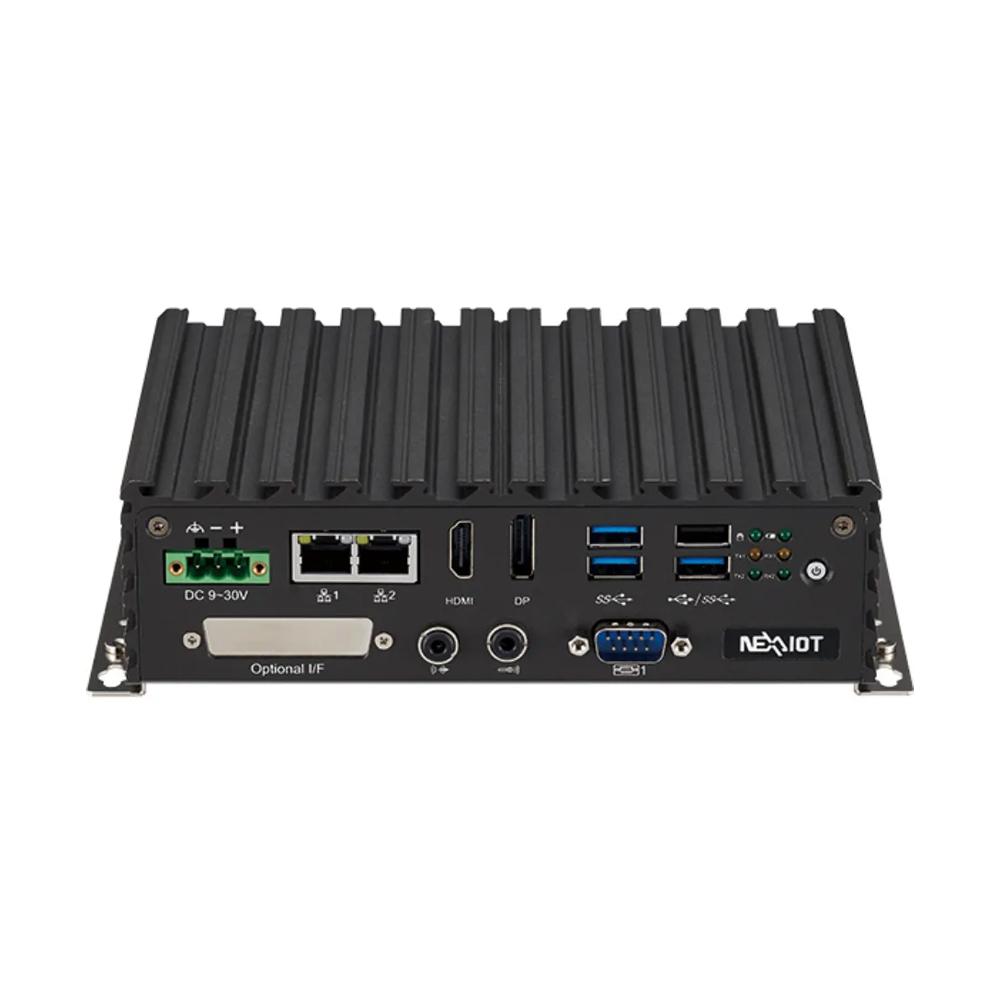
Fanless box PCs with wide temperature ratings, wide DC inputs and locking connectors sit in cabinets, on machines and in vehicles, where an office PC would fail within months.
-
02
Rugged harsh environment computers
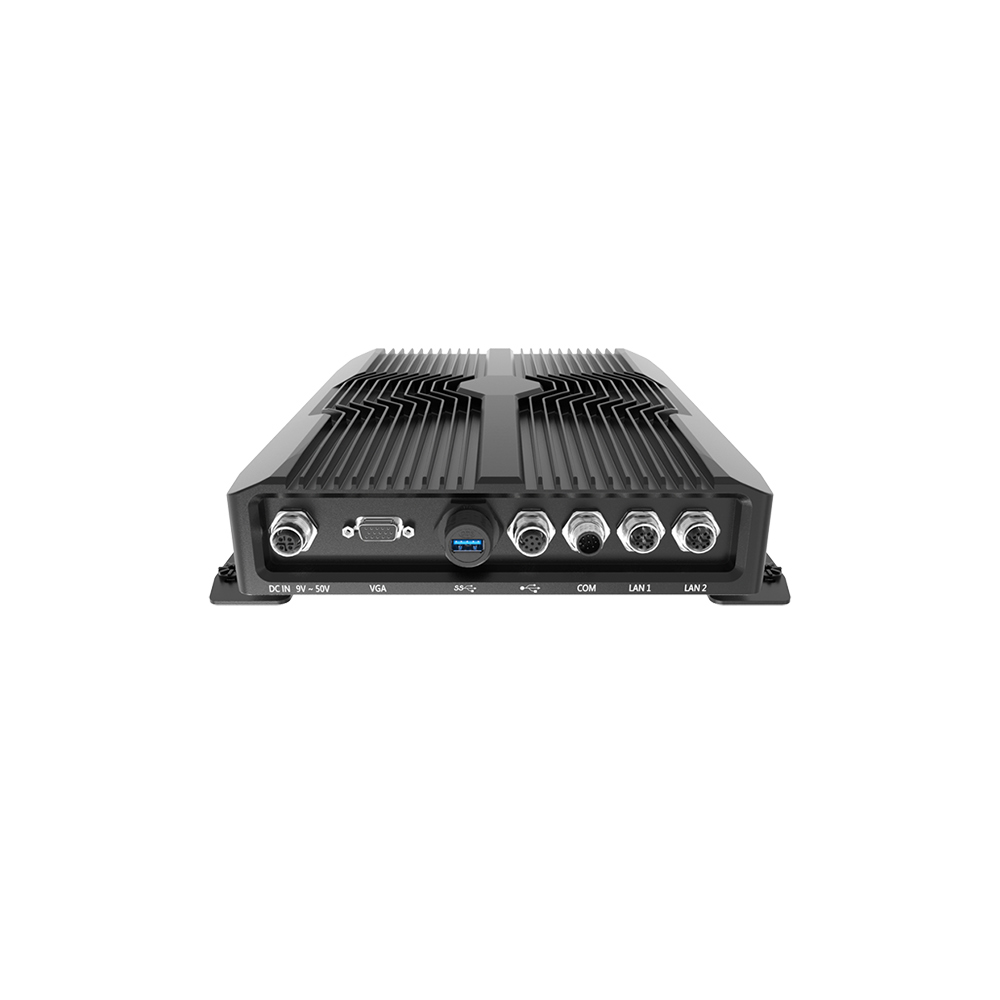
Fully sealed rugged computers with M12 connectors and IP66 to IP69K ratings work in rain, washdown and dust without a separate enclosure.
Which harsh environment do you have?
Any industrial application that exposes a computer to extreme temperatures, humidity, dust, vibration or shock can benefit from a harsh environment computer. These are the sites we see most often, with the hazards that dominate each and the specification that usually follows.
| Site | Dominant hazards | Usual specification |
|---|---|---|
| Manufacturing and factory automation | Dust, heat in cabinets, electrical noise | Fanless, wide temperature, isolated I/O, DIN rail or wall mount |
| Food and beverage processing | Hot washdown, chemicals, cold rooms | IP69K, stainless steel, hygienic design, cold-rated |
| Autonomous and unmanned systems | Vibration, shock, heat in enclosed bays | Locking connectors, MIL-STD-810H tested, wide DC input |
| Oil, gas and chemical | Explosive atmospheres, corrosion, heat | ATEX or IECEx Zone 2, Class I Division 2, conformal coating |
| Smart agriculture | Dust, rain, vibration, sun | IP66 or IP67, wide temperature, ignition control |
| Military and aerospace | Shock, vibration, EMI, altitude | MIL-STD-810H, MIL-STD-461, MIL-STD-1275 power |
| Transportation and rail | Vibration, supply transients, temperature | EN 50155 and IEC 61373 for rail; E-mark for road |
| Marine | Salt, humidity, vibration | IEC 60945, stainless or coated housings |
Sector standards add to the general ones: our guides to EN 50155 for rolling stock and IEC 60945 for marine computers explain the two most common. For outdoor installations where the computer sits inside a cabinet, our guide to outdoor computer enclosures covers solar heat and condensation.
One self-check helps: if your computer failed tomorrow, would someone have to travel to replace it, and would anything stop while they did? If the answer is yes, the environment is harsh enough to justify a computer built for it.
Harsh environment computers from our range
One computer for each of four harsh settings, with facts from each product page. We configure, image and test every computer before it ships.
| Example from our range | Built for | Key facts |
|---|---|---|
| Premio WCO-3000-EHL-x6425E | Washdown zones | IP68 and IP69K; M12 connectors; 9–36 V DC; −40 to 60 °C; designed to comply with MIL-STD-810H shock and vibration |
| Winmate ITMH100-EX | Hazardous areas | Class I, Division 2, Groups A–D, T5, with ATEX Zone 2 compliance; fanless; −20 to 60 °C |
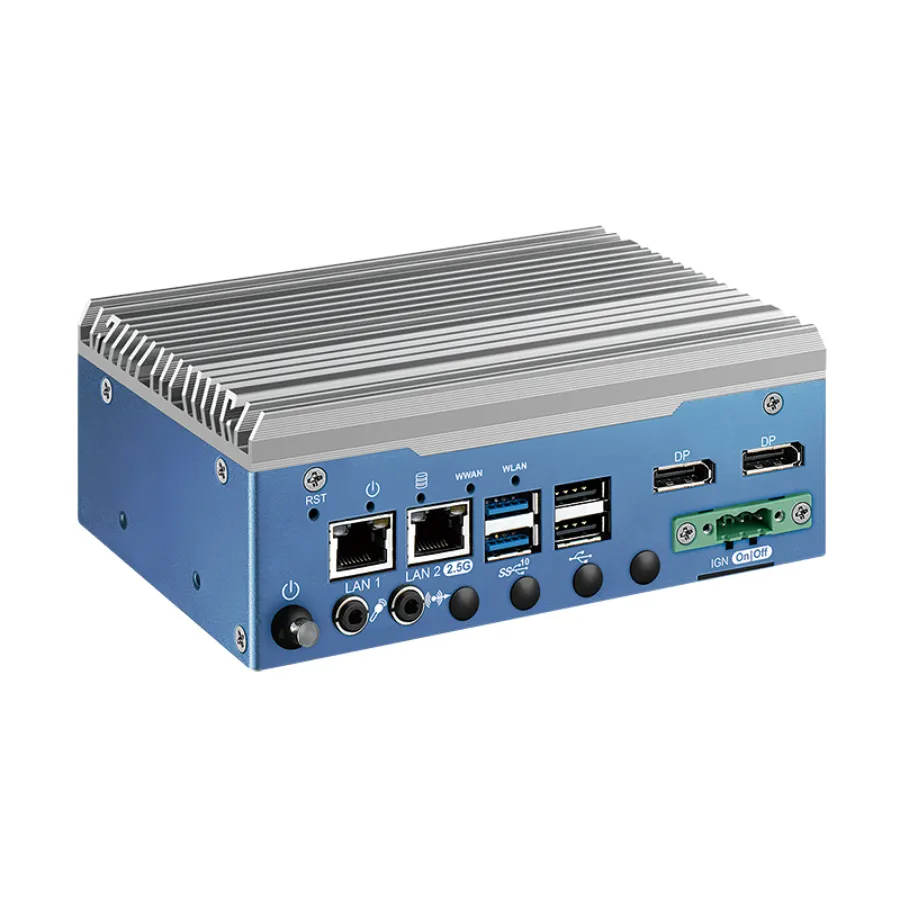
| Arestech SB-5000 | Vehicles and roadside | 9–48 V DC with ignition control; −40 to 70 °C with 35 W processors; 5 Grms vibration and 50 G shock tested |
| Winmate R15IE3S-67C3(HB) | Outdoor terminals and yards | Full IP67 15 inch panel PC; −40 to 55 °C with heater; MIL-STD-810G shock and vibration |
For more, see waterproof box PCs and rugged panel PCs. Our guide to industrial grade computers explains how the industrial and rugged grades differ.
Harsh environment computers to start from
A washdown computer, a hazardous-area box PC, a vehicle-ready fanless PC and a fully sealed panel PC, each supplied configured and tested.
Intel Atom x6425E Hailo-8 IP68/IP69K Waterproof Computer with 9-36 V DC Input
- AI
- 26 TOPS
- CPU
- Intel Atom x6425E (Elkhart Lake)
- Ethernet
- 1× 2.5GbE, 1× GbE
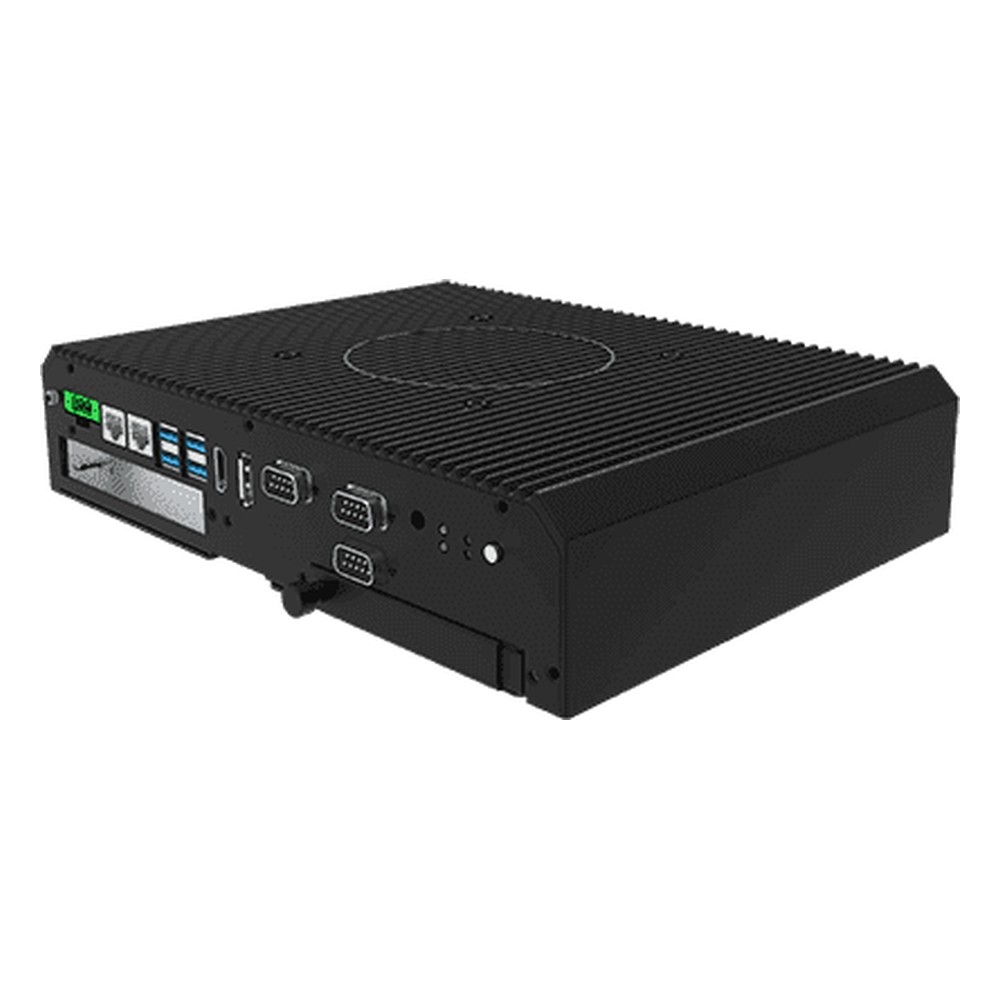
Intel Core i5-1135G7 Class I Division 2 Embedded Computer with Wide Temperature
- CPU
- Intel Core 11th Gen (Tiger Lake)
- Ethernet
- 2× GbE
- Temp
- −20 to +60 °C
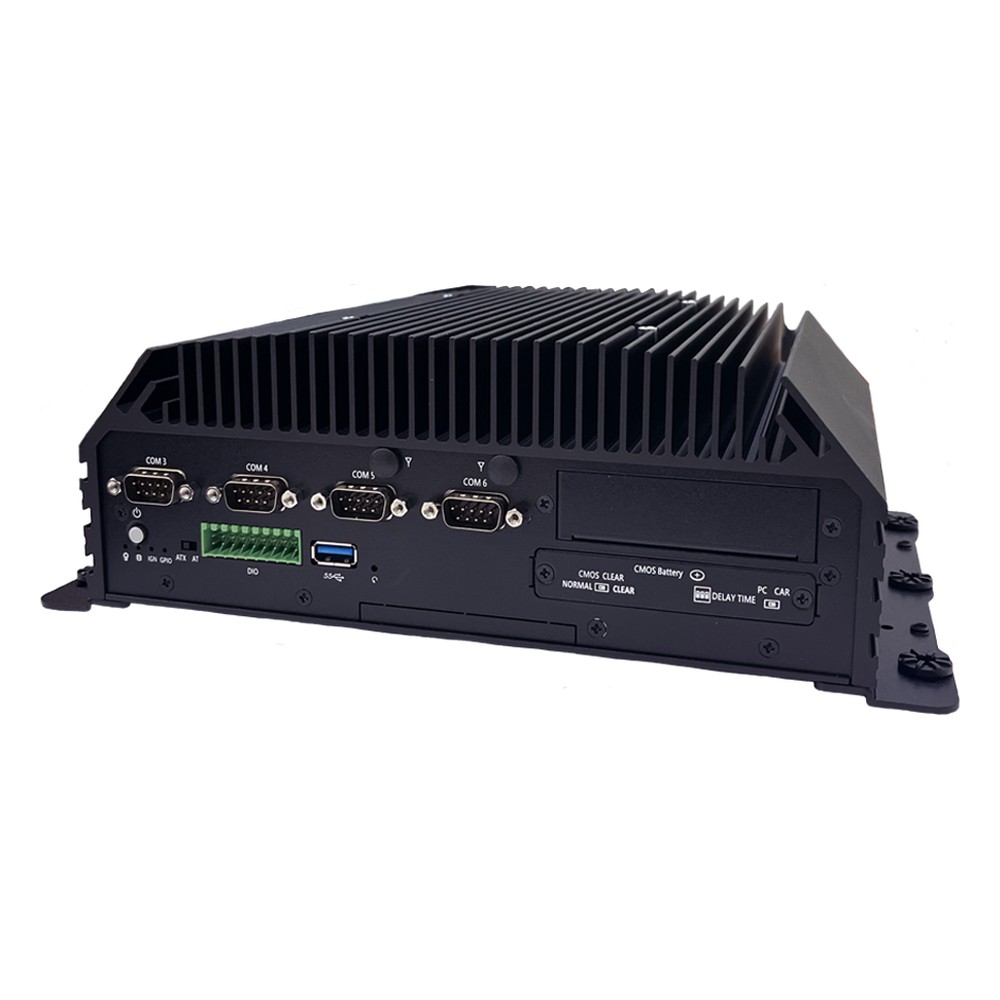
Intel 13th/12th Gen Core Rugged Fanless PC with 6x COM, Ignition Control and -40 to 70 °C
- CPU
- Intel Core 13th Gen (Raptor Lake)
- Ethernet
- 2× 2.5GbE
- Temp
- −40 to +70 °C
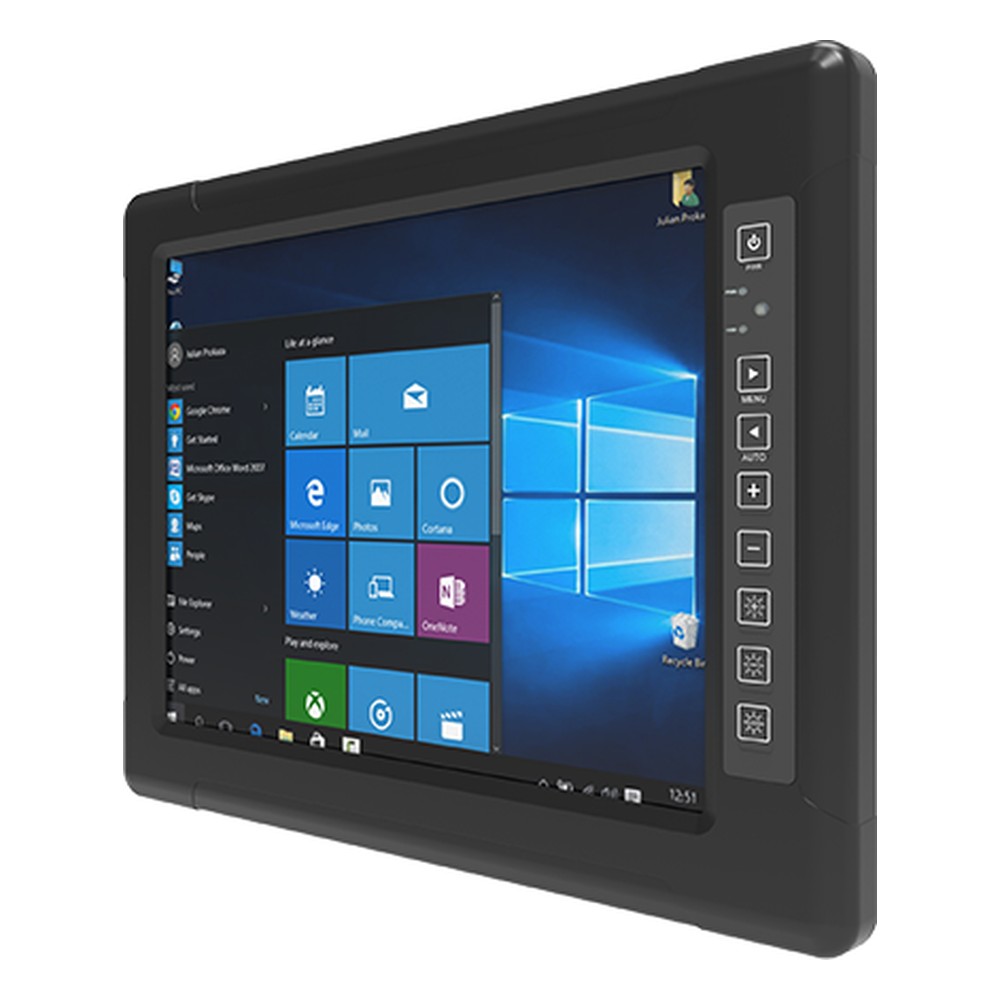
15″ Full IP67 Panel PC with Intel Celeron N6211 and MIL-STD-810G
- Display
- 15″ (4:3, 1024×768, XGA)
- Brightness
- 1000 nits
- Touch
- 5-Wire Resistive Touch
Harsh environment categories
Browse by the environment the computer has to survive.
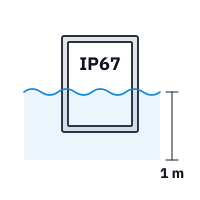
IP67 computers
Fully sealed computers that survive temporary immersion.
View range
IP69K computers
Sealed computers for hot, high-pressure washdown.
View range
Marine computers
Computers for salt, humidity and vibration at sea.
View range
Mission computers
Rugged systems tested to MIL-STD-810H and related defense standards.
View range
Railway computers
EN 50155 computers for rolling stock and trackside.
View range
Rugged mini PCs
Compact fanless computers for machines and enclosures.
View rangeIs your environment harsh?
Eight questions to answer before you choose a computer.
-
01
Temperature
The coldest start and hottest air the computer will see, inside its cabinet or bay.
-
02
Dust
Airborne dust, fibers or swarf that would clog a fan.
-
03
Water
Rain, splashing, hosing, immersion or hot washdown.
-
04
Corrosion
Salt air, chemicals or corrosive gases.
-
05
Movement
Vibration and shock from machines, vehicles or handling.
-
06
Power
Supply voltage, dips, surges and whether the engine starts and stops.
-
07
Noise
Drives, motors, welders or radio transmitters nearby.
-
08
Atmosphere
Any hazardous-area zone or division classification.
Harsh environment computers: common questions
Quick answers
What is a harsh environment computer?
A computer designed and tested to run where an ordinary PC would fail. It handles heat, cold, dust, water, vibration, unstable power or explosive atmospheres, depending on the site.
What makes a computer suitable for harsh environments?
A design matched to each hazard, proven by a test standard. Typical features are fanless sealed cooling, wide-temperature components, solid state storage, locking connectors and a wide DC input.
How do you protect a computer from dust and heat?
Use a fanless, sealed computer rated for the hottest air it will see. Keep its fins clear, avoid mounting it above hot equipment and lower the processor power if needed.
What IP rating does a harsh environment PC need?
It depends on the site: IP5X or IP6X for dust, IP65 to IP67 for water, IP69K for washdown. Inside a dry cabinet, a fanless chassis without a high IP rating is often enough.
What is conformal coating?
A thin protective film applied to circuit boards. It guards against moisture, condensation and corrosive gases where they cannot be kept out entirely.
Is a rugged computer the same as a harsh environment computer?
Mostly, yes; the terms overlap. Rugged describes how the computer is built; harsh environment describes where it works. Check the ratings either way.
Harsh environment FAQs
-
What Is the Industrial Temperature Range?
The industrial temperature range is −40 to 85 °C: the grade an electronic component must operate across to be called industrial, compared with 0 to 70 °C for commercial parts. Rugged computers built from industrial-grade components typically run from −25 or −40 °C up to 70 °C as a complete system.
-
What Is Conformal Coating?
Conformal coating is a thin protective film, tens of microns thick, applied over an assembled circuit board so that it follows the shape of the components. It protects the electronics from moisture, condensation, dust, salt and chemicals, and is common on rugged computers, vehicle electronics and boards used outdoors.
-
IP5X vs IP6X: What Is the Difference?
IP5X means an enclosure is dust protected: some dust can get in, but not enough to stop the equipment working. IP6X means it is dust tight: no dust gets in at all. The X shows the enclosure has not been rated for water, so a dust-tight computer for wet areas needs a full rating such as IP65 or IP67.
-
What Is MIL-STD-810H?
MIL-STD-810H is the current revision of the US Department of Defense standard for environmental engineering and laboratory testing. It describes test methods for temperature, shock, vibration, humidity, altitude, sand, rain and more, and explains how to tailor them to the conditions equipment will meet. It is a test method standard, not a certification, so claims should name the methods used.
-
What Is Class 1 Division 2?
Class 1 Division 2, often written C1D2, is a North American hazardous location rating. Class 1 means flammable gases or vapours may be present; Division 2 means they are only expected under abnormal conditions, such as a leak or equipment failure. Equipment rated C1D2 will not ignite the atmosphere during normal operation.
-
What Is ATEX?
ATEX is the European framework for equipment and workplaces where an explosive atmosphere of gas, vapor or dust can occur. The name comes from the French “ATmosphères EXplosibles”. One directive sets the safety rules for equipment sold into these areas; the other requires employers to classify hazardous areas into zones and use suitably certified equipment.
-
What Is Electromagnetic Interference (EMI)?
Electromagnetic interference (EMI) is unwanted electrical noise from one source that disturbs the working of another circuit or device. It travels along cables (conducted EMI) or through the air (radiated EMI), and comes from motors, switching power supplies, radio transmitters, lightning and static discharge. EMC standards limit how much a product emits and how much it must tolerate.
Looking for a harsh environment computer?
Tell us about the site: the temperatures, dust, water, vibration, power supply and any hazardous-area classification. We will recommend a computer rated for it, then configure, image and test it before it ships.