
 UK

What Is GPU Computing? Key Terms in AI GPU Computing Explained
GPU computing runs AI, video and simulation on a GPU’s thousands of parallel cores. Here is how it works, how it compares with a CPU, the terms that come with it and the GPU options for edge AI systems.
GPU computing is the use of a graphics processing unit’s thousands of parallel cores for general-purpose work, such as training and running AI models, simulation, signal processing and video analytics, rather than only for drawing graphics. It is also called GPGPU, general-purpose computing on graphics processing units, and it is programmed through frameworks such as CUDA, OpenCL and ROCm.
GPU computing is what made modern AI practical. Neural networks are built from huge numbers of identical multiply-and-add operations, exactly the kind of work a GPU spreads across its cores. When the AlexNet image classifier was trained on two NVIDIA graphics cards in 2012 and beat every previous approach, deep learning moved onto GPUs and has stayed there. Today the same principle runs in data centres and in edge AI computers such as NVIDIA Jetson systems on factory floors, vehicles and robots.
This guide explains how GPU computing works and how it compares with a CPU, then acts as a term map for the language around it: CUDA and Tensor Cores, TOPS and TFLOPS, precision, machine learning, deep learning, training, inference and sensor fusion. Each term links to a short explainer, so this page gives the overview and the FAQs give the detail. It finishes with GPU options for edge and industrial systems.
Key takeaways
- 01Parallel by design
- A GPU runs thousands of simple cores on the same instruction, so it suits work that splits into many identical pieces.
- 02CPU and GPU work together
- The CPU runs the operating system and application logic and hands parallel work to the GPU.
- 03Memory bandwidth often decides speed
- GPUs pair their cores with very fast memory; many AI workloads are limited by data movement, not arithmetic.
- 04Precision sets the headline figure
- FP32, FP16, INT8 and FP4 ratings differ widely on the same chip, so compare like with like.
- 05Edge GPUs trade power for flexibility
- Jetson modules, MXM modules and PCIe cards cover a few watts to hundreds, each with different cooling needs.
CPU vs GPU for compute
A CPU is built to run a few threads very quickly, with large caches and sophisticated control logic. A GPU is built to run thousands of threads at once, each simpler and slower, and to hide memory delays by switching between them. The table compares typical embedded and edge parts; figures are examples from published specifications.
| Feature | CPU | GPU |
|---|---|---|
| Cores | 4–24 large cores in embedded and edge processors | Hundreds to thousands of small cores (2,048 CUDA cores on Jetson AGX Orin, 3,328 on RTX PRO 2000 Blackwell) |
| Clock speed | Up to about 5 GHz | Typically 1–2.5 GHz |
| Memory bandwidth | About 77 GB/s from dual-channel DDR5-4800 | 102 GB/s (Orin NX 16GB) to 384 GB/s (RTX PRO 2000 Blackwell) and far more on data centre GPUs |
| Strength | Low latency on branching, sequential code | High throughput on large, uniform, parallel work |
| Programming model | Standard languages and operating system threads | Kernels in CUDA, OpenCL, ROCm or through libraries and frameworks |
| Best workloads | Operating system, application logic, databases, control | AI training and inference, video, image processing, simulation |
| Weak at | Thousands of identical operations at once | Branch-heavy code and small tasks with high launch overhead |
The two are complementary. In a vision system the CPU handles the cameras’ network traffic, the application and the database, and the GPU decodes video and runs the model. Our explainers on GPU vs CPU and integrated vs discrete GPUs go further, and our comparison of NPUs and GPUs for edge AI covers the newer low-power alternative.
How GPU computing works
A GPU program is split into two parts. The host code runs on the CPU, prepares data and launches work. The kernels run on the GPU: small functions that the GPU executes across thousands of threads, each working on a different piece of the data, such as one pixel, one matrix element or one neuron. Threads are scheduled in groups that execute the same instruction together, which is why GPUs excel at uniform work and slow down when threads take different branches.
Data has to reach the GPU before it can be processed. A discrete GPU has its own memory, so data is copied across the PCIe bus, and that copy can take longer than the computation if the work is small. Jetson modules and integrated GPUs share memory with the CPU, which avoids the copy but shares the bandwidth. Our explainer on PCIe covers the link a discrete GPU sits on.
Few teams write kernels by hand for AI. Frameworks such as PyTorch and TensorFlow call GPU libraries for each layer, and inference engines such as TensorRT optimise a trained model for a specific GPU. The programming model still matters when choosing hardware, because software written for one framework does not always run on another.
| Framework | From | Runs on | Notes |
|---|---|---|---|
| CUDA | NVIDIA, 2007 | NVIDIA GPUs and Jetson | The most widely used; libraries such as cuDNN and TensorRT build on it |
| OpenCL | Khronos Group, 2008 | GPUs, CPUs and FPGAs from many vendors | Open standard; less common for AI today |
| ROCm and HIP | AMD, 2016 | AMD Instinct and Radeon GPUs | HIP code is close to CUDA and can be ported |
| oneAPI and SYCL | Intel and Khronos | Intel GPUs and CPUs, other vendors via plug-ins | Intel’s route for Arc and data centre GPUs; OpenVINO covers inference |
Key terms in GPU computing
These are the hardware and software terms that appear on GPU data sheets and in AI project discussions. Each links to a short explainer.
| Term | What it means | Why it matters |
|---|---|---|
| CUDA cores | NVIDIA’s general-purpose GPU cores, each running one thread’s arithmetic | Count indicates parallel throughput within one GPU generation |
| Tensor Cores | Specialised cores that multiply small matrices in one step at low precision | Most AI performance comes from these; see CUDA cores vs Tensor Cores |
| TOPS and TFLOPS | Trillions of integer or floating-point operations per second | Compare at the same precision; see TFLOPS vs TOPS and what TOPS means |
| FP32, FP16, INT8, FP4 | Number formats from 32-bit floating point down to 4-bit | Lower precision runs faster and uses less memory; see INT8 quantization |
| VRAM | The GPU’s own memory, GDDR or HBM on discrete cards | Sets the largest model and batch that fit; see what RAM is |
| ECC memory | Memory that detects and corrects bit errors | Matters for long-running and safety-related systems |
| MXM | A compact GPU module standard for embedded systems | Discrete GPU power without a full-size card; see MXM GPUs |
| SXM vs PCIe | NVIDIA’s socketed server GPU format against the standard card | SXM GPUs link at higher bandwidth; see SXM vs PCIe |
| MIG | Multi-Instance GPU, splitting one GPU into isolated parts | Lets several users or models share a data centre GPU; see NVIDIA MIG |
| ONNX | An open file format for trained models | Moves models between frameworks and accelerators; see ONNX |
| Blackwell | NVIDIA’s current GPU architecture | Adds FP4 Tensor Cores; see NVIDIA Blackwell |
AI terms: machine learning, deep learning and neural networks
Artificial intelligence has been discussed since the 1950s, with highs and lows in popularity. A useful distinction is between strong AI, which could do anything a person can and exists only in theory, and weak or narrow AI, which is already used in many applications, where it can equal or outperform people in specific tasks.
Machine learning: pattern recognition
Machine learning is a branch of AI in which a system learns patterns from data instead of being explicitly programmed. Given enough labelled examples, it can learn to recognise objects such as traffic signs and apply that knowledge to data it has not seen before. The weakness is that its behaviour is only as good as its training data: if the data does not represent reality, or a situation was never included, such as a vandalised traffic sign, the system may not respond correctly. Our explainer on machine learning vs deep learning sets out the difference.
Deep learning: artificial neural networks
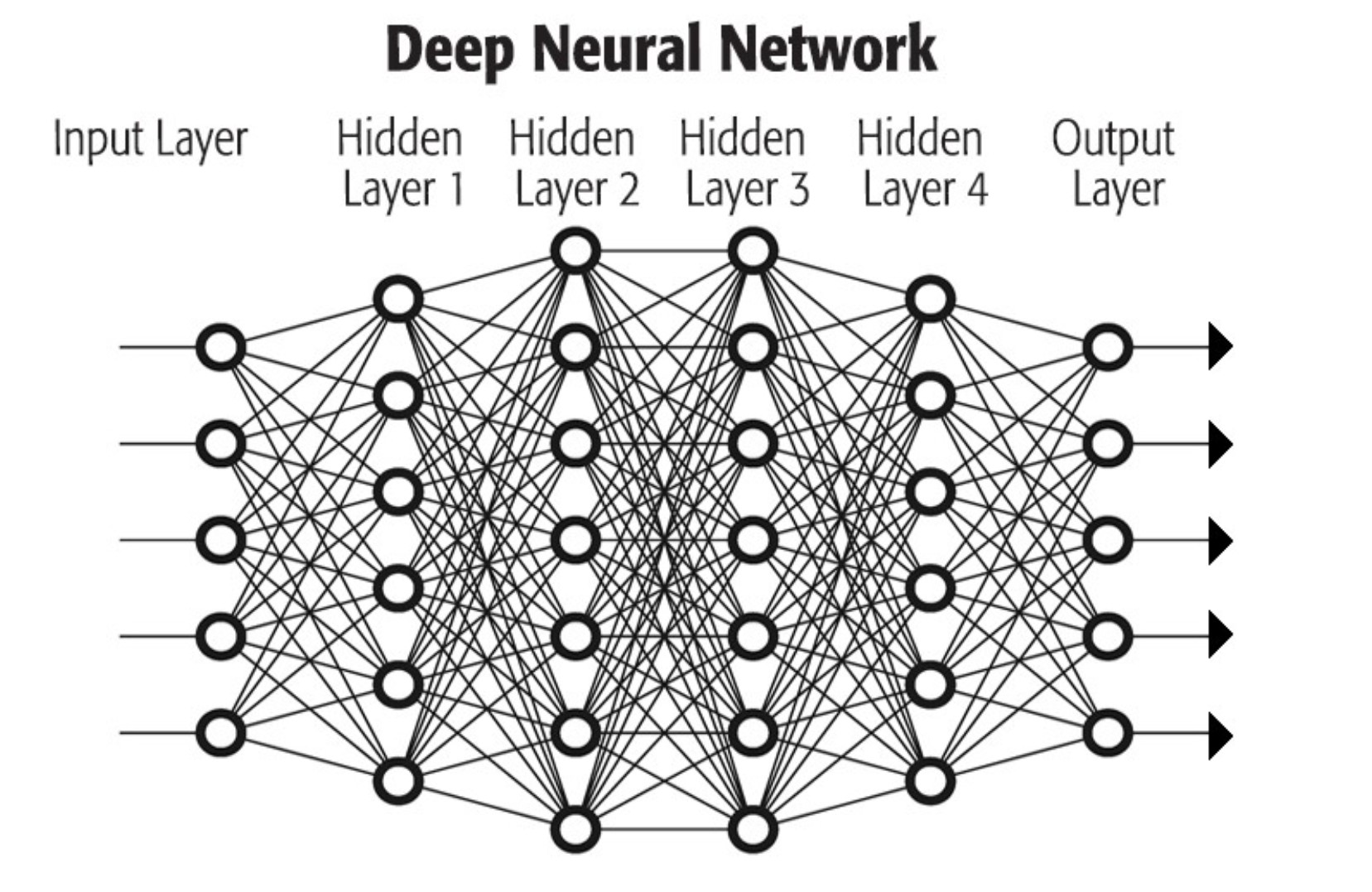
Deep learning is a form of machine learning that uses neural networks with many layers. Shown a set of images labelled as containing a car or not, a network learns in stages: early layers respond to brightness and edges, middle layers to shapes, and deeper layers to parts such as wheels and headlights, until the network can recognise a car. Unlike traditional machine learning, the network learns these features itself rather than relying on features designed by hand. Convolutional neural networks are the standard design for images; see deep learning and convolutional neural networks.
Supervised, unsupervised and reinforcement learning
In supervised learning the data is labelled before training, for example images tagged as cars, trucks and motorcycles, so the model learns to assign new images to the right category. Public data sets support this: the MNIST database of handwritten digits has 60,000 training examples and 10,000 test examples. In unsupervised learning there are no labels, and the model finds structure on its own; it is widely used for clustering, anomaly detection on machine data and cyber security. In reinforcement learning an agent learns by trial and error, guided by rewards and penalties. Game-playing programs are the classic example: DeepMind’s AlphaGo combined supervised and reinforcement learning. In robotics it trains control policies, often in simulation first; see reinforcement learning in robotics.
Perception and sensor fusion
Perception is a machine’s understanding of its surroundings from sensor data. Sensor fusion combines data from several sensors, such as LiDAR, radar, ultrasound, microphones and cameras, into one consistent view of the environment, which AI models running on parallel processors then use to make decisions in real time. Perception and fusion enable vehicles and robots to operate with partial or full autonomy, or with advanced driver assistance. See sensor fusion and computer vision.
What is the difference between training and inference?
Training builds a model: the network sees large amounts of labelled data and adjusts its weights until its answers are accurate. Inference uses the finished model on new data, such as a camera frame, and returns an answer. Training is done once or occasionally, usually on data centre GPUs; inference runs continuously wherever the data is, which at the edge means a Jetson, a GPU computer or an NPU. Older texts sometimes call this step “inferencing”. Our explainers on AI inference and inference vs training cover both in more depth.
| Feature | Training | Inference |
|---|---|---|
| Purpose | Learn the model’s weights from data | Apply the trained model to new data |
| Data | Large labelled data sets, many passes | One frame, sample or request at a time |
| Compute | Very high; many GPUs for days or weeks for large models | Modest per request, but continuous |
| Precision | FP32, BF16 or FP16, with FP8 on newer GPUs | FP16, INT8 or lower after quantisation |
| Where it runs | Data centre or workstation GPUs | Edge computers, Jetson, NPUs, servers |
| What matters most | Throughput and memory capacity | Latency, power and reliability on site |
GPU computing at the edge
At the edge, GPU computing happens inside a computer that may sit in a cabinet, on a vehicle or outdoors, without a server room’s cooling. Three GPU formats cover most industrial systems, and each sets a different power and cooling budget.
| Option | Examples | AI performance | Power | Typical systems |
|---|---|---|---|---|
| Jetson module | Orin Nano, Orin NX, AGX Orin, Jetson T4000 and T5000 | 40–275 TOPS (Orin); up to 2,070 FP4 TFLOPS sparse (T5000) | About 7–130 W | Fanless and sealed computers for robots, vehicles and cameras |
| MXM module | RTX A500, RTX 2000 Ada, RTX PRO 2000 Blackwell, RTX A4500 | Up to 13.78 TFLOPS FP32 on RTX PRO 2000 Blackwell | 35–115 W | Compact rugged and in-vehicle computers |
| PCIe card | NVIDIA L4, RTX PRO Blackwell cards | L4: up to 30.3 TFLOPS FP32 or 485 TOPS INT8 | 72 W (L4) to several hundred watts | Industrial GPU computers and edge servers |
| Data centre GPU | PCIe and SXM accelerators | Hundreds of TFLOPS and more | Hundreds of watts each | Edge servers and rack systems |
Jetson. Jetson Orin modules put an Ampere GPU, Arm CPU and memory on one board at 7–60 W, so a complete AI computer can run fanless. Jetson Thor adds a Blackwell GPU and 128 GB of memory on the T5000 for robots running perception and language models together. Our guide to NVIDIA Jetson explains the family.
MXM. MXM GPU modules put a discrete NVIDIA GPU on a small board with a cold plate, so a rugged computer can carry it without a full-height card. The RTX PRO 2000 Blackwell module brings ECC GDDR7 memory at 384 GB/s within 60 W.
PCIe cards. Industrial GPU computers take standard cards, from the 72 W, passively cooled NVIDIA L4 to RTX PRO Blackwell workstation cards. Our project on MXM GPU computing on board a digital train shows the embedded route in practice.
Industrial requirements for GPU computers
A GPU adds heat and power draw, so the computer around it has to be designed for both. These are the checks we make.
| Requirement | Why it matters | Example from our range |
|---|---|---|
| Operating temperature | GPUs throttle when hot, cutting throughput | Neousys SEMIL-2047GC: L4 holds performance to a 58 °C throttling point; system rated −40 to 70 °C with 35 W processors |
| Cooling | Passive data centre cards need ducted airflow; fanless needs a conduction path | Neousys Nuvo-9166GC cools its L4 through a cassette air tunnel |
| Power input | GPUs draw tens to hundreds of watts from vehicle or cabinet supplies | Nuvo-9166GC runs from 8–48 V DC |
| ECC memory | Long-running and safety-related systems need error correction | RTX PRO 2000 Blackwell MXM module with ECC GDDR7 |
| Shock and vibration | Large cards need retention in vehicles | Brackets and MIL-STD-810H testing on rugged GPU computers |
| Lifecycle | Repeat builds need the same GPU for years | Embedded MXM and Jetson parts typically stay available longer than consumer cards |
Our explainers on thermal throttling and TDP explain why power and cooling set the usable performance.
Is a GPU better for machine learning?
For training, almost always. Training a neural network is dominated by matrix arithmetic on large batches, which a GPU runs many times faster than a CPU, and the main frameworks are built around GPU libraries. For inference the answer depends on the model and the site. A GPU is the flexible choice for large or changing models, many camera streams and video pipelines. A CPU can be enough for small models at low rates, and an AI accelerator or NPU can run supported models at a fraction of the power. Many edge systems combine them, which is why we size the CPU, GPU and any accelerator together.
Where GPU computing is used in industry
Most industrial GPU computing is inference on sensor data, close to where it is captured. The table shows common applications and the GPU option that usually fits; the right choice depends on the model, the number of streams and the site.
| Application | Typical GPU workload | Usual option | Example |
|---|---|---|---|
| Food and packaging inspection | Detection and classification on several line cameras | Industrial GPU computer with a PCIe card | GPU computers in an automated food factory |
| Maritime and perimeter surveillance | Multi-camera detection and tracking, video encode | Sealed IP69K GPU computer | IP69K GPU computers for maritime surveillance |
| Agriculture and off-highway machines | Real-time detection from GigE or GMSL cameras on a moving vehicle | Rugged Jetson AGX Orin computer | Spot spraying on AGX Orin |
| Rail and transport | Onboard video analytics and track inspection | MXM or Jetson computer to EN 50155 | MXM GPU computing on board a digital train, above |
| Robotics and AMRs | Perception, depth, SLAM and planning together | Jetson Orin or Thor | See our robot computer guide |
| On-site model training and evaluation | Fine-tuning and testing models on local data | Edge AI server with several GPUs | Data stays on site |
How much GPU do you need? Start from the inference rate: cameras × frames per second × models per frame. Eight cameras at 30 fps with one detector need 240 inferences per second. Then measure the model on candidate hardware at the precision you will deploy. If a GPU runs the model in about 4 ms per frame, it offers roughly 250 inferences per second, which leaves almost no headroom for decode, tracking or a second model, so the next GPU up is the safer choice. The figures here are illustrative; the method is what matters, and we run the same measurement on your model before recommending hardware. Our guide to robot computers applies the same sizing to mobile machines.
GPU computing hardware in our range
From Jetson modules to multi-GPU edge servers, each range covers a different power and performance point.

Jetson Orin NX computers
Compact Jetson computers for vision AI at 10–40 W.
View range
Rugged GPU computers
Sealed and vehicle-ready computers with discrete NVIDIA GPUs.
View range
MXM GPU computers
Compact systems with an MXM GPU module instead of a full-size card.
View range
Edge AI servers
Rack and tower servers with several GPUs for on-site inference and training.
View range
NVIDIA RTX PRO Blackwell computers
Workstations and servers built for RTX PRO Blackwell cards.
View range
GPU cards
Workstation, data centre and MXM GPUs supplied fitted and tested.
View rangeGPU computers for edge AI
Five starting points: an L4 inference computer, an IP69K L4 computer, a compact MXM GPU computer, an RTX PRO 2000 Blackwell MXM module and a Jetson Thor box PC.
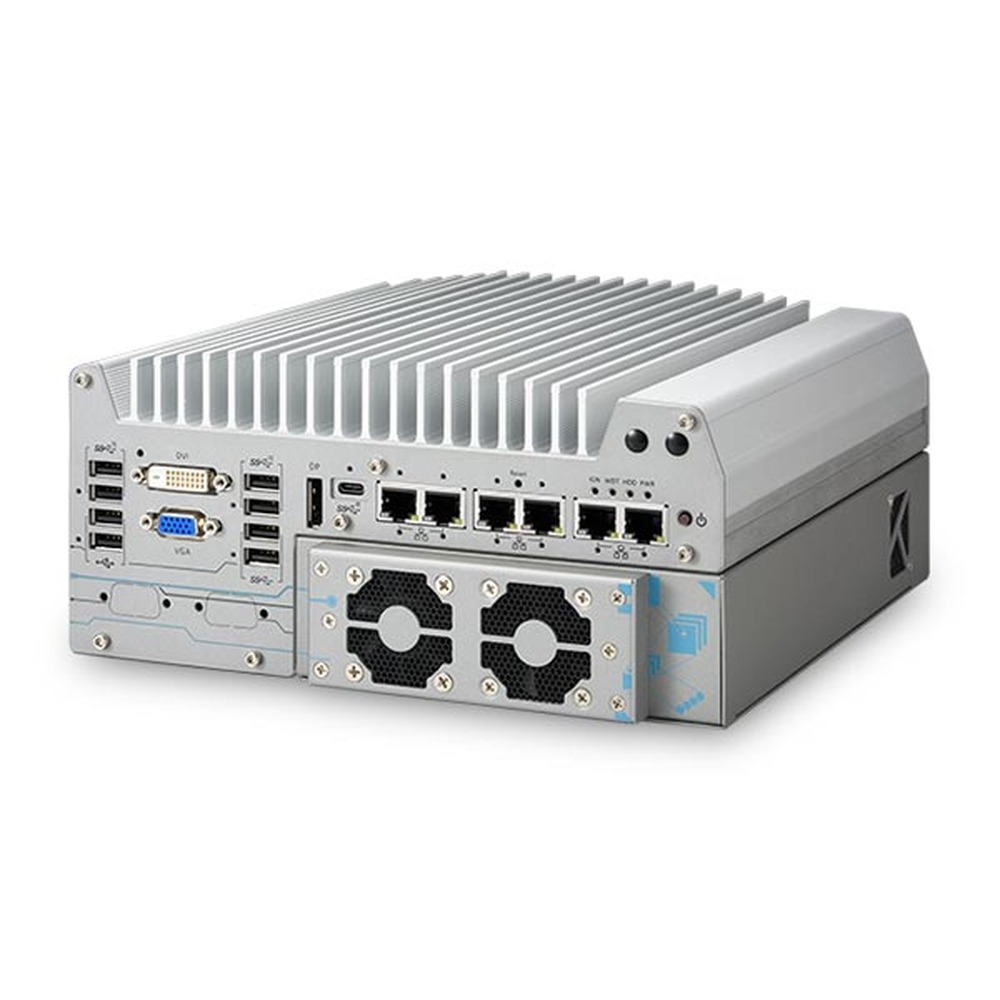
Intel 14th/13th/12th Gen Core Rugged Edge AI Computer with NVIDIA L4 and Dual PCIe Slots
- CPU
- Intel Core 13th Gen (Raptor Lake)
- GPU
- NVIDIA L4
- AI
- 485 TOPS
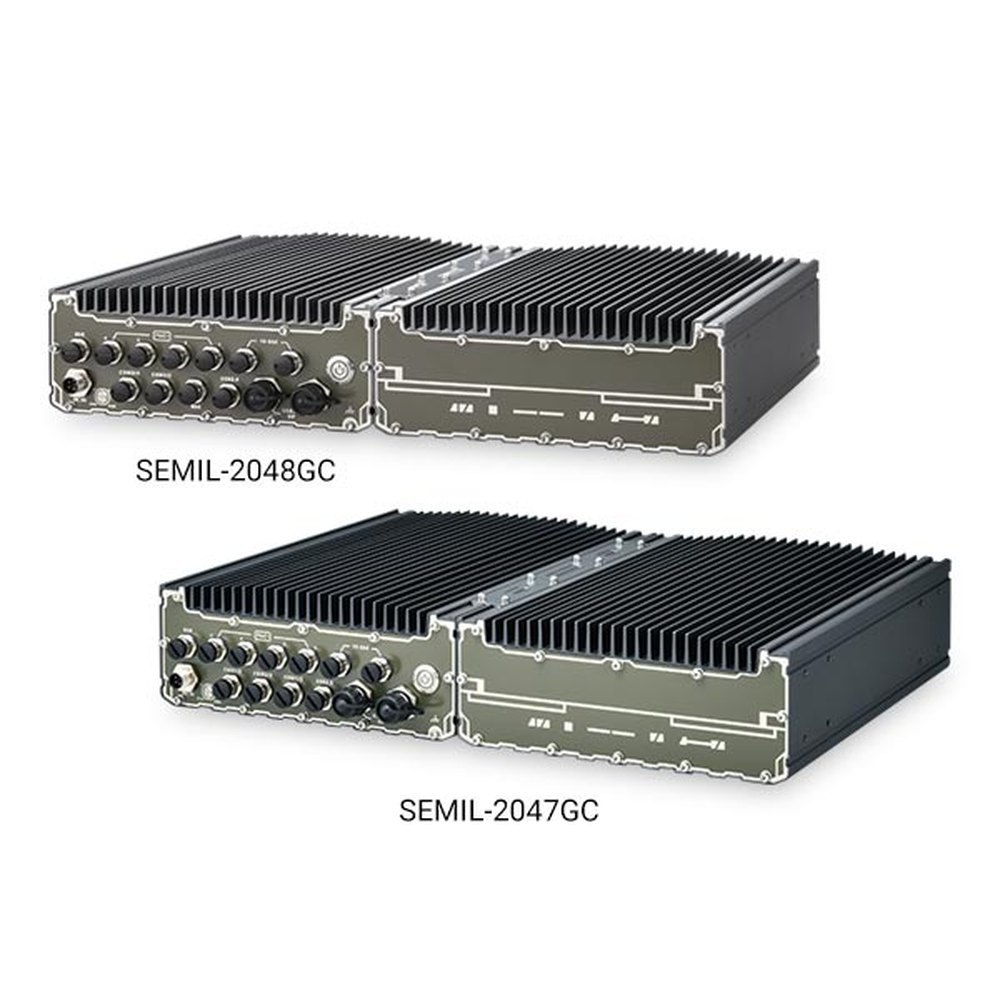
Intel 14th Gen Core IP69K Computer with NVIDIA L4 GPU and 4x M12 PoE+
- CPU
- Intel Core 13th Gen (Raptor Lake)
- GPU
- NVIDIA L4
- AI
- 485 TOPS
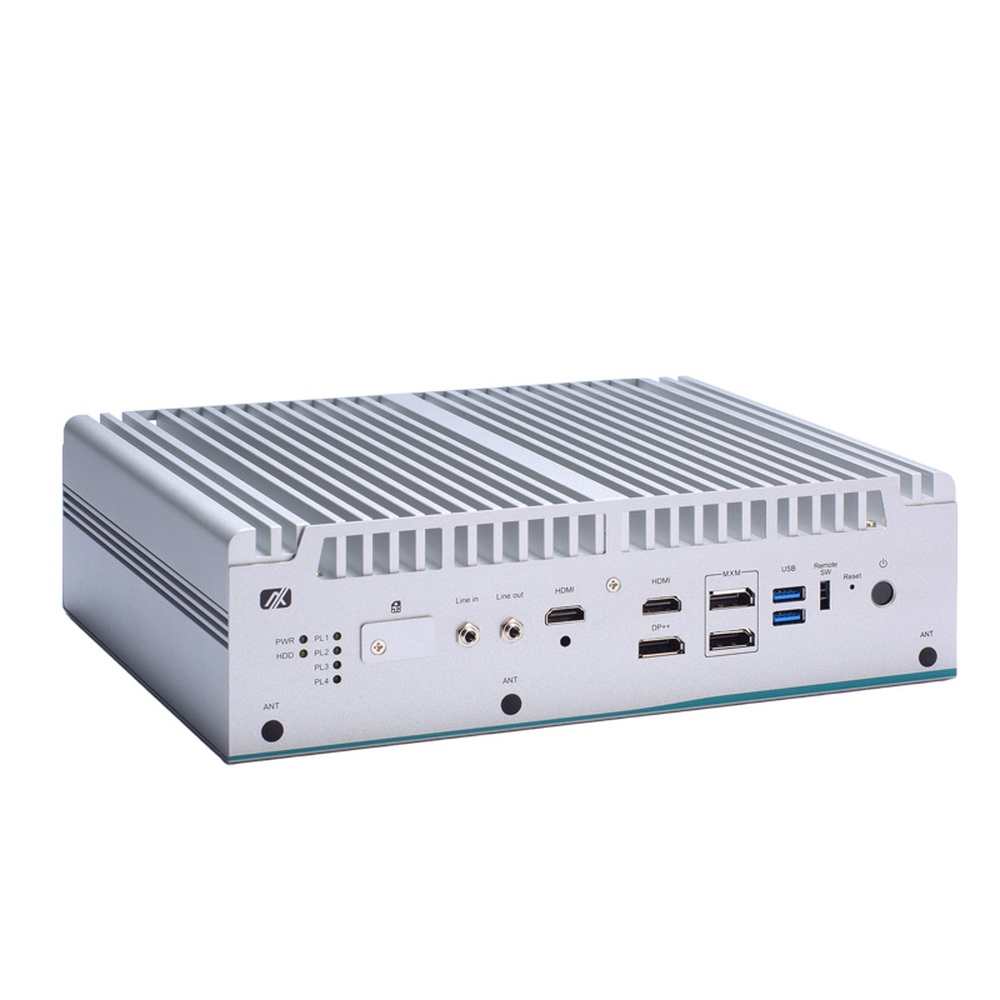
Intel 14th/13th/12th Gen Core Industrial GPU Computer with MXM 3.1 Slot and 3x 2.5GbE
- CPU
- Intel Core 13th Gen (Raptor Lake)
- GPU
- NVIDIA RTX A2000 Embedded (MXM)
- Memory
- 2× DDR5-4800 SO-DIMM, up to 64 GB
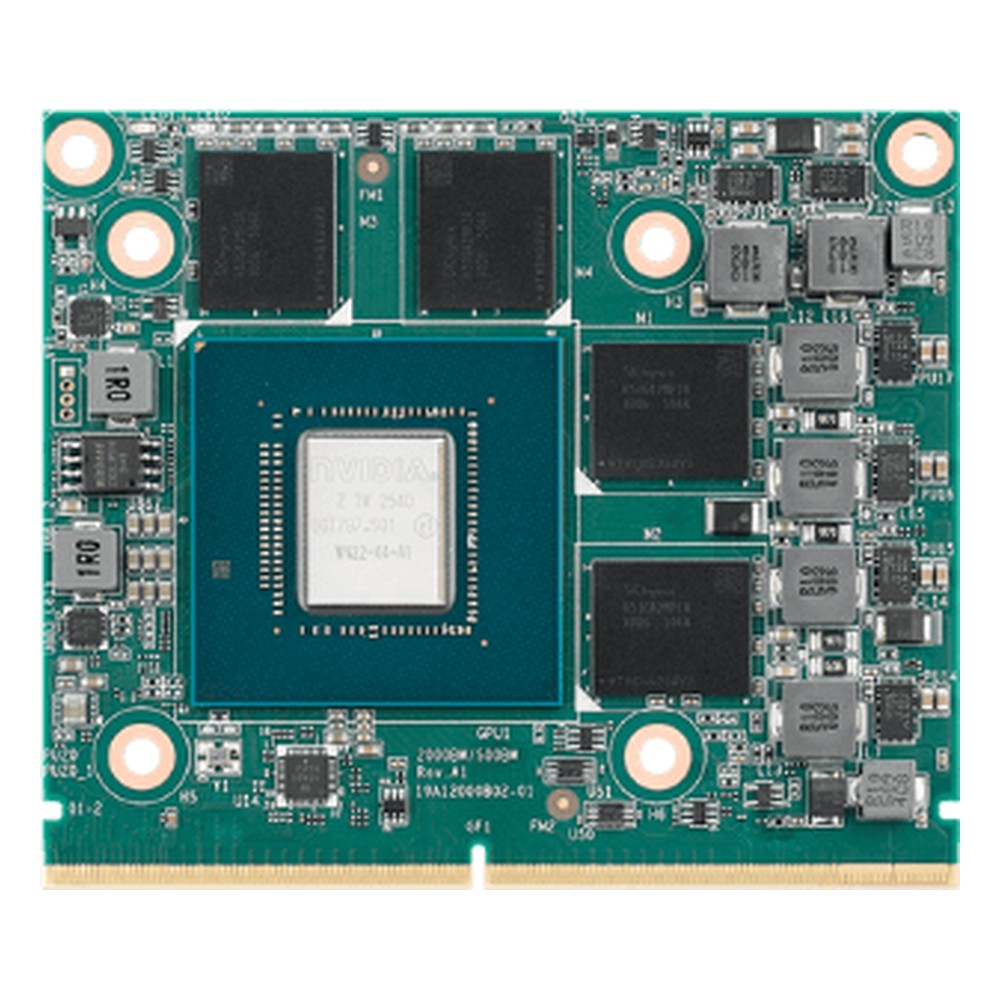
NVIDIA RTX PRO 2000 Blackwell Embedded 8GB MXM GPU Module with ECC GDDR7 and PCIe Gen5
- GPU
- NVIDIA RTX PRO 2000 Blackwell Embedded (MXM)
- AI
- 572 TOPS
- Temp
- 0 to +55 °C
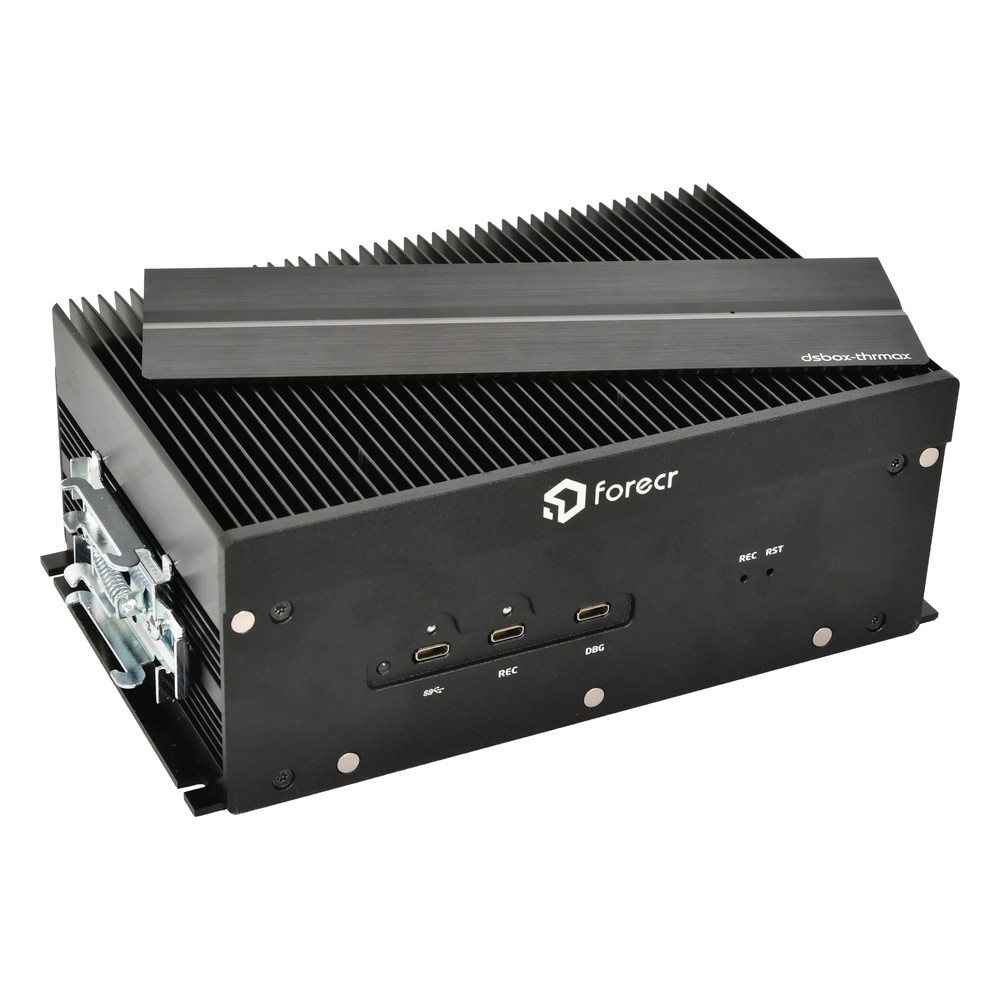
NVIDIA Jetson AGX Thor T5000 Industrial Box PC with 4x 25GbE QSFP28, Dual HDMI and Optional 8x GMSL2
- AI
- 2,070 TOPS
- SOM
- NVIDIA Jetson T5000
- Ethernet
- 4× 25GbE, 1× GbE
Choosing a GPU for an edge AI system
Seven checks that settle the GPU and the computer around it.
-
01
Workload
Decide whether the system trains, runs inference or both, and list the models.
-
02
Precision
Check the model runs at FP16 or INT8 and compare GPU ratings at that precision.
-
03
Memory
Confirm the model, batch and video buffers fit in GPU or shared memory.
-
04
Software
Match the framework to the hardware: CUDA and TensorRT, ROCm or OpenVINO.
-
05
Power and cooling
Set the power budget and site temperature; they decide Jetson, MXM or PCIe.
-
06
Environment
Check sealing, vibration and DC input for vehicles and outdoor sites.
-
07
Lifecycle
Plan GPU and module availability for repeat builds.
GPU computing: common questions
Quick answers
What is GPU computing?
Using a GPU for general-purpose work. Its thousands of parallel cores run AI, simulation and video processing far faster than a CPU alone, programmed through CUDA, OpenCL or ROCm.
What is the difference between CPU and GPU computing?
Latency against throughput. A CPU runs a few threads very fast; a GPU runs thousands at once. Most systems use the CPU for logic and the GPU for parallel work.
What is CUDA?
NVIDIA’s platform for programming its GPUs. It includes a language extension, compilers and libraries such as cuDNN and TensorRT that AI frameworks use.
What is GPGPU?
General-purpose computing on graphics processing units. It is another name for GPU computing: using graphics hardware for non-graphics work.
Is a GPU better for machine learning?
For training, yes. For inference it depends on the model and power budget; NPUs and AI accelerators can be more efficient for supported models.
What is the difference between training and inference?
Building the model against using it. Training learns the weights from labelled data; inference runs the trained model on new data, continuously and often at the edge.
GPU and AI FAQs
-
GPU vs CPU: What Is the Difference?
A CPU has a small number of powerful cores that handle many different tasks one after another, such as running the operating system and applications. A GPU has thousands of simpler cores that work in parallel, which makes it far faster for graphics, video and AI inference, where the same calculation is repeated across large amounts of data.
-
What Is CUDA?
CUDA is the NVIDIA platform for running general-purpose code on a GPU. It lets software use the thousands of cores in a GPU for parallel work, and it is the foundation that every other NVIDIA accelerated library, including the AI libraries, is built on. CUDA is what allows an application to use the GPU at all.
-
CUDA Cores vs Tensor Cores: What Is the Difference?
CUDA cores are the general-purpose parallel processors in an NVIDIA GPU, each handling one floating-point or integer operation at a time. Tensor Cores are specialised blocks that multiply small matrices in a single step at reduced precision, which is the core maths of AI. A GPU uses CUDA cores for graphics and general compute, and Tensor Cores for AI.
-
AI Inference vs Training: What Is the Difference?
Training is how an AI model learns: it is fed large sets of labelled data and adjusted until it predicts accurately, which needs powerful GPUs. Inference is using the trained model on new data to make a decision, which is lighter per image and usually runs in real time on an edge computer beside the camera or machine.
-
Machine Learning vs Deep Learning: What Is the Difference?
Deep learning is a type of machine learning. Classic machine learning applies algorithms such as decision trees or regression to features a person picks out of the data. Deep learning uses neural networks with many layers that learn those features from raw images, audio or text. It needs more data and computing power, usually a GPU.
-
What Is a Teraflop (TFLOPS), and How Is It Different From TOPS?
A teraflop is one trillion floating-point operations per second, and TFLOPS counts them: a measure of how fast a processor handles decimal maths at a stated precision such as FP32. TOPS counts trillions of operations per second, usually integer maths at INT8. GPUs quote TFLOPS for graphics and general compute, while NPUs and AI accelerators quote TOPS for inference.
-
iGPU vs dGPU: What Is the Difference?
An iGPU (integrated GPU) is built into the processor and shares the system memory, so it adds little power, heat or cost. A dGPU (discrete GPU) is a separate graphics processor with its own memory, offering far more performance but needing more power, cooling and space. For edge AI, iGPUs suit lighter inference and dGPUs suit heavy workloads.
Have AI code ready to deploy on an industrial GPU computer?
Tell us the models, the data or camera streams and where the computer will be installed. We will recommend a Jetson, MXM or PCIe GPU computer, then configure, image and test it with your software stack before it ships.