
 UK

Wake on LAN for Industrial and Vision Computers: Remote Power On Explained
Wake on LAN (WoL) is a network standard that turns a computer on remotely by sending a special Ethernet frame, called a magic packet, to its network card. The network card stays powered while the computer is asleep or shut down, watches for a packet containing its own MAC address repeated 16 times, and signals the motherboard to power up when it sees one.
Edge computing has brought flexibility and decentralisation to manufacturing, but it has also put hundreds of inference PCs in places nobody visits often. Two drawbacks follow: network load from systems that run when they do not need to, and the cost of reaching a computer that is switched off. Remote power control solves both. A computer can be turned on and off by a command from another system, triggered by a schedule, a sensor, a control platform or an operator.
This guide explains how Wake on LAN works, compares it with the other ways of powering an industrial computer on remotely (RTC wake, power-on after AC loss, ignition sensing, remote power switches and out-of-band management), shows how to enable and troubleshoot WoL in the BIOS, Windows and Linux, and covers waking computers across subnets and over the internet. It then applies all of that to machine vision, where shift-start wake-up, staged boots and camera sequencing make remote on/off especially useful.
Key takeaways
- 01WoL needs standby power
- The network card must stay powered in sleep or soft off; WoL cannot start a computer with no power at all.
- 02The magic packet is simple
- Six bytes of FF followed by the target MAC address 16 times, usually sent as a UDP broadcast to port 9 or 7.
- 03Broadcasts stop at the router
- Waking across subnets or the internet needs a relay, directed broadcast or a VPN into the site.
- 04BIOS settings break WoL most often
- ErP or deep sleep modes cut standby power to the network card; turn them off where WoL is needed.
- 05Use more than one method
- Pair WoL with power-on after AC loss, RTC wake or out-of-band management so a site can always be recovered.
How does Wake on LAN work?
Wake on LAN dates from 1995, when AMD and Hewlett-Packard introduced the Magic Packet format, and it became standard on PC network cards with the ACPI power management specification. It relies on three things working together: a network card that stays powered in standby, a motherboard that lets that card raise a wake event, and a magic packet that reaches the card.
The magic packet
A magic packet is a frame whose payload contains six bytes of 0xFF followed by the target computer’s 48-bit MAC address repeated 16 times, 102 bytes in all. The network card does not need an IP address or an operating system to recognise it; it simply scans incoming frames for that pattern. Senders usually wrap it in a UDP datagram to port 9 (the discard port) or port 7, sent to the subnet’s broadcast address, although it can also be sent as a raw Ethernet frame with EtherType 0x0842. Some cards accept an optional six-byte SecureOn password appended to the packet.
| Field | Content | Length |
|---|---|---|
| Synchronisation stream | FF FF FF FF FF FF | 6 bytes |
| Target MAC address × 16 | For example 00:1B:21:3A:4C:5D repeated 16 times | 96 bytes |
| Optional SecureOn password | Set in the network card, where supported | 0 or 6 bytes |
| Usual transport | UDP to port 9 or 7, broadcast; or EtherType 0x0842 | n/a |
Power states
ACPI defines the power states a computer moves through. WoL works from sleep (S3), hibernate (S4) and soft off (S5), provided the board keeps standby power to the network card. It cannot work from mechanical off (G3), when the power supply is switched off or the DC feed is removed, because nothing on the board is powered to listen.
| ACPI state | Description | Wake on LAN possible? |
|---|---|---|
| S0 | Running | Not needed |
| S3 | Sleep (suspend to RAM) | Yes, usually enabled by default |
| S4 | Hibernate (suspend to disk) | Yes, if standby power reaches the NIC |
| S5 | Soft off (shut down) | Yes, if enabled in the BIOS and the NIC driver |
| G3 | Mechanical off, no power | No |
Remote power-on methods compared
Wake on LAN is one of several ways to start an industrial computer without pressing its power button. The right choice depends on what triggers the start-up and whether the computer has lost power completely. Most unattended systems use two or more together.
| Method | Trigger | Needs a network? | Works from soft off (S5)? | Works after full power loss? | Typical use |
|---|---|---|---|---|---|
| Wake on LAN | Magic packet from another device | Yes, same subnet or relayed | Yes, if enabled | No | Waking PCs at shift start, after maintenance windows |
| RTC wake (scheduled power-on) | BIOS alarm at a set time | No | Yes | No | Daily start-up of signage and inspection PCs |
| Power-on after AC loss | Power returning to the system | No | n/a | Yes | Unattended cabinets after a power cut |
| AT power mode | DC power applied | No | n/a | Yes | Systems switched by a contactor or timer |
| Ignition sensing | Vehicle ignition signal | No | Yes | Yes, on ignition | Vehicle and rail computers |
| Remote power switch or DIO input | Contact closure from a PLC or relay | No | Yes | No | Machine-controlled start-up |
| Out-of-band management (Intel AMT, BMC, OOB module) | Command over a management network | Yes, separate path | Yes | Only if standby power returns | Remote recovery, KVM and re-imaging |
| Network power switch (switched PDU) | Command to cut and restore mains | Yes | Via power-on after AC loss | Yes | Hard reset of hung systems |
Two settings make most of these work reliably. Set the BIOS to power on when AC is restored, so a site recovers from a power cut without a visit, and enable WoL or RTC wake for planned starts. For a system that hangs rather than switches off, a watchdog timer restarts it automatically, and a power cycle from a switched supply is the last resort.
Ignition sensing on vehicles
On vehicles and rolling stock, the ignition signal does the job WoL does on a network: the computer starts when the engine starts and shuts down cleanly after a programmable delay when it stops. Our guide to configuring ignition control covers delay timers and low-voltage protection, and the ignition control FAQ gives the short version.
Out-of-band management
Out-of-band management goes further than WoL. A management controller on a separate network path can power the computer on and off, reset it, show its console and, on some systems, mount a recovery image, even when the operating system has failed. On Intel systems this is Intel vPro with AMT; on servers it is a baseboard management controller. Our guide to Intel AMT and out-of-band management compares the options for industrial PCs.
How to enable Wake on LAN on an industrial PC
WoL has to be enabled in three places: the firmware, the network card and the operating system. Missing any one is the usual reason it does not work.
1. BIOS or UEFI
In the BIOS setup, enable the option that lets the network card wake the system (our comparison of UEFI vs BIOS explains the two firmware types). Names vary by board maker: Wake on LAN, Wake on PCIe, PME Event Wake Up, or Resume by PCI-E Device. Then disable the options that cut standby power: ErP or EuP Ready, Deep Sx, or Deep Sleep. These exist to meet EU ecodesign rules for very low off-mode power, and with them enabled the network card is unpowered in S5. While in the BIOS, set the power-on-after-AC-loss behaviour too.
2. Windows
In Device Manager, open the network adapter’s properties. On the Power Management tab, tick Allow this device to wake the computer and Only allow a magic packet to wake the computer. On the Advanced tab, enable Wake on Magic Packet and, where listed, Wake from shutdown. Windows Fast Startup can stop some network drivers waking the system from S5, so turn it off in the power options if WoL works from sleep but not from shutdown. A Windows IoT Enterprise image should have these settings baked in so every system in a fleet behaves the same way.
3. Linux
Check support with sudo ethtool eth0 | grep Wake-on, replacing eth0 with the interface name. Supports Wake-on: pumbg lists the options; g means magic packet. Enable it with sudo ethtool -s eth0 wol g. The setting is lost at reboot on many systems, so make it persistent: with NetworkManager use nmcli connection modify <name> 802-3-ethernet.wake-on-lan magic, or with systemd-networkd add WakeOnLan=magic to a .link file for the interface.
4. Send the packet
From another computer on the same subnet, a tool such as wakeonlan 00:1B:21:3A:4C:5D or etherwake on Linux, or a PowerShell script on Windows, sends the magic packet. Control platforms, building management systems and many industrial software packages can send it too. Record each computer’s MAC address for the port that will be used for WoL, because only some ports on a multi-port system may support it.
Wake on WAN: waking a computer across subnets and over the internet
A magic packet sent to a broadcast address stays inside its own subnet, because routers do not forward broadcasts by default. Waking a computer on another VLAN, at another site or over the internet needs one of the approaches below.
| Approach | How it works | Considerations |
|---|---|---|
| Local relay | An always-on device on the target subnet receives a request and sends the magic packet locally | Most reliable; the relay can be a gateway or another PC |
| VPN into the site | Connect to the site network, then send the packet from inside it | Secure; no ports exposed |
| Subnet-directed broadcast | Send to the target subnet’s broadcast address, with the router configured to forward it | Disabled by default on most routers for security reasons |
| Port forwarding | Forward a UDP port on the internet router to the subnet broadcast address | Exposes a port; many routers refuse broadcast targets; not recommended |
| Out-of-band management | Use AMT, a BMC or an OOB module to power the system on | Works without WoL and adds console access |
WoL has no authentication in its basic form: any device that can reach the network card can wake it. On an OT network that is usually acceptable, because waking a computer is low risk, but it is one more reason to keep magic packets inside a segmented network and reach it through a VPN rather than an open port. The TCP and UDP port used does not matter to the card, only whether the frame arrives; TCP vs UDP explains why UDP is used.
Does Wake on LAN work over Wi-Fi?
Usually not from shutdown. Wake on Wireless LAN (WoWLAN) exists, and some laptops and Wi-Fi modules support it from sleep, but most industrial computers and Wi-Fi cards do not keep the radio associated in S5. Use a wired port for WoL on fixed installations.
Why is Wake on LAN not working?
Most WoL faults come down to standby power, settings that do not persist, or packets that never arrive. Work through the table in order.
| Symptom | Likely cause | Fix |
|---|---|---|
| Network card link lights are off when the PC is shut down | No standby power to the NIC (ErP, Deep Sx, or AT power mode on some boards) | Disable ErP and Deep Sx; check the power mode setting |
| Wakes from sleep but not from shutdown | Windows Fast Startup, or WoL from S5 disabled in the driver | Disable Fast Startup; enable Wake from shutdown |
| Worked once, fails after a reboot on Linux | ethtool setting not persistent | Set WakeOnLan in NetworkManager or a systemd .link file |
| Works on one port but not another | Only some controllers support WoL, or the MAC is wrong | Use the documented WoL port and its MAC address |
| Works on the same switch, not from another VLAN | Broadcast not forwarded | Use a relay, VPN or directed broadcast |
| Fails after a power cut | System was in G3 when power returned | Enable power-on after AC loss in the BIOS |
| Fails intermittently on a managed switch | Switch ages out the MAC entry and floods are filtered | Send to the broadcast address; check storm control and port security settings |
Intel I210, I225 and I226 controllers, common on industrial boards, support WoL, but the board design decides which ports keep standby power. Check the computer’s manual for the WoL-capable port before wiring a cabinet. A managed switch with storm control or port security can also filter broadcast traffic, so test WoL through the actual network, not a bench switch.
How remote on/off helps machine vision
Through advances in neural networks and machine learning models, industries continue to innovate with the Industrial Internet of Things (IIoT) and the Artificial Intelligence of Things (AIoT) for vision-based applications. Notable examples include autonomous vehicles in warehousing and last-mile delivery, smart surveillance of critical infrastructure, tolling, traffic monitoring and access control in smart cities, parcel sorting and order fulfilment in logistics, real-time quality inspection on production lines, and medical imaging and assisted surgical robotics.
Each of these runs on computers that are expensive to visit and, in many cases, do not need to run around the clock. Machine vision systems on a production line, for example, may only need to run while the line runs. Remote power control turns them on before the shift, off after it, and back on remotely when a fault needs attention. The same applies to automated visual inspection cells built around GigE Vision cameras, where the computer, cameras and lighting all need to be ready together.
Shift-start wake-up
A line controller or MES can send magic packets to every inspection computer a few minutes before the shift, so models are loaded and cameras calibrated before the first product arrives. Where several cameras must capture in step, IEEE 1588 PTP time synchronisation needs a few minutes to settle after power-on, which is another reason to wake systems early. An RTC wake set a little later acts as a backup if the network is down.
Staged boot to limit inrush
GPU-equipped vision computers draw a high current at power-on. Waking a whole line at once can trip a supply or a breaker shared with other equipment. Sending magic packets a few seconds apart staggers the start-up, which is easy with WoL and difficult with power-on after AC loss.
Sequencing cameras and sensors
Remote on/off also applies to the devices around the computer. A motion sensor and an IP camera can be arranged so that only one runs at a time: when an inspection fails, the sensor signals the failure, the camera is switched on to capture an image with its metadata, and the result is sent on for review. PoE cameras can be powered up and down from a managed PoE switch port, which saves power and network capacity on large systems and keeps idle cameras off the network. Our guide to PoE power budgeting covers sizing the switch for multi-camera systems.
Reducing bandwidth and lag
To conserve bandwidth, only the essential data should cross the network, with large or complex data processed near the device rather than in the cloud. Where many sensors and cameras share a network, switching off the ones not in use reduces traffic and lag, and lets the active systems use the capacity they need.
Why remote on/off makes sense for industrial systems
| Benefit | What it means in practice |
|---|---|
| Security | Systems that are switched off when not needed present no network services to attackers, and security profiles can control who may wake them |
| Control | Applications can be started and stopped when nobody is present, on a schedule, from a sensor, or from a control platform |
| Flexibility | Remote power control can be retrofitted to existing brownfield systems without changing the wider infrastructure |
| Scalability | As a pilot grows from one camera cell to many, remote on/off keeps bandwidth and power use under control |
| Energy | Computers and GPUs that run only when the line runs use less power and run cooler, which can extend component life |
| Fewer site visits | A system that can be powered on, reset and recovered remotely avoids a technician visit for a simple restart |
For vision and AI applications that need inference at the edge, a high-performance AI computer such as the Vecow EAC-5000 from Vecow hosts an NVIDIA Jetson Orin module, with the Jetson AGX Orin range rated at up to 275 TOPS, and includes 16-mode software ignition control for vehicle installations. Our automated food factory project shows fanless machine vision PCs inspecting products on the line, and our ANPR vision computers project shows an unattended vision system at a barrier.
Fully configured edge AI computers and devices
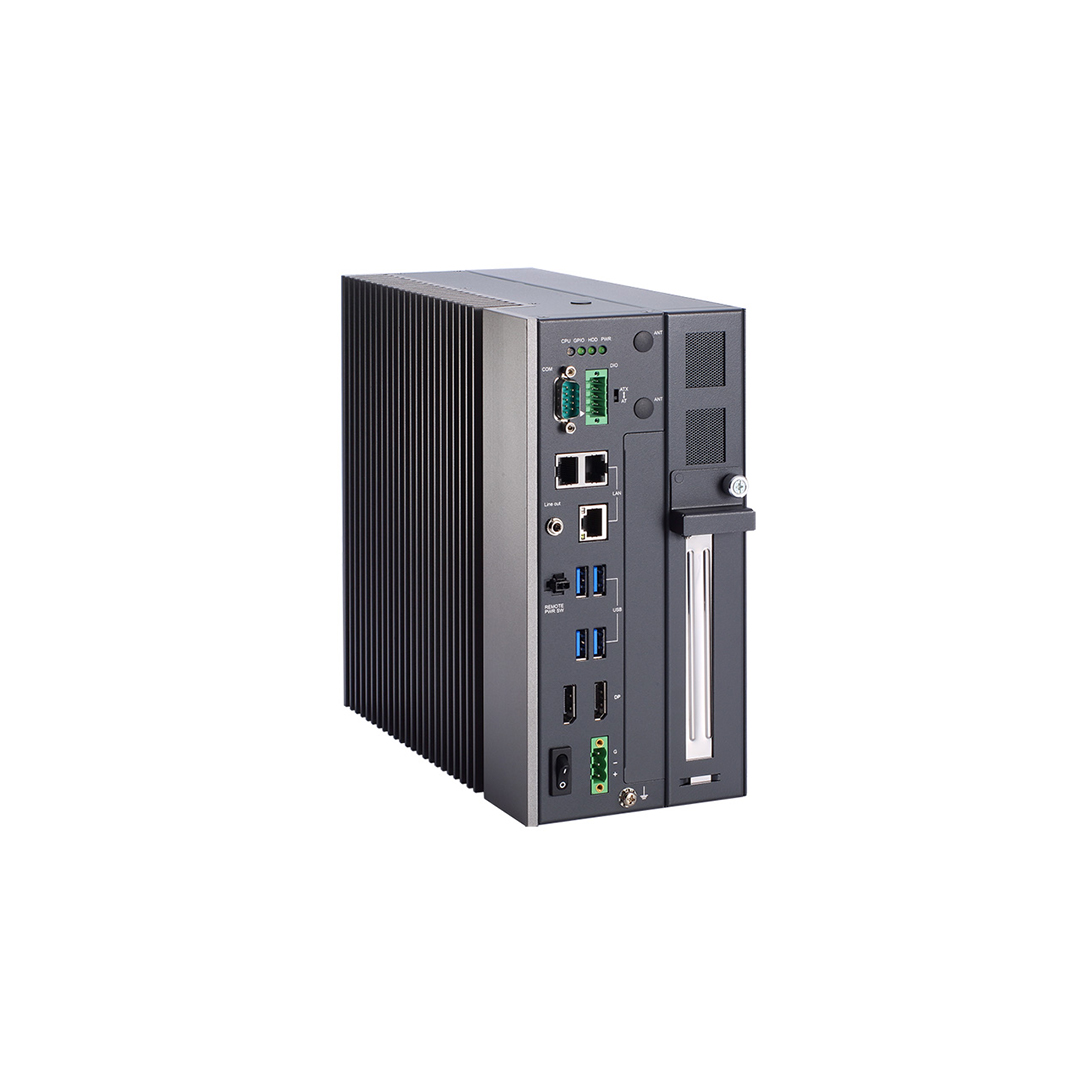
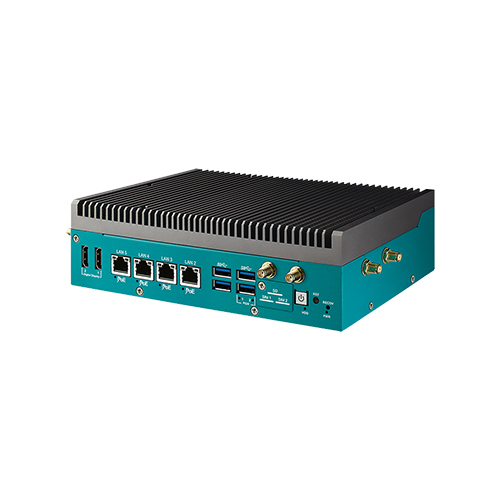
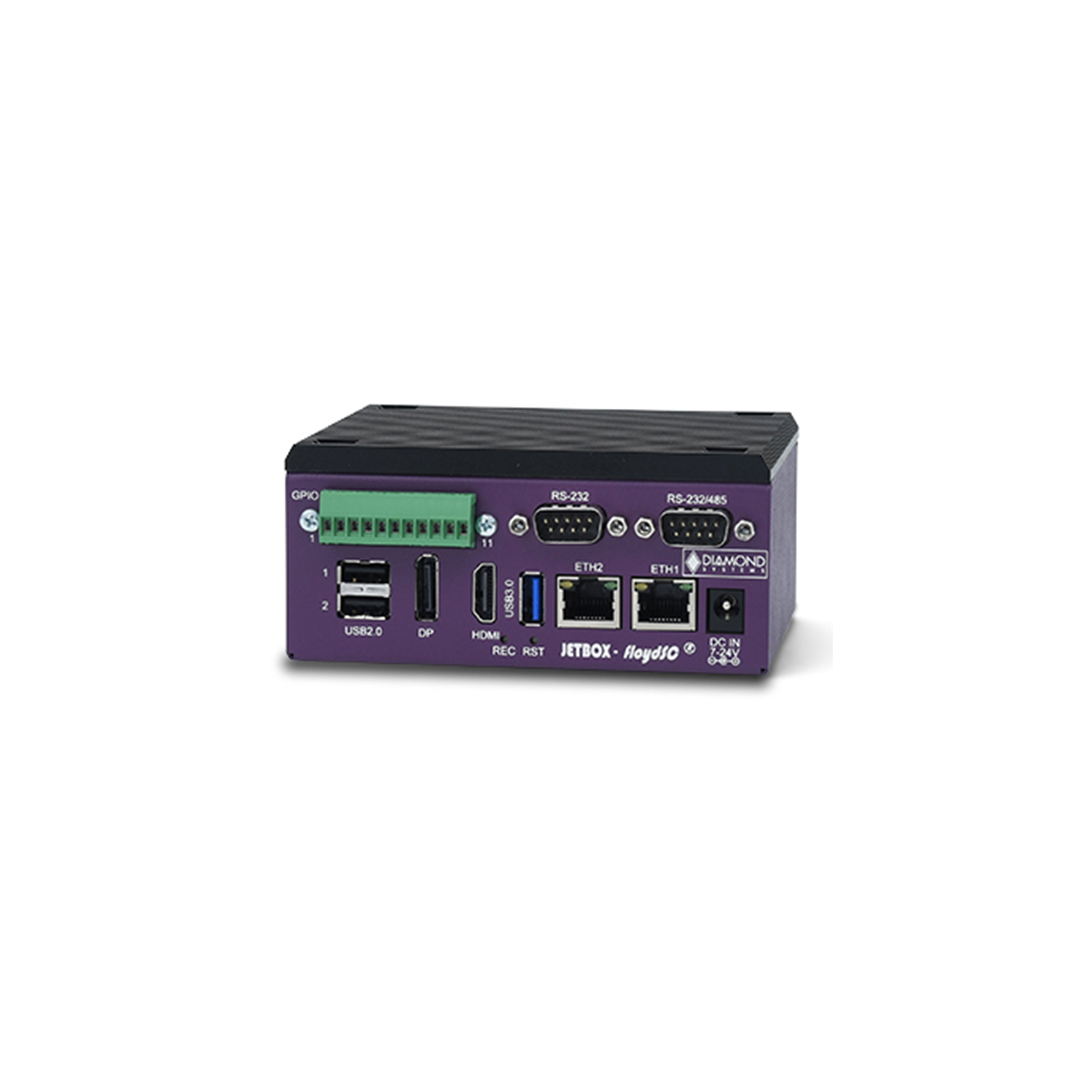
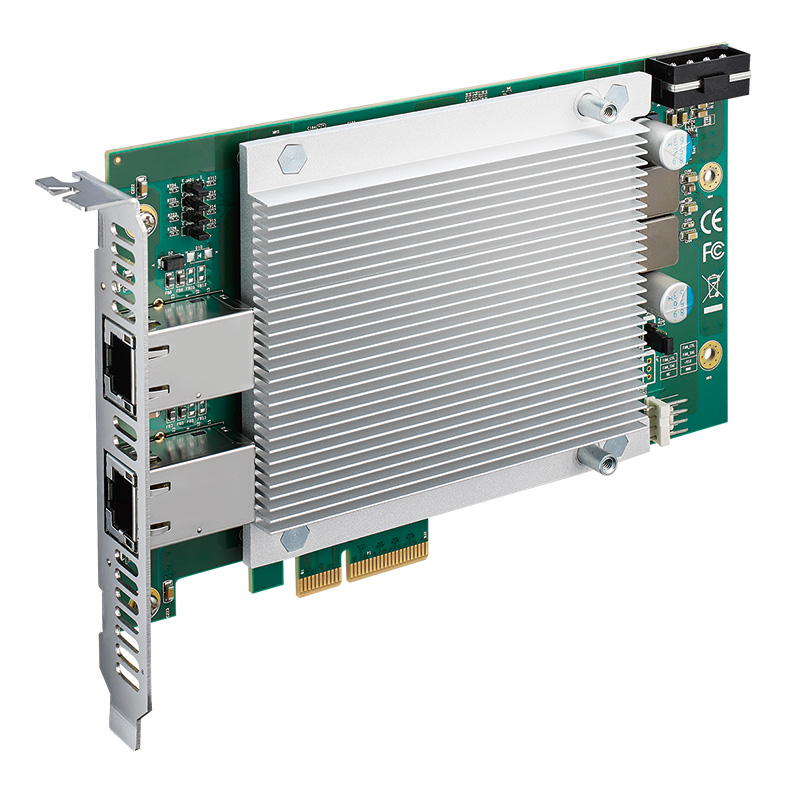
Remote power control across our range
These ranges carry the power-on, ignition and management features that unattended systems rely on.
In-vehicle computers
Ignition sensing with programmable on and off delays for vehicles and plant.
View range
Rugged mini PCs
Fanless computers with Wake-on-LAN, watchdog and wide DC input for remote cabinets.
View range
Industrial GPU computers
Vision and inference systems where staged power-on keeps inrush under control.
View range
PoE computers
Computers that power cameras from their own ports, so cameras can be switched with the system.
View range
DIN rail PCs
Cabinet computers that a PLC can start through a remote switch or digital input.
View range
Digital signage players
Players with RTC wake and auto power-on for scheduled, unattended playback.
View rangeVision and edge computers with remote power features
These systems show the power features discussed above. We configure the BIOS power settings, Wake on LAN, watchdog and ignition delays to your specification, image the operating system and test the complete system before it ships, so every computer in a fleet starts and stops the same way.
| Computer | Processor | Remote power features from the datasheet | Rated range |
|---|---|---|---|
| Premio VCO-6000-RPL-3-2PWR | Intel 12th–14th Gen Core and Core Series 2, 35–65 W | Machine vision PC with PCIe x16 Gen4 GPU slot, 600 W GPU power board, 2× 2.5GbE with TSN | −25 to 70 °C at 35 W and 45 W |
| Premio RCO-1000-ASL-X7835RE-10 | Intel Atom x7835RE, 12 W | 2× Intel I226 2.5GbE with Wake-on-LAN and PXE, watchdog, AT and ATX modes, optional ignition management | −40 to 70 °C |
| Vecow EAC-5000-R64 | NVIDIA Jetson AGX Orin 64GB | 16-mode software ignition control, 8× GMSL inputs, 9–50 V DC | −20 to 70 °C in 30 W mode |
| Nexcom Neu-X102-i3 | Intel Core i3-N305, 15 W | Remote power switch jack, AT or ATX power modes, watchdog | −5 to 50 °C |
Computers with remote power features
Four starting points from the table: a GPU machine vision PC, a Wake-on-LAN rugged mini PC, a Jetson AGX Orin vision computer with ignition control and a compact PC with a remote power switch input.
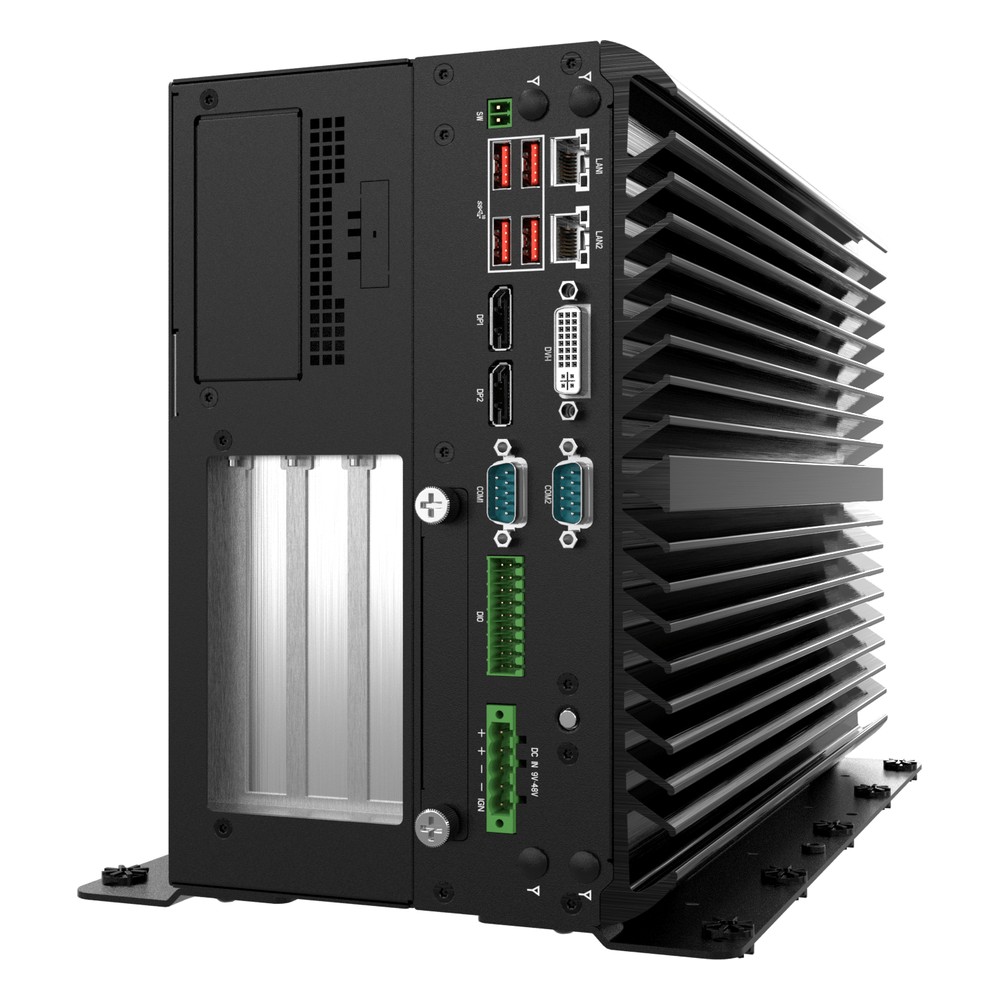
Intel Core i9/i7/i5 13th Gen Machine Vision PC with PCIe x16 Gen4 and 600W GPU Power
- CPU
- Intel Core 14th Gen Raptor Lake Refresh
- GPU
- NVIDIA RTX 4000 SFF Ada
- AI
- 54–3,511 TOPS
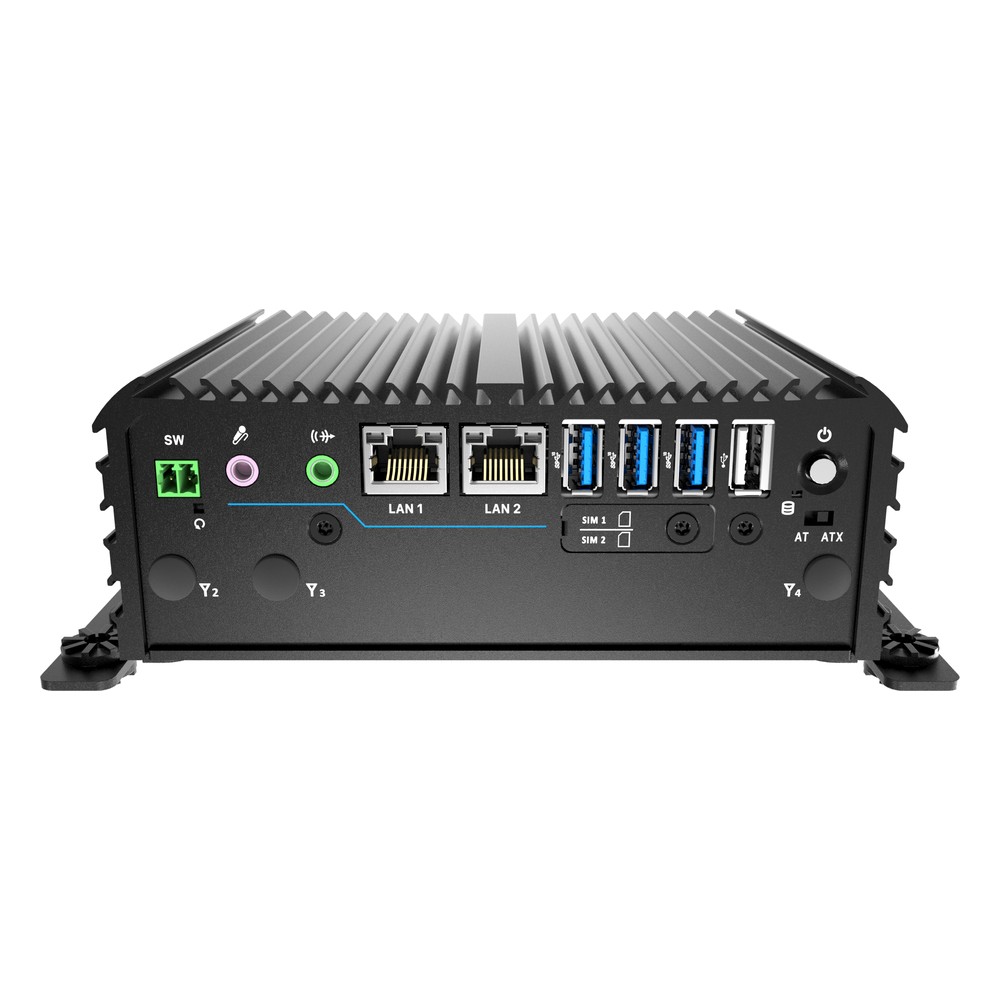
8-Core Intel Atom x7835RE Rugged Compact PC with Dual 2.5GbE and Extended Temperature
- CPU
- Intel Atom x7835RE (Amston Lake)
- Ethernet
- 2× 2.5GbE
- Temp
- −40 to +70 °C
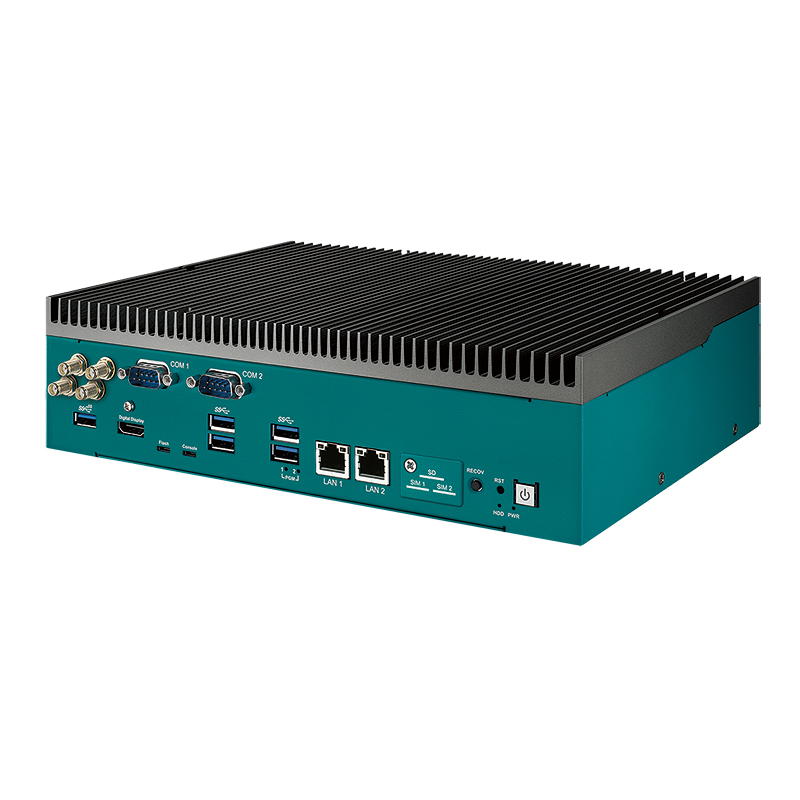
NVIDIA Jetson AGX Orin 64GB Industrial AI Computer with PCIe Expansion
- AI
- 200–275 TOPS
- SOM
- NVIDIA Jetson AGX Orin 64 GB
- Cameras
- 8× GMSL
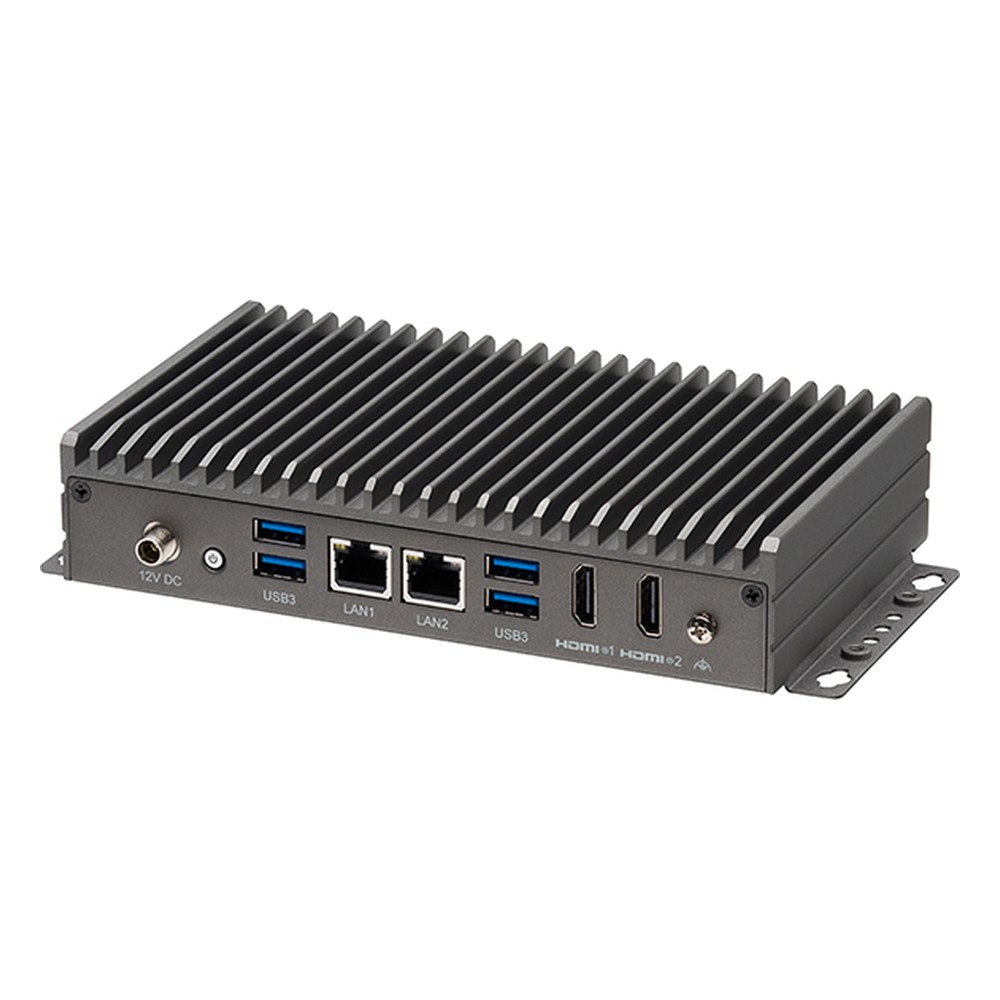
Intel Core i3-N305 8-Core Fanless Edge Computer with Dual 2.5GbE and Dual 4K HDMI
- CPU
- Intel Core i3-N305 (Alder Lake)
- Ethernet
- 2× 2.5GbE
- Temp
- −5 to +50 °C
Specifying remote power control for unattended PCs
Seven checks that make sure a fleet of computers can be started and recovered remotely.
-
01
Trigger
Decide what starts each system: a schedule, a network command, ignition, a PLC or power returning.
-
02
WoL port
Identify which Ethernet port supports Wake on LAN and record its MAC address.
-
03
BIOS settings
Enable WoL and power-on after AC loss; disable ErP and Deep Sx where WoL is used.
-
04
Operating system
Bake WoL, Fast Startup and power settings into the image so every system matches.
-
05
Network path
Plan a relay or VPN if magic packets must cross subnets or sites.
-
06
Recovery
Add a watchdog and, for remote sites, out-of-band management for systems that hang.
-
07
Power budget
Stagger start-up of GPU systems and check inrush against the supply.
Wake on LAN: common questions
Quick answers
What is Wake on LAN?
A way to power on a computer by sending a magic packet over the network. The network card stays powered in standby and wakes the system when it sees its MAC address repeated 16 times.
How do I enable Wake on LAN?
In the BIOS, the network driver and the operating system. Enable the wake option and disable ErP or Deep Sx in the BIOS, enable Wake on Magic Packet in Windows or run ethtool -s with wol g on Linux, and make the setting persistent.
Does Wake on LAN work when the PC is shut down?
Yes, from soft off, if standby power reaches the network card. It does not work if the power supply is switched off or the DC feed is removed.
Does Wake on LAN work over Wi-Fi?
Rarely from shutdown. Some Wi-Fi modules support wake from sleep, but most industrial systems need a wired port for WoL.
What port does Wake on LAN use?
Usually UDP port 9, sometimes port 7. The card only looks for the packet pattern, so the port does not matter to it; it can also be sent as a raw Ethernet frame.
Can you wake a PC over the internet?
Yes, but not directly with a broadcast. Use a VPN into the site and send the packet locally, or a relay on the target subnet. Out-of-band management is a more robust alternative.
Why is Wake on LAN not working?
Usually standby power, settings or routing. Check that the network card link light stays on when the PC is off, that the setting persists after reboot, and that the packet reaches the right subnet.
Is Wake on LAN secure?
It has no authentication in its basic form. Waking a computer is low risk, but keep magic packets inside a segmented network and reach it through a VPN, not an open port.
Power and remote management FAQs
-
What Is a Power Cycle?
A power cycle is switching a device fully off, removing its power for a short time and switching it back on. Unlike a restart, it cuts power to every component, which clears memory and resets hardware that has locked up. Industrial computers can power cycle themselves through a watchdog timer or be power cycled remotely.
-
What Is a Watchdog Timer?
A watchdog timer (WDT) is a hardware countdown that resets a computer or microcontroller if its software stops responding. Healthy software restarts the countdown at regular intervals. If the software hangs and the timer reaches zero, the watchdog triggers a reset, so an unattended system recovers by itself instead of waiting for someone to restart it.
-
What Is Ignition Control on a Vehicle Computer?
Ignition control lets a vehicle computer follow the ignition key: it starts when the engine starts, and when the ignition is switched off it waits for a set delay and then shuts down cleanly. That protects the data on the computer and stops it draining the vehicle battery while parked.
-
What Is a BIOS?
A BIOS (basic input/output system) is the firmware stored on a chip on the motherboard that runs first when a computer powers on. It tests the hardware, sets up the processor, memory and devices, then hands over to the operating system. On current computers the BIOS is UEFI firmware, but the name has stuck.
-
What Is Out-of-Band Management?
Out-of-band (OOB) management is a way to control a device remotely through a separate channel that does not depend on its main operating system or network. It lets administrators power-cycle, monitor and recover a computer even when it has crashed or gone offline, without a site visit.
-
What Is a NIC (Network Interface Card)?
A NIC (network interface card, or network interface controller) is the hardware that connects a computer to a network. It converts data from the processor into Ethernet or Wi-Fi signals and back, carries the computer’s MAC address, and is either built onto the motherboard or added as a PCIe, M.2 or USB card.
-
What Is Machine Vision?
Machine vision is the use of cameras, lighting and a computer to inspect, measure, identify or guide objects automatically. In industry it checks products for defects, reads codes, verifies assembly and guides robots, faster and more consistently than a person can, and today it increasingly runs AI models on edge computers beside the line.
Need vision computers you can start remotely?
Tell us how the systems should start and stop, how many there are and where they will be installed. We will set up Wake on LAN, power-on after AC loss, ignition or out-of-band management to suit, then configure, image and test every computer before it ships.