
 UK
ECC RAM: A Guide to ECC Memory for Industrial Computing
ECC RAM corrects memory errors before they corrupt data or crash a system. How it works, how it differs from DDR5 on-die ECC, which processors support it and when industrial systems need it.
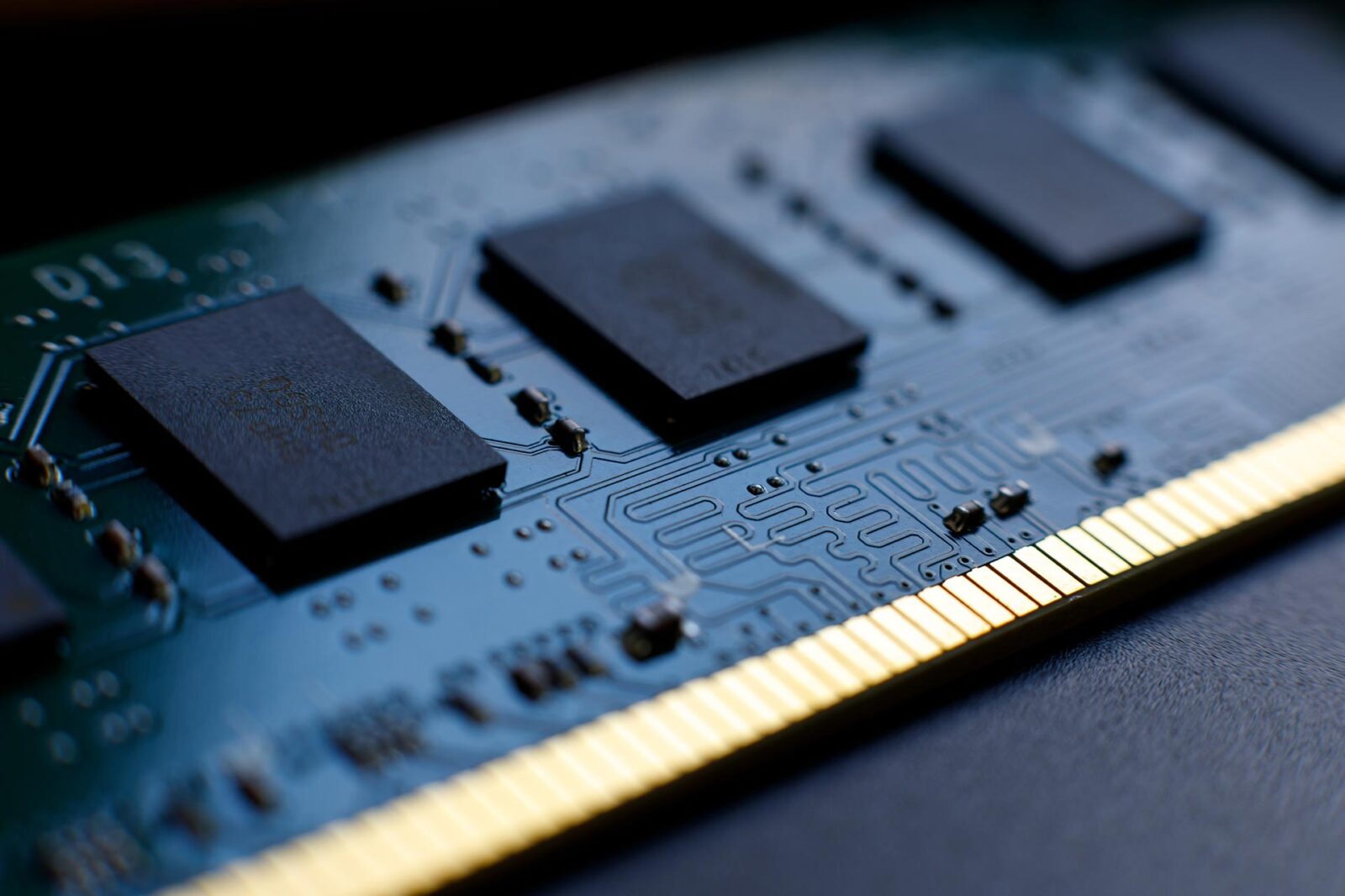
ECC RAM is memory that stores extra check bits alongside the data, so the memory controller can detect and correct errors as data is read. The usual scheme corrects any single-bit error in a 64-bit word and detects, but cannot correct, two-bit errors. Ordinary non-ECC memory has no such check: a flipped bit is passed to the processor as if it were good data.
Most of the time that difference is invisible. Over months of continuous running, with tens of gigabytes of memory, it is not. A single flipped bit can corrupt a logged record, a calculation or a file being written, or crash the operating system with no obvious cause. That is why ECC memory is standard in servers and is often a requirement, not an upgrade, in industrial systems that run unattended for years.
This guide explains how ECC works, the different kinds of ECC that now appear on datasheets (including the on-die ECC built into DDR5), ECC UDIMMs, SO-DIMMs and RDIMMs, which processors and chipsets support ECC, how to check that it is working, and where it earns its place in industrial computing. For the memory basics, see our explainers on RAM and DRAM.
Key takeaways
- 01It corrects single-bit errors
- Eight check bits per 64 data bits let the controller fix any one-bit error and flag two-bit errors, a scheme called SECDED.
- 02Three parts must support it
- ECC needs ECC modules, a processor and chipset that support ECC, and ECC enabled in the BIOS. One missing piece and the system runs without it.
- 03DDR5 on-die ECC is not ECC RAM
- It repairs errors inside each DRAM chip but does not protect the bus or report errors to the system.
- 04Errors are rare per module, common per fleet
- Field studies of large server fleets found a significant share of machines logging correctable errors each year.
- 05The cost is small
- ECC adds modules with extra chips and usually a few per cent of performance at most, against silent data corruption.
Non-ECC vs ECC: the types compared
Several different mechanisms are now called ECC. They protect different parts of the memory path, and only some of them give the system the protection and error reporting that the term ECC RAM traditionally means.
| Type | Detects | Corrects | Protects the bus to the CPU | Errors reported to the system | Extra hardware | Typical use |
|---|---|---|---|---|---|---|
| Non-ECC | No | No | No | No | None (64-bit module) | Desktops, short-life devices |
| Side-band ECC (ECC UDIMM or SO-DIMM) | 2-bit errors | 1-bit errors | Yes | Yes | 72-bit DDR4 or 2× 40-bit DDR5 modules | Industrial PCs, workstations, embedded boards |
| Registered ECC (RDIMM) | 2-bit errors, more with Chipkill | 1-bit errors; a failed chip with Chipkill | Yes | Yes | ECC chips plus a register clock driver | Edge and rack servers on Xeon and EPYC |
| In-band ECC | 2-bit errors | 1-bit errors | Yes | Yes | None; check bits stored in ordinary memory | Intel Atom x6000E, x7000E and similar embedded processors |
| DDR5 on-die ECC | Within the chip | 1-bit errors inside the DRAM array | No | No | Built into every DDR5 chip | All DDR5, ECC or not |
| LPDDR5 link ECC | Link errors | 1-bit link errors | Yes, on the link | Design-dependent | Built into LPDDR5 where enabled | Some SoCs and modules with soldered LPDDR5 |
The safe way to read a datasheet is to look for the module type (ECC UDIMM, ECC SO-DIMM or RDIMM) or for “in-band ECC”, and to ignore DDR5 on-die ECC when judging data integrity. Our guide to DDR4 vs DDR5 covers the other differences between the two memory generations.
How does ECC memory work?
ECC memory uses a Hamming code, a way of calculating check bits from the data so that any single changed bit produces a unique pattern, called a syndrome, when the data is checked again. Standard ECC memory adds one more parity bit to that code so that two-bit errors are also detected. The result is single-error correction, double-error detection, or SECDED.
Writing and reading a word
When the memory controller writes 64 bits of data, it calculates 8 check bits and stores all 72 bits. On a DDR4 ECC module that is why there are nine chips per rank instead of eight. When the data is read back, the controller recalculates the check bits and compares them with the stored ones.
| Result of the check | What the controller does | What the system sees |
|---|---|---|
| Syndrome is zero | Passes the data on | Nothing; normal operation |
| Syndrome points to one bit | Flips that bit back and passes the corrected data on | A correctable error is logged; the application is unaffected |
| Syndrome shows two bits wrong | Cannot correct; stops the bad data being used | An uncorrectable error; usually a machine check and a controlled halt or reboot |
| Three or more bits wrong | May not be detected reliably | Rare; this is what Chipkill and similar schemes guard against |
On DDR5 the arithmetic is the same idea at a different width. Each module has two independent 32-bit sub-channels, and an ECC module adds 8 bits to each, so a DDR5 ECC module is 2× 40 bits wide, or 80 bits in all, against 72 bits for DDR4.
Parity memory: the forerunner
Before ECC became common, some PCs used parity memory, which adds one bit per byte so that the total number of ones is always even or always odd. Parity can detect a single flipped bit but cannot say which bit it was, so the only safe response is to stop the system. ECC replaced it because it both finds and repairs the error, and the system keeps running.
Scrubbing and Chipkill
A correctable error left in memory can become an uncorrectable one if a second bit in the same word fails later. Server memory controllers therefore scrub memory, reading through it in the background and writing corrected data back. Server platforms also offer Chipkill, called SDDC (single device data correction) by Intel, which spreads each word across many chips so that the failure of one whole DRAM device can be corrected. It normally needs RDIMMs built from x4 chips.
What causes memory errors?
Memory errors are not only cosmic rays. In practice there are two groups: soft errors, which flip a bit without damaging the chip, and hard errors, which come from a fault in a cell, a connection or a module.
| Cause | Type | What it looks like | What helps |
|---|---|---|---|
| Neutrons from cosmic rays | Soft | Random single-bit flips; more common at altitude | ECC; scrubbing |
| Alpha particles from packaging materials | Soft | Random single-bit flips | ECC; low-alpha materials |
| Electrical noise and marginal power | Soft | Errors under load or during switching events | ECC; good power design and grounding |
| Temperature outside the module’s rating | Soft, can become hard | Errors at hot or cold extremes | Temperature-rated modules; thermal design |
| Repeated access to nearby rows (row hammer) | Soft | Bit flips in neighbouring rows | ECC; refresh management in DDR5 |
| Weak or failing cells, worn connections | Hard | The same address fails repeatedly | ECC to keep running; replace the module |
Large field studies show why ECC matters at scale. A widely cited study of Google’s server fleet, published in 2009, found that about a third of machines and more than 8% of DIMMs logged at least one correctable error a year, and that many errors were caused by hardware faults rather than random particle strikes. Soft error rates also rise with altitude, because the neutron flux increases; JEDEC’s JESD89 standard defines how chip makers measure them. The rate for any one module is low, but a fleet of hundreds of computers running for years will see errors, and without ECC nobody knows when or where.
ECC UDIMM vs RDIMM vs SO-DIMM
ECC memory comes in the same physical formats as ordinary memory, but the type has to match what the board accepts. Unbuffered and registered modules are not interchangeable. Our explainers on the DIMM and the SO-DIMM cover the formats themselves.
| Module | Buffering | Typical capacity per module | Works in | Typical industrial use |
|---|---|---|---|---|
| ECC UDIMM | None | DDR4 up to 32 GB; DDR5 up to 48–64 GB | Boards for ECC-capable desktop and embedded processors | ATX and Micro-ATX motherboards, workstations |
| ECC SO-DIMM | None | DDR4 up to 32 GB; DDR5 up to 48 GB | Compact boards and box PCs with ECC support | Fanless and rugged computers, Mini-ITX |
| RDIMM | Register clock driver buffers command and address | DDR4 up to 64 GB; DDR5 up to 128 GB and more | Server boards only | Edge servers, storage servers |
| LRDIMM and 3DS RDIMM | Data buffered too, or stacked dies | Highest capacities | Selected server boards | Large in-memory workloads |
| Soldered ECC (memory-down) | None | Fixed when built | The board it is soldered to | Rugged SBCs, PC/104, vehicle and defence systems |
A registered module puts a register clock driver between the memory controller and the DRAM chips, which reduces the electrical load and lets a channel carry more and larger modules, at the cost of about one clock cycle of extra latency. That is why RDIMMs are standard on servers: the Vecow ICS-2000 edge AI server on AMD EPYC 8004 takes six DDR5 4800 RDIMMs for up to 768 GB, and the Winmate SV500S-ML defence rack server takes eight DDR4-3200 RDIMMs on a Xeon Scalable processor.
For vibration, soldered memory removes the socket altogether. The Diamond Systems SATURN PCIe/104 boards offer 8 GB of ECC RAM soldered down, so the module cannot work loose in a vehicle or an airborne system.
Which processors support ECC memory?
ECC is a feature of the memory controller inside the processor, and the chipset and BIOS have to enable it. Many processor families support it only on certain models or with certain chipsets. The table gives typical support; the datasheet of the specific board or computer is the final word.
| Processor family | ECC support | Module types | Where we see it |
|---|---|---|---|
| Intel Xeon Scalable, Xeon D, Xeon 6 | Yes | RDIMM; UDIMM on some Xeon D boards | Rack and edge servers |
| Intel Xeon W and Xeon E | Yes | ECC UDIMM or SO-DIMM | GPU computers and workstations |
| Intel 12th–14th Gen Core with W680 or R680E chipset | Yes, with supporting processors | ECC UDIMM or SO-DIMM, DDR4 or DDR5 | ATX and Micro-ATX boards, rugged box PCs |
| Intel Core Ultra 200S with W880 chipset | Yes, as an option | ECC CSODIMM or SO-DIMM | Fanless AI computers and edge workstations |
| Intel 12th–14th Gen Core with Q, H or Z chipsets | No | Non-ECC only | Mainstream boards |
| Intel Atom x6000E and x7000E | In-band ECC | Ordinary modules or soldered memory | Elkhart Lake and Amston Lake systems |
| AMD Ryzen Embedded V1000, R1000, V3000 | Yes | ECC SO-DIMM | SBCs and fanless edge computers |
| AMD Ryzen PRO and Ryzen 7040 on industrial boards | Yes, design-dependent | ECC SO-DIMM | Industrial PCs and mini PCs |
| AMD EPYC 4004, 8004, 9005 | Yes | ECC UDIMM (4004); RDIMM (8004, 9005) | Edge AI and storage servers |
| NVIDIA Jetson industrial modules | On selected modules | Soldered LPDDR4 or LPDDR5 | Industrial-grade Jetson modules |
The chipset matters as much as the processor on Intel desktop-socket designs. The ASRock Industrial IMB-X1714 is an ATX board on the W680 chipset with four ECC or non-ECC DDR5 slots, while its sister board, the IMB-1714, uses the Q670 chipset with non-ECC memory. Same socket, same processors, different memory protection. On AMD, the SolidRun Bedrock V3000 Basic on Ryzen Embedded V3000 takes ECC or non-ECC DDR5-4800 SO-DIMMs, up to 96 GB. For server-class processors, see our guide to AMD EPYC for edge servers.
ECC on Arm and Jetson systems
Arm SoCs and NVIDIA Jetson modules use soldered LPDDR memory, so ECC there is a feature of the SoC and the module design rather than of a removable module. Industrial-grade Jetson modules, such as the Jetson AGX Xavier Industrial module, add ECC on their LPDDR4x memory, enabled in software, alongside a −40 to 85 °C rating, while the standard commercial modules do not. Some NXP i.MX processors, such as the i.MX 8M Plus, support inline ECC on their memory interface, but whether it is enabled depends on the board and its software image.
If an Arm or Jetson design needs ECC, ask for it at the module or SoC selection stage. It cannot be added afterwards, because there is no slot to change.
In-band ECC: ECC without extra chips
Several embedded Intel processors, including the Atom x6000E and x7000E series, support in-band ECC. Instead of adding a ninth chip, the memory controller reserves part of ordinary memory for the check bits and reads them along with the data. It gives SECDED protection on modules and soldered memory that have no ECC chips, which makes it useful on compact and low-power designs.
The trade is a little capacity and bandwidth: the check bits take a small share of memory, and each protected read needs an extra access, so some performance is lost on memory-intensive workloads. It is usually enabled in the BIOS and may be off by default. Datasheets list it explicitly: the Nexcom NISE 109 series takes a DDR4 SO-DIMM of up to 16 GB with in-band ECC on its Atom x6211E and Celeron J6412 builds.
How do you check that ECC is enabled?
Fitting ECC modules does not guarantee ECC is active. If the processor, chipset or BIOS does not support it, most systems run the modules as ordinary memory without warning. Check after the operating system is installed.
| Where | How to check | What to look for |
|---|---|---|
| BIOS or UEFI setup | Memory or chipset configuration page | ECC or in-band ECC listed and enabled |
| Linux | sudo dmidecode -t memory |
Error Correction Type: Single-bit ECC or Multi-bit ECC; total width 72 or 80 bits against a data width of 64 |
| Linux, at run time | EDAC driver messages, rasdaemon or edac-util |
A memory controller registered with EDAC and corrected error counts |
| Windows | PowerShell: Get-CimInstance Win32_PhysicalMemoryArray |
MemoryErrorCorrection of 5 (single-bit ECC) or 6 (multi-bit ECC); 3 means none |
| Windows, at run time | Event Viewer, WHEA-Logger events | Corrected memory errors logged against a module |
Watch the error counts over time. A few corrected errors over months are normal. A steady rise on one module usually means a failing module, and ECC is what keeps the system running until it can be replaced. On servers, the baseboard management controller logs memory errors too, so they can be monitored remotely.
Do you need ECC memory?
You need ECC where an undetected error would cost more than the memory. The longer a system runs, the more memory it has and the less often anyone looks at it, the stronger the case.
| Application | ECC recommended? | Why |
|---|---|---|
| Edge servers and virtualisation hosts | Yes | Large memory, many workloads, long uptime |
| Data loggers and data acquisition systems | Yes | A flipped bit becomes a wrong value that nobody notices |
| SCADA servers and historians | Yes | Records are trusted for years and used for decisions |
| Medical and laboratory systems | Yes | Data integrity is often part of the quality case |
| Rail, vehicle and defence computers | Often | Long service life, temperature extremes, hard to access |
| Edge AI with large models | Often | Corrupted weights or frames give wrong results silently |
| HMIs and thin clients | Optional | Errors are visible and the impact is usually low |
| Digital signage players | Rarely | A crash is visible and a reboot fixes it |
ECC is one part of a reliability case, alongside a watchdog timer, power loss protection on the SSD and memory rated for the operating temperature. Our guide to MTBF explains how component reliability adds up across a system, and what medical grade means covers the medical side.
ECC RAM pros and cons
ECC is not free, but the costs are small and well understood.
| ECC RAM | Non-ECC RAM | |
|---|---|---|
| Single-bit errors | Corrected and logged | Passed on silently |
| Two-bit errors | Detected; system halts in a controlled way | Passed on silently |
| Performance | Usually within a few per cent; RDIMMs add about one clock of latency | Baseline |
| Module cost | Higher; one extra chip per eight, plus lower volumes | Lower |
| Processor choice | Limited to ECC-capable processors and chipsets | Any |
| Failing module diagnosis | Error logs point to the module | Random crashes with no clear cause |
| Speed and capacity range | Slightly narrower choice of modules | Widest choice |
The diagnostic benefit is easy to overlook. On a non-ECC fleet, a failing module shows up as occasional crashes that look like software faults, and it can take site visits to find. On an ECC system, the log names the module before it causes a failure. That alone often justifies ECC on computers that are expensive to reach, such as those on railway rolling stock or in remote cabinets.
Where ECC memory is standard or optional in our range
ECC support depends on the processor and chipset, so these ranges are the usual starting points.

Edge AI servers
EPYC and Xeon servers with DDR5 RDIMM, ECC as standard and remote management.
View range
Server motherboards
Boards for custom edge servers with registered ECC memory and wide PCIe budgets.
View range
Industrial GPU computers
Xeon and W680 or W880 GPU computers that take ECC memory alongside the GPU.
View range
Rugged computers
Fanless rugged systems on R680E and Ryzen with ECC SO-DIMM support.
View range
PC/104 single board computers
Stackable boards, some with ECC RAM soldered down for vibration.
View range
Railway computers
EN 50155 systems for rolling stock, where long uptime makes ECC worth specifying.
View rangeECC-capable systems from our range
These systems cover the main ECC options, from registered memory on an edge server to ECC soldered onto a stackable board. We specify the modules with the rest of the build, check that the processor, chipset and BIOS enable ECC, then configure, image and test the computer before it ships, so ECC is confirmed working rather than assumed.
| ECC type | Example from our range | Configuration |
|---|---|---|
| DDR5 RDIMM | Vecow ICS-2000A | AMD EPYC 8224P, six DDR5 4800 RDIMM sockets, up to 768 GB |
| ECC DDR5 UDIMM | ASRock Industrial IMB-X1714 | W680 ATX board, four ECC or non-ECC DDR5 slots, up to 128 GB |
| ECC DDR5 SO-DIMM | SolidRun Bedrock V3000 Basic | Ryzen Embedded V3000, ECC or non-ECC DDR5-4800, up to 96 GB |
| Soldered ECC | Diamond Systems SAT-E3940-8GA | Atom x5-E3940, 8 GB ECC RAM soldered down, PCIe/104 with data acquisition |
For the wider range, browse our AMD industrial computers, which include many ECC-capable Ryzen Embedded and EPYC designs, and our rack mount servers. For how processor families line up, see our guide to CPU generations and embedded processors.
ECC memory systems to start from
Four ways to get ECC: registered DDR5 on an EPYC edge server, ECC UDIMMs on a W680 board, ECC SO-DIMMs on Ryzen Embedded V3000 and ECC memory soldered onto a PCIe/104 board.
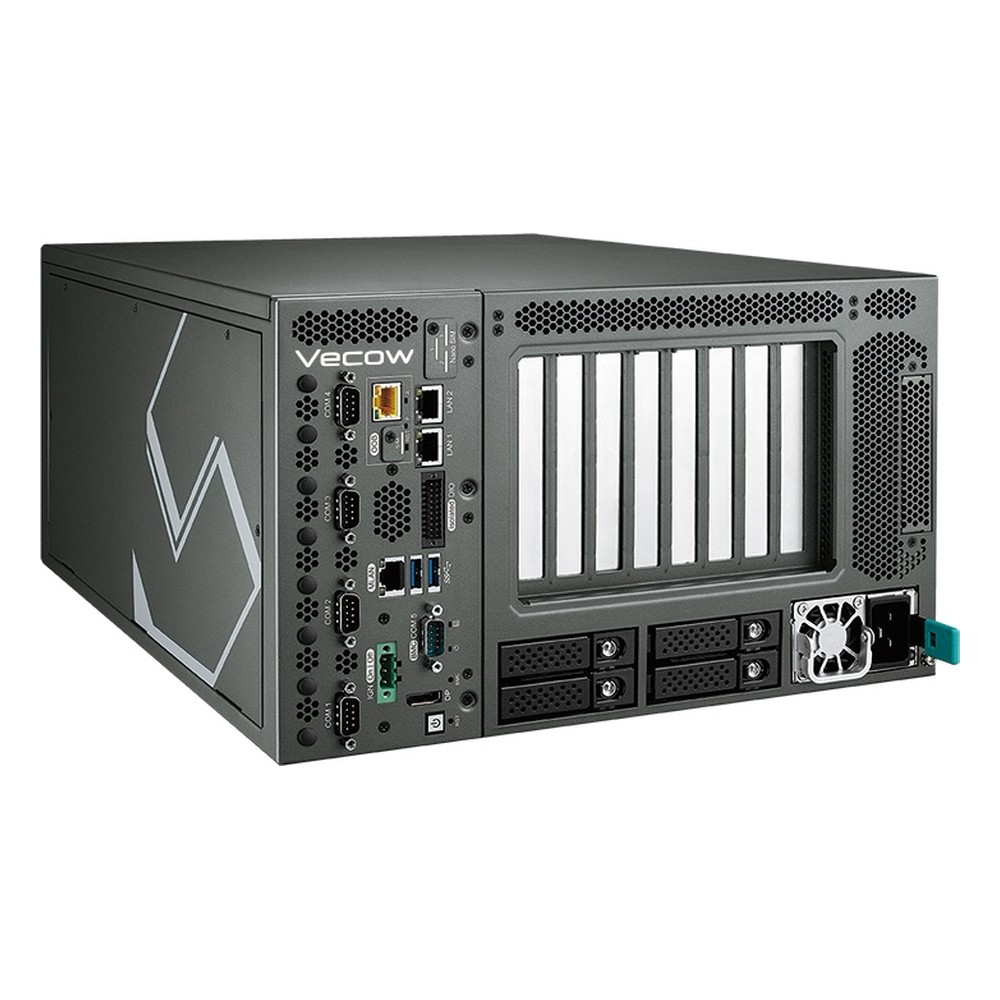
AMD EPYC 8004 Siena Edge AI Server with Dual PCIe 5.0 x16, Four U.2 Bays and 90-240V AC
- CPU
- AMD EPYC 8004 (Siena)
- Ethernet
- 2× GbE
- Temp
- −5 to +45 °C

ATX Motherboard for Intel Bartlett Lake-S and 12th to 14th Gen Core LGA1700 with W680, ECC DDR5 and PoE
- CPU
- Intel Core 14th Gen Raptor Lake Refresh
- Ethernet
- 3× 2.5GbE (1× PoE)
- Temp
- −20 to +70 °C
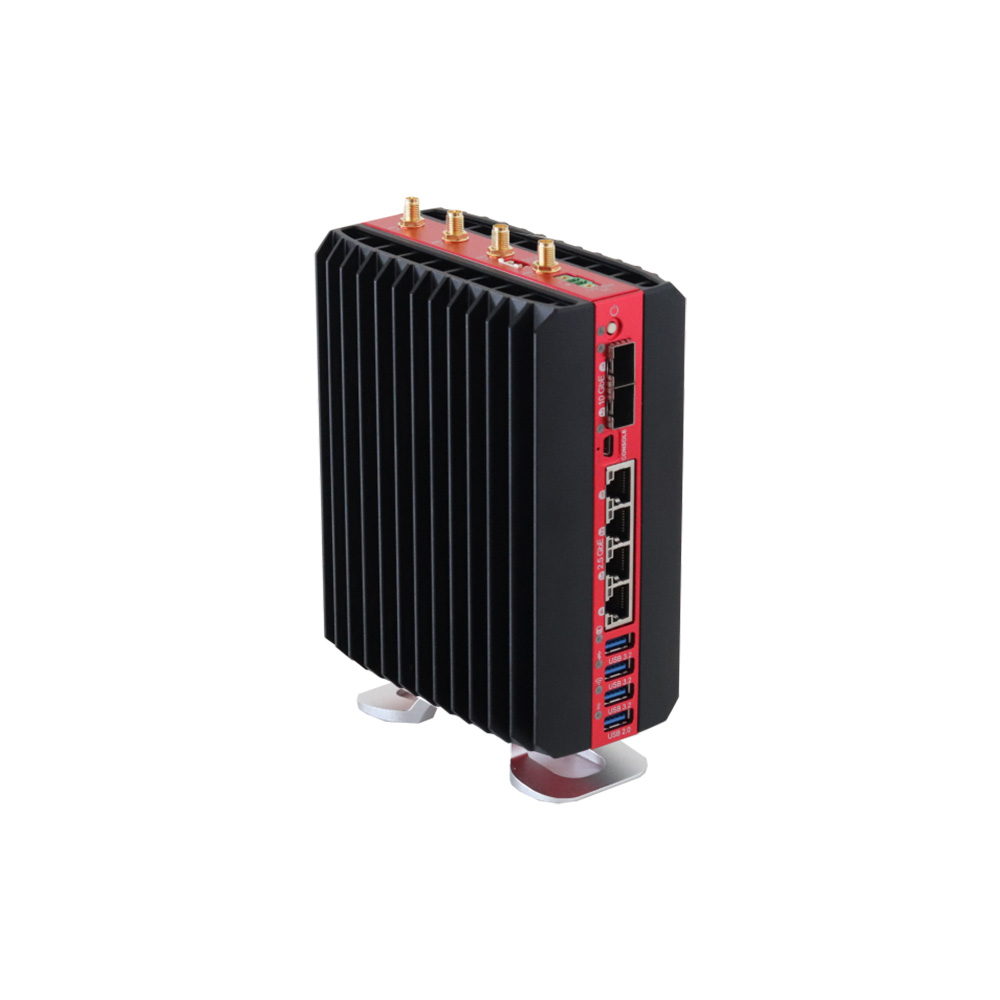
AMD Ryzen Embedded V3C48 Fanless Industrial Edge Computer with Dual 10GbE SFP+ and 4x 2.5GbE
- CPU
- AMD Ryzen V-Series
- Ethernet
- 2× 10GbE, 4× 2.5GbE
- Temp
- −40 to +85 °C

PCIe/104 SBC with Intel Atom x5-E3940, 8 GB ECC RAM and 16-Bit Data Acquisition
- CPU
- Intel Atom x5-E3940 (Apollo Lake)
- Ethernet
- 2× GbE
- Temp
- −40 to +85 °C
How to specify ECC memory
Six checks that make sure ECC is present and working in the delivered system.
-
01
Processor
Confirm the exact processor model supports ECC; support can differ within one family.
-
02
Chipset
On Intel desktop sockets, look for W680, R680E or W880 rather than Q, H or Z chipsets.
-
03
Module type
Match UDIMM, SO-DIMM or RDIMM to the board; registered and unbuffered modules do not mix.
-
04
BIOS setting
Check ECC or in-band ECC is enabled and stays enabled after a BIOS update.
-
05
Error reporting
Make sure the operating system logs corrected errors and that someone monitors them.
-
06
Temperature grade
Use ECC modules rated for the system’s full operating range.
ECC RAM: common questions
Quick answers
What is ECC RAM?
Memory with extra check bits that correct errors. It stores 8 check bits for every 64 data bits so the memory controller can correct single-bit errors and detect two-bit errors as data is read.
Is DDR5 ECC memory?
Not by default. Every DDR5 chip has on-die ECC, which repairs errors inside the chip, but full ECC needs ECC DDR5 modules with extra chips and a processor and chipset that support them.
Can I use ECC RAM in a non-ECC motherboard?
Usually, as non-ECC memory. Unbuffered ECC modules often run in boards without ECC support, with the check bits ignored. Registered modules (RDIMMs) do not work in boards built for unbuffered memory.
Can you mix ECC and non-ECC memory?
It is not recommended. Where a mixed set runs at all, ECC is normally disabled for the whole system. Use matched modules of one type.
Is ECC RAM slower?
Slightly, in most cases. The check adds very little time, and registered modules add about one clock cycle. On most workloads the difference is within a few per cent.
What is the difference between ECC UDIMM and RDIMM?
RDIMMs add a register to buffer commands. That allows more and larger modules per channel on server boards. ECC UDIMMs work on workstation and embedded boards. The two are not interchangeable.
Which CPUs support ECC memory?
Server, workstation and many embedded processors. Xeon, EPYC, Ryzen Embedded and Ryzen PRO support it, as do Intel Core processors on W680, R680E or W880 chipsets. Many Atom processors offer in-band ECC.
How do I know if ECC is enabled?
Check the BIOS and the operating system. On Linux, dmidecode reports the error correction type; on Windows, Win32_PhysicalMemoryArray reports it. Corrected error logs confirm it is working.
Memory FAQs
-
What Is RAM?
RAM (random-access memory) is a computer’s short-term working memory. It holds the operating system, programs and data the processor is using right now, so they can be read and changed in nanoseconds. RAM is volatile, so it is cleared when the power goes off, and it is separate from storage such as an SSD.
-
What Is DRAM?
DRAM, or dynamic random-access memory, is the main memory in almost every computer. Each bit is stored as a charge in a tiny capacitor that leaks, so the memory refreshes itself thousands of times a second. It is dense and cheap per bit, but volatile: it loses its data when power is removed.
-
What Is a DIMM?
A DIMM, or dual in-line memory module, is the small circuit board that carries a computer’s RAM chips and plugs into a memory slot on the motherboard. It has separate contacts on each side and a 64-bit data path. SO-DIMM is the shorter version used in laptops and compact industrial boards.
-
What Is a SO-DIMM?
A SO-DIMM (small outline dual in-line memory module), also written SODIMM, is the compact memory module used in laptops, mini PCs, embedded boards and small industrial computers. It is about half the length of a desktop DIMM and uses the same DRAM chips, so it performs the same at the same speed, but neither fits the other’s slot.
-
DIMM vs SO-DIMM: What Is the Difference?
A DIMM is the full-size memory module used in desktops, servers and larger industrial boards. A SO-DIMM is the short version, about half the length, used in laptops, mini PCs and compact embedded boards. At the same DDR generation and speed they perform the same; they differ in size, pin count and slot, so they are not interchangeable.
-
What Is a Baseboard Management Controller (BMC)?
A baseboard management controller (BMC) is a small, separate processor on a server or industrial motherboard that runs independently of the main CPU and operating system. Through its own network connection it lets administrators power-cycle, monitor, update and reinstall a computer remotely, even when the system has crashed or is switched off.
-
What Is a Watchdog Timer?
A watchdog timer (WDT) is a hardware countdown that resets a computer or microcontroller if its software stops responding. Healthy software restarts the countdown at regular intervals. If the software hangs and the timer reaches zero, the watchdog triggers a reset, so an unattended system recovers by itself instead of waiting for someone to restart it.
Need ECC memory in an industrial system?
Tell us the uptime and data-integrity requirement, how much memory the workload needs and where the system will be installed. We will recommend an industrial computer or edge server with the right ECC scheme, then configure, image and test it with ECC confirmed working before it ships.