
 UK
UK 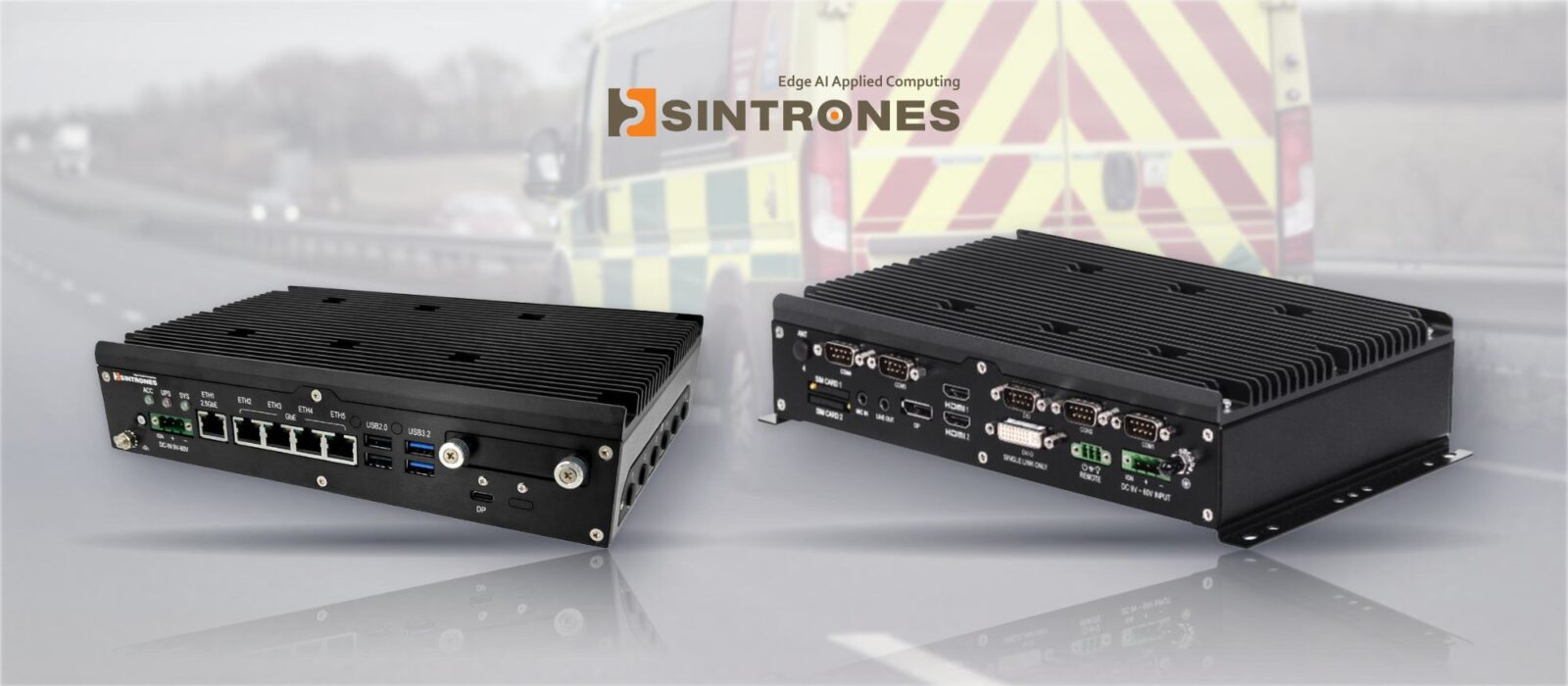
5G in-vehicle computers for a connected ambulance fleet
A connected ambulance keeps its crew, its on-board equipment and the control room in contact for the whole journey, so the computer behind the dashboard has to start with the vehicle, hold a cellular link on the move and survive years of road shock. That calls for an industrial rugged PC rather than a laptop on a bracket.
Here we look at how the Sintrones VBOX-3630 and VBOX-3631 are put together for that role. Both are fanless in-vehicle computers with slots for 5G or LTE, Wi-Fi and GPS, a wide DC input with ignition control and E-Mark compliance. As with every system we supply, we fit the modules, storage and memory, load the operating system image and set the power behaviour before it ships.
What a connected ambulance asks of its computer
An ambulance is a workplace, a vehicle and a moving network node at once, and the computer has to serve all three.
-
01
A link that holds on the move
Patient information, video and location need a cellular connection that copes with changing coverage between stations and hospitals.
-
02
Location for dispatch
The control room needs to know where each vehicle is, so a GPS receiver belongs inside the computer rather than in a separate box.
-
03
Starts and stops with the vehicle
The computer should boot with the ignition and shut down cleanly when the engine is switched off, without anyone pressing a button.
-
04
Road-legal electronics
Equipment wired into a vehicle's electrical system is expected to carry E-Mark compliance for automotive use.
-
05
Screens and devices in the cab
Crew displays, cameras, printers and serial devices all connect to the same system, so the I/O count matters.
-
06
Cold mornings and hot cabs
Vehicles parked outside overnight or in summer sun need hardware rated well beyond office temperatures, with no fan to clog.
How the system is put together
Each step is something we set up before the computer reaches the vehicle.
-
Connect
5G and Wi-FiTwo M.2 Key B sockets with two SIM slots take 5G or LTE modules, so the vehicle can carry two networks. An M.2 Key E socket adds Wi-Fi for the station forecourt. Our cellular computers guide covers the module choices.
-
Locate
GPS moduleA GPS module goes into a mini PCIe slot, giving dispatch software and fleet telematics a position from the same computer that carries the data link.
-
Power
9–60 V DCThe 9–60 V DC input takes the vehicle supply directly, and ignition control starts and stops the computer with the engine. An optional battery kit keeps it running for a few minutes so it can shut down cleanly.
-
Wire
Cab devicesCrew screens, cameras and serial devices plug into the LAN, display and RS-232/422/485 ports. On the VBOX-3630-M12X the LAN ports move to M12 X-coded connectors that screw in place.
-
Image
OS and storageWe fit memory and NVMe or SATA storage, install Windows or Linux with the fleet’s software, and set the BIOS power options before the system ships.
Sintrones VBOX computers for emergency vehicles
Fanless in-vehicle computers with 5G-ready M.2 slots, ignition control and E-Mark compliance, on RJ45, M12 or the newer Wildcat Lake platform.
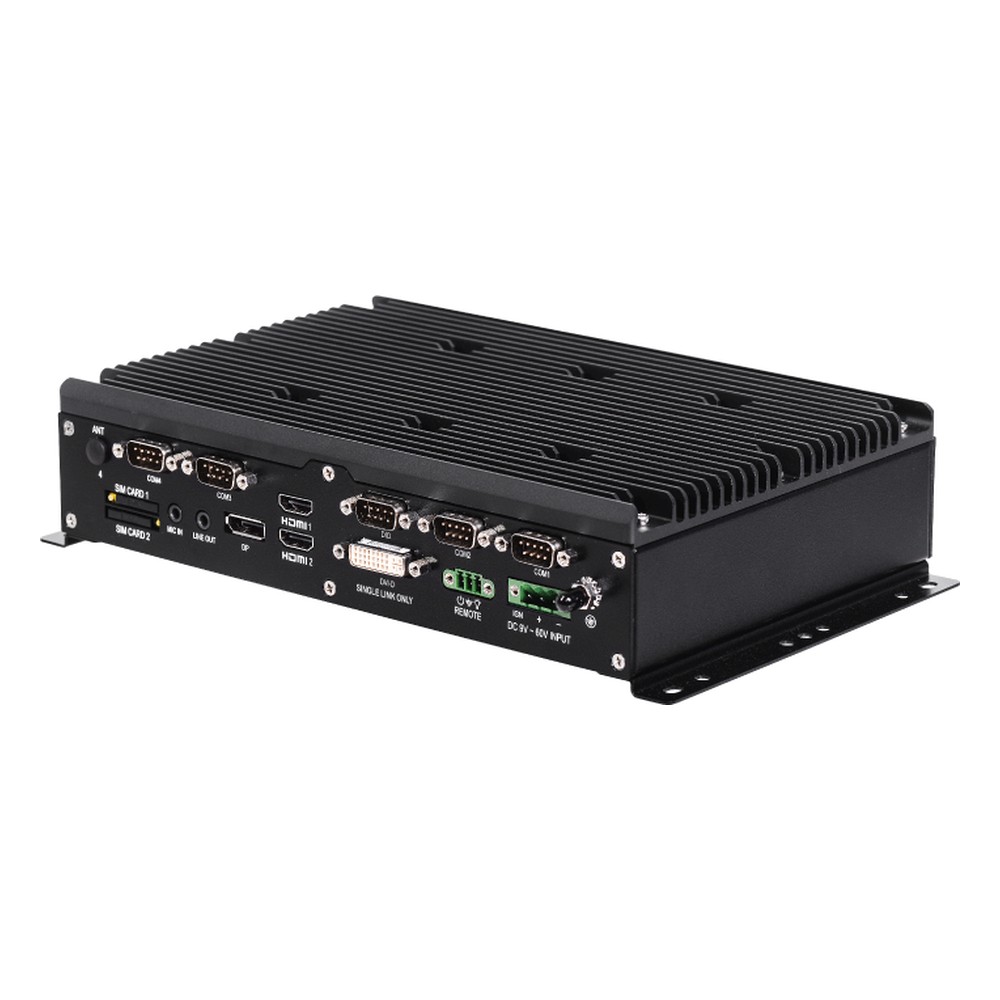
Intel 11th Gen Core In-Vehicle PC with 4x LAN, 4x COM and Quad Display
- CPU
- Intel Core 11th Gen (Tiger Lake)
- Ethernet
- 1× 2.5GbE, 3× GbE
- Temp
- −40 to +70 °C
Intel Core i7/i5/i3 11th Gen In-Vehicle PC with 4x M12 LAN and Quad Display
- CPU
- Intel Core 11th Gen (Tiger Lake)
- Ethernet
- 1× 2.5GbE, 3× GbE
- Temp
- −40 to +70 °C
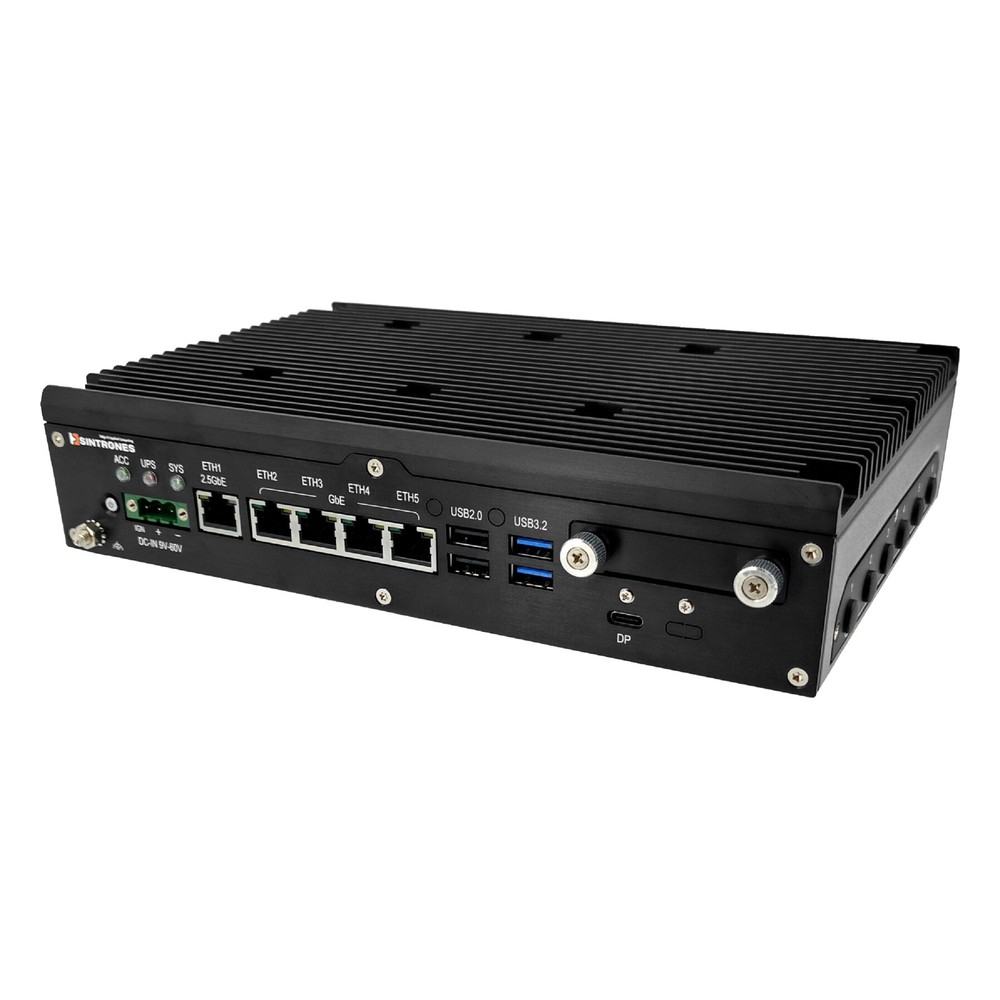
Intel Core Series 3 (Wildcat Lake) Rugged Edge AI Computer with 5x LAN and 2x CAN FD
- CPU
- Intel Core 3 (Wildcat Lake)
- Ethernet
- 1× 2.5GbE, 4× GbE
- IP Rating
- IP40
Choosing between the three builds
| VBOX-3630 | VBOX-3630-M12X | VBOX-3631 | |
|---|---|---|---|
| Processor | Intel 11th Gen Core, up to Core i7-1185G7E | Intel 11th Gen Core, up to Core i7-1185G7E | Intel Core Series 3 (Wildcat Lake), up to Core 7 350, with NPU |
| Memory | Up to 64 GB DDR4-3200, 2× SO-DIMM | Up to 64 GB DDR4-3200, 2× SO-DIMM | Up to 64 GB DDR5-6400, 1× SO-DIMM |
| LAN | 1× 2.5GbE + 3× GbE, RJ45 | 1× 2.5GbE + 3× GbE, M12 | 1× 2.5GbE + 4× GbE, RJ45 |
| Serial and CAN | 4× RS-232/422/485 | 3× RS-232/422/485 | 2× RS-232/422/485, 2× CAN FD |
| Displays | 4 independent (2× HDMI, DP, DVI-D) | 4 independent (2× HDMI, DP, DVI-D) | 3 (HDMI, DVI-D, USB-C DP) |
| Cellular | 2× M.2 Key B, 2× SIM | 2× M.2 Key B, 2× SIM | 2× M.2 Key B, 2× nano SIM |
| Storage | 2× 2.5″ SATA (RAID 0/1) + M.2 NVMe | 2× 2.5″ SATA (RAID 0/1) + M.2 NVMe | 2× M.2 NVMe |
| Power | 9–60 V DC, ignition control | 9–60 V DC, ignition control | 9–60 V DC, ignition detection |
| Battery option | About 10 minutes | About 10 minutes | Up to 5 minutes |
| Operating temperature | −40 to 70 °C | −40 to 70 °C | −40 to 70 °C |
| Shock and vibration | MIL-STD-810G | MIL-STD-810G | MIL-STD-810H |
| Vehicle approval | E-Mark | E-Mark | E-Mark |
The VBOX-3630 suits a cab with four screens and several serial devices. Choose the M12X build where vibration is the main worry for the network cabling, and the VBOX-3631 where the vehicle’s own CAN network or local AI on the NPU is part of the plan. Our VBOX-3631 launch article covers the newer platform in more depth.
What this setup gives the operator
- 01One box for data, location and screens
- Cellular, Wi-Fi, GPS and the cab displays all run from one fanless computer, so there is less to mount, wire and maintain.
- 02A second network in reserve
- Two SIM slots let the vehicle carry two operators, so it can switch networks where one has poor coverage.
- 03Hands-off power management
- Ignition control and the battery option mean the crew never has to start or shut down the computer themselves.
- 04Hardware matched to vehicle life
- E-Mark compliance, MIL-STD-810 shock and vibration ratings and a −40 to 70 °C range suit a vehicle that works every shift. See our E-Mark guide for what the mark covers.
- 05Ready on arrival
- Each computer arrives with its modules, storage and image in place, so fitting it to the vehicle is a wiring job.
Connected vehicle FAQs
-
What Is Ignition Control on a Vehicle Computer?
Ignition control lets a vehicle computer follow the ignition key: it starts when the engine starts, and when the ignition is switched off it waits for a set delay and then shuts down cleanly. That protects the data on the computer and stops it draining the vehicle battery while parked.
-
What Is Fleet Telematics?
Fleet telematics combines GPS location, data from the vehicle itself and mobile connectivity to monitor and manage a fleet. It shows where every vehicle is, how it is being driven and how it is performing, so operators can plan routes, dispatch jobs, cut fuel use, schedule maintenance and keep records for compliance.
-
What Is a Mobile Data Terminal?
A mobile data terminal (MDT) is a computer mounted in a vehicle cab that connects the driver to a control or dispatch centre. It shows jobs, routes and messages, captures forms and status updates, and usually adds GPS and cellular connectivity. Emergency services, taxis, recovery fleets, logistics and utilities use them every day.
-
GNSS vs GPS: What Is the Difference?
GPS is one satellite navigation system, run by the United States. GNSS (global navigation satellite system) is the umbrella term for all of them, including GPS, Galileo, GLONASS and BeiDou. A multi-constellation GNSS receiver sees more satellites at once, which improves accuracy and keeps a fix where the view of the sky is limited.
-
What Is Cellular Bonding?
Cellular bonding combines several mobile connections, usually from different SIM cards and networks, into one faster and more reliable link. Traffic is split across all the connections and put back together by a bonding server, so even a single video call or upload uses the combined bandwidth and keeps going if one connection weakens or drops.
-
What Is CAN Bus?
CAN bus (Controller Area Network) is a two-wire network that lets controllers, sensors and actuators share short messages without a central computer. Developed by Bosch for vehicles, it uses a noise-resistant differential signal and gives every message a priority, so critical data gets through first. It is now standard in vehicles, machinery and remote equipment.
Planning the computer for an emergency vehicle fleet?
Tell us what each vehicle needs to connect, from cameras and screens to the dispatch link, and we'll specify the VBOX build, modules and image to match.