
 UK
MXM GPU Computers
Fanless MXM GPU Edge AI PCs for Rail, Vehicles and Vision
An MXM GPU computer carries a discrete graphics processor on a compact module that lies flat on the board and sheds its heat through the chassis, so a sealed, vibration-tested system can run vision, video analytics and AI inference where a full-size graphics card would not last.
MXM GPU systems take NVIDIA RTX Ada and RTX Ampere Embedded modules or an Intel MXM GPU such as the Arc A370E, beside Intel Core, Core Ultra and Core Series 2 processors. Fanless MXM GPU edge AI PCs cool the module through the case, while stacked designs and larger modules add airflow.
They suit rolling stock CCTV, bus and patrol vehicle analytics, outdoor inspection and multi-display vision stations: rugged MXM computers with EN 50155 and E-Mark approvals, M12 PoE camera ports, wide DC inputs and removable drives for recorded video.


Browse Our MXM GPU Computers
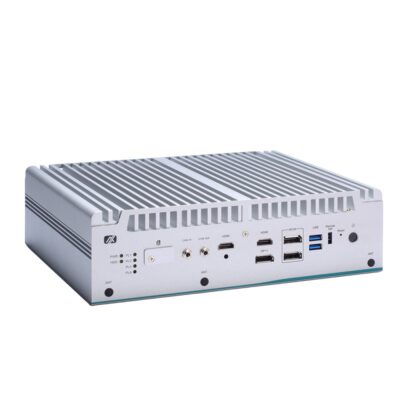
- CPU: Intel Core 12th Gen Alder Lake, Intel Core 13th Gen Raptor Lake
- GPU / AI Accelerator: Discrete GPU (MXM)
- GPU: NVIDIA RTX A2000 Embedded (MXM)
- Memory: 2x DDR5 4800MHz SO-DIMM Slot, 64GB
- OS: Linux Ubuntu 22.04, Windows 10, Windows 11
- Display Outputs: 2x HDMI, 3x Display Port
- Ethernet: 1x GbE LAN [RJ45], 3x 2.5 GbE LAN [RJ45]
- USB: 6x USB 3.2 Gen 2 [Type A]
- Serial: 2x RS232 [DB9], 2x RS232/422/485 [DB9]
- M.2: 1x M.2 B-Key [PCIe x2] [3052], 1x M.2 E-Key [USB] [2230], 1x M.2 M-Key [PCIe x4] [2280]
- mPCIe: 1x mPCIe [PCIe/USB/SIM/SATA]
- Storage: 1x M.2 SSD, 1x mSATA, 2x 2.5" HDD/SSD
- Power: 9-36V DC Input [Terminal Block]
- Ignition Sensing: Supports Ignition Control
- Temp: -40°C to 65°C [-40°F to 149°F]
- Certification: CE, FCC, UKCA
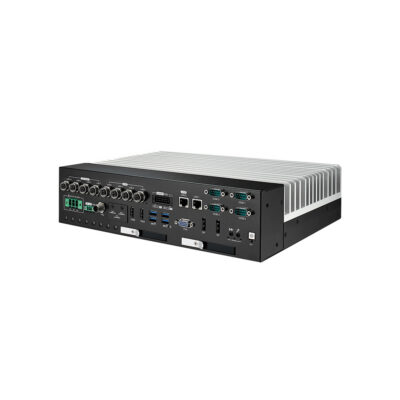
- CPU: Intel Core 12th Gen Alder Lake, Intel Core 13th Gen Raptor Lake
- GPU / AI Accelerator: Discrete GPU (PCIe)
- Memory: 2x DDR5 4800MHz SO-DIMM Slot, 64GB
- OS: Linux
- Display Outputs: 1x HDMI, 1x VGA, 2x Display Port
- USB: 1x USB 2.0 [M12], 4x USB 3.2 Gen 2 [Type A]
- Serial: 4x RS232/422/485 [DB9]
- M.2: 1x M.2 B-Key [PCIe/USB 3.0/USB] [2280/3052], 1x M.2 E-Key [USB/PCIe] [2230], 1x M.2 M-Key [PCIe x4] [2280]
- mPCIe: 1x mPCIe [PCIe/USB/SIM]
- Power: 16-160V DC Input [Terminal Block]
- Temp: -25°C to 45°C [-13°F to 113°F], -25°C to 55°C [-13°F to 131°F], -25°C to 65°C [-13°F to 149°F], -25°C to 75°C [-13°F to 167°F]
- Certification: CE, EN50155, FCC, UKCA
- Mounting Options: Rack Mount, Wall Mount
- Ethernet: 1x 2.5 GbE LAN [RJ45], 1x GbE LAN [RJ45], 4x 2.5 GbE LAN [M12], 4x 2.5 GbE LAN [RJ45] [PoE]
- Storage: 1x M.2 SSD, 1x mSATA, 6x 2.5" HDD/SSD
- RAID: RAID 0, RAID 1, RAID 5, RAID 10
Beyond the MXM Computer: GPU Modules, Edge AI and Rugged GPU
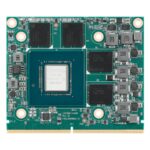 MXM GPU ModulesThe modules on their own, from RTX PRO Blackwell and RTX Ada to Ampere Embedded, for your own MXM 3.1 design or as spares.
 Edge AI ComputersThe wider edge AI range, with Jetson, Hailo and NPU systems that run inference on less power than a discrete GPU.
 Industrial PCs With GPUFactory and cabinet computers with PCIe RTX and L4 cards, for models too large for a module on the board.
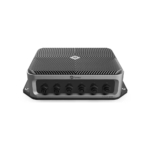 Rugged GPU ComputersSealed, shock-tested systems with MXM or PCIe graphics for vehicles, rail, defence and washdown sites.
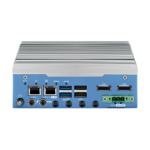 In-Vehicle ComputersVehicle computers with ignition control, E-Mark power and M12 networking, with or without a discrete GPU.
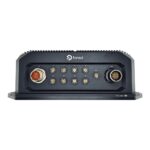 Rugged Jetson ComputersSealed and MIL-STD Jetson Orin and Thor systems, for when the model fits on a system-on-module.
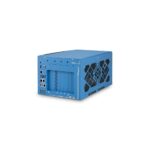 Edge AI ServersShort-depth and rackmount servers with 300 W and larger GPUs for training and many camera streams on site.
 NVIDIA Embedded GPUsEvery NVIDIA platform we supply, from Jetson and MXM modules to RTX Ada, L4 and RTX PRO Blackwell systems.
MXM GPU vs PCIe GPU vs Jetson in an Edge Computer
An MXM module, a PCIe card and a Jetson module all put an NVIDIA GPU at the edge. The format sets the GPU power, the cooling, the approvals and the software stack.
| Feature | This categoryMXM GPU Computer | PCIe GPU Computer | NVIDIA Jetson Computer |
|---|---|---|---|
| GPU Format | A module mounted flat on the board, in Type A, B or B+ sizes |
A full-size or low-profile card in an x16 slot, often in a cassette |
GPU, CPU and memory together on one system-on-module |
| GPU Power | Modules from 35 W to 115 W, with slots rated to 150 W |
Cards from 70 W low-profile to 600 W budgets on the largest systems |
Power modes for the whole module, such as 30 W or MAXN |
| AI Performance | Up to 682 AI TOPS at FP8 on the RTX 5000 Ada Embedded |
Up to the RTX PRO 6000 Blackwell for the largest models |
Up to 275 TOPS on AGX Orin and 2070 TFLOPS on AGX Thor |
| Cooling and Temperature | Passive, from −25 to 70 °C under 100 W of combined load on rail builds |
Fan or cassette airflow on most cards; fanless rackmount builds to −25 to 55 °C |
Passive on most carriers, −20 to 70 °C in 30 W mode |
| Approvals | EN 50155, EN 45545-2 and E-Mark on rail and vehicle builds |
Mostly factory and cabinet approvals |
Rail, vehicle and MIL-STD builds on rugged carriers |
| Software | x86 with Windows 11 IoT or Ubuntu, plus CUDA and TensorRT on NVIDIA modules |
The same x86 stack, with the widest driver and framework choice |
Arm with JetPack, CUDA and TensorRT, so x86 code needs porting |
| Choose it when | a discrete GPU has to fit a sealed, compact or rail-approved computer that runs x86 software. | the model needs more GPU than a module offers and the cabinet has room and airflow for a card. | the model fits a system-on-module, power is tight and the software can move to Arm. |
Building your own design around a module? See our MXM GPU modules for the RTX PRO Blackwell, RTX Ada and Ampere Embedded range, and read about using an MXM GPU in a desktop to develop on one with an MXM to PCIe adapter first.
MXM Graphics Options From RTX Ada to Intel Arc
The module sets the AI headroom, the display outputs and the heat the enclosure must shed, and it can often change later in the same chassis.

RTX Ada Embedded
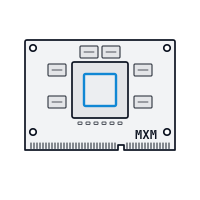
The RTX 5000 Ada, 3500 Ada and 2000 Ada Embedded give 682, 369 and 232 AI TOPS at FP8, the strongest MXM GPU RTX choices in current rugged systems for multi-camera inference.
RTX PRO Blackwell Embedded
The newest modules, the RTX PRO 500 and RTX PRO 2000 Blackwell, add FP4 Tensor Cores, PCIe Gen5 and ECC GDDR7 within 60 W in the Type A size, for new MXM designs.

RTX Ampere and Turing
The RTX A500, A1000, A2000 and A4500, the T1000 and the Quadro RTX 3000 run in rail and vehicle computers today, from 35 W for light analytics to 115 W for heavier video work.

Intel Arc A370E
An Intel Arc module with 56 TOPS at INT8 and extra DisplayPort outputs, suited to lighter models and multi-display stations where an NVIDIA module is more than the job needs.
How to Choose an Embedded MXM Computer
Choosing an embedded MXM computer starts with the module and its heat, then the approvals and the power budget.
Module Type and Slot
Match the module to the slot. Type A modules such as the RTX A2000 suit compact systems, while Type B and B+ modules such as the RTX A4500 need a deeper slot and their own thermal design. Check the PCIe lanes the slot provides.

Cooling and Temperature
Check the temperature rating with the module fitted, not without it. Rail builds hold −25 to 70 °C below 100 W of combined load, some modules need a fan kit, and heat spreaders suit sealed enclosures.

Rail and Vehicle Approvals
Trains call for EN 50155, EN 50121-3-2 and EN 45545-2, road vehicles for E-Mark, and both for shock and vibration tests to EN 61373 or MIL-STD-810. Confirm the approvals still apply with the GPU fitted.
Power Input and Backup
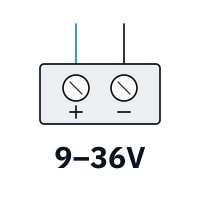
Size the supply for the processor, the module and any PoE cameras. Inputs run from 9 to 36 V on vehicle builds to 77 to 137.5 V on train supplies, with ignition control and battery backup for recorders.
The current MXM standard, which carries the GPU on a module over PCIe in Type A, B and B+ sizes. What Is an MXM GPU?
MXM GPU Computer Manufacturers We Work With
We work with the leading MXM GPU computer manufacturers, and each card below is one of our hand-picked series: the MXM systems we specify for trains, buses, outdoor sites and vision stations. Every card names the module, processor and approvals that made it our choice, so you can compare series or ask us for a shortlist.
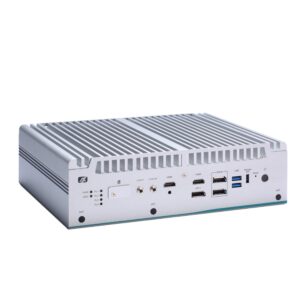
Vecow MXM GPU computers are designed in Taiwan by a manufacturer of rugged edge AI and embedded computing for machine vision, robotics, rail and vehicles. Its wider range runs on Intel, AMD, NVIDIA Jetson, Qualcomm and NXP processors, with fanless, wide-temperature designs across much of it.
Axiomtek rugged MXM computers are designed by one of Taiwan’s major manufacturers of industrial and embedded computers. Its range spans fanless box PCs, panel PCs and HMIs, railway and in-vehicle computers, single board computers and edge AI systems on Intel, AMD and NVIDIA Jetson.
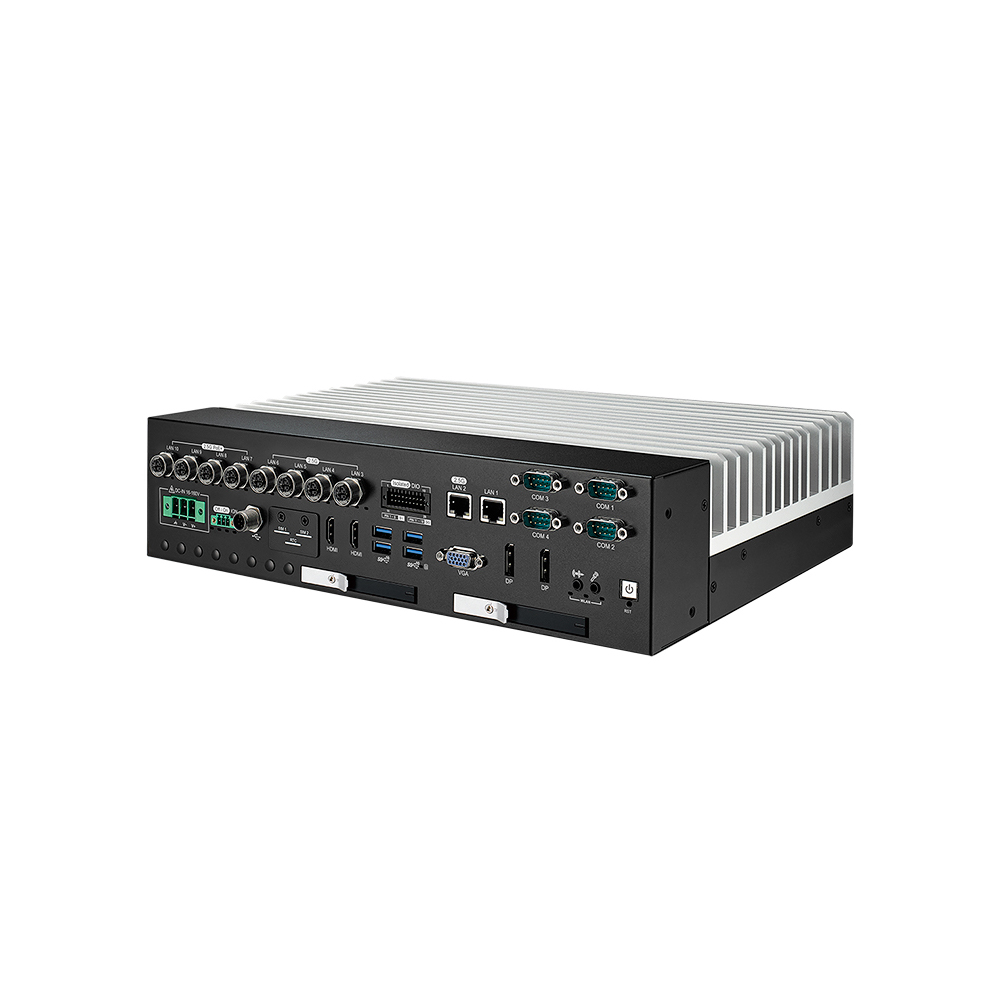
IVX-1000 Vecow Rugged MXM Computer
Picked for rolling stock video evidence: the IVX-1000 ICY takes a Core i9-13900E, six front-access drive trays with RAID 5 or 10 and an NVIDIA MXM module by request, on a 16 to 160 V DC input.
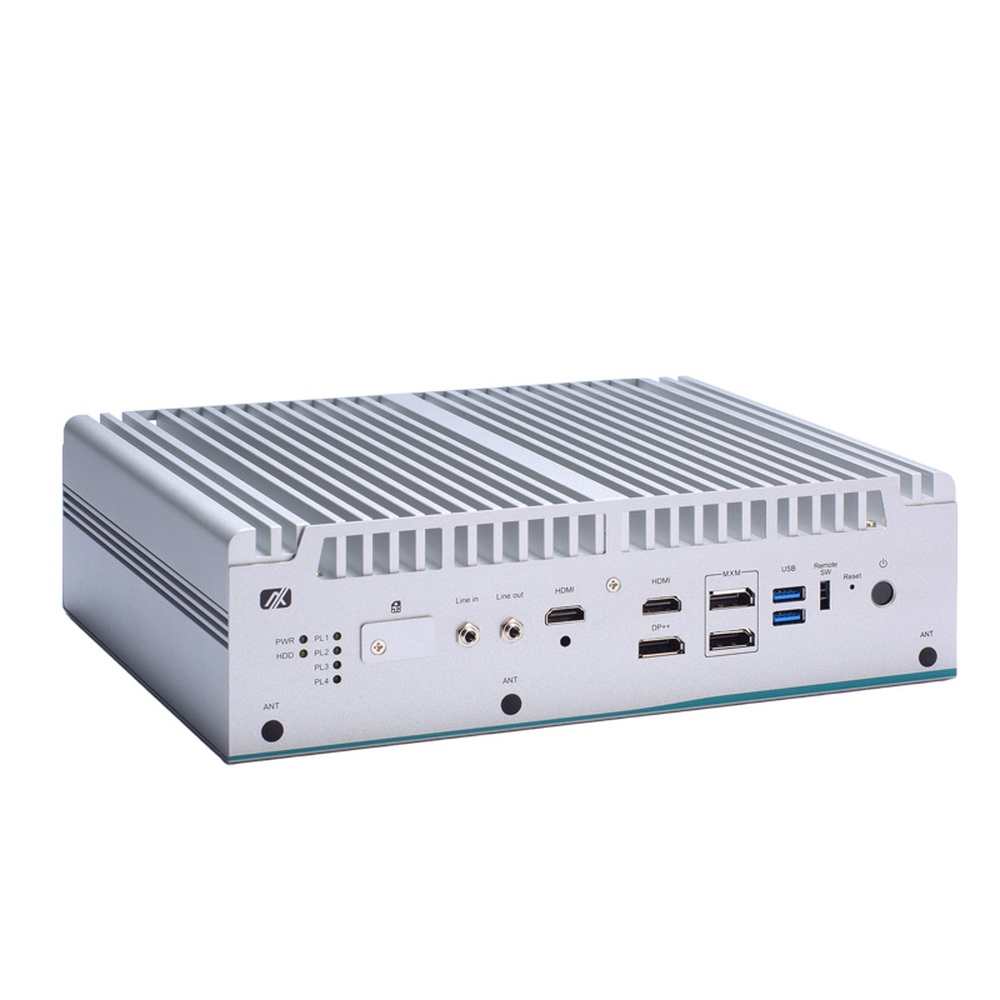
eBOX671B-ALD-GbE Axiomtek MXM GPU Computer
Our Axiomtek pick for a cabinet or cart that adds a GPU later: a Type A module from the A500 to the A2000, with the A2000 on an optional fan kit, plus up to 96 GB of ECC memory and four-port PoE on a 24 V board.
Not sure which range fits? Tell us the application and we will recommend the right model.
Rugged MXM Computer Projects and Guides

















MXM GPU Computer FAQs
What is an MXM GPU computer?
An MXM GPU computer is a compact or rugged system with a discrete graphics processor on an MXM module instead of a PCIe card. The module mounts flat on the board and cools through the chassis, so trains, vehicles and outdoor cabinets get GPU inference, video analytics and multi-display output without a large ventilated enclosure.
iGPU vs dGPU: what is the difference?Why choose an MXM GPU over a PCIe graphics card?
Choose MXM when space, sealing or vibration rule out a card. The module is held flat with screws, cools through a spreader and fits fanless and rail-approved enclosures. A PCIe card offers more GPU power and easier upgrades, so it suits cabinets with room for airflow. Our guide to embedded GPUs compares the two in an industrial PC.
SXM vs PCIe GPUs: what is the difference?Is MXM a standard GPU form factor?
Yes. MXM is an open standard, and the current MXM 3.1 version defines Type A and Type B module sizes over a PCIe connector, with Type B+ used by module makers for higher-power GPUs. Our guide to what an MXM slot is explains which module fits which slot, so check the types a system supports.
Can an MXM GPU computer be fanless?
Yes, within a power budget. Rail computers cool modules of up to 115 W without an active fan and hold −25 to 70 °C while the processor and GPU stay under 100 W combined. Above that, or in stacked designs with larger modules, a fan or airflow keeps the GPU at full speed, so check the rating with the module fitted.
How does a fanless PC work?Which MXM GPU computers suit trains and buses?
For trains, look for EN 50155 design, EN 50121-3-2 EMC and EN 45545-2 fire protection, with a 110 V supply input and M12 networking. For buses and service vehicles, look for E-Mark, ignition control, wide 9 to 50 V inputs and PoE ports for cameras. Several systems here carry both rail and vehicle approvals.
What is EN 50155?Should I use an MXM GPU or NVIDIA Jetson for edge AI?
Use Jetson when the model fits on a system-on-module and power is tight, as it runs on a few tens of watts with JetPack on Arm. Use an MXM GPU when the software is built for x86, several models run at once, or the system also needs Windows, a fast Intel processor and more display outputs.
What is NVIDIA Jetson?Do you supply MXM GPU laptops?
Yes, as rugged laptops rather than on this page. Selected rugged laptops take an NVIDIA RTX A1000 MXM GPU and a rugged tablet takes an RTX A500; our guide to which laptops have an MXM GPU covers the rest. You will find them under rugged laptops, while the computers here are fixed systems for vehicles, trains and cabinets.
How much power does an MXM GPU computer need?
Add the module power, from 35 W to 115 W, the processor TDP, storage and any PoE cameras, then leave headroom for start-up. Vehicle builds run on 9 to 36 V or 9 to 50 V, rail builds on 110 V supplies, and some add a battery so recorders finish writing when the supply drops.
What is TDP?Do you offer TAA and NDAA compliant MXM GPU computers?
Where the manufacturer declares it, yes. Selected rugged computer makers publish TAA or NDAA statements for specific models, which US federal, defence and transit projects often require, and the GPU module should be covered too. Nothing here is sold as made in the USA or Buy American Act compliant, so send us the contract clause and we will check each model.
What does TAA compliant mean?Can you supply MXM GPU computers configured and tested?
Yes. Integration is standard: every MXM GPU computer we supply is configured and tested before it ships. We fit the module with its cooling, the memory, drives and wireless modules, then load the operating system with the GPU drivers, CUDA and TensorRT where needed, so the system arrives ready for your cameras and model.
Speak to an MXM GPU Computer Specialist.
Tell us the model you need to run, the train, vehicle or site it goes into and the approvals it must meet. We will recommend the right MXM module and computer for the job.