
 UK
UK 
Active vs Passive Cooling for Computers
Active cooling uses fans or blowers to push air through a computer; passive cooling moves heat with heatsinks, heat pipes and the chassis itself. Here is how each works, where each one fits and how to choose for an industrial installation.
Active vs passive cooling is the choice between cooling a computer with fans and cooling it with no moving parts: active cooling uses a powered device, usually a fan or blower, to force air over the hot components and heatsinks, while passive cooling removes heat by conduction into heatsinks, heat pipes and the chassis and then by natural convection and radiation into the surrounding air.
Both follow the same physics. Heat from the processor, graphics and power circuitry has to reach the air around the computer, and the difference lies in that last step. Forced air carries away far more heat from each square centimetre of fin than still air does, so active cooling handles more power in a given volume. Passive cooling gives up some of that in exchange for a sealed enclosure, silence and the removal of the part most likely to wear out.
In industrial computing, passively cooled PCs are the usual choice for cabinets, machines and vehicles. Active cooling comes in where the processor or GPU power is beyond what a sealed chassis can shed, or where the computer lives somewhere clean and easy to maintain. This guide compares the two side by side, explains the techniques behind each, works through how much heat a fanless chassis can handle, and sets out how to choose.
Key takeaways
- 01Both move heat to the air
- The difference is whether a fan forces that last step or the chassis does it with still air.
- 02Passive removes the wear part
- No fan means no bearings to wear, no filter to clean and nothing drawing dust inside.
- 03Active carries more power
- Forced air lets a smaller enclosure handle a higher sustained processor or GPU power.
- 04Sealing favours passive
- A fanless chassis can be closed against dust and water; a fan needs an air path.
- 05Hybrids split the difference
- Some GPU systems keep the processor section fanless and give the GPU its own serviceable airflow, and many fanless systems take an optional fan kit.
Active vs passive cooling at a glance
The quick answer, for computers in industrial use. Figures are typical; individual designs vary.
| Active cooling | Passive cooling | |
|---|---|---|
| How heat leaves | Fans or blowers force air through fins or the case | Heatsinks, heat pipes and the chassis pass heat to still air or a cold plate |
| Typical sustained power | 65 W processors and above; discrete GPUs from 70 W upwards in larger chassis | Typically up to about 35 W processors; around 45–60 W in large finned chassis |
| Noise | Fan noise rises with load | Silent |
| Dust | Air is drawn in, so filters are needed | Sealed chassis keeps dust out |
| Ingress protection | Needs air paths, which limits sealing | Can be sealed to IP65 to IP69K with suitable connectors |
| Maintenance | Filters to clean, fans to replace | None for the cooling itself; keep the fins clear |
| Moving parts | Fan bearings wear over time | None in the cooling path |
| Power used by the cooling | A few watts per fan | None |
| Size and weight | Smaller for a given power | Larger, heavier finned chassis |
| If cooling degrades | A stopped fan can quickly overheat the system | Performance falls gradually as the processor throttles |
| Cold start | Fans must be rated for the low end of the range | Nothing to stall or seize |
There is no single best answer. The right choice depends on how much sustained power the application needs, what the air around the computer contains and how easily someone can reach it to maintain a fan.
How active cooling works
An actively cooled computer moves air through its enclosure with one or more fans. Axial fans push air straight through a heatsink or case; blowers, also called centrifugal fans, turn the air through 90 degrees and suit ducted designs and slim enclosures. A typical system has a fan on the processor heatsink, one or more case fans, a fan in the power supply and, where there is a graphics card, fans on the GPU.
Fan speed is usually controlled by temperature, so the fans spin up as the load rises. That gives a lot of cooling capacity when it is needed, at the cost of noise and of air drawn in from wherever the computer sits. Filters keep the worst of the dust out but need cleaning, and once fins clog the system runs hotter, which can lead to thermal throttling long before anything fails outright.
Liquid cooling is a form of active cooling too: a pump carries heat from a cold plate on the processor or GPU to a radiator, where fans pass it to the air. It suits very high power densities in servers and workstations, but adds a pump, fittings and coolant to the list of things that need attention, so it is rare in industrial edge computers.
How passive cooling works
A passively cooled computer turns its chassis into the heatsink. The processor sits against a copper block or thermal pad, heat pipes carry the heat to the case, and fins on the outside pass it to the air by natural convection and radiation. Our guide to how a fanless PC works traces that path step by step.
Conduction cooling is a close relative used in rugged and military systems. The chassis is bolted to a cold plate, a vehicle structure or a cabinet wall, and heat leaves through the mounting face rather than through fins in open air.
The performance ceiling of a passive design is set by the fin area, the heat path and the ambient temperature. The chassis designer sizes these for a maximum processor power at a maximum ambient, and the thermal mass of the metal absorbs short bursts above it. Mounting matters more than with a fan: vertical fins with space around them let warm air rise freely, while fins boxed in or laid flat cool less well.
Passive techniques beyond the heatsink
A modern fanless computer uses several techniques together to move heat from small, hot components to a large, cool surface. Our FAQ on what a heat sink is covers the basic part.
| Technique | What it does | Where it is used |
|---|---|---|
| Finned heatsink chassis | Spreads heat over a large surface for natural convection | Almost every fanless box PC |
| Heat pipes | Move heat along a sealed tube by evaporation and condensation | Carrying heat from the processor to distant fins |
| Vapour chamber | A flat heat pipe that spreads heat in two directions | High-power processors under a compact lid |
| Thermal pads and blocks | Fill gaps between components and the case | Memory, SSDs, voltage regulators and network chips |
| Flat-top conduction plate | Passes heat into a cabinet wall or cold plate | Sealed and waterproof enclosures, vehicle bays |
| Double-layer fins | Adds surface area within the same footprint | Higher-power fanless systems |
Fin orientation is the free variable. Natural convection relies on warm air rising between the fins, so vertical fins with open space above and below cool best; the same chassis on its back can lose a large part of its capacity. Where the computer must go into a closed box, a flat-top design that uses the enclosure wall, described in our guide to electrical enclosure cooling, is usually the better answer.
How much heat can a fanless chassis shed?
Still air is a poor coolant. Natural convection typically moves around 5 to 10 W for each square metre of surface and each degree of temperature difference, while forced air over a heatsink can move several times that, roughly 25 to 250 W/(m²·K) depending on air speed. That ratio is why a fan lets a smaller box carry more power, and why fanless chassis are larger and finned.
Makers express the result as a rating: a maximum processor power at a maximum ambient. When a manufacturer offers the same computer with and without a fan, the effect is easy to see.
| Example from our range | Cooling | Rating |
|---|---|---|
| Vecow VCM-1000 | Fanless | −25 to 60 °C with 35 W processors; −25 to 45 °C with 65 W parts |
| Vecow VCM-1000F | Internal fan, same 55 mm height | −25 to 75 °C with 35 W processors; −25 to 60 °C with 65 W parts |
| Neousys NRU-52S+ | Fanless; optional fan kit | PoE budget 50 W passively cooled, 144 W with the fan kit |
| Arestech MERA-3100 | Fanless; external fan kit for 65 W | −40 to 70 °C fanless with 35 W processors; 60 °C with a 65 W processor and the fan kit |
Two patterns stand out. Adding a fan buys roughly 15 °C of ambient headroom for the same processor, and the same chassis rated fanless at 35 W needs a fan to carry 65 W at a similar temperature. Our guide to processor TDP explains how the processor power classes are defined.
Fan reliability and dust
Fans are the part of a computer most likely to need attention. Their bearings have a finite life, which fan makers usually state as an L10 figure, the hours by which one in ten fans is expected to fail, at a stated temperature. Heat shortens it, and dust and fibres in the air wear bearings and clog the fins downstream.
| Bearing type | Typical character | Industrial fit |
|---|---|---|
| Sleeve bearing | Low cost, quiet, shorter life, dislikes heat and horizontal mounting | Rarely chosen for industrial systems |
| Ball bearing | Longer life, tolerates heat and any orientation, slightly noisier | Common in industrial and server fans |
| Fluid dynamic bearing | Quiet with long life | Used where noise matters |
In a server room with filtered air and scheduled maintenance that is easy to manage. On a factory floor, in a vehicle or at a remote site it is the part most likely to need a visit, which is why the advantages of fanless computers go beyond cooling. Fewer moving parts also improve the mean time between failures of the system.
Heat, cold and the limits of both
Neither approach can cool a computer below the temperature of the air around it. A fan moves more air, but if that air is already hot, the margin between the air and the processor shrinks just as it does for a fanless chassis. In a hot location the answer is the same for both: choose a processor with headroom at the maximum ambient, and where that is not enough, cool the enclosure itself with a heat exchanger or cabinet air conditioning.
Cold behaves differently. A fanless chassis has nothing to stall or seize, which is one reason passive designs are common in outdoor and vehicle installations that start from well below freezing. Fans have to be rated for the low end of the range, because lubricants thicken and some bearings struggle to start in deep cold.
A passive chassis also runs warm to the touch under load, because its outer surface is doing the cooling. That is normal, but it is worth planning where the computer is mounted, keeping cables and plastics off the fins and leaving space for warm air to rise away from it.
Can a GPU be passively cooled?
Small ones can. Integrated graphics, NPUs and NVIDIA Jetson modules run fanless every day, and a low-power MXM GPU can be conduction-cooled in a rugged chassis. Our Jetson thermal design guide shows how module power modes are matched to a fanless case. A high-power discrete graphics card is different: at 70 W and above it usually needs more cooling than a compact sealed chassis can provide.
Some industrial GPU computers answer that with a split design. The processor and motherboard stay in a fanless, sealed section, and the GPU sits in a separate compartment with its own managed airflow, often with a fan tray that can be swapped without opening the main enclosure. Fan speed and health can be monitored by the system, so a failing fan is flagged before it causes a problem.
Other approaches include fanless chassis with an optional bolt-on fan kit for higher ambient temperatures or higher power modes, and rack-mount servers that use front-to-back airflow inside a filtered cabinet. In each case the aim is the same: keep fans only where the power genuinely needs them, and make them easy to service.
| Design | How the GPU is cooled | Example |
|---|---|---|
| Fanless module | Jetson or NPU on the processor, cooled by the chassis | Rugged Jetson computers in 15 W or 25 W modes |
| Fanless with fan kit | Fan kit added for higher power or ambient | NRU-52S+ PoE budget rises from 50 W to 144 W with the kit |
| Split chassis | Fanless processor section, ventilated GPU section | Neousys Nuvo-10108GC with a 350 W NVIDIA RTX GPU, −25 to 60 °C with a 35 W processor |
| Fully active | Fans on the GPU and through the case | Edge AI servers in filtered cabinets |
Our industrial GPU computers cover the split and active designs, and a fanless GPU computer built on a custom Jetson carrier board shows how far passive cooling can go with the right module.
Choosing between fans and a fanless chassis
Choose passive cooling when
- the air carries dust, fibres, oil mist or moisture, or the site is washed down;
- the computer is mounted on a machine or vehicle that vibrates;
- it is hard to reach, so every site visit costs time and money;
- silence matters, as in clinics, studios and offices;
- the processor the application needs sits within the chassis rating at your maximum ambient.
Choose active cooling when
- the sustained processor or GPU power is beyond what a fanless chassis can shed;
- the computer sits in a clean, filtered space such as a server room or control room;
- someone can clean filters and replace fans on a schedule;
- space is tight and the power cannot come down.
Consider a hybrid when
- a GPU needs fans but the rest of the system faces a harsh environment;
- a fanless system needs extra headroom only in the hottest weeks of the year, which an optional fan kit can provide.
Can someone reach this computer to clean a filter or change a fan? If the honest answer is no, start with passive cooling and size the processor to suit. Our guide to the benefits of fanless computers covers the wider case for going fanless, fanless mini PCs covers the smallest designs, and for weight- and power-limited platforms our FAQ on SWaP-C explains the trade-offs.
We specify the cooling as part of the whole system, from the processor and GPU to the chassis and the installation. Our range of fanless industrial computers covers most cabinet, machine and vehicle installations, and we configure, image and test every build before it ships.
Cooling approaches across our range
Where each cooling approach sits in our categories.
Rugged computers
Fanless, sealed systems for vehicles, machines and the outdoors.
View range
Rugged Jetson computers
Passively cooled edge AI with power modes matched to the case.
View range
Rugged GPU computers
Split and hybrid designs that give a discrete GPU its own airflow.
View range
Edge AI servers
Actively cooled multi-GPU systems for filtered cabinets and server rooms.
View range
DIN rail PCs
Narrow fanless computers for control cabinets.
View range
Waterproof computers
Fully sealed, passively cooled systems rated IP65 and above.
View rangeFanless, fan-cooled and hybrid systems
The same Vecow computer with and without a fan, a split-chassis GPU computer and a fanless Jetson system with an optional fan kit, each configured and tested before it ships.
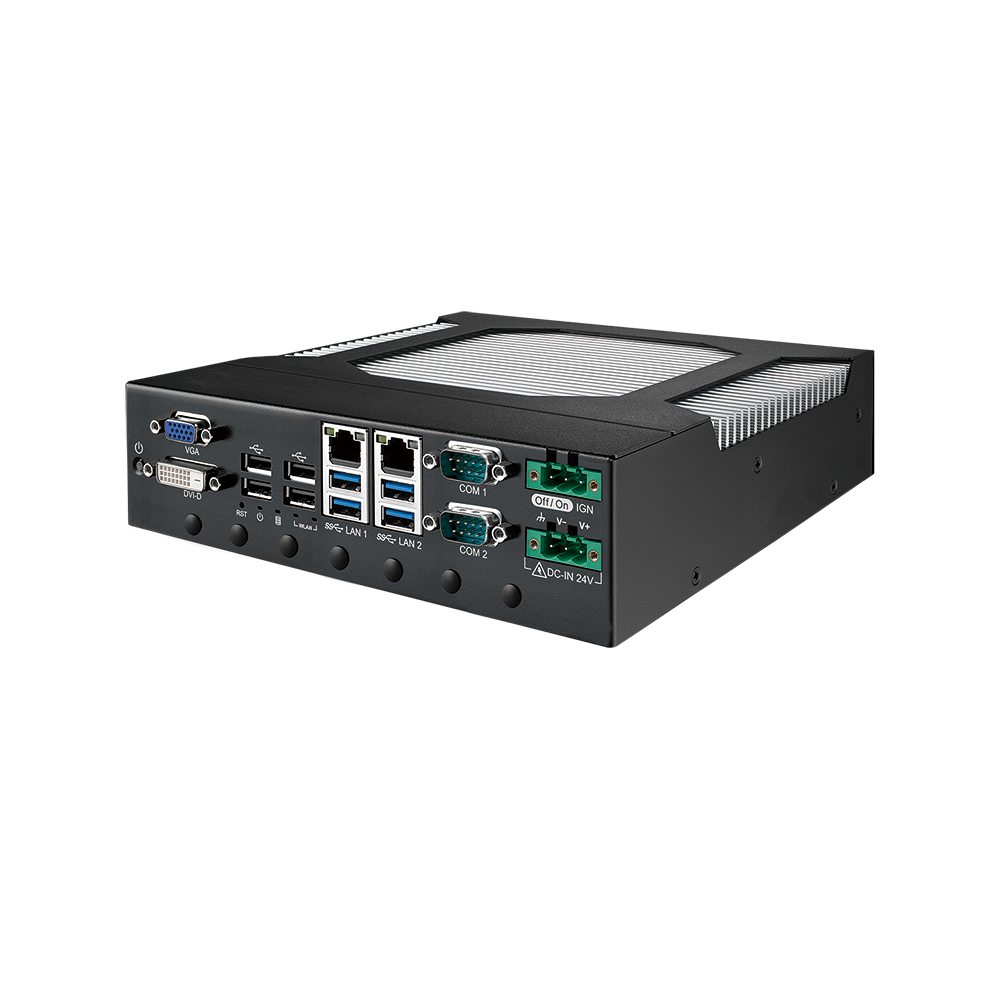
Intel Core i9-13900E Fanless Compact Embedded Computer
- CPU
- Intel Core 13th Gen (Raptor Lake)
- Ethernet
- 2× GbE
- Temp
- −25 to +60 °C
Intel Core i9-13900E Fan-Cooled Compact Embedded Computer
- CPU
- Intel Core 13th Gen (Raptor Lake)
- Ethernet
- 2× GbE
- Temp
- −25 to +75 °C
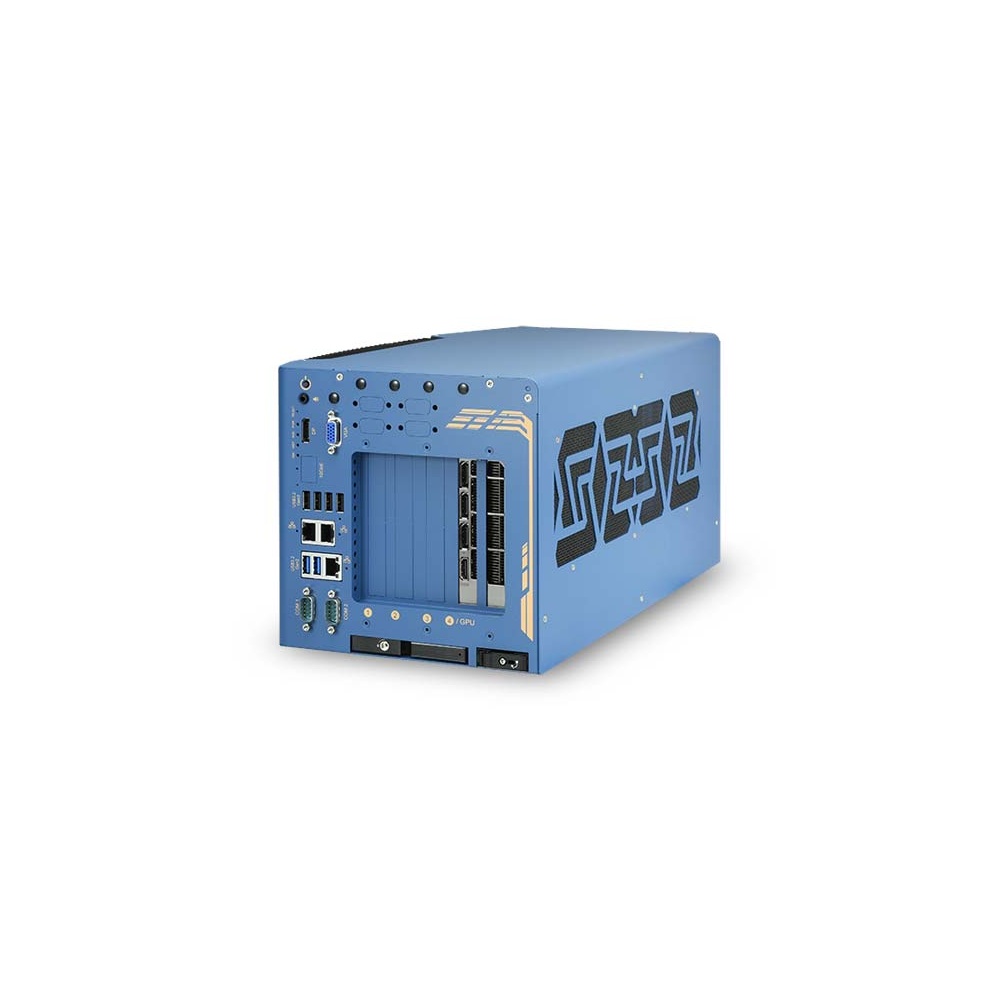
Intel 14th/13th/12th Gen Core Industrial GPU Computer with 350W NVIDIA RTX GPU
- CPU
- Intel Core 13th Gen (Raptor Lake)
- GPU
- NVIDIA RTX PRO 4000 Blackwell
- AI
- 1,290–3,511 TOPS
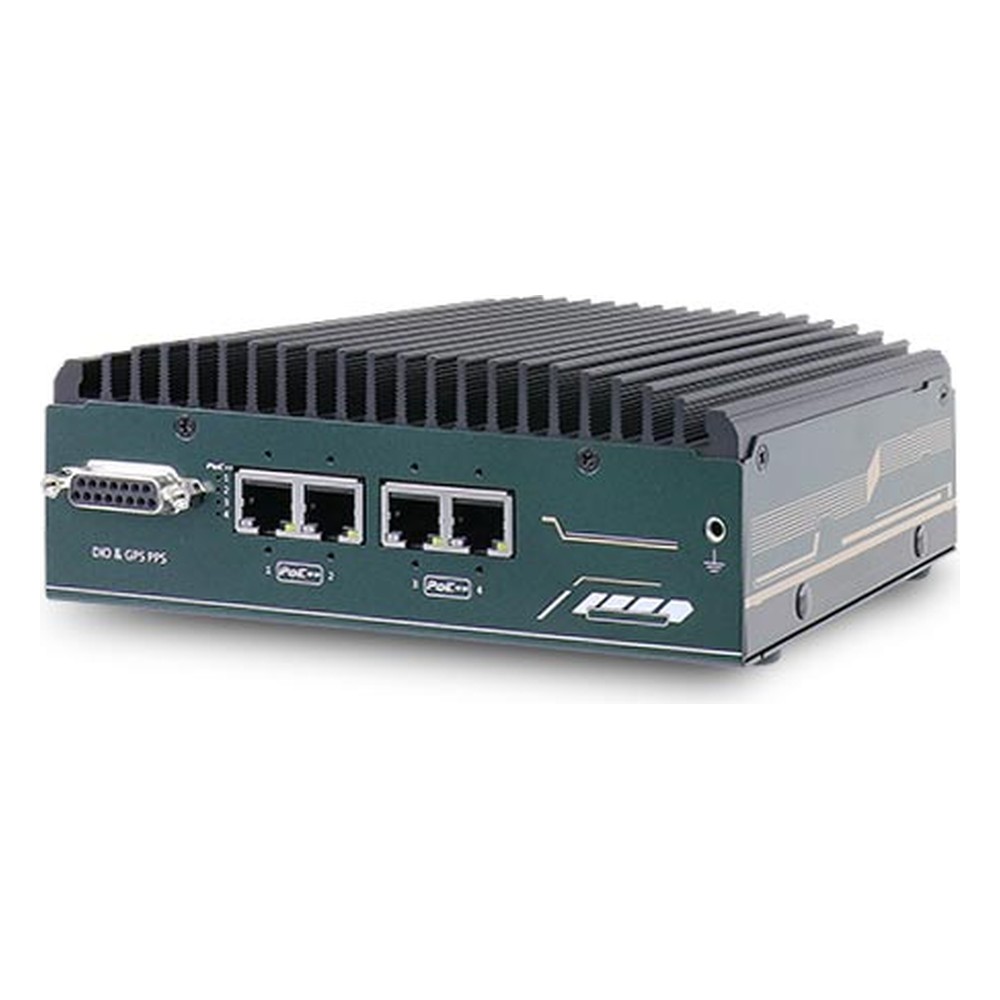
NVIDIA Jetson Orin NX or Orin Nano Fanless Embedded PC with 4x 90W PoE++ and EN 50155
- AI
- 20–100 TOPS
- SOM
- NVIDIA Jetson Orin NX 16 GB
- Ethernet
- 4× GbE (4× PoE)
Choosing the cooling for an industrial computer
Six questions that settle most decisions.
-
01
Power
What sustained processor and GPU power does the workload need?
-
02
Ambient
What is the hottest air around the computer, inside its cabinet or enclosure?
-
03
Air quality
Does the air carry dust, fibres, oil mist, moisture or cleaning chemicals?
-
04
Sealing
Does the site require an IP rating that rules out air paths?
-
05
Access
Can someone clean filters and replace fans on a schedule?
-
06
Cold
Will the computer start from below freezing?
Active vs passive cooling: common questions
Quick answers
What is the difference between active and passive cooling?
Active cooling uses fans; passive cooling uses no moving parts. Both move heat to the surrounding air, but a fan forces it, while a passive design relies on heatsinks, heat pipes and natural convection.
Is passive cooling better than active cooling?
For dusty, wet, vibrating or hard-to-reach sites, usually yes. Active cooling is better where the sustained power is high and the computer is somewhere clean and easy to maintain.
What is a passive heat sink?
A finned metal block that cools by natural convection with no fan. In a fanless computer the whole chassis acts as the passive heat sink.
Can a GPU be passively cooled?
Low-power GPUs, NPUs and Jetson modules can. High-power discrete graphics cards usually need fans, often in a separate section of a hybrid chassis.
Do fanless computers overheat?
Not when the processor power suits the chassis and the ambient. If they get too hot they slow down to protect themselves rather than fail, so size them for the hottest air they will see.
What is hybrid cooling?
A design that combines a fanless section with fans only where they are needed. Typical examples are a sealed processor section with a ventilated GPU compartment, or a fanless system with an optional fan kit.
Which is more reliable, fan or fanless?
Fanless, because the fan is the part most likely to wear out. Removing it also keeps dust out, which protects the rest of the electronics.
Related questions
-
How Do Heat Pipes Work?
A heat pipe is a sealed copper tube holding a little working fluid, usually water, under partial vacuum. At the hot end the fluid evaporates and absorbs heat; the vapour travels to the cooler end, condenses and releases that heat into fins or the chassis, and a wick draws the liquid back. It moves heat quickly with no moving parts.
-
What Is a Heat Sink?
A heat sink is a block of metal, usually aluminium or copper, that draws heat away from a hot component such as a processor and releases it into the surrounding air. Fins give it a large surface area. A passive heat sink relies on natural airflow; an active one adds a fan to move more air over the fins.
-
What does IP66 mean?
IP66 is the rating above IP65 — dust-tight, and protected against powerful water jets. It is the standard specification for outdoor industrial computing in storm-exposed locations, marine deck equipment and light wash-down food handling, equivalent to NEMA 4 / 4X in North American markets.
-
What Is the Industrial Temperature Range?
The industrial temperature range is −40 to 85 °C: the grade an electronic component must operate across to be called industrial, compared with 0 to 70 °C for commercial parts. Rugged computers built from industrial-grade components typically run from −25 or −40 °C up to 70 °C as a complete system.
-
How Do You Prevent Condensation on Electronics?
Condensation forms when a surface is colder than the dew point of the air around it, so moisture in the air turns to water on it. To prevent it on electronics, keep their surfaces above the dew point with steady heat or a heater, seal the enclosure, control humidity with desiccants or breather vents, and protect boards with conformal coating.
-
What Is SWaP-C?
SWaP-C stands for size, weight, power and cost. It is the design trade-off used in defence and aerospace to judge equipment for platforms with tight limits, such as drones and vehicles, where every gram, watt and pound spent reduces endurance, payload or budget.
Not sure which cooling suits your installation?
Send us the workload, the temperature range, the dust and moisture at the site and how easy the computer is to reach. We will recommend fanless, fan-cooled or hybrid cooling, then configure, image and test the system before it ships.