Benefits of Fanless Computers: Advantages of a Fanless Industrial PC and How to Install One

TypeWhite paper
Published2 Nov 2022
AuthorAndrew WhitehouseManaging Director
Reading time30 min

The benefits of fanless computers come from taking the fan out: with no air drawn through the case, a fanless industrial PC can be sealed against dust and water, has no moving parts to wear out, runs silently and copes with the shock, vibration and temperature swings that shorten the life of an office PC.

Fanless industrial PCs give field engineers, system integrators and OEMs more than reliability. They come in small, low-profile shapes with versatile mounting, run on wide DC supplies, use less power and stay available for years, which is why they are the default computer in cabinets, on machines and in vehicles. Downtime is the reason it matters: a failed computer can stop a production line or a remote site, and the cost of the stoppage and the site visit is often far higher than the computer itself.

Installing one may look simple, but a few decisions made at installation decide whether a fanless PC delivers those benefits. This guide covers what makes a computer industrial, the benefits of passive cooling compared with fans, the processors that run without a fan, where a fanless design is not the right choice, and the best practice for installing a fanless PC at the edge.

Key points · 6 points

Key takeaways

01Sealed against dust and water
No fan means no vents, so the chassis can be closed to IP6x dust protection and, with sealed connectors, to water.
02No wear parts in the cooling
Removing the fan removes the most common moving part to fail, which raises reliability and cuts site visits.
03Built for shock, vibration and heat
Fanless industrial PCs are tested to standards such as IEC 60068 and MIL-STD-810H and rated to wide temperature ranges.
04Lower power, smaller footprint
Low-power embedded processors cut energy use and let the computer fit into tight cabinets and vehicle bays.
05Long availability
Embedded processors and locked bills of materials keep the same build available for years of deployments.
06Sized, not unlimited
A fanless chassis is rated for a maximum processor power at a maximum ambient, so choose the processor to suit the site.
02Benefits

Fanless vs fan-cooled industrial PCs compared

The table sets out the benefits of fanless computers against a fan-cooled PC doing the same job. Most of the differences follow from one design decision: whether air from the room passes through the case.

Factor Fanless industrial PC Fan-cooled PC
Sustained processor power Typically 6–35 W, up to about 65 W in large finned chassis Typically 65 W and above, plus discrete GPUs
Dust and airborne debris Kept out by a closed chassis with no vents Drawn in with the cooling air; filters needed
Ingress protection potential IP40 to IP69K, depending on the chassis and connectors Usually IP20 to IP40, limited by the air path
Moving parts None when paired with an SSD Fans, which wear faster in heat and dust
Reliability (MTBF) Higher predicted MTBF without the fan’s failure rate Fan adds a significant wear-out item
Noise Silent Rises with load
Routine maintenance Keep the fins clear Clean filters, replace fans
Operating temperature Commonly −20 to 60 °C, with wide-temperature builds to −40 to 70 °C or more Usually 0 to 40 °C for office-grade hardware
Shock and vibration Tested to IEC 60068 or MIL-STD-810H on rugged builds Rarely specified
When cooling degrades Performance falls gradually through throttling A stopped fan can overheat the system quickly

Our FAQ on the advantages of fanless computers gives the short answer. The rest of this guide explains each benefit, and our sibling guides go deeper on specific questions: how a fanless PC works follows the heat path, active vs passive cooling compares the cooling methods, choosing a solid-state industrial PC covers computers with no moving parts at all, and fanless industrial mini PCs covers the smallest designs.

Benefits

What makes a computer industrial?

Three characteristics separate an industrial computer from a consumer-grade PC, and they shape our whole approach to industrial computing: form factors and mounting options made for industrial sites, rugged design that copes with harsh environments, and long-life availability as part of an embedded roadmap.

Characteristic Consumer or office PC Industrial fanless PC
Form factor and mounting Tower or desktop case Box, DIN rail, panel or vehicle mount, with wall, VESA and anti-vibration options
Cooling Fans and vents Passive, through a finned or flat-top chassis
Power input Mains supply with a fixed internal power supply Wide-range DC, often 9–36 V or 9–48 V, with protection against surges and reverse polarity
Operating temperature Office conditions Wide ranges, down to −40 °C on many builds
Memory Non-ECC desktop memory Industrial memory, with ECC on many processor options
I/O USB and consumer video Serial, isolated digital I/O, CAN, locking connectors and multiple LAN ports
Lifecycle Components change every year or two Embedded processors with long availability and a fixed bill of materials
Testing and compliance Consumer safety and EMC Shock, vibration and EMC testing, with rail, vehicle or hazardous-area approvals where needed

Form factors and mounting options for industrial applications

Industrial computers come as box PCs or panel PCs, and the choice usually comes down to whether the installation needs a display at the computer. A panel PC with touch becomes an all-in-one HMI and simplifies installation in an enclosure cut-out, but a damaged screen means replacing the whole computer. An industrial box PC connected to a separate industrial monitor separates the two, so either can be replaced on its own and the computer can be upgraded later for more performance or connectivity. OEMs building their own enclosure can start from the same processors on industrial motherboards and single board computers.

Box PCs can run headless or drive a monitor, and usually offer wall mounting or DIN rail mounting. Wall mounting suits most industrial cabinets, while DIN rail PCs simplify installation and make the computer easy to reposition. Mounting brackets can include anti-vibration plates where the system sits next to heavy machinery or on rolling stock and vehicles.

Extended product life cycles with long-term availability

When an OEM or integrator deploys hundreds of computers, it locks down a defined bill of materials and a tested operating system image at the start of the project. Projects often last five to ten years or more, so the same build has to stay available. Consumer hardware changes components frequently and may be sold for only a year or two, and each change can break software that was proven on the earlier build, forcing a new image and more testing before the next deployment.

Manufacturers of fanless industrial PCs usually state the launch date and how long the system will be available, typically in line with the embedded processor inside it. Processors on an embedded roadmap are commonly available for seven years or more, and some for 10–15 years, so check the vendor’s published availability for the exact part. Our guide to embedded processors explains how to recognise them.

Benefits · 8Benefits

Benefits of industrial fanless computers

Fanless computers tend to be rugged, small and sealed, so they can run in harsh environments for years before an engineer needs to visit. Fewer moving parts mean fewer things to fail, and industrial components with lower-power processors let them run in hot, unventilated spaces.

Higher levels of ingress protection

The most common failure of office PCs installed in industrial environments is dust: it clogs fans and heatsinks until the processor overheats. A fanless design needs no ventilation, so heat spreaders and the chassis heatsink create a closed system that keeps dust, debris and, with the right connectors, water away from the electronics.

Many fanless systems are rated IP5x, protected against dust in amounts that would interfere with operation; IP6x means dust-tight. Waterproof ratings also depend on the I/O: standard RJ45 and DB9 connectors can be fitted with port-blocking covers, and sealed M12 connectors are the usual choice for fully waterproof computers. Our guide to IP ratings from IP65 to IP69K explains each level, and M12 waterproof connectors covers the connectors.

More durable against shock and vibration

With the fan gone, the only moving part left in older systems was a spinning hard drive. Industrial SSDs remove that too, so an industrial PC with no moving parts at all is now straightforward, and fewer moving parts means fewer things to loosen or fail under vibration.

Manufacturers and integrators add other techniques: thicker PCBs to reduce flexing, cableless designs or careful cable management so connectors cannot work loose, and locking or latching connectors for I/O and power. Rugged builds are tested against standards such as IEC 60068-2-27 for shock, IEC 60068-2-64 for vibration and MIL-STD-810H. The Arestech SB-5000, for example, is tested to 5 Grms vibration and 50 G shock.

Higher reliability and less maintenance

Industrial edge computers are expected to run around the clock. The cost of a failure mounts quickly, from engineer time and travel to replacement hardware, and multiplied across hundreds or thousands of systems in remote places it becomes a large part of the cost of running the project.

A fan clogged with dust lets components overheat, makes the processor throttle and in the worst case leads to failure. Passive cooling removes that failure mode and the filter cleaning that goes with it. It also improves the predicted reliability: our guide to MTBF shows how removing a fan can raise a system’s predicted MTBF by a large margin.

Small, low-profile footprints

Without a fan to house, fanless computers can be built small and low, with components packed closer together and cooled through the case. That suits electrical cabinets, vehicle bays, kiosks and the underside of desks and machines. The smallest industrial mini PCs fit in the palm of a hand, and low-profile designs slide into shallow enclosures where a fanned PC would not fit.

Energy efficient with lower power consumption

Fanless industrial computers use less energy than desktop PCs, partly because there is no fan to power but mostly because they use lower-power embedded processors. Less power means less heat, which is what makes passive cooling possible, and lower running costs across a fleet.

A simple equation estimates the annual energy of a deployment: (A ÷ 1,000) × 24 × 365 × C kWh a year, where A is the power each system draws in watts and C is the number of systems; multiply by your tariff for the cost. For example, 1,000 systems at 15 W use about 131,000 kWh a year, against about 569,000 kWh at 65 W.

Lower power does not have to mean lower performance. Current low-power processors often outperform older desktop parts, and our guide to processor TDP explains how to weigh power against performance.

Silent operation

With no fan and solid-state storage, a fanless computer makes no noise at all. That will not change its failure rate, but it makes fanless PCs the natural choice where silence matters: digital signage in public spaces, clinics and operating theatres, studios, offices and vehicle cabs.

Wide operating temperature

Fanless industrial PCs built with industrial-grade components are commonly rated across wide temperature ranges. The DFI ECX700-ASL2020A-X33, for example, runs fanless from −40 to 70 °C, and the Vecow ECX-3000 from −40 to 75 °C with 35 W processors. With no fan to stall in the cold or to wear faster in the heat, a fanless design suits unheated buildings, outdoor cabinets and vehicles. The industrial temperature range explainer sets out the common ratings.

Long-term availability

Fanless industrial PCs are built around embedded processors with long availability, so the same build, BIOS and operating system image can be supplied across a multi-year rollout. That avoids requalifying software every time a component changes, and makes spares and repairs simpler to plan.

Benefits

Wide temperature, wide DC input and other industrial specifications

Behind the headline benefits sit a handful of specifications that decide whether a fanless PC suits a particular site. These are the ones to check first.

Specification Typical fanless industrial value Why it matters
Operating temperature −20 to 60 °C standard; −40 to 70 °C or wider on wide-temperature builds Sets where the computer can run without heating or cooling the enclosure
DC input 9–36 V or 9–48 V, with over-voltage, over-current and reverse-polarity protection Runs directly from 12 V and 24 V vehicle supplies and 24 V or 48 V cabinet rails
Ignition control Configurable power-on and shutdown delays on vehicle builds Shuts the computer down cleanly when the engine stops
ECC memory Supported on many Intel Core, Atom and AMD Ryzen Embedded options Corrects single-bit memory errors on long-running systems
Shock and vibration IEC 60068-2-27 and IEC 60068-2-64, MIL-STD-810H on rugged builds Evidence that the computer survives machines and vehicles
Ingress protection IP40 typical; IP65 to IP69K on sealed builds Defines the dust and water the chassis keeps out
Compliance CE, FCC and UKCA; EN 50155, E-Mark or UL where the application needs them Required for rail, road vehicles and control panels
Management TPM 2.0, watchdog timer and out-of-band management on many builds Secures the system and recovers it without a site visit

Our wide temperature computers cover installations from unheated buildings to hot outdoor cabinets, and in-vehicle computers add ignition control and wide DC inputs; our FAQ on ignition control explains how it works. ECC memory guards long-running systems against memory errors. For certification, our guides to EN 50155 for rolling stock and E-Mark for vehicles explain what each covers. A watchdog timer restarts a computer that stops responding, one more way to avoid a site visit.

Benefits

Which processors run without a fan?

A fanless chassis is designed around a sustained processor power, so the processor family decides how much performance a fanless PC can offer. These are the families most often used in fanless industrial computers, with power figures taken from manufacturer data.

Processor family Typical sustained power Fanless fit Typical uses
Intel Atom x7000RE (Amston Lake) About 9–12 W (x7433RE 9 W, x7835RE 12 W) Small fanless cases, often −40 °C rated Gateways, protocol conversion, telematics
Intel Processor N and Core i3 N-series About 6–15 W Small fanless cases Signage, HMI, data logging
Intel Core Ultra U-series About 15 W, with an NPU Small and medium finned cases Light AI inference, vision, HMI
Intel Core TE (35 W) 35 W Medium and large finned chassis Machine vision, multi-display HMI, vehicle systems
Intel Core E (65 W) 65 W Large finned chassis, narrower temperature range Heavy CPU workloads, many camera streams
AMD Ryzen Embedded 8000 About 15 W (8840U) to 45 W (8845HS) Medium finned chassis Vision, edge AI with the built-in NPU
NVIDIA Jetson Orin NX and Orin Nano About 7–40 W by power mode Fanless rugged and IP67 systems Edge AI and camera analytics
Arm, such as Rockchip RK3568J A few watts Very small fanless cases Gateways and light HMI

Each family links to its own range: Intel Amston Lake, Intel Processor N, Intel Core Ultra, AMD Ryzen 8000, NVIDIA Jetson Orin, with Arm processors from Rockchip and others at the lowest power.

Can a fanless PC run AI workloads?

Yes, within its power budget. NVIDIA Jetson Orin modules, the NPUs in Intel Core Ultra and AMD Ryzen processors and M.2 accelerators such as Hailo all run AI inference at power levels a fanless chassis can handle, which is why most edge AI computers for cabinets and vehicles are fanless. Training models, or running large models on a discrete GPU, usually needs more power than a sealed chassis can shed.

03Limits

When a fanless PC is not the right choice

Passive cooling has a ceiling, and the honest answer is that some installations are better served another way. The limit is not the word “fanless” but the heat: the chassis can only shed a certain number of watts at a given ambient.

Situation Why fanless struggles Usual answer
Discrete GPU above a few tens of watts Too much heat for a sealed chassis to shed A hybrid with a fanless processor section and a cooled GPU section, or an actively cooled system
Sealed cabinet that already runs very hot Little temperature difference left to push heat into Cool the cabinet with a heat exchanger or air conditioner, or use a conduction-cooled computer on the wall
Sustained 65 W or more at high ambient Ratings narrow as processor power rises A lower-power processor configured to a lower TDP, or active cooling
Many add-in cards in one chassis Cards add heat inside the same case A fanless system with an expansion cassette, or a rack system with managed airflow
Clean, filtered room with easy access Fanless benefits matter less Either works; choose on performance and cost of ownership

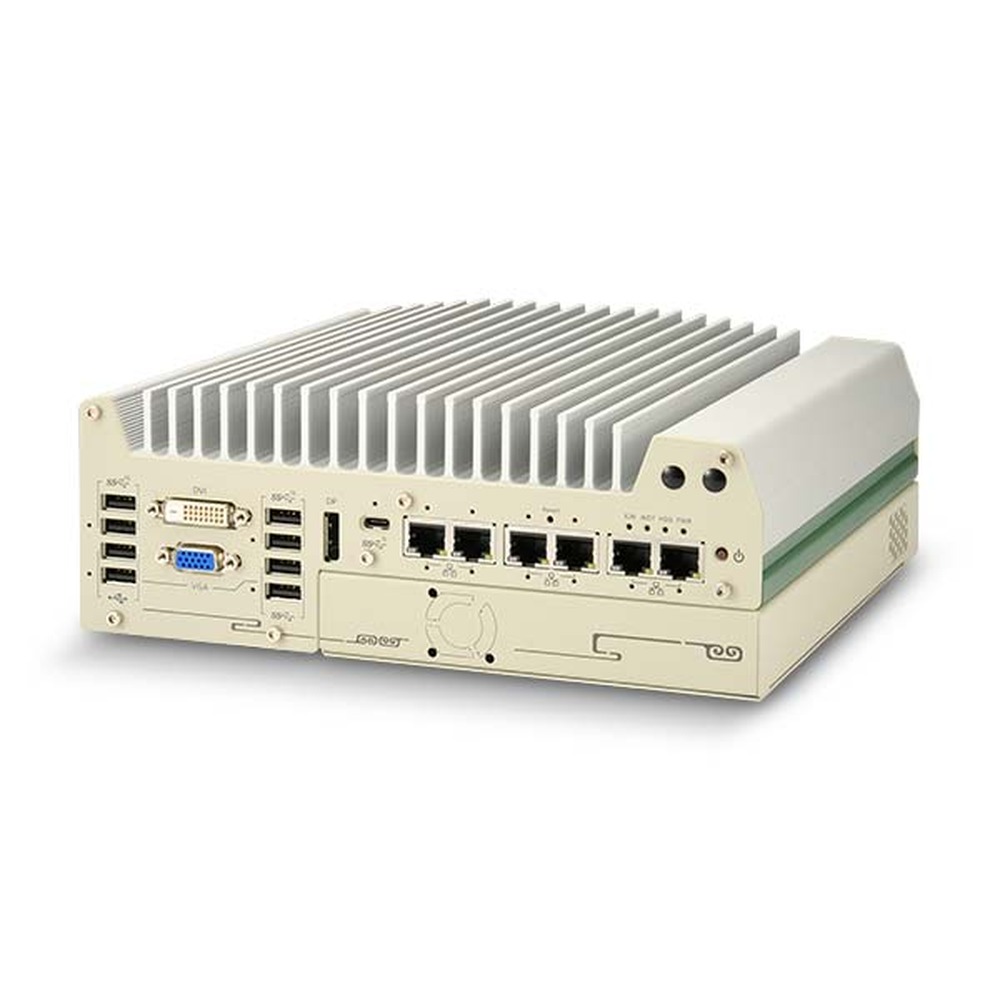
Hybrid designs keep most of the benefits. The Neousys Nuvo-9000 series, for example, places a PCIe card in a separate expansion cassette so the main system stays fanless: the Nuvo-9002E runs fanless from −25 to 70 °C with 35 W processors, or to 50 °C with a 65 W processor at full TDP. For GPU workloads, our industrial GPU computers and MXM GPU designs show how heat from a graphics processor is managed.

Installation · 5 steps Fanless PC

How to install a fanless PC

Fanless computers are as easy to set up as a desktop PC, but passive cooling depends on the installation. Five steps cover the essentials.

  1. Location

    Measure the real ambient

    Find the hottest air the computer will sit in, inside the cabinet or enclosure rather than in the room, and allow for other equipment sharing the space and for sunlight on outdoor boxes. Check that figure against the rating for the processor option you have chosen.

  2. Orientation

    Fins up, space around

    Heat rises, so mount the computer with its fins vertical or facing upwards and leave clear air above and to the sides. Fins facing downwards cool less well and should be monitored closely. Do not stack equipment on or directly above the case, and keep heat sources below it to a minimum.

  3. Mounting

    Wall, DIN rail or panel

    Use the wall, DIN rail or VESA bracket the system is designed for, with anti-vibration plates on machines and vehicles. Flat-top conduction-cooled systems must be bolted to a flat metal wall or cold plate, because the wall is part of the cooling.

  4. Power

    Dedicated, protected supply

    Give the computer its own power supply where you can, and keep it separate from inductive loads such as solenoids, relays and motors, which can create damaging voltage spikes. If a supply must be shared, check the computer’s input protection, and ground the chassis as the manufacturer specifies.

  5. Check

    Warm is working

    Once running, the chassis should be warm to the touch, a sign that the passive cooling is working. Run the real workload until the case is warm through, take a surface reading with an infrared thermometer and check processor clock speed and temperature against the datasheet.

Installation

Installation details that keep a fanless PC reliable

Most fanless PCs resist dust and moisture far better than office hardware, but they are not all built the same. The right ingress protection, connectors and mounting for the location protect the computer and keep it running at its rated performance. For the cabinet itself, see our guides to installing a fanless PC in a control cabinet and mounting an industrial computer.

Location Main risk What to specify
Control cabinet Heat from drives and power supplies in a closed box Rating for the cabinet ambient; fins vertical with clearance, or a flat-top system on the wall
Vehicle Vibration, ignition cycles and supply transients Wide DC input, ignition control, locking connectors, shock and vibration testing
Outdoor enclosure Solar gain, condensation and cold starts Wide-temperature build, shading, condensation control
Washdown area High-pressure water and cleaning chemicals IP66, IP67 or IP69K sealing, stainless steel housing, sealed connectors
Clean room Particles and cleaning regimes Sealed fanless chassis with smooth, cleanable surfaces
On a machine Continuous vibration and knocks Anti-vibration mounting, latching connectors, rugged build

Keep in mind environmental factors from temperature swings to dust and water

Connectors are part of the sealing. Most fanless PCs use standard RJ45 Ethernet and DB9 serial ports, and port-blocking kits help keep debris out of unused sockets. For waterproof installations, or where shock, vibration or cable snagging are a risk, a rugged computer with M12 circular locking connectors is the usual choice.

Solar gain is often overlooked when installing a fanless outdoor computer. Peak sunlight delivers up to about 1,000 W per square metre, and the share a surface absorbs depends on its colour and finish, so a sunlit enclosure can take on far more heat than the computer produces. Shade the enclosure where you can and size the processor for the temperature inside it. Temperature swings bring a second risk, condensation, which our FAQ on preventing condensation on electronics covers, and our guide to outdoor computer enclosures covers the enclosure itself.

Food and beverage lines that are washed down with water and chemicals need sealed, corrosion-resistant hardware such as stainless steel panel PCs; our guide to washdown computers explains the ratings.

Use a dedicated power supply

Use the computer’s own power supply where possible and keep its input independent of other equipment. Rugged PCs usually accept wide input ranges, typically 9–48 V DC rather than a fixed 12 V or 24 V, and tolerate dips and surges, but a supply shared with motors or solenoids can still deliver spikes beyond the protection built in. If you have to share one, check the computer’s DC input protection first.

Range

Fanless computers from our range

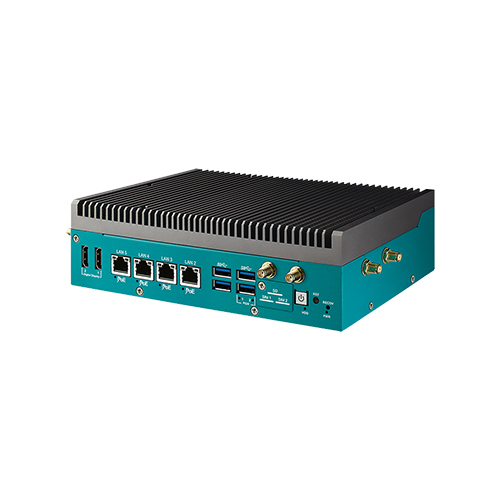
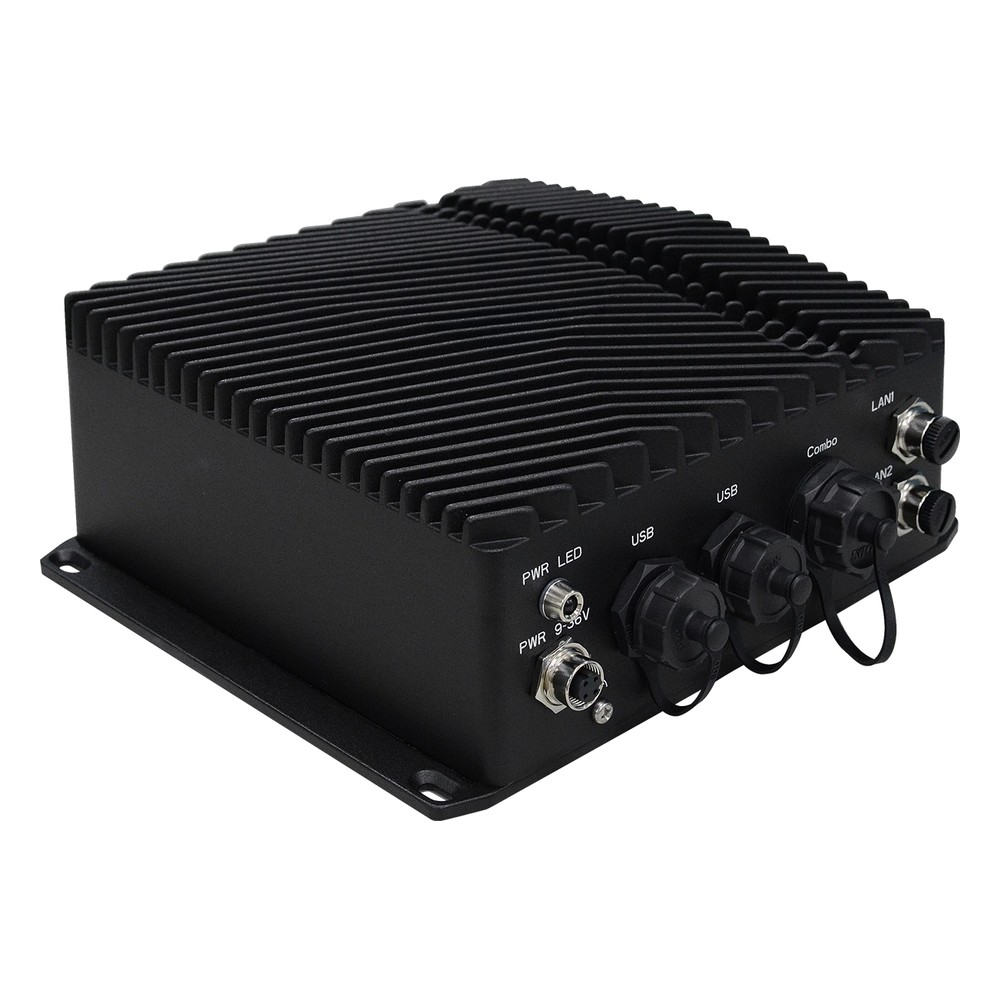
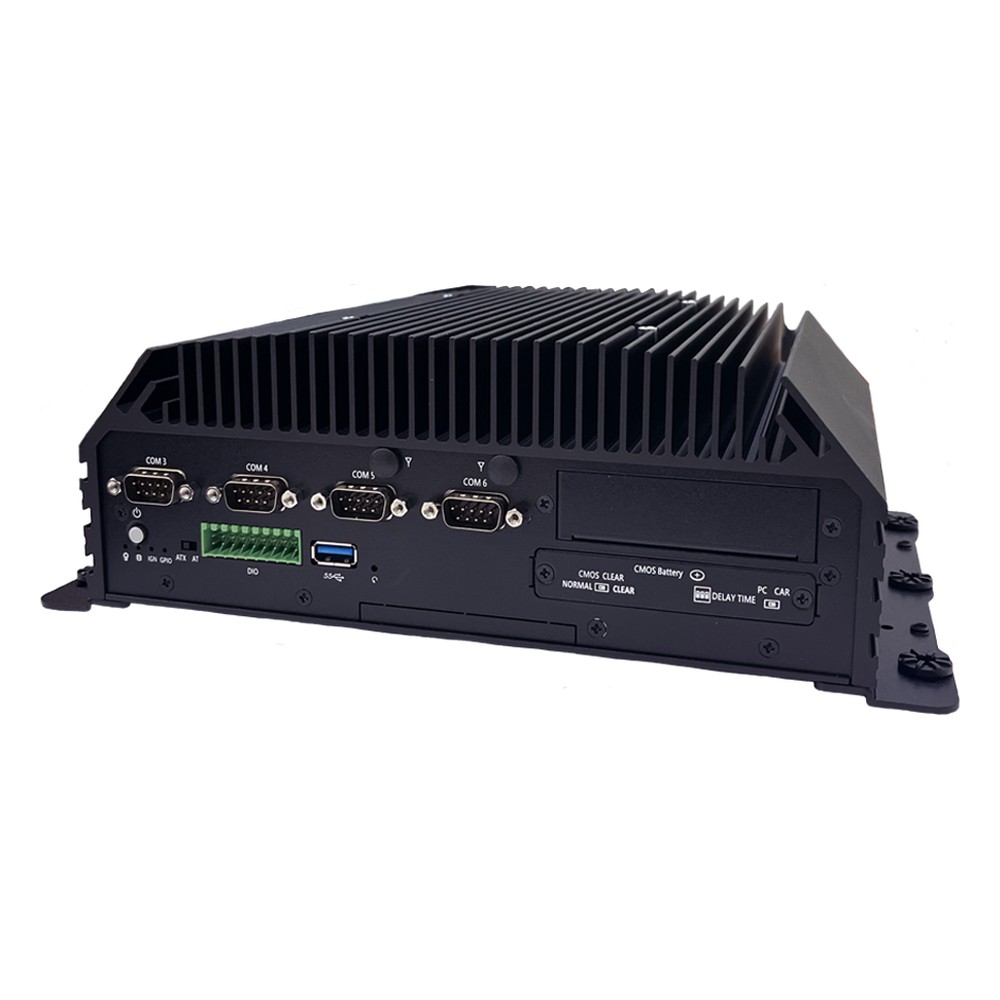
These four systems show the benefits described above in real products, from a sealed IP69K gateway to a fanless edge AI computer. We fit the memory, storage and wireless modules, image the operating system, set the BIOS and power limits for the site and test each computer before it ships.

Benefit it shows Example from our range Key facts
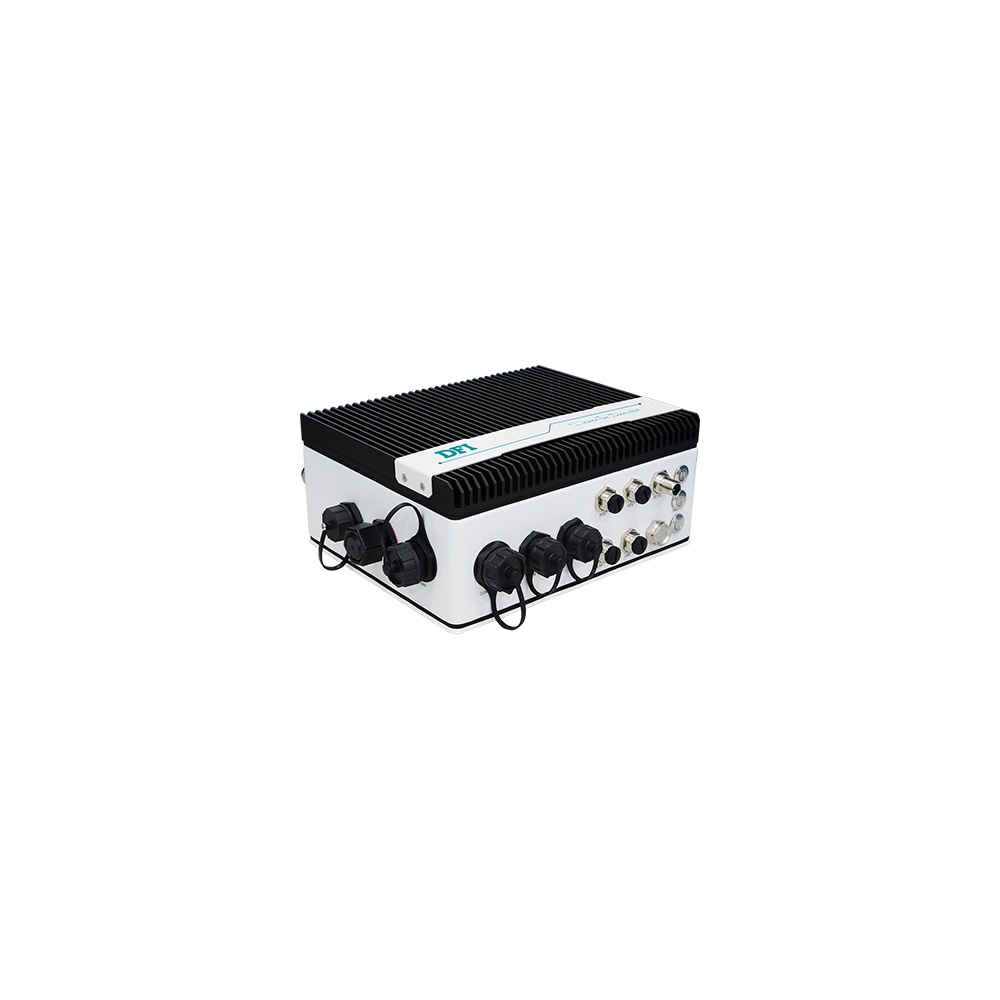
Sealing and wide temperature DFI ECX700-ASL2020A-X33 IP68 and IP69K; Intel Atom x7433RE at 9 W; −40 to 70 °C with 0.6 m/s airflow; 9–36 V DC on M12
Vehicle power and ruggedness Arestech SB-5000 35 W Intel Core TE; 9–48 V DC with ignition control; −40 to 70 °C; 5 Grms vibration and 50 G shock
Fanless with an add-in card Neousys Nuvo-9002E Single-slot PCIe cassette; 8–48 V DC; −25 to 70 °C with 35 W processors; MIL-STD-810H
Fanless edge AI, sealed DFI X6X-ORN NVIDIA Jetson Orin NX or Orin Nano; IP67 with M12 connectors; −20 to 60 °C; MIL-STD-810H Method 514.8

DFI lists the X6X-ORN and ECX700-ASL as preliminary products, so check availability for your configuration. More options sit in our rugged computers range.

Specify · 7 checksFanless PCs

Specifying a fanless industrial PC

Seven questions that match a fanless computer to the site before it is ordered.

  1. 01

    Ambient

    What is the hottest and coldest air around the computer, inside the enclosure?

  2. 02

    Workload

    What sustained processor power, AI performance or GPU does the application really need?

  3. 03

    Sealing

    Which IP rating and connectors does the location call for: standard, port-blocked or M12?

  4. 04

    Power

    What supply will it run from, and does it need ignition control or surge protection?

  5. 05

    Mounting

    Wall, DIN rail, VESA, panel cut-out or a cold plate, and will it see vibration?

  6. 06

    Approvals

    Does the application need EN 50155, E-Mark, UL or hazardous-area approval?

  7. 07

    Lifecycle

    How long must the same build stay available, and how will spares and images be managed?

06FAQs

Fanless industrial PCs: common questions

Quick answers

What are the advantages of a fanless PC?

Sealing, reliability and silence. With no fan, the chassis can be closed against dust and water, there are no moving parts in the cooling to wear out and the computer runs silently. Fanless industrial PCs also tend to use less power and suit small, sealed spaces.

Do fanless PCs overheat?

Not when they are sized and installed correctly. A fanless PC is rated for a maximum processor power at a maximum ambient. Within that rating it runs continuously; above it, or with blocked fins, the processor protects itself by throttling rather than failing.

How long do fanless industrial PCs last?

Often well beyond an office PC. With no fan to wear and industrial-grade parts, service lives of many years are common, and the same build is often available for seven years or more. Real life depends on temperature, power quality and how hard the system works.

Can a fanless PC run AI workloads?

Yes, for inference. Jetson modules, processor NPUs and M.2 AI accelerators run inference within a fanless power budget. Training or large models on a discrete GPU usually need a fan-cooled or hybrid system.

How do you install a fanless PC in a control cabinet?

Fins vertical, space around, cabinet ambient checked. Mount it on the wall or DIN rail with clear air above and to the sides, keep heat sources below it to a minimum and check the rating against the air inside the cabinet. Flat-top systems bolt to the cabinet wall.

Are fanless PCs dustproof?

Most are dust-protected; some are dust-tight. A fanless chassis has no vents, so dust stays out. IP5x ratings mean dust-protected and IP6x dust-tight; check the connectors too, because open ports can still collect debris.

Is a fanless PC worth it over a desktop PC in a factory?

Usually, for anything installed for the long term. A desktop PC is cheaper to buy, but in dust, heat and vibration its fans and parts fail sooner, and each failure means downtime and a visit. Fanless industrial PCs are built to avoid both.

FAQs

Fanless computer FAQs

  1. What Are the Advantages of Fanless Computers?

    Fanless computers cool themselves passively, through a finned heatsink chassis and heat pipes, instead of a fan. With no moving parts and no airflow drawing in dirt, they are more reliable in dusty or vibrating places, silent, low maintenance and easy to seal, which is why they are the standard choice for industrial and embedded use.

  2. IP5X vs IP6X: What Is the Difference?

    IP5X means an enclosure is dust protected: some dust can get in, but not enough to stop the equipment working. IP6X means it is dust tight: no dust gets in at all. The X shows the enclosure has not been rated for water, so a dust-tight computer for wet areas needs a full rating such as IP65 or IP67.

  3. How Long Do Computers Last?

    Most consumer laptops last around three to five years and desktops around five to eight. Industrial and embedded computers typically stay in service for seven to ten years or more, because they use fanless cooling, industrial components and processors from long-life embedded roadmaps. Heat, workload, storage wear and software support decide the rest.

  4. What Is MIL-STD-810H?

    MIL-STD-810H is the current revision of the US Department of Defense standard for environmental engineering and laboratory testing. It describes test methods for temperature, shock, vibration, humidity, altitude, sand, rain and more, and explains how to tailor them to the conditions equipment will meet. It is a test method standard, not a certification, so claims should name the methods used.

  5. What Is a DIN Rail?

    A DIN rail is a standard metal rail used to mount electrical and control equipment inside cabinets. The most common type is the 35 mm top-hat rail defined in EN 60715. Circuit breakers, power supplies, PLCs, terminal blocks, network switches and compact industrial PCs clip onto it side by side, which keeps wiring tidy and makes parts quick to swap.

  6. What Is Conformal Coating?

    Conformal coating is a thin protective film, tens of microns thick, applied over an assembled circuit board so that it follows the shape of the components. It protects the electronics from moisture, condensation, dust, salt and chemicals, and is common on rugged computers, vehicle electronics and boards used outdoors.

// Next Step

Looking for a fanless industrial PC?

Tell us where the computer will be installed, the hottest air it will see, the supply it will run from and the I/O it needs. We will recommend a fanless system to suit, then configure, image and test it before it ships.

Phone · UK +44(0)1785 558 300