
 UK
UK 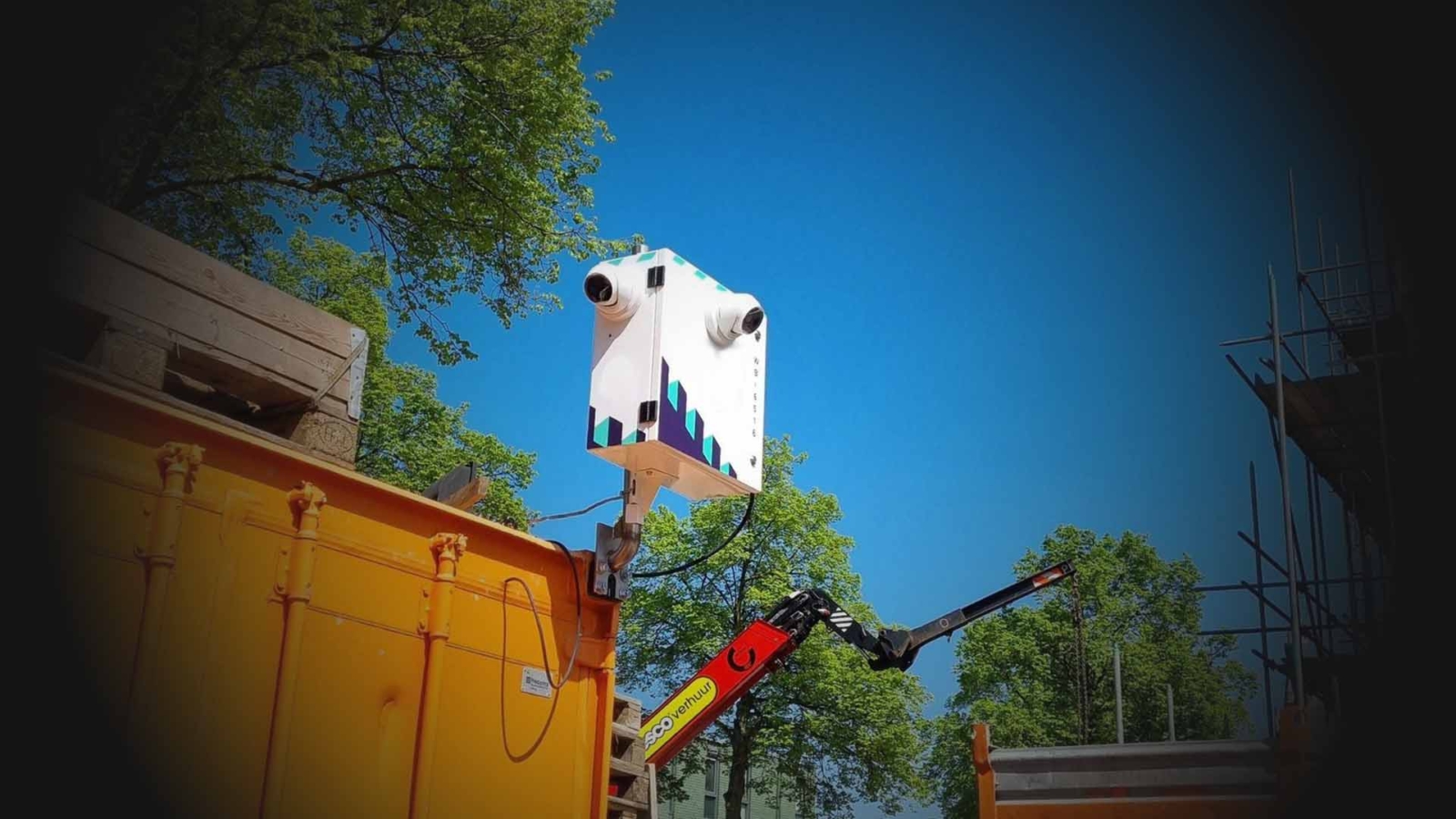
Designing Outdoor Computer Enclosures for Embedded Systems
An outdoor computer enclosure keeps an embedded computer or display working through rain, dust, sun, frost and condensation. Here are the NEMA and IP ratings to specify, how solar heat adds to the load, how to cool and heat a sealed enclosure, materials, cable entry and when a sealed IP66 computer is the simpler choice.
An outdoor computer enclosure is a sealed, weatherproof cabinet that protects an embedded computer, a display or networking equipment from rain, dust, sun, cold and condensation, while keeping the electronics inside within their operating temperature. Its rating, its material, how it handles heat and moisture, and how cables get in decide whether the system inside lasts a summer or a decade.
More embedded systems and industrial displays now work outdoors: roadside cameras and ANPR, EV chargers, kiosks and signage, rail and utility cabinets, farm and quarry machinery, and telemetry at remote sites. Each one needs either an enclosure around a standard computer or a computer that is sealed to be its own enclosure. This guide covers the NEMA and IP ratings for outdoor enclosures, the solar and internal heat an enclosure has to shed, how to stop condensation, materials, cable entry, antennas and mounting, and when a sealed waterproof computer is the simpler choice.
Key takeaways
- 01Rate it for the site
- Most outdoor enclosures are specified as NEMA 4 or 4X in North America or IP65 to IP66 elsewhere; NEMA 4X adds corrosion resistance.
- 02The sun is a heat source
- A sunlit enclosure can absorb more heat from the sun than the computer inside produces, so shading and a light finish matter.
- 03Sealed means no fresh air
- A sealed enclosure sheds heat only through its walls, a closed-loop heat exchanger or an air conditioner; filtered fans lower the rating.
- 04Condensation is the slow failure
- Breather membranes, heaters and conformal coating stop moisture forming on the electronics overnight.
- 05Every hole is a leak path
- Rated cable glands, sealed M12 connectors and bulkhead antenna fittings keep the enclosure at its rating.
- 06Sometimes the computer is the enclosure
- An IP66 or IP67 computer with M12 connectors can be mounted outdoors on its own, with no cabinet around it.
NEMA and IP ratings for outdoor enclosures
Two rating systems describe how well an enclosure keeps out water and dust. IP codes, from IEC 60529, are used worldwide and give two digits: the first for solids, the second for water. NEMA types, from NEMA 250, are used mainly in North America and also cover corrosion, ice and oil. Our IP rating chart explains every IP digit; the table below is the outdoor shortlist.
| NEMA type | What it protects against | Approximate IP equivalent | Typical outdoor use |
|---|---|---|---|
| NEMA 3R | Falling rain, sleet and snow; stays undamaged when ice forms on it | IP14 | Sheltered power and comms boxes where dust is not a concern |
| NEMA 3 | Rain, sleet, snow and windblown dust | IP54 | General outdoor electrical equipment |
| NEMA 4 | Hose-directed water, splashing and windblown dust | IP66 | Roadside, yard and plant cabinets |
| NEMA 4X | As NEMA 4, plus corrosion | IP66 | Coastal, marine, chemical and washdown sites |
| NEMA 6 | Temporary submersion at a limited depth | IP67 | Pits, low ground and flood-prone sites |
| NEMA 6P | Prolonged submersion | IP68 | Equipment that may sit under water |
| NEMA 12 | Dripping water, dust and fibres indoors | IP52 | Indoor factory cabinets only, not outdoors |
Two cautions apply. First, the conversion works one way: a NEMA type meets or exceeds the IP code shown, but an IP code says nothing about corrosion, ice or construction, so an IP66 enclosure is not automatically NEMA 4X. Our FAQ on NEMA vs IP ratings explains why, and the one on NEMA 4X covers the corrosion test. Second, the rating belongs to the enclosure as built. Drill a hole for a cable, fit an unrated gland or add a vent fan and the rating no longer applies.
Weatherproof or waterproof: how much protection do you need?
Choosing the level of protection depends on what the site will throw at the enclosure. In less demanding places, a weather-resistant enclosure gives enough defence against rain, dust and light snow at lower cost. Where the enclosure faces driving rain, hosing, temporary flooding or high-pressure cleaning, it needs a fully waterproof rating.
| Site condition | Minimum rating to consider | Notes |
|---|---|---|
| Under a canopy, rain only | NEMA 3R or IP54 | Only where windblown dust and hosing are ruled out |
| Open roadside or rooftop | NEMA 4 or IP65 to IP66 | Driving rain and dust from every direction |
| Coastal, salt spray or fertiliser | NEMA 4X with stainless or GRP | Corrosion attacks hinges, fixings and paint first |
| Hosed or pressure-washed | IP66, or IP69K for hot high-pressure jets | Washdown pressure exceeds normal rain tests |
| Low ground or pits | NEMA 6 or IP67 | Submersion for a limited time and depth |
IP65 and IP66 differ in the water jet: IP65 is tested with a 6.3 mm nozzle at 12.5 litres a minute, IP66 with a 12.5 mm nozzle at 100 litres a minute. Our FAQ on IP66 vs IP67 explains the step from jets to immersion. For vandal resistance, check the impact rating too: an IK rating such as IK10 on the door and window protects a roadside cabinet or kiosk from knocks and kicks.
Where the heat in an outdoor enclosure comes from
An indoor cabinet only has to shed the heat its electronics produce. An outdoor enclosure has three sources: the computer, power supply, router and anything else inside; the ambient air, which may reach 40 °C or more in a hot summer; and the sun. On a clear day, direct sunlight delivers up to about 1,000 W per square metre at ground level, and a dark enclosure absorbs most of it.
Mounting the enclosure out of direct sunlight is one of the most effective ways to cut heat build-up. Shaded installations, sun shields with an air gap and reflective finishes greatly reduce the heat absorbed, which matters most for metal cases that warm quickly in the sun.
| Finish or measure | Approximate share of sunlight absorbed | Effect on the enclosure |
|---|---|---|
| Black or dark grey paint | 80–95% | Highest solar gain; avoid for sunlit sites |
| Mid grey paint | 50–70% | Common default; still a large heat load in full sun |
| White or light reflective coating | 20–35% | Cuts solar gain by roughly half or more against mid grey |
| Bare or brushed stainless steel | 40–60% | Good corrosion resistance; moderate solar gain |
| Separate sun shield with an air gap | Most of the direct gain removed | Shades the walls so they stay near air temperature |
Figures vary by paint, coating age and dirt, so treat them as a guide. The point is the size of the effect: a sun shield and a light finish can matter more to the temperature inside than the choice of processor.
Worked example: a sealed roadside enclosure in summer
Take a sealed NEMA 4 steel enclosure with about 1.5 m² of exposed surface on a roadside pole. Inside are a fanless box PC drawing about 35 W, a cellular router and a power supply, about 60 W in all. Around 0.5 m² of the enclosure faces the sun at midday. A painted steel enclosure in still air sheds roughly 5.5 W per square metre for every degree it runs above the outside air. This is a simplified estimate, but it shows which measures matter.
| Case | Internal heat | Solar heat absorbed | Total | Approximate rise above ambient | Inside on a 35 °C day |
|---|---|---|---|---|---|
| Mid grey, no shade | 60 W | 0.5 m² × 1,000 W/m² × 0.5 = 250 W | 310 W | 310 ÷ (5.5 × 1.5) ≈ 38 K | About 73 °C |
| White finish, no shade | 60 W | 0.5 × 1,000 × 0.25 = 125 W | 185 W | ≈ 22 K | About 57 °C |
| Sun shield fitted | 60 W | About 60 W remaining | 120 W | ≈ 15 K | About 50 °C |
| Shield plus heat exchanger | 60 W | About 60 W | 120 W | Held to a few K above ambient | About 40 °C |
With no shade, the enclosure air would sit above the 60 °C limit of many fanless computers, which would throttle or shut down. A white finish helps, a sun shield helps more, and a closed-loop heat exchanger brings the inside close to outdoor air without opening the enclosure to dust and rain. Our guide to electrical enclosure cooling works through the full heat-load calculation and sizing method; here the extra step is adding the solar term.
How do you keep an outdoor computer enclosure cool?
Embedded systems often run around the clock and produce heat continuously, so the cooling method has to suit the rating you need to keep. The options, from simplest to most capable:
| Method | Keeps the enclosure sealed? | Can cool below ambient? | Best for |
|---|---|---|---|
| Natural convection through the walls | Yes | No | Low heat loads, shaded sites, oversized enclosures |
| Sun shield and reflective finish | Yes | No | Any sunlit enclosure; usually the first step |
| Conduction cooling to the enclosure wall | Yes | No | Flat-top fanless computers bolted to an aluminium or steel wall |
| Filtered fans and vents | No; rating drops, filters need cleaning | No | Sheltered sites where dust and water are light |
| Air-to-air heat exchanger | Yes (closed loop) | No | Hot climates where outside air stays below the limit |
| Enclosure air conditioner | Yes (closed loop) | Yes | Hot climates, high heat loads, tight temperature limits |
| Thermoelectric (Peltier) cooler | Yes | Yes, small loads | Small enclosures with modest heat loads |
Fans add airflow across the electronics and suit high-power systems, but outdoors they need weatherproof hoods and filters, and the enclosure then carries a lower rating. An oversized enclosure gives more wall area to shed heat and more room for air to move around components, and leaves space for later additions. Conduction cooling uses the enclosure itself as the heatsink: the processor is mated to a flat heat spreader that bolts to the wall, and aluminium, with its high thermal conductivity, carries the heat to the outside air. Our FAQ on conduction cooling explains the principle, and the one comparing an enclosure air conditioner vs heat exchanger covers the closed-loop choice.
Do outdoor enclosures need heaters?
Often, yes. Cold is the other half of the outdoor problem. Many industrial computers are rated to start at −25 °C or −40 °C, but displays, standard SSDs and batteries may not be, and a cold enclosure is where condensation forms. A small thermostatically controlled heater keeps the inside a few degrees above the outside air and above the dew point, and lets equipment rated only to 0 °C or −20 °C start reliably on a frosty morning.
Where possible, choose electronics rated for the full range instead of relying on a heater alone: a wide temperature computer with an industrial SSD needs no heater to boot. Our FAQ on the industrial temperature range explains the usual ratings. Some outdoor displays, such as the Winmate R12L100-PCM2OD, offer a heater option that extends the low end of the operating range from −10 °C to −25 °C.
How do you stop condensation in an outdoor enclosure?
A sealed enclosure breathes. As it warms in the day and cools at night, the air inside expands and contracts, pulling in humid air past seals and glands. When the walls cool below the dew point, that moisture condenses on the coldest surfaces, often the electronics. Over months, it causes corrosion, leakage currents and failures that look random. Our FAQ on preventing condensation on electronics covers the physics; these are the practical measures.
| Measure | What it does | Notes |
|---|---|---|
| Pressure-equalising membrane vent | Lets air pass but blocks liquid water and dust | Stops the pumping effect that pulls moisture past seals; keeps the IP rating when rated for it |
| Thermostatic heater | Keeps internal surfaces above the dew point | Often combined with a hygrostat; low power |
| Desiccant packs | Absorb moisture sealed in during installation | Need replacing; best for fully sealed boxes |
| Conformal coating | Protects circuit boards if moisture does form | Specified on the computer, not added in the field |
| Drain point at the lowest corner | Lets any water that collects escape | Must be a rated drain, not an open hole |
| Keep the electronics running | Self-heating keeps the inside above ambient | Night-time shutdowns invite condensation |
Board-level protection helps where moisture cannot be ruled out: our FAQ on conformal coating explains the coatings used on industrial computers and when to ask for them.
Outdoor enclosure materials compared
The material decides corrosion resistance, weight, how the enclosure handles sun and heat, and whether wireless signals can pass through it. Choosing materials with rugged durability and corrosion resistance matters as much as the rating.
| Material | Corrosion | UV and sun | Heat transfer | EMC shielding and radio | Typical use |
|---|---|---|---|---|---|
| 316 stainless steel | Excellent, including salt and chemicals | Unaffected | Moderate | Shields well; antennas must go outside | Coastal, marine, food and chemical sites |
| 304 stainless steel | Good, but weaker against chlorides | Unaffected | Moderate | Shields well | General outdoor and washdown |
| Powder-coated aluminium | Good with a sound coating | Coating may fade | High; suits conduction cooling | Shields well | Lightweight pole and wall cabinets |
| Powder-coated mild steel | Fair; rusts where the coating is damaged | Coating may fade | Moderate | Shields well | Low-cost cabinets in mild climates |
| Polycarbonate | Excellent | Needs UV-stabilised grades | Low | No shielding; radio passes through | Small enclosures, internal antennas |
| Glass-reinforced polyester (GRP) | Excellent | Good | Low | No shielding; insulating | Utilities, chemical plants, remote sites |
Our guide to 304 vs 316 stainless steel explains why 316 is the usual choice near the sea. Plastic enclosures stay cooler to the touch but conduct heat poorly, so they suit low-power electronics or need a heat exchanger.
Cable entry, antennas and mounting
Most outdoor enclosures fail at their openings rather than their walls. Plan every entry before the enclosure is ordered.
- Cable glands. Use glands rated to the same IP or NEMA level as the enclosure, sized to the cable, and fit them on the underside so water runs away. Our FAQ on cable glands covers sizes and sealing.
- Sealed connectors. Bulkhead M12 connectors for Ethernet, power and I/O keep the enclosure sealed when cables are changed, and X-coded M12 carries Gigabit and faster Ethernet.
- Antennas. Metal enclosures block radio, so 4G, 5G, Wi-Fi and GNSS antennas mount outside through sealed bulkhead fittings. Keep coaxial runs short; our guide to cellular gateways and 4G and 5G computers covers the radio side.
- Drip loops and surge protection. Loop cables below the entry point, and protect long outdoor copper runs and antenna feeds against lightning-induced surges.
- Mounting. Pole and wall brackets should be stainless or galvanised and rated for wind load; mount above flood level and out of reach where vandalism is a risk. Our guide to mounting an industrial computer covers the computer inside the enclosure.
Power is the other planning point. Many outdoor sites run from a 12 or 24 V DC battery and solar system, so a computer with a wide DC input and low power draw keeps the system small; our FAQ on how to run a computer on solar power explains the sizing.
Outdoor enclosure options
The two routes to an outdoor installation: a standard computer inside a rated enclosure, or a computer sealed to be its own enclosure.
-
01
Computer in an enclosure
A fanless box PC, router and power supply inside a NEMA 4X or IP66 cabinet. Flexible and serviceable, and the enclosure can also hold switches, I/O and batteries, but it needs a thermal and condensation plan.
-
02
Sealed IP66 or IP67 computer
A waterproof computer with M12 connectors and a sealed aluminium chassis mounts directly on a pole, wall or vehicle. Fewer parts and no enclosure cooling, but everything else on site still needs its own protection.
-
03
Outdoor display or panel PC
For kiosks, signage and HMIs, the screen faces the weather too. Sunlight readable, heater-equipped displays and IP65 to IP67 panel PCs protect the user interface as well as the computer.
Enclosure or sealed computer: which suits the site?
For many projects the simplest outdoor computer is one that needs no enclosure at all. IP66 computers and IP67 computers use sealed aluminium housings and M12 connectors, cool by conduction through their fins and mount directly on a pole or wall.
| Question | Points to an enclosure | Points to a sealed computer |
|---|---|---|
| What else is on site? | Switches, I/O, batteries and a power supply all need protecting | Only the computer and cameras or sensors |
| Power draw | High-power CPUs or GPUs need managed cooling | Fanless systems within the maker’s rating |
| Service | Technicians need to swap cards or drives on site | Sealed systems are replaced, not opened |
| Climate | Extreme heat that needs air conditioning | Within the computer’s rated range, often −25 to 70 °C |
| Number of sites | One-off installations with mixed equipment | Repeated rollouts where fewer parts save time |
Sealed computers make sense for camera and AI systems at the roadside, on vehicles and on outdoor robots. For mixed equipment, a well-specified enclosure is still the right answer. Displays follow the same logic: our guide to choosing a sunlight readable display covers brightness and heaters, and sunlight readable panel PCs combine screen and computer in one sealed case. For the wider design picture, our guide to harsh environment computers maps each hazard to the design response.
In practice, the bike share stations in our outdoor edge AI case study and the pole mounted controllers for distribution automation show both approaches working outdoors.
Outdoor computers from our range
These systems are built for outdoor installation without a separate enclosure, plus a display for weatherproof cabinets and kiosks. We configure, image and test each computer, and configure and test displays, before they ship.
| Example from our range | Sealing | Key facts |
|---|---|---|
| Neousys Nuvo-9650AWP-PoE | IP66 | Intel 14th/13th/12th Gen Core; four M12 PoE+ ports from a 100 W budget; 8–48 V DC with ignition control; −25 to 70 °C with 35 W processors |
| Neousys NRU-240S-AWP | IP66 | Jetson AGX Orin 32 GB; four M12 PoE+ and a 10GbE uplink; −25 to 70 °C in 30 W mode; wall-mount bracket as standard |
| Sintrones IBOX-650P-IP66 | IP66 | Jetson AGX Orin 64 GB with four GMSL-2 inputs; 9–60 V DC; −25 to 70 °C fanless; wall-mounting aluminium enclosure |
| Winmate R12L100-PCM2OD | Front IP65 | 12.1 inch PCAP outdoor display; 1000 nit option; heater option for −25 to 60 °C; optional UV film |
For more options, see waterproof box PCs and IP69K computers for the toughest washdown and spray conditions.
Outdoor computers and displays to start from
Three sealed computers that mount outdoors without an enclosure and an outdoor display for weatherproof cabinets, each supplied configured and tested.
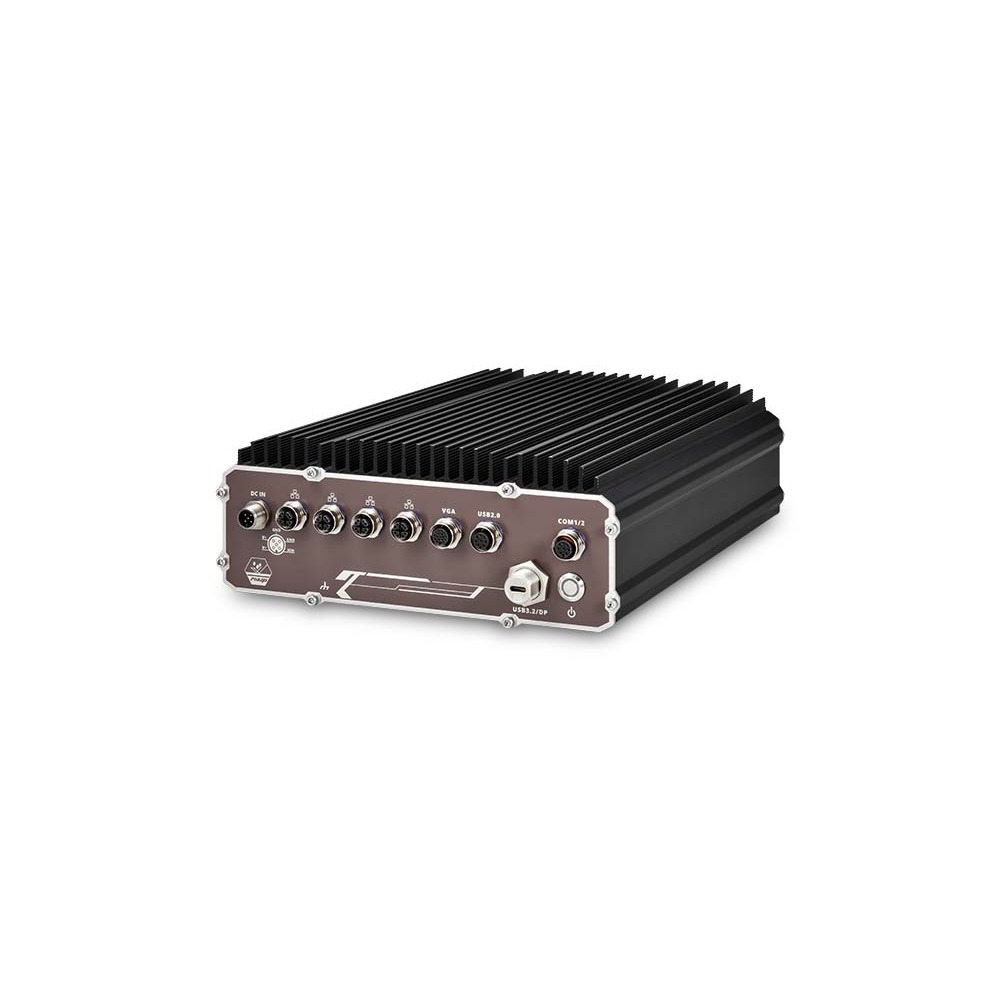
Intel 14th/13th/12th Gen Core IP66 Outdoor Waterproof PC with 4x M12 PoE+ and Ignition Control
- CPU
- Intel Core 13th Gen (Raptor Lake)
- Ethernet
- 3× 2.5GbE, 1× GbE (4× PoE)
- IP Rating
- IP66
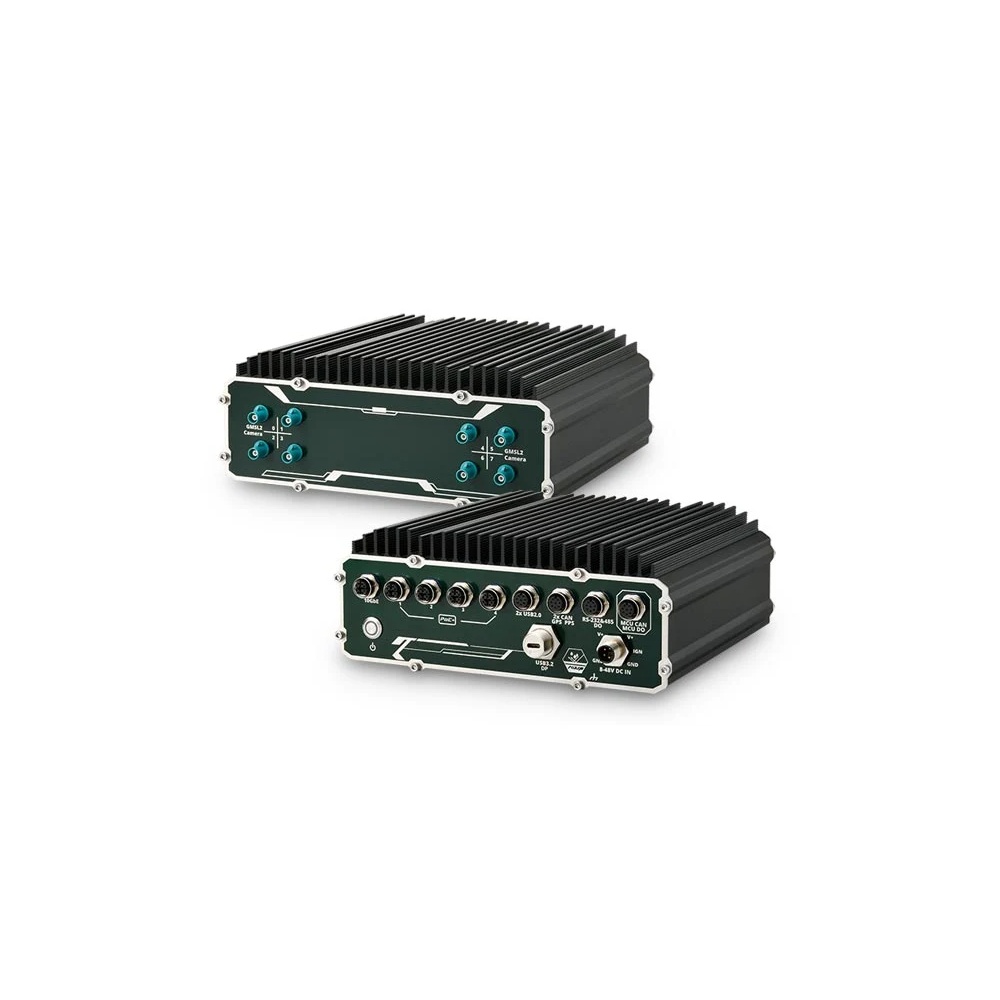
NVIDIA Jetson AGX Orin 32GB IP66 Outdoor Computer with 4x M12 PoE+
- AI
- 200 TOPS
- SOM
- NVIDIA Jetson AGX Orin 32 GB
- Ethernet
- 1× 10GbE, 4× GbE (4× PoE)
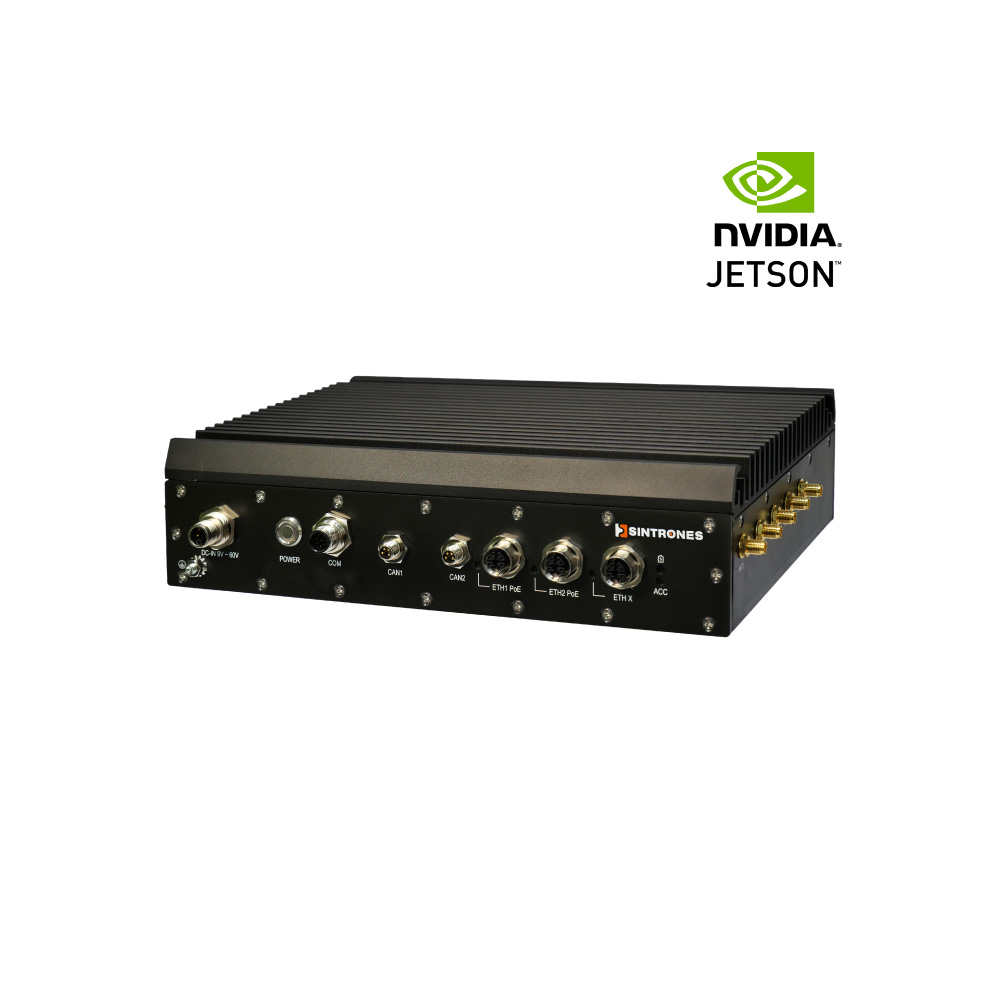
NVIDIA Jetson AGX Orin 64GB IP66 Outdoor PC with GMSL-2 Camera Inputs
- AI
- 275 TOPS
- SOM
- NVIDIA Jetson AGX Orin 64 GB
- Cameras
- 4× GMSL
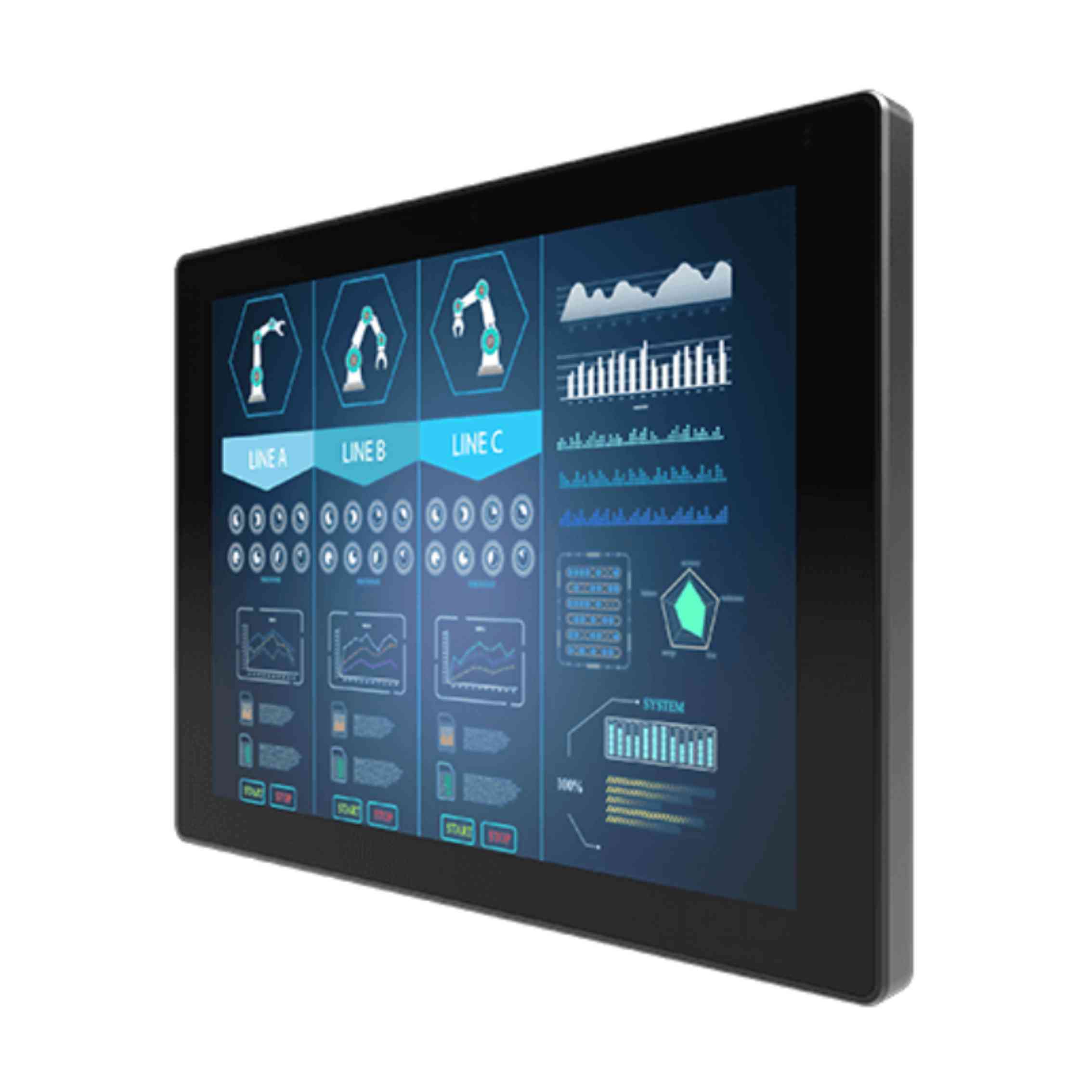
12.1″ Outdoor PCAP Touch Monitor with XGA Display, Front IP65 and 1000 Nit Option
- Display
- 12.1″ (4:3, 1024×768, XGA)
- Brightness
- 1000 nits
- Touch
- Multi Touch PCAP
Outdoor equipment in our range
The categories to browse when a system has to live outside.
IP65 computers
Dust-tight computers protected against water jets, for sheltered outdoor sites.
View range
Waterproof monitors
Sealed displays for outdoor cabinets, kiosks and HMIs.
View range
Sunlight readable monitors
High-brightness displays that stay readable in direct sun.
View range
PoE computers
Computers that power cameras directly, saving a switch in the enclosure.
View range
Industrial IoT gateways
Low-power gateways for telemetry, cellular backhaul and remote sites.
View rangeSpecifying an outdoor computer enclosure
Seven checks before you order the enclosure or the computer.
-
01
Rating
NEMA type or IP code for the worst weather, hosing or flooding the site will see.
-
02
Corrosion
Stainless or GRP with NEMA 4X near the sea, chemicals or fertiliser.
-
03
Heat
Internal watts plus solar gain against the enclosure area, with a sun shield in sunlit sites.
-
04
Cold
The lowest temperature, and whether every component starts there without a heater.
-
05
Moisture
A membrane vent, heater or desiccant, and conformal coating where needed.
-
06
Entries
Rated glands, M12 bulkhead connectors, external antennas and surge protection.
-
07
Mounting and access
Pole or wall bracket, wind load, flood level, locks and service access.
Outdoor computer enclosures: common questions
Quick answers
How do you protect a computer outdoors?
Put it in a sealed, rated enclosure or use a computer that is sealed itself. Either way, plan for heat from the sun, cold starts, condensation and every cable entry, not just rain.
What NEMA rating do I need for an outdoor enclosure?
NEMA 4 for most exposed sites, NEMA 4X where corrosion is a risk. NEMA 3R only suits sheltered equipment where windblown dust and hosing are ruled out.
What is the difference between NEMA 4X and IP66?
Both resist hose-directed water and dust, but NEMA 4X also covers corrosion. A NEMA 4X enclosure meets IP66; an IP66 enclosure is not automatically NEMA 4X.
How do you keep an outdoor computer enclosure cool?
Shade it, use a light finish, then add a heat exchanger or air conditioner if needed. Filtered fans work only where a lower rating is acceptable, because they open the enclosure to outside air.
How do you stop condensation in an outdoor enclosure?
Equalise pressure with a membrane vent and keep the inside above the dew point. A small heater, desiccant and conformal-coated electronics add further protection.
Do outdoor enclosures need heaters?
Often, where winter temperatures fall below what the equipment is rated to start at. Heaters also keep the inside above the dew point; wide temperature electronics may need none.
Can a computer be used outdoors in winter?
Yes, if it is rated for the lowest temperature and the storage and display are too. Many industrial computers start at −25 °C or −40 °C; standard SSDs and LCDs usually need a heater or wide-temperature parts.
Outdoor enclosure FAQs
-
NEMA vs IP rating — how the two enclosure systems compare
NEMA and IP are parallel enclosure rating systems used in North America and internationally — they overlap, but they are not equivalent. Here is the practical mapping between them, what each system tests that the other does not, and which to specify when both matter.
-
What Is NEMA 4X?
NEMA 4X is an enclosure type from the NEMA 250 standard for indoor or outdoor equipment. Like NEMA 4, it protects against windblown dust and rain, splashing and hose-directed water, and ice forming on the outside. The X adds corrosion resistance, which is why NEMA 4X enclosures are usually stainless steel, aluminium or plastic.
-
How Do You Prevent Condensation on Electronics?
Condensation forms when a surface is colder than the dew point of the air around it, so moisture in the air turns to water on it. To prevent it on electronics, keep their surfaces above the dew point with steady heat or a heater, seal the enclosure, control humidity with desiccants or breather vents, and protect boards with conformal coating.
-
What Is Conformal Coating?
Conformal coating is a thin protective film, tens of microns thick, applied over an assembled circuit board so that it follows the shape of the components. It protects the electronics from moisture, condensation, dust, salt and chemicals, and is common on rugged computers, vehicle electronics and boards used outdoors.
-
What Is a Cable Gland?
A cable gland is a fitting that takes a cable through the wall of an enclosure and seals, grips and protects it at the point of entry. It keeps dust and water out to a stated IP rating and stops the cable being pulled loose. Some glands also earth cable armour or screens, or keep a hazardous-area enclosure safe.
-
Enclosure Air Conditioner vs Heat Exchanger: What Is the Difference?
An enclosure air conditioner uses a refrigeration circuit, so it can hold the inside of a cabinet below the temperature of the surrounding air. An air-to-air heat exchanger only passes heat through a sealed core to cooler outside air, so the inside always stays warmer than the room. Both keep the enclosure sealed; the hottest outside air decides which works.
-
IP66 vs IP67: What Is the Difference?
IP66 and IP67 are both dust tight, but they test different water hazards. IP66 means an enclosure withstands powerful water jets from any direction; IP67 means it survives temporary immersion to 1 metre for 30 minutes. One does not include the other, so equipment that faces both hosing and flooding should carry a dual IP66/IP67 rating.
Need help designing an outdoor computer enclosure?
Tell us where the system will be installed, the hottest and coldest weather it will see, the power available and what else shares the enclosure. We will recommend a sealed computer or an enclosure build to suit, then configure, image and test it before it ships.