
 UK
UK 
Fanless pole mounted controllers for distribution automation
Distribution automation lets an electricity network find a fault, isolate it and restore supply without waiting for an engineer to drive out and operate switches by hand. It relies on a pole mounted controller at each switching point: a small computer in a cabinet at the top of the pole that monitors the recloser or switch beside it, reports to the control room and carries out the commands sent back.
That computer has to run for years with no heating, no cooling and nobody nearby, through frost, summer sun and storms. A fanless PC suits the job, with no fan to fail and no vents for dust, insects or moisture to get in. Sintrones builds several that fit a pole-top cabinet. The SBOX-2625 is one of our DIN rail PCs, with a low-power Intel Processor N150, two serial ports, two 2.5GbE ports and a slot for a 4G or 5G modem, rated from −40 to 70 °C. The steel-cased SBOX-2625-SF, cooled through its base into the cabinet mounting plate, suits milder cabinets, and the sealed SBOX-2624P-IP66 covers positions where the computer has to sit outside the cabinet. As standard, we fit the memory, storage and cellular module, load the operating system image and set the BIOS power behaviour before each system ships.
What a pole mounted controller asks of its computer
A pole-top cabinet is small, sealed, exposed to the weather and a long drive from the depot, and the computer inside has to cope with all of that on its own.
-
01
Heat and cold without a fan
The cabinet sits in direct sun in summer and drops below freezing in winter, so the computer has to cool itself passively across a wide temperature range.
-
02
Very little power to spare
Cabinets run from a small supply with battery backup, and the controller is most needed during an outage, so every watt the computer draws matters.
-
03
A link to the control room
Most poles have no wired network, so status and commands travel over a cellular modem fitted inside the computer.
-
04
Serial and Ethernet to the switchgear
Switch controls, meters and protection relays may speak RS-485 or Ethernet, and the controller needs both without extra converters.
-
05
Recovery without a site visit
When supply drops and returns, the computer has to start again by itself and carry on reporting, because sending a crew up a pole is slow and costly.
-
06
Space on a DIN rail
The computer shares the cabinet with power supplies, batteries and terminal blocks, so it needs a compact case that clips onto the rail.
Distribution automation from the switchgear to the control room
The SBOX-2625 clips into the pole-top cabinet and becomes the controller's link between the equipment on the pole and the operator's systems.
-
Mount
DIN railThe SBOX-2625 mounts on DIN rail, a wall or VESA, so it fits the rail in the cabinet beside the power supply and terminals. Our guide on how to mount DIN rail computers covers clearances and cabling.
-
Connect
Serial and LANTwo RS-232/422/485 ports link to switch controls and meters over RS-485, and two Intel I226-LM 2.5GbE ports take Ethernet devices such as protection relays. The SBOX-2625-2S adds four digital inputs and four outputs for contacts and indicators.
-
Report
4G or 5GThe M.2 Key B slot takes a 4G or 5G module with a SIM, and the M.2 Key E slot takes Wi-Fi and Bluetooth for local set-up. Our white paper on industrial cellular computers explains the module choices.
-
Power
Low draw, auto-onThe Intel Processor N150 has a 6 W TDP, which keeps the load on the cabinet supply low. We set the system to power on when input power is applied, so it restarts by itself after an outage.
-
Secure
TPM 2.0A TPM 2.0 holds keys and credentials for the connection back to the control room, and the operator’s software runs on Windows 11 IoT Enterprise LTSC or Ubuntu 24.04 LTS, which we image before shipping.
Sintrones systems for the pole-top cabinet
The SBOX-2625 and SBOX-2625-2S for the cabinet rail, the SBOX-2625-SF for milder cabinets, and the sealed SBOX-2624P-IP66 for exposed positions.
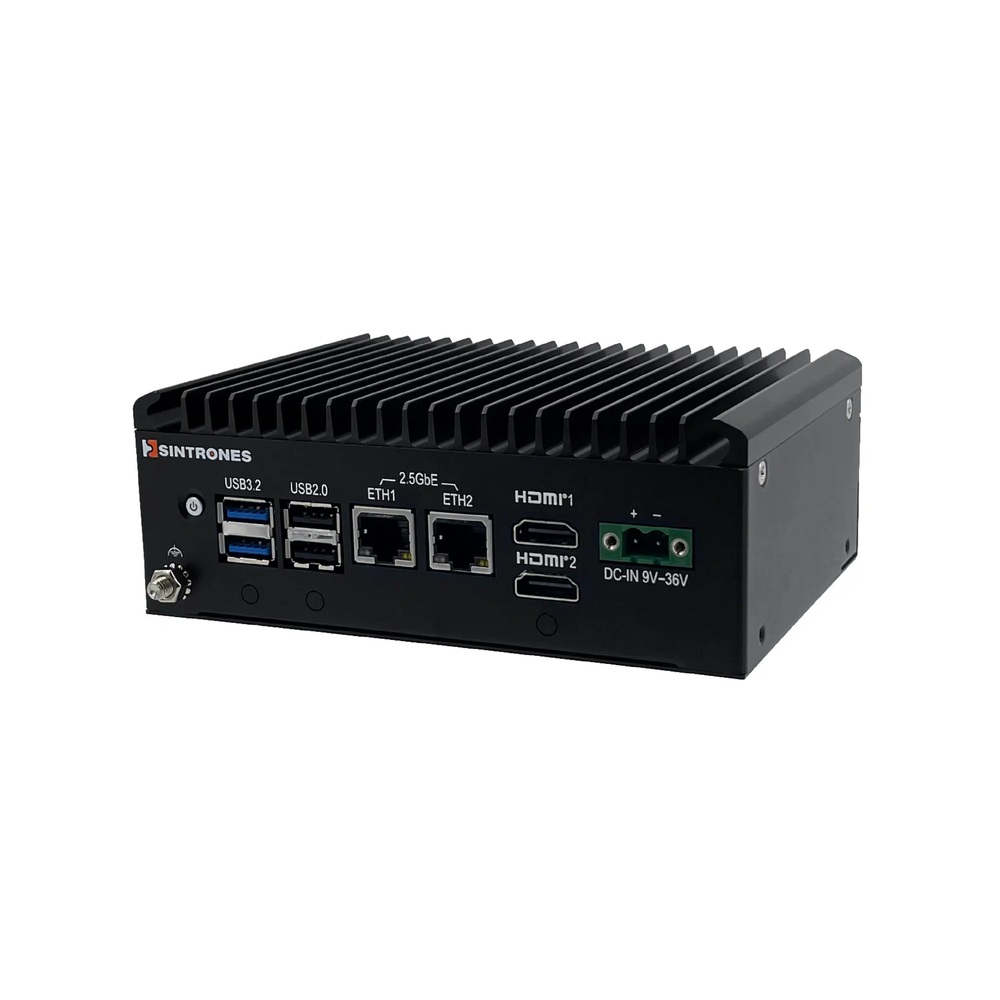
Intel Twin Lake N150 Fanless Mini Industrial PC with 6x USB Ports
- CPU
- Intel Atom x7433RE (Amston Lake)
- Ethernet
- 2× 2.5GbE
- Temp
- −40 to +70 °C
Intel Twin Lake N150 Mini Industrial PC with 4-In 4-Out Digital I/O
- CPU
- Intel Atom x7433RE (Amston Lake)
- Ethernet
- 2× 2.5GbE
- Temp
- −40 to +70 °C
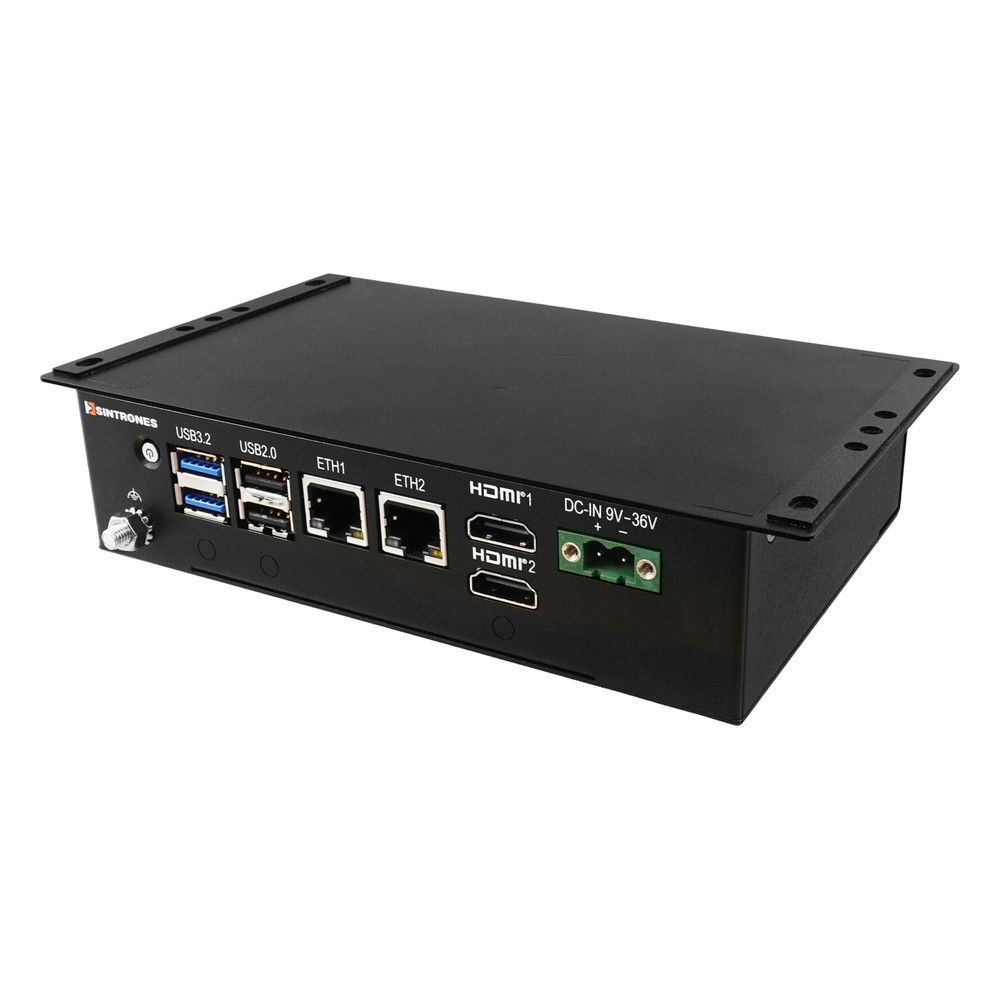
Intel N150 Compact Embedded Computer with Dual 2.5GbE and 6x USB
- CPU
- Intel Processor N150 (Twin Lake)
- Ethernet
- 2× 2.5GbE
- Temp
- −30 to +60 °C
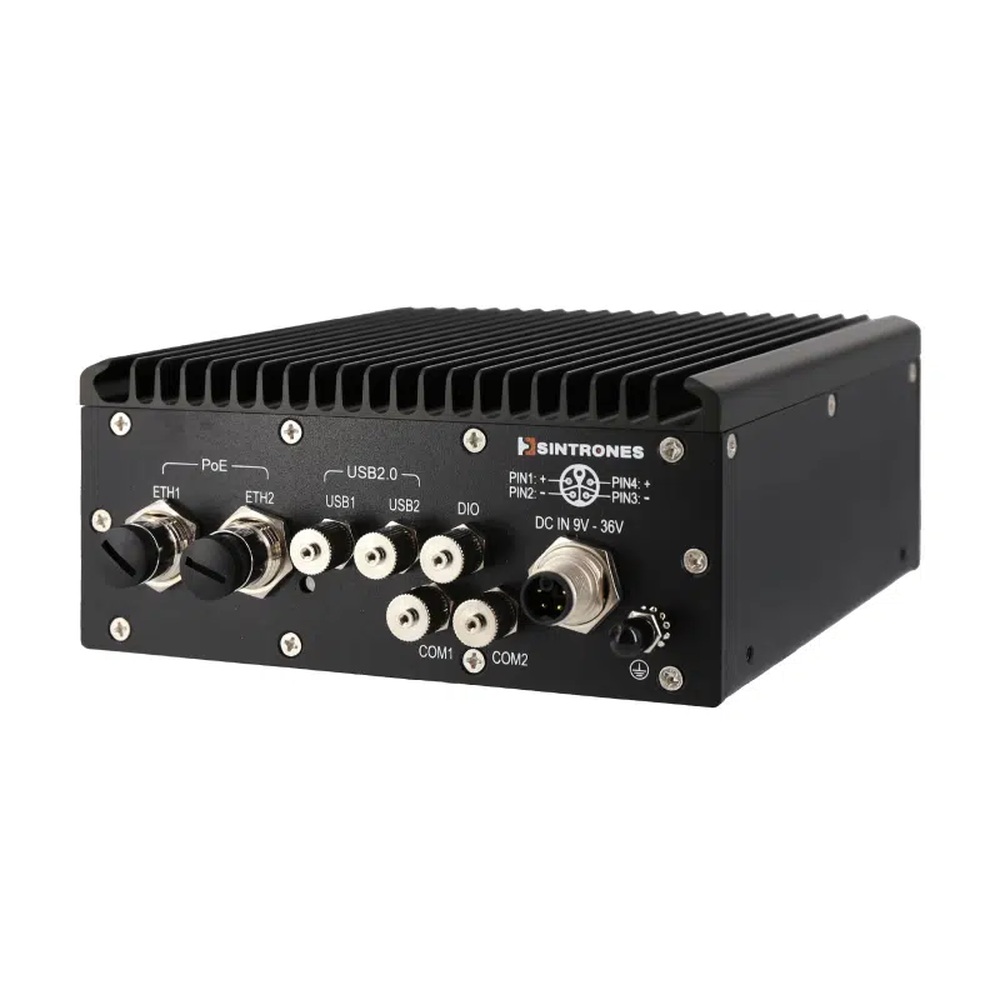
AMD Ryzen Embedded R2312 IP66 Waterproof Embedded PC with 2x M12 PoE
- CPU
- AMD Ryzen R2000
- Ethernet
- 2× GbE (2× PoE)
- IP Rating
- IP66
A closer look
-
01

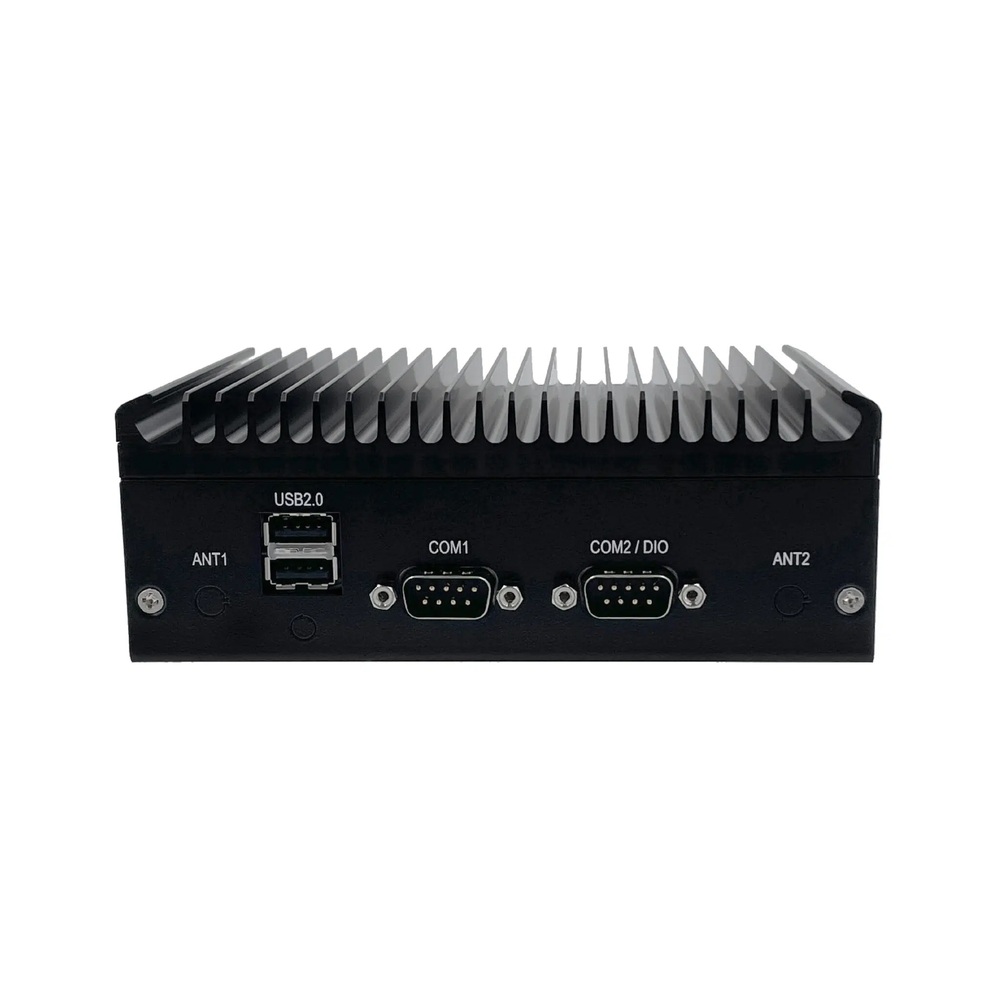
SBOX-2625
The finned aluminium case cools the N150 passively, with no fan.
-
02
SBOX-2625 rear panel
Two serial ports on DB9, two USB 2.0 ports and the antenna connectors.
-
03
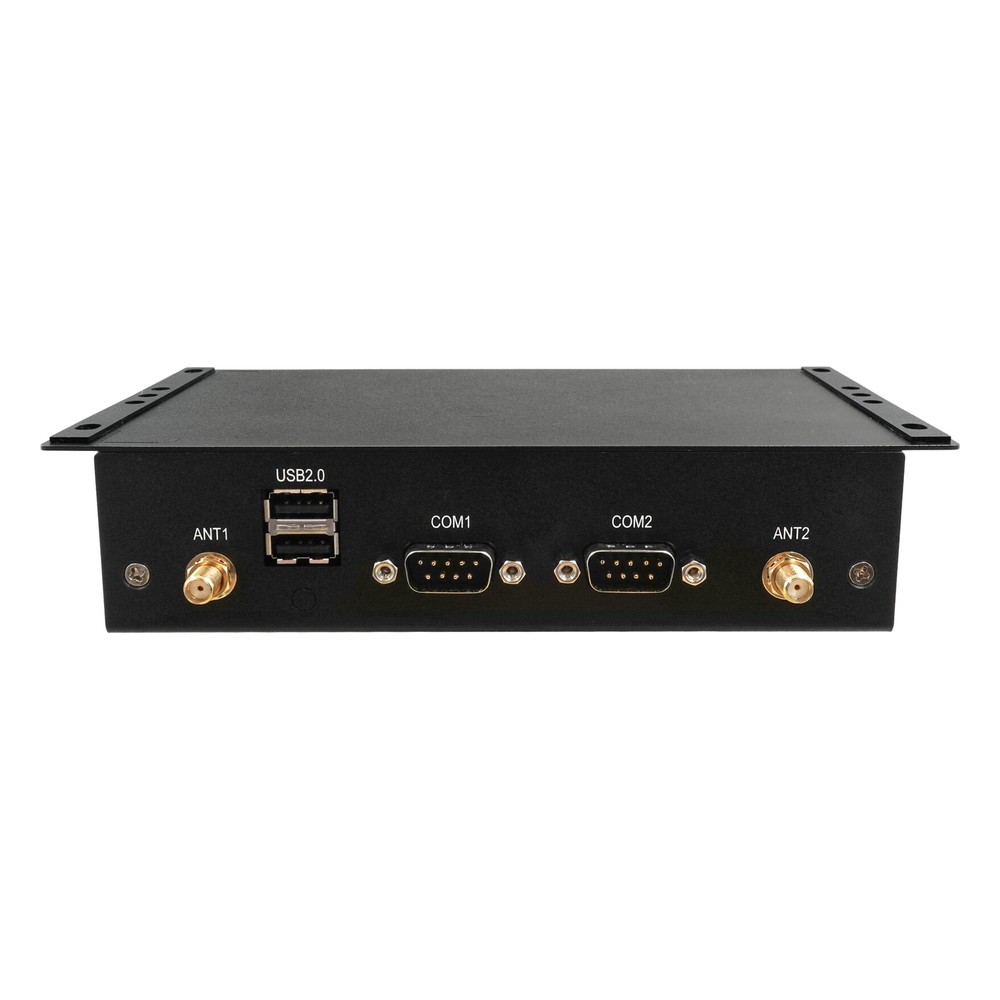
SBOX-2625-SF
The steel-cased build of the same N150 design, cooled through its base for wall mounting on a cabinet plate.
-
04
SBOX-2625-SF rear panel
Serial ports and antenna connectors for the cellular and Wi-Fi modules.
Which SBOX for which position on the pole
| Sintrones SBOX-2625 | Sintrones SBOX-2625-SF | Sintrones SBOX-2624P-IP66 | |
|---|---|---|---|
| Processor | Intel Processor N150, 4 cores up to 3.6 GHz | Intel Processor N150, 4 cores up to 3.6 GHz | AMD Ryzen Embedded R2312, 2 cores / 4 threads |
| Processor TDP | 6 W | 6 W | 25 W |
| Memory | Up to 16 GB DDR5-4800 | Up to 16 GB DDR5-4800 | Up to 32 GB DDR4-2400, ECC option |
| Ethernet | 2× 2.5GbE, RJ45 | 2× 2.5GbE, RJ45 | 2× GbE with PoE, M12 X-coded |
| Serial | 2× RS-232/422/485, DB9 | 2× RS-232/422/485, DB9 | 2× serial, M8 |
| Digital I/O | 4 in, 4 out on the SBOX-2625-2S | 4 in, 4 out on the SBOX-2625-SF-2S | 3 in, 4 out, M8 |
| Wireless options | 4G or 5G with SIM, Wi-Fi/Bluetooth | 4G or 5G with SIM, Wi-Fi/Bluetooth | 4G or 5G with SIM, Wi-Fi/Bluetooth |
| Enclosure | Fanless aluminium | Fanless steel, cooled through the mounting plate | Fanless aluminium, IP66 |
| Mounting | DIN rail, wall, VESA | Wall | Wall |
| Operating temperature | −40 to 70 °C | −30 to 60 °C | −30 to 60 °C |
| Security | TPM 2.0 | TPM 2.0, watchdog | TPM 2.0 |
| Standards | CE, FCC Class A, UKCA, IEC/EN 62368-1 | CE, FCC Class A, UKCA, IEC/EN 62368-1 | EN 50155, EN 50121-3-2, CE, FCC Class A, UKCA |
For most pole-top cabinets the SBOX-2625 is the natural fit: it clips onto the rail, draws little power and is rated from −40 to 70 °C as a complete system. Our explainer on the industrial temperature range sets out how that system rating relates to component grades. The SBOX-2625-SF suits cabinets that stay within −30 to 60 °C and have space to wall-mount. Where the computer has to be fitted outside the cabinet, for example beside a camera watching the line, the SBOX-2624P-IP66 is sealed to IP66 and can power two PoE devices over sealed M12 connectors.
What this setup gives the network operator
A low-power fanless computer at the top of the pole turns each switching point into something the control room can see and act on.
-
Outcome 01
Faults seen from the control room
Status from the recloser or switch arrives over the cellular link, so operators know where the line has tripped without waiting for a patrol.
-
Outcome 02
Fewer trips up the pole
The system restarts by itself when power returns and can be reached remotely, so many checks and updates no longer need a crew on site.
-
Outcome 03
Nothing to wear out
With no fan and no vents, there are no moving parts or filters to service in a cabinet that is rarely opened.
-
Outcome 04
Less load on the backup battery
A 6 W processor leaves more of the cabinet supply for the switchgear and communications during an outage.
For more on the design choices behind a low-power controller, see our guide to choosing a CPU TDP and our white paper on designing outdoor computer enclosures.
Pole mounted controller FAQs
-
Intel N100 vs N150: What Is the Difference?
The Intel N150 is a refresh of the N100. Both have four efficient cores, four threads, 6 MB of cache and a 6 W base power. The N100 is an Alder Lake-N processor with a 3.4 GHz maximum turbo; the N150, from the Twin Lake refresh, reaches 3.6 GHz and runs its integrated graphics at a higher clock.
-
What Is a Recloser?
A recloser is an automatic circuit breaker used on overhead power lines. When it detects a fault it trips, waits briefly and closes again, because many faults, such as a branch brushing the line, clear on their own. If the fault is still there after a set number of attempts, it stays open and isolates that section.
-
What Is Feeder Automation?
Feeder automation is the use of sensors, remote-controlled switches and controllers along an electricity distribution feeder to monitor it and respond to problems automatically. It lets a network operator detect faults, reconfigure the feeder and balance load without sending crews to operate switches by hand.
-
What Is FLISR?
FLISR stands for fault location, isolation and service restoration. It is a distribution automation function that finds a fault on a power line, opens switches either side of it to isolate the damaged section, and closes other switches to restore supply to as many customers as possible, often within minutes and without a crew on site.
-
What Is a Remote Terminal Unit (RTU)?
A remote terminal unit, or RTU, is a field device that connects equipment such as switchgear, pumps or meters to a SCADA system. It reads sensors and status signals, sends the data to a control room over radio, cellular or fibre, and carries out commands sent back, such as opening or closing a switch.
-
What Is the Industrial Temperature Range?
The industrial temperature range is −40 to 85 °C: the grade an electronic component must operate across to be called industrial, compared with 0 to 70 °C for commercial parts. Rugged computers built from industrial-grade components typically run from −25 or −40 °C up to 70 °C as a complete system.
-
What Are the Advantages of Fanless Computers?
Fanless computers cool themselves passively, through a finned heatsink chassis and heat pipes, instead of a fan. With no moving parts and no airflow drawing in dirt, they are more reliable in dusty or vibrating places, silent, low maintenance and easy to seal, which is why they are the standard choice for industrial and embedded use.
Specifying the computer for a pole-top cabinet?
Tell us what the controller connects to, how it reaches the control room and where it will be mounted, and we'll specify the SBOX build, modules and image to match.