
 UK
UK 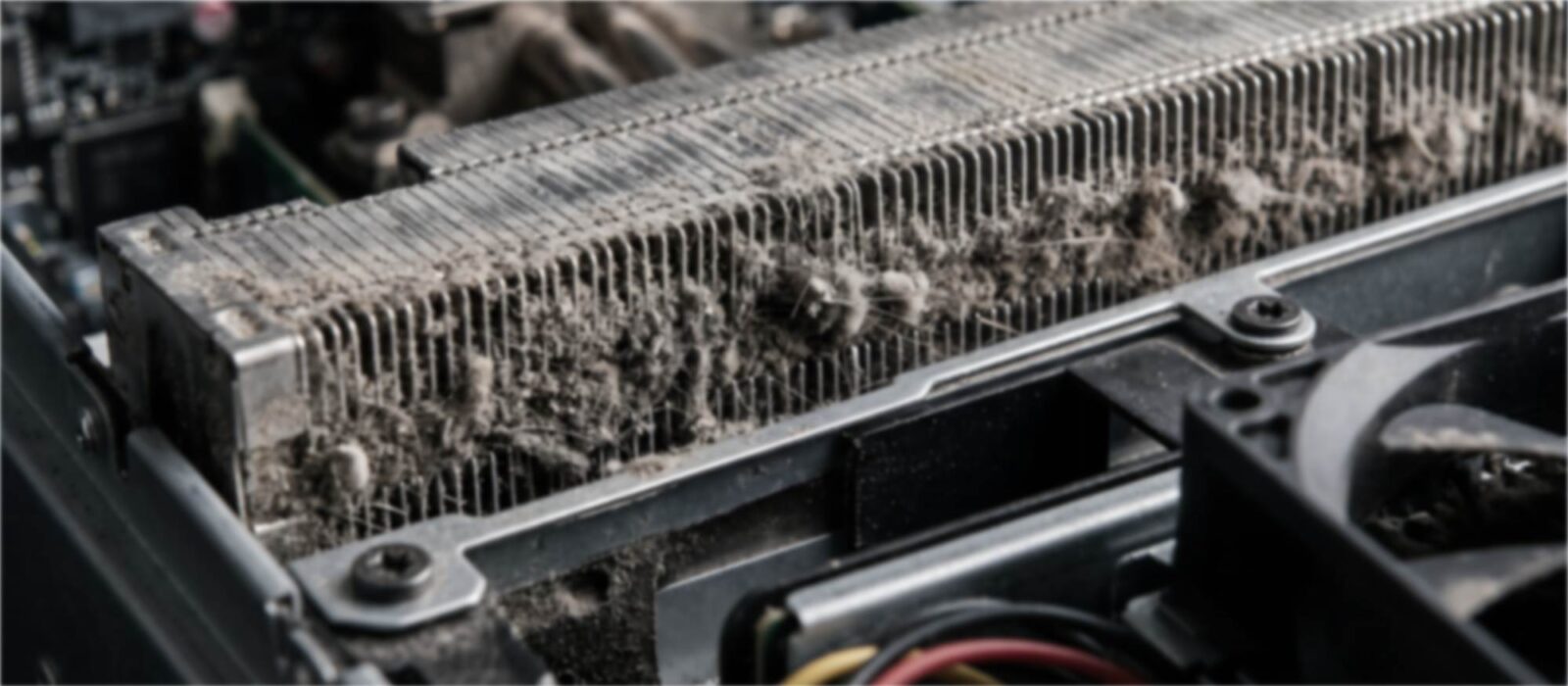
What Is MTBF? Mean Time Between Failures for Industrial Computers
MTBF is the average operating time between failures across a population of systems. Here is how the figure is calculated and predicted, what it does and does not tell you, and the design choices that raise it in an industrial computer.
What MTBF means
MTBF, or mean time between failures, is the average time a repairable system runs between one failure and the next, worked out across a population of identical systems. It is quoted in hours, and the higher the figure, the less often you should expect failures across a fleet.
For an industrial computer the number matters because a failure is rarely a quick swap. A computer on a production line, in a trackside cabinet or at a remote pumping station can mean a stopped process, lost data and an engineer sent to site, and those costs are often far higher than the price of the computer. Buyers use MTBF to estimate how often they will have to deal with that.
It is also one of the most misread figures on a datasheet. A high MTBF does not mean a single system will last that long, and two figures can only be compared when they were worked out the same way and at the same temperature. This guide explains the method behind the number and the design choices that move it, including why fanless computers tend to predict well.
Key takeaways
- 01MTBF is a population average
- It describes how often failures occur across many systems, not how long any one system will last.
- 02The basic formula is simple
- Total operating time divided by the number of failures in that time.
- 03Predictions and field data differ
- MIL-HDBK-217F and Telcordia SR-332 predict MTBF from the parts list; field data measures it from real returns.
- 04Temperature changes the figure
- Predictions assume a reference temperature, and heat raises the failure rate of almost every component.
- 05Moving parts pull it down
- Fans and spinning drives tend to fail first, so fanless, solid-state designs usually predict higher.
- 06Uptime also depends on repair time
- Availability is MTBF ÷ (MTBF + MTTR), so a fast recovery matters as much as a high MTBF.
MTBF formulas at a glance
Every MTBF calculation uses a small set of formulas. They all assume a constant failure rate, the flat middle of a product’s life, and they convert between the figures you will see on datasheets and the ones you need for planning.
| Quantity | Formula | Worked value (MTBF 438,000 hours) |
|---|---|---|
| MTBF | Total operating hours ÷ number of failures | 1,752,000 hours ÷ 4 failures = 438,000 hours |
| Failure rate, λ | 1 ÷ MTBF | About 2.3 failures per million hours |
| FIT | 1,000,000,000 ÷ MTBF | About 2,280 FIT |
| Reliability over time t, R(t) | e−t/MTBF | About 98% for one year of continuous running |
| Annualised failure rate (AFR) | 1 − e−8,760/MTBF | About 2.0% of a fleet per year |
| Expected failures in a fleet | Systems × hours run ÷ MTBF | 200 systems for a year: about 4 failures |
| Availability | MTBF ÷ (MTBF + MTTR) | About 99.995% with a 24-hour repair |
The worked values follow the fleet example below. The sections that follow explain where each figure comes from, how predictions differ from field data, and how to use the numbers when you specify a computer.
How to calculate MTBF
At its simplest, MTBF is total operating time divided by the number of failures in that time. As a worked example, if 50 systems each run for 2,000 hours, that is 100,000 operating hours; if three of them fail in that period, the observed MTBF is about 33,000 hours.
The same figure can be turned round into a failure rate, written λ (lambda): λ = 1 ÷ MTBF, in failures per hour. Component makers often quote failure rates in FIT, failures per billion hours, so a FIT value converts to MTBF as 1,000,000,000 ÷ FIT. Failure rates are useful because they add: the failure rate of a computer is roughly the sum of the failure rates of everything in it, which is why every extra card, drive or connector pulls the system MTBF down a little.
From the failure rate you can estimate reliability, the chance that a system runs for a given time t without failing: R(t) = e−t/MTBF. That formula assumes a constant failure rate, which describes the flat middle of the well-known bathtub curve. Early-life failures from manufacturing faults sit before it, and wear-out failures from ageing parts sit after it, so MTBF says nothing useful about either end.
To calculate MTBF from your own records, work through four steps.
- Set the boundary. Decide what counts as the system, for example the computer alone or the computer with its power supply and cabling, and what counts as a failure.
- Add up the operating hours. Multiply the number of systems by the hours each one actually ran in the period, using the real duty cycle rather than calendar time.
- Count the relevant failures. Leave out transit damage, misuse and no-fault-found returns, and say that you have.
- Divide. MTBF = total operating hours ÷ number of failures.
A prediction runs the same arithmetic from the parts list upwards: add the failure rates of the parts, then take the reciprocal of the total. The figures below are round values chosen to show the method, not data for any product.
| Part | Failure rate (FIT) | Equivalent MTBF |
|---|---|---|
| Processor board | 1,200 | Around 833,000 hours |
| Memory | 200 | 5,000,000 hours |
| SSD | 300 | Around 3,333,000 hours |
| Power input stage | 800 | 1,250,000 hours |
| Connectors and cabling | 500 | 2,000,000 hours |
| Fanless system total | 3,000 | Around 333,000 hours |
| Cooling fan | 2,000 | 500,000 hours |
| Total with a fan | 5,000 | 200,000 hours |
In this example the fan alone takes the predicted MTBF from around 333,000 hours down to 200,000, which is why fanless designs tend to predict well.
A fleet example
Take 200 fanless industrial PCs running around the clock for a year: 200 × 8,760 hours gives 1,752,000 system-hours. If four of them fail in that year, the observed MTBF is 1,752,000 ÷ 4 = 438,000 hours. Turned round, that predicts an annualised failure rate of 1 − e−8,760/438,000, about 2.0%, or roughly four failures a year across the same fleet.
Two cautions apply. Four failures is a small sample, so the true MTBF could easily be half or double that figure; reliability engineers put confidence limits on results like this, usually with the chi-squared distribution. And the result only holds while the failure rate is steady: if most of those failures came in the first few weeks, the fleet is showing early-life problems rather than its long-term rate.
FIT vs MTBF
FIT and MTBF describe the same thing from opposite ends. FIT, or failures in time, is a failure rate: the expected number of failures per billion (109) device-hours, so a higher FIT means a less reliable part. MTBF is the average time between those failures, so a higher MTBF means a more reliable one. With a constant failure rate, each is the reciprocal of the other:
- MTBF in hours = 1,000,000,000 ÷ FIT
- FIT = 1,000,000,000 ÷ MTBF in hours
Semiconductor makers quote FIT because their rates are small: a chip at 10 FIT has an MTBF of 100 million hours, a figure that says little on its own. System builders quote MTBF because it reads naturally for a complete computer. FIT has one practical advantage, shown in the example above: rates add directly, so the FIT values of every part sum to the rate for the system.
| FIT | MTBF (hours) | MTBF in years of continuous running | Share of a fleet failing per year |
|---|---|---|---|
| 100 | 10,000,000 | Around 1,140 | Around 0.09% |
| 1,000 | 1,000,000 | Around 114 | Around 0.87% |
| 2,000 | 500,000 | Around 57 | Around 1.7% |
| 5,000 | 200,000 | Around 23 | Around 4.3% |
| 10,000 | 100,000 | Around 11 | Around 8.4% |
The last column, the annualised failure rate (AFR), is often the most useful for planning spares: AFR = 1 − e−8,760/MTBF for a system running all year. Like MTBF, a FIT value is only comparable when the method and temperature match. Semiconductor FIT figures usually come from accelerated life tests, calculated to JEDEC JESD85 and quoted at a stated junction temperature.
Prediction methods: MIL-HDBK-217F and Telcordia SR-332
Most MTBF figures on a datasheet are predictions, made before enough systems have been in service to measure anything. The engineer builds a list of every component on the board, looks up a base failure rate for each part type in a reliability handbook, then adjusts it for temperature, electrical stress, quality level and the operating environment. Adding the adjusted rates gives λ for the assembly, and MTBF follows as 1 ÷ λ.
Two handbooks dominate:
- MIL-HDBK-217F. The US military handbook for reliability prediction of electronic equipment. Its last revision, Notice 2, dates from 1995, so its component data is old, and it tends to give conservative figures for modern parts. It defines environment categories such as ground benign, ground fixed and ground mobile, and the category chosen changes the result considerably.
- Telcordia SR-332. Developed for telecoms equipment, originally as Bellcore TR-332, and revised more recently. It allows laboratory and field data to be combined with the parts count, and for the same design it usually predicts a higher MTBF than MIL-HDBK-217F.
The practical point is that the same hardware can carry very different figures depending on the method, the reference temperature, the environment category and what the number covers. Our own product data shows the kind of detail to look for: Diamond Systems quotes its EPS-8130-XT PC/104 Ethernet switch at 624,170 hours at 20 °C, and gives separate figures for the main board and daughter board of its EPS-24026-104 switch, both at 20 °C. A stated temperature and a clear boundary make a figure useful; a bare number does not.
Reliability prediction standards compared
MIL-HDBK-217F and Telcordia SR-332 are the methods most often quoted on datasheets, but they are not the only ones. Knowing which was used tells you how to read the figure.
| Method | Origin | Basis | Where you see it |
|---|---|---|---|
| MIL-HDBK-217F (Notice 2, 1995) | US Department of Defense | Parts count or parts stress, with environment factors | Defence and older industrial datasheets; tends to be conservative |
| Telcordia SR-332 (Issue 4, 2016) | Telecoms, from Bellcore TR-332 | Parts count, optionally combined with lab and field data | Network equipment, switches, many embedded boards |
| IEC 61709 | International standard | Reference conditions and stress models for component failure rates | European industrial and automotive suppliers |
| FIDES | French aerospace and defence industry | Physics of failure, including life profile and process quality | Aerospace and defence electronics |
| SN 29500 | Siemens | Component failure rates at reference conditions | Industrial automation equipment |
| Field data | The manufacturer’s own service records | Operating hours and confirmed failures | Mature products with a large installed base |
How temperature changes a prediction
Most prediction models apply a temperature factor based on the Arrhenius relationship, which describes how the rate of a chemical or physical failure mechanism rises with temperature. The size of the effect depends on the activation energy of each mechanism, so the figures below use a single, commonly assumed value to show the shape of the curve rather than a figure for any product.
With an activation energy of 0.7 eV, a value often assumed for semiconductor mechanisms, the failure rate relative to 25 °C is about 3.7× at 40 °C, about 12× at 55 °C, about 36× at 70 °C and close to 100× at 85 °C.
A real computer mixes parts with different sensitivities, so its overall figure moves less steeply than a single mechanism, but the direction is the same. That is why two MTBF figures for the same hardware, one at 25 °C and one at 40 °C, can differ several times over, and why the stated temperature matters as much as the number.
Field data and observed MTBF
Field MTBF is measured rather than predicted: the operating hours of systems in service divided by the confirmed failures among them. It reflects real installations, real power supplies and real handling, so it is the more honest figure, but it takes a large population and years of service to mean much.
It is also sensitive to how it is counted. Operating hours depend on duty cycle, and a fleet running around the clock builds hours three times faster than one running a single shift. Returns that turn out to be wiring faults, damage in transit or no fault found may or may not be counted as failures. When a supplier quotes field data, ask how many systems it covers, how hours were estimated and what counted as a failure.
What is a good MTBF for an industrial computer?
There is no single target, because the figure depends on what it covers and how it was worked out. As a guide, predicted MTBF figures for fanless industrial boards and network equipment in our catalogue mostly fall between about 240,000 and 640,000 hours at 20–25 °C, and some simple I/O cards and modules are quoted well above a million hours. The table in the products section below lists published figures with their conditions.
Compare like with like: the same method, the same temperature and the same boundary. A figure for a board alone will always be higher than one for a complete computer with its storage, power input and cabling, and a higher MTBF is better only when the two figures were produced the same way.
Why an MTBF figure is not a lifetime
The EPS-8130-XT figure of 624,170 hours works out at about 71 years of continuous running. Nobody expects that switch to run for 71 years, and the figure does not claim it will. It describes the random failure rate during the useful life of a population, at the stated temperature.
Read that way, it is useful. For a fleet of 100 of those switches running around the clock at 20 °C, the expected number of failures in a year is 100 × 8,760 ÷ 624,170, or about 1.4. Put another way, R(1 year) = e−8,760/624,170, about 0.986, so each switch has roughly a 98.6% chance of a failure-free year under those conditions.
Service life is set by other things: the parts that wear out and the time the product stays available. Electrolytic capacitors dry out with age and heat, and a widely used rule of thumb says their life roughly halves for every 10 °C rise. Fan bearings wear, SSDs have a finite write endurance and real-time clock batteries run down. A warranty is a commercial promise, separate from both MTBF and service life.
The bathtub curve
Failure rates over a product’s life are often drawn as a bathtub curve. Early life has a falling failure rate, as manufacturing defects show up and are removed. Useful life is the long, flat floor, where failures are random and the rate is roughly constant. Wear-out is the rising edge at the end, as fans, capacitors, batteries and flash memory reach the end of their lives. MTBF and the formulas in this guide describe only the flat floor. They say nothing about how soon wear-out begins, which is why a figure of hundreds of thousands of hours sits comfortably beside a service life of 10 years or so.
Reliability over time
Under the constant failure rate assumption, the chance that a single system runs for a given time without a failure follows R(t) = e−t/MTBF. The table applies it to continuous running, 8,760 hours a year.
| MTBF (hours) | 1 year | 3 years | 5 years | 10 years | AFR |
|---|---|---|---|---|---|
| 100,000 | 91.6% | 76.9% | 64.5% | 41.6% | 8.4% |
| 200,000 | 95.7% | 87.7% | 80.3% | 64.5% | 4.3% |
| 300,000 | 97.1% | 91.6% | 86.4% | 74.7% | 2.9% |
| 500,000 | 98.3% | 94.9% | 91.6% | 83.9% | 1.7% |
| 1,000,000 | 99.1% | 97.4% | 95.7% | 91.6% | 0.9% |
Read the later columns with care: by year 10 many products are into wear-out, where the real failure rate rises above the constant rate the table assumes. Our FAQ on how long computers last covers service life, and SSD endurance, a common wear-out limit, is explained in SSD TBW.
MTBF vs MTTF vs MTTR
Three related terms are often used loosely. They measure different things.
| Term | Stands for | Applies to | What it measures |
|---|---|---|---|
| MTBF | Mean time between failures | Repairable systems, such as a computer | Average running time between one failure and the next |
| MTTF | Mean time to failure | Parts that are replaced, not repaired, such as a fan or an SSD | Average running time until the part fails |
| MTTR | Mean time to repair | The repair process | Average time to restore service after a failure |
In practice many datasheets quote MTBF for parts that are strictly described by MTTF, and the two are treated in much the same way. MTTR is different, because it depends on your support arrangements rather than the hardware. Availability, the share of time a system is working, is MTBF ÷ (MTBF + MTTR), so cutting repair time improves it just as raising MTBF does. Spare systems on site, a prepared system image and remote management all shorten MTTR.
A fourth term, MTTD (mean time to detect), measures how long a failure goes unnoticed. On a remote site it can be the largest part of the outage, which is why monitoring belongs in the reliability plan alongside the hardware. Our guide to AI predictive maintenance shows how monitoring data is used to catch faults before they stop a machine.
Availability from MTBF and MTTR
Availability is the share of time a system is working, and for a single repairable system it is A = MTBF ÷ (MTBF + MTTR). It is often quoted as a number of nines.
| Availability | Downtime per year | Downtime per month |
|---|---|---|
| 99% | About 87.6 hours (3.65 days) | About 7.3 hours |
| 99.9% | About 8.76 hours | About 44 minutes |
| 99.95% | About 4.38 hours | About 22 minutes |
| 99.99% | About 52.6 minutes | About 4.4 minutes |
| 99.999% | About 5.26 minutes | About 26 seconds |
Back to the fleet example. With an MTBF of 438,000 hours and an MTTR of 24 hours, the time it takes to get an engineer to site and swap the computer, each system’s availability is about 99.995%. Across 200 systems that is still about four failures and 96 hours of lost service a year. Keep a configured spare on site with a prepared system image and MTTR might fall to two hours, cutting the lost service to around eight hours without changing the hardware at all.
That is the practical lesson: for the people running a site, cutting repair time is often cheaper than raising MTBF. Each avoided truck roll saves time and travel, a watchdog timer restarts a computer that has stopped responding, and out-of-band management lets an engineer power-cycle, reset or reimage a system remotely.
MTBF of redundant systems
When a system is built from several parts, how they are connected changes the overall MTBF. In series, where any one failure stops the system, failure rates add, so the system MTBF is lower than that of its weakest part. In parallel, where a spare takes over, the system keeps running after the first failure and its MTBF rises.
| Configuration | How to combine | Worked example |
|---|---|---|
| Series: computer, power supply and switch all needed | 1 ÷ MTBFsystem = sum of 1 ÷ MTBF of each part | 300,000 h, 200,000 h and 500,000 h parts give about 96,800 h |
| Two identical parts in parallel, no repair | MTTF of the pair = 1.5 × MTBF of one | Two 200,000 h supplies: about 300,000 h until both have failed |
| Two identical parts in parallel, failed one repaired | MTBFpair ≈ MTBF² ÷ (2 × MTTR) | Two 200,000 h supplies with a 24 h repair: hundreds of millions of hours on paper |
The last row shows why redundancy with prompt repair is so effective, and also why its figures need care. The calculation assumes the two parts fail independently, but in practice common causes, such as a shared input supply, the same overheated cabinet or a single controller, dominate. Redundancy is still the right answer where uptime matters: dual power inputs, mirrored storage with RAID, network redundancy with ring or dual-homed switches, and a hold-up supply that rides through short power cuts, which our guide to supercapacitor vs battery UPS compares.
What raises MTBF in an industrial computer
The design choices that improve MTBF are the same ones that make a computer suited to a cabinet, a machine or a vehicle.
- No fans. Fans are among the few moving parts in a computer, and their bearings wear, faster still in heat and dust. A fanless chassis moves heat through heat pipes and conduction to a finned case instead, which removes that wear part altogether. It is one of the advantages of fanless computers that matters most on remote sites.
- Solid-state storage. An SSD has no spinning platters or moving heads. Industrial SSDs add wide temperature ratings and power loss protection, so a sudden power cut is less likely to corrupt data.
- Industrial temperature-rated parts. Components rated across the industrial temperature range have more margin when the installation runs warm, and prediction models reward that margin.
- Derating. Running parts well inside their voltage, current, power and temperature ratings lowers their failure rate. For the processor this means choosing a processor TDP comfortably inside what the chassis can dissipate, rather than at its limit.
- Wide-temperature, wide-voltage design. Solid polymer capacitors in place of liquid electrolytics, protected wide-range DC inputs and fewer internal cables and connectors all reduce the number of things that can fail.
Heat runs through most of these points. Prediction handbooks apply a temperature factor to almost every component, so a system that keeps its internals cool predicts a higher MTBF as well as performing better. Our guides to thermal throttling and active and passive cooling cover how that heat is managed.
Where design for reliability shows in our range
These categories bring together the design choices that raise MTBF and shorten repair time.

Wide temperature computers
Fanless systems with industrial-temperature parts that keep margin in hot cabinets and cold starts.
View range
Rugged computers
Computers with locking connectors, fewer cables and shock and vibration testing for vehicles and machines.
View range
DIN rail PCs
Low-power fanless computers for control cabinets, easy to swap on the rail when a spare is needed.
View range
Industrial motherboards
Boards with published MTBF figures, wide DC inputs and long availability for OEM builds.
View range
Industrial Ethernet switches
Fanless managed and unmanaged switches, many with Telcordia MTBF figures and ring redundancy.
View range
Industrial UPS
Supercapacitor and battery hold-up supplies that protect computers and data through power cuts.
View rangeUsing MTBF when you specify a system
MTBF is one input to a decision, not the decision itself. Work through four questions.
- Environment. What is the hottest the air around the computer will get, and is there dust, damp or vibration? Ask for an MTBF figure at a temperature close to yours, and check the environment category behind it.
- Performance. Choose the processor that does the job with thermal headroom. A system running at its thermal limit all day ages faster than one running well within it.
- Expansion. Every add-in card, drive and module adds its own failure rate. Fit what the application needs and leave out what it does not.
- Lifecycle. Plan spares, a recovery image and how quickly you can restore service, because MTTR matters as much as MTBF to the people running the site.
Would a failure on this site mean sending someone out? If so, reliability deserves as much weight as performance in the specification.
We specify fanless industrial computers for exactly these installations, matching the processor, storage and temperature rating to the site, and we supply each system set up and tested as standard. Our guide to installing a fanless industrial PC covers the mounting and airflow details that keep it running cool once it is in place.
Published MTBF figures from our range
These figures come from the manufacturers’ own data for products in our catalogue. They show how much the stated conditions vary, and why a figure is only useful with its method, temperature and boundary attached.
| Product | Type | Published MTBF | Stated conditions |
|---|---|---|---|
| DFI EHL051-TCD-6425RE | Pico-ITX SBC, fanless heatsink, −40 to 85 °C | 563,338 hours | At 25 °C, for this build |
| DFI ADN173-CB-x7425E | Mini-ITX board, passive heatsink, 9–36 V DC | 455,085 hours | At 25 °C, for this build |
| DFI TGU171-IE-1185GRE | Mini-ITX board with active cooler, −20 to 70 °C | 414,291 hours | At 25 °C |
| Antaira LMX-1204G-SFP-T-BABA | Fanless managed switch, −40 to 75 °C | 536,427 hours | Telcordia SR-332 |
| Antaira LNX-0800-M12-67-T | IP67 M12 unmanaged switch, −40 to 75 °C | 243,867 hours | Telcordia SR-332, Issue 3 |
| Diamond Systems EPS-8130-XT | PC/104 managed Ethernet switch | 624,170 hours | At 20 °C |
| Diamond Systems DS-MPE-CAN2L | Dual CAN PCIe MiniCard | 1,583,210 hours | At 20 °C |
| NVIDIA Jetson AGX Xavier Industrial | Edge AI module, −40 to 85 °C | 1,101,528 hours | Uncontrolled environment at 35 °C |
The simplest parts carry the highest figures, because a small card has few components to add up. A complete computer includes a board like those above plus memory, storage, a power input stage and connectors, so its system MTBF is lower than any one of them. We configure, image and test every computer we supply, and we can request the manufacturer’s MTBF report, including its method and temperature, for a specific build.
Boards and switches with published MTBF figures
Four products from the table above with manufacturer MTBF figures at stated conditions: two fanless DFI boards, a fanless Antaira managed switch and a Diamond Systems PC/104 switch.
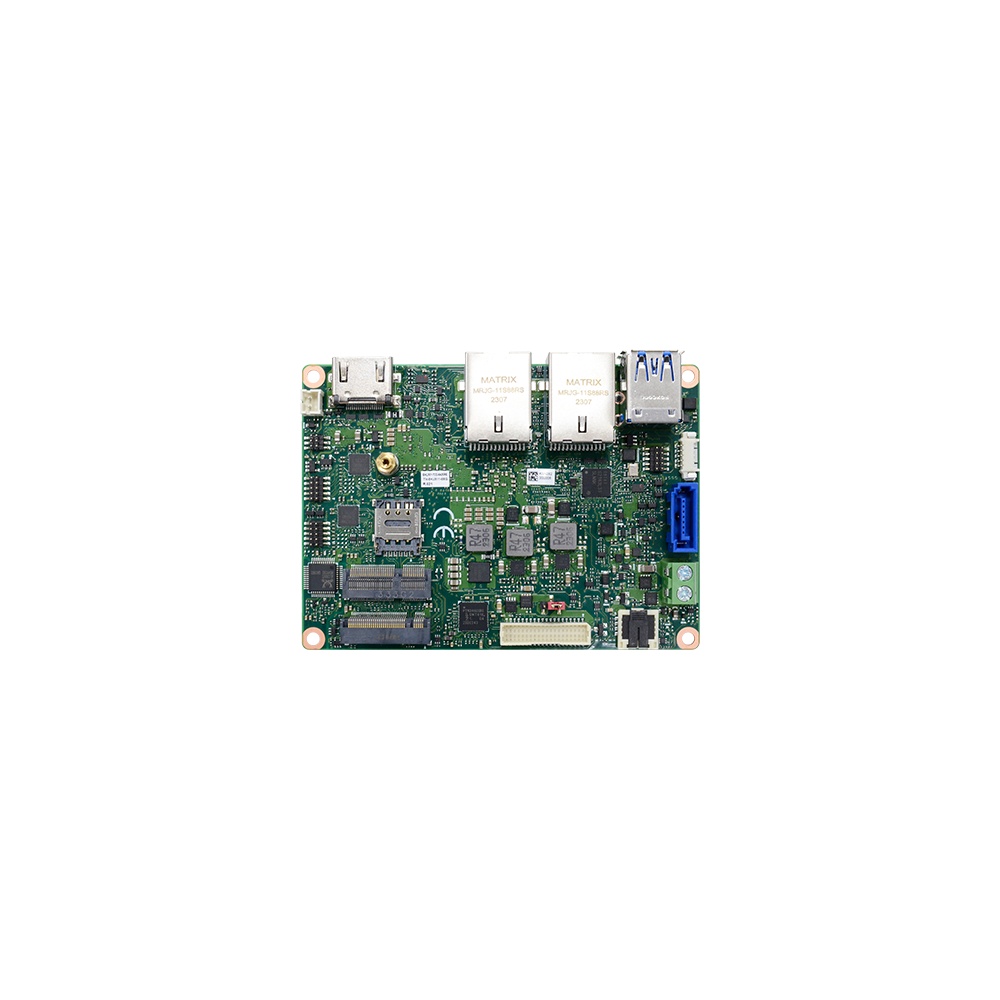
Intel Atom x6425RE 2.5″ Pico-ITX SBC with Dual GbE and Extended Temperature
- CPU
- Intel Atom x6425RE (Elkhart Lake)
- Ethernet
- 2× GbE
- Temp
- −40 to +85 °C
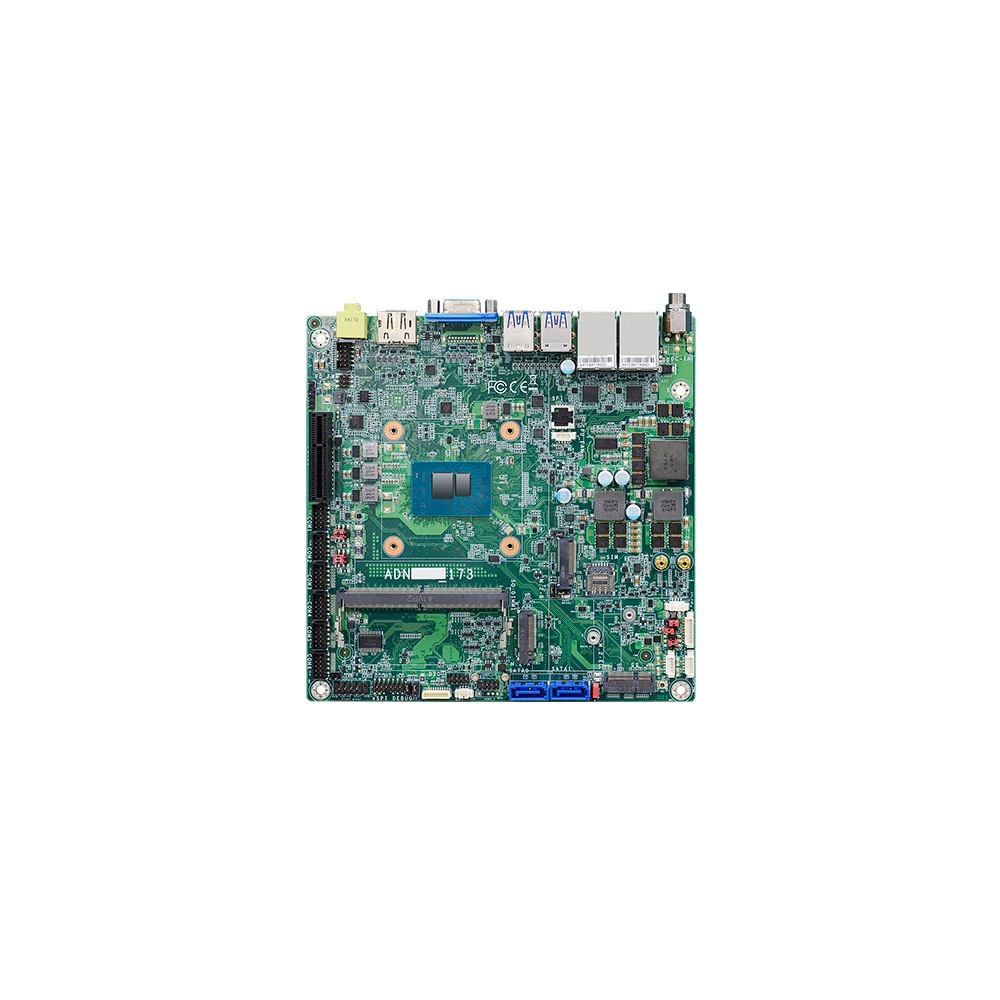
Intel Alder Lake-N Atom x7425E Mini-ITX Mainboard with 9 to 36 V DC Input and Dual 2.5GbE
- CPU
- Intel Atom x7425E (Alder Lake)
- Ethernet
- 2× 2.5GbE
- Temp
- −5 to +65 °C
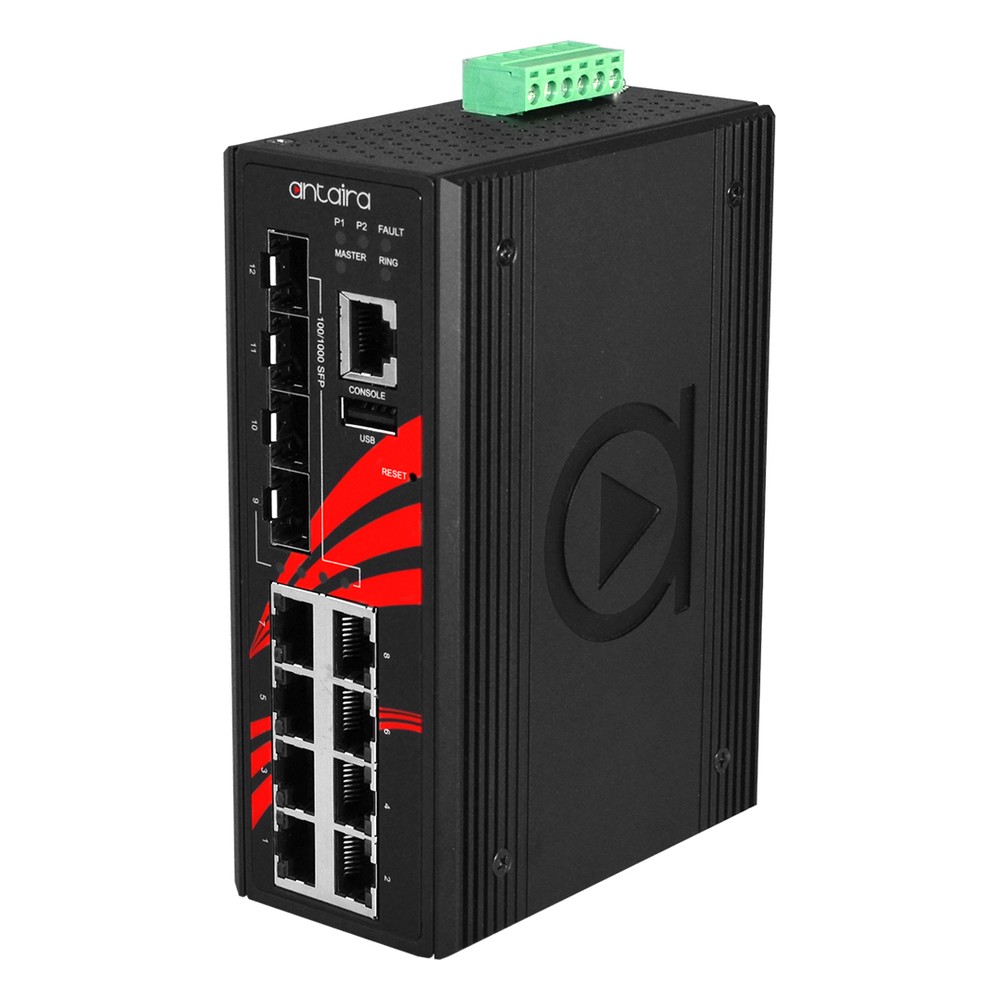
12-Port Gigabit Managed Industrial Ethernet Switch with 4x SFP, BABA Compliance and Extended Temperature
- IP Rating
- IP30
- Temp
- −40 to +75 °C
- Power
- 12–48 V DC, Terminal Block
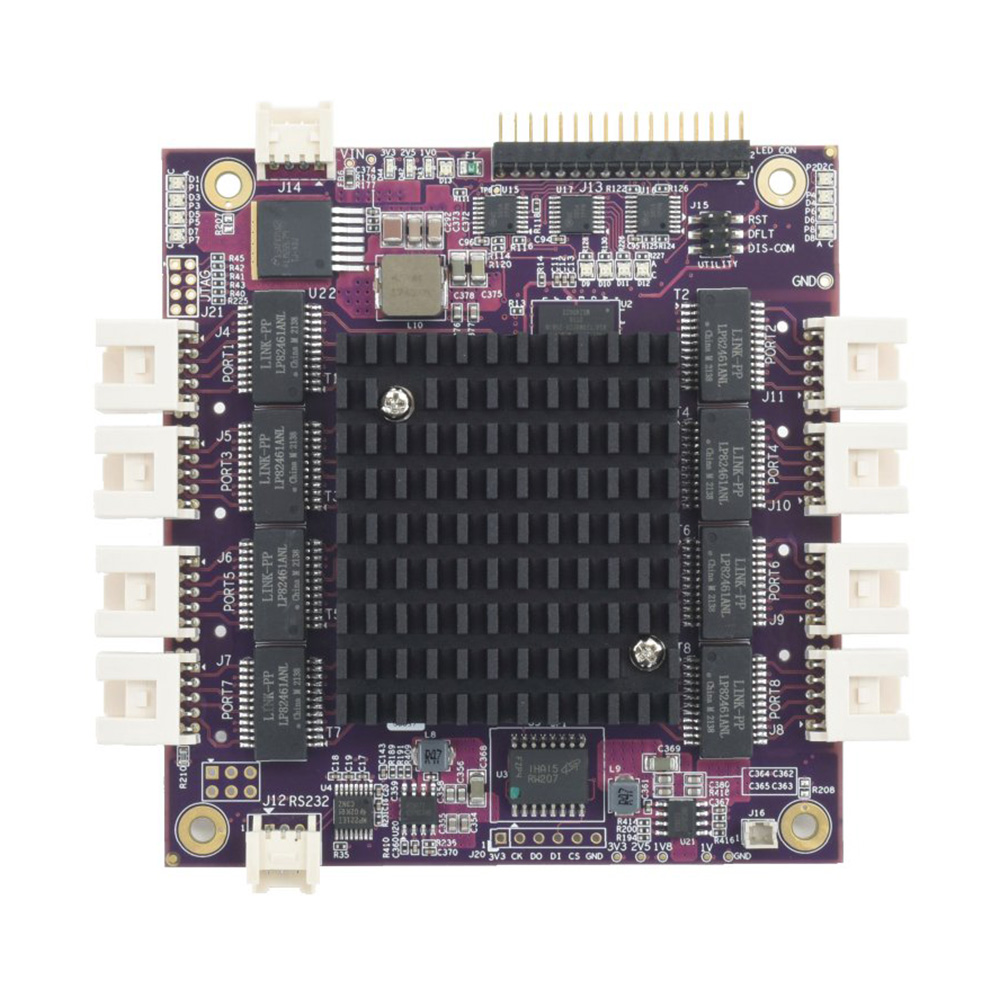
PC/104 Managed Rugged 8 Port Gigabit Ethernet Switch with Heat Spreader
- Temp
- −40 to +85 °C
- Power
- 5–36 V DC [Latching]
Questions to ask about an MTBF figure
Seven questions that turn a datasheet number into something you can plan with.
-
01
Method
Was it predicted with MIL-HDBK-217F, Telcordia SR-332 or another standard, or measured from field data?
-
02
Temperature
At what ambient or component temperature, and how close is that to your installation?
-
03
Environment
Which environment category was assumed, such as ground benign or ground mobile?
-
04
Boundary
Does it cover the whole computer, or only the board, without storage, power and cabling?
-
05
Failure definition
What counted as a failure, and were no-fault-found returns excluded?
-
06
Wear-out items
What are the service lives of the fan, SSD, capacitors and battery, which MTBF does not show?
-
07
Recovery
What MTTR can you achieve with spares, images and remote management on this site?
MTBF: common questions
Quick answers
What is MTBF?
Mean time between failures. It is the average operating time between one failure and the next across a population of identical repairable systems, quoted in hours. It describes how often failures occur in a fleet, not how long one system lasts.
How do you calculate MTBF?
Divide operating hours by failures. Add up the hours every system actually ran, then divide by the number of relevant failures in that time. 200 systems for 8,760 hours with four failures gives an MTBF of 438,000 hours.
What is the difference between MTBF and MTTF?
Repairable systems versus replaced parts. MTBF applies to systems that are repaired and returned to service; MTTF applies to parts that are replaced when they fail, such as a fan or an SSD. With a constant failure rate the arithmetic is the same.
What is the difference between MTBF and MTTR?
How often it fails versus how long it is down. MTBF measures time between failures; MTTR measures the average time to restore service. Availability combines them as MTBF ÷ (MTBF + MTTR).
What is a good MTBF?
It depends on the method and the boundary. Fanless industrial boards and switches are often predicted at a few hundred thousand hours at 20–25 °C. Compare figures only when the method, temperature and scope match.
Is MTBF the same as lifespan?
No. MTBF describes random failures during useful life. Service life is set by wear-out parts and product availability, and is usually far shorter than the MTBF figure.
How do you convert MTBF to failure rate?
Take the reciprocal. The failure rate is 1 ÷ MTBF in failures per hour; multiply by a billion for FIT. The annualised failure rate for continuous running is 1 − e−8,760/MTBF.
Is a higher MTBF always better?
Only for like-for-like figures. A higher figure produced the same way at the same temperature means fewer expected failures. A higher figure from a different method, temperature or boundary may not mean anything at all.
MTBF and reliability FAQs
-
What Is Power Loss Protection in an SSD?
Power loss protection (PLP) is a feature in industrial and enterprise SSDs that keeps data safe if power is cut suddenly. On-board capacitors store enough energy to finish writing any data held in the drive’s cache to its flash memory, so files and the drive’s internal mapping are not corrupted when the supply drops without warning.
-
What Is Conformal Coating?
Conformal coating is a thin protective film, tens of microns thick, applied over an assembled circuit board so that it follows the shape of the components. It protects the electronics from moisture, condensation, dust, salt and chemicals, and is common on rugged computers, vehicle electronics and boards used outdoors.
-
What Is Predictive Maintenance?
Predictive maintenance uses data from sensors on machines, such as vibration, temperature and current, to predict when a part is likely to fail, so it can be repaired just before it breaks. It avoids both unplanned breakdowns and the wasted cost of replacing parts on a fixed schedule.
-
How Do You Prevent Condensation on Electronics?
Condensation forms when a surface is colder than the dew point of the air around it, so moisture in the air turns to water on it. To prevent it on electronics, keep their surfaces above the dew point with steady heat or a heater, seal the enclosure, control humidity with desiccants or breather vents, and protect boards with conformal coating.
-
How Long Do Computers Last?
Most consumer laptops last around three to five years and desktops around five to eight. Industrial and embedded computers typically stay in service for seven to ten years or more, because they use fanless cooling, industrial components and processors from long-life embedded roadmaps. Heat, workload, storage wear and software support decide the rest.
-
What Is a Watchdog Timer?
A watchdog timer (WDT) is a hardware countdown that resets a computer or microcontroller if its software stops responding. Healthy software restarts the countdown at regular intervals. If the software hangs and the timer reaches zero, the watchdog triggers a reset, so an unattended system recovers by itself instead of waiting for someone to restart it.
Specifying a computer for years of uptime?
Send us the operating temperature, the duty cycle, how the computer will be mounted and how hard a site visit is to arrange, and we will recommend a fanless build and supply it set up and tested as standard.