
 UK
UK Fanless Mini PC Guide: Industrial vs Consumer, Processors and Cooling
A fanless mini PC cools through its finned metal case, so it runs silently with nothing to clog or wear out. Here is how industrial models differ from consumer ones, which processors run without a fan, what limits the cooling and how to choose one.
A fanless mini PC is a small computer that cools its processor through a finned metal case instead of a fan, so it runs silently, draws no dust inside and has no moving parts to wear out. Consumer models sit on desks and behind screens; industrial models add wide temperature ratings, wide-range DC power, serial and isolated I/O, DIN rail or wall mounting and a product life measured in years rather than months.
Edge computing has made the industrial kind far more common. Data from machines, cameras and sensors is increasingly processed where it is created, in control cabinets, kiosks, vehicles and roadside boxes where space is short and a fan would clog. Our industrial mini PCs are built for those places, with solid-state designs that improve reliability and cut maintenance, and with AI accelerators on the processor or module where inference has to run on site.
This guide compares consumer and industrial fanless mini PCs, explains how small a capable computer can be and why, sets out the processors that run without a fan, covers how the cooling works and what limits it, and finishes with how to choose one for an industrial job.
Key takeaways
- 01Silent, sealed and solid state
- No fan means no noise, no dust drawn inside and no bearing to fail.
- 02Industrial is more than the case
- Wide temperature, 9–36 V DC input, serial and isolated I/O and a long product life separate industrial models from consumer ones.
- 03Low-power processors fit best
- Intel Processor N, Atom x7000 and 15 W Core Ultra parts, AMD Ryzen Embedded and Arm SoCs run comfortably without a fan.
- 04The rating has conditions
- Check the airflow, processor option and SSD behind a headline temperature range.
- 05Size for the sustained load
- A mini PC that runs steadily within its power limit outperforms a faster one that throttles in a warm cabinet.
Consumer vs industrial fanless mini PCs
Many fanless mini PCs look alike from the outside. The differences that matter in a factory, a vehicle or an outdoor cabinet sit in the specification. The values below are typical; individual models vary.
| Specification | Consumer fanless mini PC | Industrial fanless mini PC |
|---|---|---|
| Operating temperature | About 0 to 35 or 40 °C | −20 to 60 °C typical; −40 to 70 °C on wide-temperature builds |
| Power input | Fixed 12 V or 19 V adapter | 9–36 V or 9–48 V DC on a terminal block, with surge and reverse-polarity protection |
| I/O | USB, HDMI, one or two LAN ports | RS-232/422/485, isolated digital I/O, CAN, two to four LAN ports, screw-lock connectors |
| Mounting | Desk or VESA | DIN rail, wall, VESA and panel brackets |
| Wireless | Wi-Fi and Bluetooth | Wi-Fi plus 4G or 5G with SIM slots and external antennas |
| Storage and memory | Consumer SSD and memory | Industrial temperature SSD, soldered or SO-DIMM memory, TPM 2.0 |
| Shock and vibration | Not specified | Tested to IEC 60068-2 or MIL-STD-810H on many models |
| Certifications | Consumer safety and EMC | CE, FCC Class A, UKCA, IEC 62368-1; EN 50155 or E-Mark where needed |
| Product lifecycle | Often under two years | Five years or more, with revision control and last-time-buy notice |
| BIOS and remote control | Locked consumer BIOS | Configurable power limits, watchdog, auto power-on and remote management on many models |
A consumer mini PC can be a sensible choice for an office reception screen. Once the computer sits in a cabinet, on a machine or outdoors, the temperature range, power input and lifecycle usually decide the matter. Our guide to the benefits of fanless computers sets out why those industrial features matter.
How powerful can a fanless mini PC be?
The size of a computer has always been set largely by the board at its core, which holds the processor, memory, storage and I/O. As integrated circuits shrank, and as memory and storage were soldered directly to the board, the whole system could shrink with them, and that is what made the industrial mini PC possible.
The Mini-ITX form factor, introduced in the early 2000s at 170 × 170 mm, was the first big step: small enough for a compact chassis, with room for a full desktop processor socket and an expansion slot. Intel’s NUC line then popularised the 4 × 4 inch board, about 102 × 102 mm, with mobile processors on a tiny footprint. Intel ended its own NUC business in 2023, and industrial makers now build their own ultra-compact boards with the serial ports, wide-range power and temperature ratings that edge projects need.
For edge AI, the bigger change was the system-on-chip. Processors with integrated graphics and NPUs, and modules such as NVIDIA Jetson, put CPU, GPU and AI acceleration in one package, removing the need for a discrete or MXM GPU and the fans that come with it. That is why a palm-sized fanless computer can now run object detection on several camera streams.
| Board or module | Board size | Typical processors | Where it is used |
|---|---|---|---|
| Mini-ITX | 170 × 170 mm | Intel Core desktop and mobile, AMD Ryzen Embedded | Compact box PCs with one expansion slot |
| 4 × 4 and NUC boards | About 102 × 102 mm | Intel Core mobile and Processor N, AMD Ryzen | Ultra-compact mini PCs |
| Pico-ITX | 100 × 72 mm | Intel Atom and Processor N, Arm SoCs | Very small gateways and controllers |
| Jetson module on a carrier | Module 70 × 45 mm or 100 × 87 mm | NVIDIA Jetson Orin Nano, Orin NX and AGX Orin | Fanless edge AI computers |
The practical ceiling for a fanless mini PC is set by heat, not by the board. A 15 W processor sits comfortably in a palm-sized case; a 28 to 54 W part needs a larger finned chassis or a fan. Our guide to single board computers covers the board formats in more detail.
Which processor is best for a fanless mini PC?
The best processor is the lowest-power one that meets the sustained workload with margin at the hottest installation temperature. The families below cover most industrial fanless mini PCs; power figures are the processor makers’ base or configurable values and vary by setting.
| Processor family | Typical power | Strengths | Typical uses |
|---|---|---|---|
| Intel Processor N150, N97 and Core 3 N355 or i3-N305 | 6–15 W | Good single-thread speed, dual 4K display, low heat | Signage, kiosks, gateways, HMI |
| Intel Atom x7000E and x7000RE | 6–12 W | Embedded lifecycle, industrial temperature parts, up to eight cores | Protocol gateways, data acquisition, control |
| Intel Core Ultra 5 125U and 7 155U | 15 W base | Integrated NPU up to about 11 TOPS, strong graphics | Light edge AI, vision checks, smart signage |
| AMD Ryzen Embedded and Ryzen 7040U | 8–54 W, configurable | Strong graphics and multithreading | Multi-screen HMI, analytics, edge AI with accelerators |
| Arm SoCs: Rockchip RK3568J, NXP i.MX 8M Plus | A few watts | Very low heat, wide temperature, small NPUs | Low-power control, CAN equipment, Android signage |
| NVIDIA Jetson Orin Nano and Orin NX | 7–40 W by module and mode | GPU and tensor cores for inference | Camera analytics, robotics |
Two points catch people out. First, a processor’s base power is not its peak: many Intel and AMD parts burst well above it for short periods, so a fanless chassis is designed around the sustained figure, as our guide to what TDP means explains. Second, embedded processors on a long-life roadmap stay available for years after consumer parts are withdrawn; our guide to embedded processors shows how to recognise them, and Intel N100 vs N150 compares two of the most common mini PC chips.
The architecture choice matters too. x86 runs Windows and most industrial software without change, while Arm offers lower power and a wider temperature margin; our comparison of x86 vs Arm covers the trade-off, and our guide to NPUs explains the AI engines now built into mini PC processors.
How fanless cooling works in a mini PC
Removing the fan was a turning point for industrial PC design. It stops dust being drawn inside, removes the part most likely to wear out, and frees the space a fan, an air path and chassis vents would take.
A fanless mini PC relies on a solid-state design and careful heat management. The processor and other hot components press against heat spreaders or heatsink blocks through thermal paste or pads, and the heat passes into the aluminium chassis, which doubles as one large heatsink. Fins or ridges on the outside increase its surface area so it can pass heat to the surrounding air by natural convection. Our guide to how a fanless PC works follows that heat path step by step.
| Design factor | Effect on a mini PC | What to look for |
|---|---|---|
| Fin area | Sets how much heat the case can shed in still air | Deep, vertical fins on the top or sides |
| Processor power setting | Decides the heat the case has to remove | A configurable power limit in the BIOS |
| Airflow in the rating | Some ratings assume a gentle draught across the case | Ratings quoted with “0.6 m/s airflow” or similar |
| Mounting position | Fins boxed in or facing down cool less well | Clearance above and beside the case |
| SSD and memory grade | Often the real limit at the top of the range | Industrial temperature parts for wide-temperature builds |
Every fanless mini PC has a performance ceiling set by its case. If the processor’s sustained power exceeds what the fins can shed at the ambient temperature, the processor slows down to protect itself, which our guide to thermal throttling explains. Where the workload needs more sustained power than a small sealed case can handle, our comparison of active vs passive cooling sets out the alternatives.
How long does a fanless mini PC last?
Removing the fan removes the most common wear part, but it does not make a computer immortal. What wears out next, and how fast, depends mostly on heat, power quality and how hard the storage is worked. Industrial fanless mini PCs are designed around those points, and they typically stay in service for many years where a consumer model might last two or three in the same cabinet.
| What can fail | Why | How industrial models reduce the risk |
|---|---|---|
| Storage | Flash cells wear with every write; heat speeds up data loss | Industrial SSDs with stated endurance, power loss protection and wide temperature ratings |
| Capacitors and power circuitry | Electrolytic parts age faster as they get hotter | Solid capacitors, wide-input supplies with surge and reverse-polarity protection |
| Connectors | Vibration loosens plugs and cables | Screw-lock USB, LAN and terminal-block power |
| The software image | Unplanned updates or a lock-up leave the system unresponsive | Watchdog timers, auto power-on and remote management |
| Availability of the same model | Consumer models change components every few months | Embedded processors, fixed bills of materials and change notices |
Reliability figures help when comparing models, but read them carefully: our guide to MTBF explains why a high figure is not a lifetime. On the storage side, SSD TBW tells you how much data a drive is rated to write, and a watchdog timer restarts a computer that stops responding, saving a site visit.
Where fanless mini PCs are used
The applications go well beyond a quiet desk computer.
| Application | What the mini PC does | What to specify |
|---|---|---|
| Digital signage and kiosks | Plays content, runs touch applications, reads scanners and printers | Dual 4K outputs, plenty of USB, silent running |
| Machine and IoT gateways | Collects PLC and sensor data and forwards it to the cloud or SCADA | Serial ports, two or more LAN ports, 4G or 5G, wide DC input |
| Control cabinets | Runs local HMI, data logging and edge analytics beside the PLC | DIN rail mounting, 24 V DC, isolated I/O |
| Vision and light edge AI | Runs inspection or counting on one to four cameras | NPU or Jetson module, PoE+ ports, USB3 for cameras |
| In-vehicle and mobile | Telematics, CCTV recording, passenger information | Ignition control, 9–36 V DC, shock and vibration ratings |
| Outdoor and remote sites | Monitoring, metering and remote access | Wide temperature, conformal coating options, cellular link |
Fanless mini PCs across our range
Small fanless computers appear in several of our categories, each tuned to a different installation.
Rugged mini PCs
Compact fanless systems with wide temperature, shock ratings and vehicle power.
View range
Fanless PCs
Our full fanless range, from palm-sized gateways to 65 W Intel Core systems.
View range
Digital signage players
Silent media players with multiple 4K outputs for screens and video walls.
View range
Industrial IoT gateways
Low-power computers that bridge machines, sensors and the cloud.
View range
Arm SBCs
Low-power Arm boards for builders who design their own enclosure.
View range
Industrial PCs
The wider industrial PC range, including fanless systems with expansion.
View rangeHow to choose a fanless mini PC
Start with the installation, then the workload, then the I/O. The table maps common requirements to the choice that usually follows.
| If the job needs | Choose | Why |
|---|---|---|
| Temperatures below 0 °C or above 50 °C | A wide-temperature build with industrial SSD and memory | Consumer parts are the first to fail at the extremes |
| Power from a vehicle or 24 V cabinet supply | 9–36 V or 9–48 V DC input with ignition control | Removes a separate converter and handles voltage dips |
| Serial instruments or PLC signals | RS-232/422/485 ports and isolated DI/DO | Connects legacy equipment without USB adapters |
| Several cameras or networks | Three or four 2.5GbE ports, PoE+ where cameras need power | Saves a switch and an injector in the cabinet |
| AI inference on site | A Core Ultra NPU for light models, a Jetson module for heavier ones | Matches accelerator power to the model |
| Windows with a long support window | An embedded processor with Windows IoT Enterprise LTSC | Ten-year OS support on hardware that stays available |
| A long project with repeat orders | A model on an embedded roadmap with revision control | The same build stays available for future deployments |
Software and lifecycle belong in the same decision. Our guide to Windows 11 IoT Enterprise LTSC explains the long-term-support editions, and choosing a solid state industrial PC covers storage, memory and I/O choices in more depth. Once chosen, installing the fanless PC correctly keeps it within its rating.
Fanless mini PCs from our range
These systems show the spread of processors and I/O available in a small fanless case. We fit the memory, storage and wireless modules, install and configure the operating system image and test each one before it ships.
| Example from our range | Processor | Key facts |
|---|---|---|
| Sintrones SBOX-2625 | Intel Processor N150, Core 3 N355 or Atom x7433RE | Six USB, two COM, dual 2.5GbE; 9–36 V DC; −40 to 70 °C with 0.6 m/s airflow; DIN rail, wall or VESA |
| Axiomtek eBOX100A-N97-4E | Intel Processor N97, 12 W | Four 2.5GbE ports; ignition sensing; −40 to 60 °C with wide-temperature DRAM and SSD; IEC 60945 marking |
| Neousys POC-610 | Intel Atom x7425E, 12 W | Three 2.5GbE, four serial; DIN rail as standard; −25 to 70 °C; MIL-STD-810H vibration and shock |
| Premio BCO-500-MTL-125U | Intel Core Ultra 5 125U with NPU | Three 2.5GbE, USB-C, dual 4K DisplayPort; −20 to 60 °C; UL listed to UL 62368-1 |
| Vecow EIC-2000 | NXP i.MX 8M Plus with 2.3 TOPS NPU | Dual GbE with TSN, two SIM sockets; 9–55 V DC; −25 to 70 °C; 0.5 kg |
| Arestech CB-2210 | Intel Processor N150 | Isolated DI/DO, two drives; 9–48 V DC with ignition; −40 to 70 °C; 5 Grms vibration |
For the full selection, browse our fanless industrial computers, or see a mini PC at work in our farm data collection case study.
Fanless mini PCs to start from
Four small fanless computers on Intel Processor N, Atom and Core Ultra processors, each supplied with its operating system image installed and tested before it ships.
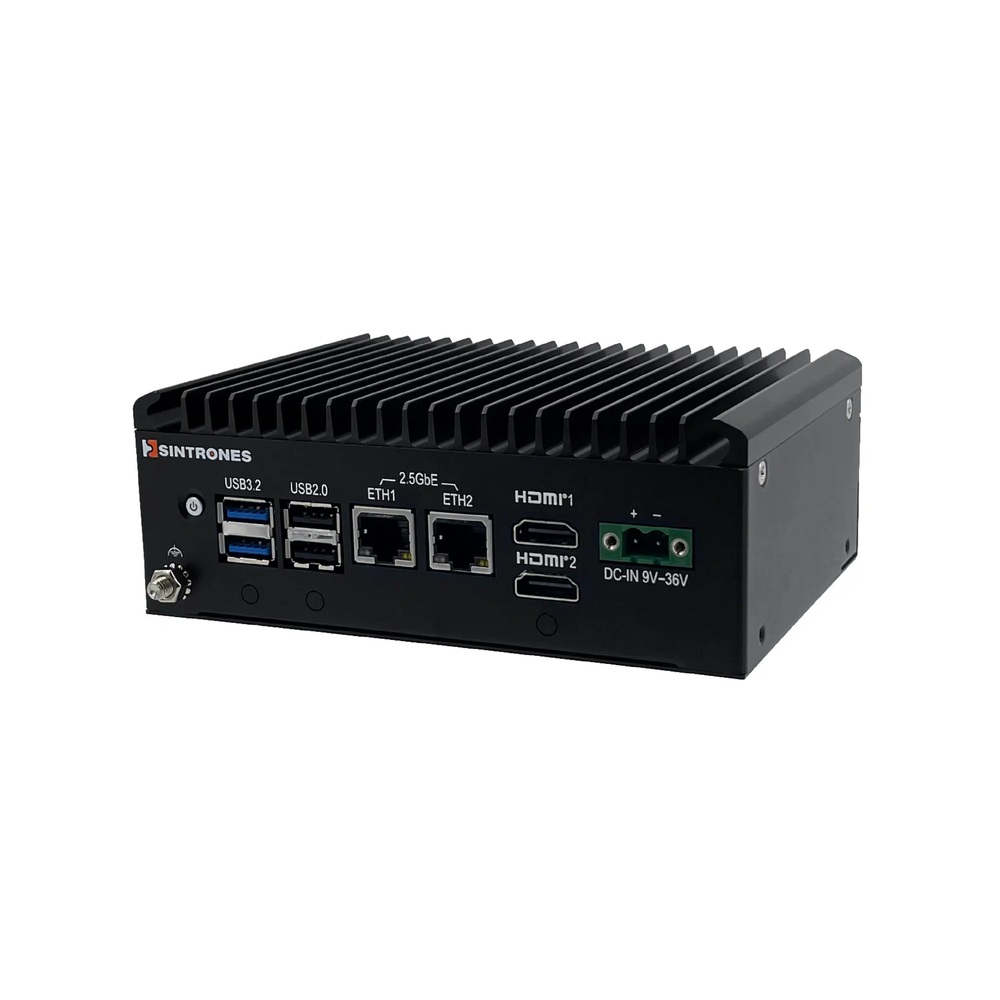
Intel Twin Lake N150 Fanless Mini Industrial PC with 6x USB Ports
- CPU
- Intel Atom x7433RE (Amston Lake)
- Ethernet
- 2× 2.5GbE
- Temp
- −40 to +70 °C
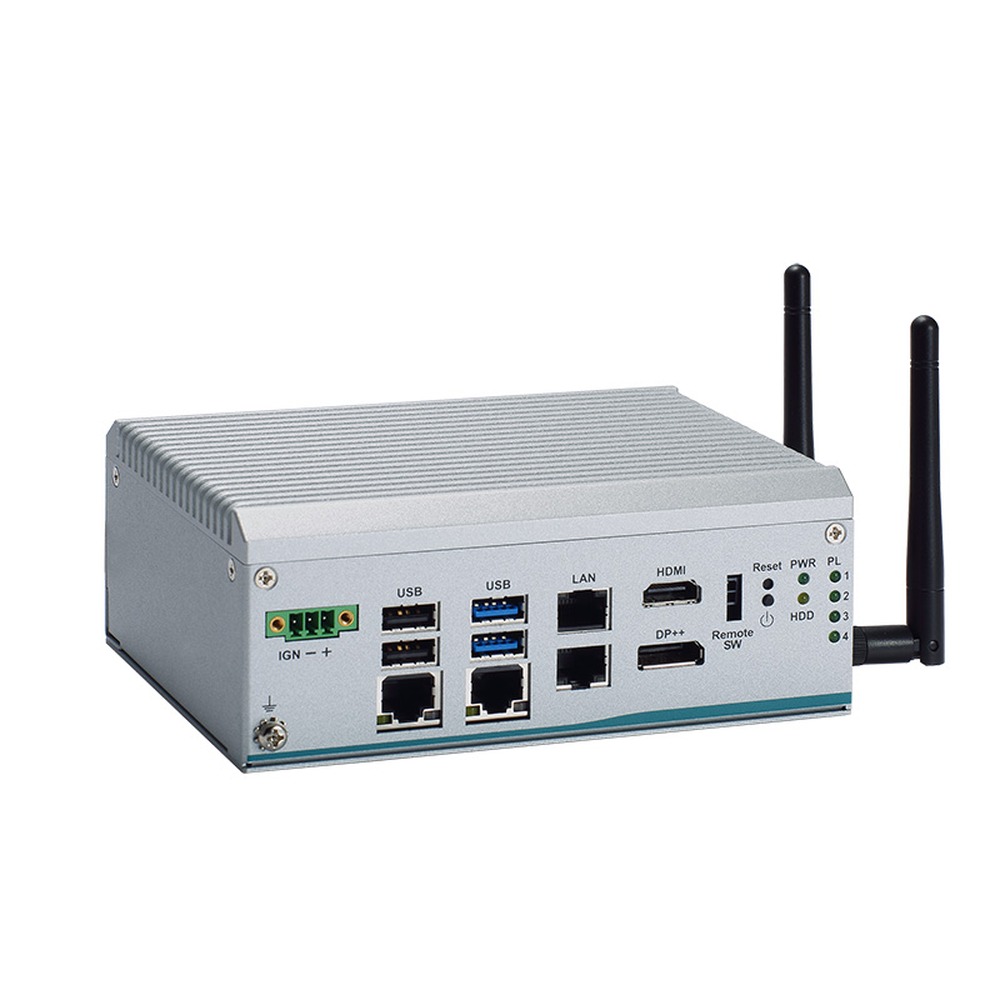
Intel Processor N97 Alder Lake-N Extended Temperature Compact Embedded Computer with 4x 2.5GbE
- CPU
- Intel Processor N97 (Alder Lake)
- Ethernet
- 4× 2.5GbE
- Temp
- −40 to +60 °C
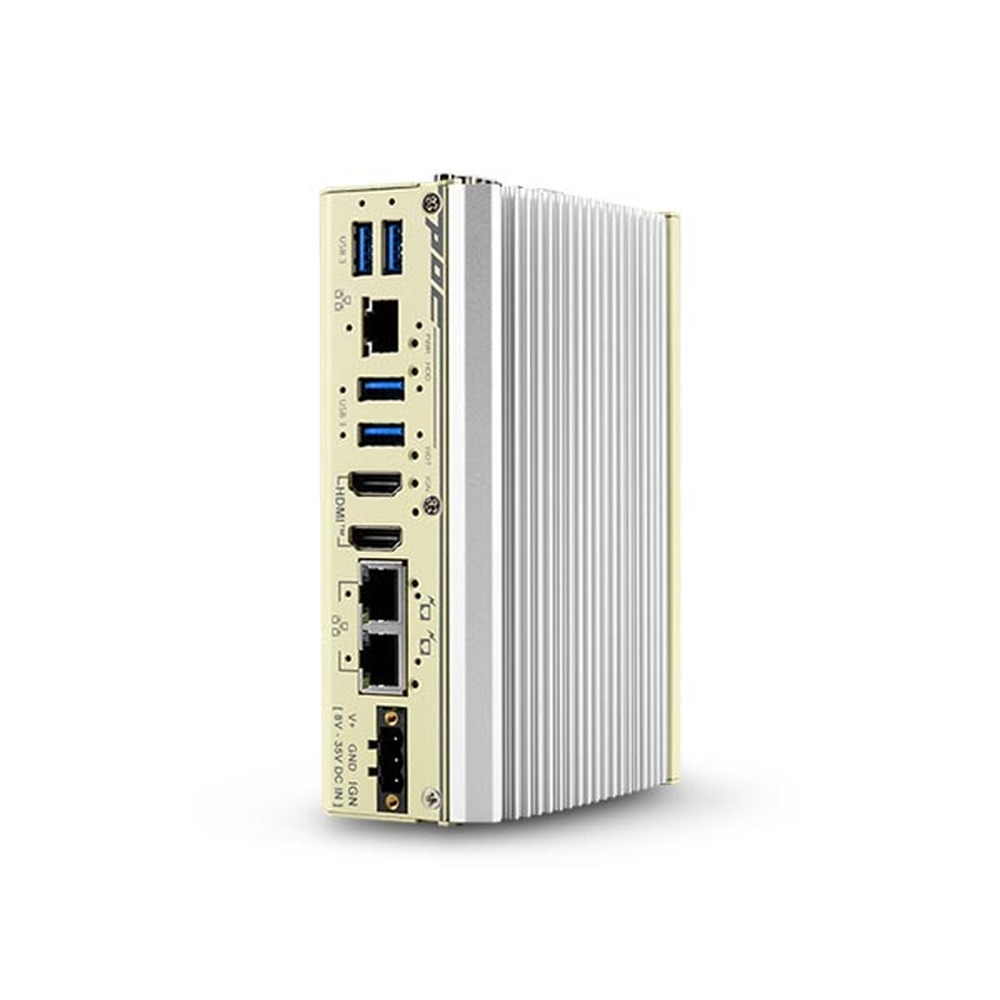
Intel Atom x7425E Fanless Ultra-Compact Embedded Computer with 3x 2.5GbE
- CPU
- Intel Atom x7425E (Alder Lake)
- Ethernet
- 3× 2.5GbE
- Temp
- −25 to +70 °C
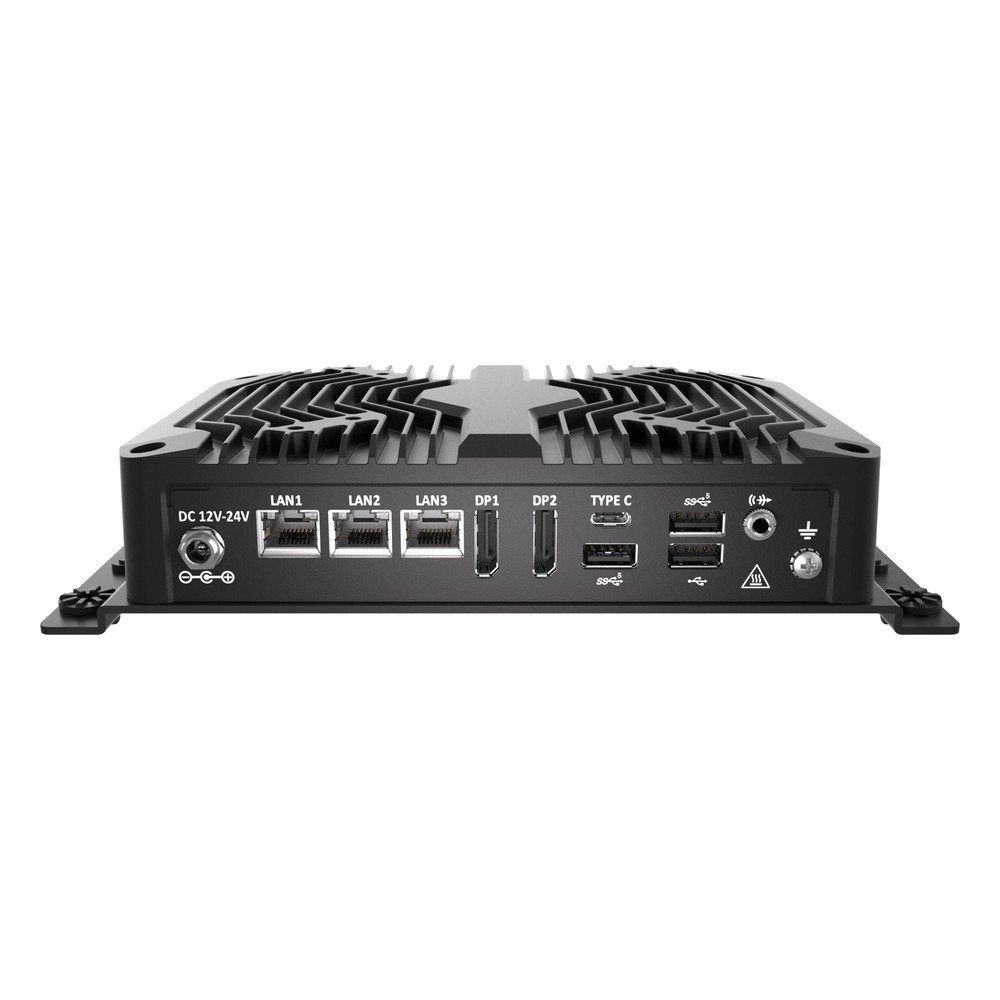
Intel Core Ultra 5 125U Fanless Embedded PC with NPU, Triple 2.5GbE and USB-C
- AI
- 11 TOPS
- CPU
- Intel Core Ultra 1 (Meteor Lake)
- Ethernet
- 3× 2.5GbE
Specifying a fanless mini PC
Seven questions to answer before you choose a model.
-
01
Temperature
What is the hottest and coldest air around the computer, inside its cabinet or enclosure?
-
02
Workload
What sustained processor, graphics or AI load will it run, and for how many hours a day?
-
03
Power
Which supply will it run from: 12 V, 24 V, a vehicle battery or an adapter?
-
04
I/O
How many LAN, USB, serial, DIO and display connections, and do any need PoE?
-
05
Mounting
DIN rail, wall, VESA or panel, and is there clear air around the fins?
-
06
Software
Which operating system, and does it need long-term support and remote management?
-
07
Lifecycle
How many will be deployed, over how many years, and will the same build be needed later?
Fanless mini PCs: common questions
Quick answers
Are fanless mini PCs reliable?
Yes, when they are sized for the installation. With no fan to wear out or clog, the main risks are heat and power; a model rated for the real ambient temperature, with industrial storage and a protected DC input, typically runs for years.
Do fanless PCs overheat?
Not if the processor power suits the case and the ambient. A fanless PC that gets too hot slows its processor before it comes to harm; keep the fins clear and choose a model rated above the hottest air it will see.
What is the best fanless mini PC?
The one whose processor, I/O and temperature rating match the job. For gateways and signage, Intel Processor N or Atom models usually suit; for light AI, a Core Ultra with an NPU; for camera analytics, a Jetson-based system.
What is the difference between an industrial and a consumer mini PC?
Temperature range, power input, I/O, mounting and lifecycle. Industrial models run from wide-range DC supplies across wider temperatures, add serial and isolated I/O and stay available for years.
Can a fanless PC run 24/7?
Yes, that is what industrial models are designed for. Size the processor for the sustained load at the hottest ambient, and use industrial temperature storage, so the system runs steadily without throttling.
What processor is best for a fanless PC?
The lowest-power part that meets the sustained workload. Intel Processor N and Atom x7000, 15 W Core Ultra, AMD Ryzen Embedded at reduced power and Arm SoCs all run well without a fan.
What is the most powerful fanless mini PC?
Larger fanless chassis now carry processors configured to 35 W and above. In a truly mini case, 15 W-class processors with integrated NPUs or a Jetson Orin NX module give the most sustained performance.
Fanless mini PC FAQs
-
What Are the Advantages of Fanless Computers?
Fanless computers cool themselves passively, through a finned heatsink chassis and heat pipes, instead of a fan. With no moving parts and no airflow drawing in dirt, they are more reliable in dusty or vibrating places, silent, low maintenance and easy to seal, which is why they are the standard choice for industrial and embedded use.
-
Intel N100 vs N150: What Is the Difference?
The Intel N150 is a refresh of the N100. Both have four efficient cores, four threads, 6 MB of cache and a 6 W base power. The N100 is an Alder Lake-N processor with a 3.4 GHz maximum turbo; the N150, from the Twin Lake refresh, reaches 3.6 GHz and runs its integrated graphics at a higher clock.
-
How Long Do Computers Last?
Most consumer laptops last around three to five years and desktops around five to eight. Industrial and embedded computers typically stay in service for seven to ten years or more, because they use fanless cooling, industrial components and processors from long-life embedded roadmaps. Heat, workload, storage wear and software support decide the rest.
-
What Is the Industrial Temperature Range?
The industrial temperature range is −40 to 85 °C: the grade an electronic component must operate across to be called industrial, compared with 0 to 70 °C for commercial parts. Rugged computers built from industrial-grade components typically run from −25 or −40 °C up to 70 °C as a complete system.
-
eMMC vs SSD: What Is the Difference?
eMMC and SSDs both store data on NAND flash. eMMC is a single chip soldered to the board on a slower 8-bit bus, up to around 400 MB/s, while an SSD is a replaceable drive on SATA or PCIe NVMe, from around 550 MB/s to several GB/s. eMMC costs less and uses less power; SSDs are faster, larger and upgradeable.
-
What Is Windows IoT Enterprise?
Windows IoT Enterprise is the edition of Windows for fixed-purpose devices such as industrial PCs, kiosks, HMIs and signage players. It is the full Windows Enterprise operating system, licensed to device builders and preinstalled on the hardware, with lockdown features for single-purpose use and an LTSC option that receives security updates for 10 years.
Looking for a fanless mini PC?
Tell us where the computer will be installed, the hottest air it will see, the supply it will run from and the I/O and software it needs. We will recommend a fanless mini PC to suit, then configure, image and test it before it ships.