
 UK
What Is a Single Board Computer? SBC Form Factors, Uses and Industrial Boards
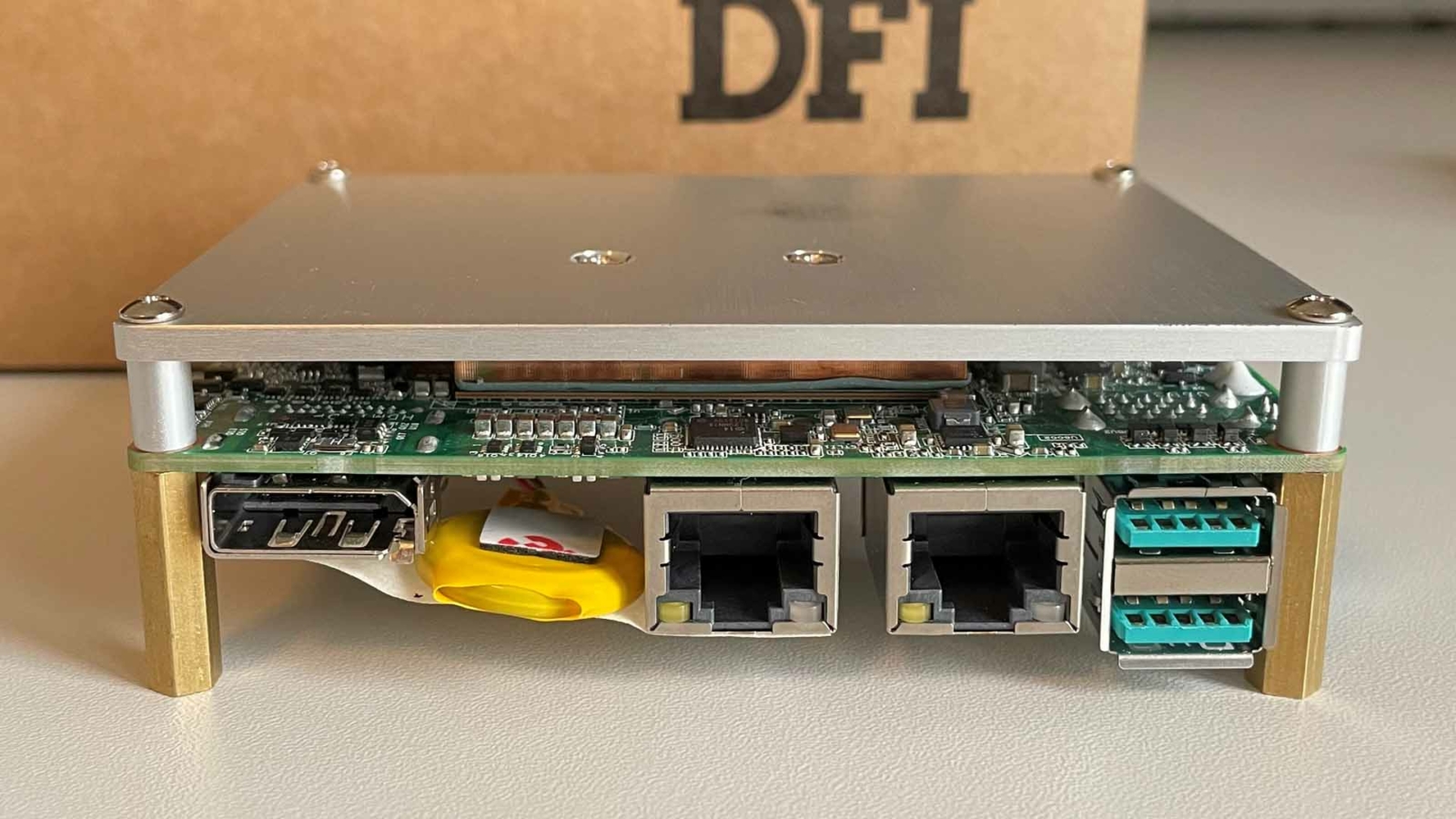
A single board computer (SBC) is a complete computer built on one circuit board: the processor, memory, storage, power regulation and input/output connectors all sit on the same board, so it can run an operating system and an application with nothing more than a power supply and, if needed, a display. There are no separate memory sticks, drives or expansion cards to assemble before it works.
That definition covers two quite different worlds. Maker boards such as the Raspberry Pi brought SBCs to students, hobbyists and prototypers. Industrial single board computers do the same job inside machines, kiosks, medical devices, vehicles and control cabinets, where they have to run for years across a wide temperature range and stay available for the life of the product.
This guide explains what is on an SBC, the main form factors from the 1.8 inch Femto-ITX to PC/104 and EPIC, x86 and Arm processors, how SBCs compare with motherboards, systems on module and microcontrollers, the differences between maker and industrial boards, where SBCs are used and how to choose one.
Key takeaways
- 01One board, one complete computer
- Processor, memory, storage, power and I/O are all on the board, often with memory and storage soldered down for shock and vibration.
- 02Form factors set the size and the fit
- Femto-ITX, Pico-ITX, 3.5 inch, EPIC and the PC/104 family are the standard industrial formats, from the smallest to the largest.
- 03x86 and Arm both have a place
- Intel and AMD boards run Windows and Linux with wide driver support; Arm boards run Linux or Android at lower power.
- 04Industrial boards are built for long service
- Wide temperature ratings, wide DC inputs, serial and CAN ports and availability commitments of many years set them apart from maker boards.
- 05An SBC is simplest for a fixed design
- Where the I/O or processor will change during the product’s life, a system on module on a carrier board may suit better.
Single board computer form factors
A form factor fixes a board’s outline, mounting holes and, for stackable formats, its expansion connectors, so enclosures and accessories can be designed around it. The industrial SBC formats below are listed from smallest to largest. Their names are the standard way to specify the size; the exact outline for each is in the relevant specification.
| Form factor | Defined by | Typical processors | Expansion | Typical use |
|---|---|---|---|---|
| 1.8 inch Femto-ITX | Board makers’ format, smaller than Pico-ITX | Intel Atom x7000RE, Intel Processor N, Core 3 N355 | Very limited; I/O on headers | Gateways, small controllers, OEM housings |
| 2.5 inch Pico-ITX | VIA Technologies | Intel Atom, Processor N and Core; Arm such as Qualcomm QCS6490 | One M.2 socket or I/O headers | Kiosks, portable medical devices, drones, compact HMIs |
| PC/104 family | PC/104 Consortium | Intel Atom, Vortex86, Core on newer boards | Stackable: PC/104, PC/104-Plus, PCI-104, PCIe/104 | Military, aerospace and rugged transport systems |
| 3.5 inch SBC | Industry convention, matching a 3.5 inch drive footprint | Intel Atom, Processor N and Core; AMD Ryzen Embedded | M.2, Mini PCIe, sometimes PCIe/104 | Industrial PCs, kiosks, vehicle and test equipment |
| 4 inch EPIC | PC/104 Consortium | Intel Core and Atom; AMD Ryzen Embedded | M.2, Mini PCIe, PC/104 stacking on some boards | Gateways and controllers with heavy I/O |
| Nano-ITX | VIA Technologies | Low-power x86 | Limited | Older compact designs |
| COM Express SBC | PICMG module on a carrier | Intel Atom, Core and Xeon | Set by the carrier | Long-life products that need a module upgrade path |
| Credit-card maker boards | Raspberry Pi and others | Arm (Broadcom, Rockchip, Allwinner) | HAT headers, USB | Education, prototyping, light commercial use |
Larger boards, from Mini-ITX upwards, are generally called motherboards rather than SBCs, because they use socketed memory and full-size expansion slots and are built into a chassis like a PC; our range of industrial motherboards covers them. Our explainer on motherboard form factors sets out the full list.
Femto-ITX and Pico-ITX: the smallest SBCs
Femto-ITX and Pico-ITX boards show how far x86 computing has shrunk. The 1.8 inch Femto-ITX SBC is among the smallest commercially available formats, and boards such as the DFI TWLF51 series fit eight-core Intel Core 3 N355 or Intel Atom x7000RE processors, 8 GB of soldered LPDDR5 memory and 64 GB of eMMC onto it, with a 12 V DC terminal block input. Their small footprint suits compact IoT devices, small controllers and OEM housings where space is the first constraint, and their low power suits sealed and battery-powered equipment.
Slightly larger, the 2.5 inch Pico-ITX SBC offers more room for connectors and a more powerful processor. The DFI WCL051-BT-350 carries a six-core Intel Core 7 350 Wildcat Lake processor with Xe3 graphics and dual 2.5GbE, while the Avalue ACP-Q6490 puts an Arm Qualcomm QCS6490 with a 12 TOPS AI engine on the same format. Pico-ITX boards suit digital signage, portable medical devices, drones and compact HMIs, where they balance size against performance and I/O.
3.5 inch, EPIC and PC/104 SBCs
The 3.5 inch SBC, also called a 3.5 inch embedded board, is the most common industrial format. It has room for a full set of industrial I/O: the Sintrones SMB-2615, for example, offers Intel Processor N150, Core 3 N355 or Atom x7433RE processors with dual 2.5GbE, four COM ports, a DDR5 SO-DIMM socket, TPM 2.0 and a watchdog. Rugged 3.5 inch boards such as the Diamond Systems VNS776KL-4GD combine a Core i7 with soldered memory, latching connectors, −40 to 85 °C operation and PCIe/104 OneBank expansion.
The 4 inch EPIC SBC gives more board area again. The DFI HPT253-BCN-8640U uses it for a six-core AMD Ryzen 5 8640U with a 9 to 36 V DC input, triple LAN and three M.2 slots for a 4G or 5G modem, Wi-Fi and an NVMe SSD.
The PC/104 family takes a different approach: boards stack on top of each other through their expansion connectors, so I/O, power and network boards build up into a rugged, self-contained system without a backplane. PC/104 single board computers remain common in defence, aerospace and transport, and our guides explain what PC/104 is and the PC/104 bus variants.
What is on a single board computer?
At the heart of any SBC is its processor, and the rest of the board follows from it: the memory type it supports, the number of PCIe lanes and USB ports it brings out, its graphics and its power draw. The table lists what you will find on a typical industrial board and what to look for.
| Part | What you will find | What to look for |
|---|---|---|
| Processor | Intel Atom, Processor N, Core or Core Ultra; AMD Ryzen Embedded; Arm SoCs from NXP, Rockchip or Qualcomm | Performance and graphics against the power and heat the enclosure can handle |
| Memory | DDR4 or DDR5 SO-DIMM, or LPDDR4 and LPDDR5 soldered to the board | Soldered memory resists shock and vibration; SO-DIMMs allow upgrades |
| Storage | eMMC soldered to the board, M.2 NVMe or SATA, sometimes a SATA port | Industrial-grade flash rated for the write load and temperature |
| Networking | Gigabit or 2.5GbE ports, sometimes with PoE | Intel controllers for driver support; locking connectors in vehicles |
| Display | HDMI, DisplayPort, LVDS or eDP for embedded panels | The number of independent displays and the panel interface |
| USB | USB 2.0 and USB 3.2, sometimes USB-C | Enough ports for touch, cameras and scanners |
| Industrial I/O | RS-232/422/485 serial, CAN bus, GPIO and isolated digital I/O | Isolation and protection on ports wired to field equipment |
| Expansion | M.2, Mini PCIe, PCIe/104 or PC/104 | Keys and lengths that match the modems, Wi-Fi and SSDs you need |
| Power | 12 V DC on smaller boards, wide-range 9 to 36 V DC on many industrial boards | Reverse polarity and surge protection |
| Management | TPM 2.0, watchdog timer, hardware monitoring | Secure boot, unattended recovery and remote health checks |
M.2 sockets deserve a special mention. They have largely replaced Mini PCIe and mSATA for storage and wireless on SBCs, and small M.2 2230 and 2242 SSDs are a good fit where board space is tight. The socket’s key decides what fits: our guide to M.2 key types explains which modules go where, including 4G and 5G modems, Wi-Fi and GNSS for devices that need location.
x86 vs Arm single board computers
Industrial SBCs are built on two processor architectures, and the choice usually comes down to software. Intel single board computers range from efficient Atom and Processor N parts to Core and Core Ultra, and AMD Ryzen Embedded SBCs add strong integrated graphics. Arm SBCs are known for low power, integrated multimedia and, increasingly, built-in NPUs for AI inference.
| x86 (Intel, AMD) | Arm (NXP, Rockchip, Qualcomm) | |
|---|---|---|
| Operating systems | Windows IoT Enterprise, Linux | Linux, Yocto, Android; Windows on some Qualcomm parts |
| Software | Runs standard PC applications and drivers | Needs Arm builds; vendor BSP for the board |
| Performance per watt | Good, with high peak performance | Usually better at low power |
| Graphics and AI | Intel Xe and AMD Radeon graphics; NPUs on Core Ultra and Ryzen AI | Integrated GPUs and NPUs on many SoCs |
| Boot and firmware | UEFI BIOS, like a PC | U-Boot or UEFI, set by the BSP |
| Typical use | HMIs, vision, Windows applications, gateways | Smart displays, low-power gateways, battery devices, AI cameras |
Where the application already runs on Windows, an x86 board with Windows 11 IoT Enterprise LTSC is usually the shortest route. Where power, cost and Linux are the priority, Arm boards such as our NXP i.MX SBCs fit well. Our comparison of x86 and Arm for industrial use goes into more depth, and our guide to AMD Ryzen Embedded boards covers the AMD side.
Operating systems and software on an SBC
The board is only half the decision; the software it runs, and who maintains that software, matters as much over a product’s life. On x86 boards the firmware is a UEFI BIOS, so Windows and mainstream Linux distributions install much as they would on a PC, and the board maker supplies drivers for the network, graphics and I/O controllers. Settings such as boot order, watchdog behaviour, power-on after power loss and serial port modes are configured in the BIOS, and we lock them down as part of each build.
Arm boards work differently. Each one comes with a board support package from its maker: the boot loader, kernel, drivers and device tree for that board, usually delivered as a Linux image or as layers for the Yocto Project. Application teams build on that BSP, so its quality and the maker’s update policy decide how easily the product can be patched later. Our introduction to embedded Linux explains the common approaches.
| x86 SBC | Arm SBC | |
|---|---|---|
| Firmware | UEFI BIOS with configurable settings | U-Boot or UEFI from the BSP |
| Operating systems | Windows 11 IoT Enterprise, Ubuntu and other Linux distributions | Vendor Linux or Yocto, Android, some Ubuntu builds |
| Driver source | Board and chip makers, in mainstream OS releases | The board maker’s BSP |
| Long-term updates | Follow the OS vendor’s support life | Follow the BSP maker’s release plan |
| Typical image | A captured OS image with drivers and the application | A built image from BSP layers plus the application |
Whichever route a project takes, keep a record of the exact image, BIOS version and board revision on each system. When a board is revised, as long-life boards occasionally are, that record is what lets the new revision be checked against the old one rather than treated as a new design.
SBC vs motherboard vs system on module
Three kinds of board can sit at the centre of an embedded product, and the choice affects cost, flexibility and how the product is upgraded.
| Single board computer | Motherboard | System on module and carrier | |
|---|---|---|---|
| What it is | A complete computer on one small board | A larger board, Mini-ITX and up, with socketed memory and expansion slots | A compute module plugged into an application-specific carrier |
| Integration | Memory and storage often soldered; ready to run | Takes SO-DIMMs or DIMMs, drives and cards | Module holds the compute; carrier holds the I/O |
| Upgrade path | A new board when the processor changes | Some boards take newer socketed processors | Swap the module, keep the carrier |
| Custom I/O | Limited to what the board offers | Through expansion cards | Designed into the carrier |
| Size | Smallest | Largest | Set by the carrier |
| Best for | Fixed designs in small enclosures | Performance and expansion in a chassis | Custom products with long lives |
An SBC is the simplest choice when one board already has the right I/O and fits the enclosure. A motherboard, such as an industrial Mini-ITX motherboard, suits builds that need full-size PCIe cards or more memory. A system on module suits products that need custom I/O or a processor upgrade during their life. Our guide to choosing an industrial motherboard or embedded SBC works through the decision.
What is the difference between an SBC and a microcontroller?
A microcontroller (MCU) is a single chip with a small processor core, a little memory and peripherals, running firmware or a real-time operating system directly. An SBC is a full computer that boots an operating system such as Linux or Windows. Many products use both: the SBC runs the application, user interface and networking, while a microcontroller handles fast, deterministic control close to the hardware.
| Microcontroller | Single board computer | |
|---|---|---|
| Software | Bare-metal firmware or an RTOS | Linux, Windows or Android |
| Memory | Kilobytes to a few megabytes | Gigabytes |
| Boot time | Milliseconds | Seconds |
| Power | Milliwatts | A few watts to tens of watts |
| Real-time control | Deterministic | Possible with real-time kernels, less predictable |
| Typical job | Motor control, sensor reading, power management | HMI, networking, data processing, AI inference |
Maker SBCs vs industrial SBCs
Is a Raspberry Pi a single board computer? Yes, and it is the best-known one. Maker boards made SBCs cheap and familiar, and they are excellent for learning, prototyping and some commercial uses such as Raspberry Pi digital signage. The differences from an industrial board show up when the product has to run unattended for years in a cabinet, a vehicle or outdoors.
| Typical maker SBC | Typical industrial SBC | |
|---|---|---|
| Operating temperature | Commercial, roughly 0 to 50 °C | 0 to 60 °C standard; −20 to 70 °C or −40 to 85 °C on wide-temperature boards |
| Power input | 5 V over USB-C | 12 V or wide-range 9 to 36 V DC with protection |
| Memory and storage | Soldered memory, microSD card | Soldered memory or SO-DIMM, eMMC and M.2 SSDs |
| Industrial I/O | GPIO header, USB | RS-232/422/485, CAN, isolated digital I/O, locking connectors |
| Firmware control | Vendor firmware | UEFI BIOS or BSP with customisation, watchdog and TPM |
| Availability | Long production runs on main models | Multi-year availability commitments and change notification |
| Options for harsh sites | Few | Conformal coating, rugged mounting, extended testing |
Temperature is the difference that most often decides it. Inside a sealed enclosure in the sun, or a cabinet next to drives, a board can see 20 °C or more above the outside air, which our explainer on the industrial temperature range covers. Boards in our rugged single board computers range are built and rated for those conditions.
What are single board computers used for?
Industrial SBCs are built into equipment rather than sold as a computer in their own right. They find their way into smart manufacturing lines, robotics, surveillance networks, energy management and rugged communication devices, often running around the clock. The table shows where each format tends to appear.
| Application | Typical board | Why |
|---|---|---|
| Self-service kiosks and ticket machines | 3.5 inch or Pico-ITX x86 | Windows applications, touch and printer ports, small enclosure |
| Medical devices | Pico-ITX or 3.5 inch with long availability | Small size, low heat, long product life and stable configuration |
| Test and measurement equipment | 3.5 inch or EPIC | Serial, USB and GPIO for instruments; room for expansion |
| Robots and drones | Pico-ITX, Arm SBCs or Jetson carriers | Low weight and power, camera inputs, AI acceleration |
| Vehicles and transport | 3.5 inch or EPIC with wide DC input | Vehicle power, CAN, cellular and GNSS |
| Defence and aerospace | PC/104 family, rugged 3.5 inch | Stackable I/O, −40 to 85 °C, soldered memory |
| IIoT gateways | Femto-ITX, Pico-ITX or EPIC | Serial and Ethernet data collection, protocol conversion, cellular uplink |
| Digital signage and HMIs | Pico-ITX or 3.5 inch with LVDS or eDP | Display interfaces, quiet fanless running |
Many of these roles connect sensors and machines to a network. Power-over-Ethernet boards, such as our PoE SBCs, can power IP cameras and sensors from the board, and the same boards sit inside many IoT gateways. Where the application needs Linux, our Linux SBCs run the distributions their makers support.
Advantages and disadvantages of single board computers
| Advantages | Disadvantages |
|---|---|
| Small size and low weight for a complete computer | Little room for expansion compared with a motherboard |
| Low power and fanless operation on most boards | Performance limited by the heat a small board can shed |
| Soldered memory and storage resist shock and vibration | Soldered parts cannot be upgraded later |
| Fewer parts to assemble, test and support | I/O is fixed by the board maker |
| Industrial versions with long availability and wide temperature ratings | A processor change means a new board and requalification |
For most fixed designs the advantages win, which is why SBCs are so common in industrial equipment. Where the disadvantages bite, a system on module or a motherboard is usually the answer.
Single board computers in our range
Industrial SBCs by form factor and processor, from the smallest Femto-ITX boards to stackable PC/104.
3.5 inch SBCs
The most common industrial format, with full serial, USB and network I/O.
View range
Pico-ITX SBCs
2.5 inch boards balancing size, performance and I/O.
View range
Femto-ITX SBCs
1.8 inch boards for the smallest OEM housings.
View range
4 inch EPIC SBCs
Larger boards with room for heavy I/O and three M.2 slots.
View range
PC/104 SBCs
Stackable boards for military, aerospace and transport systems.
View range
Arm SBCs
Low-power boards on NXP, Rockchip and Qualcomm processors.
View rangeSingle board computers from our range
These boards cover the main industrial form factors and both processor architectures. We fit memory, storage and wireless, configure the BIOS, image the operating system and application, and test each board before it ships, or build it into a complete enclosure where the project needs one.
| Form factor | Example from our range | Key facts |
|---|---|---|
| 1.8 inch Femto-ITX | DFI TWLF51-BT-86N35 | Intel Core 3 N355, 8 GB LPDDR5 soldered, 64 GB eMMC |
| 2.5 inch Pico-ITX, x86 | DFI WCL051-BT-350 | Intel Core 7 350, dual 2.5GbE, HDMI and LVDS |
| 2.5 inch Pico-ITX, Arm | Avalue ACP-Q6490 | Qualcomm QCS6490 with 12 TOPS AI engine, −20 to 70 °C |
| 3.5 inch SBC | Sintrones SMB-2615 | Intel N150, N355 or Atom x7433RE, dual 2.5GbE, 4× COM |
| Rugged 3.5 inch SBC | Diamond Systems VNS776KL-4GD | Intel Core i7-7660U, PCIe/104 OneBank, −40 to 85 °C |
| 4 inch EPIC | DFI HPT253-BCN-8640U | AMD Ryzen 5 8640U, 9 to 36 V DC, triple LAN, three M.2 |
For a complete computer rather than a bare board, the same processors appear in our fanless box PCs, and our ASRock Industrial single board computers add further options.
Industrial single board computers
Four boards from the table above: a Femto-ITX Core 3 N355, a Pico-ITX Core 7 350, a 3.5 inch SBC with four COM ports and a 4 inch EPIC board with an AMD Ryzen 5.
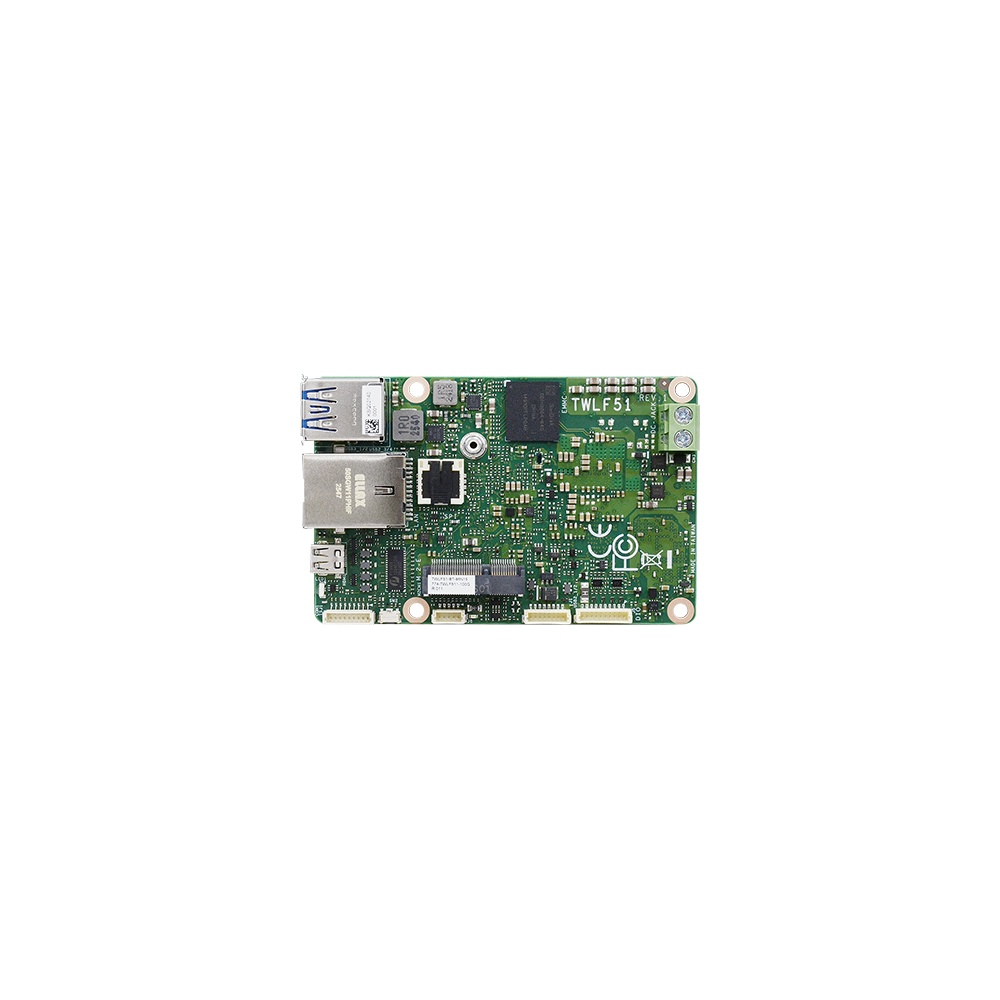
Intel Core 3 N355 1.8″ Femto-ITX SBC with 8GB LPDDR5 Memory and 64GB eMMC
- CPU
- Intel Processor N355 (Twin Lake)
- Ethernet
- 1× GbE
- Temp
- −5 to +65 °C
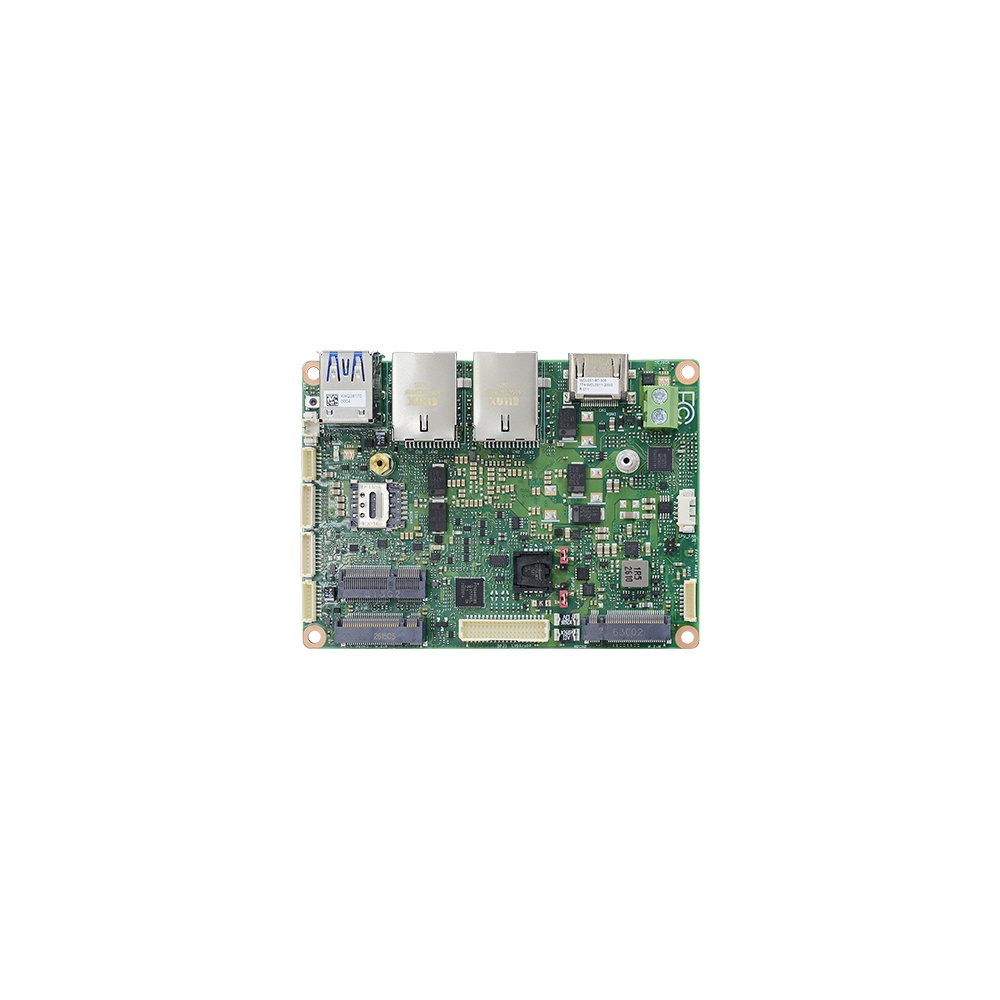
Intel Core 7 350 2.5″ Pico-ITX SBC with Dual 2.5GbE, HDMI and LVDS
- CPU
- Intel Core 3 (Wildcat Lake)
- Ethernet
- 2× 2.5GbE
- Temp
- 0 to +60 °C
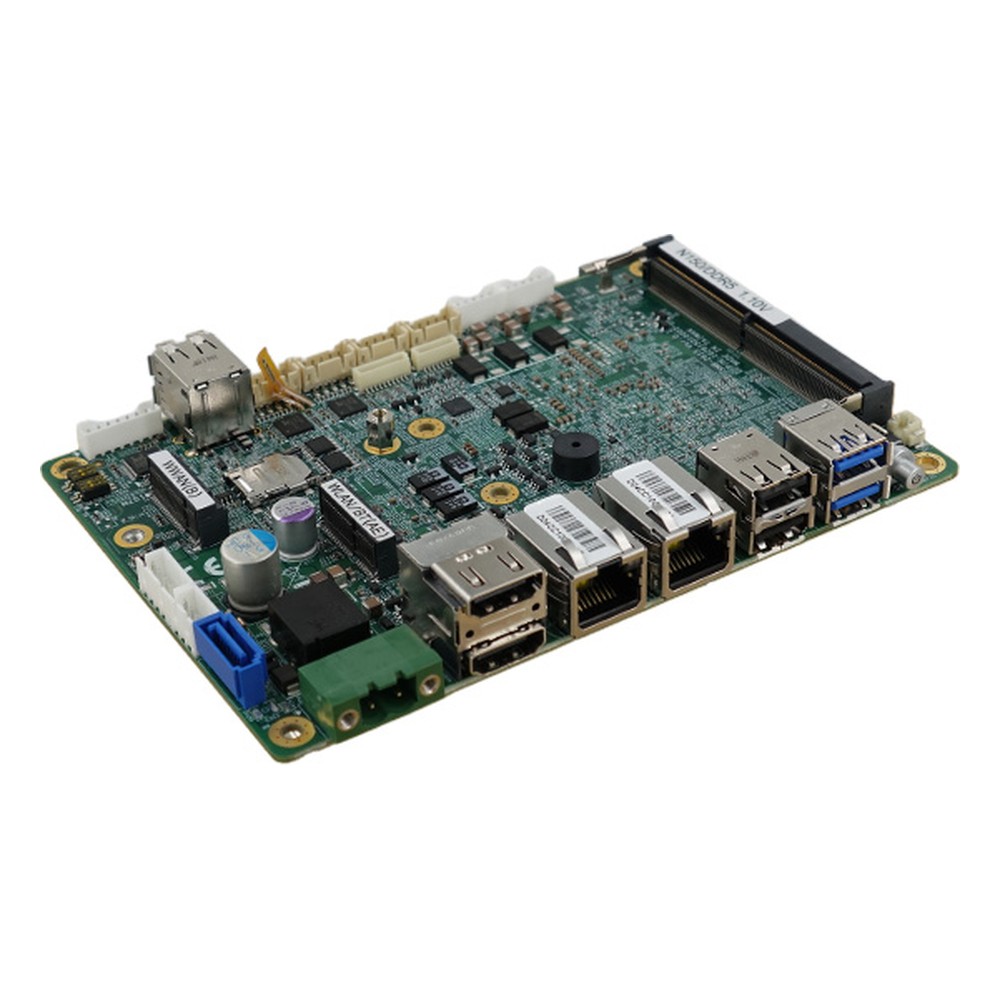
Intel N150, N355 or Atom x7433RE 3.5″ SBC with Dual 2.5GbE, 4x COM and Extended Temperature
- CPU
- Intel Atom x7433RE (Amston Lake)
- Ethernet
- 2× 2.5GbE
- Temp
- −40 to +70 °C
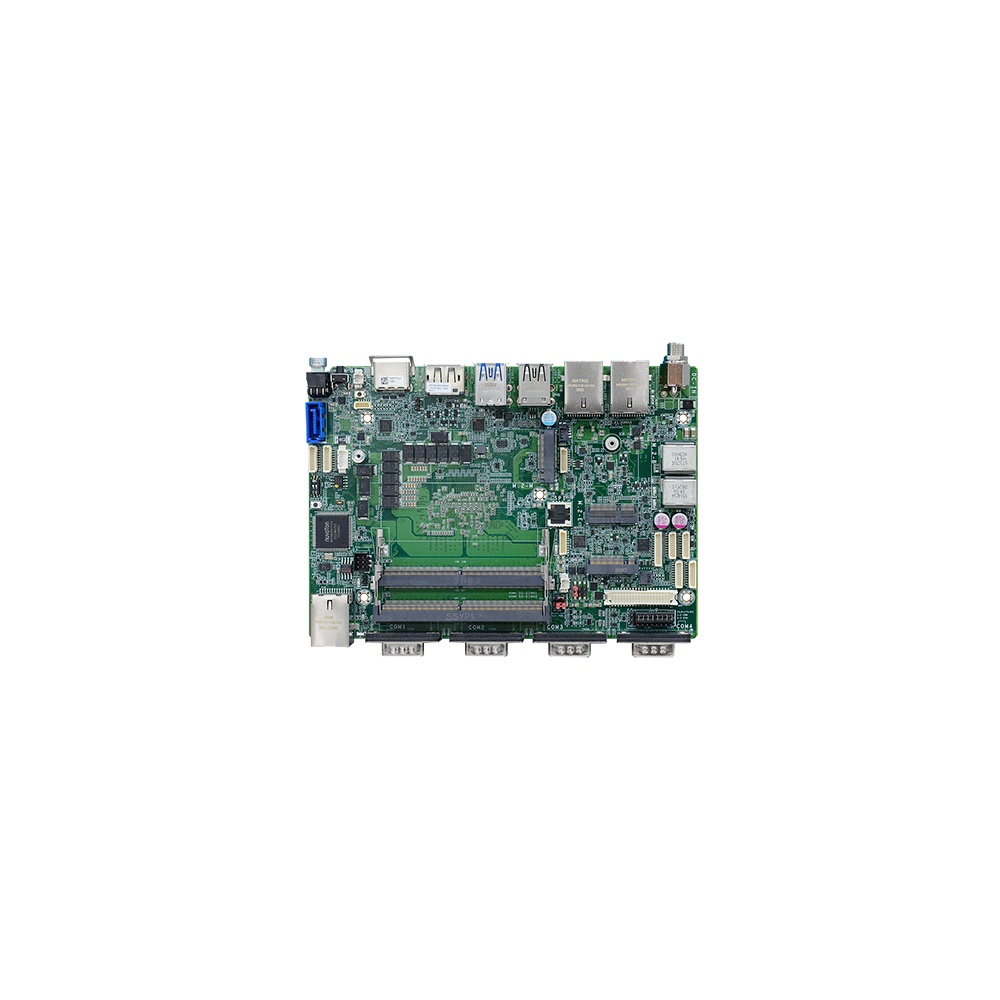
6-Core AMD Ryzen 5 8640U 4″ EPIC Single Board Computer with 9 to 36 V DC Input and Triple LAN
- AI
- 16 TOPS
- CPU
- AMD Ryzen PRO 8000
- Ethernet
- 2× 2.5GbE, 1× GbE
How we turn an SBC into a deployed system
A bare board is the start of a project, not the end. These are the steps we take before an SBC goes into your equipment.
-
Specify
Board and I/OMatch the form factor, processor, I/O and temperature rating to the enclosure and the application.
-
Build
Memory and storageFit memory, industrial SSDs, Wi-Fi or cellular modules, heatsinks and cable sets.
-
Image
OS and applicationConfigure the BIOS or boot loader and install Windows IoT Enterprise, Linux or your own image.
-
Test
I/O and loadCheck every interface, run the application under load and confirm thermals in the target enclosure.
-
Support
LifecycleTrack the board’s lifecycle, give notice of changes and plan replacements before stock runs out.
How to choose a single board computer
Seven questions that narrow the choice quickly.
-
01
Form factor
Which format fits the enclosure and mounting: Femto-ITX, Pico-ITX, 3.5 inch, EPIC or PC/104?
-
02
Processor
Does the workload need x86 for Windows software, or will an Arm board running Linux do the job at lower power?
-
03
I/O
Are the serial, CAN, USB, network and display interfaces on the board, or will a carrier or stack be needed?
-
04
Expansion
Do the M.2 and Mini PCIe sockets have the right keys and lengths for SSDs, modems and Wi-Fi?
-
05
Temperature
Is the board rated for the hottest air inside the enclosure, with margin?
-
06
Power
Does the input range and protection suit the supply, such as 12 V, 24 V or vehicle power?
-
07
Lifecycle
How long will the board be available, and will you be told before it changes?
Single board computers: common questions
Quick answers
What is a single board computer?
A complete computer on one circuit board. The processor, memory, storage, power regulation and I/O are all on the board, so it runs an operating system with just a power supply.
Is a Raspberry Pi a single board computer?
Yes. It is the best-known maker SBC. Industrial SBCs do the same job with wider temperature ratings, industrial I/O, wide DC inputs and long availability.
What is the difference between an SBC and a motherboard?
Size, integration and expansion. An SBC is small and ready to run, often with soldered memory. A motherboard, Mini-ITX and up, takes socketed memory, drives and full-size expansion cards.
What is the difference between an SBC and a microcontroller?
An SBC runs a full operating system. A microcontroller runs firmware or an RTOS on a single chip with little memory; an SBC boots Linux, Windows or Android.
What are SBCs used for?
Equipment that needs a computer built in. Kiosks, medical devices, test equipment, robots, drones, vehicles, defence systems, IIoT gateways and digital signage all use them.
What are the advantages and disadvantages of single board computers?
Small, efficient and simple, but less expandable. SBCs save space, power and assembly, but their I/O is fixed and a processor change means a new board.
What is an industrial single board computer?
An SBC built for long service in harsh conditions. It adds wide temperature ratings, protected DC inputs, serial and CAN ports, rugged connectors and multi-year availability.
Single board computer FAQs
-
What Is a Motherboard Form Factor?
A motherboard form factor is the standard that fixes a board’s size, mounting holes, rear I/O area and slot positions, so it fits matching cases and power supplies. The main motherboard sizes are ATX, Micro-ATX and Mini-ITX, with smaller embedded sizes such as 3.5-inch, Pico-ITX and PC/104.
-
What Is a Motherboard?
A motherboard is the main circuit board in a computer. It carries the processor socket, memory slots, chipset, firmware and power circuitry, and it links storage, expansion cards and every external port so the parts work together as one system.
-
What Is eMMC Storage?
eMMC storage (embedded MultiMediaCard) is NAND flash memory and its controller packaged in one small chip that is soldered to a device’s circuit board. Defined by JEDEC, it gives phones, tablets, single board computers and embedded modules a low-cost, low-power boot and system drive, typically from 8 to 256 GB, at up to around 400 MB/s.
-
What Is an Embedded System?
An embedded system is a combination of a processor, memory, input/output and software built into a larger device to do one dedicated job, such as controlling a washing machine, a car’s brakes or a factory machine. Unlike a general-purpose PC, it runs fixed software, often in real time, and is designed around the device it serves.
-
What Is GPIO?
GPIO (general-purpose input/output) pins are digital signal lines that software can set as inputs or outputs. As inputs they read on/off signals such as buttons, switches or sensors; as outputs they can drive LEDs, trigger cameras or switch relays through a driver. Embedded boards use them to connect simple signals without a dedicated interface.
-
What Is a Watchdog Timer?
A watchdog timer (WDT) is a hardware countdown that resets a computer or microcontroller if its software stops responding. Healthy software restarts the countdown at regular intervals. If the software hangs and the timer reaches zero, the watchdog triggers a reset, so an unattended system recovers by itself instead of waiting for someone to restart it.
-
What Is Mini PCIe?
Mini PCIe (mPCIe) is a small plug-in card format for embedded computers and laptops, defined by PCI-SIG in 2003. The 52-pin socket carries one PCIe lane and USB 2.0, plus a SIM interface for cellular modems. It is used for Wi-Fi, 4G modems, GNSS, serial, CAN and video capture cards in full-size and half-size versions.
Choosing a single board computer?
Tell us about the enclosure, the I/O and the conditions the board will run in. We will recommend the form factor and processor, then configure, image and test the board before it ships.