
 UK
UK 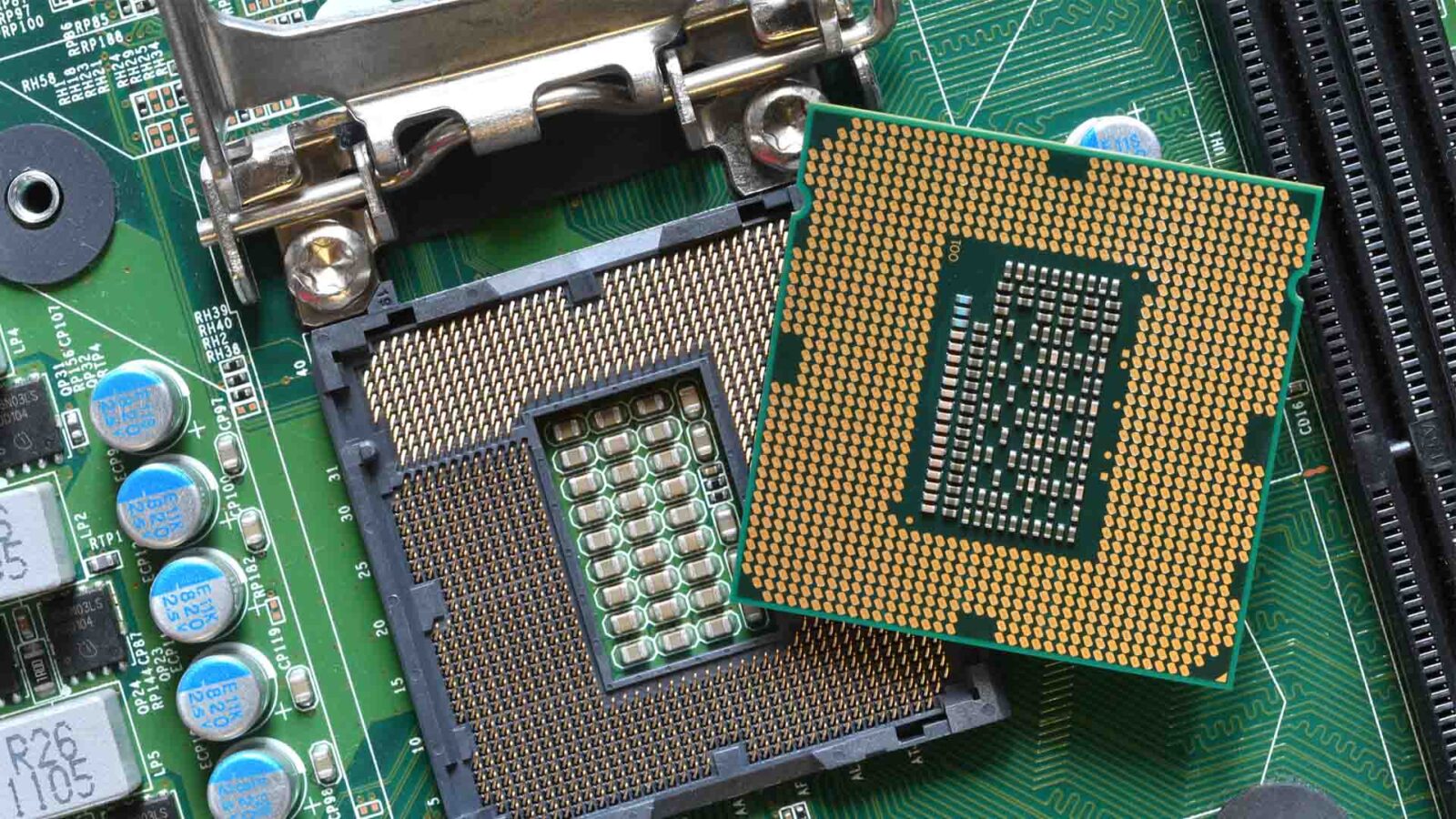
CPU Generations and Embedded Processors Explained
An embedded processor is built into a device to do one job for years. On an industrial system the CPU generation signals the platform, the memory, the power and the lifecycle, not just speed. Here are the types, the naming and how to choose.
An embedded processor is a processor built into a dedicated device, such as a machine controller, a gateway, a medical instrument or a vehicle computer, to do one job for many years, rather than sold to run whatever software a PC owner chooses. The term covers a wide range of chips, from microcontrollers that draw milliwatts to Intel Core, AMD Ryzen Embedded and NVIDIA Jetson processors that run vision and AI workloads.
Pick almost any industrial computer and the specification leads with a processor and a generation: 13th Gen Intel Core, Intel Core Ultra Series 2, AMD Ryzen Embedded V2000, NVIDIA Jetson Orin. On a consumer PC the generation is shorthand for speed. On an industrial system it tells you far more, about the platform, the memory and PCIe it supports, the power it draws and how long it will be made, and the newest part is rarely the right answer.
This guide explains the types of embedded processor, what a CPU generation actually signals, how to read Intel, AMD, Arm and Jetson names, what makes an embedded SKU different from its consumer twin, and how to choose a processor for a system that has to run unchanged for years.
Key takeaways
- 01Embedded means a dedicated job
- An embedded processor runs a fixed application inside a device, from a microcontroller in a sensor to a Core Ultra in a vision system.
- 02A generation is a platform, not a speed
- It sets the architecture, memory type, PCIe generation, graphics, AI engine and the boards available.
- 03Embedded SKUs trade a little for a lot
- Intel E and RE parts, AMD Ryzen Embedded and Arm industrial parts offer long availability, wider temperature and features such as in-band ECC.
- 04Software decides the architecture
- x86 suits Windows and PC software; Arm suits low-power Linux and Android devices; RISC-V is growing in microcontrollers.
- 05Choose for the lifecycle
- A part that will be made for the whole production run often beats a faster part that will not.
Types of embedded processor
Embedded processors fall into a handful of types, set by how much is on the chip and what software it runs. The boundaries blur, because most modern parts are systems on chip that mix several types on one die, but the table is a useful map.
| Type | What it is | Example families | Software | Typical power | Typical use |
|---|---|---|---|---|---|
| Microcontroller (MCU) | CPU core, flash, RAM and peripherals on one chip | Arm Cortex-M parts such as STM32, NXP i.MX RT, TI C2000 | Bare metal or an RTOS | Milliwatts to under 1 W | Sensors, motor control, power management |
| Microprocessor or applications processor | CPU cores with an MMU and external DRAM | NXP i.MX 8M, TI AM62x, Rockchip RK3568 | Linux, Android | 1–5 W | HMIs, gateways, smart displays |
| Digital signal processor (DSP) | Core tuned for maths on streams of samples | TI C6000, Analog Devices SHARC | RTOS, vendor libraries | Under 1 W to a few watts | Audio, radar, power analysis |
| System on chip (SoC) | CPU, GPU, NPU, memory controller and I/O on one chip | Qualcomm QCS6490, Rockchip RK3588, Intel Core Ultra | Linux, Android, Windows | A few watts to 30 W and more | Edge AI, signage, vision |
| FPGA or adaptive SoC | Programmable logic, often with Arm cores | AMD Zynq UltraScale+, Altera Agilex | Linux plus custom logic | A few watts to tens of watts | Motion control, imaging, protocol bridges |
| Embedded x86 | Intel or AMD PC processor in a long-life embedded SKU | Intel Atom x7000RE, Core i5-1335UE, AMD Ryzen Embedded V2000 | Windows, Linux | 6–65 W | Industrial PCs, panel PCs, box PCs |
| AI SoC or module | Arm CPU with a large GPU or NPU | NVIDIA Jetson Orin and Thor | Linux with JetPack | 7–130 W | Robots, multi-camera AI, autonomous machines |
Our explainer on what an embedded system is covers the devices these chips go into, and our guide to the system on chip explains why most modern embedded processors are SoCs. For the basics of the processor itself, see what a CPU is.
What is the difference between an embedded processor and a microcontroller?
A microcontroller is one kind of embedded processor: a small CPU core with its program flash, RAM and peripherals on the same chip, running firmware or a real-time operating system directly. The word embedded processor usually means something larger, an applications processor or x86 part that uses external memory, has an MMU for memory protection and boots a full operating system such as Linux or Windows.
| Microcontroller | Embedded applications processor | |
|---|---|---|
| Memory | Kilobytes to a few megabytes on the chip | Gigabytes of external DDR or LPDDR |
| Operating system | None, or an RTOS | Linux, Android or Windows |
| Memory protection | MPU at most | MMU, so it runs a full OS with separate processes |
| Boot time | Milliseconds | Seconds |
| Timing | Deterministic, cycle-accurate | Less predictable without real-time features |
| Power | Milliwatts | A few watts to tens of watts |
| Typical job | Read a sensor, drive a motor, sequence power | Run the application, the display and the network |
Many products use both. The applications processor runs the user interface, the networking and the analytics, while a microcontroller, or a Cortex-M core built into the same SoC, handles the fast control loop close to the hardware. Our guide to Arm architecture explains the Cortex-A, Cortex-R and Cortex-M profiles behind that split.
What a CPU generation actually tells you
A CPU generation tells you which processor family and technology period a part belongs to. It is not a performance score: a low-power part of a new generation can be slower than a high-power part of the previous one. What it does signal is the platform around the processor.
| A generation sets | What changes | Why it matters in an industrial system |
|---|---|---|
| Architecture and cores | Core design, core counts, cache and hybrid P-core and E-core layouts | More work per watt; better fit for fanless enclosures |
| Memory | DDR4, DDR5, LPDDR5 and ECC support | Module availability and data integrity over the product life |
| PCIe and I/O | PCIe generation and lane count, USB4, Thunderbolt | Which GPUs, capture cards and SSDs the system can carry |
| Graphics and media | Integrated GPU, display outputs, video codecs | Multi-screen HMIs and video analytics without a graphics card |
| AI acceleration | An NPU on Core Ultra and Ryzen AI parts | On-device inference without a discrete GPU |
| Platform | Socket, chipset, BIOS and the boards that exist | What can be built, and for how long |
| Embedded features | In-band ECC, Time Coordinated Computing, wider temperature SKUs | Real-time control and harsh-site deployment |
Hybrid layouts deserve a note. Since Alder Lake, many Intel processors mix performance cores and efficient cores, which changes how software is scheduled and how real-time tasks should be pinned; our guide to P-cores and E-cores explains it. Our comparison of DDR4 and DDR5 covers the memory side, and PCIe generations covers the lanes.
Intel processor generations in industrial computers
Intel’s naming changed in 2023, from numbered Core generations to Core Ultra and Core series, and its embedded lines carry codenames that matter more than the marketing name when you are matching boards. The table lists the families most often found in industrial computers today, with approximate launch years.
| Family and codename | Around | What it brought | In our range |
|---|---|---|---|
| 11th Gen Core (Tiger Lake) | 2020 | Xe graphics, PCIe 4.0, embedded UP3 parts still in long-life designs | Rugged SBCs and COM Express |
| 12th Gen Core (Alder Lake) | 2022 | Hybrid P-cores and E-cores, DDR5, PCIe 5.0 on desktop parts | Alder Lake systems |
| 13th and 14th Gen Core (Raptor Lake) | 2023–24 | More E-cores and cache on the same platform | Raptor Lake systems |
| Core Series 2 (Bartlett Lake) | 2025 | Long-life socketed embedded parts on the LGA1700 platform | Bartlett Lake systems |
| Core Ultra Series 1 (Meteor Lake) | 2023–24 | Tiled design, Arc graphics and the first NPU | Core Ultra systems |
| Core Ultra Series 2 (Arrow Lake, Lunar Lake) | 2024–25 | LGA1851 desktop parts, stronger NPUs on H and V models | Core Ultra systems |
| Core Ultra Series 3 (Panther Lake) | 2026 | Intel 18A process, NPU rated around 47–50 TOPS on boards we stock | Core Ultra NUC and Mini-ITX boards |
| Core Series 3 (Wildcat Lake) | 2026 | Low-power Core with Xe graphics and DDR5 | Wildcat Lake systems |
| Atom x6000 (Elkhart Lake) | 2021 | In-band ECC, TCC and industrial RE parts | Elkhart Lake systems |
| Atom x7000 (Amston Lake) | 2023 | Up to eight E-cores, in-band ECC, industrial RE parts | Amston Lake systems |
| Processor N (Alder Lake-N, Twin Lake) | 2023–25 | Low-cost E-core parts such as N97 and N150 | Processor N systems |
Because the name no longer carries a simple generation digit, check the exact model on Intel’s specification pages and confirm the codename against the board. Our guide to Intel Core Ultra explains the Series 1, 2 and 3 split, and Core Ultra vs Core i7 covers the rename. Intel’s processors in our range are gathered on our Intel pages.
How to read an Intel model number and suffix
Older names such as Core i5-13500 put the generation in the leading digits. Newer names such as Core Ultra 7 255H or Core 3 304 use series naming, so the digits identify the model rather than the year. The letter at the end still matters, because it separates mobile, desktop and embedded parts of the same design.
| Suffix | Meaning | Example |
|---|---|---|
| U | Low-power mobile, around 15 W base | Core i3-1315U |
| P | Mobile performance, around 28 W base | Core i5-1340P |
| H | High-performance mobile, around 28–45 W base | Core Ultra 7 255H |
| V | Lunar Lake mobile with memory on the package | Core Ultra 7 258V |
| S or none | Desktop socketed part | Core Ultra 9 285 |
| T | Low-power desktop, around 35 W | Core Ultra 7 265T |
| K | Unlocked multiplier for overclocking; desktop only | Core i7-14700K |
| F | No integrated graphics, needs a graphics card | Core i5-14400F |
| E | Embedded: long-life availability for embedded use | Core i5-1335UE, Core i7-13700E |
| TE | Embedded, lower-power desktop part | Core i5-13500TE |
| RE | Atom parts validated for industrial use conditions | Atom x7835RE, Atom x6425RE |
Read the table as a guide rather than a rule: suffixes shift between generations, and newer embedded listings add PE, PTE or PQE variants. Intel’s specification page for the exact part confirms its power, use conditions and availability. Features such as hyper-threading also vary by generation, so check them per model rather than assuming them from the tier.
AMD, Arm and NVIDIA Jetson naming
AMD’s embedded naming is less suffix-led than Intel’s. Ryzen Embedded parts are grouped by series, and each series maps to a Zen architecture: the V1000 and R1000 use Zen, the R2000 Zen+, the V2000 Zen 2 and the V3000 Zen 3. Newer embedded Ryzen 7000 and 8000 parts follow the mobile names with long-life support, and EPYC Embedded covers high-core-count edge servers. Check the exact family, core count, graphics, power and lifecycle status rather than the digits. Our Ryzen Embedded V1000 and R2000 pages list two of the series we stock, and our guide to AMD EPYC Embedded covers the server end.
Arm is the architecture and core design, not the chip maker. The finished processor is sold under the silicon vendor’s name, such as NXP i.MX, Rockchip RK or Qualcomm QCS, so two Arm parts can differ greatly in CPU cores, GPU, NPU, memory and I/O. NVIDIA Jetson modules are named by family (Orin, Thor) and class (Nano, NX, AGX), with Industrial variants for harsher deployments. The cheatsheet below is a quick key.
Processor naming cheatsheet
Processor naming is not consistent across brands. Intel, AMD, Arm-based chips and NVIDIA Jetson modules each describe families, generations and performance classes differently. Use this key to read a name before you check the full specification.
-
01
Family name
Core, Core Ultra, Atom and Xeon name the broad line. Core and Core Ultra suit higher-performance industrial PCs; Atom and Processor N parts suit low-power embedded systems.
View range -
02
Tier
3, 5, 7 and 9 (or the older i3, i5, i7 and i9) give the performance tier within the family. A higher tier is not automatically the best fit if power, heat or lifecycle matter more.
-
03
Model number
Older names such as Core i5-13500 show the generation in the leading digits. Newer names such as Core 3 304 or Core Ultra 7 255H use series naming, so check the full listing.
-
04
Suffix key
E marks an embedded part, TE an embedded lower-power part and RE an Atom validated for industrial use. Newer listings add PE, PTE or PQE, so confirm the role and power on Intel’s specification page.
-
05
Family name
Ryzen Embedded covers long-life embedded x86 with strong graphics. EPYC Embedded covers high-core-count edge servers and network appliances.
View range -
06
Architecture
AMD generations are best read through the Zen architecture behind each series. The model number alone may not tell you the graphics, power or availability.
-
07
Model and series
Embedded parts are grouped by series (V1000, R2000, V3000) rather than one generation digit. Check the series, core count, graphics and power envelope.
-
08
Suffix key
U, H and HS are mobile suffixes. Embedded products are best checked by family, series, TDP, temperature support and lifecycle status.
-
09
Brand name
Arm is usually the architecture and core design inside another vendor’s system on chip, sold under an NXP, TI, Qualcomm, Rockchip or other name.
-
10
Profile letters
Cortex-A runs rich operating systems such as Linux, Cortex-R handles real-time work and Cortex-M covers microcontroller tasks.
-
11
Generation
A generation combines the Arm architecture version, the CPU core and the SoC vendor’s design. Two Arm parts can differ greatly in GPU, NPU, memory and I/O.
-
12
What to check
Check the SoC vendor, the core family, the board support package, Linux or RTOS support, temperature options and the vendor’s longevity programme.
-
13
Family name
Nano, Xavier, Orin and Thor are Jetson families. Moving between them changes the CPU cores, GPU architecture, AI performance, memory bandwidth and software release.
View range -
14
Module class
Nano is the smaller, lower-power option, NX a compact module with more performance and AGX the higher-performance modules.
-
15
Industrial
An Industrial module is a Jetson variant for more demanding temperature, vibration and lifecycle requirements. Confirm the figures against the module datasheet.
-
16
What to check
Compare the module family, AI performance, memory, power modes, camera interfaces, carrier board compatibility and JetPack support.
How is an embedded CPU different from a desktop CPU?
A consumer processor is chosen for peak performance and replaced within a year or two. An industrial system is chosen to run, unchanged, for the better part of a decade, so the priorities invert. Most processor makers keep an embedded line for that reason, and often the embedded part is the same silicon as a consumer part, sold under different terms.
| Consumer part, e.g. Core i3-1315U | Embedded part, e.g. Core i3-1315UE | |
|---|---|---|
| Silicon | 13th Gen Raptor Lake-P, two P-cores and four E-cores | The same design |
| Availability | Follows the consumer product cycle | Long-life availability for embedded designs |
| Use conditions | Client PC use | Validated for embedded use, including longer daily operation |
| Features | Consumer feature set | Embedded features such as in-band ECC and TCC on many parts |
| Typical home | Laptops and office mini PCs | HMIs, gateways, signage and control systems |
Our own range shows the pair side by side: the ASRock Industrial NUC 1300/D4 series offers the same board with either the Core i3-1315U or the Core i3-1315UE, so a design can choose the embedded part without changing anything else. The same pattern runs through AMD’s Ryzen Embedded line and the industrial grades of Arm SoCs, which add wider temperature ratings.
Temperature is where industrial parts differ most. Industrial-grade Atom RE parts, Arm SoCs and Jetson Industrial modules are rated for wider temperatures than consumer chips, and boards built on them commonly reach −20 to 70 °C or −40 to 85 °C. Our explainer on the industrial temperature range sets out what those ratings mean in an enclosure.
How long are embedded processors available?
Longer than consumer parts, and the commitment is published. Processor makers run longevity or embedded roadmap programmes for these parts, and the figures below are typical of what they state. Board and system makers then set their own supply periods on top, usually shorter than the processor’s.
| Maker | Embedded line | Typical planned availability |
|---|---|---|
| Intel | E, RE and embedded-use SKUs on the IoT roadmap | Often seven years or more from launch |
| AMD | Ryzen Embedded and EPYC Embedded | Up to ten years on many parts |
| NXP | i.MX applications processors | Ten or 15 years under its longevity programme |
| Texas Instruments | Sitara applications processors | Long availability, typically ten years or more |
| NVIDIA | Jetson modules, especially Industrial variants | Published per module, several years |
Treat these as planning figures, confirm them for the exact part, and keep a record of the processor stepping, board revision and BIOS on every system. Our explainer on how long NVIDIA Jetson is supported covers the Jetson side. Long availability is also why a slightly older embedded part often beats a brand-new consumer one in a design that will be made for years.
x86 vs Arm vs RISC-V for embedded designs
Before the brand comes the instruction set, and it is the first real fork in choosing an embedded processor. Most industrial computing runs on x86, with the broadest operating system and application compatibility and strong single-thread performance. Arm takes the other path, with more performance per watt and highly integrated SoCs, which is why it dominates compact, sealed and battery-powered devices and why Jetson pairs Arm cores with an NVIDIA GPU.
| x86 (Intel, AMD) | Arm (NXP, Qualcomm, Rockchip, NVIDIA) | RISC-V | |
|---|---|---|---|
| Instruction set | CISC, licensed to Intel and AMD only | RISC, licensed by Arm to many chip makers | RISC, an open standard anyone can implement |
| Operating systems | Windows, Linux | Linux, Android; Windows on some Qualcomm parts | Linux on newer parts; RTOS on microcontrollers |
| Software | Runs standard PC software and drivers | Needs Arm builds and a vendor BSP | Toolchains maturing; fewer ready-made BSPs |
| Strength | Performance, compatibility | Power efficiency, integration | Openness, low licensing cost |
| Industrial boards today | The majority | Common at the low-power end | Mostly in microcontrollers and inside other chips |
RISC-V is the one to watch. It is an open instruction set managed by RISC-V International, and it already runs in many microcontrollers and as management cores inside larger chips. Linux-capable RISC-V applications processors are appearing, but industrial boards with long-term software support remain rare, so for most products today the choice is still x86 or Arm. Our comparison of x86 and Arm covers that choice in depth.
How to choose an embedded processor for an industrial system
Start with the workload, then check the choice against the physical and commercial limits of the system. The table maps common workloads to the processor classes that usually suit them.
| Workload | Usually suits | Why |
|---|---|---|
| Gateway, protocol conversion, data logging | Atom x7000, Processor N or an Arm SoC | Low power, fanless, enough cores for several services |
| HMI or kiosk running Windows software | Processor N, Core Series 3 or Core i3/i5 embedded | x86 compatibility, good graphics, modest heat |
| Multi-screen signage or medical imaging | AMD Ryzen Embedded or Core Ultra | Strong integrated graphics and four display outputs |
| Real-time control alongside an HMI | Atom x6000RE or x7000RE, Core with TCC | Time Coordinated Computing, in-band ECC, TSN Ethernet |
| Light AI inference beside the application | Core Ultra or Ryzen AI | On-chip NPU; see what an NPU is and NPU vs GPU |
| Multi-camera AI, robots, autonomy | NVIDIA Jetson Orin or Thor | Large GPU, many camera inputs, JetPack |
| Virtual machines and edge servers | Core i7/i9 desktop, Xeon or EPYC Embedded | Cores, memory channels, ECC, PCIe lanes |
Then check the power. A processor’s base power, its turbo limits and the cooling of the enclosure decide whether it will hold its performance; our guide to TDP explains the figures. Finally, check the boards and systems: our industrial computers show the processors in use, and a processor is only as available as the boards and computers built on it, and our guide to choosing an embedded motherboard covers that step.
Processor families in our range
Industrial computers and boards grouped by the processor inside.

Intel
Atom, Processor N, Core and Core Ultra, including embedded E and RE parts.
View range
AMD
Ryzen Embedded, Ryzen 8000 and AI 300, and EPYC for edge servers.
View range
NVIDIA Jetson
Arm CPU and NVIDIA GPU modules for edge AI, from Orin Nano to Thor.
View range
NXP i.MX
Long-life Arm processors for gateways and HMIs.
View range
Qualcomm
Dragonwing SoCs with Hexagon NPUs for compact AI devices.
View range
Rockchip
RK3568, RK3576 and RK3588 for signage and vision.
View rangeEmbedded processors in our range
These boards and modules show one example of each class. We fit memory and storage, configure the BIOS or boot loader, image the operating system and application, and test each system before it ships.
| Processor class | Example from our range | Key facts |
|---|---|---|
| Industrial Atom | DFI TWLF51-EC-86X78 | Atom x7835RE, eight cores, 8 GB LPDDR5, −20 to 70 °C |
| Embedded Core | ASRock Industrial NUC-1315UE/D4 | Core i3-1315UE, quad display, dual 2.5GbE |
| AMD Ryzen Embedded | DFI RNO171-CB-V2718 | Ryzen Embedded V2718, eight cores at 15 W, four DP++ outputs |
| Arm applications processor | DFI M8MP553-ECC-81QDI | NXP i.MX 8M Plus, two CAN ports, −30 to 80 °C |
| AI SoC module | NVIDIA Jetson Orin NX 16GB | Eight Cortex-A78AE cores, up to 100 TOPS, 10–25 W |
Embedded processors on boards and modules
Five examples from the table: an industrial Atom SBC, an embedded Core board, a Ryzen Embedded motherboard, an i.MX 8M Plus board and a Jetson Orin NX module.
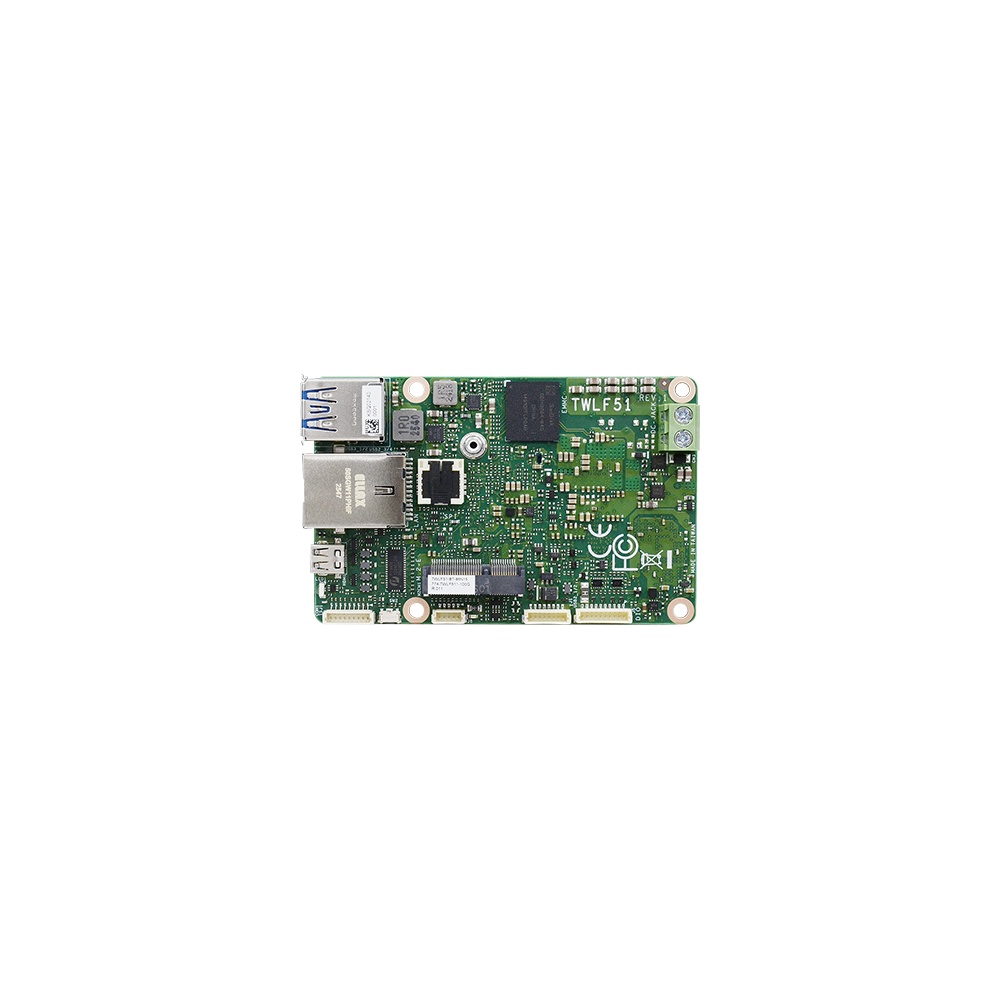
Intel Amston Lake Atom x7835RE Femto-ITX Single Board Computer with 8GB LPDDR5 Memory and -20 to 70 °C
- CPU
- Intel Atom x7835RE (Amston Lake)
- Ethernet
- 1× GbE
- Temp
- −20 to +70 °C
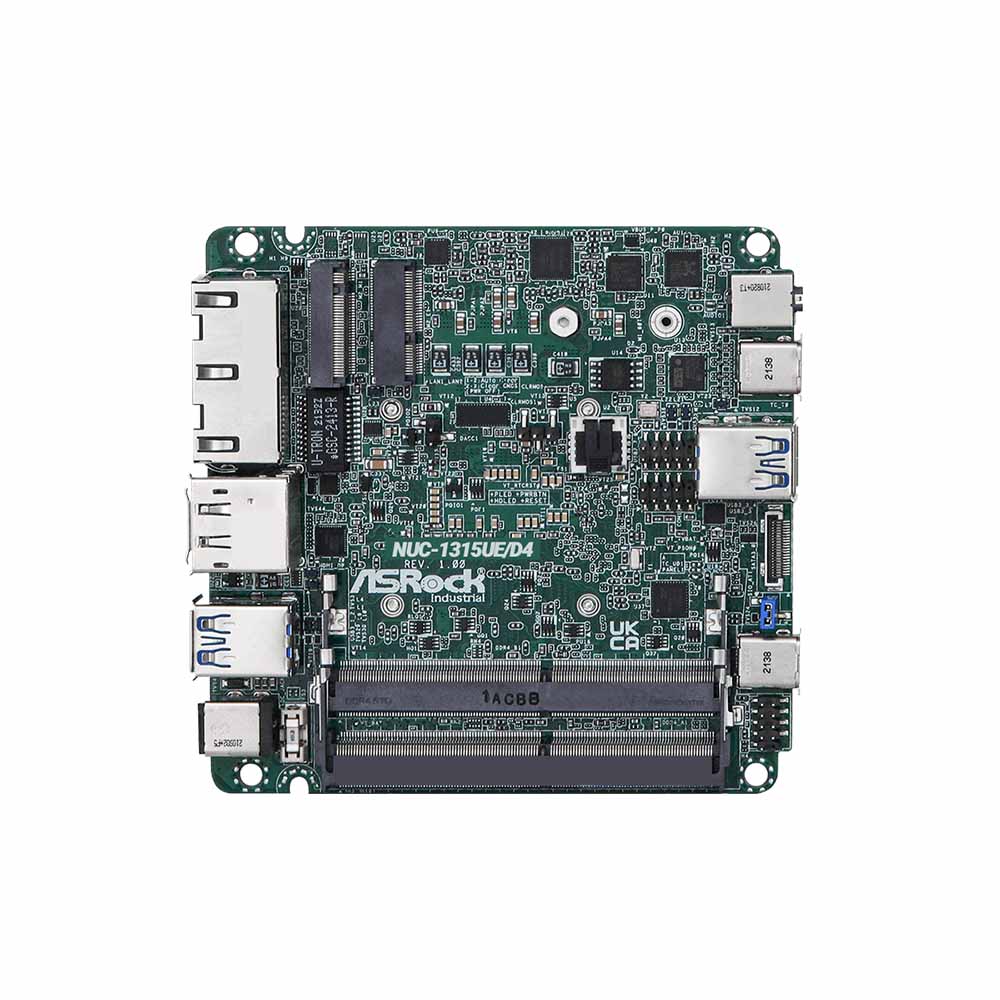
4×4 Motherboard with Intel Core i3-1315UE, Quad Display and Dual 2.5GbE
- CPU
- Intel Core 13th Gen (Raptor Lake)
- Ethernet
- 2× 2.5GbE
- Temp
- −20 to +70 °C
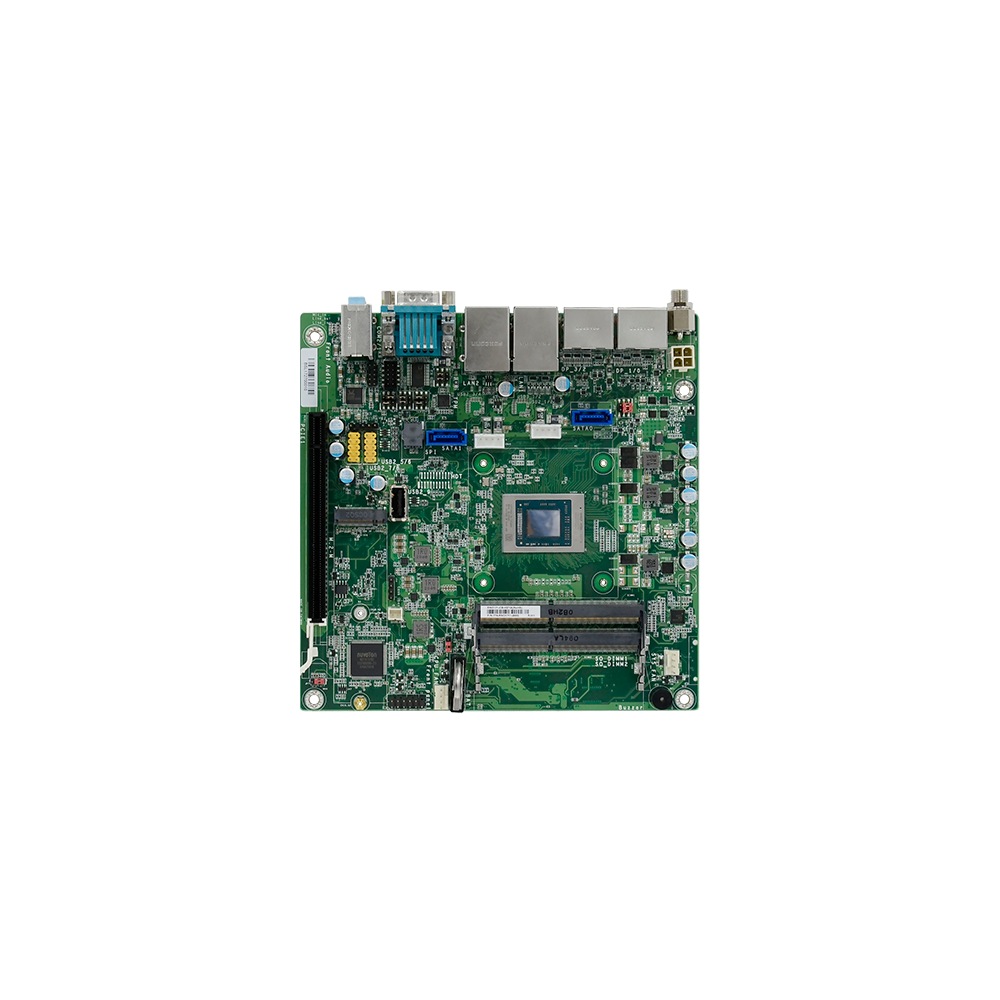
AMD Ryzen Embedded V2718 (V2000 Series) Industrial Mini-ITX Motherboard with Dual GbE and Quad Display
- CPU
- AMD Ryzen V2000
- Ethernet
- 2× GbE
- Temp
- −5 to +65 °C
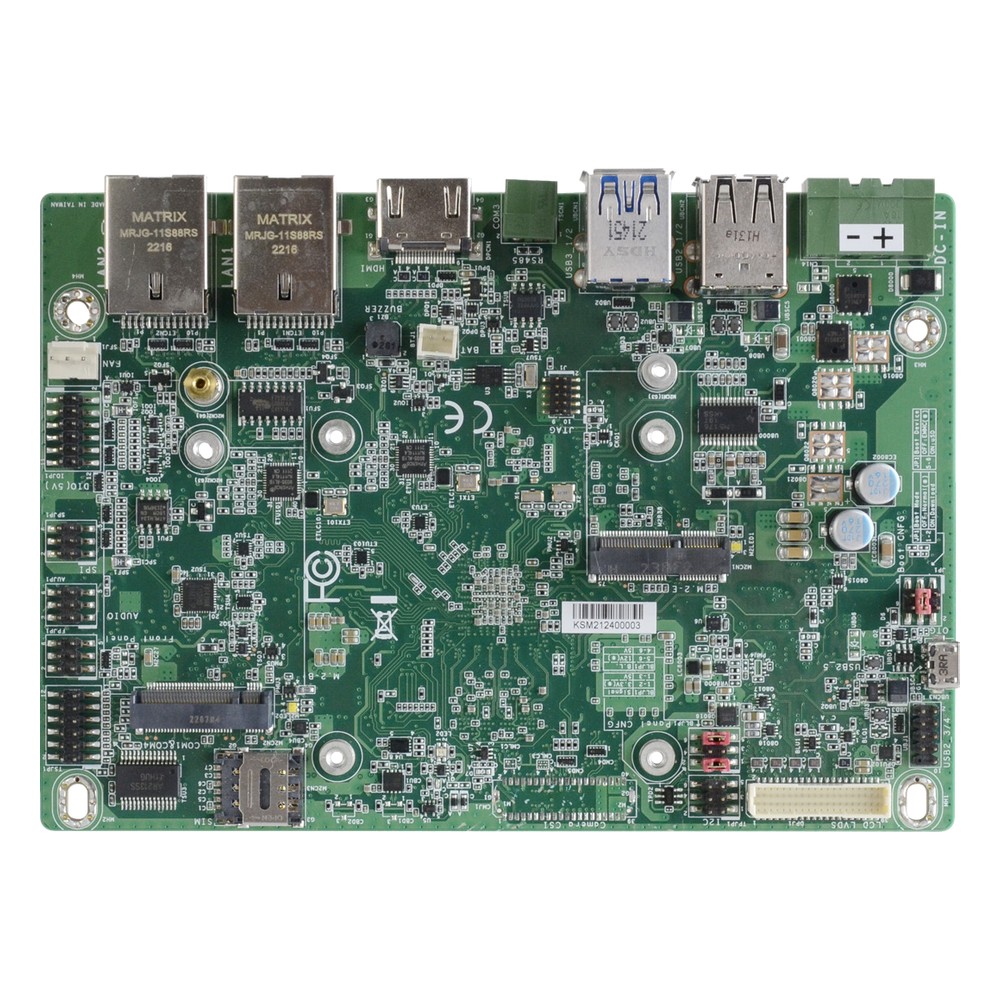
NXP i.MX 8M Plus Quad 3.5″ Embedded Board with 9 to 36 V DC Input, 8GB LPDDR4 Memory and Wide Temperature
- CPU
- NXP i.MX 8M Plus
- Ethernet
- 2× GbE
- Temp
- −30 to +80 °C
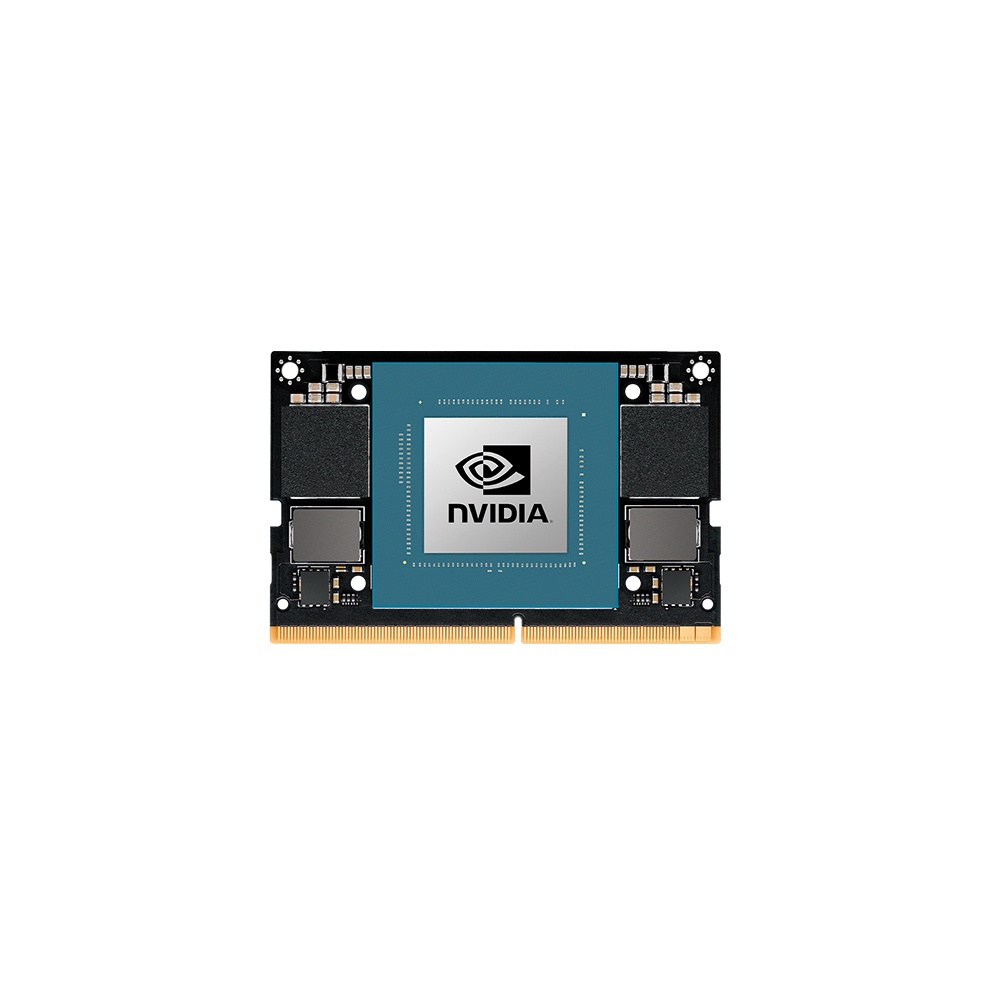
NVIDIA Jetson Orin NX 16GB Module with 100 TOPS and 16GB LPDDR5
- AI
- 100 TOPS
- SOM
- NVIDIA Jetson Orin NX 16 GB
Processor selection checklist
A good choice starts with the workload and is then checked against the system around it.
-
01
Workload
What must it run: control software, visualisation, databases, video, AI inference or virtual machines?
-
02
Thermal design
Fanless, enclosed, panel-mounted or rack-mounted, and what is the hottest ambient?
-
03
Expansion
Which PCIe slots, storage interfaces, LAN, serial and USB ports and display outputs are needed?
-
04
Operating system
Windows, Linux or a real-time OS, with drivers and image support confirmed before locking the platform?
-
05
Embedded features
Is in-band ECC, TCC, TSN or a wide temperature rating required?
-
06
Lifecycle
How long must the system be made, replicated and supported without hardware changes?
-
07
Validation
Is there time for BIOS, driver, thermal and application testing, and certification where required?
Embedded processors: common questions
Quick answers
What is an embedded processor?
A processor built into a device to do a dedicated job. It ranges from a microcontroller in a sensor to an x86 or Arm processor running Linux or Windows in an industrial computer.
What are the types of embedded processors?
Microcontrollers, applications processors, DSPs, SoCs, FPGAs and embedded x86. Most modern parts are systems on chip that combine several of these types.
What is the difference between an embedded processor and a microcontroller?
A microcontroller is the smallest kind. It keeps its memory on the chip and runs firmware or an RTOS, while a larger embedded processor uses external memory and boots a full operating system.
What are examples of embedded processors?
Intel Atom x7000RE, Core i5-1335UE, AMD Ryzen Embedded V2000, NXP i.MX 8M Plus and NVIDIA Jetson Orin. Microcontrollers such as Arm Cortex-M parts are embedded processors too.
How is an embedded CPU different from a desktop CPU?
Availability, use conditions and features. Embedded parts are often the same silicon, sold with long-life availability, validation for embedded use and features such as in-band ECC.
How long are embedded processors available?
Usually seven to 15 years, depending on the maker. Intel, AMD, NXP and others publish longevity programmes for their embedded parts.
What does the E mean in Intel processors?
Embedded. An E, UE or TE suffix marks a part offered for embedded use with long-life availability; RE marks Atom parts validated for industrial use.
What does the K mean in Intel processors?
An unlocked multiplier. K parts can be overclocked on a suitable desktop board, which is rarely wanted in an industrial system.
Processor FAQs
-
What Is a CPU?
A CPU, or central processing unit, is the chip that runs a computer’s software. It fetches instructions from memory, decodes them and carries them out, billions of times a second. A modern CPU packs several cores, cache memory and often graphics and an NPU into one package.
-
What Is an Embedded System?
An embedded system is a combination of a processor, memory, input/output and software built into a larger device to do one dedicated job, such as controlling a washing machine, a car’s brakes or a factory machine. Unlike a general-purpose PC, it runs fixed software, often in real time, and is designed around the device it serves.
-
Intel Core Ultra vs Core i7: What Is the Difference?
Core Ultra is the brand Intel introduced with Meteor Lake, replacing Core i5, i7 and i9 on its newest chips. Core Ultra 7 sits where Core i7 did, but adds a built-in NPU for AI and Intel Arc or Xe graphics. Core i7 ended with the 14th Gen, and newer non-Ultra chips are named Core 5 and Core 7.
-
Intel N100 vs N150: What Is the Difference?
The Intel N150 is a refresh of the N100. Both have four efficient cores, four threads, 6 MB of cache and a 6 W base power. The N100 is an Alder Lake-N processor with a 3.4 GHz maximum turbo; the N150, from the Twin Lake refresh, reaches 3.6 GHz and runs its integrated graphics at a higher clock.
-
What Is Hyperthreading?
Hyperthreading is Intel’s name for simultaneous multithreading (SMT): each physical core runs two threads at once, so the operating system sees two logical processors per core. It fills idle time in the core and typically adds around 15 to 30% throughput on parallel work. It does not double performance.
-
What Is a CPU Cache?
A CPU cache is a small block of very fast SRAM built into the processor. It keeps copies of the data and instructions the cores use most, so they wait less for main memory. Caches come in levels: L1 is smallest and fastest, L2 sits beside each core, and L3 is larger and shared.
-
How Long Is NVIDIA Jetson Supported?
NVIDIA gives Jetson modules long, published production lifecycles, which is part of why they suit industrial designs. Current Orin modules run well into the 2030s, and Industrial variants carry a ten-year production life. The exception is the older LPDDR4 generation, Xavier and TX2, which NVIDIA has brought to early end-of-life, with last-time-buy orders closing on 1 July 2026.
Choosing a processor for an industrial system?
Tell us the workload, the temperature range and how long the product must stay in production. We will recommend an embedded processor and a board or computer built on it, then configure, image and test it before it ships.