
 UK
What Is Intel Core Ultra? Series 1, 2 and 3 Explained
Intel Core Ultra is Intel’s tiled processor line with an NPU for AI on every chip. Here are Series 1, 2 and 3 compared, how the naming works, what the NPU delivers and where Core Ultra fits in industrial and edge systems.
Intel Core Ultra is Intel’s processor brand for its higher-performance Core parts since late 2023, built from separate tiles and the first Intel line to put an NPU, a dedicated AI engine, on every chip. It replaced the familiar Core i5, i7 and i9 names with Core Ultra 5, 7 and 9, and it counts generations as Series 1, 2 and 3 rather than 12th, 13th or 14th Gen.
For industrial computing, Core Ultra brings hardware AI acceleration to the x86 platform that most industrial software already runs on. A Core Ultra system can run vision, inference or analytics on the NPU while the CPU cores handle control and the integrated Arc graphics drive the displays, without a separate graphics card.
This guide explains what each Core Ultra series is, how the naming works, how Core Ultra differs from Core i7 and from the non-Ultra Core range, what the NPU does and how much AI it delivers, and where Core Ultra fits in fanless, edge AI and long-life industrial systems.
Key takeaways
- 01A new brand and a new design
- Core Ultra dropped the i, moved to series naming and builds each processor from tiles rather than one die.
- 02An NPU on every chip
- A dedicated AI engine runs inference at low power, from about 11 TOPS on Series 1 to around 50 TOPS on Series 3.
- 03Three series so far
- Series 1 is Meteor Lake, Series 2 is Lunar Lake and Arrow Lake, Series 3 is Panther Lake.
- 04Not every Core is Ultra
- Core 3, 5 and 7 without Ultra are a separate, simpler range, including the low-power Core Series 3.
- 05Industrial versions exist
- Edge parts with long-life availability, in-band ECC and wide-temperature boards bring Core Ultra into fanless and embedded systems.
Intel Core Ultra series compared
Each Core Ultra series covers several codenames for different segments. The table sets out the parts that matter for industrial and edge systems. NPU figures are Intel’s peak INT8 ratings, rounded, and vary by model.
| Series | Codename | Launched | Segment and suffix | Process (compute) | Core mix | NPU | Graphics | Hyper-threading |
|---|---|---|---|---|---|---|---|---|
| Series 1 | Meteor Lake | Late 2023 | Mobile H and U; socketed PS for edge | Intel 4 | P-cores, E-cores and low-power E-cores | About 11 TOPS | Intel Arc on H; Intel graphics on U | On P-cores |
| Series 2 | Lunar Lake | 2024 | Thin mobile V, memory on the package | TSMC N3B | Four P-cores, four low-power E-cores | Up to 48 TOPS | Arc Xe2 | No |
| Series 2 | Arrow Lake | 2024–25 | Desktop S and T; mobile H, U and HX | TSMC N3B | P-cores and E-cores | About 13 TOPS | Intel graphics; Arc on H | No |
| Series 3 | Panther Lake | 2026 | Mobile H and X, with edge versions | Intel 18A | P-cores, E-cores and low-power E-cores | Around 47–50 TOPS | Xe3; Arc B390 on X models | No |
The Series number is the generation. Within a series, the suffix tells you the segment, and the model number tells you the tier and position, so a Core Ultra 7 255H is a Series 2 Arrow Lake mobile part and a Core Ultra 5 325 is a Series 3 Panther Lake part. Because the name no longer carries a simple generation digit, check the exact model on Intel’s specification pages before matching it to a board. Our guide to CPU generations and embedded processors explains how Core Ultra sits among Intel’s other families.
What generation is Core Ultra?
Core Ultra Series 1 followed the 13th and 14th Gen Core processors, so it is sometimes described as the 14th or 15th generation, but Intel does not use those numbers for it. Series 2 followed in 2024, with Lunar Lake for thin laptops and Arrow Lake for desktops and larger laptops, and Series 3, Panther Lake, arrived in 2026 as the first Intel processors on the Intel 18A process.
The latest series is not automatically the right one for an industrial build. Series 1 and Series 2 parts are well established in fanless box PCs, NUC boards and panel PCs, with boards and BIOS that have been in production for some time, while Series 3 boards are newer. Lunar Lake, with its memory on the package and thin-laptop focus, appears rarely in industrial systems. Choose the series whose boards fit the enclosure, power budget and lifecycle, then the model within it.
Core Ultra vs Core i7: what changed
Core Ultra is more than a rename. The change from Core i7 to Core Ultra 7 came with a new way of building the processor and a new AI engine, though the hybrid core layout carried over from 12th Gen Core.
| Core i5, i7, i9 (12th to 14th Gen) | Core Ultra 5, 7, 9 | |
|---|---|---|
| Name | Core i7-13700H | Core Ultra 7 155H, 255H |
| Generation | Leading digits of the model | Series 1, 2 or 3 |
| Construction | One die, or two on some parts | Several tiles joined by Foveros packaging |
| AI engine | None; AI on CPU or GPU | NPU on every chip |
| Graphics | Intel Iris Xe or UHD | Intel Arc on many models |
| Hyper-threading | On P-cores | On Series 1 P-cores; dropped from Series 2 onwards |
| Low-power E-cores | No | Yes on Meteor Lake, Lunar Lake and Panther Lake |
In practice a Core Ultra 7 is not always faster than a Core i7 of the previous generation at the CPU’s own work; the gains are in efficiency, graphics and AI. Our explainer on Core Ultra vs Core i7 compares the two directly, and our guide to P-cores and E-cores explains the hybrid layout both share.
Core Ultra vs Core 3, 5 and 7 without Ultra
Intel also sells plain Core 3, Core 5 and Core 7 processors. They are a separate range, not a cut-down Core Ultra, and they matter in industrial computing because many low-power and long-life boards use them.
| Range | Example | Based on | NPU | Typical use |
|---|---|---|---|---|
| Core Ultra | Core Ultra 7 255H | Current tiled designs | Yes | Edge AI, vision, multi-display systems |
| Core Series 1 and 2 (mobile) | Core 5 120U, Core 7 150U | Raptor Lake refresh | No | Cost-sensitive mobile and embedded designs |
| Core Series 2 (desktop) | Bartlett Lake Core parts | LGA1700 platform | No | Long-life socketed industrial PCs |
| Core Series 3 | Core 3 304, Core 5 320 | Wildcat Lake | Small NPU on some parts; check the model | Low-power fanless boards |
Our Intel pages cover every family we supply. The Bartlett Lake and Wildcat Lake pages show the non-Ultra parts in our range, and the Intel Core Ultra page gathers every Core Ultra system we supply.
Tiles and hybrid cores: how Core Ultra is built
Earlier Core processors were cut from one piece of silicon. Core Ultra is assembled from tiles, each made on the process that suits it and stacked on a base with Intel’s Foveros packaging. Meteor Lake, for example, has a compute tile with the CPU cores, a graphics tile, an SoC tile with the NPU, media engine and low-power E-cores, and an I/O tile.
| Tile | What it holds | Why it is separate |
|---|---|---|
| Compute | Performance and efficient CPU cores | Built on the most advanced process for speed and efficiency |
| Graphics | Arc GPU cores | Sized per model without changing the rest of the chip |
| SoC | NPU, media and display engines, memory controller, low-power E-cores | Lets the chip handle light work with the compute tile asleep |
| I/O | PCIe, Thunderbolt and USB | Built on a mature, cheaper process |
The low-power E-cores in the SoC tile are a Core Ultra feature that matters at the edge: background tasks, network services and video playback can run there while the main cores sleep, which cuts idle power in fanless systems. Intel describes the tiled approach as letting it mix process nodes and scale the design; for a system builder it mainly means more models, with different graphics and NPU sizes, on a common platform. Our guide to the system on chip explains how this compares with a monolithic SoC.
What does the NPU in Core Ultra do?
The NPU, which Intel calls Intel AI Boost, is a block of hardware built for the matrix maths in neural networks. It runs inference, such as object detection, classification, noise suppression or text recognition, at a fraction of the power the CPU or GPU would need, and it keeps working in the background while the CPU runs the application.
Software reaches it through Intel’s OpenVINO toolkit or through Windows ML, DirectML and ONNX Runtime, and the same model can be moved between CPU, GPU and NPU to find the best balance of speed and power. In a typical edge build the NPU takes steady, always-on models, the GPU takes heavier or batched inference, and the CPU handles control and the user interface. Our guide to what an NPU is explains the hardware in more detail, and our comparison of NPU vs GPU covers when each is the better home for a model.
Platform TOPS: CPU vs GPU vs NPU
Intel quotes two AI figures for Core Ultra: the NPU’s own rating and a platform figure that adds the CPU and GPU. The platform figure is much larger, which is why marketing numbers differ so widely. The table gives Intel’s approximate peak INT8 figures for representative parts.
| Series | NPU | GPU | CPU | Platform total |
|---|---|---|---|---|
| Series 1 (Meteor Lake H) | About 11 TOPS | About 18 TOPS | About 5 TOPS | About 34 TOPS |
| Series 2 (Lunar Lake V) | Up to 48 TOPS | Up to about 67 TOPS | About 5 TOPS | Up to about 120 TOPS |
| Series 2 (Arrow Lake H) | About 13 TOPS | Up to about 77 TOPS | About 9 TOPS | Up to about 99 TOPS |
| Series 3 (Panther Lake) | Around 50 TOPS | Up to about 120 TOPS on X models | About 10 TOPS | Up to about 180 TOPS |
Read these as peaks under ideal conditions. Real throughput depends on the model, its precision and the software, and the GPU and NPU share the same memory bandwidth and power budget, so they rarely reach their peaks together. Our explainers on what TOPS means and how many TOPS an NPU needs help translate the figures into camera streams and models.
Is Intel Core Ultra good for AI?
For light and medium edge AI, yes. A Core Ultra system can run several detection models on camera streams, speech and text models, or anomaly detection on sensor data, while still running the main application, which removes the need for a graphics card in many projects. For many camera streams, large vision models or robotics, a discrete GPU or an NVIDIA Jetson module is still the stronger choice. If the project is still choosing between architectures, our comparison of x86 and Arm sets out the wider trade.
| Workload | Core Ultra fit | Notes |
|---|---|---|
| One to four cameras with detection or classification | Good | NPU or GPU with OpenVINO |
| Speech, OCR and small language models | Good on Series 2 H and Series 3 | Memory size matters as much as TOPS |
| Anomaly detection on sensor data | Good | Often runs on the CPU or NPU at very low load |
| Eight or more cameras with tracking | Possible on Series 3 X; check headroom | Consider a discrete GPU |
| Large vision or language models | Limited | A GPU or Jetson AGX is usually needed |
Our edge AI computers include Core Ultra, Jetson and GPU systems, so the platform can follow the model rather than the other way round. Our explainer on Intel Arc covers the graphics side of the platform.
Memory, PCIe and I/O by series
The platform around the cores changes between series as much as the cores do, and it decides which boards and expansion a system can have.
| Series 1 (Meteor Lake H) | Series 2 (Arrow Lake H) | Series 2 (Arrow Lake S) | Series 3 (Panther Lake) | |
|---|---|---|---|---|
| Memory | DDR5 or LPDDR5x | DDR5 or LPDDR5x | DDR5, including CUDIMMs | DDR5 or LPDDR5x |
| Socketed or soldered | Soldered (socketed PS edge parts) | Soldered | Socketed LGA1851 | Soldered |
| PCIe for storage and cards | PCIe 4.0, PCIe 5.0 on some H parts | PCIe 5.0 on many boards | PCIe 5.0 x16 plus PCIe 5.0 x4 | PCIe 5.0 and 4.0 |
| Thunderbolt and USB4 | Thunderbolt 4 | Thunderbolt 4 | Through the chipset or add-in | Thunderbolt 4 and USB4 |
| Typical boards | 3.5 inch SBCs, embedded PCs | NUC boards, compact PCs | Micro-ATX, ATX, workstations | NUC and Mini-ITX boards |
Check the board as well as the processor: a processor may support PCIe 5.0 or four displays, but the board decides which lanes and outputs are brought out. Our comparison of DDR4 and DDR5 covers the memory types, and our guide to PCIe generations covers lanes and bandwidth.
How Core Ultra compares with AMD Ryzen AI
AMD’s answer to Core Ultra is the Ryzen AI range, which also pairs x86 cores and integrated graphics with an NPU. Both run Windows and Linux and both suit compact edge AI systems, so the choice usually comes down to the board, the software toolchain and the graphics the project needs.
| Intel Core Ultra | AMD Ryzen AI and Ryzen 8000 | |
|---|---|---|
| NPU | About 11 TOPS (Series 1) to around 50 TOPS (Series 3) | About 16 TOPS on Ryzen 8000 models with an NPU; up to 50 TOPS on Ryzen AI 300 |
| AI software | OpenVINO, Windows ML, ONNX Runtime | Ryzen AI software, Windows ML, ONNX Runtime |
| Graphics | Intel Arc and Xe | Radeon RDNA 3 and 3.5 |
| Industrial boards in our range | NUC, Mini-ITX, Micro-ATX, 3.5 inch, box PCs | 4X4 boards, Mini-ITX boards, box PCs |
Our explainer on AMD Ryzen AI covers the AMD side, and the AMD Ryzen AI 300 page lists the boards and systems we supply.
Operating systems and software on Core Ultra
Core Ultra runs the same operating systems as earlier Intel processors, with one caveat: the NPU and the newest graphics need current drivers. Windows 11 IoT Enterprise LTSC 2024 supports the NPU through Windows ML and DirectML and is the usual choice for long-life Windows systems; our guide to Windows 11 IoT Enterprise LTSC covers the editions and support dates. On Linux, recent Ubuntu LTS kernels support Core Ultra graphics and the NPU driver, and OpenVINO runs on both.
Older operating systems are the risk. Windows 10 and older Linux kernels may boot but leave the NPU, graphics or power management without full support, which is why we confirm driver support for every interface before we lock an image for a fleet.
Core Ultra for industrial and edge systems
Core Ultra suits modern industrial PCs and edge AI nodes that need AI acceleration alongside x86 software compatibility. The power class sets where it can go: U and H parts run fanless in compact box PCs and on NUC and Mini-ITX boards, while desktop S and T parts suit larger fanless or actively cooled systems with PCIe cards.
| Segment | Typical base power | Cooling | Typical systems |
|---|---|---|---|
| U (Series 1 and 2) | 15 W | Fanless in small enclosures | Panel PCs, marine and rugged computers, tablets |
| H (Series 1 and 2) | 28 W | Fanless with a large heatsink, or a quiet fan | Box PCs, OPS players, NUC boards |
| Series 3 H and X | 25 W | Fanless with a good heat path | NUC and Mini-ITX boards for AI and graphics |
| T (Series 2 desktop) | 35 W | Fanless in larger chassis | Edge AI workstations |
| S (Series 2 desktop) | 65 W and up | Active cooling or large fanless chassis | Micro-ATX and ATX systems with GPUs |
Base power is not the whole story: turbo limits can be set higher or lower in the BIOS, and we tune them to the enclosure so performance holds under continuous load. Our explainer on TDP covers how those limits work.
Intel offers edge versions of Core Ultra with long-life availability, and boards built for industrial use add the features embedded designs need. In our range, Series 3 NUC and Mini-ITX boards support Intel In-Band ECC, desktop W880 and Q870 boards add ECC or vPro remote management, and many boards run from wide DC inputs and are rated from −20 to 70 °C. Our NUC and 4X4 motherboards and industrial Mini-ITX motherboards are the usual starting points for a custom build, and our guide to choosing an embedded motherboard covers the board side.
Core Ultra systems in our range
Industrial computers and boards with Intel Core Ultra processors.

Core Ultra systems
Every Core Ultra computer and board we supply, Series 1 to Series 3.
View range
Edge AI computers
Core Ultra, Jetson and GPU systems for inference at the edge.
View range
Industrial mini PCs
Compact fanless Core Ultra PCs for HMIs and gateways.
View range
NUC and 4X4 boards
Core Ultra on a compact board with four displays.
View range
Mini-ITX motherboards
Series 3 boards with ECC and wide DC input.
View range
Fanless industrial computers
Sealed systems sized for Core Ultra U and H parts.
View rangeCore Ultra systems from our range
These systems and boards cover all three series. We fit memory and storage, set the power limits to the enclosure, image Windows 11 IoT Enterprise or Linux with the application and AI runtime, and test each system before it ships.
| Series | Example from our range | Key facts |
|---|---|---|
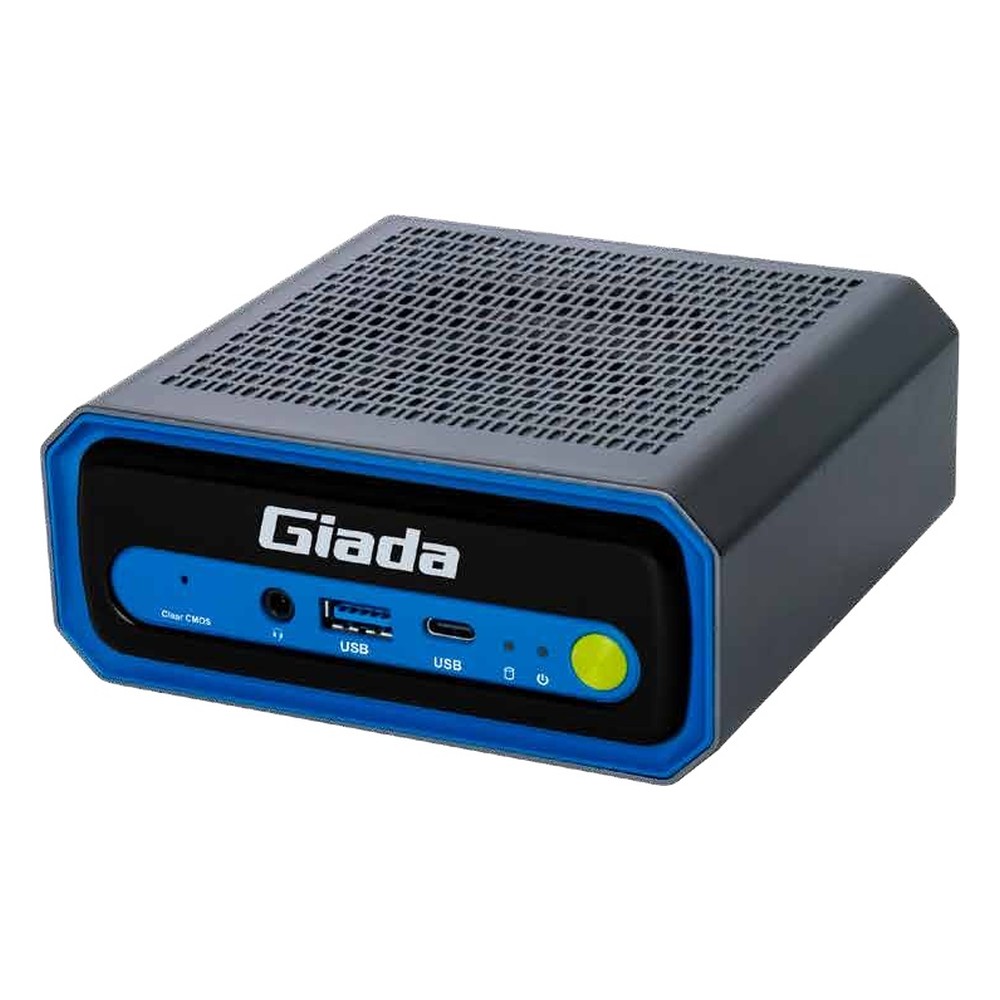
| Series 1 | Giada N601-125H | Core Ultra 5 125H, 14 cores and 18 threads, Arc graphics, NPU |
| Series 2 mobile | Giada N602-225H | Core Ultra 5 225H, 13 TOPS NPU, PCIe 5.0 NVMe, Thunderbolt 4 |
| Series 2 desktop | Premio KCO-6000-ARL | Core Ultra 5, 7 or 9 at 35 or 65 W, PCIe Gen5 risers, 24–48 V DC |
| Series 3 NUC board | ASRock Industrial NUC-325 | Core Ultra 5 325, NPU rated at 47 TOPS, in-band ECC |
| Series 3 Mini-ITX | ASRock Industrial IMB-1251P-WV | Core Ultra X7 358H, Arc B390, AI rated at 50 TOPS, 12–28 V DC |
Intel Core Ultra computers and boards
Five examples across Series 1, 2 and 3, from a compact embedded PC to an edge AI workstation and two Series 3 boards.
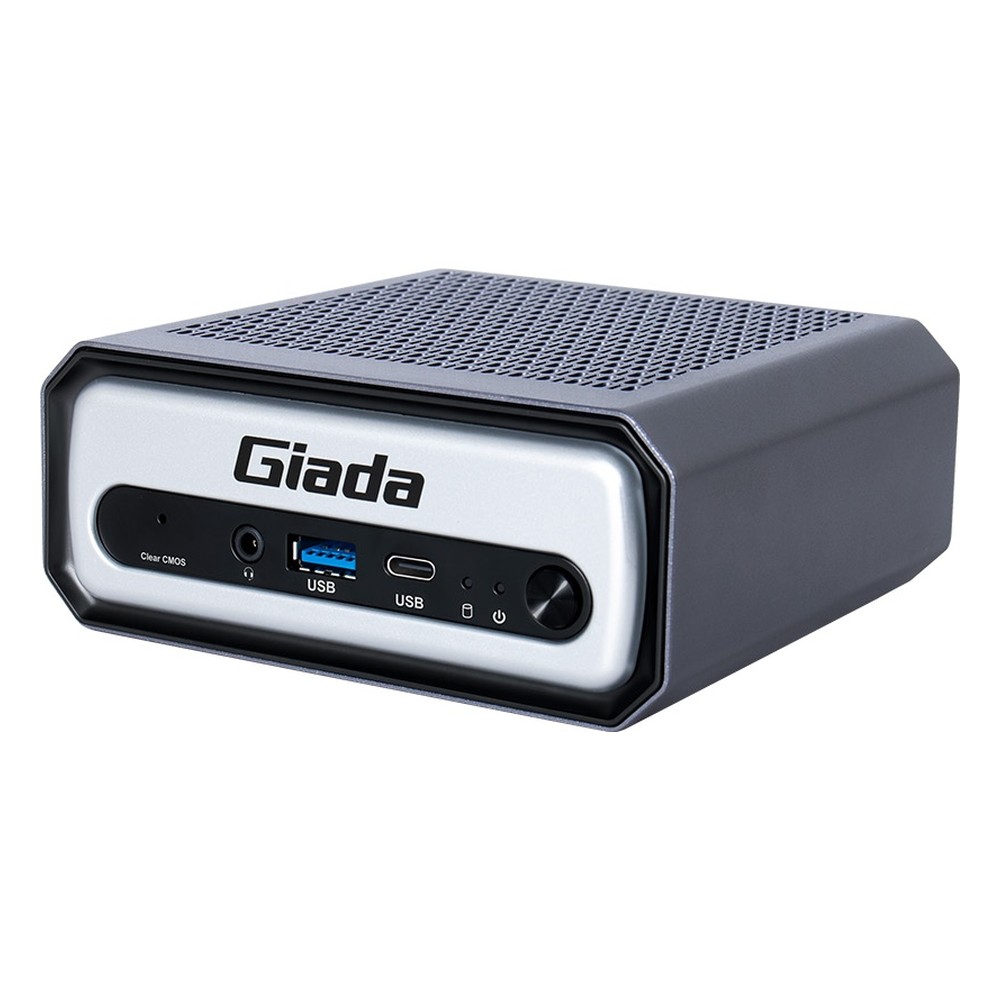
Intel Meteor Lake Core Ultra 5 125H NPU Embedded PC with Thunderbolt 4 and 2.5GbE
- AI
- 11 TOPS
- CPU
- Intel Core Ultra 1 (Meteor Lake)
- Ethernet
- 1× 2.5GbE
Intel Core Ultra 5 225H Edge AI PC with 13 TOPS NPU, Thunderbolt 4 and 2.5GbE
- AI
- 13 TOPS
- CPU
- Intel Core Ultra 2 Arrow Lake-H
- Ethernet
- 1× 2.5GbE
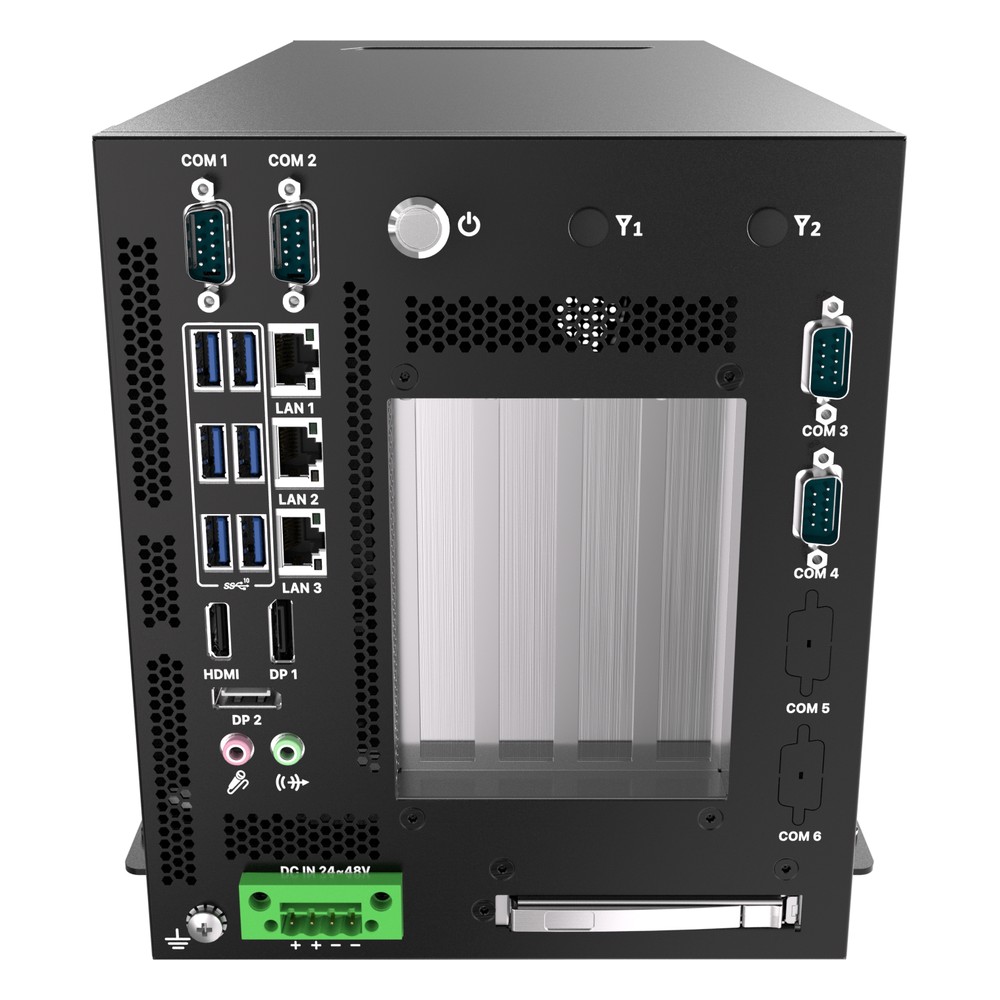
Intel Core Ultra Series 2 (Arrow Lake-S) Edge AI Workstation with NPU, PCIe Gen5 and Triple 2.5GbE
- AI
- 13 TOPS
- CPU
- Intel Core Ultra 2 Arrow Lake-S
- Ethernet
- 3× 2.5GbE
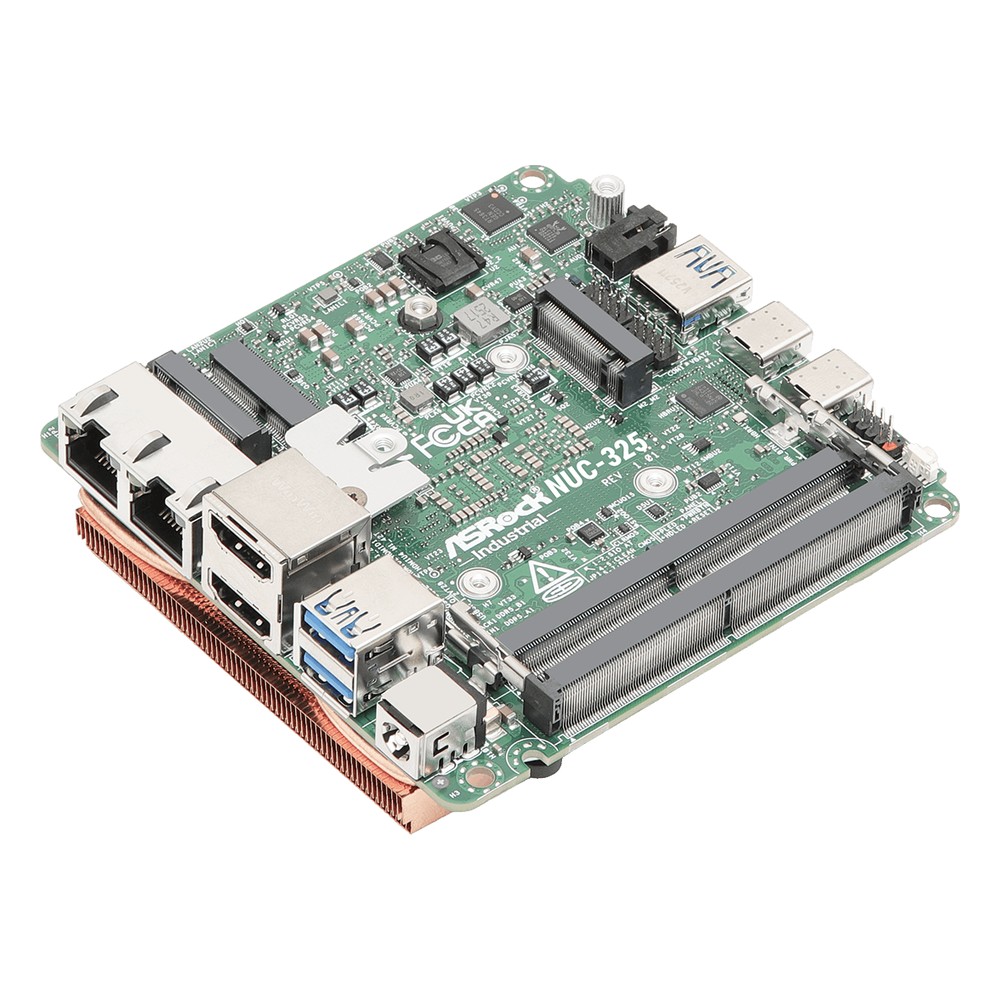
Intel Core Ultra 5 325 NUC Motherboard with ECC, Quad Display and Dual 2.5GbE
- AI
- 47 TOPS
- CPU
- Intel Core Ultra 3 (Panther Lake)
- Ethernet
- 2× 2.5GbE
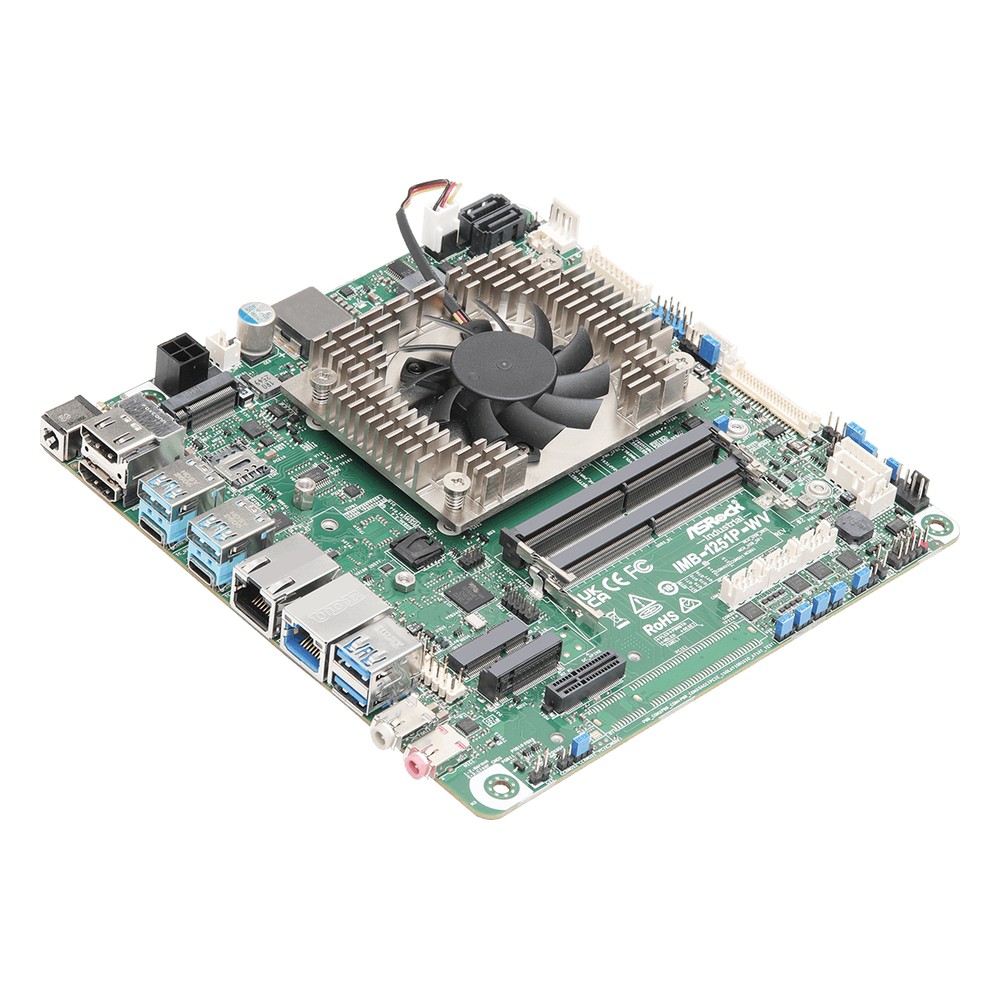
Intel Core Ultra X7 358H Industrial Mini-ITX Motherboard with Arc B390, ECC and 12-28V DC
- AI
- 50 TOPS
- CPU
- Intel Core Ultra 3 (Panther Lake)
- Ethernet
- 1× 2.5GbE, 1× GbE
Specifying a Core Ultra system
Seven questions that narrow the choice.
-
01
Series
Does the project need Series 3 AI performance, or will an established Series 1 or 2 board do?
-
02
AI load
Which models, at what precision, on how many streams, and can OpenVINO run them on the NPU?
-
03
Power class
U, H, T or S, and can the enclosure remove that heat with margin?
-
04
Memory
How much, and is in-band ECC or ECC memory needed?
-
05
Displays and I/O
How many screens, and are Thunderbolt, 2.5GbE, serial or PCIe slots needed?
-
06
Operating system
Windows 11 IoT Enterprise LTSC or Linux, with the NPU driver supported?
-
07
Lifecycle
Is the part an edge version with long-life availability, and how long is the board committed?
Intel Core Ultra: common questions
Quick answers
What is Intel Core Ultra?
Intel’s brand for its higher-performance Core processors since late 2023. Core Ultra chips are built from tiles and include an NPU for AI alongside the CPU cores and integrated graphics.
What is the difference between Intel Core Ultra and Core i7?
Construction, AI and naming. Core Ultra uses a tiled design with an NPU and series naming; Core i7 was a single-die design with numbered generations and no NPU.
What generation is Core Ultra?
It is counted in series, not generations. Series 1 is Meteor Lake, Series 2 is Lunar Lake and Arrow Lake, and Series 3 is Panther Lake.
What is the NPU in Core Ultra?
A dedicated AI engine called Intel AI Boost. It runs neural network inference at low power, rated from about 11 TOPS on Series 1 to around 50 TOPS on Series 3.
Is Intel Core Ultra good for AI?
Yes, for light and medium edge AI. It handles a few camera streams, speech and anomaly detection well; heavy multi-camera or large-model work needs a GPU or Jetson.
What is Core Ultra Series 3?
Panther Lake, launched in 2026. It is built on Intel 18A, with an NPU rated around 50 TOPS and Xe3 graphics, and is available on industrial NUC and Mini-ITX boards.
Does Core Ultra have hyper-threading?
Only Series 1. Meteor Lake P-cores have hyper-threading; Lunar Lake, Arrow Lake and Panther Lake run one thread per core.
Core Ultra FAQs
-
Intel Core Ultra vs Core i7: What Is the Difference?
Core Ultra is the brand Intel introduced with Meteor Lake, replacing Core i5, i7 and i9 on its newest chips. Core Ultra 7 sits where Core i7 did, but adds a built-in NPU for AI and Intel Arc or Xe graphics. Core i7 ended with the 14th Gen, and newer non-Ultra chips are named Core 5 and Core 7.
-
What Is Intel AI Boost?
Intel AI Boost is Intel’s name for the NPU, or neural processing unit, built into Intel Core Ultra processors. It runs AI inference such as image recognition, speech and background effects at low power, freeing the CPU and GPU. Software reaches it through Intel OpenVINO, Windows ML, DirectML and ONNX Runtime.
-
What Is OpenVINO?
OpenVINO is Intel’s open-source toolkit for optimising and running AI inference. It takes models trained in frameworks such as PyTorch, TensorFlow or ONNX, optimises them, and runs them efficiently on Intel hardware, including CPUs, integrated GPUs such as Iris Xe and Arc, discrete Arc GPUs and the NPUs in Core Ultra processors.
-
How Many TOPS Does an NPU Need?
There is no single figure: the TOPS an NPU needs depends on the model, image resolution, frame rate and number of camera streams. Check whether a rating is for the NPU alone or the whole platform, since vendors often add CPU and GPU TOPS together. The reliable test is to benchmark your own model on the target processor.
-
What Does TOPS Mean in AI?
TOPS stands for tera operations per second: the number of trillion simple operations an AI processor can perform each second. It is the headline figure used to compare AI accelerators such as NVIDIA Jetson modules and the NPUs in Intel and AMD processors. It is usually quoted for 8-bit integer (INT8) maths, and sometimes with sparsity, which doubles the figure.
-
What Is Intel Arc? Intel’s GPUs for Edge and Embedded Systems
Intel Arc is Intel’s graphics brand. It covers discrete Intel Arc GPUs, the A-series and newer B-series cards and modules, and the Arc graphics built into Intel Core Ultra processors. Arc GPUs handle displays, video encoding and decoding, and AI inference, and they are supported by Intel’s OpenVINO toolkit for running AI models.
-
What Is Hyperthreading?
Hyperthreading is Intel’s name for simultaneous multithreading (SMT): each physical core runs two threads at once, so the operating system sees two logical processors per core. It fills idle time in the core and typically adds around 15 to 30% throughput on parallel work. It does not double performance.
Specifying a Core Ultra system?
Tell us the workload, including any AI models and camera streams, and the environment it will run in. We will recommend a Core Ultra or other industrial platform to suit, then configure, image and test it before it ships.