
 UK
What Is a System on Chip (SoC)?
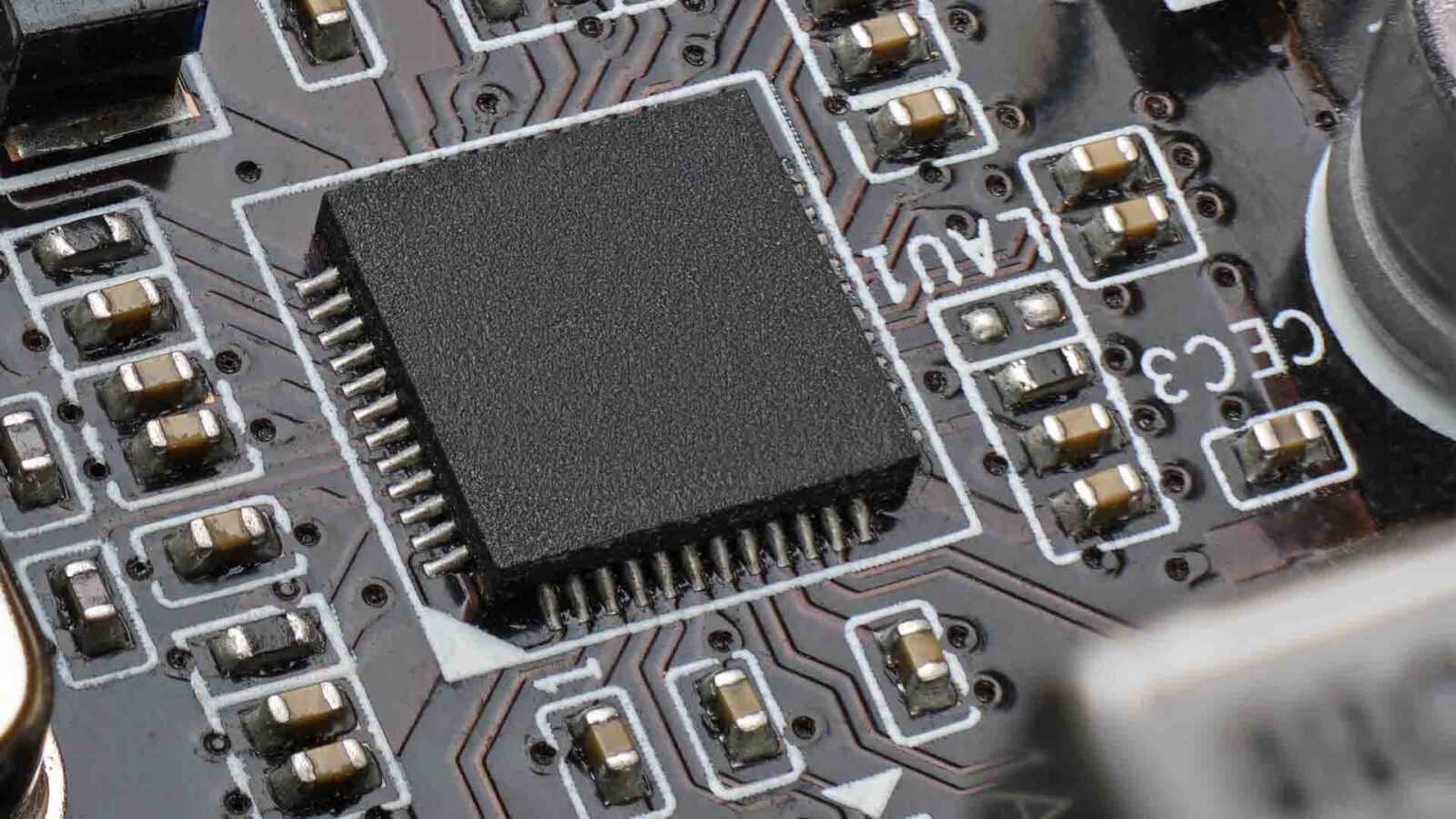
A system on chip puts the CPU, graphics, memory controller, I/O and often an AI accelerator on one chip. It is how most compact, low-power embedded computers are built, and the norm for Arm platforms.
A system on chip (SoC) is an integrated circuit that puts the main parts of a computer, the CPU cores, graphics, memory controller, input and output interfaces and often an AI accelerator, onto a single chip. Where a traditional PC spreads those functions across a processor, a chipset and separate controllers, an SoC brings them together on one piece of silicon or one package.
SoCs are how most compact and low-power embedded computers are built, and they are the norm for Arm platforms. They sit inside phones, gateways, HMIs, cameras, robots and edge AI modules, and on the x86 side Intel Atom, Core Ultra and AMD Ryzen Embedded parts are highly integrated SoCs too.
This guide explains what is inside an SoC, how modern SoCs are built from dies and tiles, how an SoC compares with a socketed CPU, a system on module and a microcontroller, the advantages and trade-offs, examples of the SoCs in today’s industrial boards, and how to choose an SoC-based platform.
Key takeaways
- 01A whole computer on one chip
- CPU, GPU, NPU, memory controller, video engines and I/O share one chip, so the board around it is small and simple.
- 02Integration against flexibility
- SoCs save size, power and cost but cannot take a new processor or a discrete GPU later.
- 03Not the same as a CPU
- The CPU cores are one block inside an SoC; a socketed CPU relies on a chipset and board for the rest.
- 04From SoC to SoM to SBC
- An SoC usually reaches a product on a module or a single board computer rather than on a custom board.
- 05The software matters as much as the silicon
- Arm SoCs depend on the vendor’s BSP and longevity programme; x86 SoCs run standard Windows and Linux.
What is inside an SoC?
Rather than several chips on a board, an SoC puts the core functions on one die or package and links them with a fast on-chip interconnect. The blocks vary by chip, but most embedded SoCs include the following.
| Block | What it does | Example |
|---|---|---|
| CPU cluster | Runs the operating system and applications, often with big and little cores | Eight Cortex-A78AE cores on Jetson Orin NX 16GB |
| GPU | Drives displays and runs parallel compute | Ampere GPU on Jetson, Arc graphics on Core Ultra |
| NPU or DSP | Runs neural networks and signal processing at low power | Hexagon on Qualcomm, NPU on i.MX 8M Plus and RK3588 |
| Image signal processor (ISP) | Turns raw camera sensor data into usable images | Camera pipelines on Qualcomm and NXP parts |
| Video engine | Encodes and decodes H.264, H.265 and AV1 | Multi-stream decode for signage and NVRs |
| Memory controller | Connects DDR or LPDDR memory | LPDDR4 and LPDDR5 on most Arm SoCs |
| I/O controllers and PHYs | PCIe, USB, Ethernet, MIPI CSI and DSI, CAN, serial | Two CAN ports on i.MX 8M Plus boards |
| Display controller | Drives HDMI, DisplayPort, LVDS, eDP or MIPI DSI | Several 4K outputs on RK3588 |
| Security engine | Secure boot, key storage, crypto acceleration | TrustZone and hardware crypto on Arm SoCs |
| Real-time core | Runs time-critical control beside the main OS | Cortex-M7 on i.MX 8M Plus |
| Power management | Switches blocks and voltages on and off as load changes | Low-power E-cores on Core Ultra |
Our explainers on what a CPU is, GPU vs CPU and what an AI accelerator is describe the main blocks on their own, and our guide to what an NPU is covers the AI engine in more detail.
How SoCs are built: single dies, chiplets and tiles
Most SoCs are monolithic: every block is etched on one die in one process. That gives the shortest connections and the lowest power, but the whole chip must use one process, and a large die is costly to make without defects.
Newer high-performance designs split the SoC into several dies in one package. AMD calls them chiplets and Intel calls them tiles: Intel’s Core Ultra, for example, places its compute, graphics, SoC and I/O tiles on a base die with Foveros 3D packaging, so each tile can use the process that suits it. The UCIe standard, published in 2022, aims to let chiplets from different makers work together in one package. Our guide to Intel Core Ultra shows the tiled approach in practice.
| Monolithic SoC | Chiplet or tiled SoC | |
|---|---|---|
| Construction | One die | Several dies in one package |
| Process | One process for every block | A different process for each tile where it suits |
| Power and latency | Lowest, everything on one die | Slightly higher between dies, offset by better processes |
| Scaling | A new die for each variant | Mix tiles to make variants |
| Examples | NXP i.MX 8M Plus, Rockchip RK3588, Qualcomm QCS6490 | Intel Core Ultra, AMD Ryzen desktop and EPYC |
SoC vs socketed CPU
Searches for SoC vs CPU usually mean one of two things. Strictly, the CPU is one block inside an SoC: the SoC is the whole chip, and the CPU cores are the part that runs the operating system and applications. In practice, the comparison people want is between an SoC and a socketed CPU, the separate processor that sits in a socket on a desktop-style or industrial motherboard.
| SoC | Socketed CPU | |
|---|---|---|
| What is on the chip | CPU, GPU, memory controller, I/O and often an NPU | CPU cores, memory controller, some PCIe and graphics; a chipset adds the rest |
| Mounting | Soldered to the board (BGA) | In a socket such as LGA1700, LGA1851 or AM5 |
| Upgrade path | Replace the board or module | Fit a different processor of the same socket |
| Power | From under 1 W to around 30 W for most embedded parts | Typically 35–170 W for desktop parts |
| Board size | Small: SBCs, modules, compact boards | Larger: Mini-ITX, Micro-ATX, ATX |
| Expansion | Set by the SoC’s I/O | PCIe slots for GPUs and cards |
| Examples | Jetson Orin, i.MX 8M Plus, Atom x7000, Core Ultra H | Core Ultra 200S, Ryzen 9000, EPYC 4005 |
So is an SoC the same as a CPU? No: every SoC contains a CPU, but a CPU on its own needs other chips around it to make a computer. The line has blurred because modern x86 processors have absorbed so much, and mobile Intel and AMD parts are effectively SoCs. Socketed desktop parts still suit builds that need the most cores, PCIe slots for GPUs and capture cards, or a processor swap later, which our guide to choosing an embedded motherboard covers.
SoC vs SoM vs SBC
An SoC is a chip, and a chip on its own is not a product. Designing a board around a modern SoC means routing fast memory and high-speed interfaces, which takes skill and time, so most industrial products take the SoC on a module or on a ready-made board.
| SoC | System on module (SoM) | Single board computer (SBC) | |
|---|---|---|---|
| What you buy | The chip | The SoC with memory, storage and power on a small module | A complete board with connectors, ready to run |
| Design effort | High: full board design and validation | Medium: design a carrier board for your I/O | Low: choose and integrate |
| Time to market | Longest | Medium | Shortest |
| Custom I/O | Fully custom | Custom on the carrier | Fixed by the board |
| Best for | Very high volumes | Products that need custom I/O and an upgrade path | Fixed designs in moderate volumes |
| Example | NXP i.MX 8M Plus | Jetson Orin NX module, SMARC module | i.MX 8M Plus 3.5 inch SBC |
Our guide to the system on module explains how a module separates the compute from the carrier and why that helps with upgrades and lifecycle, our comparison of SMARC, Qseven, OSM and COM Express sets out the module standards, and our guide to what a single board computer is covers the ready-made boards. Jetson modules are a good example of the module route: the SoC reaches a product on a module that plugs into a Jetson carrier board.
What is the difference between an SoC and a microcontroller?
A microcontroller is a small SoC in the strict sense: one chip with a CPU core, memory and peripherals. The difference is scale. A microcontroller keeps its program flash and RAM on the chip, runs firmware or a real-time OS and draws milliwatts, while an applications SoC uses gigabytes of external memory, has an MMU, boots Linux, Android or Windows and carries GPUs and NPUs.
| Microcontroller | Applications SoC | |
|---|---|---|
| Memory | Kilobytes to megabytes, on the chip | Gigabytes of external LPDDR or DDR |
| Operating system | Bare metal or an RTOS | Linux, Android or Windows |
| Accelerators | Few; sometimes a small DSP or NPU | GPU, NPU, ISP and video engines |
| Power | Milliwatts | A few watts to tens of watts |
| Typical job | Sensors, motor control, power sequencing | Applications, displays, networking, AI |
Many SoCs carry a microcontroller-class core inside, such as the Cortex-M7 on the i.MX 8M Plus, for real-time work beside Linux. Our guide to embedded processors covers the full range of processor types.
Advantages and disadvantages of an SoC
The SoC trade is integration against flexibility. Putting everything on one chip cuts size, power and cost, and improves reliability with fewer components and fewer connections to fail. The cost is expandability: you generally cannot upgrade the CPU or add a discrete GPU to an SoC the way you can on a socketed desktop platform.
| Advantages | Disadvantages |
|---|---|
| Small boards and enclosures | No processor upgrade without a new board or module |
| Low power and fanless operation | Limited PCIe lanes for expansion cards |
| Fewer parts to fail, assemble and test | Memory often soldered, fixing the capacity |
| Short on-chip paths for fast, efficient data movement | A complex chip to design a board around |
| Built-in AI, video and camera engines | Arm SoCs depend on the vendor’s BSP for drivers and updates |
| Lower system cost in volume | A whole SoC is retired at once when it reaches end of life |
For embedded designs, where size, power and longevity matter more than upgradeability, the trade usually favours the SoC. Where a project needs several PCIe cards or the option of a faster processor later, a socketed board or a module on a carrier is the better form factor for the installation.
Memory and storage on an SoC
Most embedded SoCs use LPDDR memory soldered beside the chip, or stacked on top of it in a package-on-package layout, because the short traces let the memory run fast at low power and resist shock and vibration. Some x86 SoCs, and a few Arm ones, take SO-DIMMs instead. The memory controller on the SoC sets the type, speed and maximum capacity, so the capacity chosen when the board is ordered is usually the capacity for life.
| Memory arrangement | Where it is used | What to check |
|---|---|---|
| LPDDR4 or LPDDR5 soldered to the board | Most Arm SBCs and Jetson modules | Order enough for the life of the product |
| Package-on-package | Compact SoCs such as Qualcomm QRB5165 | Capacity fixed by the part number |
| Memory on the processor package | Intel Lunar Lake | No board-level choice at all |
| SO-DIMM sockets | Atom, Core Ultra and Ryzen Embedded boards | Upgradeable, and ECC options on many |
Storage is usually soldered too. eMMC or UFS on the board holds the operating system with nothing to work loose, and an M.2 socket adds an NVMe SSD where logs, video or larger models need space. Our comparison of DDR4 and DDR5 covers the LPDDR5 side in more detail.
Power, heat and lifecycle in SoC designs
An SoC’s low power is its main attraction, but the heat still has to go somewhere. A 5 W Arm SoC can run fanless on a small heatsink, while a 25 W Jetson module or Core Ultra H part needs a designed heat path to the enclosure, and both slow down if the air inside gets too hot. Size the cooling for the sustained power mode the application will use, as our guide to TDP explains, and check the board’s rating against the industrial temperature range the site needs.
Lifecycle works differently too. Because everything is on one chip, an SoC reaches end of life all at once, and the boards and modules built on it follow. Industrial SoC vendors publish longevity programmes, NXP for ten or 15 years on many i.MX parts and NVIDIA for each Jetson module, and module standards soften the change by keeping the carrier when the module is replaced. Our explainer on how long NVIDIA Jetson is supported and our guide to Jetson Xavier and TX2 end of life show how a migration is planned.
| Lifecycle step | What to do |
|---|---|
| At design | Choose an industrial-grade SoC with a published longevity programme |
| In production | Record the SoC, board revision and BSP version on every system |
| At a change notice | Validate the new revision against the image and application |
| At end of life | Plan a last-time buy, or move to a successor module on the same carrier |
Examples of SoCs in industrial and embedded systems
These are the SoCs most often found in the industrial boards and modules we supply. Figures are the makers’ ratings, rounded, and vary by model and power mode.
| SoC | CPU | GPU and AI | Typical power | Typical use |
|---|---|---|---|---|
| NVIDIA Jetson Orin NX 16GB | Eight Cortex-A78AE | 1024-core Ampere GPU, two NVDLA; up to 100 TOPS | 10–25 W | Robots, drones, multi-camera AI |
| NVIDIA Jetson Thor T4000 | 12-core Neoverse V3AE | 1,536-core Blackwell GPU | Tens of watts | Humanoid and autonomous robots |
| NXP i.MX 8M Plus | Four Cortex-A53 plus Cortex-M7 | GPU and NPU of about 2.3 TOPS | A few watts | Gateways, HMIs, machine vision |
| Rockchip RK3588 | Four Cortex-A76 and four A55 | Mali GPU, NPU of about 6 TOPS | A few watts to around 10 W | Signage, video walls, vision |
| Qualcomm QCS6490 | Eight Kryo 670 | Adreno GPU, Hexagon NPU, 12 TOPS | A few watts | AI cameras, kiosks, handhelds |
| Intel Atom x7000 | Up to eight E-cores | Intel UHD graphics | 6–12 W | Fanless controllers and gateways |
| Intel Core Ultra (H and U) | Hybrid P and E-cores | Arc graphics and NPU | 15–28 W | Edge AI PCs, HMIs |
| AMD Ryzen Embedded V2000 | Up to eight Zen 2 cores | Radeon Vega graphics | 10–54 W | Multi-display signage and medical imaging |
Our i.MX 8M Plus and RK3588 pages list the boards on two of these SoCs, and our NVIDIA Jetson range is the SoC platform we see most for industrial edge AI, an Arm CPU paired with an NVIDIA GPU and run through the JetPack software stack. Our guides to Jetson modules and the Qualcomm Hexagon NPU cover those families in more depth.
Arm vs x86 SoCs in industrial systems
Arm-based SoCs from NXP, TI, Qualcomm, Rockchip and others dominate low-power devices; NVIDIA Jetson modules are SoCs that add a large GPU for edge AI; and on x86, Atom, Core Ultra and Ryzen Embedded SoCs bring integration to industrial PCs. The choice between them is mostly about software and lifecycle.
| Arm SoC | x86 SoC | |
|---|---|---|
| Operating systems | Linux, Android; Windows on some Qualcomm parts | Windows and Linux, as on a PC |
| Drivers | From the vendor’s BSP | In mainstream OS releases |
| Firmware | U-Boot or UEFI from the BSP | UEFI BIOS |
| Power | Under 1 W to around 10 W for most parts; Jetson higher | About 6 W upwards |
| Lifecycle | Vendor longevity programmes, often 10 years or more on NXP | Embedded roadmaps, often seven years or more |
Our guide to Arm architecture covers the architecture most associated with the SoC model, and our comparison of x86 and Arm sets out when each makes sense.
A short history of the system on chip
Single-chip designs began in the 1970s with calculators and digital watches, where one chip held the logic, memory and display drive. The modern SoC grew up in mobile phones in the 1990s and 2000s, as chip makers combined Arm cores with radio basebands, memory controllers and multimedia blocks to save board space and battery.
| Period | Development |
|---|---|
| 1970s | Single-chip calculators and watches |
| 1990s | Phone SoCs combine Arm cores with basebands and peripherals |
| 2000s | Applications processors run full operating systems on phones and tablets |
| 2010s | 64-bit Arm SoCs; GPUs and image processors become standard; first phone NPUs around 2017 |
| 2020s | Chiplets and tiles in x86 processors; NPUs reach PCs and industrial SoCs |
Industrial computing followed the same path a few years behind. The SoCs that once served phones now sit in gateways, HMIs and cameras, with industrial temperature grades and long availability added, and the edge AI modules of today are SoCs built for robots and machines rather than handsets.
Why are SoCs used in embedded systems?
SoCs are why a gateway, an HMI or an edge AI module can be compact and fanless. Embedded products value exactly what the SoC gives: a small board, low heat, fewer parts to fail and built-in engines for video, cameras and AI. They rarely need what an SoC gives up, because the I/O is fixed when the product is designed and the processor is not upgraded during its life.
Many of these SoCs reach a product on a module rather than on the main board itself, so the compute can be updated by swapping the module while the carrier and enclosure stay the same. That is the pattern behind Jetson, SMARC and COM Express designs, and it is often the best of both: SoC integration with a planned upgrade path.
SoC-based boards and computers in our range
Boards, modules and computers grouped by the SoC inside.

NVIDIA Jetson
Arm CPU and NVIDIA GPU SoCs for edge AI and robotics.
View range
Arm SBCs
Low-power boards on NXP, Rockchip and Qualcomm SoCs.
View range
NXP i.MX
Long-life SoCs with real-time cores and CAN.
View range
Qualcomm
Dragonwing SoCs with Hexagon NPUs.
View range
Rockchip
RK3568, RK3576 and RK3588 for signage and vision.
View range
Core Ultra systems
Tiled x86 SoCs with Arc graphics and an NPU.
View rangeSoC-based boards and modules from our range
These examples cover a module, three Arm boards and an x86 SoC computer. We configure the BSP or BIOS, image the operating system and application, and test each one before it ships.
| SoC | Example from our range | Key facts |
|---|---|---|
| NVIDIA Jetson Orin NX | Jetson Orin NX 16GB module | Up to 100 TOPS, 16 GB LPDDR5, 10–25 W modes |
| NXP i.MX 8M Plus | DFI M8MP553-ECC-81QDI | 8 GB LPDDR4, two CAN ports, Yocto, −30 to 80 °C |
| Rockchip RK3588 | Avalue ACP-3588 | Eight cores, two HDMI 2.1, LVDS and eDP |
| Qualcomm QCS6490 | DFI QCS051-ECC-8890 | 12 TOPS AI engine, 8 GB LPDDR5x, −25 to 75 °C |
| Intel Core Ultra 5 225H | Giada N602-225H | 13 TOPS NPU, Arc 130T graphics, Thunderbolt 4 |
SoC-based modules, boards and computers
Five examples from the table, from a Jetson module to Arm SBCs and a Core Ultra edge AI PC.
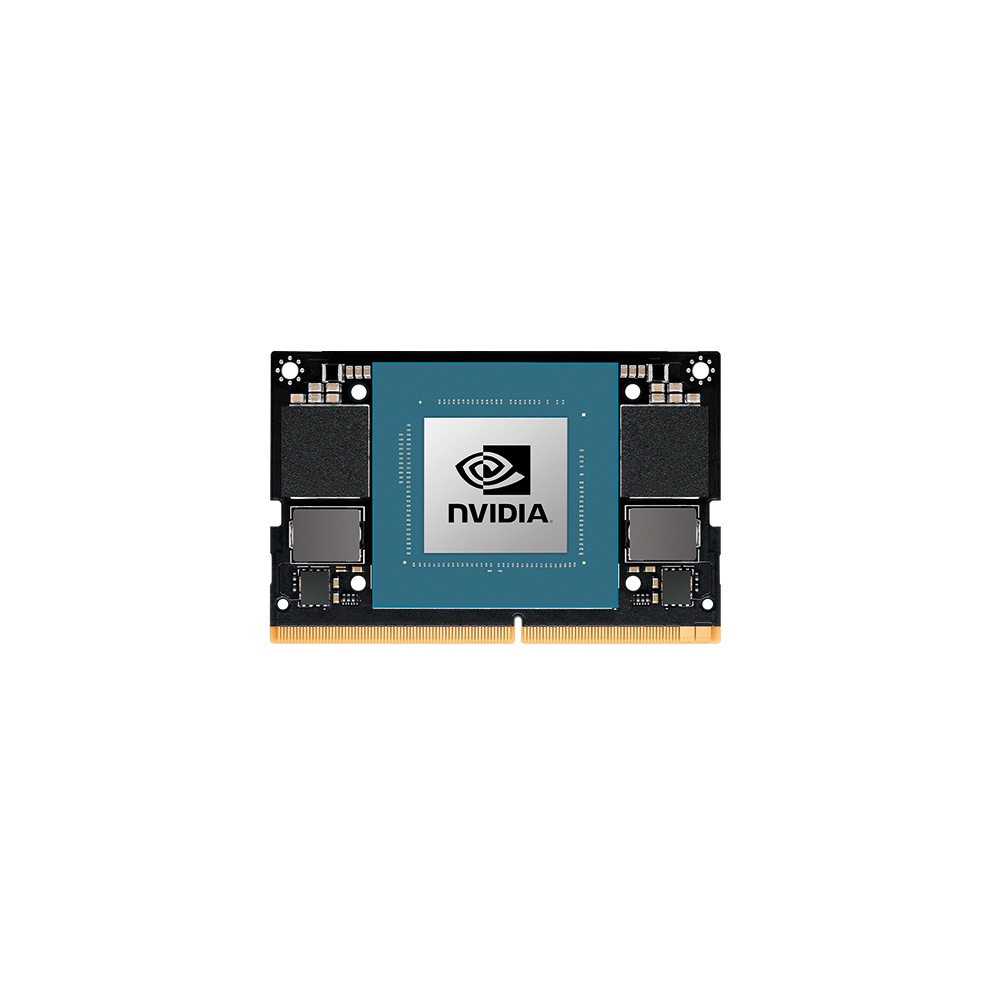
NVIDIA Jetson Orin NX 16GB Module with 100 TOPS and 16GB LPDDR5
- AI
- 100 TOPS
- SOM
- NVIDIA Jetson Orin NX 16 GB
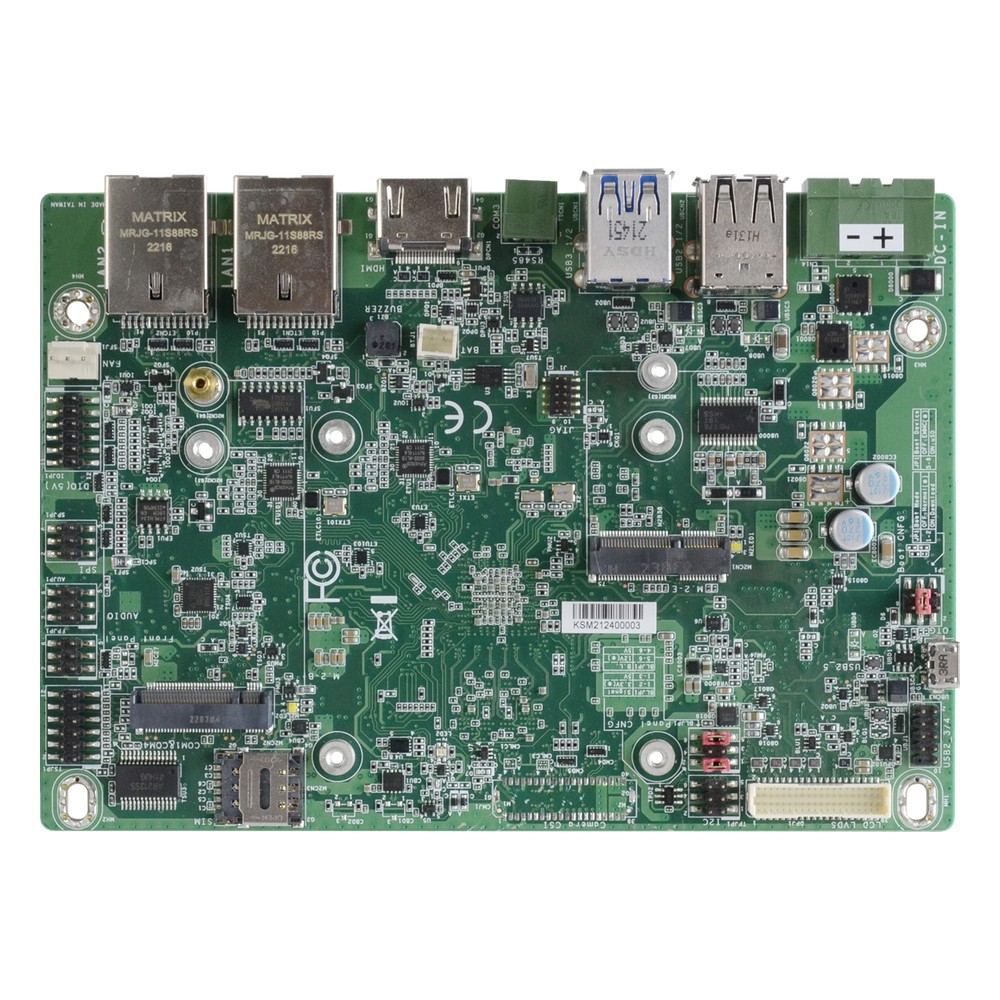
NXP i.MX 8M Plus Quad 3.5″ Embedded Board with 9 to 36 V DC Input, 8GB LPDDR4 Memory and Wide Temperature
- CPU
- NXP i.MX 8M Plus
- Ethernet
- 2× GbE
- Temp
- −30 to +80 °C
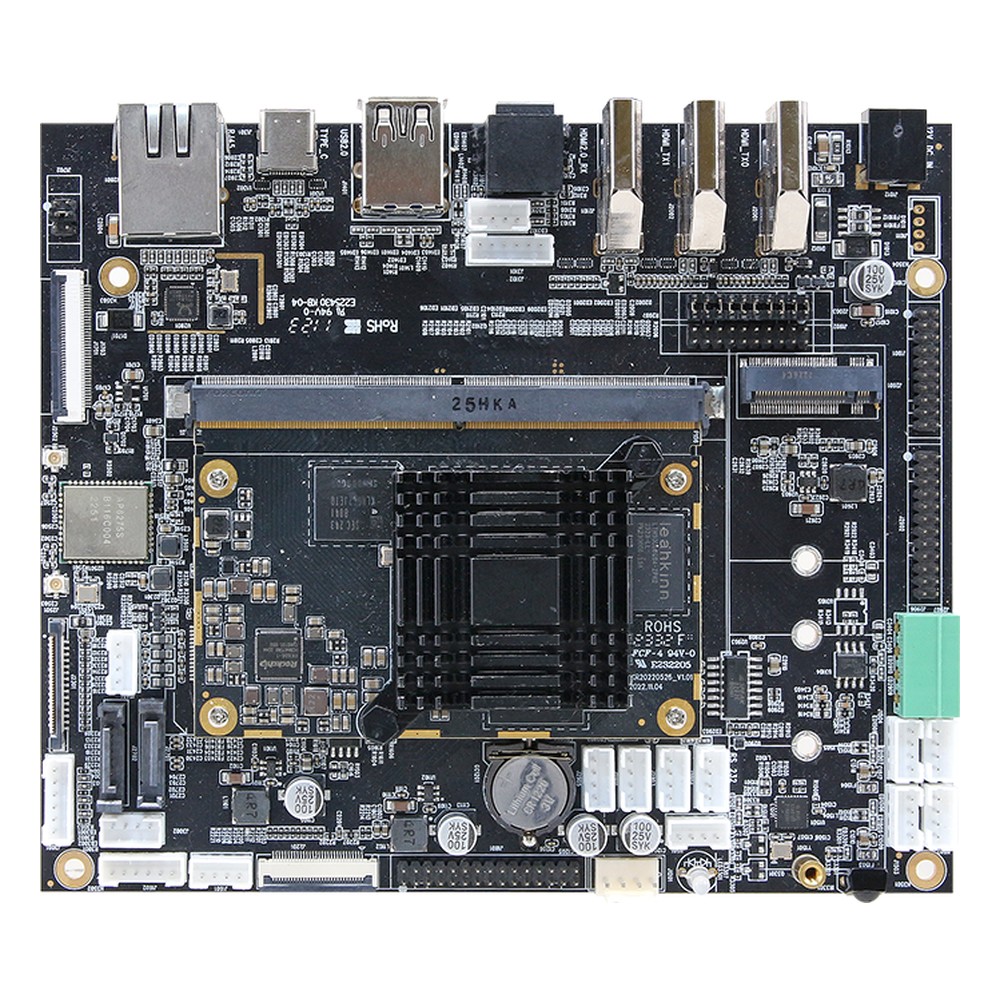
Rockchip RK3588 SBC with 32GB eMMC, Dual HDMI, LVDS and eDP
- AI
- 6 TOPS
- CPU
- Rockchip RK3588
- Ethernet
- 1× GbE
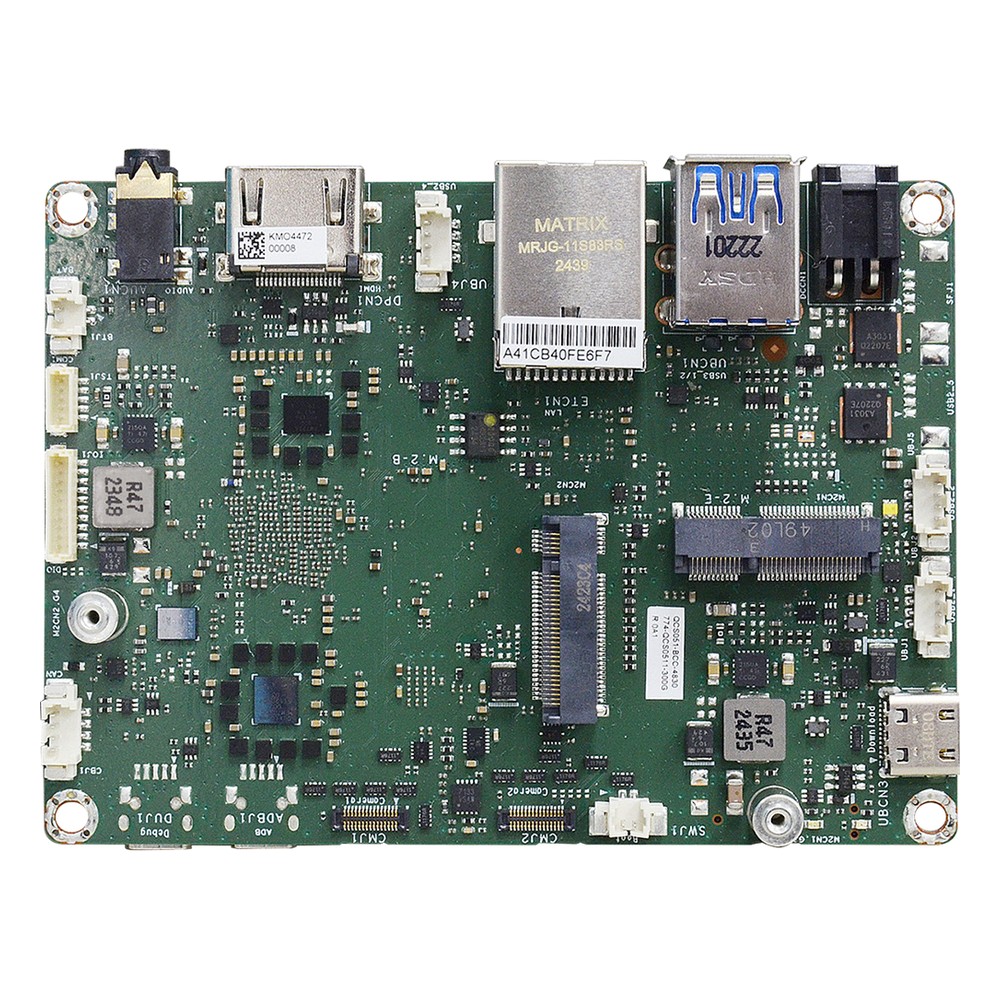
Octa-Core Qualcomm QCS6490 Arm Single Board Computer with 8GB LPDDR5x Memory and -25 to 75 °C
- AI
- 12 TOPS
- CPU
- Qualcomm Dragonwing QCS6490
- Ethernet
- 1× GbE
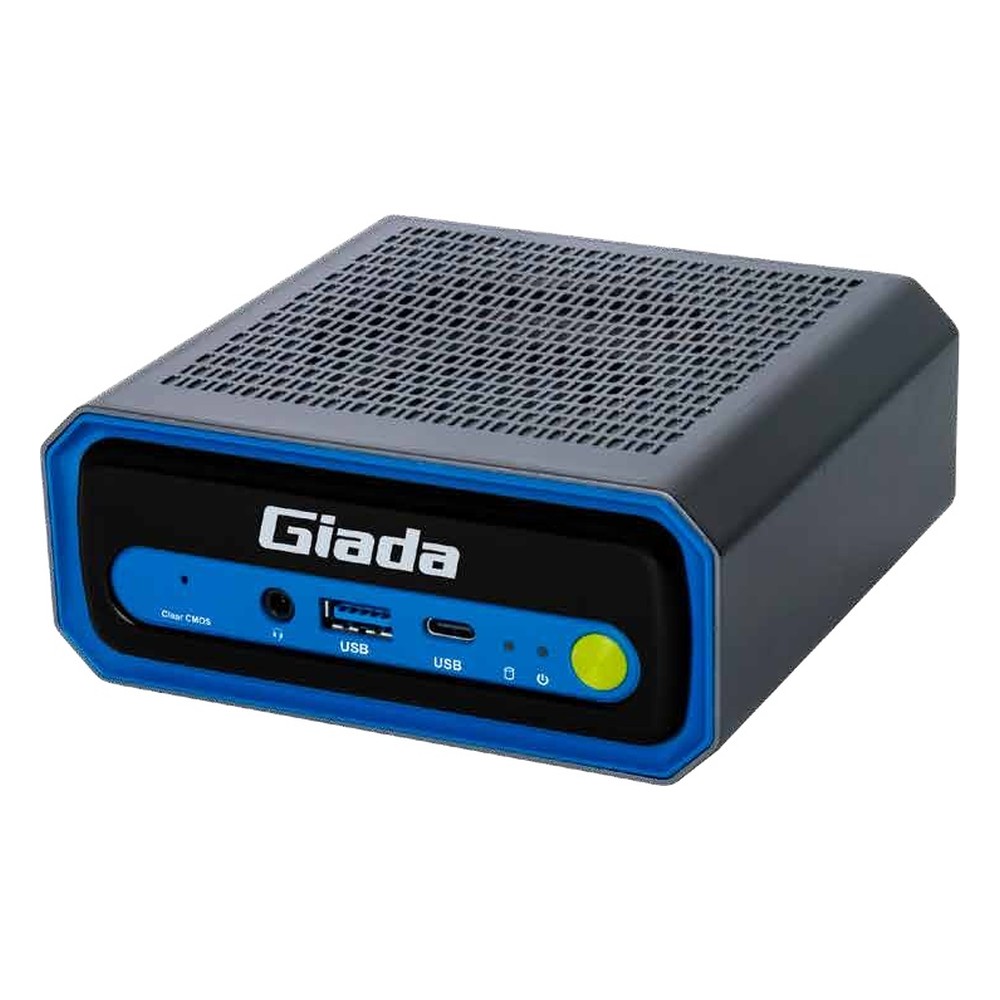
Intel Core Ultra 5 225H Edge AI PC with 13 TOPS NPU, Thunderbolt 4 and 2.5GbE
- AI
- 13 TOPS
- CPU
- Intel Core Ultra 2 Arrow Lake-H
- Ethernet
- 1× 2.5GbE
Choosing an SoC-based platform
Questions that decide whether an SoC suits the project, and which one.
-
01
Workload
What must the CPU, GPU and NPU run, and at what frame rate or response time?
-
02
Software
Is the application built for Linux, Android or Windows, and does the SoC’s BSP support it?
-
03
Form
Chip, module or SBC: how much board design can the project take on?
-
04
I/O
Are the cameras, displays, CAN, serial and network ports the product needs all on the SoC?
-
05
Expansion
Will the product ever need PCIe cards or more memory than the SoC supports?
-
06
Power and heat
Can the enclosure remove the SoC’s heat at the highest ambient, fanless?
-
07
Lifecycle
What does the SoC vendor’s longevity programme promise, and is there a successor on the same module?
System on chip: common questions
Quick answers
What is a system on chip (SoC)?
A chip that holds most of a computer. It combines CPU cores, graphics, a memory controller, I/O and often an AI accelerator on one piece of silicon or one package.
Is an SoC the same as a CPU?
No. The CPU is one block inside an SoC. A separate CPU needs a chipset and other chips to make a computer, while an SoC carries most of them itself.
What is the difference between an SoC and an SoM?
An SoM is an SoC on a small module. The module adds memory, storage and power so a product team can design a simpler carrier board instead of routing the SoC itself.
What are examples of SoCs?
NVIDIA Jetson Orin, NXP i.MX 8M Plus, Rockchip RK3588 and Qualcomm QCS6490. Intel Atom, Core Ultra and AMD Ryzen Embedded processors are x86 examples.
What is the difference between an SoC and a microcontroller?
Scale and software. A microcontroller keeps its memory on the chip and runs firmware; an applications SoC uses external memory and runs Linux, Android or Windows.
What are the advantages and disadvantages of an SoC?
Small, efficient and integrated, but not upgradeable. SoCs cut size, power and cost, but the processor cannot be replaced and PCIe expansion is limited.
What is inside an SoC?
CPU cores, a GPU, often an NPU, video and camera engines, a memory controller and I/O. Many also include a security engine and a real-time core.
Why are SoCs used in embedded systems?
They suit small, low-power, fixed designs. Embedded products value size, efficiency and reliability over upgradeability, which is exactly the SoC trade.
System on chip FAQs
-
What Is a CPU?
A CPU, or central processing unit, is the chip that runs a computer’s software. It fetches instructions from memory, decodes them and carries them out, billions of times a second. A modern CPU packs several cores, cache memory and often graphics and an NPU into one package.
-
GPU vs CPU: What Is the Difference?
A CPU has a small number of powerful cores that handle many different tasks one after another, such as running the operating system and applications. A GPU has thousands of simpler cores that work in parallel, which makes it far faster for graphics, video and AI inference, where the same calculation is repeated across large amounts of data.
-
What Is an AI Accelerator?
An AI accelerator is hardware designed to run neural networks faster and more efficiently than a general-purpose CPU. The main types are GPUs, NPUs built into processors, dedicated accelerator chips such as Hailo modules, and FPGAs. Each takes over the repetitive maths of AI inference, so the CPU stays free for the rest of the system.
-
NPU vs CPU: What Is the Difference?
A CPU is the general-purpose processor that runs the operating system, applications and any code you give it. An NPU, or neural processing unit, is built only for the matrix maths in AI models, so it runs inference using far less power than the CPU and leaves the CPU cores free. Many modern processors now include both on one chip.
-
What Is an Embedded System?
An embedded system is a combination of a processor, memory, input/output and software built into a larger device to do one dedicated job, such as controlling a washing machine, a car’s brakes or a factory machine. Unlike a general-purpose PC, it runs fixed software, often in real time, and is designed around the device it serves.
-
What Is a Board Support Package (BSP)?
A board support package (BSP) is the low-level software that lets an operating system run on a particular board: the bootloader, kernel, device drivers and hardware description such as the device tree. For NVIDIA Jetson, the BSP is Jetson Linux, delivered as part of JetPack, and custom carrier boards need it adapted to their hardware.
-
What Is the Difference Between a Jetson Module and a Developer Kit?
An NVIDIA Jetson developer kit is a reference carrier board with a module fitted, meant for evaluation and prototyping. A production system uses the production module on a carrier board designed for your I/O, environment and lifecycle. The silicon and software are the same; the kit is not what you deploy.
Designing around an SoC?
Tell us the workload, the size and power budget and the software it must run. We will recommend an SoC-based module, board or computer to suit, then configure, image and test it before it ships.