
 UK
UK 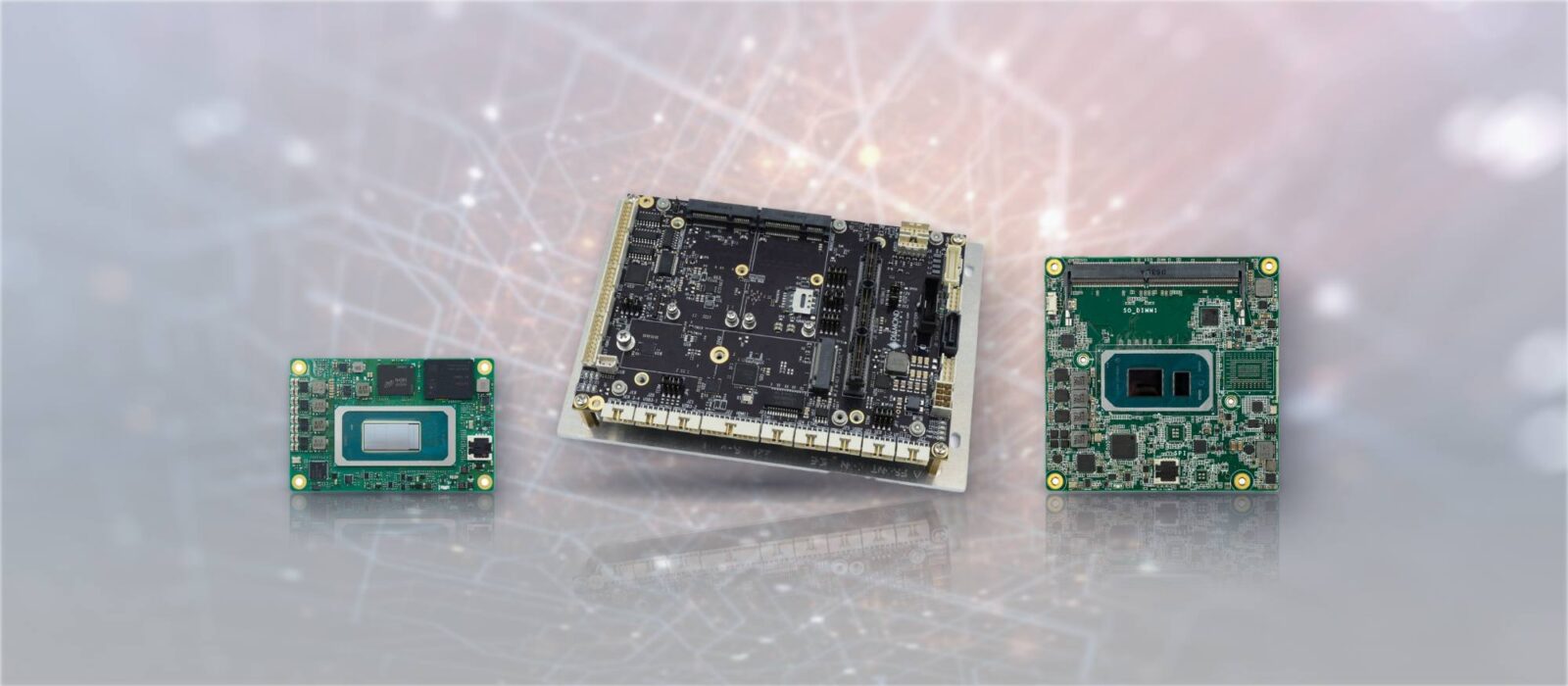
SMARC vs Qseven vs OSM vs COM Express: Computer-on-Module Standards Compared
SMARC, Qseven and OSM from SGET, COM Express and COM-HPC from PICMG: a master comparison of sizes, connectors, processors, power and interfaces, each standard in depth, carrier board design, migration paths and how to choose for an embedded product.
SMARC is one of five open standards for computer-on-modules: small boards that carry a processor, memory and storage, and plug or solder into a carrier board designed for the product. The others are OSM, Qseven, COM Express and COM-HPC. Each fixes a footprint, a connector and a pinout, so a module from one supplier can replace a module from another on the same carrier, and each suits a different class of product, from a battery-powered handheld to an edge server.
Two bodies look after them. SGET (Standardization Group for Embedded Technologies) publishes OSM, SMARC and Qseven, which are aimed mainly at Arm and low-power processors. PICMG publishes COM Express and COM-HPC, which are aimed mainly at Intel and AMD x86 processors with more power and more PCIe. Choosing between them early matters, because the standard sets the carrier board, the thermal design and much of the software work for the life of the product.
This guide is the reference view: why the module and carrier split exists, a master comparison table, each standard in depth, carrier board design, a choosing guide by application, migration paths, lifecycle and a checklist. For the general idea of a module, start with our explainer on the system-on-module. For more on the two PICMG standards, see COM Express module types and our comparison of COM-HPC and COM Express.
Key takeaways
- 01Five standards, two bodies
- SGET runs OSM, SMARC and Qseven; PICMG runs COM Express and COM-HPC. Modules of the same standard and size are designed to fit the same carrier.
- 02Size and power rise together
- From a 30 × 15 mm OSM module drawing a few watts to a 200 × 160 mm COM-HPC Server module with a power budget in the hundreds of watts.
- 03Arm at the small end, x86 at the large end
- OSM and SMARC are mostly Arm; COM Express and COM-HPC are mostly Intel and AMD. Qseven covers both but now sees few new designs.
- 04Soldered or socketed
- OSM solders to the carrier like a large chip, which suits volume and vibration. The others use connectors, so a module can be changed in service.
- 05The carrier is most of the work
- Power input, connectors, the thermal path and the board support package decide whether a module-based product ships on time.
Why computer-on-modules exist
A modern processor is hard to design around. Memory routing, power sequencing and high-speed serial links need many PCB layers, simulation and a long validation cycle, and the processor itself may only be on sale for a decade or so. A computer-on-module puts that difficult part on a small, finished board from a module maker: the system on chip, soldered memory, boot storage such as eMMC and the power circuits it needs. The product team designs a carrier board instead, a simpler board that turns the module’s signals into the connectors, power input, expansion and mechanical fit the product needs.
The split brings three benefits that matter in industrial and embedded systems. The carrier can stay the same while the module is upgraded or replaced at end of life. One carrier can take a range of modules, from a low-power processor to a high-performance one. And because the standards are open, a carrier is not tied to one supplier. The cost is an extra interface between two boards, some height and a second board to buy, which is why a single board computer is often simpler for one fixed configuration.
A short history
Computer-on-modules began with proprietary formats and early open ones such as ETX around 2000. PICMG ratified COM Express in 2005 and COM-HPC in 2021. SGET was founded in 2012 and approved SMARC 1.0 that year, took over Qseven from its original consortium in 2013, and published its first OSM specification in 2020. NVIDIA Jetson modules work on the same principle but are a proprietary family, with a connector and pinout that NVIDIA defines for each generation.
Computer-on-module standards compared
The table is the quick reference. It shows the maximum each specification defines; what a particular module brings out depends on its processor, so always check the module datasheet.
| Feature | OSM | SMARC | Qseven | COM Express | COM-HPC |
|---|---|---|---|---|---|
| Standard body | SGET | SGET | SGET (since 2013) | PICMG (COM.0) | PICMG |
| Current revision | 1.2 (2024) | 2.2 (2024) | 2.1 (2016) | 3.1 (2022); 3.2 in development | 1.3; Mini added in 1.2 |
| Module sizes | Size-0 30 × 15 mm; Size-S 30 × 30 mm; Size-M 30 × 45 mm; Size-L 45 × 45 mm | 82 × 50 mm; 82 × 80 mm | 70 × 70 mm; µQseven 70 × 40 mm | Mini 84 × 55 mm; Compact 95 × 95 mm; Basic 125 × 95 mm; Extended 155 × 110 mm | Mini 95 × 70 mm; Client 95 × 120 to 160 × 120 mm; Server 160 × 160 and 200 × 160 mm |
| Carrier interface | Soldered grid of contacts, no connector | 314 edge fingers in an MXM 3.0 connector, 0.5 mm pitch | 230 edge fingers in an MXM connector, 0.5 mm pitch | Two 220-pin connectors (one on Type 10 Mini) | Two 400-pin connectors (one on Mini) |
| Contacts | 188 to 662, by size | 314 | 230 | 440 (220 on Type 10) | 800 (400 on Mini) |
| Processors | Arm, microcontroller-class and some x86 | Mostly Arm; low-power x86 | Arm and x86 | Mostly Intel and AMD x86 | Mostly Intel and AMD x86 |
| Typical module power | A few watts | Typically under 6 W; more on some x86 modules | Up to 12 W from a 5 V supply | From a few watts on Atom-class Mini modules to tens of watts on Core and Xeon Basic modules | Input limits of about 107 W (Mini), 251 W (Client) and 358 W (Server) |
| PCIe | Up to 10 lanes on Size-L; none on Size-0 | Four lanes; up to Gen 4 from 2.2 | Up to four lanes | Up to 24 (Type 6), 32 (Type 7) or 4 (Type 10); Gen 4 from 3.1 | Up to 49 (Client) or 65 (Server), PCIe 5.0 |
| Networking | Up to five Ethernet interfaces | Two Gigabit Ethernet; SerDes options from 2.1.1 | Gigabit Ethernet | Gigabit Ethernet; up to four 10GbE on Type 7 | 10 or 25 GbE; up to eight 25 GbE channels |
| Display and camera | DSI, eDP and LVDS by size; MIPI CSI from Size-S | HDMI or DisplayPort, LVDS, eDP or DSI; MIPI CSI cameras | LVDS and a digital display interface | Up to three DDI plus eDP or LVDS on Type 6; none on Type 7 | DisplayPort and USB4 on Client and Mini; Server usually headless |
| Memory | Soldered | Soldered | Soldered | SO-DIMM or soldered | SO-DIMM or soldered (Client); up to eight DIMMs (Server); soldered (Mini) |
| Module swappable in service | No; rework only | Yes | Yes | Yes | Yes |
| Typical products | Handhelds, smart sensors, IoT nodes, compact HMIs | HMIs, medical devices, vision and portable equipment | Long-running HMI and control products | Industrial PCs, test, medical imaging, rugged and military computers | Edge AI and GPU systems, edge servers, high-end imaging |
Read across a row and the pattern is clear. The SGET standards trade bandwidth for size and power, which suits Arm processors with integrated graphics, camera pipelines and NPUs. The PICMG standards trade size for PCIe lanes, networking and power, which suits x86 processors and add-in accelerators. Qseven sits between them as the older SGET format that covers both architectures.
OSM: solder-down modules for compact products
OSM (Open Standard Module) is the newest SGET standard and the only one with no connector. The module is a small board with a grid of contacts underneath, placed on the carrier by a pick-and-place machine and reflow soldered like a large chip. SGET describes the contacts as a ball grid array and several module makers describe the format as LGA; either way the module becomes a permanent part of the carrier. The specification was written for small, low-cost, high-volume products and covers microcontroller-class, Arm and x86 processors.
| Size | Dimensions | Contacts | Notable interfaces |
|---|---|---|---|
| Size-0 (Zero) | 30 × 15 mm | 188 | Basic I/O only: no PCIe, display or camera |
| Size-S (Small) | 30 × 30 mm | 332 | One PCIe x1 lane, RGB and 4-lane DSI display, 4-lane MIPI CSI camera |
| Size-M (Medium) | 30 × 45 mm | 476 | Two PCIe x1 lanes, adds two eDP outputs; second camera interface from OSM 1.2 |
| Size-L (Large) | 45 × 45 mm | 662 | Up to 10 PCIe lanes, adds LVDS; USB 3.0 on this size only |
Across the sizes, OSM also defines up to five Ethernet interfaces, up to two CAN buses, four UARTs, UFS flash and up to 39 GPIO, plus an 18-pin communication area for antenna or fieldbus signals on every size. OSM 1.2, released in November 2024, stays compatible with modules built to 1.1. It adds single-channel LVDS on Size-S, a second camera interface on Size-M and a second I2S audio interface on Size-0.
Size-L is now big enough for an AI-capable processor. Advantech’s AOM-2721, announced in 2024, puts a Qualcomm QCS6490 with a 6.9 W TDP and 12 TOPS of AI performance on a 45 × 45 mm OSM module, with PCIe Gen 3, LPDDR5 memory, UFS storage, USB 3.2 and DSI, DisplayPort and eDP outputs. Advantech lists support for Windows IoT Enterprise LTSC on it, which shows how far Arm modules have moved from Linux-only designs.
Where OSM fits
Soldering removes the connector cost and height, makes the joint robust under shock and vibration, and suits automated assembly at volume. The trade-offs are just as real. A module cannot be swapped on the bench or in the field without rework, hidden joints usually need X-ray inspection, and moving to another supplier’s module means a manufacturing change and requalification. OSM suits products built in volume where the module is chosen once for each product version: handhelds, smart sensors, IoT gateways and compact HMIs.
SMARC: low-power modules with camera and display reach
SMARC (Smart Mobility Architecture) was approved by SGET in 2012 for low-power processors from the tablet and mobile world, and it has become one of the most common module standards for Arm. A SMARC module is a board with 314 gold edge fingers that slide into a low-profile, right-angle MXM 3.0 connector on the carrier at 0.5 mm pitch. Two sizes are defined: 82 × 50 mm for compact, low-power designs and 82 × 80 mm for processors that need more room and cooling. SGET puts typical module power under 6 W, which is why many SMARC products run without a fan.
SMARC 2.1, 2.1.1 and 2.2
SMARC 2.0, published in 2016, set today’s pinout. SMARC 2.1 added PCIe Gen 3, extended the USB 3 signal definitions and formalised MIPI CSI-2 camera lanes on the edge connector. The 2.1.1 update covered SerDes options for Ethernet and USB-C with USB 3.2 and DisplayPort alternate mode. SMARC 2.2, released in August 2024, is a maintenance release: it brings PCIe up to Gen 4, adds SoundWire audio as an alternative function, and corrects power domains, pin filling order and mechanical tolerances. It is intended to stay compatible with 2.1 designs.
A full SMARC 2.x pinout carries four PCIe lanes, two Gigabit Ethernet ports, USB 3 and USB 2, two CAN bus interfaces, UARTs, I2S and HDA audio, and display outputs that include HDMI or DisplayPort, LVDS, eDP and MIPI DSI. Native camera inputs over MIPI CSI-2 are a common reason vision, medical and robotics designs choose SMARC over a small x86 module. Modules are available with NXP i.MX, Qualcomm, MediaTek, TI and Rockchip processors, and with low-power Intel Atom parts.
Qseven: the 70 mm module still in service
Qseven dates from 2008 and was one of the first small-module standards to cover both x86 and Arm. Its modules are 70 × 70 mm, or 70 × 40 mm for the µQseven variant, with 230 edge fingers in an MXM connector at 0.5 mm pitch. The specification runs the module from a single 5 V supply and caps module power at 12 W, which keeps it in the same thermal class as SMARC.
SGET took the standard over from the original Qseven consortium in 2013, and revision 2.1, published in February 2016, is still current. Qseven 2.x carries PCIe, Gigabit Ethernet, USB 3.0, SATA, LVDS and a digital display interface. Modules are still made and supported, mainly for long-running products, but most new small-module designs now start on SMARC or OSM, and module makers typically point Qseven customers to SMARC for the next product generation.
COM Express: the x86 module most designs start from
COM Express is the PICMG standard behind most x86 computer-on-modules, and our COM Express range is built on it. It was ratified in 2005; revision 3.1, released in 2022, is current, and revision 3.2 is in development. Two things describe a module: its size and its pinout type. Sizes run from Mini at 84 × 55 mm through Compact at 95 × 95 mm and Basic at 125 × 95 mm to Extended at 155 × 110 mm. Compact, Basic and Extended modules use two 220-pin connectors; Mini uses one.
| Type | Connectors | Main interfaces | Usual sizes | Typical use |
|---|---|---|---|---|
| Type 6 | Two 220-pin | Up to 24 PCIe lanes, three DDI plus eDP or LVDS, USB 3, SATA, Gigabit Ethernet | Compact and Basic | HMIs, vision, medical imaging, test equipment |
| Type 7 | Two 220-pin | Up to 32 PCIe lanes, up to four 10GBASE-KR, no display | Basic | Network appliances, edge servers, storage |
| Type 10 | One 220-pin | Up to four PCIe lanes, one DDI plus eDP or LVDS | Mini | Small rugged, portable and low-power devices |
Revision 3.1 brought PCIe Gen 4 and USB4 to Types 6, 7 and 10, so recent modules can bring out the faster interfaces of current processors. Modules normally take 12 V from the carrier, and Mini modules accept a wide 4.75–20 V input, which suits battery and vehicle power. Type 2 and the other early pinouts, with legacy PCI and parallel ATA, survive in long-running products but are not used for new designs.
COM Express has one of the widest supplier bases of any module standard, with Intel Atom, Core, Core Ultra and Xeon and AMD Ryzen Embedded modules from many makers, and a large choice of off-the-shelf carriers. That is why it remains the default for x86 industrial, medical, transport and defence products, including stackable designs built to PC/104 form factors.
COM-HPC: bandwidth for high-end designs
COM-HPC is PICMG’s high-performance standard, ratified in 2021. It uses two 400-pin connectors rated for signalling up to 32 Gb/s, enough for PCIe 5.0, and defines three groups of sizes. Client modules (95 × 120, 120 × 120 and 160 × 120 mm) carry desktop and mobile processors with display outputs, up to 49 PCIe lanes, USB4 and up to four SO-DIMMs or soldered memory. Server modules (160 × 160 and 200 × 160 mm) carry high-core-count processors, up to 65 PCIe lanes, up to eight DIMMs and 10 or 25 GbE, usually without graphics. COM-HPC Mini, added in revision 1.2, is a 95 × 70 mm module with one 400-pin connector, soldered memory and a 15 mm overall height, aimed at compact rugged systems.
Power is the other difference. COM-HPC modules take 12 V by default, with an optional 8–20 V input on Client and Mini. PICMG quotes input limits of about 358 W for Server, 251 W for Client and 107 W for Mini modules at the low end of their input ranges, before connector derating. Most designs run well below those limits, but they leave room for processors that COM Express cannot power or cool. COM-HPC adds to COM Express rather than replacing it; our guide to PCIe bandwidth explains why lane count and generation matter at this end of the range.
Designing a carrier board for each standard
The carrier is where most of the engineering effort in a module-based product goes, and the standard sets its starting point. Each standards body publishes a design guide alongside the specification, and module makers publish reference carrier designs. Starting from one of those is usually the fastest route to a working board.
Signal integrity and layer count
PCIe, USB 3, USB4, DisplayPort and 10 GbE all need controlled-impedance, length-matched differential pairs from the module connector to the port. The faster the interface, the tighter the loss budget, so a COM-HPC carrier running PCIe 5.0 needs better board material and shorter routes, and sometimes retimers, compared with a SMARC carrier running PCIe Gen 3. As a rough guide, small OSM and SMARC carriers can often be built on fewer layers than COM Express and COM-HPC carriers, but the interfaces actually used decide the stack-up. Our explainer on PCIe covers lanes and links.
Power input
Every standard expects the carrier to supply a defined input and handle the power sequencing signals. SMARC modules run from a low-voltage input of about 3 to 5.25 V and Qseven from 5 V, so a carrier that takes a 12 or 24 V industrial supply needs its own conversion stage. COM Express and COM-HPC take 12 V by default, with wider-range options on COM Express Mini and COM-HPC Client and Mini. Wide-range, isolated or vehicle power inputs, ignition sensing and hold-up for a safe shutdown are all carrier functions.
Thermal design
COM Express and COM-HPC define a heat spreader interface on top of the module, so heat can be conducted into an enclosure wall or a heatsink without a fan; that is how sealed, rugged COM Express computers are cooled. SMARC and Qseven modules usually have a vendor heat spreader too, while OSM modules shed much of their heat into the carrier copper and need a heatsink or thermal pad on top at higher power. Size the thermal path for the module’s sustained power at the top of the industrial temperature range, not its typical figure, or the processor will throttle.
Board support package and software
x86 modules on COM Express and COM-HPC boot through UEFI firmware and run standard Windows and Linux images, so a module change is mostly a revalidation. Arm modules on OSM, SMARC and Qseven depend on a board support package for each module: the bootloader, kernel and device tree that describe the processor and the carrier. Most are delivered as Yocto Project layers for embedded Linux, sometimes with Android or a real-time operating system. The standard pinout makes the hardware interchangeable, but the device tree and drivers still have to be adapted for each module and carrier pairing.
Mechanics and environment
Edge-connector modules need standoffs and fixings so they cannot work loose under vibration, and COM Express and COM-HPC modules bolt down at defined holes. Soldered OSM modules avoid the connector entirely. Conformal coating, wide-temperature components and the connector choice on the carrier then decide how well the whole assembly suits a rugged computer. Our COM Express carrier boards show the approach: the module mounts on the underside with its heat spreader facing the enclosure.
How a module-based design comes together
Whatever the standard, a module-based product goes through the same five steps. Most of the schedule risk sits in the carrier and the software.
-
Scope
I/O and environmentList every interface, the power input, the operating temperature, the enclosure and how long the product must stay in production.
-
Select
Standard and moduleChoose the standard and size, then a module family with a published roadmap and more than one processor option.
-
Design
Carrier boardStart from a reference or off-the-shelf carrier; design a custom carrier only for I/O, power or mechanics no standard board offers.
-
Validate
Thermal, I/O, softwareBring up the BIOS or BSP, test every interface and run thermal tests in the enclosure at the top of the temperature range.
-
Support
LifecycleTrack module change and last-time-buy notices, keep a qualified second module, and keep the software portable.
Choosing a module standard by application
Does the product need x86 software and PCIe bandwidth, or low power, small size and camera inputs? That question narrows most choices to PICMG or SGET before anything else. Size, I/O and production volume then settle the standard. The table gives typical starting points, not rules.
| Application | Usual starting point | Why |
|---|---|---|
| Handheld, battery-powered or wearable device | OSM Size-S or Size-M | Smallest footprint, lowest power and a soldered joint that tolerates drops |
| Smart sensor or IoT gateway built in volume | OSM | No connector cost; fits automated assembly |
| HMI, medical display or portable instrument with cameras | SMARC 82 × 50 mm | MIPI CSI and DSI, LVDS or eDP at low power, with a swappable module |
| Refresh of an existing Qseven product | Qseven, then SMARC | Keep the carrier while modules are available; plan a SMARC carrier for the next version |
| Machine vision, test or medical imaging on x86 software | COM Express Type 6, Compact or Basic | Windows and Linux support, three displays and up to 24 PCIe lanes |
| Compact rugged x86 computer, vehicle system or PC/104 stack | COM Express Mini Type 10 | Small footprint, wide-range input and Atom or Core Ultra modules |
| Network appliance or headless edge server | COM Express Type 7 | Up to four 10GbE ports and 32 PCIe lanes without graphics |
| Edge AI with GPUs, high-end imaging or an edge server | COM-HPC Client or Server | PCIe 5.0, 25 GbE and high power budgets |
| Neural-network inference on cameras with NVIDIA software | NVIDIA Jetson module | A proprietary module and carrier; see our guide to choosing a Jetson carrier board |
x86 or Arm
The processor architecture often decides the standard rather than the other way round. x86 brings mainstream Windows and Linux support and familiar tools. Arm brings lower power, integrated camera pipelines and an NPU on many parts, with the operating system built from a BSP. Our comparison of x86 and Arm sets out the trade-offs, and our guide to Arm processors in embedded systems covers the main families.
Volume and service
Volume pushes towards OSM, where removing the connector and a second assembly step pays back over thousands of boards. Field service pushes the other way: if a technician must be able to replace the module, or the product will be upgraded in service, choose a connector-based standard. Low volumes with a fixed I/O set often need no module at all, and a standard single board computer does the job.
Migration paths between standards
No standard lasts for ever, but the standards bodies plan transitions, and some moves are much easier than others. Moves within a standard usually keep the carrier; moves between standards always need a new one.
| From | To | What changes |
|---|---|---|
| Qseven 2.x | SMARC 2.1 or 2.2 | New carrier: different connector, pinout and size; similar power class and processors |
| COM Express Type 2 | COM Express Type 6 | New carrier: legacy PCI and parallel ATA are gone; the module sizes stay the same |
| COM Express Type 6 or 7 | COM-HPC Client or Server | New carrier, power stage and thermal design; much more PCIe and networking |
| COM Express Mini Type 10 | COM-HPC Mini | New carrier; PCIe Gen 5, USB4 and more power in a slightly larger footprint |
| SMARC 2.1 | SMARC 2.2 | Usually no carrier change: 2.2 is a maintenance release |
| OSM 1.1 | OSM 1.2 | Usually no carrier change: 1.2 keeps compatibility with 1.1 modules |
| One supplier’s module | Another supplier’s, same standard | Same carrier, but new BIOS or BSP validation, and on OSM a requalified assembly |
Roadmaps
PICMG has COM Express revision 3.2 in development and a working group on COM-HPC 1.4. SGET maintains SMARC and OSM through revisions that keep earlier designs compatible. Neither body has announced an end to COM Express or SMARC, and module makers continue to launch modules on both. Treat roadmap features as plans until a specification is ratified.
Lifecycle and second source
Lifecycle is usually the reason to choose a module in the first place. Embedded processors are typically sold for seven to fifteen years, and an industrial product often has to be supported for longer. On a module-based design, the end of a processor means qualifying a new module on the same carrier, not a new board.
Three habits make that work. Ask for the module maker’s availability commitment in writing and track product change notices. Qualify a second module, ideally from another maker on the same standard, before you need it. And keep the software portable: a recorded BIOS configuration, or a Yocto layer kept separate from the application, makes a module change a revalidation rather than a rewrite. Our guide to planning a module end of life shows the same process for NVIDIA Jetson, where no second source exists.
Pin-compatible is not the same as identical. Two modules on the same standard can differ in which optional interfaces they bring out, their power draw, their heat spreader height and their temperature rating, so check each module against the carrier’s requirements rather than relying on the standard alone.
Module and carrier hardware in our range
Our module-based range is built on COM Express, with Arm boards and Jetson carriers for designs that start elsewhere.
COM Express
Mini Type 10 and Compact modules, plus COM-based SBCs and carriers for x86 designs.
View range
COM Express carrier boards
Rugged Type 6 and Type 10 carriers, supplied bare or with the module fitted.
View range
PC/104 single board computers
Stackable SBCs for rugged embedded systems, including designs built on COM Express modules.
View range
Carrier boards
Carriers for COM Express and NVIDIA Jetson modules, from compact boards to PC/104 formats.
View range
Arm SBCs
NXP, Qualcomm and Rockchip boards for low-power Arm designs that do not need a module.
View range
Jetson carrier boards
Carriers for NVIDIA Jetson modules, the proprietary module family for edge AI.
View rangeCOM Express hardware from our range
Our catalogue covers COM Express today: DFI modules in Mini and Compact sizes, a DFI Type 6 carrier, and Diamond Systems rugged carriers and COM Express SBCs that ship with the module and heat spreader fitted. We do not list SMARC, Qseven, OSM or COM-HPC modules at present; where a design needs one, we can advise on the standard and supply it as part of a build. We fit the module, memory, storage and heat spreader, image the operating system and test the assembled computer before it ships.
| Role | Example from our range | Standard and size | What it shows |
|---|---|---|---|
| Compact x86 module | DFI MTU9A2 | COM Express Mini Type 10 | Intel Core Ultra on the smallest COM Express size |
| Low-power x86 module | DFI ADN9A2 | COM Express Mini Type 10 | Intel Atom x7425E, Processor N50 and N97, and Core i3-N305 options |
| Mid-range module | DFI TGU968 | COM Express Compact | 11th Gen Intel Core with 2.5GbE networking |
| Type 6 carrier in a standard form factor | DFI COM332-B(R.A) | COM Express Type 6 carrier, microATX | A Type 6 module on a standard motherboard footprint |
| Rugged Type 6 carriers and SBCs | Diamond Systems JASPER | COM Express Type 6, Basic and Compact | Heat spreader faces the enclosure; versions with digital I/O, data acquisition or PCIe/104 |
| COM Express in a PC/104 stack | Diamond Systems GEMINI | COM Express Type 6 Compact, PCI/104-Express | A Core i7 or Xeon module in a stack with existing PC/104 boards |
| Small rugged SBC | Diamond Systems ZETA | COM Express Mini Type 10, module and carrier as one assembly | Atom E3940 or E3950 with eMMC and wide-temperature operation |
| Sealed military computer | Diamond Systems SABRECOM-JSP | COM Express Type 6 on the JASPER carrier, IP67 | The module can be changed at end of life without mechanical changes |
The COM332-B(R.A) puts a Type 6 module on a standard microATX motherboard form factor, which can be a practical way to start software work before a custom carrier exists. Our COM Express SBC case study shows a Type 6 design in a reverse vending machine, and a custom Jetson carrier board shows the carrier design process for a proprietary module.
COM Express modules and carriers
Four starting points from the table: a Core Ultra Mini Type 10 module, an 11th Gen Intel Core Compact module, a rugged Type 6 carrier with 18–36 V DC input and a PCI/104-Express carrier for Compact modules.
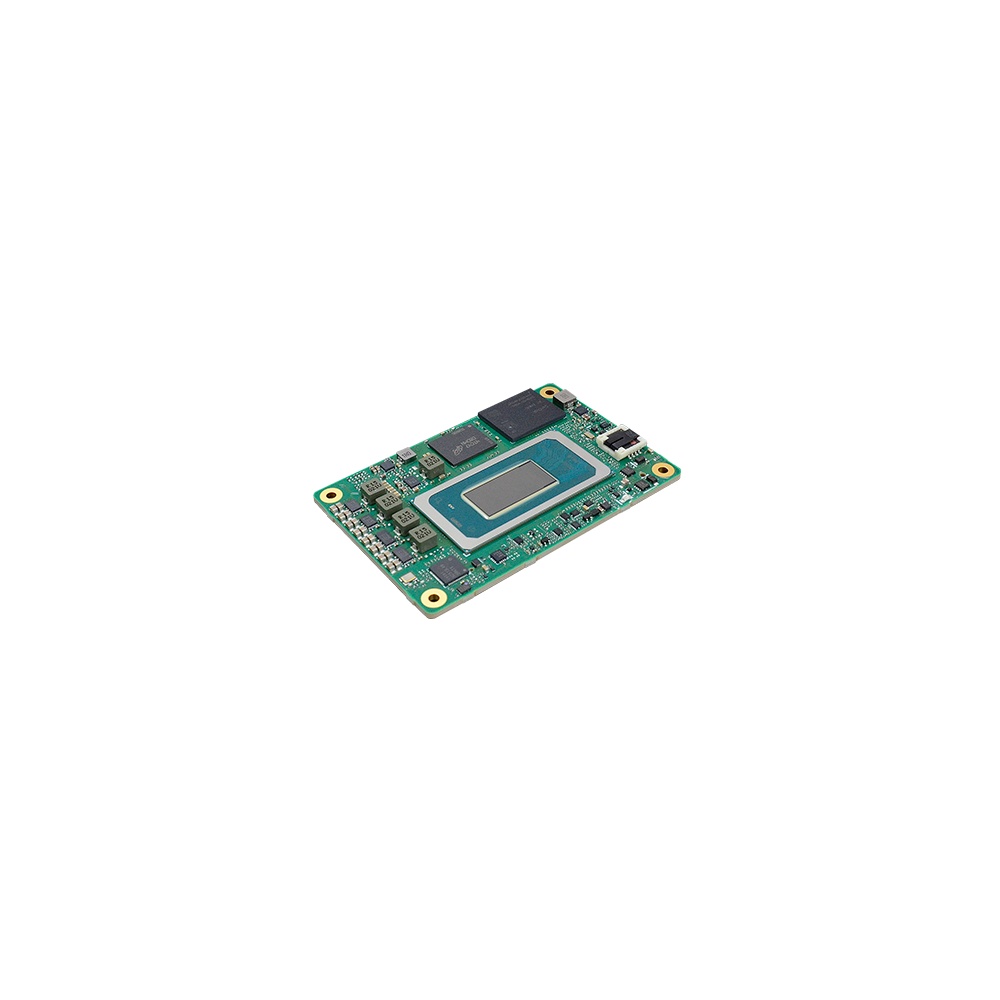
Intel Core Ultra COM Express Mini Type 10 Module
- AI
- 11 TOPS
- CPU
- Intel Core Ultra 1 (Meteor Lake)
- Ethernet
- 1× 2.5GbE
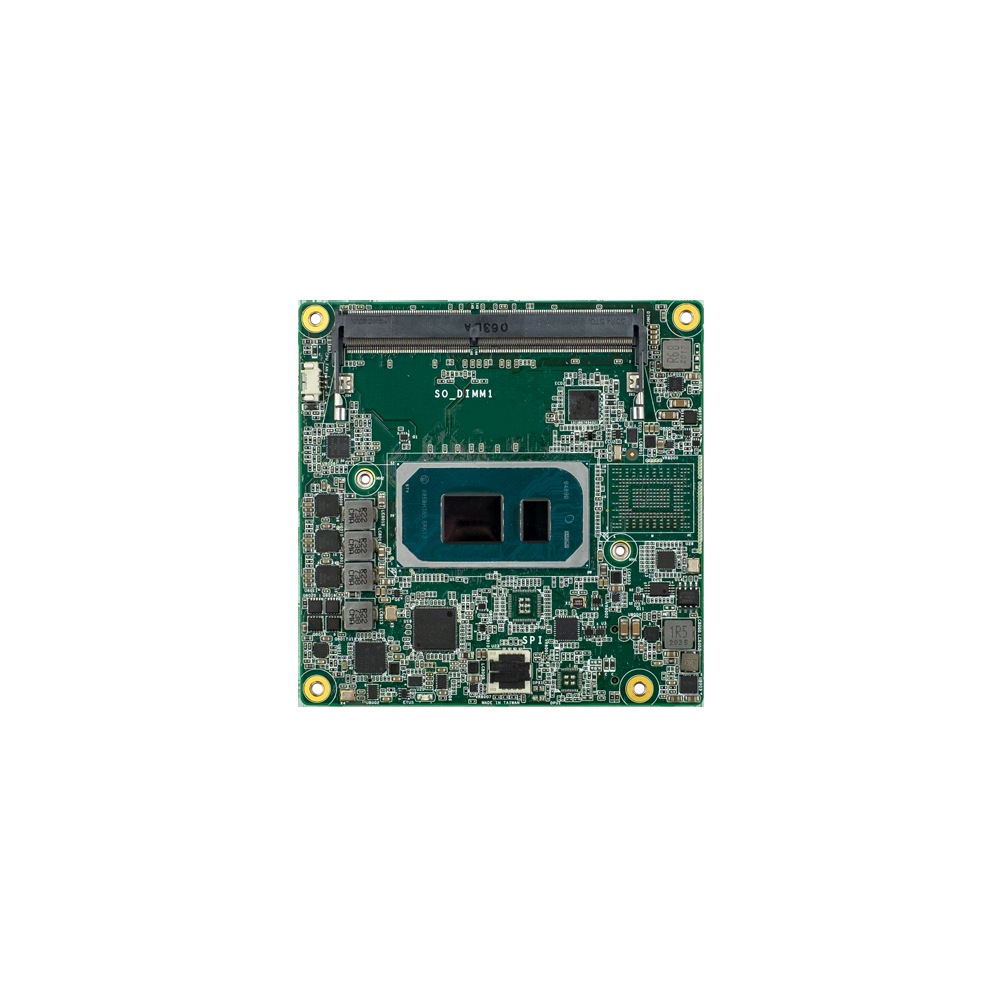
11th Gen Intel COM Express Compact Module with 2.5GbE
- CPU
- Intel Core 11th Gen (Tiger Lake)
- Ethernet
- 1× 2.5GbE
- Memory
- 2× DDR4-3200 SO-DIMM, up to 64 GB
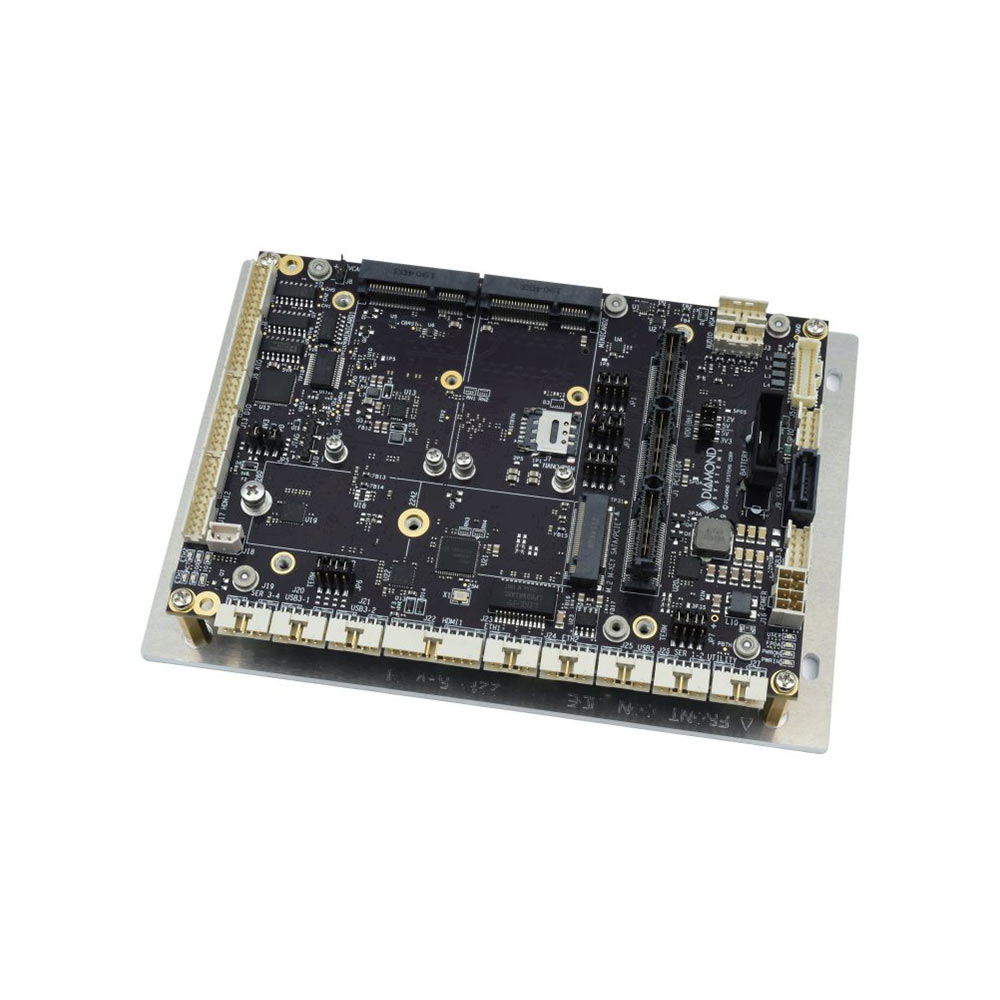
COM Express Carrier Board for Type 6 Modules with 18 to 36 V DC Input
- Ethernet
- 1× GbE
- Temp
- −40 to +85 °C
- Power
- 12 V DC, 18–36 V DC [Terminal Block]
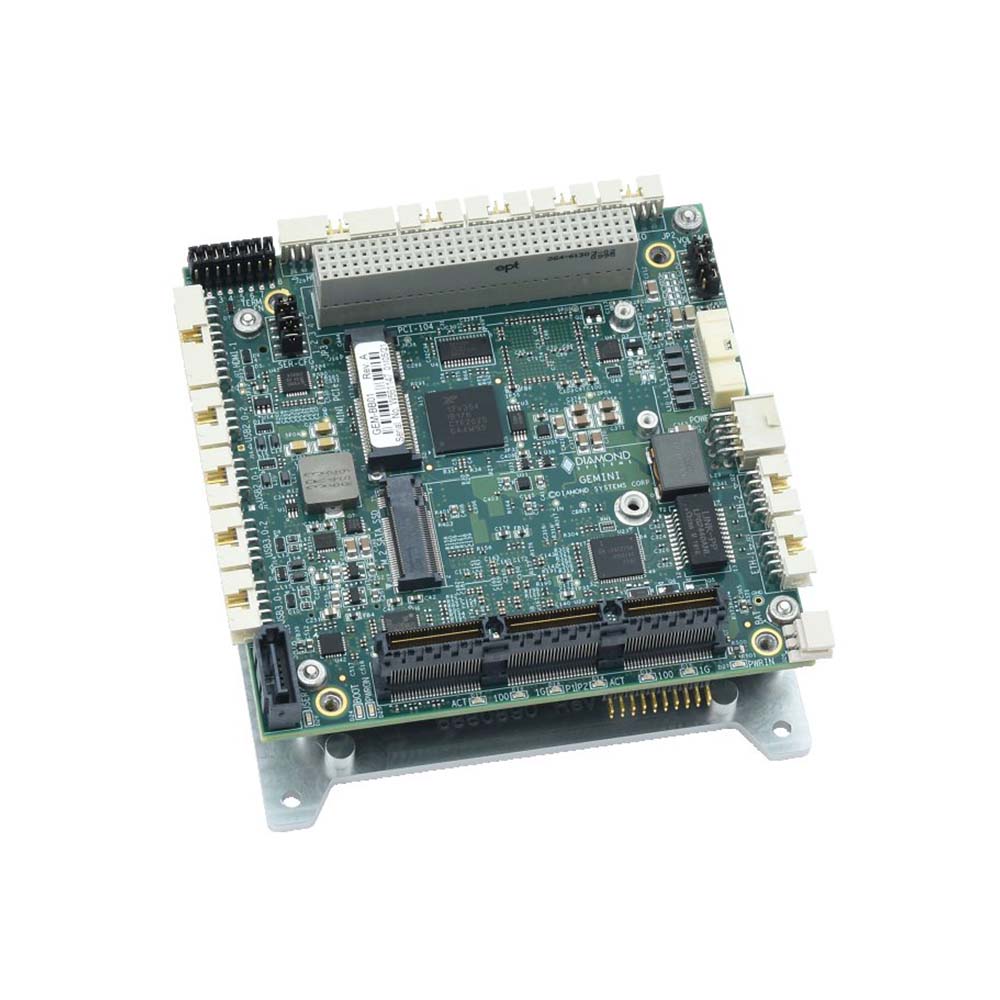
PCI/104-Express Carrier Board for COM Express Compact Type 6 Modules, -40 to 85 °C
- CPU
- Intel Core 11th Gen (Tiger Lake)
- Ethernet
- 3× GbE
- Memory
- 32 GB Soldered On-board, 64 GB Soldered On-board
Before you commit to a module standard
Eight questions to answer before the carrier design starts.
-
01
Interfaces
List every interface the product needs now and later, with lane counts, and check the standard and size bring them out.
-
02
Processor architecture
Decide x86 or Arm from the software you must run, then confirm modules exist on that standard.
-
03
Power and heat
Find the module’s sustained power, plan the input stage and size the thermal path for the hottest operating case.
-
04
Environment
Check temperature range, shock, vibration and coating against both the module and the carrier ratings.
-
05
Volume and service
Choose solder-down OSM for volume and fixed builds; choose a connector when modules must be swapped in service.
-
06
Second source
Identify at least two modules, ideally from different makers, that fit the carrier.
-
07
Software
Confirm BIOS or BSP support, the operating system versions and who maintains them for the product life.
-
08
Lifecycle
Get availability commitments in writing and note the next revision of the standard on the roadmap.
Computer-on-module standards: common questions
Quick answers
What is the difference between SMARC and Qseven?
Connector, size and age. SMARC uses 314 edge fingers in an MXM 3.0 connector on 82 × 50 or 82 × 80 mm modules; Qseven uses 230 on 70 × 70 mm modules. Both are SGET standards for low-power x86 and Arm, but SMARC has more interfaces and most new designs choose it.
Is OSM replacing SMARC?
No, it sits alongside it. OSM is a smaller, soldered format for volume products. SMARC keeps a connector so modules can be swapped, and has richer display and camera interfaces. SGET maintains both.
Can a SMARC module fit a COM Express carrier?
No. The connectors, pinouts, sizes and power inputs are all different. A module only works on a carrier built to its own standard and, on COM Express, to its own pinout type.
Are modules from different makers interchangeable?
Mostly, within one standard. A compliant module should work on a compliant carrier, but optional interfaces, heat spreader height, power and the BIOS or BSP differ, so each module needs validating on the carrier.
Which module standard suits edge AI?
It depends on the model and the power budget. OSM and SMARC modules with NPUs suit camera analytics at a few watts. COM Express and COM-HPC take larger x86 processors and GPUs over PCIe. NVIDIA Jetson modules suit GPU-accelerated inference on their own carriers.
Is Qseven obsolete?
Not obsolete, but mature. The 2.1 specification from 2016 is still current and modules are still sold for existing products. Most new small-module designs start on SMARC or OSM.
What does COM Express Type 6 mean?
The pinout, not the size. Type 6 is the general-purpose COM Express pinout with display outputs, USB, SATA and up to 24 PCIe lanes. The size, from Mini to Extended, is chosen separately.
Is COM-HPC replacing COM Express?
Not for most designs. COM-HPC adds PCIe 5.0, 25 GbE and higher power for high-end systems, while COM Express continues for the mid-range, with revision 3.2 in development.
Why use a module instead of a single board computer?
Lifecycle and custom I/O. A module lets the carrier stay the same when the processor reaches end of life, and the carrier can bring out exactly the I/O and connectors the product needs. For one fixed configuration in a standard form factor, an SBC is often simpler.
Embedded module FAQs
-
What Are the COM Express Module Types?
COM Express is a PICMG standard for computer-on-modules, and its pin-out types define which interfaces a module provides. Type 6 is the most common, with display outputs, USB and PCIe for general embedded systems. Type 7 is headless, with up to four 10GbE ports for edge server use. Type 10 is a smaller, lower-power pin-out for Mini modules.
-
What Is a Board Support Package (BSP)?
A board support package (BSP) is the low-level software that lets an operating system run on a particular board: the bootloader, kernel, device drivers and hardware description such as the device tree. For NVIDIA Jetson, the BSP is Jetson Linux, delivered as part of JetPack, and custom carrier boards need it adapted to their hardware.
-
What Is the Yocto Project?
The Yocto Project is an open-source set of tools for building a custom Linux operating system for one embedded device. Instead of installing a ready-made distribution, you describe the hardware, software and settings you need in layers and recipes, and the BitBake build engine produces a small, repeatable image for that device.
-
What Is Embedded Linux?
Embedded Linux is the Linux kernel and a trimmed set of software built to run one dedicated device, such as an industrial controller, gateway, camera or edge AI computer, rather than a general-purpose PC. It is assembled for specific hardware, often an Arm processor, and usually boots straight into the device’s application.
-
What Is MIPI CSI-2?
MIPI CSI-2 (Camera Serial Interface 2) is the standard high-speed link between a camera’s image sensor and a processor, defined by the MIPI Alliance. It carries image data over one to four differential lanes on a short flex cable, and it is the native camera input on NVIDIA Jetson, NXP i.MX, Raspberry Pi and most smartphone processors.
-
What Is PCIe?
PCIe (PCI Express) is the high-speed serial interface that connects graphics cards, NVMe SSDs, network cards and other devices to a computer’s processor. Data travels over lanes, and slots come in x1, x4, x8 and x16 widths. Each PCIe generation roughly doubles the speed per lane.
-
What Is an Embedded System?
An embedded system is a combination of a processor, memory, input/output and software built into a larger device to do one dedicated job, such as controlling a washing machine, a car’s brakes or a factory machine. Unlike a general-purpose PC, it runs fixed software, often in real time, and is designed around the device it serves.
Planning a module-based design?
Tell us the interfaces, power input, environment and production life your product needs. We will recommend the module standard and carrier, then fit the module, image the operating system and test the computer before it ships.