
 UK
UK 
PCIe Generations and Bandwidth: Gen 3 to Gen 7 Explained
PCIe bandwidth doubles with each generation, but slots, lanes and signal limits decide what a computer can use. A full bandwidth chart from Gen 1 to Gen 7 and the Gen 8 targets, what changed at each step, and how to choose PCIe for industrial and edge builds.
PCIe bandwidth roughly doubles with every generation of PCI Express, the serial link that connects graphics cards, NVMe SSDs, network adapters, capture cards and accelerators to a processor. PCIe 3.0 carries about 1 GB/s per lane in each direction; PCIe 7.0, released in 2025, carries about 15 GB/s. The slots look the same from one generation to the next, so the generation, the number of lanes and the way a board shares them decide what a system can really do.
PCI-SIG, the industry group that owns the standard, has kept that doubling going since 2003, but the way it gets there has changed. Up to PCIe 5.0 each generation raised the signalling rate and kept the same packet format. From PCIe 6.0 the link sends two bits per symbol and adds error correction, which matters for anyone designing boards, risers or long cable runs.
This guide is the reference view: a bandwidth table for every generation from Gen 1 to the Gen 8 work in progress, what changed at each step, how lanes, slots and connectors work, where signal integrity and heat start to limit a design, and how to choose and check a generation for an industrial or edge build. For single-generation detail, see our explainers on PCIe 5.0, PCIe 6.0 and PCIe 4.0 vs PCIe 5.0.
Key takeaways
- 01Each generation doubles the lane rate
- From 8 GT/s at PCIe 3.0 to 128 GT/s at PCIe 7.0, so a device can reach the same bandwidth on half the lanes one generation later.
- 02Mixed links run at the lower spec
- Cards and slots from different generations work together at the older generation’s speed and the narrower of the two widths.
- 03A slot’s size is not its lane count
- A full-length x16 slot may carry eight or four lanes, and lanes are often shared with M.2 sockets, so read the electrical width in the datasheet.
- 04Faster links cost signal margin and heat
- PCIe 5.0 and later need shorter traces, better board materials or retimers, and Gen 5 SSDs need a proper thermal path in fanless systems.
- 05Edge builds are mostly Gen 4 and Gen 5
- PCIe 4.0 and 5.0 cover GPUs, NVMe storage and fast network cards at the edge today; PCIe 6.0 and 7.0 are aimed at data-centre AI first.
PCIe bandwidth by generation and lane count
The table is the quick reference. Bandwidth is per direction: PCIe links are full duplex, so the same figure flows each way at once, and the combined two-way figure that vendors and PCI-SIG often quote is twice the number shown.
| Generation | Spec released | Rate per lane | Encoding and signalling | x1 | x4 | x8 | x16 |
|---|---|---|---|---|---|---|---|
| PCIe 1.0 | 2003 | 2.5 GT/s | 8b/10b, NRZ | 250 MB/s | 1 GB/s | 2 GB/s | 4 GB/s |
| PCIe 2.0 | 2007 | 5 GT/s | 8b/10b, NRZ | 500 MB/s | 2 GB/s | 4 GB/s | 8 GB/s |
| PCIe 3.0 | 2010 | 8 GT/s | 128b/130b, NRZ | About 1 GB/s | About 3.9 GB/s | About 7.9 GB/s | About 15.8 GB/s |
| PCIe 4.0 | 2017 | 16 GT/s | 128b/130b, NRZ | About 2 GB/s | About 7.9 GB/s | About 15.8 GB/s | About 31.5 GB/s |
| PCIe 5.0 | 2019 | 32 GT/s | 128b/130b, NRZ | About 3.9 GB/s | About 15.8 GB/s | About 31.5 GB/s | About 63 GB/s |
| PCIe 6.0 | 2022 | 64 GT/s | PAM4, FLIT mode with FEC | About 7.6 GB/s | About 30 GB/s | About 61 GB/s | About 121 GB/s |
| PCIe 7.0 | 2025 | 128 GT/s | PAM4, FLIT mode with FEC | About 15 GB/s | About 61 GB/s | About 121 GB/s | About 242 GB/s |
| PCIe 8.0 | In development (target 2028) | 256 GT/s (target) | Not yet final | About 30 GB/s (target) | About 121 GB/s (target) | About 242 GB/s (target) | About 484 GB/s (target) |
The figures come from the transfer rate and the encoding overhead. PCIe 1.0 and 2.0 spend 2 bits in every 10 on 8b/10b encoding, so 2.5 GT/s gives 250 MB/s per lane. PCIe 3.0 to 5.0 use 128b/130b, which costs about 1.5%. PCIe 6.0 and 7.0 drop line encoding and send data in fixed 256-byte FLITs, about 6% of which is spent on error checking and link control. The PCIe 8.0 figures assume the same FLIT overhead as PCIe 7.0 and will change if the final specification does.
These are theoretical link maximums. Protocol overhead, payload size and the device itself take more, so measured throughput is often 10–20% lower. A PCIe 4.0 x4 NVMe SSD, for example, tops out at around 7 GB/s on sequential reads against the link’s 7.9 GB/s, and a PCIe 5.0 x16 slot gives a GPU about 63 GB/s each way before overheads.
What changed in each PCIe generation
Each generation is backed by a PCI-SIG base specification and a separate electromechanical specification for cards and slots. The headline is always a doubled rate, but the engineering behind it differs.
PCIe 1.0 and 2.0: the serial replacement for PCI
PCI Express replaced the shared parallel PCI and AGP buses with point-to-point serial lanes. Each lane is two differential pairs, one per direction, with the clock embedded in the data using 8b/10b encoding. PCIe 2.0 doubled the rate to 5 GT/s on the same encoding. Both still appear on low-speed controllers inside embedded computers, such as USB and serial bridges on a single lane.
PCIe 3.0: 128b/130b encoding and equalisation
Raising the rate to 10 GT/s with 8b/10b would have been hard on the boards of the time, so PCIe 3.0 moved to 8 GT/s and replaced 8b/10b with 128b/130b encoding plus scrambling. Overhead fell from 20% to about 1.5%, which nearly doubled usable bandwidth. PCIe 3.0 also added transmitter and receiver equalisation, negotiated during link training, to recover signals over longer traces. Many low-power processors still use PCIe 3.0 lanes today.
PCIe 4.0: 16 GT/s and a tighter channel
PCIe 4.0 kept 128b/130b and doubled the rate to 16 GT/s. The tighter loss budget pushed motherboard makers towards lower-loss board materials, and retimers and lane margining became part of the standard tool set for checking a link. The first processors with PCIe 4.0 lanes arrived in 2019, and it is now one of the most common generations in industrial computers.
PCIe 5.0: 32 GT/s and the base for CXL
PCIe 5.0 doubled the rate again to 32 GT/s, still with NRZ signalling and 128b/130b. The specification allows roughly 36 dB of channel loss at that rate, so long traces, risers and backplanes often need a retimer. It also added support for alternate protocols on the same physical layer, which Compute Express Link (CXL) uses. Processors with PCIe 5.0 lanes appeared from late 2021, and PCIe 5.0 SSDs from 2023.
PCIe 6.0: PAM4, FLIT mode and forward error correction
PCIe 6.0 reaches 64 GT/s without raising the signalling frequency. PAM4 signalling uses four voltage levels to send two bits per symbol, so the channel runs at about the same frequency as PCIe 5.0. Four closely spaced levels are more error-prone, so data moves in fixed 256-byte FLITs with a lightweight forward error correction (FEC) and a CRC that triggers a resend if FEC cannot fix an error. PCIe 6.0 also adds the L0p state, which lets a wide link drop lanes when traffic is light without retraining.
PCIe 7.0: 128 GT/s for AI and data-centre links
PCI-SIG released PCIe 7.0 in June 2025. It keeps PAM4 and FLIT mode and doubles the rate to 128 GT/s, giving about 242 GB/s each way on an x16 link. The early targets are AI accelerators, 800G networking and large storage systems, and PCI-SIG is also working on optical connections for PCIe at these rates. Products are expected in data-centre equipment first.
PCIe 8.0: the next work item
In August 2025 PCI-SIG announced that PCIe 8.0 is in development, with a target of 256 GT/s per lane and about 1 TB/s in both directions combined on an x16 link. The group is reviewing new connector technology and has said it aims to keep backward compatibility, with the specification targeted for release by 2028. Until then, treat any PCIe 8.0 figure as a target rather than a specification.
Backward compatibility: what happens when generations mix
PCIe is backward and forward compatible. When a device and a slot first connect, the two ends train the link at the lowest common rate and then step up to the highest generation and the widest link both support. The result is predictable once you know the rules.
| Combination | Link that trains | What it means |
|---|---|---|
| PCIe 4.0 GPU in a PCIe 5.0 x16 slot | PCIe 4.0 x16 | Full PCIe 4.0 performance; the slot’s extra speed is unused |
| PCIe 5.0 SSD in a PCIe 3.0 M.2 socket | PCIe 3.0 x4 | Works, but capped at about 3.9 GB/s, roughly a quarter of the drive’s rating |
| x16 card in an x16 slot wired for x8 | x8 at the slot’s generation | Works at half width; many GPUs lose little on x8 for inference |
| x4 card in an x16 slot | x4 | Works; the extra slot length is simply unused |
| x8 card in an open-ended x4 slot | x4 | Fits only if the slot is open at the end and the card has clearance |
| Marginal link, any generation | Lower rate or narrower width | The link trains down to stay reliable; check the reported link status |
The last row catches people out. A link that trains at a lower speed or width than expected is usually a signal-integrity problem, such as a long riser, a poorly seated card or a cable that is not rated for the generation. On Linux, the LnkCap and LnkSta lines from lspci -vv show the capability and the speed and width the link actually trained to.
CXL: memory and accelerators over the PCIe physical layer
Compute Express Link (CXL) is a separate standard that runs over the PCIe physical layer. A CXL device plugs into the same slot or connector and falls back to plain PCIe if the host does not support CXL. It adds two protocols to normal PCIe-style input and output: one that lets an accelerator cache host memory coherently, and one that lets the processor use memory attached to a device as if it were local.
| CXL version | Released | Physical layer | Main addition |
|---|---|---|---|
| CXL 1.0 and 1.1 | 2019 | PCIe 5.0, 32 GT/s | Coherent accelerators and memory expansion on one host |
| CXL 2.0 | 2020 | PCIe 5.0, 32 GT/s | Switching and memory pooling across hosts |
| CXL 3.0, 3.1 and 3.2 | 2022–2024 | PCIe 6.0, 64 GT/s | Fabrics, memory sharing and better management |
Today CXL matters mainly in servers, where memory expansion modules add capacity beyond the DIMM slots. For most edge systems it is a feature to note on a server processor’s datasheet rather than a deciding factor, but it explains why each new PCIe generation reaches servers first.
Lanes, links and slot sizes
A lane is one transmit pair and one receive pair. A link groups 1, 2, 4, 8 or 16 lanes between two devices, written x1 to x16, and bandwidth scales with the lane count. The physical slot is a separate thing: its size sets which cards fit, while the electrical width sets how many lanes are connected.
Datasheets show the difference as “x16 slot (x8 signal)” or “PCIe x16 Gen4 (x4 lanes)”. A full-length slot with fewer lanes lets a full-size card fit in a board that cannot give it all 16 lanes. An open-ended slot has no back wall, so a longer card can sit in a shorter slot and run at the slot’s width.
| Slot width | Typical cards | Slot power (CEM) | Notes |
|---|---|---|---|
| x1 | Serial, CAN, digital I/O, single-port network and USB cards | Up to 10 W, 25 W in some designs | Often fed from chipset lanes |
| x4 | NVMe adapters, multi-port GbE and PoE cards, frame grabbers | Up to 25 W | Also the width of most NVMe SSDs |
| x8 | 10GbE and 25GbE network cards, RAID and HBA controllers, compact GPUs | Up to 25 W | Often an x16 slot wired for eight lanes |
| x16 | GPUs, accelerators, 100GbE and faster network cards | Up to 75 W from the slot | Higher-power cards add 8-pin or 12V-2×6 auxiliary power |
Slot power is easy to miss in a small chassis. The slot itself supplies up to 75 W; a GPU drawing more needs auxiliary connectors from a power supply rated for it, which is why industrial GPU computers list both the slot generation and the supported card power.
Bifurcation: one slot, several links
Bifurcation splits one wide link into several narrower ones. An x16 root port can often run as x8/x8, x8/x4/x4 or x4/x4/x4/x4, so a single slot can feed two GPUs through a riser or four NVMe SSDs through a carrier card. It needs support in three places: the processor’s root port, the BIOS setting and the board or riser wiring. A passive carrier card in a slot that cannot bifurcate will show only the first device.
Industrial systems use bifurcation to fit more cards into a small enclosure. The Premio KCO-6000-ARL offers riser options for one PCIe 5.0 x16 slot or two PCIe 5.0 x8 slots, each alongside an x16 slot with four PCIe 4.0 lanes, while the Premio LLM-1U-RPL edge server comes in one-slot x16 and two-slot x8 builds. On the ASRock Industrial iEPF-10000S the two PCIe 5.0 slots run as one x16 or two x8, and the DFI ARS101 Mini-ITX board can split its single PCIe 5.0 x16 slot into two x8 links. A riser card is the usual way to turn those links into physical slots, and the riser must be rated for the generation the link runs at.
Bifurcation is different from a PCIe switch. A switch shares one upstream link between several downstream devices and can give each one a full-width link at times of low load. It adds cost, power and a little latency, but works on root ports that cannot bifurcate.
Lane budgets of typical embedded processors
The processor sets the lane budget, and every slot, M.2 socket and onboard controller takes a share. The table gives typical figures from the processor makers’ published specifications. Board designs vary, so always confirm the lanes a particular computer brings out on its datasheet.
| Processor family | PCIe lanes from the processor | What that usually allows |
|---|---|---|
| Intel Atom x6000E | Up to 8 PCIe 3.0 | Low-power gateways and controllers; check how lanes are shared with SATA and USB |
| Intel N-series (N97, N100, Core i3-N305) | 9 PCIe 3.0 | Enough for M.2 storage, Wi-Fi and a few I/O controllers |
| Intel Core 12th to 14th Gen (LGA 1700) | 16 PCIe 5.0 plus 4 PCIe 4.0 | The chipset adds more PCIe 4.0 and 3.0 lanes, shared over its own uplink |
| Intel Core Ultra 200S (LGA 1851) | 20 PCIe 5.0 plus 4 PCIe 4.0 | Typically x16 for a GPU plus a Gen 5 x4 M.2 socket |
| AMD Ryzen 7000/9000 and EPYC 4004/4005 (AM5) | 28 PCIe 5.0, 24 usable | Four lanes link to the chipset |
| AMD EPYC 8004 | 96 PCIe 5.0 | Several x16 GPU slots plus U.2 storage |
| AMD EPYC 9005 | 128 PCIe 5.0 per processor | Many GPU and network slots in rugged servers |
| NVIDIA Jetson Orin NX | 7 PCIe 4.0 (one x4, three x1) | x4 usually goes to the NVMe SSD |
| NVIDIA Jetson AGX Orin | 22 PCIe 4.0 (two x8, one x4, two x1) | Room for a capture card or network card as well as storage |
Lanes from the processor go straight to the root complex. Lanes from the chipset share one uplink, which on Intel’s LGA 1700 and LGA 1851 platforms has roughly the bandwidth of a PCIe 4.0 x8 link, so two fast NVMe drives behind the chipset can compete for it. For more on the processor families, see our guides to Intel Core Ultra, AMD EPYC Embedded and the Jetson module guide.
Connectors that carry PCIe
PCIe is not only a card slot. The same lanes run through module sockets, board-to-board connectors and cables, and the connector often decides which generation a design can support.
| Connector | Typical lanes | Where you meet it |
|---|---|---|
| Card-edge slot (CEM) | x1 to x16 | Motherboards, GPU computers, edge servers |
| Riser card | x4 to x16, sometimes split | Turning slots sideways in low chassis; bifurcated slots |
| M.2 M key | Up to x4 | NVMe SSDs, AI accelerators |
| M.2 B key and E key | Up to x2 | Cellular modules, SSDs, Wi-Fi |
| Mini PCIe | x1 | Older wireless, CAN and serial modules |
| MXM | Up to x16 | Embedded GPU modules in compact and rugged systems |
| PCIe/104 and OneBank | x1 to x16 (stacked) | Stackable PC/104-family boards |
| COM Express and COM-HPC | Up to 32 (COM Express Type 7), up to 64 (COM-HPC Server) | Computer-on-module to carrier board |
| SlimSAS (SFF-8654) | x4 or x8 per connector | Internal and external PCIe cabling to storage, cameras or GPUs |
| MCIO (SFF-TA-1016) | x4 to x16 per connector | Internal PCIe 5.0 and 6.0 cabling in servers |
| OCuLink (SFF-8611) | x4 or x8 | Compact internal or external PCIe cabling |
| U.2 and U.3 (SFF-8639) | x4 | 2.5 inch NVMe SSDs, often front-access trays |
| EDSFF E1.S and E3.S | x4 to x16 | Server NVMe storage and CXL memory modules |
| USB4 and Thunderbolt | Tunnelled PCIe | External expansion over a USB-C cable |
For the small-form-factor connectors, our explainers cover M.2 keying, the differences between M.2, mSATA and mPCIe, the Mini PCIe card and MXM GPU modules, and the guide to M.2 expansion slots looks at storage, wireless and accelerator cards. Embedded board standards carry PCIe too: see PC/104 bus variants and COM-HPC vs COM Express.
Cabled PCIe is growing because cables lose less signal than long board traces. The Neousys Nuvo-11588 brings a PCIe 4.0 x8 link out through an external SlimSAS port for NVMe storage, PCIe cameras or an external GPU, and the Advantech SKY-MXM-2000B module connects over PCIe 5.0 x8 where there is no room for a full-size card. Over USB4 or Thunderbolt, PCIe is tunnelled with lower bandwidth than a direct link, which suits occasional expansion more than a permanent GPU.
Signal integrity, retimers and redrivers
Every doubling of the rate halves the time each bit has on the wire, and copper loses more signal at higher frequencies. The specification sets a loss budget for the whole channel, from the processor pin through the board, connectors and any riser or cable to the device. The budget is roughly constant in decibels, but each decibel buys less trace length as frequency rises.
| Generation | Nyquist frequency | Approximate channel loss budget | Practical effect |
|---|---|---|---|
| PCIe 3.0 | 4 GHz | About 22 dB | Standard FR-4 boards and long traces work |
| PCIe 4.0 | 8 GHz | About 28 dB | Lower-loss materials; retimers on long risers |
| PCIe 5.0 | 16 GHz | About 36 dB | Shorter routes, better materials, retimers or cables for distance |
| PCIe 6.0 | 16 GHz (PAM4) | About 32 dB | Same frequency as Gen 5 but less noise margin, so FEC is needed |
Two kinds of chip extend a channel. A redriver amplifies and equalises the analogue signal; it is cheap and adds almost no latency, but it boosts noise too and does not reset the loss budget. A retimer recovers the data and clock and transmits a clean signal, so it splits the channel into two budgets. Retimers take part in link training, add a small amount of latency and draw a few watts. The specification allows up to two between a root port and a device.
In rugged systems, signal integrity is also mechanical. A card that moves in its slot under vibration or a riser that flexes can cause errors that a link reports as retries or that force it to train down. Card retention brackets, screw-locked risers and rated cables keep the link at full speed in vehicles and on machines.
Heat: PCIe 5.0 SSDs and fanless systems
Faster links use more power. The clearest example is storage: PCIe 5.0 NVMe SSDs can draw well over 10 W under sustained writes, against a few watts for many PCIe 3.0 drives, and the controller and NAND throttle if they get too hot. In a desktop a small fan over the drive deals with it. In fanless computers there is no airflow, so the heat has to travel through a thermal pad into a heat spreader or the chassis wall.
We size storage to the workload. If the application records video at a few hundred megabytes per second, a PCIe 4.0 or even 3.0 SSD has the bandwidth with far less heat, and stays clear of thermal throttling at the top of the temperature range. Where a build needs PCIe 5.0 storage, we specify drives rated for the temperature range and a thermal path, such as a heat spreader with conduction cooling to the enclosure, that suits the drive’s power. The same applies to retimers, 100GbE network cards and GPUs, which all add heat that a sealed chassis has to remove.
Interface choice matters too. Our explainer on NVMe and SATA on M.2 covers when a SATA SSD is still the better fit for a low-power, high-temperature computer.
Which PCIe generation for industrial and edge builds
Start from the bandwidth each device needs, then find the narrowest link that carries it with some margin. Network bandwidth converts at eight bits to the byte, so a 10 Gb/s port needs about 1.25 GB/s.
| Device | Bandwidth it needs | Link that usually suffices | Notes |
|---|---|---|---|
| Serial, CAN, digital I/O card | Well under 1 GB/s | PCIe 2.0 or 3.0 x1 | Generation rarely matters |
| Four-port GbE or PoE frame grabber | About 0.5 GB/s | PCIe 3.0 x4 or PCIe 4.0 x1 | Check the card’s own interface |
| Dual-port 10GbE network card | About 2.5 GB/s | PCIe 3.0 x4 or PCIe 4.0 x2 | Most cards are x4 or x8 mechanically |
| NVMe SSD for recording | 1–3 GB/s sustained | PCIe 3.0 or 4.0 x4 | Sustained write speed matters more than the peak |
| GPU for AI inference | Bursty; high when loading models | PCIe 4.0 x16 or PCIe 5.0 x8 | Often runs well at x8 once the model is loaded |
| 100GbE network card | About 12.5 GB/s per port | PCIe 4.0 x16 or PCIe 5.0 x8 | Dual-port cards need more |
| 400GbE or multi-GPU training | About 50 GB/s and up | PCIe 5.0 x16 or later | Data-centre class; PCIe 6.0 starting to appear |
A worked example: a vision system with four 10GbE cameras needs about 5 GB/s into the computer. That fits a PCIe 3.0 x8 or PCIe 4.0 x4 network card with room to spare. Add a GPU on PCIe 4.0 x16 and an NVMe SSD on x4, and the build needs 28 lanes or more, which rules out most low-power processors and points to an Intel Core, AMD Ryzen or server processor. The network interface card and capture card in that build will usually run at full speed on PCIe 4.0; the reason to choose PCIe 5.0 is to give the GPU or storage more headroom, or to fit the same bandwidth into fewer lanes.
For most industrial and edge projects today, PCIe 4.0 is the safe default and PCIe 5.0 is worth choosing for high-end GPUs, fast storage and 100GbE and faster networking. PCIe 6.0 is arriving in data-centre switches, network cards and SSDs, and we expect it to reach rugged edge AI servers once server processors support it.
Where PCIe generation matters in our range
The generation and lane layout matter most in the computers and cards that move the most data.
Industrial GPU computers
Fanless and fan-cooled computers with PCIe x16 slots for NVIDIA RTX and RTX PRO cards.
View range
Edge AI servers
Short-depth and rugged servers with several PCIe 5.0 slots for GPUs, NVMe and fast networking.
View range
MXM GPU computers
Compact systems with MXM GPU modules where a full-size graphics card will not fit.
View range
PCIe expansion cards
Network, PoE, USB, serial and I/O cards to add ports to a computer with spare slots.
View range
PCIe video capture cards
HDMI, SDI and camera capture cards from single-channel x1 to multi-channel x8 designs.
View range
Server motherboards
Boards with server processors and wide PCIe lane budgets for custom edge server builds.
View rangePCIe 5.0 systems from our range
These systems show how the generation and lane budget translate into real slot layouts. We fit the GPUs, network and capture cards, configure the BIOS for the right bifurcation and link speed, image the operating system and test the computer with the cards fitted before it ships. Further options sit in our Premio range and in PCIe expansion cards for adding ports to an existing system.
| Workload | Example from our range | PCIe layout |
|---|---|---|
| Compact GPU workstation for vision and AI | Premio KCO-6000-ARL | Intel Core Ultra 200S; riser options for one PCIe 5.0 x16 or two x8 slots, plus an x16 slot with four PCIe 4.0 lanes |
| Dual-GPU edge AI workstation | Premio KCO-3000-RPL | One PCIe 5.0 x16 slot, one x16 slot with four PCIe 4.0 lanes and two open-ended x4 slots |
| Rack edge AI server on AM5 | Premio LLM-2U-AM5 | Two PCIe 5.0 x16 slots for GPUs, two 10GbE SFP+ ports |
| EPYC edge AI server with U.2 storage | Vecow ICS-2000 | AMD EPYC 8004; two PCIe 5.0 x16 GPU slots plus four x16 slots with PCIe 5.0 x8 signals, U.2 storage |
| Rugged multi-GPU computer | Neousys RGS-9805GC | AMD EPYC 9005; seven PCIe 5.0 slots for two GPUs plus frame grabbers |
Not every build needs PCIe 5.0. Many PCIe video capture cards and frame grabbers are PCIe 2.0 or 3.0 designs, and a compact computer with a PCIe 4.0 slot is often the better fit when space, power and temperature are tighter than the bandwidth budget. For a full rack system, an edge server on server motherboards with more lanes may be the simpler route.
PCIe 5.0 computers and edge servers
Four starting points from the table above: a compact Core Ultra GPU workstation, a 2U AM5 edge AI server, an EPYC 8004 edge AI server and a rugged EPYC 9005 multi-GPU computer.
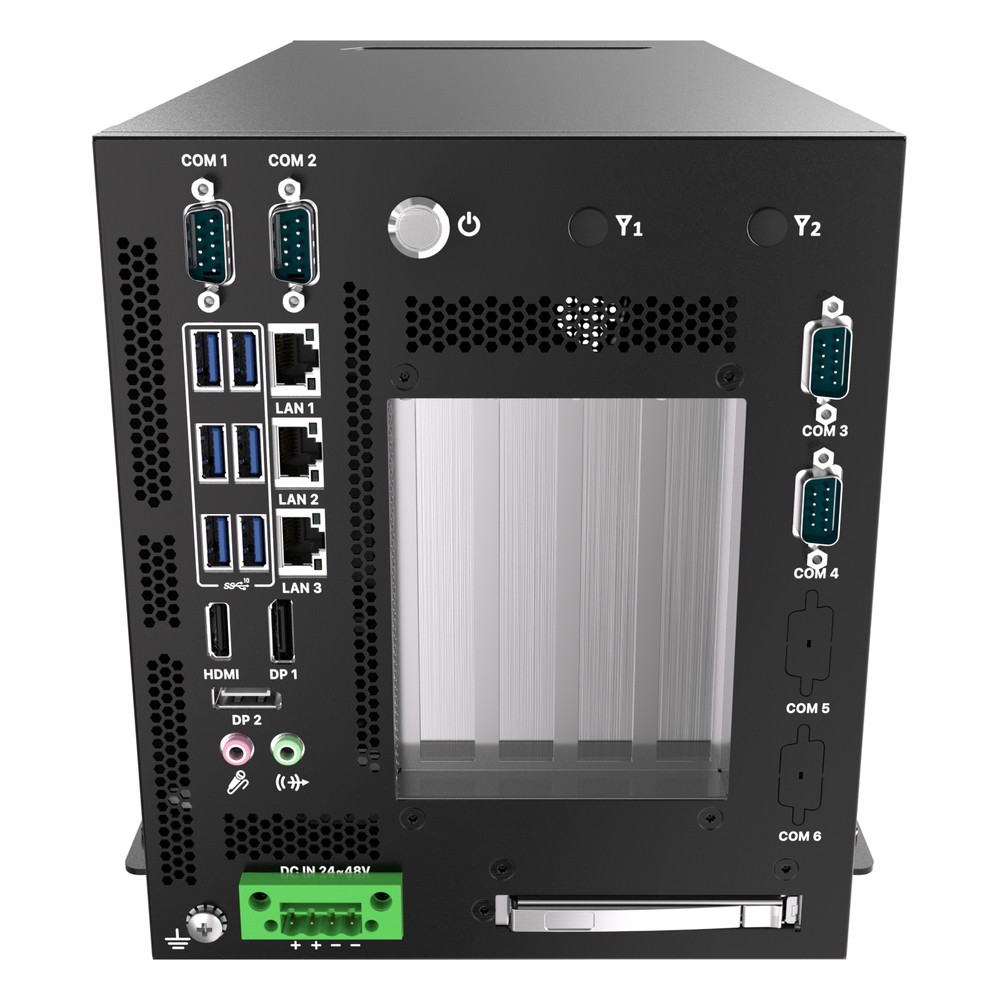
Intel Core Ultra Series 2 (Arrow Lake-S) Edge AI Workstation with NPU, PCIe Gen5 and Triple 2.5GbE
- AI
- 13 TOPS
- CPU
- Intel Core Ultra 2 Arrow Lake-S
- Ethernet
- 3× 2.5GbE
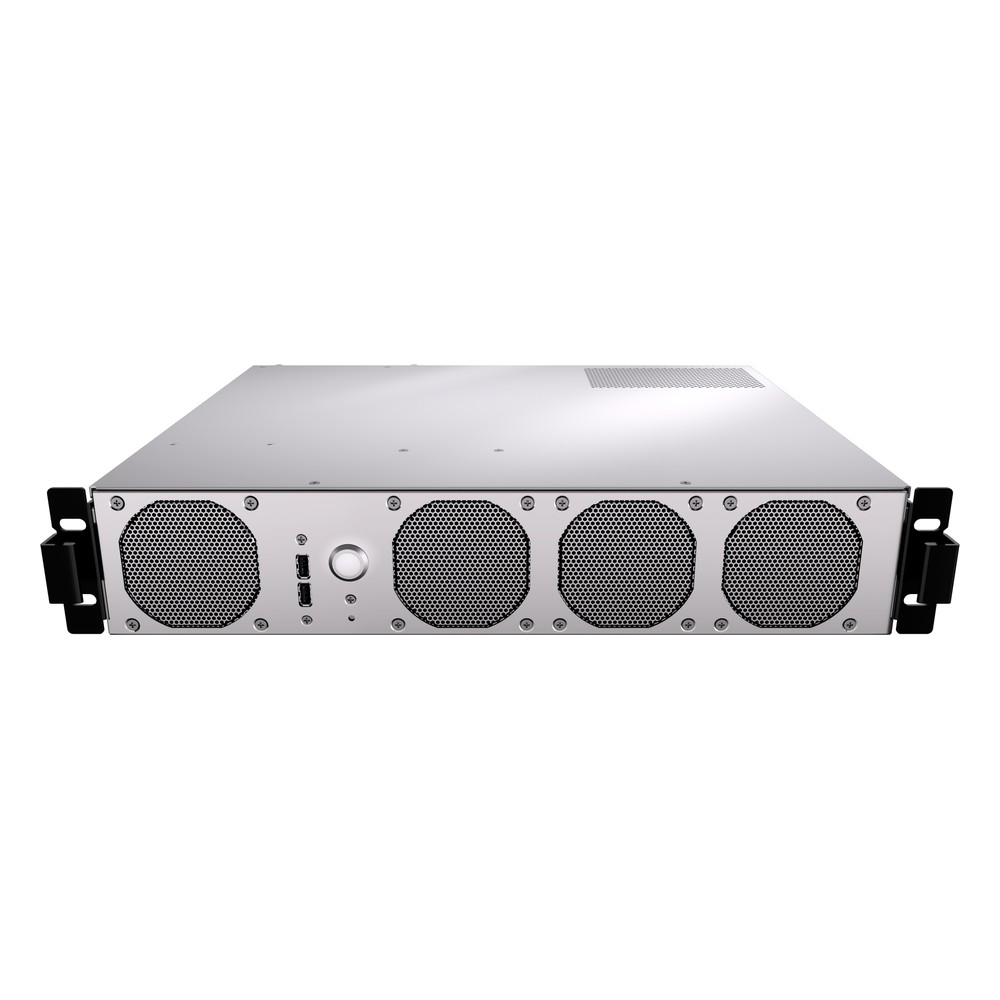
AMD Ryzen 9000 or EPYC 4005 2U Edge AI Server with 10GbE SFP+ and Dual PCIe x16 Slots
- CPU
- AMD EPYC 4004
- Ethernet
- 2× 10GbE, 2× GbE
- Temp
- 0 to +35 °C
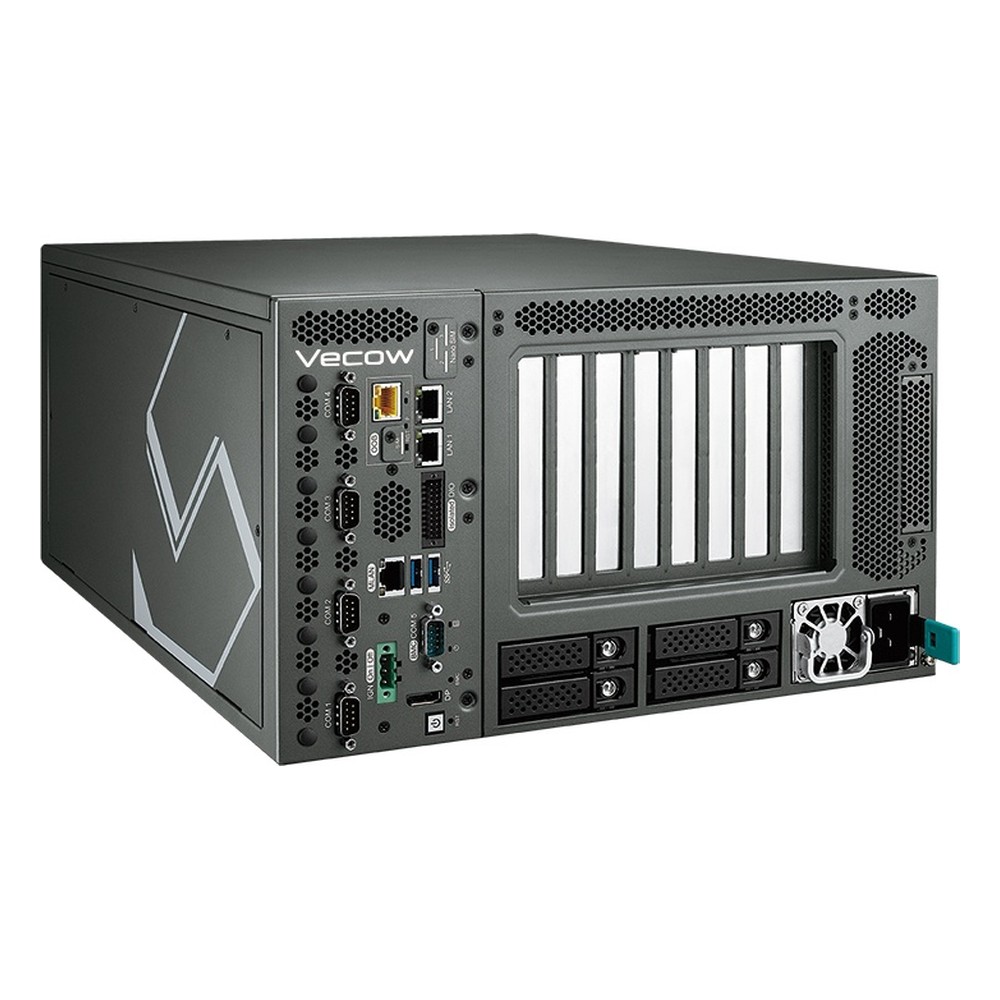
AMD EPYC 8004 Siena Edge AI Server with Dual PCIe 5.0 x16, Four U.2 Bays and 90-240V AC
- CPU
- AMD EPYC 8004 (Siena)
- Ethernet
- 2× GbE
- Temp
- −5 to +45 °C
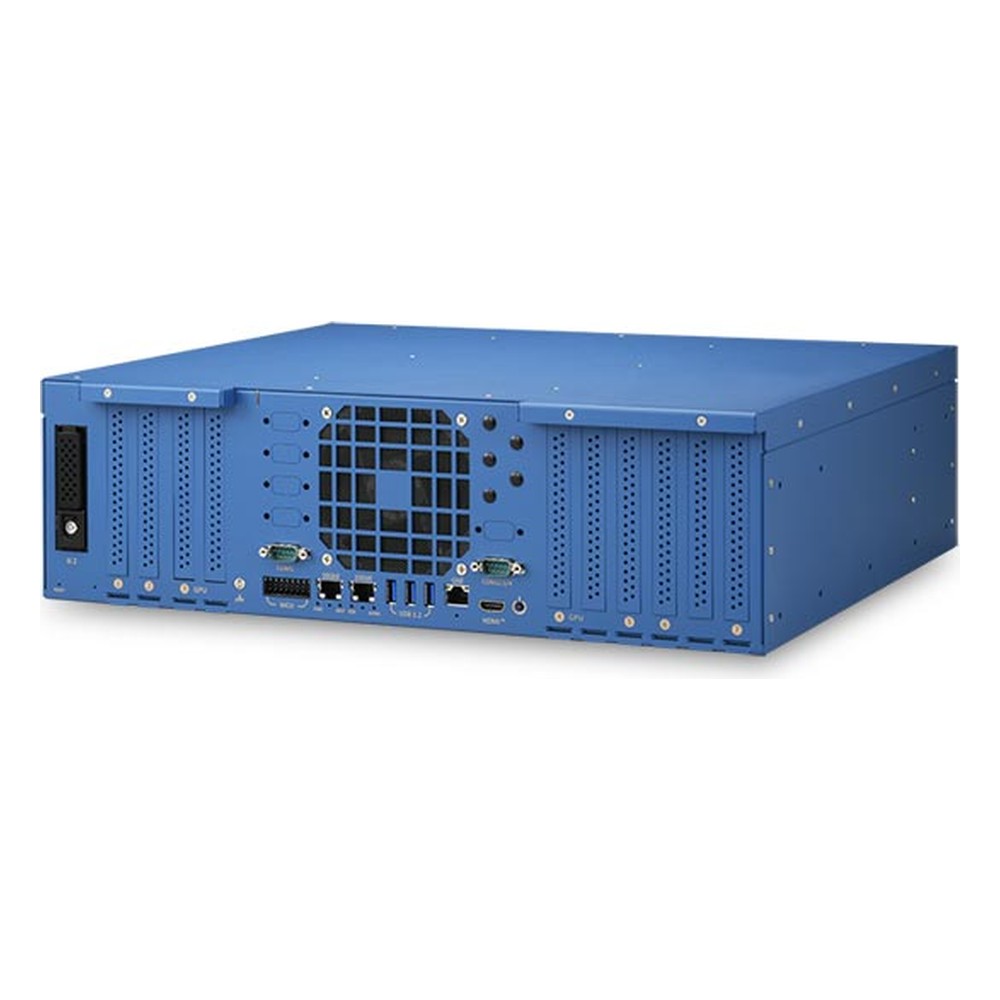
AMD EPYC 9005 Turin Rugged HPC Server with Dual NVIDIA RTX PRO 6000 Blackwell GPUs and 7 PCIe Gen5 Slots
- CPU
- AMD EPYC 9005 Turin
- GPU
- NVIDIA RTX PRO 6000 Blackwell Max-Q
- AI
- 3,511–4,000 TOPS
How to read PCIe on a datasheet
Seven questions that show what a computer’s slots and sockets will really deliver.
-
01
Generation per slot
Slots on one board often differ, such as one PCIe 5.0 x16 slot and the rest PCIe 4.0 or 3.0.
-
02
Electrical width
Look for the lane count in brackets, such as “x16 slot (x4 signal)”, not just the slot size.
-
03
Shared lanes
Check footnotes for slots or M.2 sockets that are disabled or narrowed when another one is in use.
-
04
Processor or chipset
Lanes from the chipset share one uplink; put GPUs and the fastest SSDs on processor lanes.
-
05
Bifurcation support
Confirm the BIOS and riser support the split you need, such as x8/x8 or x4/x4/x4/x4.
-
06
Card size and power
Check maximum card length, height, slot width for double-slot GPUs and the auxiliary power available.
-
07
Thermal path
In fanless systems, check how M.2 SSDs and cards are cooled and the rated temperature range with them fitted.
PCIe generations: common questions
Quick answers
Is PCIe backward compatible?
Yes, in both directions. A newer card works in an older slot and an older card in a newer slot. The link runs at the older generation’s speed and the narrower of the two widths.
What is the difference between GT/s and GB/s?
GT/s counts transfers on the wire; GB/s counts usable data. Divide the transfer rate by eight and subtract the encoding overhead to get bytes per second per lane. PCIe 4.0 at 16 GT/s gives about 2 GB/s per lane in each direction.
Does a PCIe 5.0 GPU need a PCIe 5.0 slot?
No. It runs in a PCIe 4.0 or 3.0 slot at that slot’s speed. For AI inference the difference is often small once the model is in GPU memory; it shows more when data streams through the GPU continuously.
Can I put an x4 card in an x16 slot?
Yes. Any card fits a longer slot and runs at its own width. A longer card fits a shorter slot only if that slot is open-ended.
What is PCIe bifurcation?
Splitting one wide link into several narrow ones. An x16 slot can run as two x8 or four x4 links if the processor, BIOS and riser or carrier card all support it.
Why does my card show a lower link speed than expected?
Usually lane sharing or signal integrity. Check whether the slot is wired for fewer lanes or shares them with an M.2 socket, then check risers, cables and seating. The link trains down when the signal is marginal.
When will PCIe 6.0 and 7.0 reach industrial computers?
Later than data-centre servers. New generations reach servers and AI systems first. PCIe 6.0 hardware is starting to appear in data-centre equipment, and edge and industrial computers typically follow once the processors used in them support it.
What is PCIe 8.0?
The next generation, still in development. PCI-SIG is targeting 256 GT/s per lane and about 1 TB/s in both directions on an x16 link, with the specification expected by 2028.
PCIe FAQs
-
What Is PCIe?
PCIe (PCI Express) is the high-speed serial interface that connects graphics cards, NVMe SSDs, network cards and other devices to a computer’s processor. Data travels over lanes, and slots come in x1, x4, x8 and x16 widths. Each PCIe generation roughly doubles the speed per lane.
-
What Is PCIe 5.0?
PCIe 5.0 is the fifth generation of PCI Express, the link between a processor and its GPUs, NVMe SSDs and network cards. It runs at 32 gigatransfers per second per lane, about 3.9 GB/s in each direction, so an x16 slot carries roughly 63 GB/s each way. It is backwards compatible with earlier generations.
-
What Is PCIe 6.0?
PCIe 6.0 is the sixth generation of PCI Express. It doubles PCIe 5.0’s rate to 64 GT/s per lane by switching to PAM4 signalling with fixed-size FLIT packets and forward error correction, giving about 121 GB/s in each direction on an x16 link. The specification was released in 2022 and the first hardware is reaching data-centre servers.
-
PCIe 4.0 vs PCIe 5.0: What Is the Difference?
PCIe 5.0 doubles the data rate of PCIe 4.0, from 16 to 32 gigatransfers per second per lane. That gives about 4 GB/s per lane in each direction instead of 2 GB/s, or roughly 64 GB/s for an x16 slot. The two are compatible, so a card works in either slot at the slower generation’s speed.
-
What Is a Riser Card?
A riser card is a small circuit board that plugs into a motherboard expansion slot and turns it through 90 degrees, so expansion cards sit parallel to the motherboard. It lets full-size PCIe cards, such as GPUs and network cards, fit in low-height cases like 1U and 2U rack servers and compact industrial PCs.
-
What Is Mini PCIe?
Mini PCIe (mPCIe) is a small plug-in card format for embedded computers and laptops, defined by PCI-SIG in 2003. The 52-pin socket carries one PCIe lane and USB 2.0, plus a SIM interface for cellular modems. It is used for Wi-Fi, 4G modems, GNSS, serial, CAN and video capture cards in full-size and half-size versions.
-
What is M.2 keying and why does it matter?
M.2 keying is the pattern of notches on an M.2 card and socket that shows which interfaces the slot carries. The four keys in common use are A and E for Wi-Fi and Bluetooth, B for modems and SATA SSDs, and M for NVMe SSDs. A card with the wrong key will not fit the socket.
-
What Is an MXM GPU?
An MXM GPU is a graphics processor on a Mobile PCI Express Module, a compact standard board that mounts flat on a carrier instead of standing in a PCIe slot. It lets laptops, embedded systems and rugged computers add discrete NVIDIA, AMD or Intel graphics in a small space, often cooled through the chassis rather than by its own fan.
Planning a PCIe build?
Tell us which GPUs, network cards, capture cards and drives the system needs to carry, and where it will be installed. We will check the lane budget and slot layout, then configure, image and test the computer with every card fitted before it ships.