
 UK
COM-HPC vs COM Express
COM-HPC and COM Express are PICMG’s computer-on-module standards. Here they are side by side: module types and sizes, PCIe, networking, displays and power, COM-HPC Mini, carrier design, and when to stay with COM Express.
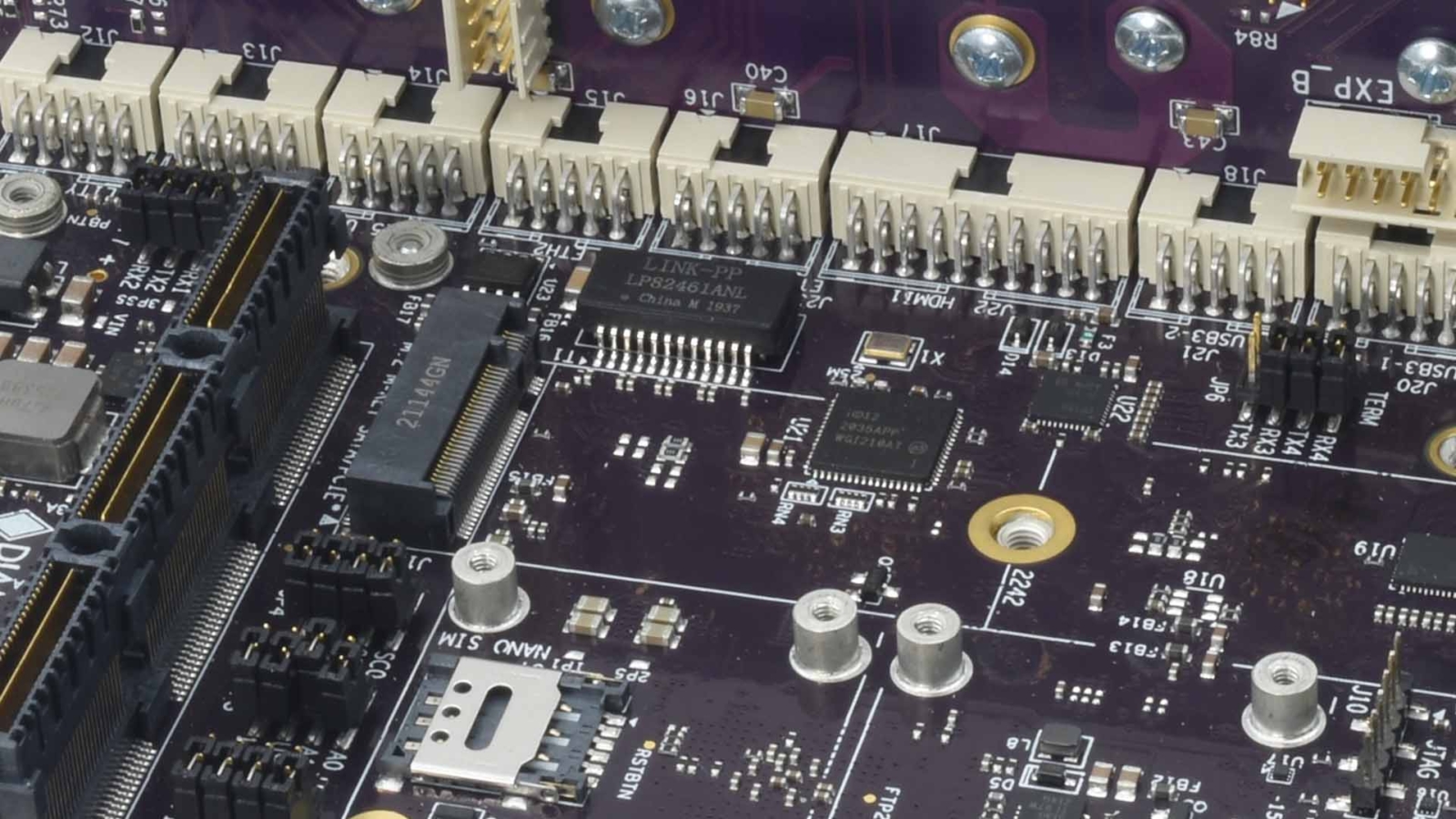
COM-HPC is a computer-on-module standard from PICMG for high-performance embedded computing, ratified in 2021, that puts the processor, memory and core logic on a plug-in module and connects it to an application-specific carrier board through two high-speed 400-pin connectors. It builds on the same two-board idea as COM Express, PICMG’s long-established module standard, but with far more PCIe lanes, faster networking and more power for current processors.
PICMG, the PCI Industrial Computer Manufacturers Group, is a non-profit consortium of companies that writes open standards for embedded and industrial computing, used widely in industrial and military and aerospace applications. In both of its module standards, the module houses the processor, memory and essential logic, and a carrier board tailored to the application brings out the I/O and subsystems. That split simplifies custom hardware and lets the processor and memory be upgraded by swapping the module, an approach COM Express has proved over two decades.
This guide compares COM-HPC and COM Express side by side: the module sizes and types, connectors, PCIe, networking, display and power, where each one fits, COM-HPC Mini, carrier board design, and how to decide whether to stay with COM Express or move to COM-HPC.
Key takeaways
- 01Two PICMG standards, one idea
- Both put the compute on a module and the I/O on a carrier, so the processor can be upgraded without a new carrier design.
- 02COM-HPC is about bandwidth
- Up to 65 PCIe lanes at PCIe 5.0, 25 GbE networking and module power in the hundreds of watts.
- 03COM Express is about breadth
- Type 6, Type 7 and Type 10 modules cover most mid-power x86 designs, with a large installed base and many carriers.
- 04Three COM-HPC pinouts and sizes
- COM-HPC Client carries displays and desktop or mobile processors, Server is headless with many cores and DIMMs, and Mini is the compact rugged size.
- 05Additive, not a replacement
- PICMG continues to develop COM Express; COM-HPC covers the designs above it.
COM-HPC vs COM Express at a glance
The table compares the two standards and their main variants. It shows the maximum each specification defines; what a particular module brings out depends on its processor, so always check the module datasheet. Sizes are given by their names in the specifications.
| COM Express Type 10 | COM Express Type 6 | COM Express Type 7 | COM-HPC Mini | COM-HPC Client | COM-HPC Server | |
|---|---|---|---|---|---|---|
| Module sizes | Mini | Compact, Basic | Basic, Compact | Mini | Sizes A, B and C | Sizes D and E |
| Connectors | One 220-pin | Two 220-pin (440 pins) | Two 220-pin (440 pins) | One 400-pin | Two 400-pin (800 pins) | Two 400-pin (800 pins) |
| PCIe lanes | Up to 4 | Up to 24 | Up to 32 | Around 16 | Up to 49 | Up to 65 |
| Fastest PCIe | Gen 3 or 4 | Gen 4 from revision 3.1 | Gen 4 from revision 3.1 | Gen 4 or 5 | Gen 5 | Gen 5 |
| Networking | Gigabit Ethernet | Gigabit Ethernet | Up to four 10GBASE-KR | Multi-gigabit Ethernet; check the module | Up to two 25 GbE plus NBASE-T | Up to eight 25 GbE channels |
| Displays | DDI plus LVDS or eDP | Up to three DDI plus LVDS or eDP | None (headless) | DisplayPort and USB4 | Up to four DDI and USB4 | Usually headless |
| Memory | Soldered | SO-DIMM or soldered | SO-DIMM or soldered | Soldered | Up to four SO-DIMMs or soldered | Up to eight DIMMs |
| Module power limit | Low, Atom-class | Tens of watts | Tens of watts, more on Basic | About 107 W | About 251 W | About 358 W |
| Typical processors | Intel Atom | Intel Core, AMD Ryzen Embedded | Intel Xeon D, AMD EPYC Embedded | Intel Core Ultra, Core | Intel Core and Core Ultra, AMD Ryzen | Intel Xeon, AMD EPYC, Arm server processors |
The power limits are PICMG’s figures for each COM-HPC size at the low end of its input range, before connector derating; most designs run well below them. COM-HPC modules take 12 V by default, with an optional 8–20 V input on Client and Mini. Our explainer on COM Express module types covers the COM Express pinouts in more detail, and our comparison of SMARC, Qseven, OSM and COM Express places both PICMG standards against the smaller SGET modules.
What is the difference between COM-HPC and COM Express?
The two standards share an architecture but are built for different generations of processor. COM Express was designed when PCIe 2.0 and Gigabit Ethernet were the norm, and its connectors and power budget suit mid-power processors with integrated graphics. COM-HPC was designed for PCIe 5.0, 25 GbE, USB4 and processors that draw more power than COM Express can deliver or cool.
| COM Express | COM-HPC | |
|---|---|---|
| Introduced | 2005, revised to 3.1 in 2022 | 2021, Mini added in revision 1.2 |
| Connector signalling | Designed for PCIe 3.0, extended to PCIe 4.0 | Rated for up to 32 Gb/s per lane, enough for PCIe 5.0 |
| Memory | DDR4 and DDR5 on recent modules; SO-DIMM or soldered | DDR5; up to eight DIMMs on Server |
| USB | USB 3.x and USB 2.0 | USB4 and USB 3.x |
| Management | Basic system management bus | Platform management interface, with a BMC on many Server modules |
| Installed base | Very large, with many carriers and modules | Growing, mostly in new high-end designs |
Put simply, COM Express offers moderate power, wide processor and vendor choice and a well-rounded I/O set with fewer PCIe lanes and lower-speed interfaces. COM-HPC offers more of everything at higher cost and power: more lanes, faster lanes, faster networking and the power for multi-core processors with high memory bandwidth. Our guide to PCIe generations explains why lane count and generation matter at this end of the range, and our explainer on PCIe 5.0 covers the newest generation.
Is COM-HPC replacing COM Express?
No. PICMG continues to maintain COM Express, which gained PCIe 4.0 and USB4 options in revision 3.1, and module makers continue to release COM Express modules on new Intel and AMD processors. COM-HPC adds a tier above it for designs that COM Express cannot serve.
For most embedded and industrial applications that put power efficiency, cost and a broad choice of I/O ahead of peak performance, COM Express remains the obvious choice. It suits industrial automation, military, aerospace and transport systems where COM-HPC’s extra capability would be more than the job needs, and its wide adoption, broad vendor support and long field record make it the standard most module designs start from. COM-HPC earns its place when the processor, memory bandwidth or I/O needed simply will not fit through a COM Express connector.
COM Express types and sizes
COM Express modules are defined by a type, which fixes the pinout, and a size, which fixes the outline. A module and carrier must share the type; the size sets the room for the processor, memory and cooling.
| Type | Connectors | Key interfaces | Typical sizes | Typical use |
|---|---|---|---|---|
| Type 6 | Two | Up to 24 PCIe lanes, three digital displays, LVDS or eDP, USB 3.x | Compact and Basic | Industrial PCs, medical imaging, rugged computers with displays |
| Type 7 | Two | Up to 32 PCIe lanes, four 10GBASE-KR, no displays | Basic and Compact | Edge servers, network appliances, headless data processing |
| Type 10 | One | Up to four PCIe lanes, one digital display, LVDS or eDP | Mini | Small rugged and portable systems |
Older Type 2 modules still appear in long-running designs, but new carriers use Type 6, 7 or 10. Size names run from Mini through Compact and Basic to Extended, and a carrier can be made to fit its enclosure exactly. Our COM Express SBCs pair a module with a matching carrier and heat spreader, and our COM Express carrier boards are supplied bare or with the module fitted, imaged and validated.
COM Express in industrial and rugged systems
Since COM Express was introduced, it has become a staple of industrial automation and control. These applications need dependable, long-lasting components with balanced processing power and versatile I/O, and COM Express combines energy efficiency with the processing a wide range of automation tasks need. One example from our projects: a COM Express SBC on board reverse vending machines scans plastic, glass and aluminium for crushing and sorting.
A key strength is ruggedness under shock and vibration. COM Express carrier boards can be made to the exact size of the enclosure, with I/O connectors soldered directly to the carrier so there is no internal cabling to work loose. Mating the module with a heat spreader lets the system cool by conduction through the enclosure, so low-power processors can run fanless, as our guide to active vs passive cooling explains, which suits aerospace and military systems where size, weight, power and cost, often abbreviated SWaP-C, are tightly budgeted.
COM Express is also common in mission computers, where connector reliability is critical. These designs often use breakout boards that route I/O to MIL-DTL-38999 or MIL-DTL-5015 circular connectors, known for holding signal integrity and staying mated under extreme vibration and shock. Removing loose internal cables improves reliability and makes maintenance in the field simpler. COM Express also sits inside stackable systems: PC/104 single board computers such as the Diamond Systems Athena IV put the processor on a replaceable COM Express Mini module, so the board shape and connectors can outlive the processor.
Client vs Server modules in COM-HPC
COM-HPC defines two main pinouts. Client modules carry desktop and mobile processors with graphics, for systems that need displays and plenty of PCIe. Server modules carry high-core-count processors with many memory channels and fast networking, usually without graphics, for edge servers and data processing.
| COM-HPC Client | COM-HPC Server | |
|---|---|---|
| Sizes | A, B and C | D and E |
| Processors | Intel Core and Core Ultra, AMD Ryzen | Intel Xeon D and Xeon, AMD EPYC Embedded, Arm server processors |
| Memory | Up to four SO-DIMMs or soldered | Up to eight DIMMs |
| PCIe | Up to 49 lanes | Up to 65 lanes |
| Networking | Up to two 25 GbE plus NBASE-T | Up to eight 25 GbE channels |
| Displays | Up to four digital displays, USB4 | Usually none |
| Management | Platform management interface | Often a BMC for remote management |
| Typical use | Edge AI with GPUs, high-end imaging, test and measurement | Edge servers, 5G and network equipment, data processing |
In data centres and at the edge, COM-HPC Server’s ability to carry high core-count processors, large memory and extensive I/O suits dense data processing and compact, efficient servers. Server modules often include a baseboard management controller for remote power control and monitoring, the same function our rack mount servers rely on. Our guide to AMD EPYC Embedded covers one of the processor families that reach this class.
What is COM-HPC Mini?
COM-HPC Mini is the compact COM-HPC size, added in revision 1.2 of the specification. It uses a single 400-pin connector, soldered memory and a low overall height, and it sits in size between COM Express Mini and COM Express Compact. That makes it a high-bandwidth option for rugged, space-constrained systems that would previously have used a Type 10 or a small Type 6 module.
| COM Express Type 10 Mini | COM-HPC Mini | |
|---|---|---|
| Connector | One 220-pin | One 400-pin |
| PCIe | Up to four lanes | Around 16 lanes, up to Gen 5 |
| Processors | Intel Atom class | Intel Core and Core Ultra class |
| Displays | DDI plus LVDS or eDP | DisplayPort and USB4 |
| Power limit | Low | About 107 W |
“With a form factor sitting between the original COM Express Mini and COM Express Compact, we expect to see COM-HPC Mini play a significant role in rugged edge computing where compact size, high performance and low power consumption are essential. Its small size suits space-constrained installations, while its support for high-performance processors and high-bandwidth memory lets it handle complex workloads such as AI inference at the edge.” Andrew Whitehouse, Managing Director, Things Embedded
Where COM-HPC fits
When an application needs more than even a high-end COM Express module can deliver, COM-HPC is the module standard to look at, for its processing power, data throughput and connectivity.
| Application | Why COM-HPC | Likely variant |
|---|---|---|
| Edge AI with GPUs or accelerators | PCIe 5.0 lanes for GPUs and capture cards, high memory bandwidth | Client |
| Advanced medical imaging (MRI, CT, 3D ultrasound) | Multi-core processors and fast interfaces for real-time image processing | Client |
| Smart city and autonomous vehicle analytics | Compute, low latency and memory bandwidth for AI models | Client or Server |
| Compact edge and data-centre servers | High core counts, large memory, many 25 GbE links | Server |
| AR and VR training and simulation systems | Graphics power and data throughput for real-time 3D | Client |
| Rugged compact AI systems | High performance in a small size | Mini |
Our edge AI computers show the GPU-equipped systems this class of module competes with. In each case the alternative is usually a full motherboard or a rack server, so COM-HPC is chosen when the project also needs the module approach: a custom carrier for the I/O and enclosure, and a processor upgrade later without a new carrier. Our guide to choosing an embedded motherboard covers the motherboard route.
Carrier board design: what changes with COM-HPC
The carrier board carries the risk in any module-based design, and COM-HPC raises the stakes. PCIe 5.0 runs at 32 GT/s, so trace lengths, materials, vias and connector placement all need more care than on a COM Express carrier, and long runs to slots or cables may need retimers. PICMG publishes a carrier design guide for each standard, and module makers publish reference carriers that are a sensible starting point.
| Design area | COM Express carrier | COM-HPC carrier |
|---|---|---|
| Signal integrity | PCIe 3.0 or 4.0 routing | PCIe 5.0 and 25 GbE routing; retimers on long runs |
| Connectors | Two 220-pin board-to-board connectors | Two 400-pin high-speed connectors (one on Mini) |
| Power delivery | 12 V, or wide-range input on some modules | 12 V default, 8–20 V option on Client and Mini, higher current |
| Cooling | Standard heat spreader height for conduction cooling | Standard heat spreader; larger heat path for higher power |
| Board stack-up | Fewer layers usually suffice | More layers and low-loss materials for Gen 5 |
| Validation | Established test tools and reference designs | Gen 5 compliance testing and margin checks |
A module and carrier can also be bought as a matched pair, which is how our carrier boards are often supplied. For processors that change faster than the product, our guides to the system on module and the system on chip explain why the module boundary sits where it does.
Should you stay with COM Express or move to COM-HPC?
For an existing COM Express product, the default is to stay: a new module on the same carrier is the cheapest upgrade, and COM Express modules continue to appear on current Intel and AMD processors. Move to COM-HPC when a requirement simply will not fit.
| If the design needs… | Choose | Why |
|---|---|---|
| A processor upgrade on an existing carrier | COM Express | Same type and size, new module |
| Graphics-rich x86 up to mid power | COM Express Type 6 | Three displays, LVDS or eDP, wide module choice |
| Headless processing with 10GbE | COM Express Type 7 | Up to 32 lanes and four 10GBASE-KR |
| The smallest rugged x86 module | COM Express Type 10 | Mini size, conduction cooling |
| PCIe 5.0, USB4 or more than 32 lanes | COM-HPC Client | Up to 49 lanes at Gen 5 |
| Many cores, eight DIMMs or 25 GbE | COM-HPC Server | Server-class memory and networking |
| High performance in a very small rugged system | COM-HPC Mini | Gen 5 bandwidth in a compact size |
Lifecycle points the same way. A COM Express design can draw on many module makers and a long record of second sources, while the range of COM-HPC modules and carriers is younger but growing. Either way, choose modules with published availability and plan the next module before the current one reaches end of life, as covered in our guide to embedded processors.
COM Express hardware in our range
Modules, carriers and complete COM Express systems.
COM Express
Modules, carriers and COM-based single board computers.
View range
COM Express SBCs
Module, carrier and heat spreader supplied as one assembly.
View range
COM Express carriers
Type 6 and Type 10 carriers, bare or with a module fitted.
View range
Carrier boards
Carriers for COM Express, Jetson and other modules.
View range
Mission computers
Rugged COM Express systems with MIL-DTL connectors.
View range
Military computers
Rugged systems for defence and aerospace programmes.
View rangeCOM Express carriers and SBCs from our range
We stock COM Express Type 6 and Type 10 carriers, supplied bare or preassembled with the module fitted, imaged and validated, and complete COM Express SBCs. We do not currently stock COM-HPC hardware; where an application needs it, we can advise on the platform and source it as part of a build.
| Type | Example from our range | Key facts |
|---|---|---|
| Type 6 Compact on PCI/104-Express | Diamond Systems GEM-1185G7E-32G | Core i7-1185G7E module, 32 GB DDR4, conduction heat spreader |
| Type 6 carrier | Diamond Systems JSP-BB01D | Type 6 Basic and Compact, 18–36 V DC, supplied without module |
| Type 10 Mini SBC | Diamond Systems ZETA-E3940-8G064D | Atom E3940 module, 16 digital I/O, heat spreader |
| Type 10 Mini on PC/104 | Diamond Systems ATH4-E3845-4GA | Atom E3845 module, 16-bit data acquisition |
COM Express SBCs and carriers
Four examples from the table: a Type 6 SBC on PCI/104-Express, a Type 6 carrier, a Type 10 Mini SBC and a PC/104 board with a COM Express module.
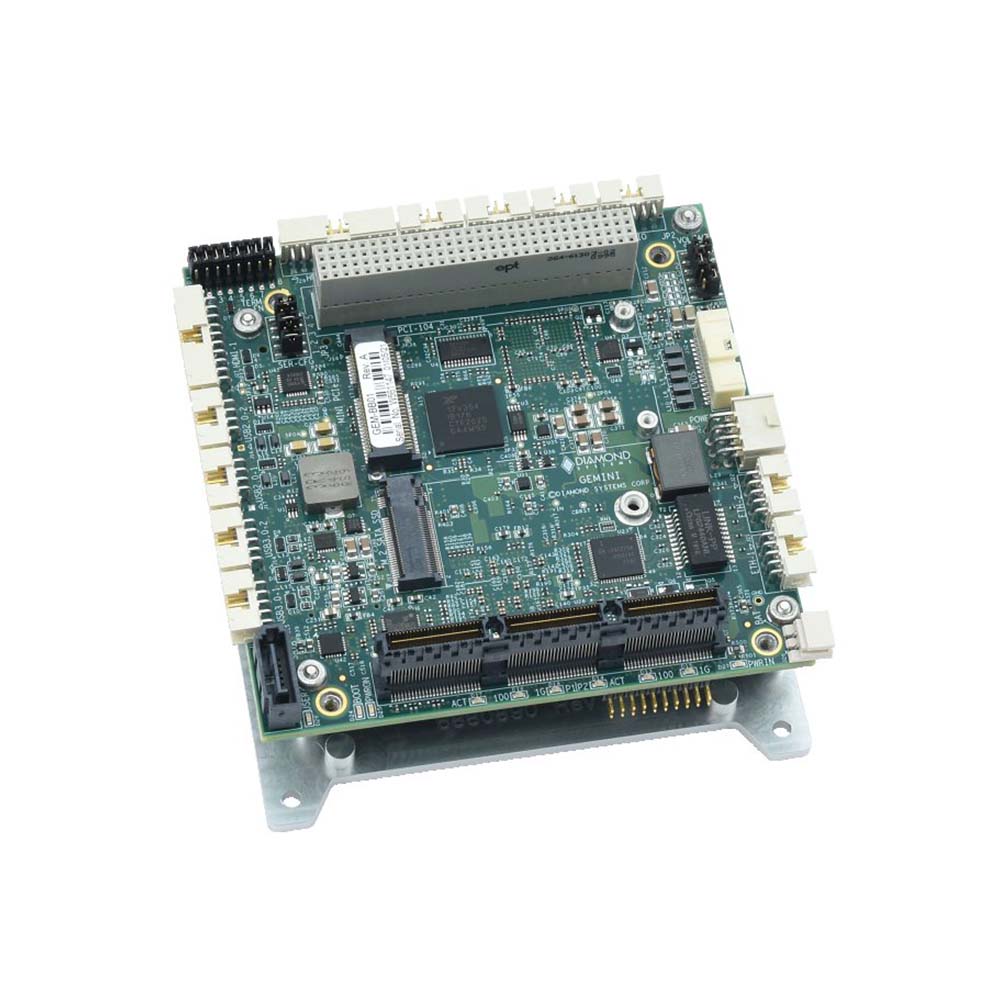
Wide Temperature PCI/104-Express SBC with COM Express Type 6 Intel Core i7 Tiger Lake
- CPU
- Intel Core 11th Gen (Tiger Lake)
- Ethernet
- 3× GbE
- Memory
- 32 GB Soldered On-board, 64 GB Soldered On-board
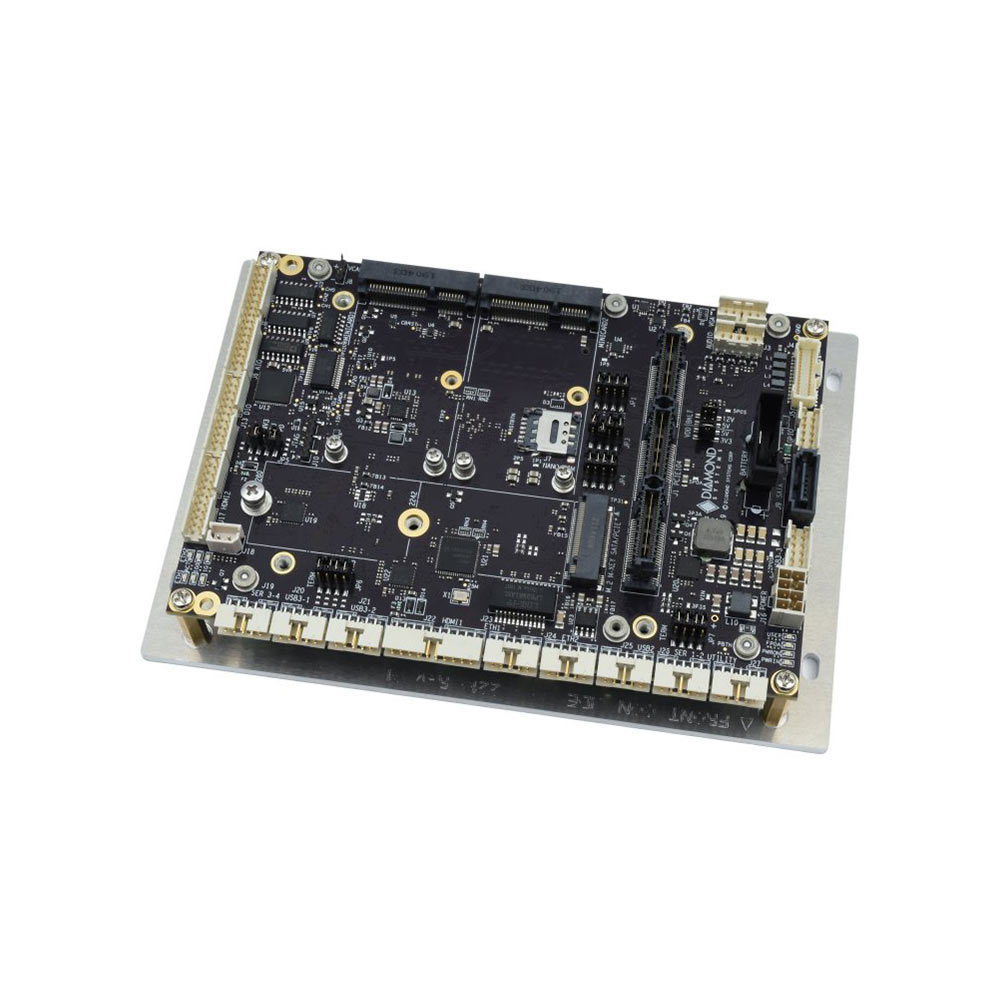
COM Express Carrier Board for Type 6 Modules with 18 to 36 V DC Input
- Ethernet
- 1× GbE
- Temp
- −40 to +85 °C
- Power
- 12 V DC, 18–36 V DC [Terminal Block]

Type 10 COM Express Rugged Small Form Factor SBC with DIO
- CPU
- Intel Atom x7-E3950 (Apollo Lake)
- Ethernet
- 2× GbE
- Temp
- −40 to +85 °C
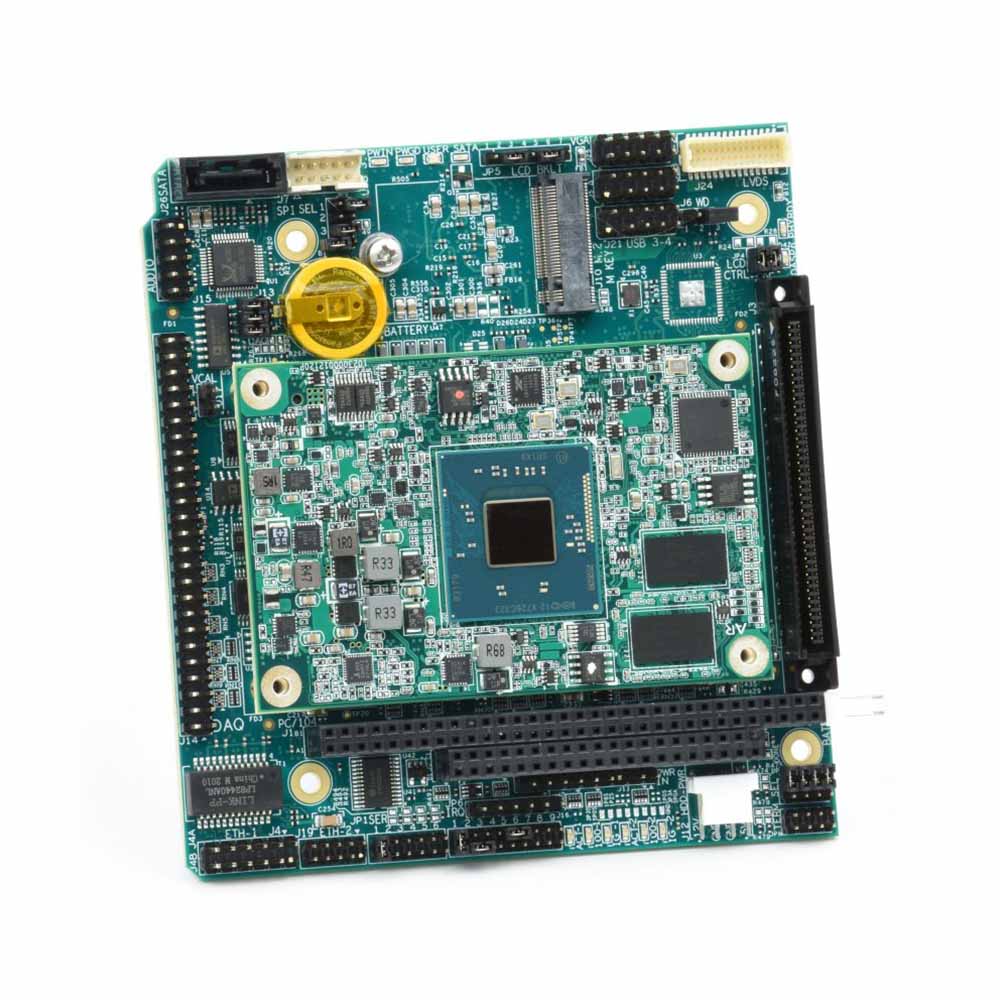
PC/104 SBC with Intel Atom E3845 COM Express Module and 16-Bit Data Acquisition
- CPU
- Intel Atom E E3845 (Bay Trail)
- Ethernet
- 2× GbE
- Temp
- −40 to +85 °C
How we deliver a module-based system
Module, carrier, cooling and software have to work as one before the system goes into your equipment.
-
Specify
Standard and typeMatch the module type, size and processor to the I/O, power and enclosure, and check the carrier’s lanes and connectors.
-
Assemble
Module and carrierFit the module, memory and storage to the carrier with the heat spreader, cable kits and any breakout boards.
-
Configure
BIOS and powerSet boot order, power-on behaviour, watchdog and power limits for the cooling available.
-
Image
OS and applicationInstall Windows IoT Enterprise, Linux or your image, with the drivers for every carrier interface.
-
Validate
Load and temperatureTest every interface and run the application under load at the target temperature before shipping.
Before choosing COM Express or COM-HPC
Questions that settle the standard and the variant.
-
01
Processor
Which processor class and power does the workload need, now and at the next upgrade?
-
02
PCIe
How many lanes, at which generation, for GPUs, capture cards, SSDs and network cards?
-
03
Networking
Is Gigabit enough, or are 10 GbE or 25 GbE links needed?
-
04
Displays
How many displays, and is LVDS or eDP needed for a built-in panel?
-
05
Size and cooling
Which module size fits, and can the heat spreader conduct the heat to the enclosure?
-
06
Carrier
Existing carrier, reference carrier or new design, and is PCIe 5.0 routing in scope?
-
07
Lifecycle
How many module makers offer the type, and what availability do they publish?
COM-HPC and COM Express: common questions
Quick answers
What is COM-HPC?
A PICMG computer-on-module standard for high-performance embedded computing. Ratified in 2021, it puts the processor and memory on a module that plugs into a carrier through two 400-pin connectors.
What is the difference between COM-HPC and COM Express?
Bandwidth and power. COM-HPC offers up to 65 PCIe lanes at PCIe 5.0, 25 GbE and module power in the hundreds of watts; COM Express offers up to 32 lanes and suits mid-power processors.
Is COM-HPC replacing COM Express?
No. PICMG continues to develop COM Express, and COM-HPC adds a tier above it for designs that need more bandwidth or power.
What is COM-HPC Client vs Server?
Client has displays; Server has more cores, memory and networking. Client suits desktop and mobile processors with graphics; Server suits headless high-core-count processors with up to eight DIMMs.
What is COM-HPC Mini?
The compact COM-HPC size. It uses one 400-pin connector and soldered memory, sitting in size between COM Express Mini and Compact.
How many PCIe lanes does COM-HPC support?
Up to 49 on Client and 65 on Server. Lanes can run at PCIe 5.0 speeds, though each module brings out what its processor supports.
Who maintains the COM-HPC standard?
PICMG. The PCI Industrial Computer Manufacturers Group also maintains COM Express.
COM Express and module FAQs
-
What Are the COM Express Module Types?
COM Express is a PICMG standard for computer-on-modules, and its pin-out types define which interfaces a module provides. Type 6 is the most common, with display outputs, USB and PCIe for general embedded systems. Type 7 is headless, with up to four 10GbE ports for edge server use. Type 10 is a smaller, lower-power pin-out for Mini modules.
-
What Is PCIe?
PCIe (PCI Express) is the high-speed serial interface that connects graphics cards, NVMe SSDs, network cards and other devices to a computer’s processor. Data travels over lanes, and slots come in x1, x4, x8 and x16 widths. Each PCIe generation roughly doubles the speed per lane.
-
What Is PCIe 5.0?
PCIe 5.0 is the fifth generation of PCI Express, the link between a processor and its GPUs, NVMe SSDs and network cards. It runs at 32 gigatransfers per second per lane, about 3.9 GB/s in each direction, so an x16 slot carries roughly 63 GB/s each way. It is backwards compatible with earlier generations.
-
What Is USB4?
USB4 is the USB Implementers Forum’s data standard that runs at 20 or 40 Gb/s, or 80 Gb/s in USB4 Version 2.0, over a USB-C connector only. It is built on the Thunderbolt 3 protocol and can tunnel USB, DisplayPort video and PCIe traffic through one cable at the same time.
-
What Is a Baseboard Management Controller (BMC)?
A baseboard management controller (BMC) is a small, separate processor on a server or industrial motherboard that runs independently of the main CPU and operating system. Through its own network connection it lets administrators power-cycle, monitor, update and reinstall a computer remotely, even when the system has crashed or is switched off.
-
What Is TPM 2.0, and Why Do Industrial PCs Need It?
A TPM, or Trusted Platform Module, is a security chip or processor function that stores encryption keys and records whether a computer started with untampered firmware. TPM 2.0 is the current version. Windows 11 requires it, and it underpins disk encryption, measured boot and device identity on industrial PCs.
-
What Is the Industrial Temperature Range?
The industrial temperature range is −40 to 85 °C: the grade an electronic component must operate across to be called industrial, compared with 0 to 70 °C for commercial parts. Rugged computers built from industrial-grade components typically run from −25 or −40 °C up to 70 °C as a complete system.
Choosing between COM Express and COM-HPC?
Tell us the processor, I/O, size and environment the design needs. We will recommend a module standard and carrier, then fit, image and validate the module on its carrier before it ships.