
 UK
NPU vs GPU: Which for Edge AI?
NPUs run AI models at a few watts; GPUs run almost any model at any scale. How they compare on throughput, power, software and cooling, and which one an edge AI system needs.
NPU vs GPU is the choice between two kinds of AI accelerator: a GPU runs neural networks on thousands of programmable cores and handles training, large models and many video streams, while an NPU runs trained models on fixed, low-precision hardware at a fraction of the power. For edge AI the question is rarely which is better in general. It is which one the model, the number of cameras and the power and heat budget of the installation call for, and whether the system needs both.
The two are converging. Intel Core Ultra and AMD Ryzen AI processors now carry an NPU and a capable integrated GPU on the same die as the CPU, NVIDIA Jetson modules combine a GPU with dedicated deep learning accelerators, and M.2 accelerators such as Hailo-8 add an NPU to almost any computer. That gives more options and more ways to choose badly.
This guide compares GPUs and NPUs on the terms that decide an edge AI build: throughput, efficiency, precision, software and deployment effort, power and cooling. It includes a workload decision table and worked examples. For what an NPU is and how it works inside, see our guide to NPUs; for the general processor comparison, see GPU vs CPU.
Key takeaways
- 01GPUs are flexible, NPUs are efficient
- A GPU runs almost any model at any precision; an NPU runs supported models at low precision for far less power per inference.
- 02TOPS are not comparable as quoted
- Vendors quote INT8 or INT4, sparse or dense; compare frames per second on your model, not the headline figure.
- 03Software decides the effort
- GPU code built on CUDA and TensorRT ports easily between NVIDIA devices; every NPU has its own compiler, operator list and quantisation step.
- 04Power sets the enclosure
- NPUs keep a system fanless at 15–35 W; discrete GPUs push the build to active cooling and a larger power supply.
- 05Many edge systems use both
- An NPU can run always-on detection while a GPU handles heavier models, display or video, in the same computer.
NPU vs GPU at a glance
The table compares the accelerators you meet in edge AI computers. Figures are typical ranges from manufacturers’ published specifications; individual models vary.
| Feature | Discrete GPU | Jetson module (GPU plus accelerators) | Integrated NPU (x86 or Arm SoC) | M.2 NPU accelerator |
|---|---|---|---|---|
| Examples | NVIDIA RTX PRO Blackwell, L4, MXM modules | Jetson Orin Nano, Orin NX, AGX Orin, Thor | Intel Core Ultra, AMD Ryzen AI, Qualcomm, Rockchip, NXP | Hailo-8, Hailo-8L |
| Peak AI throughput | Hundreds to thousands of TOPS | 67–275 TOPS (Orin); Thor quoted in FP4 TFLOPS | 2–50 TOPS from the NPU alone | 13–26 TOPS per module |
| Precision | FP32, FP16, BF16, INT8, FP8, FP4 on newer GPUs | FP32 to INT8; FP4 on Thor | INT8 and INT4, FP16 on some | INT8 and INT4 |
| Typical power | About 70 W to several hundred watts per card | About 10–60 W per module | A few watts for the NPU | A few watts per module |
| Memory | Dedicated GDDR or HBM on the card | Shared LPDDR5 on the module | Shared system memory | On-chip SRAM; host memory for data |
| Training | Yes | Fine-tuning and small-scale training | No | No |
| Model support | Almost anything | Almost anything NVIDIA supports | Supported operators only | Supported operators only, compiled per model |
| Software | CUDA, TensorRT, PyTorch, ONNX Runtime | JetPack, CUDA, TensorRT, DeepStream | OpenVINO, Ryzen AI Software, QNN, RKNN, eIQ | Hailo Dataflow Compiler and HailoRT |
| Cooling | Active in most systems | Fanless possible to about 25 W | Fanless | Fanless |
| Best at | Large models, many streams, training | Multi-camera vision, robotics, generative AI at the edge | Light, always-on inference beside the application | Adding vision AI to an existing x86 or Arm computer |
NVIDIA Jetson sits between the two columns either side of it. Its main AI engine is an NVIDIA GPU, and the larger Orin modules add deep learning accelerators (DLA) that behave like an NPU for supported layers. For how the Jetson range lines up, see which Jetson module to choose.
Why the architectures behave differently
A GPU is a large array of programmable cores built to run the same instruction across thousands of data elements at once. Modern NVIDIA GPUs add tensor cores that accelerate the matrix multiplications at the heart of neural networks, as our explainer on CUDA cores vs tensor cores describes. Because the cores are programmable, a new model type or a new layer usually runs on day one, and the same hardware can train a model as well as run it.
An NPU fixes more of the work in hardware. It arranges multiply-accumulate engines and on-chip memory so that data flows through the layers of a network with as little movement to and from external memory as possible, which is where most of the energy goes. That makes each inference far cheaper in watts, but it means the model has to be compiled for the NPU, usually quantised to 8-bit or 4-bit integers, and built from the operations the NPU supports. Our explainer on NPU vs CPU covers the same contrast against a general-purpose processor.
The integrated GPU: an option between the two
The comparison is not only NPU against a discrete GPU. The integrated graphics in current x86 processors is a capable inference engine in its own right. Intel’s Arc graphics in Core Ultra processors and AMD’s Radeon 780M and 890M graphics in Ryzen 7040 and Ryzen AI 300 processors run FP16 and INT8 models through OpenVINO or the Ryzen AI software, and for some models they deliver more throughput than the NPU on the same chip, at a higher power draw.
That makes the integrated GPU a useful middle step. A model that does not compile cleanly for the NPU, or needs FP16 for accuracy, can often run on the integrated GPU without adding a graphics card, and the system stays fanless. Our explainers on Intel Arc and Intel AI Boost, Intel’s name for its NPU, cover the Intel side. The limit is memory: an integrated GPU shares system memory with the CPU, so memory bandwidth, not compute, is often what caps throughput.
Why TOPS alone can mislead
Accelerators are sold on TOPS, trillions of operations per second, but the headline figure hides choices that make two TOPS numbers hard to compare. Our explainer on what TOPS means covers the measure itself.
| What the figure assumes | Why it matters | What to ask |
|---|---|---|
| Precision (INT8, INT4, FP16, FP4) | Halving the precision roughly doubles the TOPS on the same silicon | Which precision, and does my model hold accuracy at it? |
| Sparsity | Some figures assume half the weights are zero; dense throughput is about half | Is the figure sparse or dense? |
| Whole chip or NPU only | Whole-chip figures may add CPU, GPU and NPU together | How much is the NPU alone? |
| Peak, not sustained | Thermal limits can cut sustained throughput in a sealed box | What does it sustain at my ambient temperature? |
| Memory bandwidth | Large models wait for memory, not for compute | How much bandwidth feeds the accelerator? |
| Operator coverage | Unsupported layers fall back to the CPU and stall the pipeline | Does the whole model run on the accelerator? |
Examples from our range show how figures are quoted. NVIDIA rates the Jetson AGX Orin at up to 275 TOPS and the Orin NX 16GB Super at up to 157 TOPS, both sparse INT8 figures. Intel rates the NPU in the Core Ultra 5 225H at 13 TOPS, while the Core Ultra 200S processors in the Vecow ECX-4000 series reach up to 36 TOPS from the NPU and integrated graphics together. AMD rates the NPU in Ryzen AI 300 processors at 50 TOPS, and a Hailo-8 M.2 module adds 26 TOPS.
The reliable comparison is frames or tokens per second on your own model at the precision you will deploy, measured on the target hardware at the temperature it will run at. Our explainers on INT8 quantisation and TFLOPS and TOPS explain the precision trade-off.
Is an NPU more power efficient than a GPU?
Per inference, usually yes. An NPU spends less energy moving data and runs at low precision, so it delivers more inferences per watt on the models it supports. A GPU earns its power draw when the model is too large, too new or too varied for an NPU, or when the throughput needed is beyond what an NPU offers.
| Accelerator | Published AI rating | Typical power of the accelerator | What that means in a system |
|---|---|---|---|
| Hailo-8 M.2 module | 26 TOPS | A few watts (Hailo quotes about 2.5 W typical) | Adds vision AI to a fanless box with little extra heat |
| Intel Core Ultra NPU | 13 TOPS (Core Ultra 5 225H) | A few watts inside a 28 W processor | Runs light models beside the application |
| AMD Ryzen AI 300 NPU | 50 TOPS | A few watts inside a 15–54 W processor | Larger always-on models without a GPU |
| Jetson Orin NX 16GB Super | Up to 157 TOPS (sparse) | About 10–40 W for the module, depending on mode | Multi-camera vision in a compact fanless or fan-assisted system |
| Jetson AGX Orin | Up to 275 TOPS (sparse) | About 15–60 W for the module | Heavy multi-stream perception and generative AI |
| NVIDIA L4 | Data-centre inference card | 72 W | GPU inference in a compact edge server |
| NVIDIA RTX PRO Blackwell cards | Varies by card; the highest in our range | Hundreds of watts | Large models and many streams; active cooling |
Watts per TOPS is only part of efficiency. A system that keeps the whole pipeline (decode, pre-processing, inference and post-processing) on one accelerator often uses less energy than one that copies frames between a CPU, an NPU and memory. That is one reason Jetson performs well in camera-heavy systems: video decode, the GPU and the accelerators share one memory pool. The NVIDIA L4 explainer covers the server-card end of the range.
NPU vs GPU for edge AI workloads
Most edge AI projects can be placed in one row of this table before any benchmarking. It assumes current models and typical camera resolutions; your model and frame rate move the boundaries.
| Workload | Usually enough | Step up to | Why |
|---|---|---|---|
| One or two cameras, object detection or classification | Integrated NPU or one Hailo-8 | Jetson Orin Nano | Small quantised models run well on NPUs |
| Four to eight cameras, detection and tracking | Jetson Orin NX or two Hailo-8 modules | Jetson AGX Orin | Decode and inference for many streams need throughput and memory bandwidth |
| Ten or more cameras, several models per stream | Jetson AGX Orin or a GPU computer | Discrete GPU in an edge server | Model count and stream count multiply |
| Segmentation and pose estimation | Jetson or GPU | Discrete GPU | Heavier models, often FP16 |
| Transformer vision models and vision language models | Jetson Orin or a recent NPU with operator support | Jetson Thor or discrete GPU | Attention layers need memory and operator support |
| Local LLM chat or summarising | Ryzen AI 300 or Core Ultra NPU for small models | Jetson AGX Orin, Thor or GPU | Token speed depends on memory bandwidth |
| Anomaly detection on sensor data | CPU or NPU | Rarely needs a GPU | Small models, low data rates |
| Training or fine-tuning at the edge | GPU | Larger GPU or the cloud | NPUs only run inference |
A worked example: a depot gate with four 1080p cameras running a YOLO-class detector at 15 frames per second, in a cabinet that reaches 50 °C, on a 24 V supply. An integrated NPU alone would be tight at that stream count, a discrete GPU would force active cooling, and a fanless box with a Hailo-8 module or a Jetson Orin NX sits in the middle. The choice between those two comes down to software: if the team already works in CUDA and DeepStream, Jetson; if the application runs on x86 under Windows, a Hailo-8 in an x86 box. Our guide to how many TOPS an NPU needs gives rules of thumb for sizing.
Can an NPU and GPU work together?
Yes, and in many edge systems they should. The CPU, GPU and NPU on a current processor are designed to share work, and a pipeline can place each stage where it runs best.
| Stage | Often runs on | Reason |
|---|---|---|
| Video decode | GPU media engine | Fixed-function decoders handle many streams at low power |
| Always-on detection | NPU | Lowest power per inference, keeps the GPU free |
| Tracking, re-identification, heavier models | GPU | Flexible and fast for larger or newer models |
| Business logic, I/O, databases | CPU | General-purpose code and operating system services |
| Display and operator interface | GPU | Rendering alongside the inference results |
The Premio KCO-6000-ARL shows the approach: a Core Ultra 200S processor with an Intel NPU and integrated graphics for lighter inference, plus PCIe Gen5 slots for a discrete GPU when a model needs it. Intel’s OpenVINO toolkit can target the CPU, GPU or NPU from the same model, which makes it practical to move a stage between them during testing. On AMD Ryzen AI processors, the Ryzen AI software stack does the same for the NPU and integrated GPU, as our explainer on AMD Ryzen AI explains.
Software, model conversion and porting effort
This is where projects lose most time, and where the ranking pages on this topic say least. A model trained in PyTorch runs on a GPU almost unchanged. Running it on an NPU means exporting it, usually to ONNX, quantising it, compiling it with the NPU vendor’s tools and checking that accuracy holds.
| Accelerator | Main toolchain | Model input | Typical porting effort |
|---|---|---|---|
| NVIDIA GPU and Jetson | CUDA, TensorRT, DeepStream | PyTorch, ONNX | Low; TensorRT optimises FP16 and INT8 |
| Intel Core Ultra NPU, GPU and CPU | OpenVINO | ONNX, PyTorch, TensorFlow | Low to moderate; one model targets several devices |
| AMD Ryzen AI NPU | Ryzen AI Software with ONNX Runtime | ONNX | Moderate; quantisation step for the NPU |
| Hailo-8 and Hailo-8L | Hailo Dataflow Compiler, HailoRT | ONNX, TensorFlow Lite | Moderate; models compiled and quantised per device |
| Rockchip RK3588 NPU | RKNN-Toolkit2 | ONNX, TensorFlow Lite, PyTorch | Moderate to high; check operator support |
| Qualcomm Hexagon NPU | Qualcomm AI Hub, QNN SDK | ONNX, PyTorch, TensorFlow Lite | Moderate |
| NXP i.MX NPU | NXP eIQ | TensorFlow Lite, ONNX | Moderate; smaller models only |
Three checks save weeks. First, confirm every layer in the model is supported by the NPU, because unsupported layers fall back to the CPU and can make the whole pipeline slower than running on the CPU alone. Second, measure accuracy after INT8 or INT4 quantisation on your own data, not a public benchmark; quantisation-aware training can recover accuracy where it drops. Third, check the version support of the toolchain against the operating system image the computer will ship with. We build and test that image as part of the computer, so the drivers, runtime and model format are fixed before deployment. Our guide to Hailo-8 accelerators covers that toolchain in more detail.
Power, heat and fanless design
The accelerator often decides the enclosure. An NPU-based system can stay within the 15–35 W that a compact fanless chassis can shed, so it can be sealed against dust and moisture and mounted in a cabinet or on a DIN rail. A discrete GPU adds tens to hundreds of watts, which needs fans or a much larger heatsink, a bigger power supply and more space. Our explainer on iGPU vs dGPU covers the integrated and discrete trade-off.
| System type | Typical total power | Cooling | Example accelerators |
|---|---|---|---|
| Fanless box PC with integrated NPU | 15–35 W | Fanless | Core Ultra, Ryzen AI, Ryzen 7040 |
| Fanless box PC with M.2 NPU | 20–45 W | Fanless | Hailo-8 alongside an x86 processor |
| Jetson edge AI computer | 15–75 W | Fanless or fan-assisted | Orin Nano, Orin NX, AGX Orin |
| MXM GPU computer | 100–200 W | Fanless with large heatsink, or fan-assisted | MXM GPU modules |
| GPU computer with PCIe card | 200 W and up | Active | RTX and RTX PRO cards |
| Edge AI server | 500 W and up | Active, rack or cabinet | Several data-centre or workstation GPUs |
Heat also limits sustained performance. An accelerator that reaches its rated throughput on a bench at 25 °C may throttle in a cabinet at 50 °C, as our guide to thermal throttling explains. Where a GPU is needed in a compact space, MXM GPU computers put a discrete GPU on a module that can be cooled through the chassis, and Jetson Super mode shows how a power mode trades throughput against heat.
NPU and GPU systems in our range
Each range covers a different point on the power and throughput scale, from a few watts of NPU to multi-GPU servers.

Jetson Orin computers
Edge AI computers and carrier boards on Jetson Orin Nano, Orin NX and AGX Orin modules.
View range
Hailo accelerators
Hailo-8 and Hailo-8L M.2 modules and systems for fanless vision AI.
View range
Industrial GPU computers
Computers with PCIe slots for NVIDIA RTX and RTX PRO graphics cards.
View range
Intel Core Ultra computers
Systems with an Intel NPU and Arc graphics for inference beside the application.
View range
AMD Ryzen AI 300 computers
Systems with a 50 TOPS NPU and Radeon graphics.
View range
NVIDIA RTX PRO Blackwell computers
Workstations and servers for the largest edge AI models.
View rangeGPU and NPU systems from our range
These systems cover the main options in the table above. We fit and configure the accelerators, install the drivers and runtimes, image the operating system with your model format in mind and test the computer under load before it ships.
| Accelerator | Example from our range | Configuration |
|---|---|---|
| Discrete GPU plus integrated NPU | Premio KCO-6000-ARL | Core Ultra 200S with Intel NPU, PCIe Gen5 riser options for GPU cards |
| Jetson AGX Orin | Winmate WNAI-E600 | Up to 275 TOPS, 10GbE, optional eight GMSL2 camera inputs, fanless |
| Hailo-8 M.2 modules | SolidRun Bedrock R7000 Edge AI | Ryzen 7040 with 10 TOPS NPU plus up to three 26 TOPS Hailo-8 modules, −40 to 85 °C builds |
| Integrated NPU | Giada N602 | Core Ultra 200H with a 13 TOPS NPU on the 225H, DDR5-5600 |
For other options, browse our edge AI computers, which include Jetson, Hailo, Core Ultra and Ryzen AI systems, and our NVIDIA L4 computers for GPU inference in a compact server. For the processor roadmap behind the integrated NPUs, see our guide to CPU generations and embedded processors.
NPU and GPU computers for edge AI
Four starting points: a Core Ultra workstation with an NPU and GPU slots, a Jetson AGX Orin computer, a fanless Ryzen box with Hailo-8 modules and a compact Core Ultra PC with an integrated NPU.
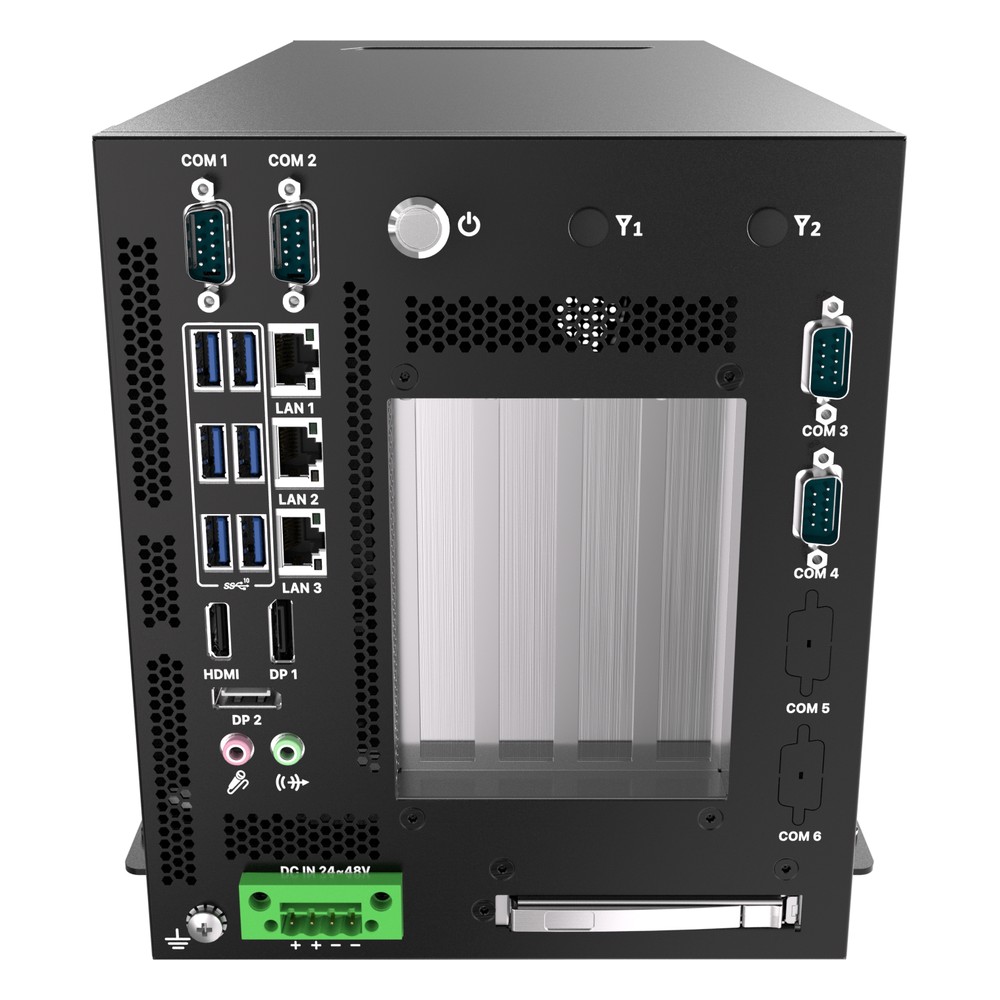
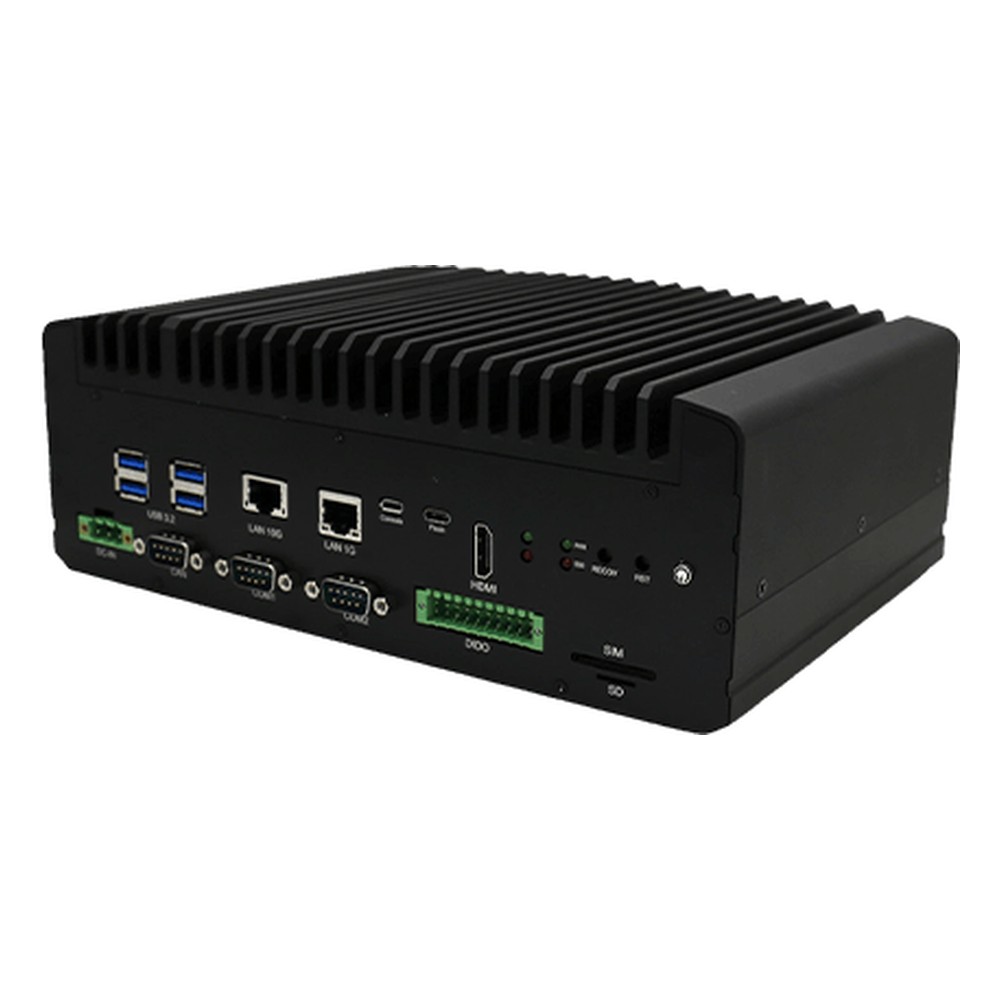
Intel Core Ultra Series 2 (Arrow Lake-S) Edge AI Workstation with NPU, PCIe Gen5 and Triple 2.5GbE
- AI
- 13 TOPS
- CPU
- Intel Core Ultra 2 Arrow Lake-S
- Ethernet
- 3× 2.5GbE
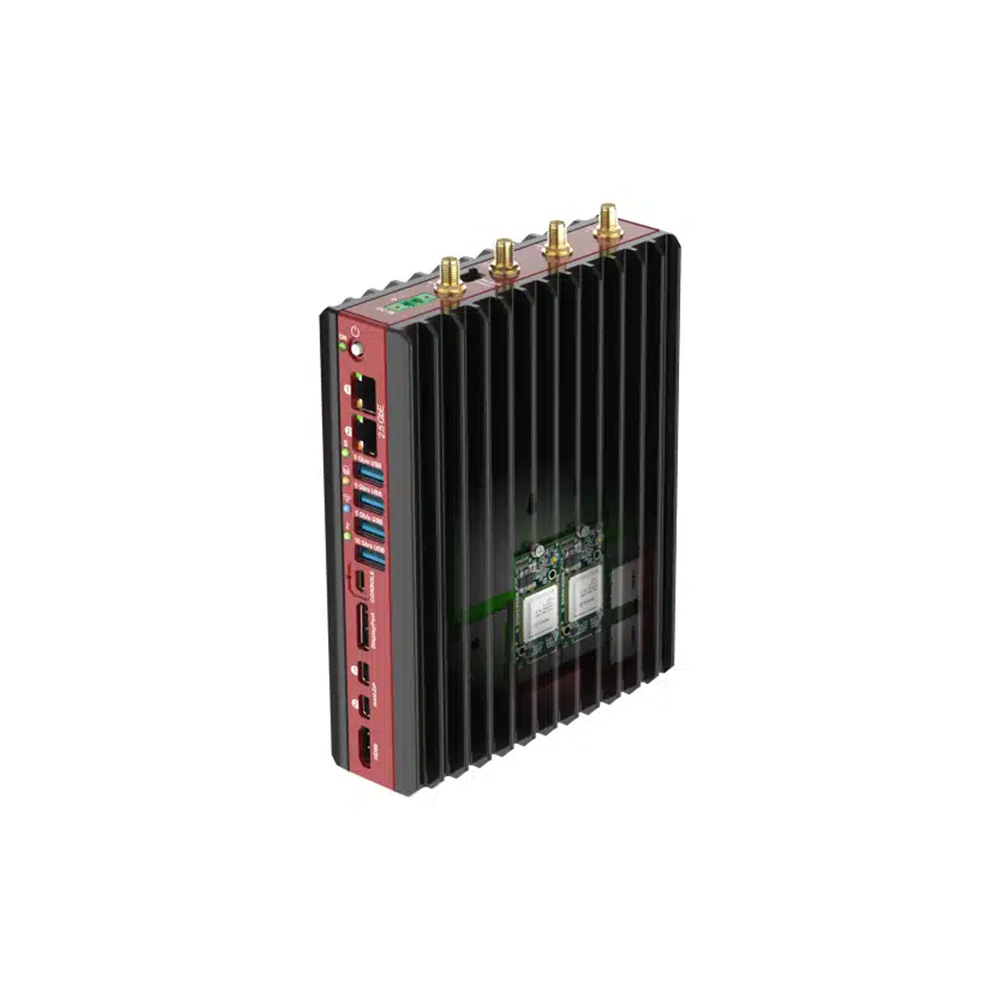
NVIDIA Jetson AGX Orin Edge AI Computer with 9 to 36V DC and Wide Temperature
- AI
- 200–275 TOPS
- SOM
- NVIDIA Jetson AGX Orin 64 GB
- Ethernet
- 1× 10GbE, 1× GbE
AMD Ryzen 7040 Series Fanless Edge AI Box PC with Hailo-8 and 2x 2.5GbE
- AI
- 10–26 TOPS
- CPU
- AMD Ryzen
- Ethernet
- 2× 2.5GbE
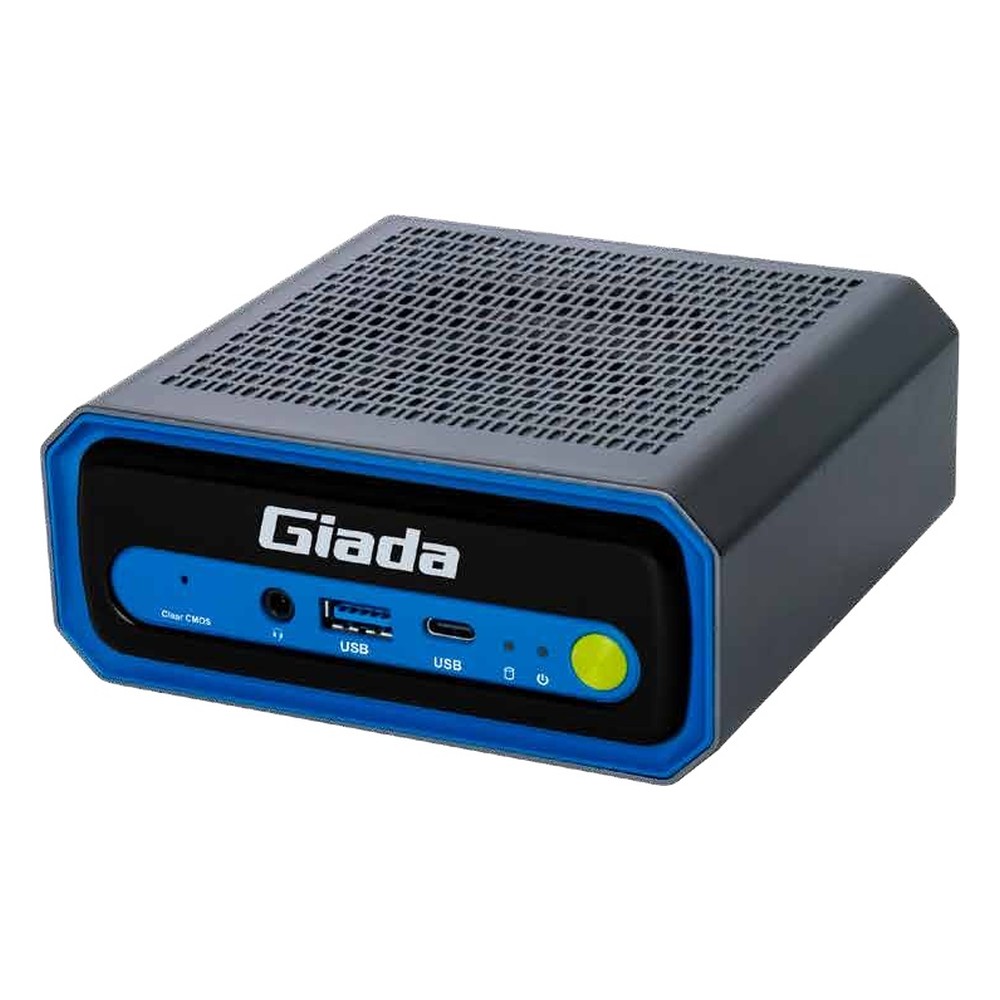
Intel Core Ultra 5 225H Edge AI PC with 13 TOPS NPU, Thunderbolt 4 and 2.5GbE
- AI
- 13 TOPS
- CPU
- Intel Core Ultra 2 Arrow Lake-H
- Ethernet
- 1× 2.5GbE
Choosing between an NPU and a GPU
Seven questions that settle the accelerator before the hardware is ordered.
-
01
Model
List the models and their layers, and check each one is supported by the NPU you are considering.
-
02
Precision
Test accuracy at INT8 or INT4 on your own data before committing to an NPU.
-
03
Streams and frame rate
Multiply cameras by frames per second by models per frame to size throughput.
-
04
Memory
Check the model and its activations fit the accelerator’s memory or bandwidth.
-
05
Power and enclosure
Set the power budget and ambient temperature; they decide fanless or active cooling.
-
06
Software stack
Match the toolchain to your team and operating system: CUDA, OpenVINO, Hailo or another.
-
07
Lifecycle
Check how long the module or processor will be available for repeat builds.
NPU vs GPU: common questions
Quick answers
What is the difference between an NPU and a GPU?
Flexibility against efficiency. A GPU is a programmable parallel processor that runs almost any model at any precision and can train. An NPU runs trained, quantised models on fixed hardware with far lower power per inference.
Is an NPU better than a GPU for AI?
For light, always-on inference, often yes. For large models, many camera streams, new model types or training, a GPU is usually the better choice.
Do I need an NPU if I have a GPU?
Not always. A GPU can run the same models. An NPU earns its place by taking always-on work at low power, which frees the GPU and can keep a system within a fanless power budget.
Can an NPU replace a GPU?
Only for the models it supports. An NPU cannot train models, and unsupported layers fall back to the CPU. For vision models that compile cleanly, an NPU can replace a small GPU.
What is an NPU used for?
Running trained AI models efficiently. Typical uses at the edge are object detection, classification, people counting, speech and small language models beside the main application.
CPU vs GPU vs NPU: which does what?
Each takes the work it suits. The CPU runs the application and operating system, the GPU handles video, graphics and heavier models, and the NPU runs always-on inference at low power.
How many TOPS do I need for edge AI?
It depends on the model and stream count. One or two cameras with a small detector often fit in 10–30 TOPS; eight or more streams usually call for 100 TOPS or more from a Jetson or GPU.
Are NPUs more power efficient than GPUs?
Per inference, usually. NPUs run at low precision and move less data. A GPU can be more efficient for a whole pipeline when decode, inference and display share one memory pool.
Edge AI FAQs
-
NPU vs CPU: What Is the Difference?
A CPU is the general-purpose processor that runs the operating system, applications and any code you give it. An NPU, or neural processing unit, is built only for the matrix maths in AI models, so it runs inference using far less power than the CPU and leaves the CPU cores free. Many modern processors now include both on one chip.
-
GPU vs CPU: What Is the Difference?
A CPU has a small number of powerful cores that handle many different tasks one after another, such as running the operating system and applications. A GPU has thousands of simpler cores that work in parallel, which makes it far faster for graphics, video and AI inference, where the same calculation is repeated across large amounts of data.
-
What Is an AI Accelerator?
An AI accelerator is hardware designed to run neural networks faster and more efficiently than a general-purpose CPU. The main types are GPUs, NPUs built into processors, dedicated accelerator chips such as Hailo modules, and FPGAs. Each takes over the repetitive maths of AI inference, so the CPU stays free for the rest of the system.
-
How Many TOPS Does an NPU Need?
There is no single figure: the TOPS an NPU needs depends on the model, image resolution, frame rate and number of camera streams. Check whether a rating is for the NPU alone or the whole platform, since vendors often add CPU and GPU TOPS together. The reliable test is to benchmark your own model on the target processor.
-
What Does TOPS Mean in AI?
TOPS stands for tera operations per second: the number of trillion simple operations an AI processor can perform each second. It is the headline figure used to compare AI accelerators such as NVIDIA Jetson modules and the NPUs in Intel and AMD processors. It is usually quoted for 8-bit integer (INT8) maths, and sometimes with sparsity, which doubles the figure.
-
iGPU vs dGPU: What Is the Difference?
An iGPU (integrated GPU) is built into the processor and shares the system memory, so it adds little power, heat or cost. A dGPU (discrete GPU) is a separate graphics processor with its own memory, offering far more performance but needing more power, cooling and space. For edge AI, iGPUs suit lighter inference and dGPUs suit heavy workloads.
-
AI Inference vs Training: What Is the Difference?
Training is how an AI model learns: it is fed large sets of labelled data and adjusted until it predicts accurately, which needs powerful GPUs. Inference is using the trained model on new data to make a decision, which is lighter per image and usually runs in real time on an edge computer beside the camera or machine.
NPU or GPU for your edge AI system?
Tell us the AI models, the number of cameras or streams, the power budget and where the computer will be installed. We will recommend an NPU, a Jetson or a GPU computer, or a combination, then configure, image and test it with your software stack before it ships.