
 UK
UK 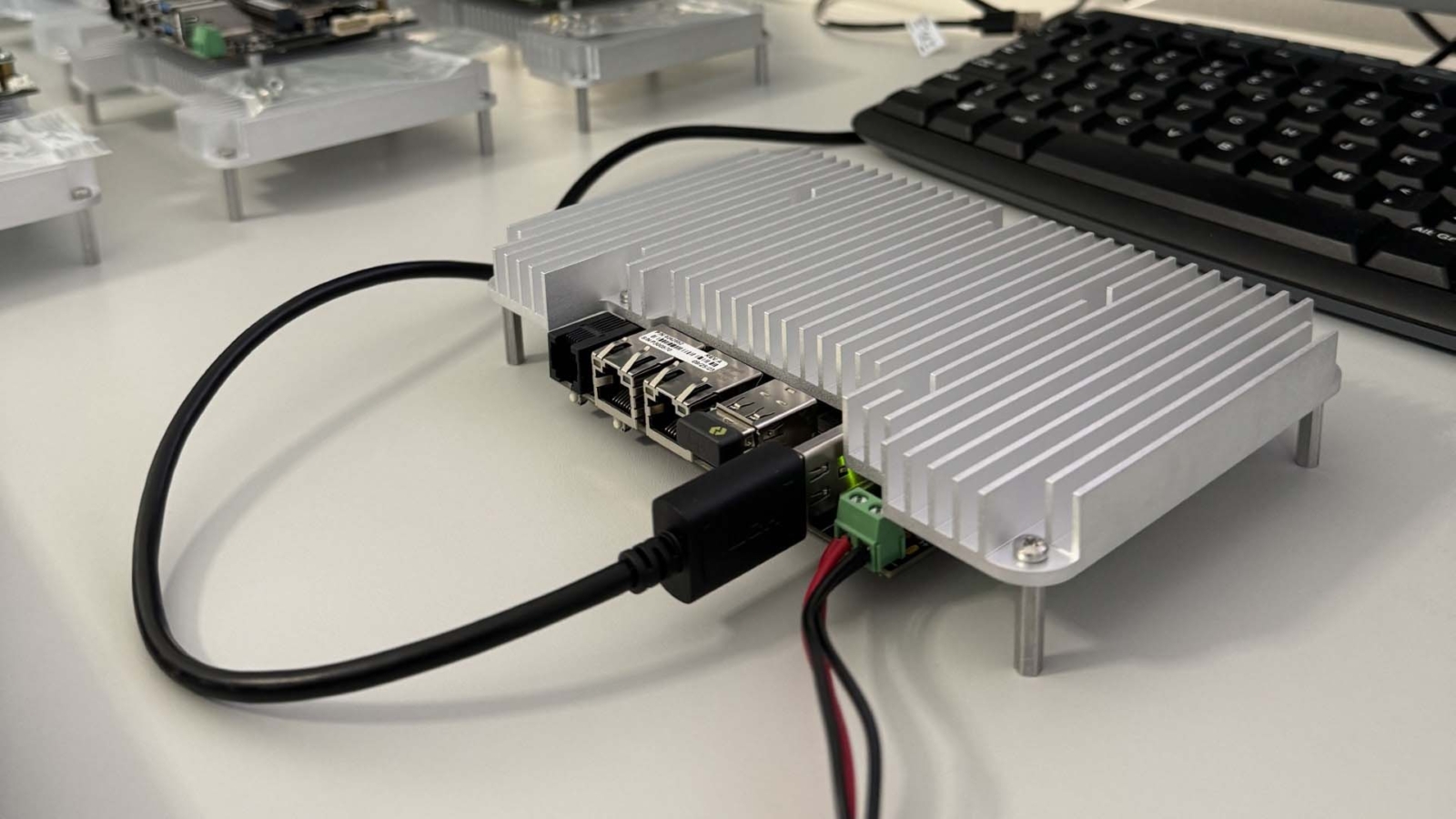
NVIDIA Jetson Cooling: A Thermal Design Guide for Orin and Thor
Jetson cooling decides which power mode a module can hold, and so how much of its AI performance you get in the field. Here is the heat each module makes, how power modes and throttling work, the four ways to cool a Jetson and how to check a design.
Jetson cooling is the thermal path that carries heat from an NVIDIA Jetson module’s processor to the air or structure around the system: a fan, a finned heatsink, a fanless chassis or a heat spreader bolted to an enclosure wall. It decides which power mode the module can hold, and so how much of its rated AI performance you actually get in the field.
NVIDIA Jetson modules have been used in industrial systems since the original Jetson Nano, and today’s Orin Nano, Orin NX, AGX Orin and Thor modules sit in a wide range of carrier boards and box PCs. Orin Nano and Orin NX modules are sold bare, without a fan or heatsink, while AGX Orin and Thor modules carry an integrated thermal transfer plate that still has to be connected to a heatsink or enclosure. Either way, the cooling is part of the system design, not part of the module.
The carrier board shapes the cooling too, because it sets the mounting points and form factor the heatsink or spreader has to fit; how to choose the right Jetson carrier board covers that decision. This guide covers how much heat each module makes, the power modes that control it, the four cooling methods, heat sinks against heat spreaders inside enclosures, and how to check a design before it ships.
Key takeaways
- 01Power mode sets the heat
- Each module runs in an NVIDIA power mode, from 7 W on Orin Nano to 130 W on Thor T5000; cooling is sized to the mode.
- 02Super modes need more cooling
- Orin Nano at 25 W, Orin NX at 40 W and AGX Orin 32GB at 60 W draw more power than the original modes.
- 03Throttling protects the module
- If the die gets too hot, clocks drop; on Orin NX and Orin Nano NVIDIA throttles at about 99 °C and shuts down at 105 °C.
- 04Four ways to cool
- Fan, active heatsink, passive heatsink or heat spreader for conduction; the enclosure decides which works.
- 05Ratings depend on mode
- The same Jetson computer can be rated to a lower ambient in its top mode, so check the rating for the mode you need.
How much heat does a Jetson module make?
Almost all the electrical power a module draws ends up as heat, so the power mode is the heat load the cooling has to remove. The table lists the NVIDIA power ranges; the carrier, NVMe drive, cameras and USB devices add to it at system level.
| Module | Power range | Top mode | Cooling supplied on the module |
|---|---|---|---|
| Orin Nano 4GB and 8GB | 7–25 W | 25 W MAXN SUPER (JetPack 6.2 and later) | None; heatsink fitted to the die |
| Orin NX 8GB and 16GB | 10–40 W | 40 W MAXN SUPER (JetPack 6.2 and later) | None; heatsink fitted to the die |
| AGX Orin 32GB | 15–40 W, or up to 60 W | 60 W MAXN SUPER (JetPack 7.2) | Integrated thermal transfer plate |
| AGX Orin 64GB | 15–60 W | MAXN | Integrated thermal transfer plate |
| AGX Orin Industrial | 15–75 W | Up to 75 W | Integrated thermal transfer plate |
| Thor T4000 | 40–70 W | 70 W | Integrated thermal transfer plate |
| Thor T5000 | 40–130 W | 130 W | Integrated thermal transfer plate |
The Super modes changed the picture for the smaller modules. JetPack 6.2 raised the clocks and memory bandwidth of the Orin Nano and Orin NX, taking an Orin NX 16GB from 100 to 157 TOPS, at the cost of a 40 W top mode. JetPack 7.2 did the same for the AGX Orin 32GB, from 200 to 241 TOPS at up to 60 W. Our answer on Jetson Super mode explains the mechanism, and our Jetson modules comparison sets out the power range of each module next to its performance.
What are Jetson power modes?
A power mode is an NVIDIA profile that caps the module’s power and sets how many CPU cores run and how fast the CPU, GPU and memory clock. On a running system it is selected with the nvpmodel tool: sudo nvpmodel -q shows the current mode and sudo nvpmodel -m <id> sets another, which persists across reboots. The mode IDs differ by module and JetPack release, so read them from the system rather than assuming them.
| Mode type | What it does | When to use it |
|---|---|---|
| Fixed budget modes (7 W to 50 W) | Cap module power and clocks to a set budget | Production systems, sized to the cooling and supply |
| MAXN SUPER | Raises the clocks and power ceiling on supported modules | Where the cooling is designed for the higher heat load |
| MAXN | Removes the caps, limited only by temperature | Benchmarks, or systems built and checked for it |
| Custom modes | A carrier vendor or integrator defines its own limits | Fitting a specific enclosure or battery budget |
A mode is a ceiling, not a guarantee. If the cooling cannot hold the die temperature, the module throttles inside the mode, so a system set to 40 W in an undersized case can deliver less than one set to 25 W that never throttles. Size the mode with the enclosure, not after it.
What happens when a Jetson gets too hot?
Jetson modules protect themselves. Sensors on the die feed thermal zones in the operating system, and as the temperature rises the module first reduces clocks, then shuts down. NVIDIA’s thermal design guide for Orin NX and Orin Nano (TDG-11127-001) puts software throttling at about 99 °C and shutdown at 105 °C on the die, and NVIDIA quotes the die sensors to about ±3 °C. The AGX Orin series has its own guide (TDG-10943-001) with limits set at the thermal transfer plate.
| Stage | What you see | What it means |
|---|---|---|
| Normal | Clocks at the mode’s limits, steady frame rate | The cooling holds the mode |
| Throttling | CPU and GPU clocks fall, inference slows, frames drop | The cooling or ambient cannot hold the mode |
| Shutdown | The module powers off to protect itself | A design or installation fault that needs fixing |
Throttling is the quiet failure. A camera system that hits its frame rate on the bench in a cool room can slip in a cabinet in summer, with nothing in the logs except slower inference. Our guide to thermal throttling explains the general mechanism on any processor, and our answer on junction temperature covers the die limit itself.
Four ways to cool an NVIDIA Jetson
There are four practical options: the standard Jetson fan, an active heatsink with an integrated fan, a passive heatsink or fanless chassis, and a heat spreader, also called a thermal transfer plate, for conduction cooling. Each suits a different power level and installation.
| Method | How heat leaves | Suits | Watch for |
|---|---|---|---|
| Jetson developer kit fan | Fan on a heatsink, spring-loaded to the module | Development and benches | Not built for dust, vibration or sealed cases |
| Active heatsink | Finned heatsink with a fan, mounted to the carrier | Top modes in compact systems | Fan wear, dust and an air path through the case |
| Passive heatsink or fanless chassis | Natural convection from fins to the surrounding air | Most industrial Jetson PCs | Needs free air around the fins; derates at high ambient |
| Heat spreader (conduction) | Conduction through a plate into a cabinet wall or vehicle structure | Sealed, outdoor and vibration-heavy installations | The structure has to be cool and flat enough to take the heat |
Each option is chosen for the module’s power draw and the installation’s air flow and environment. Our comparison of active and passive cooling covers the trade-offs on any computer; the sections below cover what is specific to Jetson.
Jetson fans and active heatsinks
The active Jetson fan in the developer kits attaches to the module using a spring-loaded backing bracket and thermal paste. Because it uses the same onboard power connector, it fits a wide range of carrier boards, and alternative off-the-shelf fans for a given carrier usually differ only slightly.
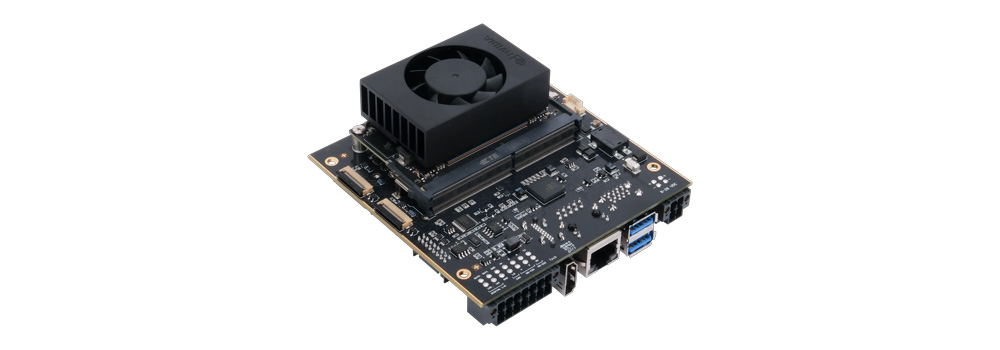
For rugged use, the heatsink or heat spreader is best mounted directly to the Jetson carrier board, which gives structural support and load relief to the module inside an enclosure. These assemblies should use thermal gap pads to carry heat from every hot component, which matters most when the module runs at its top mode.
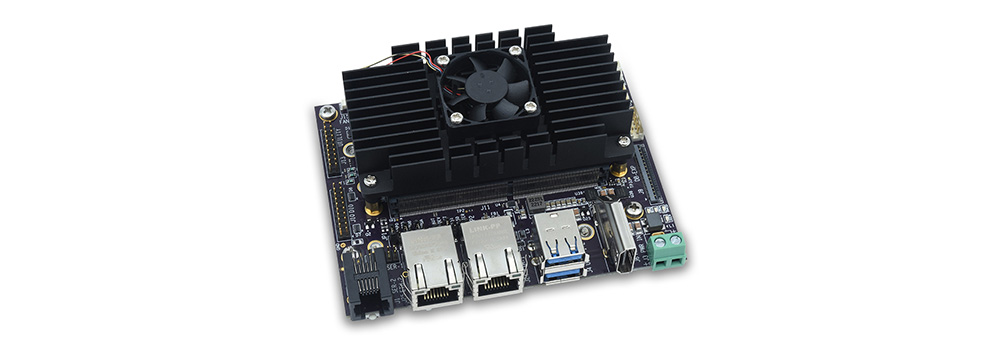
Active heatsinks suit higher thermal loads and compact systems, such as AGX Orin modules running up to 75 W or an Orin NX in its 40 W Super mode. The fan speed is controlled by the module: from JetPack 5 the nvfancontrol service ramps the fan as the temperature rises, using thresholds and profiles set in its configuration file. That keeps the fan slow when it is not needed, which reduces noise, power and wear.
Passively cooled Jetson PCs
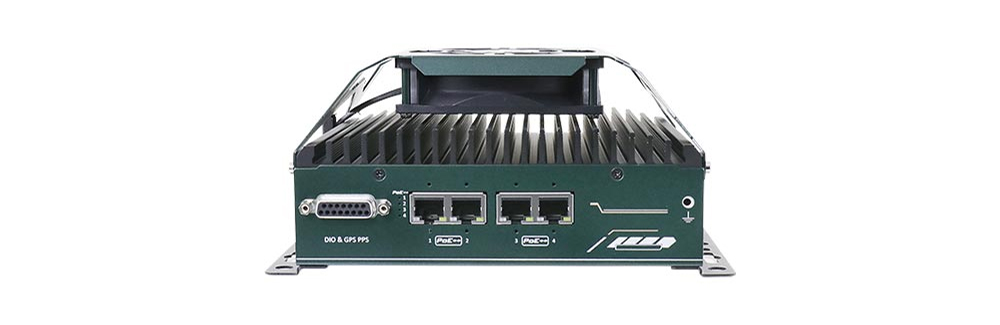
A passive heatsink uses natural convection to remove heat without fans. Typically made from aluminium, it uses fins to increase the surface area that transfers heat to the surrounding air. This fanless design is the standard for most industrial Jetson PCs: with no moving parts, there is less dust build-up and no fan to fail, which suits dusty or remote sites.
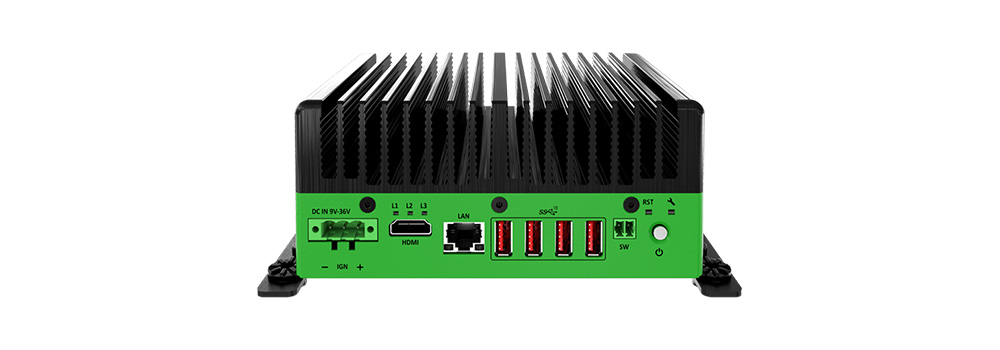
The trade is derating. A fanless chassis sheds heat in proportion to the difference between its fins and the air around them, so its rating falls as the ambient rises and as the power mode goes up. Many fanless Jetson computers are offered with an optional fan kit for the top mode. Our answer on the advantages of fanless computers sets out why industrial buyers still prefer them where the mode allows.
Jetson heat spreaders for conduction cooling
A Jetson heat spreader, or thermal transfer plate, spreads heat from the module across a larger surface and conducts it into an adjoining structure, such as a cabinet wall, a mounting plate or a vehicle chassis. Typically made from aluminium for its thermal conductivity, it moves heat out of the enclosure rather than into the air inside it, which avoids heat build-up and the need for fans.
With no moving parts, heat spreaders also suit shock and vibration. The plate stays securely mounted and keeps consistent thermal contact, which makes it a good fit for vehicles and heavy machinery subjected to constant motion and impacts.
The low-profile design suits confined, sealed and waterproof enclosures, where keeping an unbroken barrier is crucial. With no vents or openings, a heat spreader helps keep out dust, debris and water, which makes it a common choice for outdoor edge AI, such as smart city and roadside equipment.
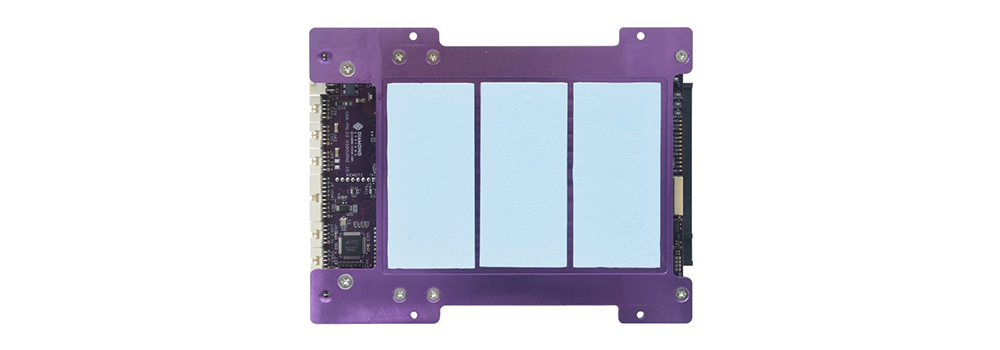
Jetson box PCs are also available with integrated flat-top heat spreaders instead of finned heatsinks. Designed for installation inside industrial cabinets, they give a compact, low-profile system that sheds heat through the cabinet structure. Our explainer on conduction cooling covers the principle, and our answer on how heat pipes work explains the pipes inside many Jetson heatsinks and plates.
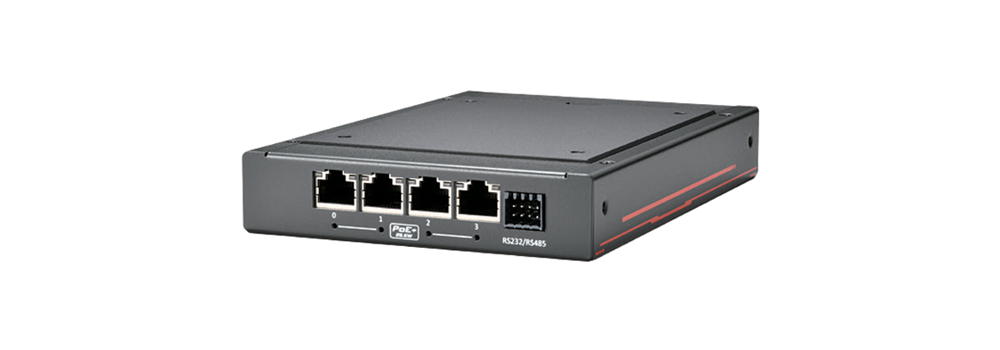
Heat sink vs heat spreader: installing Jetson inside enclosures
Which is better for a Jetson computer inside an industrial cabinet or outdoor enclosure: a heat sink or a heat spreader? A heat sink needs enough surrounding air, or air flow, to remove heat. If a Jetson system with an active or passive heat sink is placed inside a compact enclosure, the heat from every component raises the air temperature inside the cabinet, which can recreate the thermal problem the heat sink was meant to solve.
Conduction cooling is the alternative: a heat spreader carries heat from the module to the outside of the chassis or enclosure. Good mechanical design and material choice are what make it work. If the enclosure is large enough and heat build-up is not a concern, a passively cooled heat sink can make installing the system in the cabinet simpler.
| Question | Heat sink (active or passive) | Heat spreader |
|---|---|---|
| Where does the heat go? | Into the air inside the enclosure | Through the plate into the enclosure wall or structure |
| Best enclosure | Ventilated, or large compared with the heat load | Small, sealed or IP-rated |
| Effect on the enclosure | Raises the internal air temperature | Raises the wall temperature; the inside stays cooler |
| Vibration | Good when mounted to the carrier | Very good; the plate also braces the assembly |
| Installation | Simple; place and wire | Needs a flat, cool mounting surface and thermal interface |
Inside a sealed cabinet, also count the cabinet itself: solar gain, other equipment and the outside temperature set the air the computer sees. Our guide to electrical enclosure cooling works through cabinet heat loads, and with many Jetson systems deployed outdoors, our separate guide to designing outdoor computer enclosures applies to both box PC and carrier board builds. Our answer on what a heat sink is covers the basics.
How Jetson computer ratings change with the power mode
Manufacturers rate a Jetson computer’s operating temperature for particular power modes and cooling options, and the figures show how much the mode costs in ambient headroom. These are taken from the product pages in our range.
| System | Module | Rating as published |
|---|---|---|
| Premio JCO-1000-ORN-C-2M12 | Orin NX or Orin Nano | Fanless, −20 °C to 55 °C at 15 W or 25 W, and to 35 °C at 40 W |
| Advantech MIC-711-OX | Orin NX 8GB or 16GB | −10 °C to 60 °C with 0.7 m/s air flow, or to 50 °C in Super mode unless the fan kit is added |
| Neousys NRU-51V+ | Orin NX or Orin Nano | Fanless −25 °C to 60 °C in the 15 W mode, to 70 °C with the optional fan kit |
| Neousys FLYC-300-EC-JON16 | Orin NX 16GB | −25 °C to 40 °C on its own, to 60 °C with the heat spreader secured to an aluminium surface |
| Axiomtek AIE900A-AO-2L8P | AGX Orin 32GB | Fanless −25 °C to 60 °C, with an optional external fan kit for more headroom |
Worked example. An Orin NX 16GB camera system has to run in a roadside cabinet that reaches 45 °C inside on a summer afternoon. At 25 W, a fanless computer rated to 55 °C has 10 °C of margin. In the 40 W Super mode the same computer is rated to 35 °C, below the cabinet temperature, so it would throttle. The choices are to stay at 25 W, add the fan kit and an air path, or move to a heat spreader that dumps the heat into the cabinet wall. The model’s frame rate at 25 W decides which is right.
Cold matters as well. Commercial Orin modules are specified down to about −25 °C, while the AGX Orin Industrial module runs from −40 °C; our answer on the industrial temperature range explains what such ratings cover.
How to check a Jetson thermal design
A thermal design is only proven under the real workload at the hottest ambient the system will see. A few tools on the Jetson itself make that straightforward.
| Check | How | What good looks like |
|---|---|---|
| Power mode | nvpmodel -q |
The mode you designed for, set persistently |
| Temperatures and clocks | tegrastats, or the thermal zones under /sys/class/thermal |
Die temperature well below the throttle point; clocks steady |
| Throughput | The application’s own frame rate or inference time | No drop over a long run at full load |
| Fan behaviour | The nvfancontrol status and fan speed |
Fan ramps with temperature, not at full speed all the time |
| Worst-case ambient | A climatic chamber or the hottest installed position | Margin left at the top of the rated range |
NVIDIA’s Jetson Power Estimator helps size a custom mode before hardware exists, but NVIDIA notes its estimates can differ from measured power, so treat it as a starting point. When the result is marginal, the cheapest fixes are usually a lower power mode, a better thermal interface or a heat spreader path, before a larger module or a fan. Our explainer on TDP explains how power ratings relate to cooling on x86 processors, which helps when a project compares the two.
Before you fix a Jetson cooling design
Seven points to settle with the enclosure, not after it.
-
01
Power mode
Choose the mode the workload needs and confirm the frame rate at that mode.
-
02
System power
Add the carrier, storage, cameras and PoE to the module power.
-
03
Ambient
Use the hottest air the system will see inside its enclosure, not the room.
-
04
Cooling path
Decide between fins in free air, a fan or a heat spreader into the structure.
-
05
Sealing and dust
Match the method to the IP rating and dust on site; fans need an air path.
-
06
Vibration
Mount the heatsink or spreader to the carrier or chassis, with latching connectors.
-
07
Cold start
Check the lower limit of the module and storage as well as the upper.
Jetson cooling in our projects
-
01

Designing a battery-powered GPU computer
For a defence and surveillance customer we upgraded a rugged Jetson carrier board with serial control, 3G-SDI capture and GPIO for sleep or soft shutdown, then designed an IP67 enclosure with the customer from 3D models, mounting the module on carrier standoffs with a thermal transfer pad.
View range -
02

Edge AI in roadside cabinets
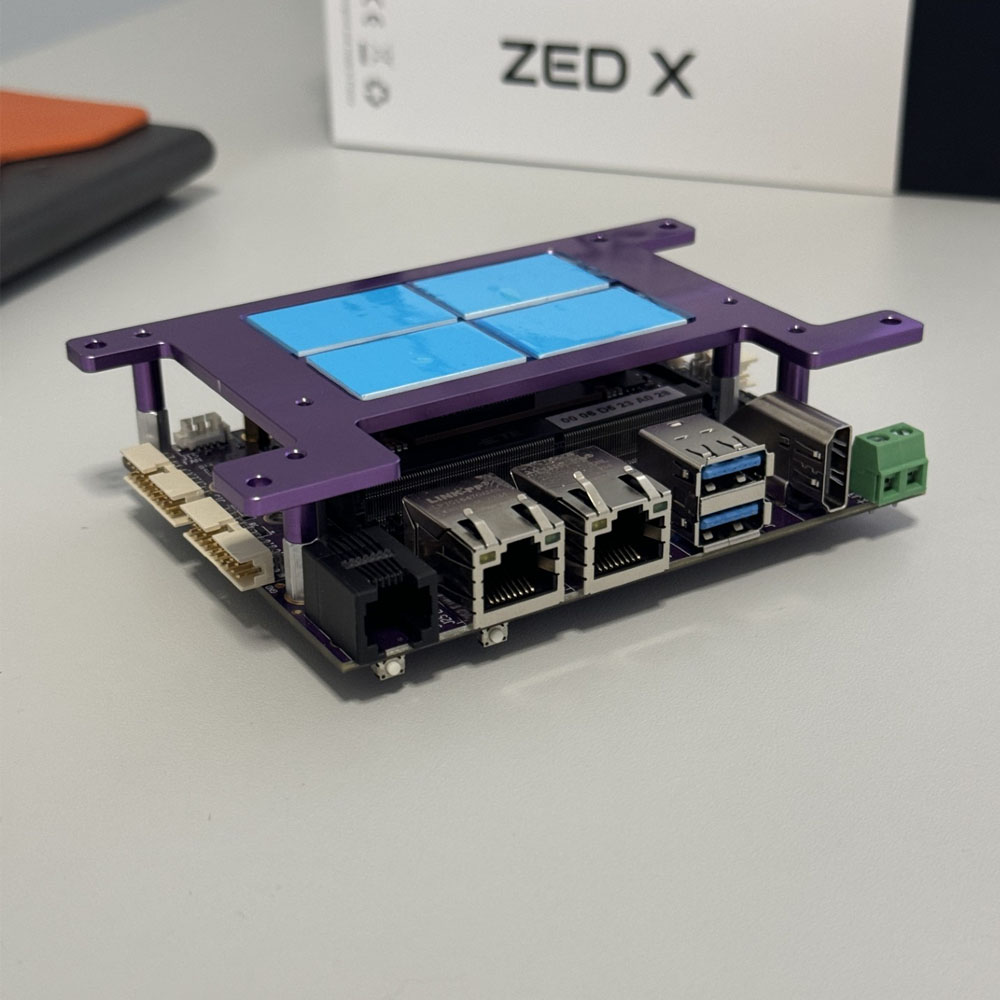
On an Orin Nano 8GB carrier board we swapped the GPIO pins for a right-angled latching connector to survive transport in roadside trailer cabinets, and designed a custom heat spreader to carry heat from the module to the outside of the cabinet.
-
03
Silent AI for a digital artist
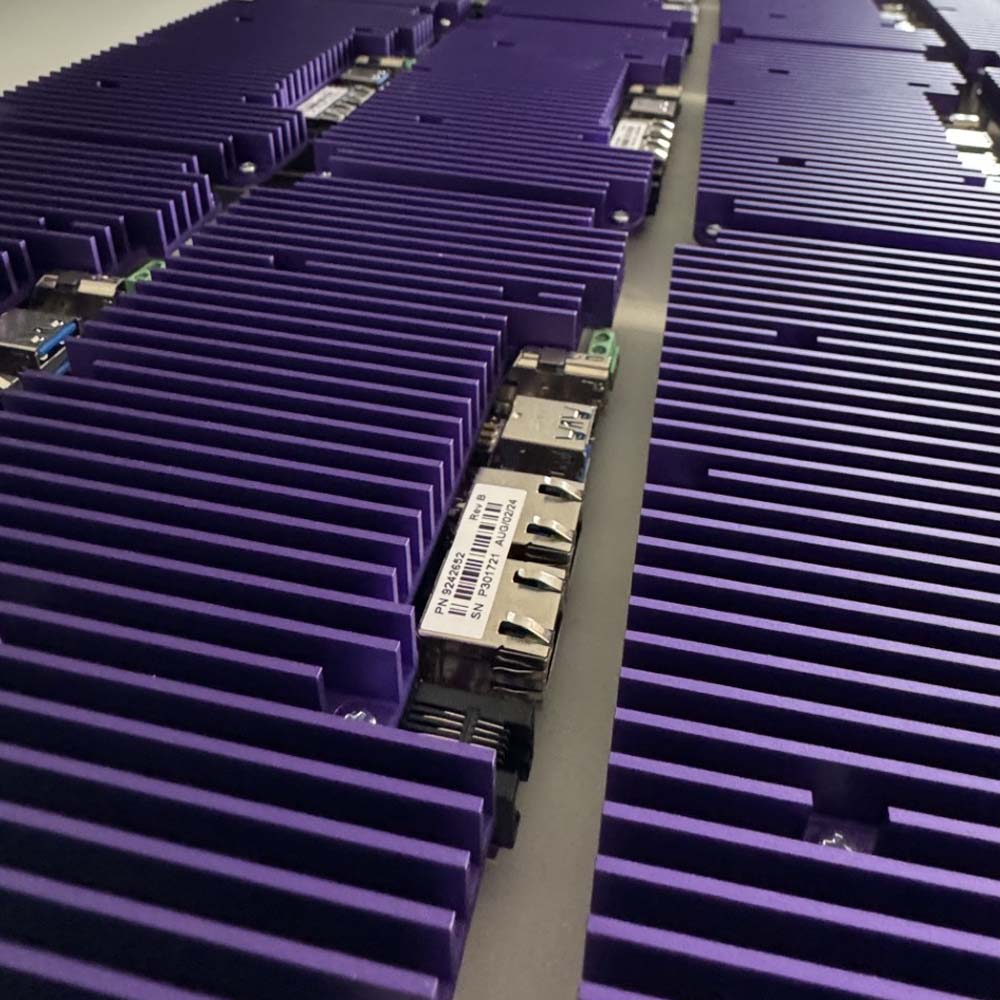
For a London-based digital artist running a 4K installation on a 16GB Orin NX, we designed a fanless heatsink larger than the carrier board to hold full GPU load in silence, replacing vertical I/O with right-angle connectors to fit it.
Jetson systems by cooling and environment
Categories in our range where the cooling choice matters most.
Fanless PCs
Passively cooled computers for dusty and remote sites.
View range
Rugged Jetson computers
Jetson systems for vibration, wide temperature and vehicle power.
View range
Jetson Orin NX carrier boards
Carrier boards with heat spreader or fan sink options.
View range
AGX Orin carrier boards
AGX Orin carriers with conduction mounting plates.
View range
Jetson Thor
Thor T4000 and T5000 systems sized for up to 130 W.
View range
Mission computers
Sealed computers that cool through the chassis.
View rangeJetson systems with different cooling options
Four Jetson systems from our range: an Orin NX computer with a fan kit option, an Orin NX carrier with a heat spreader or fan sink, a drone computer cooled through its mount and a fanless AGX Orin robotics computer.
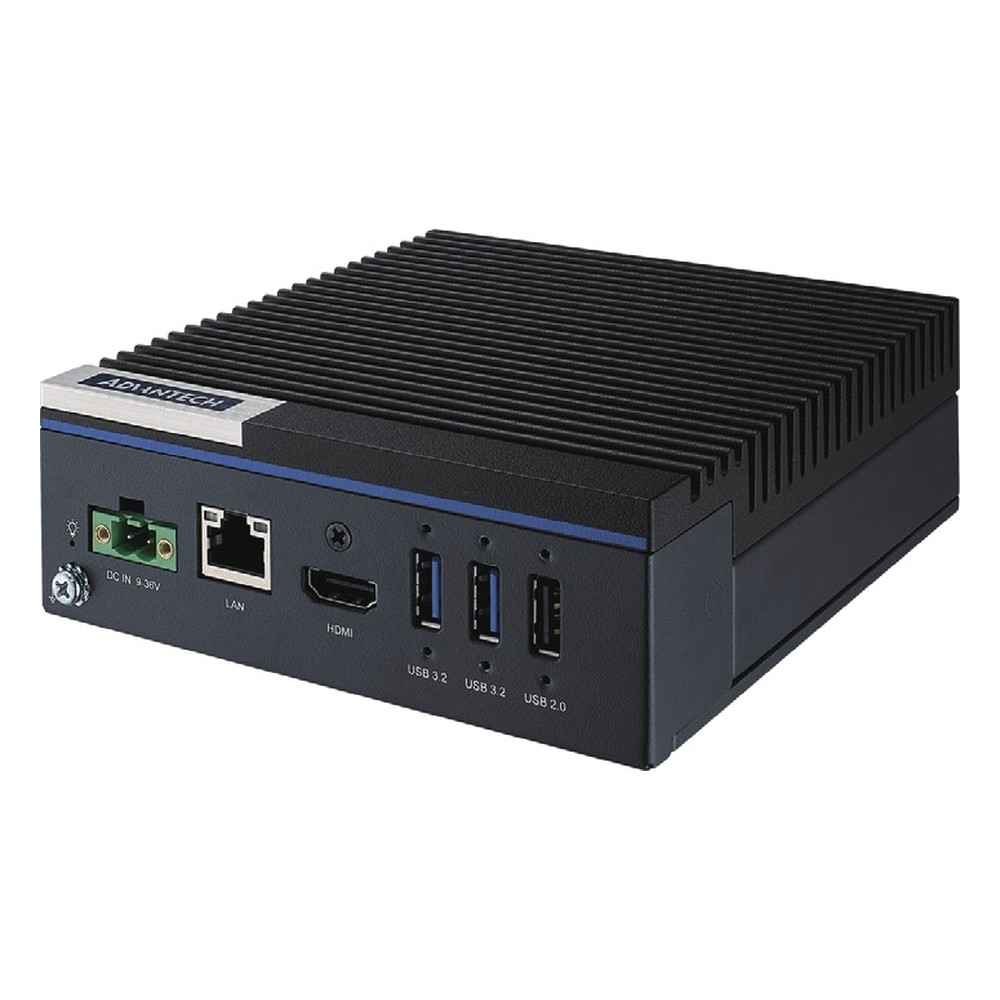
NVIDIA Jetson Orin NX 8GB or 16GB Compact Industrial PC with mPCIe, M.2 5G Slot and 9-36V DC Input
- AI
- 70–100 TOPS
- SOM
- NVIDIA Jetson Orin NX 16 GB
- Ethernet
- 1× GbE
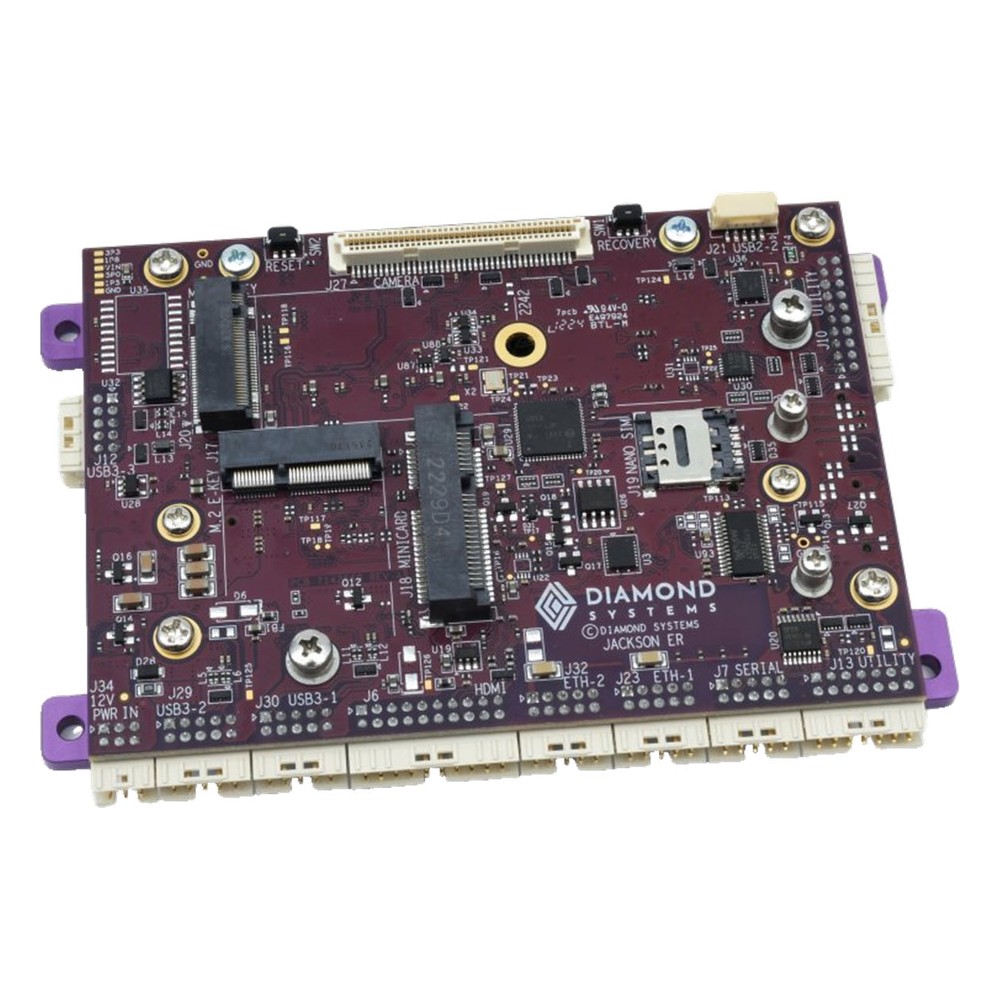
NVIDIA Jetson Orin NX 16GB Rugged Mini Carrier Board with Dual GbE, CAN and Heat Spreader or Fan Sink
- AI
- 100 TOPS
- SOM
- NVIDIA Jetson Orin NX 16 GB
- Ethernet
- 2× GbE
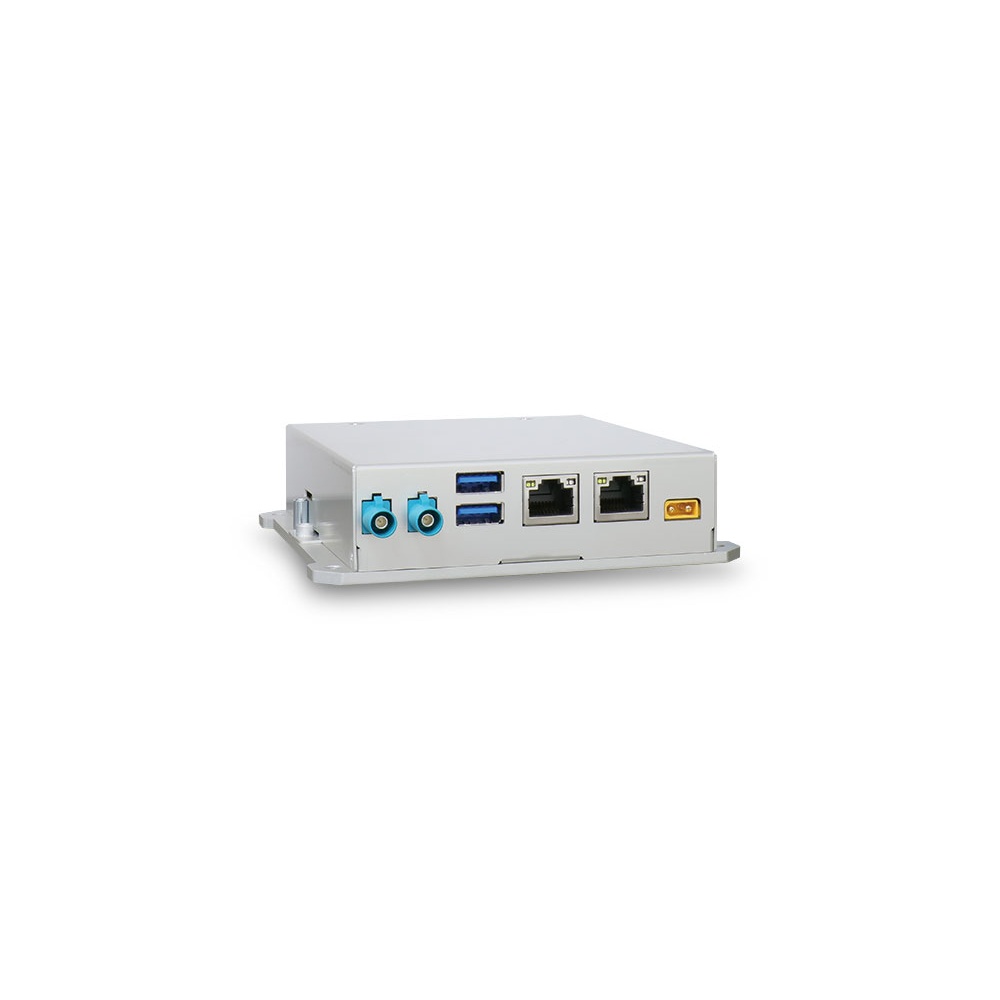
NVIDIA Jetson Orin NX 16GB Enclosed Drone Companion Computer with 2x GMSL2
- AI
- 100 TOPS
- SOM
- NVIDIA Jetson Orin NX 16 GB
- Cameras
- 2× GMSL
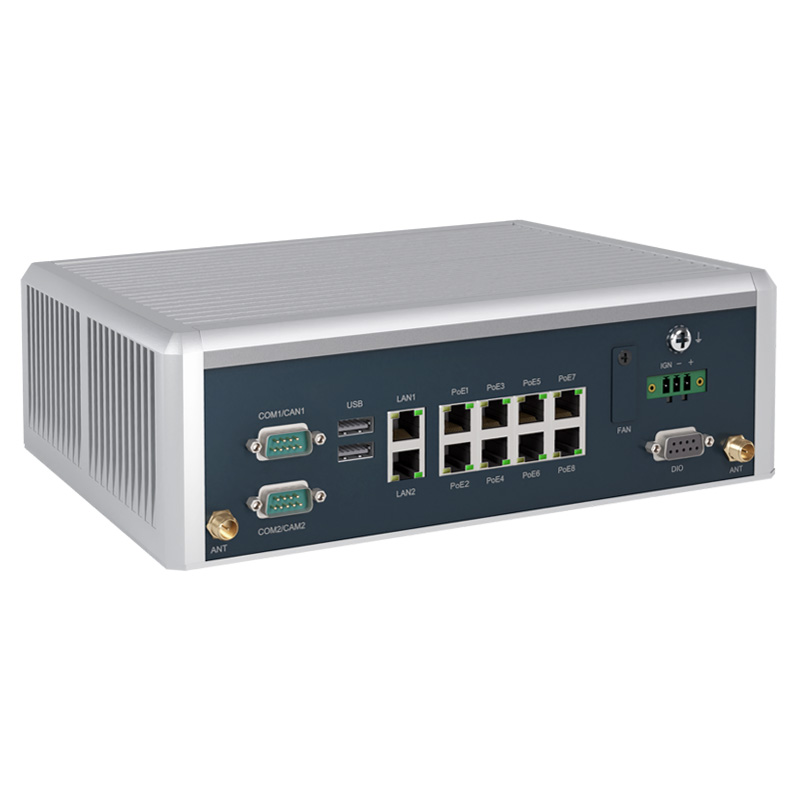
NVIDIA Jetson AGX Orin 32GB Fanless Robotics Computer with 8x PoE and 2x 2.5GbE
- AI
- 200 TOPS
- SOM
- NVIDIA Jetson AGX Orin 32 GB
- Ethernet
- 2× 2.5GbE, 8× GbE (8× PoE)
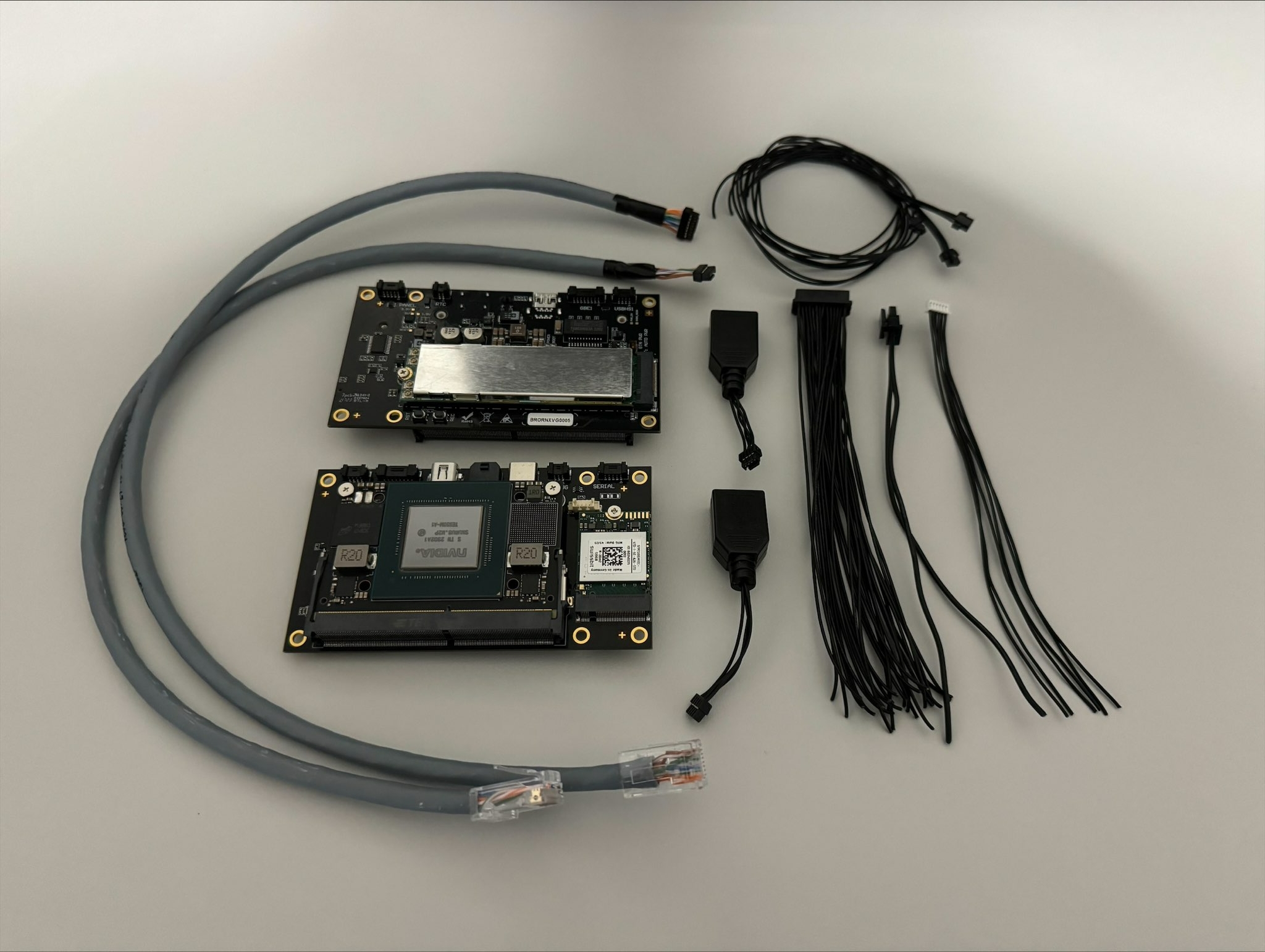
The Diamond Systems JACKSON-ER shows the choice at board level: the JAXER-ASY-ONX16 is built either with a heat spreader that mounts the assembly upside down to an enclosure wall or with a heat sink and 5 V fan. We fit the cooling option, set the power mode the enclosure can hold and test each Jetson system under load before it ships.
Jetson cooling: common questions
Quick answers
Does a Jetson module need a heatsink?
Yes. Orin Nano and Orin NX modules are sold bare, and AGX Orin and Thor modules have a thermal transfer plate that still needs a heatsink or enclosure.
Can a Jetson run without a fan?
Usually, yes. Most industrial Jetson PCs are fanless, but top power modes often need a fan kit or a heat spreader path at higher ambients.
At what temperature does a Jetson throttle?
About 99 °C on the die for Orin NX and Orin Nano. NVIDIA’s thermal design guide puts shutdown at 105 °C; check the guide for your module.
How do I change the Jetson power mode?
With nvpmodel. Run sudo nvpmodel -q to see the mode and sudo nvpmodel -m with the mode ID to set it; the IDs vary by module.
Is a heat spreader better than a heat sink?
In sealed enclosures, usually. A spreader moves heat into the enclosure wall; a heat sink suits ventilated or large enclosures.
Does Super mode need more cooling?
Yes. Super modes raise power to 25 W on Orin Nano, 40 W on Orin NX and 60 W on AGX Orin 32GB.
Jetson cooling FAQs
-
What Is a Heat Sink?
A heat sink is a block of metal, usually aluminium or copper, that draws heat away from a hot component such as a processor and releases it into the surrounding air. Fins give it a large surface area. A passive heat sink relies on natural airflow; an active one adds a fan to move more air over the fins.
-
What Is Conduction Cooling?
Conduction cooling moves heat out of a computer through solid materials rather than moving air. Thermal pads, heat spreaders and heat pipes carry heat from the processor, memory and storage into the metal chassis, which passes it to the surface it is mounted on or to the surrounding air. With no fans or vents, the system can be fully sealed.
-
How Do Heat Pipes Work?
A heat pipe is a sealed copper tube holding a little working fluid, usually water, under partial vacuum. At the hot end the fluid evaporates and absorbs heat; the vapour travels to the cooler end, condenses and releases that heat into fins or the chassis, and a wick draws the liquid back. It moves heat quickly with no moving parts.
-
What Is Junction Temperature?
Junction temperature (Tj) is the temperature of the active silicon inside a chip, where the transistors switch and the heat is produced. It is always higher than the package, the heatsink or the air around them. Every datasheet sets a maximum, Tj max: near it a processor throttles, and beyond it a device can be damaged or shut down.
-
What Is Jetson Super Mode?
Jetson Super Mode is a set of higher-power operating modes NVIDIA added for Jetson Orin Nano and Orin NX modules with JetPack 6.2. Raising clock speeds and power limits lifts AI performance substantially, for example to up to 67 TOPS on Orin Nano 8GB and up to 157 TOPS on Orin NX 16GB, on the same hardware.
-
What Are the Advantages of Fanless Computers?
Fanless computers cool themselves passively, through a finned heatsink chassis and heat pipes, instead of a fan. With no moving parts and no airflow drawing in dirt, they are more reliable in dusty or vibrating places, silent, low maintenance and easy to seal, which is why they are the standard choice for industrial and embedded use.
-
What Is the Industrial Temperature Range?
The industrial temperature range is −40 to 85 °C: the grade an electronic component must operate across to be called industrial, compared with 0 to 70 °C for commercial parts. Rugged computers built from industrial-grade components typically run from −25 or −40 °C up to 70 °C as a complete system.
Designing the cooling for a Jetson build?
Tell us your module, enclosure and operating range. We will recommend the cooling and power mode that hold your workload, then configure, image and test the system before it ships.