
 UK
UK Compute and GPU
Intel 12th or 13th Gen Core processors on the R680E chipset, up to the 24-core Core i9-13900E at 65 W, handle the system work. An NVIDIA Quadro MXM module is fitted by request for GPU video analytics.
Your Quote List ()
A digital train gathers data from cameras and sensors throughout the vehicle and acts on it, whether that is watching the track ahead, monitoring saloons or recording evidence-grade video. Doing that analysis on the train, rather than sending every stream to the ground, needs a rugged AI computer with a discrete GPU that can live in a rolling stock equipment bay.
Here we look at how the Vecow IVX-1000 series is put together for that role. Both builds are fanless railway computers designed for EN 50155 rolling stock duty, with an NVIDIA MXM GPU module fitted by request alongside up to a 24-core Intel Core i9-13900E. As standard, we fit the GPU module, memory and drives, load the operating system and analytics stack, and set the BIOS and ignition behaviour before the system ships.
A train is a hard place for a GPU: the power is noisy, the vibration never stops and there is no room for a server rack.
Running detection on several video streams at once needs more than integrated graphics can offer.
Train supplies vary widely between fleets and carry surges, so the input range and isolation matter.
Every component, including the GPU, has to stay seated and connected for the life of the vehicle.
PoE+ on locking connectors keeps the wiring down to one cable per camera along the carriage.
Footage kept as evidence needs several drives with RAID, ideally removable from the front.
Equipment on rolling stock is expected to meet the EMC requirements of EN 50155 and EN 50121-3-2.
MXM is a standard for compact GPU modules that mount flat on the computer’s board and are screwed in place, rather than standing in a slot like a desktop graphics card. That lets a discrete GPU sit inside a low, sealed chassis built for vehicles, with no tall card to support. For the difference between a module like this and the graphics built into the processor, see our iGPU vs dGPU FAQ.
Five parts of the IVX-1000 build decide how well it handles life on the train.
Intel 12th or 13th Gen Core processors on the R680E chipset, up to the 24-core Core i9-13900E at 65 W, handle the system work. An NVIDIA Quadro MXM module is fitted by request for GPU video analytics.
Eight X-coded M12 2.5GbE ports carry the cameras and on-board network, four of them with PoE+. A further 2.5GbE port supports TSN, and a GbE port with Intel AMT allows out-of-band management from the depot.
The IVX-1000 ICY has six front-access 2.5″ drive trays with software RAID 0, 1, 5 or 10 and an optional UPS. The IVX-1000 has two trays with RAID 0 or 1. Both add an M.2 PCIe x4 boot drive.
A 16 V to 160 V DC input with 4 kV isolation and 0.5 kV surge protection takes the train supply, and 16-mode software ignition control manages start-up and shutdown.
The chassis is fanless, with IEC 61373 shock and vibration and EN 50155 and EN 50121-3-2 EMC listings. It wall-mounts, with rack kits as an option. Ratings like these are what separate a rugged industrial PC from an office machine.
The IVX-1000 ICY and IVX-1000 rolling stock computers with an MXM GPU by request, and the ECX-3200MX PEG for a full PCIe graphics card.
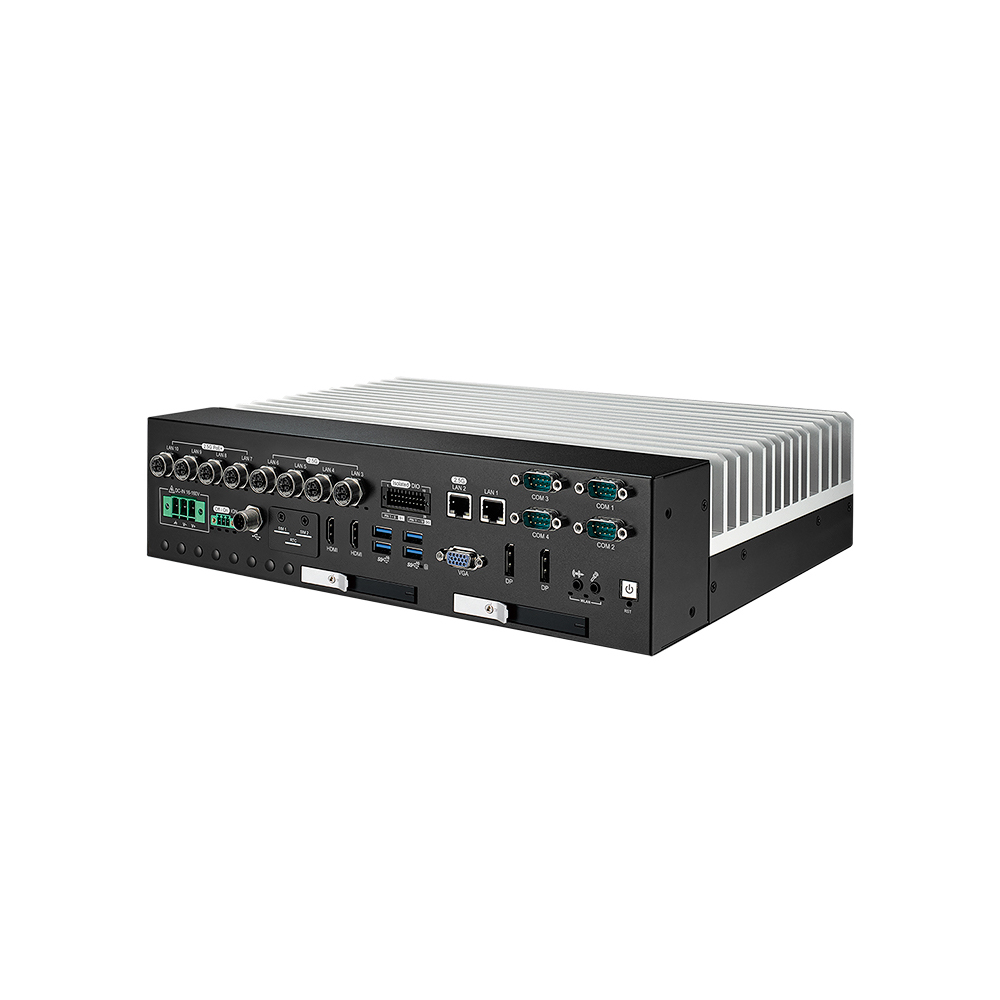
Intel Core i9-13900E Vehicle Mounted Computer with Six Drive Bays and Optional MXM GPU
Intel 13th Gen Raptor Lake Fanless Vehicle Mounted Computer with M12 PoE
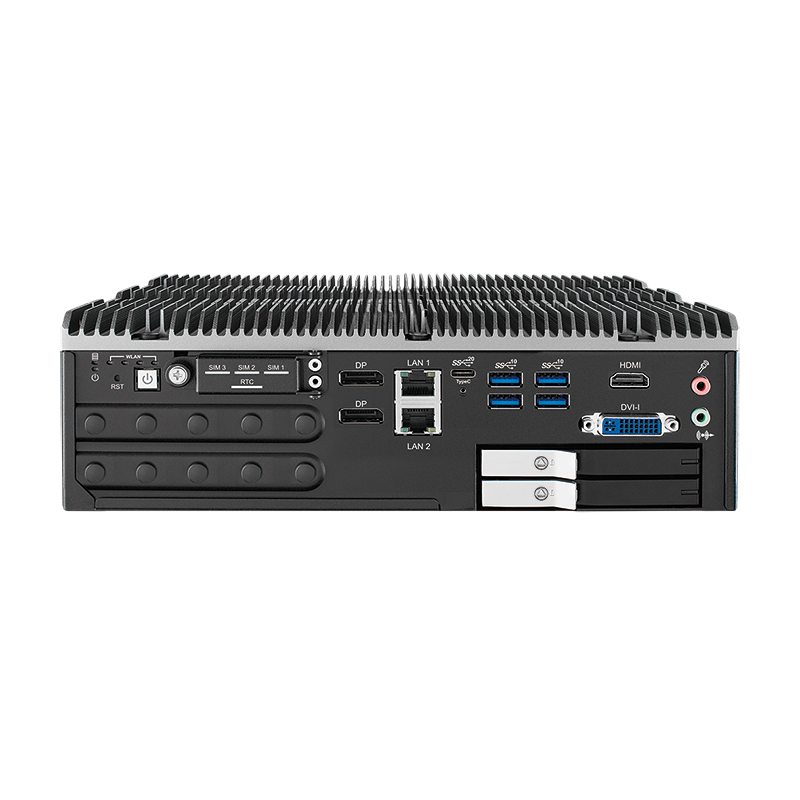
Intel 12th/13th Gen Core Industrial PC with GPU Support and M12 PoE+
| IVX-1000 ICY | IVX-1000 | ECX-3200MX PEG | |
|---|---|---|---|
| GPU | NVIDIA Quadro MXM module, by request | NVIDIA Quadro MXM module, by request | PCIe x16 slot for an NVIDIA or AMD card, up to 200 W |
| Processor | Intel 12th/13th Gen Core, up to i9-13900E | Intel 12th/13th Gen Core, up to i9-13900E | Intel 12th–14th Gen Core and Core 200S, up to 24 cores |
| Camera LAN | 8× 2.5GbE M12 X-coded (4× PoE+) | 8× 2.5GbE M12 X-coded (4× PoE+) | 4× 2.5GbE PoE+ M12 X-coded |
| Other LAN | 1× 2.5GbE (TSN), 1× GbE | 1× 2.5GbE (TSN), 1× GbE | 2× GbE |
| Drive trays | 6× 2.5″, RAID 0/1/5/10 | 2× 2.5″, RAID 0/1 | 2× 2.5″, RAID 0/1 |
| Power input | 16–160 V DC, 4 kV isolation | 16–160 V DC, 4 kV isolation | 12–50 V DC |
| Cooling | Fanless | Fanless | System fan |
| Operating temperature | −25 to 75 °C (35 W CPU, no GPU) | −25 to 75 °C (35 W CPU, no GPU) | −20 to 45 °C |
| Shock and vibration | IEC 61373 | IEC 61373 | MIL-STD-810G |
| Rail EMC | EN 50155, EN 50121-3-2 | EN 50155, EN 50121-3-2 | EN 50155 |
For equipment on the train itself, the IVX-1000 builds are the closer fit: the wide isolated input and IEC 61373 rating are written for rolling stock. The ECX-3000 PEG series takes a larger PCIe graphics card, which suits a cooler, controlled space such as a depot or trackside cabinet.
With the GPU on board, the train analyses its own cameras and sends results rather than raw video.
Detection runs beside the cameras, so decisions do not wait on a link to the ground.
GPU, PoE+ camera ports, RAID storage and train power input share one fanless chassis.
Front-access drives with RAID 5 or 10 and an optional UPS on the ICY build protect recorded footage.
Intel AMT on the management port lets engineers reach the computer even when the operating system is not responding.
For another view of computing in rail, see how rugged railway computers support track inspection, and our explainer on video analytics.
EN 50121-3-2 is the European standard for electromagnetic compatibility of electrical and electronic equipment fitted to railway rolling stock. It limits the interference a device may emit and sets how well it must withstand interference from the train, so a computer neither disrupts nor is disrupted by signalling and traction systems.
IEC 61373 is the international standard for shock and vibration testing of equipment fitted to railway rolling stock. It sets test levels by where the equipment is mounted, from inside the car body to the bogie and the axle, so a computer can be qualified for the vibration it will actually see on a train.
An MXM GPU is a graphics processor on a Mobile PCI Express Module, a compact standard board that mounts flat on a carrier instead of standing in a PCIe slot. It lets laptops, embedded systems and rugged computers add discrete NVIDIA, AMD or Intel graphics in a small space, often cooled through the chassis rather than by its own fan.
An iGPU (integrated GPU) is built into the processor and shares the system memory, so it adds little power, heat or cost. A dGPU (discrete GPU) is a separate graphics processor with its own memory, offering far more performance but needing more power, cooling and space. For edge AI, iGPUs suit lighter inference and dGPUs suit heavy workloads.
Video analytics is software that analyses video automatically to detect, classify and track people, vehicles and events, so operators do not have to watch every screen. Modern systems use AI models and often run at the edge, on a computer beside the cameras, to react in real time and avoid sending every stream to the cloud.
An NVR (network video recorder) is a recorder that receives video streams from IP cameras over a network, stores them, and lets users watch live and recorded footage locally or remotely. PoE NVRs also power the cameras. An AI NVR adds a GPU or AI accelerator so it can analyse the video, detecting people, objects and events as it records.
Condition monitoring is measuring a machine’s health continuously or at regular intervals, using parameters such as vibration, temperature, oil quality, sound and electrical current, to detect changes that point to a developing fault. It turns breakdowns into planned repairs and is the data foundation that predictive maintenance is built on.
Tell us the cameras, storage and analytics each carriage needs, and we'll specify the IVX-1000 build, GPU module and image to match.