
 UK
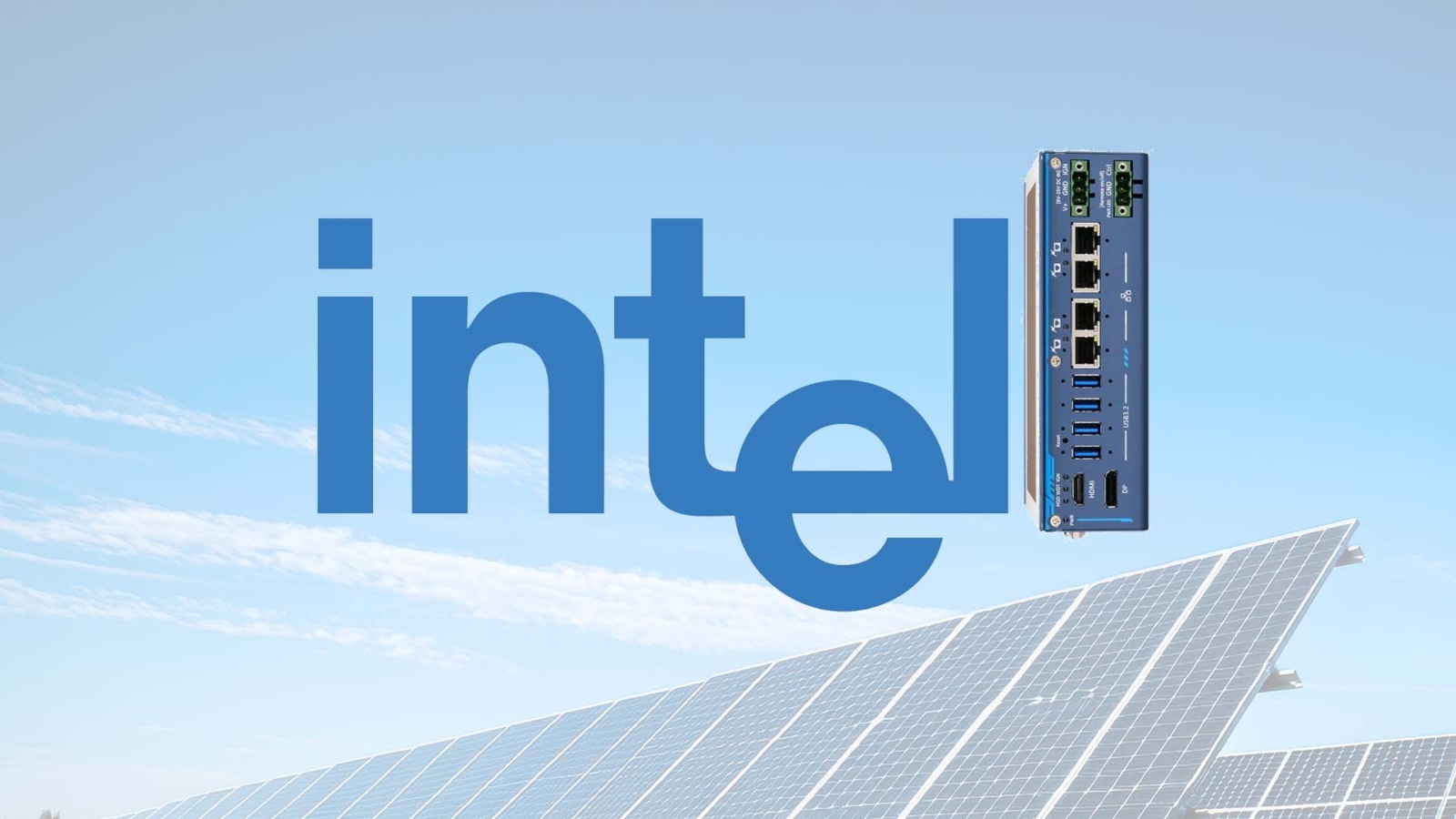
Intel Alder Lake-N for Compact Rugged Computers: N97, N100 and i3-N305 Compared
Alder Lake-N is Intel’s low-power, E-core-only processor family for compact fanless computers. Here are the N97, N100, N200 and i3-N305 compared, the limits to plan around, what has replaced them and how to choose one for a rugged system.
Alder Lake-N is Intel’s low-power branch of its 12th Gen Alder Lake processor family, built only from efficient cores (E-cores) and rated at 6 to 15 W, which makes it a common choice for small fanless computers. It covers the Intel Processor N50, N95, N97, N100 and N200, the eight-core Core i3-N300 and i3-N305, and the Atom x7000E parts for embedded designs. Intel launched it in early 2023 and it remains in wide use in industrial and edge systems, alongside the Twin Lake and Amston Lake parts that followed it.
In edge computing, where low power and steady performance matter more than peak speed, that power band is what lets a processor sit inside a sealed, fanless box. The wider Intel Alder Lake family introduced Intel’s hybrid design, pairing performance cores (P-cores) with E-cores; Alder Lake-N keeps only the E-cores and trims the memory and I/O to match.
Compact rugged computers are where this pays off. With no fan, there are fewer moving parts to fail, less dust drawn into the case and silent operation, so the heat a processor produces sets how small and how sealed the computer can be. This guide covers the Alder Lake-N processors side by side, how they differ from the hybrid Alder Lake-S and -P parts, what has replaced them, and how to choose one for a compact rugged system. Our wider range of Intel industrial PCs covers the higher-power options.
Key takeaways
- 01E-cores only
- Alder Lake-N has no P-cores and no Hyper-Threading: two, four or eight Gracemont E-cores, one thread each.
- 026 to 15 W
- Low power ratings let small fanless computers run it at full load across a wide temperature range.
- 03Single-channel memory
- One memory channel and a 16 GB ceiling are the main limits to plan around.
- 04N97, N100 and i3-N305 lead
- The N97 and N100 suit gateways and HMIs; the eight-core i3-N305 suits multi-service and multi-display work.
- 05Twin Lake and Amston Lake follow
- The N150, N250 and i3-N355 refresh it with small clock gains; Atom x7000RE adds extended-temperature parts.
Alder Lake-N processors compared
Every Alder Lake-N part uses the same building blocks: Gracemont E-cores made on the Intel 7 process, up to 6 MB of shared cache, Intel UHD Graphics and a single memory channel. The differences are core count, clock speed, graphics size and the power rating. The table gives Intel’s published figures for the parts most often found in industrial computers; check Intel’s specification pages for the exact part before you commit.
| Processor | Cores / threads | Max turbo | Graphics (EUs) | Power rating | Typical industrial use |
|---|---|---|---|---|---|
| Intel Processor N50 | 2 / 2 | 3.4 GHz | 16 | 6 W | Basic gateways and thin clients |
| Intel Processor N95 | 4 / 4 | 3.4 GHz | 16 | 15 W | Kiosks and controllers |
| Intel Processor N97 | 4 / 4 | 3.6 GHz | 24 | 12 W | Rugged gateways, HMIs, signage |
| Intel Processor N100 | 4 / 4 | 3.4 GHz | 24 | 6 W | Mini PCs and low-power controllers |
| Intel Processor N200 | 4 / 4 | 3.7 GHz | 32 | 6 W | Fanless systems that need more graphics |
| Intel Core i3-N300 | 8 / 8 | 3.8 GHz | 32 | 7 W | Eight cores in the lowest power band |
| Intel Core i3-N305 | 8 / 8 | 3.8 GHz | 32 | 15 W | Multi-service gateways and vision pre-processing |
| Intel Atom x7211E | 2 / 2 | 3.2 GHz | 16 | 6 W | Embedded controllers |
| Intel Atom x7213E | 2 / 2 | 3.2 GHz | 16 | 10 W | Embedded controllers |
| Intel Atom x7425E | 4 / 4 | 3.4 GHz | 24 | 12 W | Deterministic control with Intel TCC |
EUs are the graphics compute blocks Intel counts in its UHD Graphics; more EUs mean more headroom for video decode, multiple screens and light inference on the GPU. The Atom x7000E parts are the embedded members of the family, with features such as Intel Time Coordinated Computing (TCC) for deterministic timing and in-band ECC support on selected parts. The power rating is Intel’s processor base power, so a well-designed fanless heatsink is sized to it; our guide to TDP and processor base power explains how that figure relates to real heat.
What the Alder Lake-N family shares
Below the core counts, the rest of the chip is the same across the family, and it sets what a board or system built on it can offer.
| Feature | Alder Lake-N | What it means in a system |
|---|---|---|
| CPU cores | Gracemont E-cores, one thread each | Good multi-threaded throughput per watt; modest single-thread speed |
| Memory | Single channel DDR4-3200, DDR5-4800 or LPDDR5-4800, up to 16 GB | One SO-DIMM socket or soldered memory; bandwidth is the main ceiling |
| PCIe | Up to 9 PCIe 3.0 lanes | Enough for an NVMe SSD, two or three network controllers and an M.2 module |
| Graphics | Intel UHD Graphics, up to 32 EUs | Dual or triple 4K displays on most boards, with hardware video decode |
| Storage | PCIe NVMe, SATA, eMMC and UFS | eMMC and UFS suit soldered-down boot storage in small devices |
| Security | Intel PTT firmware TPM; discrete TPM 2.0 on many boards | Secure Boot and BitLocker on Windows 11 IoT Enterprise |
| AI acceleration | No NPU; OpenVINO runs on the CPU and GPU | Light inference such as a single detection model or anomaly checks |
Single-channel memory is the limit most often missed. An eight-core i3-N305 shares one memory channel between its cores and the graphics, so memory-heavy work scales less well than the core count suggests. For one or two services, an HMI or a gateway it is rarely a problem; for many containers or several camera streams, a dual-channel processor is the better fit. Our explainer on LPDDR5 vs DDR5 covers the soldered and socketed memory choices.
Does Alder Lake-N have P-cores?
No. Alder Lake-N is built only from E-cores, which is the biggest difference from the rest of the Alder Lake family. The E-cores are the same Gracemont design that sits beside the P-cores in a hybrid Core i5 or i9, arranged in clusters of four that share a block of L2 cache. Each E-core runs one thread, as there is no Hyper-Threading on E-cores, and Intel quotes several E-cores fitting in the silicon area of one P-core.
The trade is simple: lower single-thread speed than a P-core in return for much better performance per watt and a smaller, cheaper chip. In practice a quad-core N97 handles an HMI, a protocol gateway, a signage player or a data logger comfortably, while an eight-core i3-N305 copes with several services side by side. Our guide to P-core vs E-core explains the hybrid design and how the operating system schedules work across the two types.
Because every core is the same type, scheduling is simple: there is no need for Intel Thread Director to decide which kind of core a task belongs on, and older operating systems and real-time Linux setups behave predictably. That is one reason E-core-only processors are popular for control and gateway work.
Alder Lake-N compared with the S and P parts
Our first compact rugged computers on 12th Gen Intel used both ends of the family: Alder Lake-N for power-sensitive builds and 35 W Alder Lake-S for heavier processing. The comparison still holds for anyone choosing between a small E-core system and a hybrid Core processor.
| Alder Lake-N (N97, N100, i3-N305) | Alder Lake-P and -U (Core i3/i5/i7 mobile) | Alder Lake-S 35 W (Core i3 to i9 TE) | |
|---|---|---|---|
| Core types | E-cores only | P-cores and E-cores | P-cores and E-cores |
| Example | Core i3-N305: 8 cores, 8 threads | Core i5-1245UE: 10 cores, 12 threads | Core i9-12900TE: 16 cores (8P + 8E), 24 threads |
| Power rating | 6–15 W | 15–28 W (U and P) | 35 W, with turbo above it |
| Memory | Single channel, up to 16 GB | Dual channel, up to 64 GB | Dual channel, up to 64 GB on most boards |
| PCIe | Up to 9 lanes, PCIe 3.0 | PCIe 4.0 lanes for NVMe | PCIe 5.0 and 4.0 from the CPU, plus chipset lanes |
| Cooling | Small fanless heatsinks | Fanless in a larger enclosure | Fanless with a large heatsink, or fan-assisted |
| Suits | Gateways, HMIs, signage, compact controllers | Machine vision, multi-display HMIs, edge analytics | Simulation, heavy data processing, several VMs |
The i9-12900TE shows how far the 35 W parts reach: 16 cores and 24 threads in a power envelope that a well-designed fanless chassis can still handle, with a low base clock for efficiency and turbo for bursts. Albeit in a slightly larger enclosure, Alder Lake-S systems keep a small footprint with the right heatsink. Alder Lake-N, by contrast, fits palm-sized fanless boxes and runs comfortably at its rated power with no turbo throttling on a hot day.
N100 vs N97 vs N200 vs i3-N305: which to choose?
Four parts account for most Alder Lake-N industrial systems. They look similar on paper; the differences show up in graphics, sustained clocks and how much work runs in parallel.
| If the system needs to… | Choose | Why |
|---|---|---|
| Run one application at the lowest possible power | N100 | 6 W rating suits the smallest fanless boxes and battery or solar sites |
| Run an HMI, gateway or data logger reliably in a rugged box | N97 | Higher 12 W rating keeps clocks up under sustained load; widely used on embedded boards |
| Drive two or three 4K screens or decode several video streams | N200 or i3-N305 | 32 EUs give more graphics headroom than the 24-EU N97 and N100 |
| Run several containers, protocols or VMs at once | i3-N305 | Eight cores double the parallel throughput in the same family |
| Hold deterministic control timing | Atom x7425E | Intel TCC and embedded lifecycle support |
As a rough guide, the N100 and N97 trade places depending on the cooling: the N100 is rated lower, so in a very small enclosure it holds its clocks, while the N97’s higher rating gives more sustained performance where the heatsink can take it. The i3-N305 is the choice when the workload spreads across cores, such as an industrial IoT gateway running several protocol converters, a database and a VPN. For a direct comparison with the newer part, see our explainer on Intel N100 vs N150.
What replaced Alder Lake-N?
Intel has followed Alder Lake-N with three lines. None makes it obsolete overnight: boards built on it remain in production and many manufacturers keep Alder Lake-N builds alongside the newer parts, but new designs often start on the successors.
| Line | Launched | Example parts | What changed | Where it fits |
|---|---|---|---|---|
| Alder Lake-N | 2023 | N97, N100, N200, i3-N305; Atom x7211E, x7425E | The original E-core-only family | Established boards and systems |
| Twin Lake | 2025 | N150, N250, Core i3-N355 | Same design with higher clocks | Drop-in refresh for many N97 and N100 designs |
| Amston Lake | 2024 | Atom x7211RE, x7213RE, x7433RE, x7835RE | Extended-temperature ratings, in-band ECC, TCC | Rail, utilities and long-life embedded designs |
| Wildcat Lake | 2025–26 | Intel Core Series 3 low-power parts | P-cores and E-cores, Xe3 graphics and an NPU at around 15 W | Compact systems that need light AI |
Twin Lake is the closest successor: the Intel Processor N150 is essentially a faster N100, and the Core i3-N355 a faster i3-N305, so software and board designs carry over. Intel Amston Lake is the embedded line, with parts rated for extended temperature and features aimed at rail, energy and automation. Intel Wildcat Lake is a step up rather than a refresh, adding P-cores and an NPU in a similar power band. Our Intel Processor N range brings the N-series systems together, and our guide to CPU generations and embedded processors places all of them in Intel’s wider roadmap.
Why Alder Lake-N suits compact rugged computers
A compact rugged computer has to survive heat, cold, vibration and unstable power in a small sealed case, without a fan to fall back on. Alder Lake-N helps on each point.
| Requirement | How Alder Lake-N helps | What else the system needs |
|---|---|---|
| Fanless cooling | 6–15 W ratings dissipate through the case or a finned lid | Conduction-cooled memory and storage, a heatsink sized for the highest ambient |
| Wide temperature | Low heat leaves margin at high ambient; many wide temperature computers are rated −40 to 70 °C | Industrial-grade memory and storage rated for the same range |
| Shock and vibration | No fan, and soldered memory or eMMC on many boards | Locking connectors, SSDs rather than hard drives, mounting brackets |
| Vehicle and DC power | Low draw suits wide-range DC input from 9 V upwards | Ignition control, surge and reverse-polarity protection |
| Long service | Embedded parts on longer availability roadmaps | A fixed bill of materials and a stable OS image |
Removing the fan reduces dust and debris getting inside, cuts maintenance visits and removes the part most likely to fail in the field. With solid-state storage too, there are no moving parts at all, which matters in shock and vibration. Our guide to how a fanless PC works explains the thermal path, and the industrial temperature range sets out what −40 to 70 °C ratings mean.
For vehicles, a compact rugged computer can be equipped with wide-voltage input and ignition control, so it starts with the engine and shuts down cleanly when the key is turned off. That suits fleet tracking, route optimisation, driver monitoring, passenger information and fare collection, all light, continuous workloads that Alder Lake-N runs well within its power rating.
Limits to plan around
Alder Lake-N is a good fit for a lot of industrial work, but it has clear limits, and specifying around them early avoids a redesign later.
- Memory: one channel and 16 GB maximum. Heavy databases, many containers or large AI models need a dual-channel processor.
- PCIe: up to nine PCIe 3.0 lanes, so no full-length GPU slot and limited room for extra network or capture cards.
- AI: no NPU. One detection model on a camera stream is realistic with OpenVINO; several streams need an accelerator such as a Hailo-8 M.2 module, or a Core Ultra or NVIDIA Jetson system.
- Single-thread speed: fine for HMIs and gateways, but slower than a P-core for single-threaded engineering software or heavy web interfaces.
- Real-time: Intel TCC is on the Atom x7000E parts, not the N-series; for hard real-time control choose the Atom or an Amston Lake part.
When the workload goes beyond these, the usual step is to a hybrid Core or Core Ultra processor; our guide to Intel Core Ultra covers the options with an NPU built in.
Light AI and vision on Alder Lake-N
Alder Lake-N has no dedicated AI accelerator, but its Intel UHD Graphics can run inference through OpenVINO, Intel’s toolkit for deploying trained models on Intel CPUs, GPUs and NPUs. That makes it practical for light AI work such as image classification, a single object detection model or anomaly detection on sensor data, in industrial applications such as quality inspection, where image analysis can flag product defects, or in transport, where a camera can watch for obstacles.
“By offloading AI workloads to the GPU, the CPU can manage other processing needs. This capability is critical in resource-constrained environments, such as IIoT deployments and edge computing, where space and power are limited.” Andrew Whitehouse, Managing Director, Things Embedded.
For more than a stream or two, add an accelerator. An M.2 AI module adds dedicated inference throughput at a few watts, and our guide to Hailo-8 AI accelerators covers how that pairs with a low-power x86 host.
Where Alder Lake-N systems fit
Compact computer ranges where Alder Lake-N and its successors are common.

Rugged computers
Sealed computers for vehicles, cabinets and outdoor enclosures, many rated −40 to 70 °C.
View range
Fanless industrial computers
Passively cooled systems with no moving parts for factory and transport sites.
View range
DIN rail PCs
Compact computers that clip onto the rail inside a control cabinet.
View range
In-vehicle computers
Wide DC input and ignition control for buses, trucks and mobile machinery.
View range
Digital signage players
Dual and triple 4K output for menu boards, passenger information and kiosks.
View range
Industrial Mini-ITX motherboards
N97 and N150 boards for building into your own enclosure or machine.
View rangeAlder Lake-N and Twin Lake computers in our range
Compact fanless and rugged computers on the N97, i3-N305, Atom x7425E and the Twin Lake N150, with wide DC input and extended temperature options.
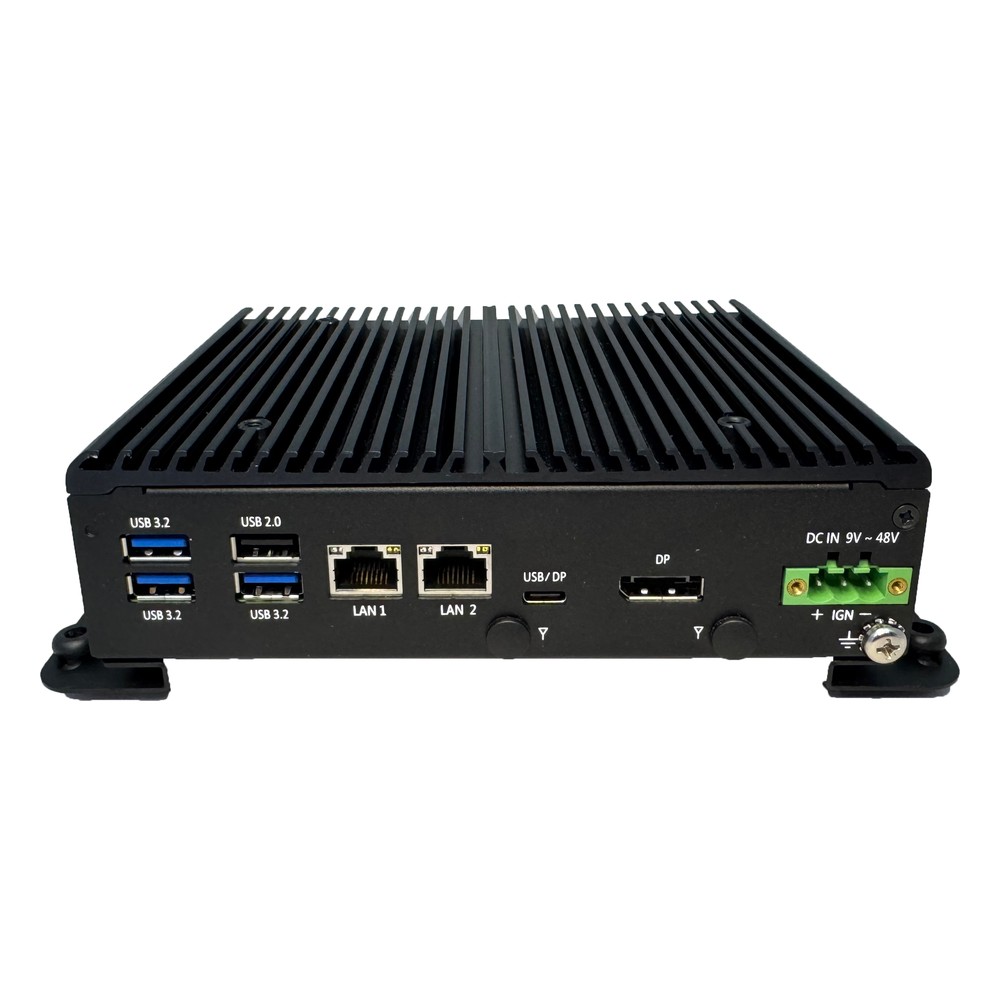
Intel Processor N97 Rugged Compact Computer with Dual 2.5GbE, Ignition Control and -40 to 70 °C
- CPU
- Intel Processor N97 (Alder Lake)
- Ethernet
- 2× 2.5GbE
- Temp
- −40 to +70 °C
Intel Core i3-N305 (Alder Lake-N) Rugged Compact Computer with Dual 2.5GbE and Extended Temperature
- CPU
- Intel Core i3-N305 (Alder Lake)
- Ethernet
- 2× 2.5GbE
- Temp
- −40 to +70 °C
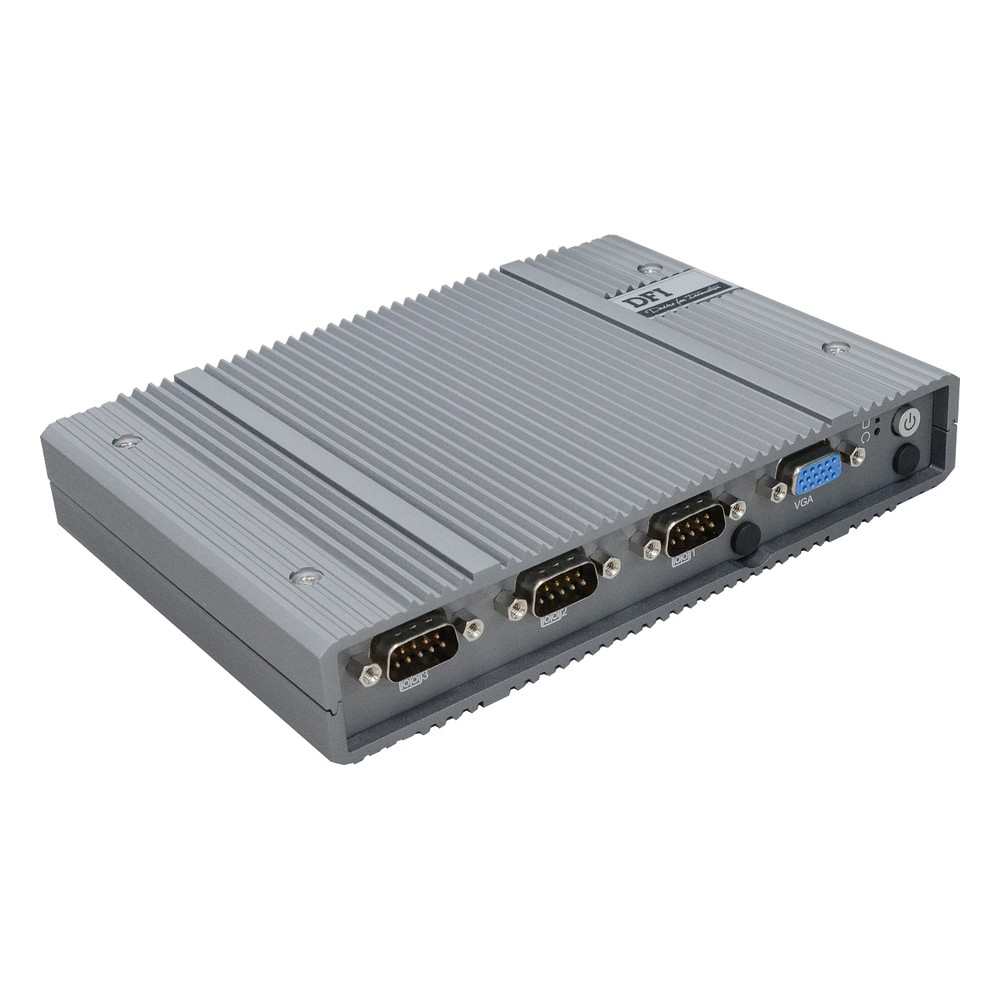
Intel Atom x7425E Fanless Embedded PC with 9-36V DC, 2x 2.5GbE and OOB
- CPU
- Intel Atom x7425E (Alder Lake)
- Ethernet
- 2× 2.5GbE, 1× GbE
- Temp
- −5 to +60 °C
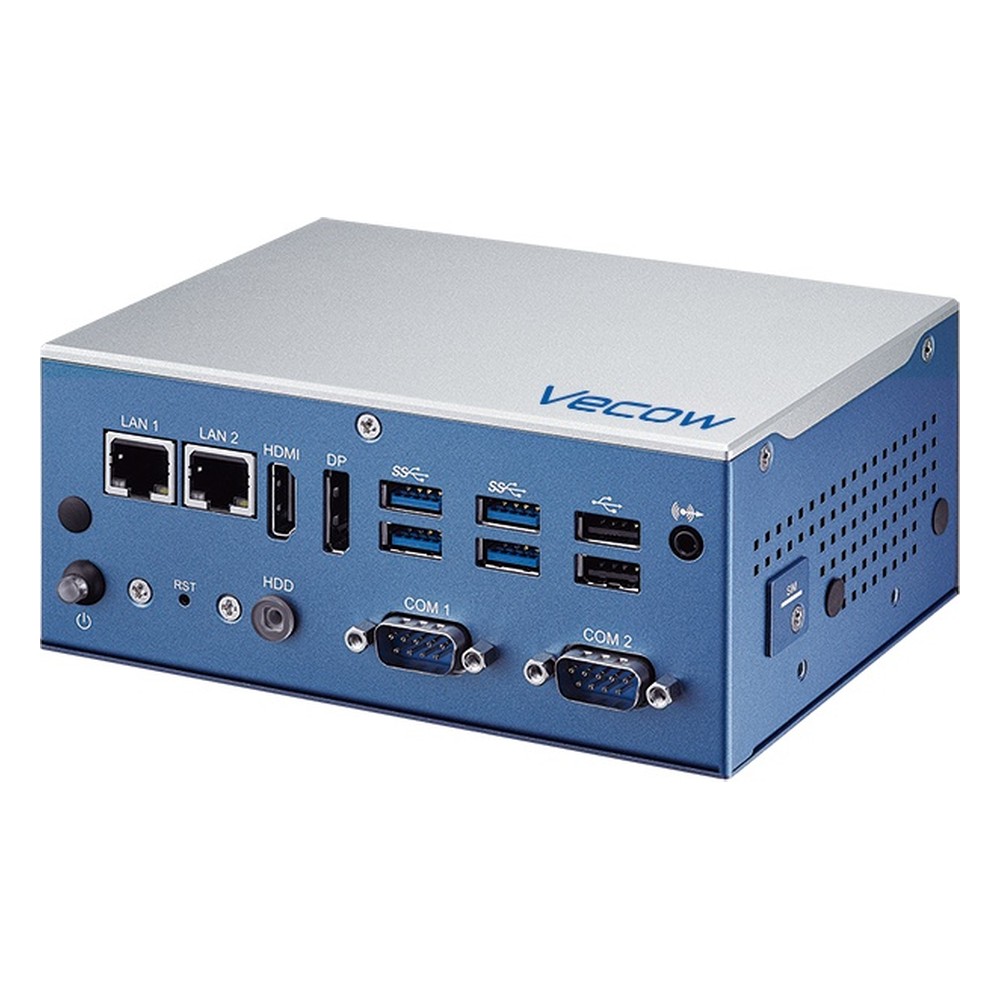
Intel Alder Lake-N N97 Fanless Embedded PC with IBECC, Redundant 12/19/24V DC Input and -25 to 65 °C
- CPU
- Intel Processor N97 (Alder Lake)
- Ethernet
- 1× 2.5GbE, 1× GbE
- Temp
- −25 to +65 °C
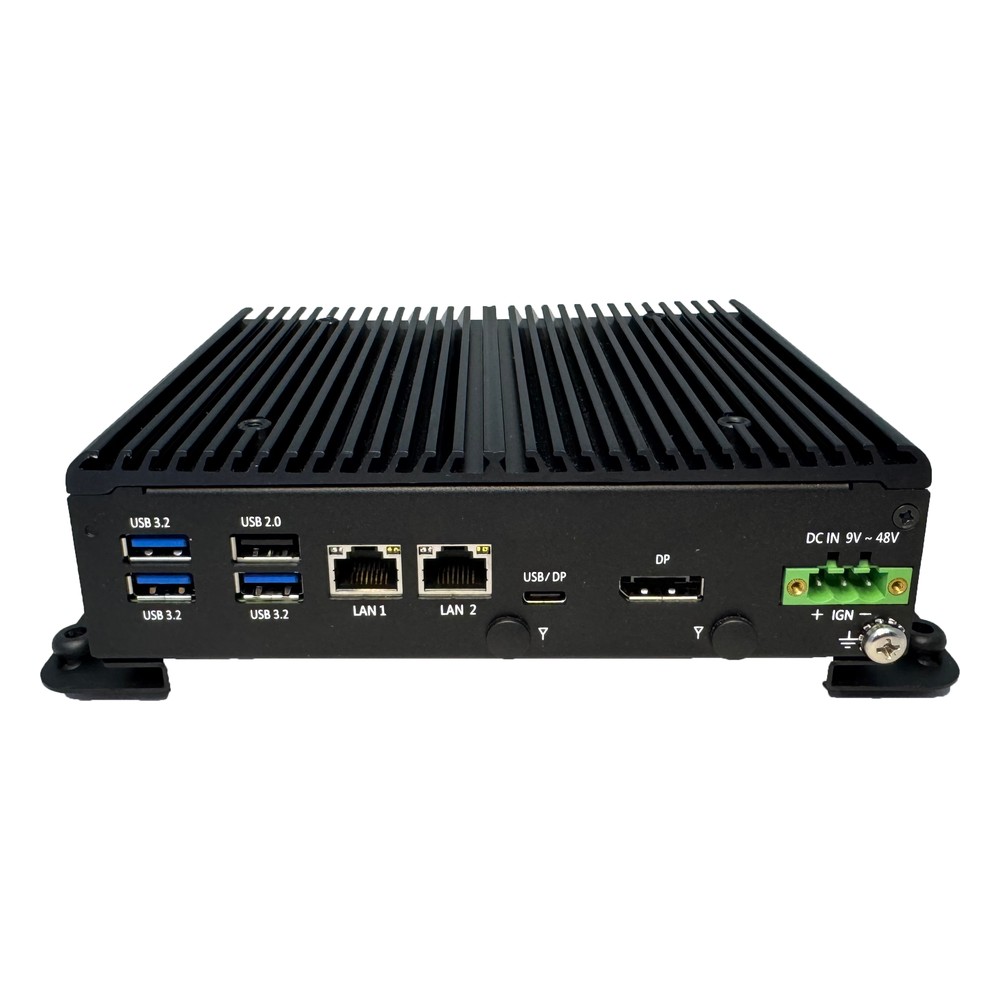
Intel Processor N150 (Twin Lake) Rugged SFF PC with Dual 2.5GbE, Isolated I/O and -40 to 70 °C
- CPU
- Intel Processor N150 (Twin Lake)
- Ethernet
- 2× 2.5GbE
- Temp
- −40 to +70 °C
Configured before it ships
We configure every Alder Lake-N system to the job before it leaves us. We fit memory and storage rated for the temperature range, set the BIOS power limits to the enclosure, enable the watchdog and auto power-on, then image Windows 11 IoT Enterprise or Linux with the drivers and your software and test the build under load. The choice of processor is part of that conversation: we will tell you when an N97 is enough and when the workload needs a Core or Core Ultra system instead.
Specifying an Alder Lake-N system
Seven questions that settle the processor and the build.
-
01
Workload
Is it one or two services, or many containers and VMs that need eight cores or a dual-channel processor?
-
02
Memory
Will 16 GB on a single channel cover the application, the OS and future updates?
-
03
Displays
How many screens and at what resolution: is a 24-EU part enough, or do you need 32 EUs?
-
04
AI
Is CPU and GPU inference with OpenVINO enough, or does the system need an M.2 accelerator?
-
05
Environment
What are the highest and lowest ambient temperatures, and is the enclosure sealed?
-
06
Power
Is the supply a wide-range DC rail or vehicle battery that needs ignition control?
-
07
Lifecycle
How long must the build stay unchanged: is an embedded Atom or Amston Lake part a better fit?
Alder Lake-N: common questions
Quick answers
What is Alder Lake-N?
Intel’s low-power, E-core-only branch of the 12th Gen Alder Lake family. It covers the N50 to N200, Core i3-N300 and i3-N305 and the Atom x7000E parts, rated at 6 to 15 W for compact and fanless systems.
Is the N100 an Alder Lake processor?
Yes. The N100 is a four-core Alder Lake-N processor rated at 6 W. Its successor, the N150, belongs to the Twin Lake refresh.
Does Alder Lake-N have P-cores?
No. Alder Lake-N uses only Gracemont E-cores, one thread per core, with no Hyper-Threading.
How does the N100 compare to the N200 and i3-N305?
All three share one design; the N200 adds graphics and clock speed, the i3-N305 doubles the cores. The N100 and N200 have four cores; the i3-N305 has eight and a 15 W rating for more sustained throughput.
Is Alder Lake-N good for industrial PCs?
Yes, for light and medium workloads. Its low power suits fanless, wide-temperature and vehicle systems; heavy multi-camera AI or memory-hungry software needs a larger processor.
What replaces Alder Lake-N?
Twin Lake, Amston Lake and Wildcat Lake. Twin Lake (N150, N250, i3-N355) is the direct refresh, Amston Lake (Atom x7000RE) the extended-temperature embedded line, and Wildcat Lake adds an NPU.
Alder Lake-N FAQs
-
Intel N100 vs N150: What Is the Difference?
The Intel N150 is a refresh of the N100. Both have four efficient cores, four threads, 6 MB of cache and a 6 W base power. The N100 is an Alder Lake-N processor with a 3.4 GHz maximum turbo; the N150, from the Twin Lake refresh, reaches 3.6 GHz and runs its integrated graphics at a higher clock.
-
What Are the Advantages of Fanless Computers?
Fanless computers cool themselves passively, through a finned heatsink chassis and heat pipes, instead of a fan. With no moving parts and no airflow drawing in dirt, they are more reliable in dusty or vibrating places, silent, low maintenance and easy to seal, which is why they are the standard choice for industrial and embedded use.
-
What Is the Industrial Temperature Range?
The industrial temperature range is −40 to 85 °C: the grade an electronic component must operate across to be called industrial, compared with 0 to 70 °C for commercial parts. Rugged computers built from industrial-grade components typically run from −25 or −40 °C up to 70 °C as a complete system.
-
What Is Ignition Control on a Vehicle Computer?
Ignition control lets a vehicle computer follow the ignition key: it starts when the engine starts, and when the ignition is switched off it waits for a set delay and then shuts down cleanly. That protects the data on the computer and stops it draining the vehicle battery while parked.
-
What Is OpenVINO?
OpenVINO is Intel’s open-source toolkit for optimising and running AI inference. It takes models trained in frameworks such as PyTorch, TensorFlow or ONNX, optimises them, and runs them efficiently on Intel hardware, including CPUs, integrated GPUs such as Iris Xe and Arc, discrete Arc GPUs and the NPUs in Core Ultra processors.
-
What Is Hyperthreading?
Hyperthreading is Intel’s name for simultaneous multithreading (SMT): each physical core runs two threads at once, so the operating system sees two logical processors per core. It fills idle time in the core and typically adds around 15 to 30% throughput on parallel work. It does not double performance.
-
What Is TPM 2.0, and Why Do Industrial PCs Need It?
A TPM, or Trusted Platform Module, is a security chip or processor function that stores encryption keys and records whether a computer started with untampered firmware. TPM 2.0 is the current version. Windows 11 requires it, and it underpins disk encryption, measured boot and device identity on industrial PCs.
Choosing an Alder Lake-N system?
Tell us the workload, the screens and the environment it will run in. We will recommend an Alder Lake-N, Twin Lake or larger Intel processor to suit, then configure, image and test the system before it ships.