
 UK
UK 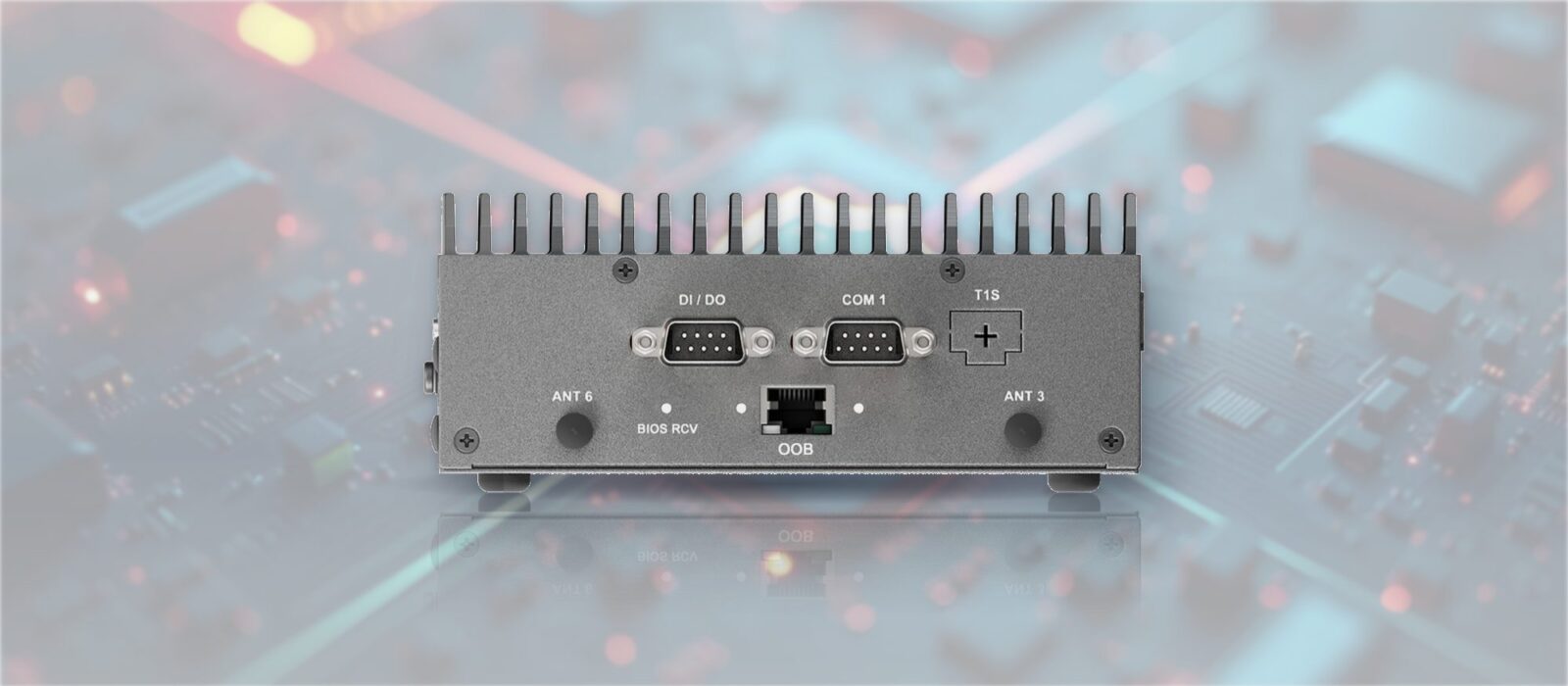
IEC 62443-4-2 Hardware Security Checklist for OT Edge Devices
What IEC 62443-4-2 asks of industrial components, how its foundational requirements and security levels work, how it relates to 4-1 and 3-3, and a checklist mapping Secure Boot, TPM 2.0, signed firmware, BIOS lock-down, logging and tamper detection to the requirements they support.
IEC 62443-4-2 is the part of the IEC 62443 series that sets the technical security requirements for individual industrial automation and control system (IACS) components: the PLCs, gateways, industrial PCs, HMIs, switches and software that a secure system is built from. Where the system-level parts of the series describe how a site is divided into zones and what each zone must achieve, 4-2 describes what each device has to be capable of.
That makes it the standard engineers reach for when a tender asks for “IEC 62443 compliant” hardware. It is also where the line between IT and OT security becomes practical: the same requirements apply to a fanless PC on a DIN rail, an IIoT gateway at the cabinet and the managed switch beside it, but each meets them with different hardware and firmware features.
This guide is the implementation view. It explains how 4-2 is organised, the seven foundational requirements and four security levels, and how it relates to IEC 62443-4-1 and 3-3. Then it maps each hardware and firmware control, from Secure Boot and TPM 2.0 to BIOS lock-down, logging and tamper detection, to the requirements it supports and what to look for on a datasheet. It closes with what “certified” really means and where the EU Cyber Resilience Act and UK rules fit. We are hardware specialists, not assessors, so treat it as a guide to specifying equipment, not as compliance advice.
Key takeaways
- 01Requirements for components, not sites
- IEC 62443-4-2 defines what a device or application must be able to do. Whether a site is secure depends on how those capabilities are used across zones and conduits.
- 02Seven foundational requirements
- Every component requirement sits under one of seven foundational requirements, from identification and authentication to resource availability.
- 03Four security levels
- SL1 to SL4 scale the protection from accidental misuse up to well-resourced, skilled attackers. Higher levels add requirement enhancements.
- 04Hardware does a lot of the work
- Secure Boot, TPM 2.0, signed firmware, BIOS lock-down, watchdogs and tamper detection map directly to specific requirements.
- 05Read the claim carefully
- A certificate names a model, a firmware version and a security level. “Designed to” and “supports” are not the same as certified.
What IEC 62443-4-2 covers
IEC 62443-4-2 was published in 2019 as “Technical security requirements for IACS components”, with the matching US edition published by ISA as ISA-62443-4-2-2018. It applies to the component, the thing a supplier builds and sells, and it is written for product suppliers, the integrators who select components and the asset owners who set requirements in a specification.
Four component types
The standard splits components into four types, because a requirement such as “protect the boot process” means something different on a switch than on a software package. Each type has its own prefix for requirements that apply only to it.
| Component type | What it is | Typical examples | Prefix |
|---|---|---|---|
| Software application | Software that runs on a host device and is supplied as a product in its own right | SCADA and HMI software, historians, gateway and protocol software | SAR |
| Embedded device | A special-purpose device running embedded software, usually with a fixed function | PLCs, safety controllers, remote I/O, gateways with locked firmware | EDR |
| Host device | A general-purpose device running an operating system that hosts applications | Industrial PCs, panel PCs, engineering workstations, edge servers | HDR |
| Network device | A device that moves or controls data between other devices | Managed switches, routers, firewalls, wireless access points | NDR |
An industrial PC running Windows or Linux is usually treated as a host device, while a gateway whose firmware the user cannot change may be assessed as an embedded device. The product supplier decides which type it is claiming, so check this on any certificate.
Component requirements and requirement enhancements
Most requirements are common component requirements, numbered CR 1.1, CR 1.2 and so on, which apply to every type. Where a type needs something different, the requirement is written as SAR, EDR, HDR or NDR with the same number, for example EDR 3.14 and HDR 3.14 for the integrity of the boot process. Each requirement can carry requirement enhancements, written RE(1), RE(2), which add strength or scope and are what separate one security level from the next.
Four common component security constraints (CCSC) apply across the standard. A component must not let security functions compromise its essential functions, such as control or safety; it may rely on compensating countermeasures in the system, provided they are documented; it should apply least privilege; and it should be developed under a secure development process to IEC 62443-4-1.
The seven foundational requirements
IEC 62443 groups every security requirement under seven foundational requirements (FRs). The same FRs organise the system requirements in 3-3 and the component requirements in 4-2, which is what lets a system integrator trace a zone’s target down to the devices in it.
| Foundational requirement | What it asks of a component | What it looks like on an edge device |
|---|---|---|
| FR1 Identification and authentication control | Identify and authenticate every human user, software process and device before granting access | Unique accounts, no shared default passwords, password rules, login lockout, device certificates |
| FR2 Use control | Enforce what each authenticated user or process may do, and record it | Roles and permissions, session lock, audit events, timestamps, control of diagnostic ports |
| FR3 System integrity | Protect software, firmware and data from unauthorised change | Secure Boot, signed firmware and updates, malware protection, tamper detection |
| FR4 Data confidentiality | Protect information in transit and at rest | TLS and SSH for management, encrypted storage, secure erase, approved cryptography |
| FR5 Restricted data flow | Support segmentation and limit unnecessary data flows | Separate network interfaces, VLANs, access control lists, zone boundary protection |
| FR6 Timely response to events | Make security events visible and accessible for monitoring | Accessible audit logs, syslog export, SNMP traps, health monitoring |
| FR7 Resource availability | Keep essential functions running under attack, overload or failure | DoS protection, backup and recovery, least functionality, watchdog, inventory |
FR1 and FR3 carry most of the hardware-related requirements, because identity, keys and boot integrity depend on what is built into the board and the firmware. FR5 is mostly a network device concern, and FR6 depends on the device being able to report events somewhere useful.
Security levels SL1 to SL4
Security levels describe how capable an attacker the protection is meant to resist. The definitions come from the standard; the hardware column is our illustration of what tends to change as the level rises, not a list of requirements.
| Level | Protects against | What typically changes in the hardware and firmware |
|---|---|---|
| SL1 | Casual or coincidental violation | Basic authentication and permissions so that settings are not changed by mistake |
| SL2 | Intentional violation using simple means, low resources, generic skills and low motivation | Per-user accounts, signed updates, audit logs, encrypted management protocols, unused services off |
| SL3 | Intentional violation using sophisticated means, moderate resources, IACS-specific skills and moderate motivation | Hardware-protected keys, multi-factor authentication for remote and privileged access, stronger boot and update integrity |
| SL4 | Intentional violation using sophisticated means, extended resources, IACS-specific skills and high motivation | The strongest enhancements, typically with hardware-backed identity throughout and tamper detection and response |
Capability, target and achieved
The series uses three related terms. The capability security level (SL-C) is what a component can deliver when configured as its supplier documents. The target security level (SL-T) is what the asset owner’s risk assessment says a zone needs, set under IEC 62443-3-2. The achieved security level (SL-A) is what the zone actually delivers in operation. A component rated SL-C 2 helps a zone reach SL-A 2 only if it is installed and configured as documented, and only alongside the other measures in that zone.
SL2 is a common baseline in industrial tenders, but it is not a default. The right level comes from the risk assessment for each zone, and different zones on the same site often need different levels.
How 4-2 relates to 4-1 and 3-3
IEC 62443 is a family of documents, each written for a different role. For hardware selection, three parts matter most, and they are easy to confuse because they share the same foundational requirements.
| Part | Written for | What it covers |
|---|---|---|
| IEC 62443-3-2 | Asset owners and integrators | Security risk assessment, dividing the system into zones and conduits, and setting each zone’s target security level |
| IEC 62443-3-3 | Integrators and asset owners | System security requirements (SRs) and security levels for a whole system or zone |
| IEC 62443-4-1 | Product suppliers | The secure product development lifecycle: eight practices from security management and secure design to testing, vulnerability handling and update management |
| IEC 62443-4-2 | Product suppliers, integrators | Technical security requirements (CRs) for each component, with security level capability |
| IEC 62443-2-4 | Service providers | Security requirements for integration and maintenance service providers |
The simplest way to hold them together: 3-3 says what a zone must achieve, 4-2 says what each component must be capable of so the zone can get there, and 4-1 says how the supplier must develop and maintain the product so those capabilities stay trustworthy. Each system requirement in 3-3 has a matching component requirement in 4-2, so SR 3.4 software and information integrity becomes CR 3.4 at the device. A 4-2 certificate normally assumes the product was developed under a 4-1 process, which is why the two are often assessed together.
The OT edge hardware security checklist
The table maps each hardware or firmware control to the IEC 62443-4-2 requirements it supports, as numbered in the 2019 edition, and to what you can check on a datasheet, in the BIOS or with the manufacturer. A control usually supports a requirement rather than meeting it outright: the requirement also covers documentation, configuration and how the feature behaves under test.
| Control | Requirements it supports | FR | What to check |
|---|---|---|---|
| Secure Boot | EDR/HDR 3.14 integrity of the boot process | FR3 | UEFI Secure Boot supported and enabled; enrolment of your own keys if you sign your own images |
| TPM 2.0 and measured boot | EDR/HDR 3.12 and 3.13 roots of trust; CR 1.5 authenticator management | FR1, FR3 | Discrete TPM 2.0, or firmware TPM (Intel PTT, AMD fTPM); measured boot support in the operating system |
| Signed firmware and updates | EDR/HDR/NDR 3.10 support for updates; CR 3.4 software and information integrity | FR3 | BIOS, BMC and device firmware signed by the manufacturer; unsigned images rejected; a published update policy |
| BIOS and UEFI lock-down | CR 1.1 user authentication; CR 2.1 authorisation enforcement; CR 7.6 configuration settings | FR1, FR2, FR7 | Supervisor password, locked boot order, boot from USB or network disabled, settings that can be saved and repeated |
| Unused ports and services off | CR 7.7 least functionality; EDR/HDR/NDR 2.13 physical diagnostic and test interfaces | FR2, FR7 | BIOS switches for USB, serial, wireless and PXE; services such as Telnet and HTTP can be disabled |
| Accounts and passwords | CR 1.1, 1.3, 1.4, 1.5, 1.7 and 1.11 | FR1 | No hard-coded or shared default credentials; password strength rules; lockout after failed logins |
| Roles and central authentication | CR 2.1 authorisation enforcement; CR 1.1 | FR1, FR2 | Separate administrator and operator roles; RADIUS, TACACS+ or directory login on network devices |
| Device identity and certificates | CR 1.2 device identification; CR 1.8 PKI certificates; CR 1.9 public key authentication | FR1 | Certificates and private keys held in the TPM; 802.1X port authentication |
| Encrypted storage and secure erase | CR 4.1 information confidentiality; CR 4.2 information persistence; CR 4.3 cryptography | FR4 | TPM-backed BitLocker or LUKS; self-encrypting drives; secure erase for decommissioning |
| Encrypted management | CR 3.1 communication integrity; CR 4.1; CR 4.3 | FR3, FR4 | HTTPS, SSH and SNMPv3 in place of HTTP, Telnet and SNMPv1 or v2c |
| Audit logging | CR 2.8 auditable events; CR 2.9 audit storage; CR 3.9 audit protection; CR 6.1 log accessibility | FR2, FR3, FR6 | Logs of logins, configuration changes and failures; syslog export; adequate log storage |
| Time synchronisation | CR 2.11 timestamps | FR2 | Battery-backed real-time clock; NTP client; IEEE 1588 PTP where precise sequence matters |
| Monitoring | CR 6.2 continuous monitoring | FR6 | SNMPv3 traps, syslog, BMC sensor alerts and health reporting |
| Segmentation support | CR 5.1 network segmentation; NDR 5.2 zone boundary protection | FR5 | Separate OT and IT interfaces; VLANs and access control lists on switches |
| BMC and out-of-band hardening | CR 1.1; CR 2.1; CR 3.1; CR 7.7 | FR1–FR3, FR7 | Dedicated management port; unique BMC credentials; encrypted remote management; can be disabled if not used |
| Watchdog, backup and recovery | CR 7.3 backup; CR 7.4 recovery and reconstitution | FR7 | Hardware watchdog timer; recovery image or dual BIOS; configuration backup and restore |
| Physical tamper and ports | EDR/HDR/NDR 3.11 physical tamper resistance and detection | FR3 | Chassis intrusion detection; lockable enclosure or cabinet; port blanking |
| Malware protection | SAR/EDR/HDR/NDR 3.2 protection from malicious code | FR3 | Application allow-listing and write filters in the operating system; read-only root file system on Linux |
| Component inventory | CR 7.8 component inventory | FR7 | Readable model, serial, BIOS and firmware versions; a software bill of materials where the manufacturer publishes one |
Read the right-hand column as questions for the supplier. A datasheet line such as “TPM 2.0” tells you the hardware is there; it does not tell you whether the BIOS can lock it to your configuration, whether firmware updates are signed or how long updates will be published. Those answers decide whether the feature helps you meet the requirement.
Boot, keys and firmware integrity
FR3 system integrity starts before the operating system loads. If an attacker can change the firmware or boot loader, every control above it can be bypassed, so most of the hardware-specific requirements in 4-2 sit here.
Secure Boot and measured boot
Secure Boot is a UEFI feature that only lets boot code signed with a trusted key run, which supports the boot integrity requirement EDR/HDR 3.14. Measured boot goes further: each stage records a hash of the next into the TPM, so the device can prove later what it booted. Secure Boot blocks unknown code; measured boot gives evidence for remote attestation and for releasing keys only when the boot chain is unchanged. For your own signed images, check that the BIOS lets you enrol your own keys rather than only the manufacturer’s defaults.
TPM 2.0, fTPM and Intel PTT
A Trusted Platform Module holds keys and certificates in hardware, so they cannot be copied off the disk, and stores the measurements from measured boot. It is the usual way to provide the hardware roots of trust in EDR/HDR 3.12 and 3.13 and to protect device credentials under FR1. A discrete TPM is a separate chip; a firmware TPM runs inside the processor, as Intel PTT or AMD fTPM. Both implement TPM 2.0. Discrete TPMs are often preferred where a specification asks for an independently certified security chip, but IEC 62443-4-2 is technology-neutral and does not name the TPM at all.
Signed firmware and updates
Requirement 3.10, support for updates, expects a component to accept updates and to check that they are authentic and unchanged. On an industrial PC that means signed BIOS and firmware images, with the update tool rejecting anything unsigned, and the same for the BMC, network controllers and any switch firmware. Ask the manufacturer how long it will publish BIOS and firmware updates, and how it tells customers about vulnerabilities, because 4-2 assumes the 4-1 process behind it.
BIOS and UEFI lock-down
A BIOS left open undoes the rest. Set a supervisor password, fix the boot order, disable booting from USB and the network unless they are needed, and turn off unused controllers. Save the settings as a profile so every build is the same, which also helps with CR 7.6 network and security configuration settings and makes an audit straightforward.
Accounts, ports and services
FR1 and FR2 are mostly about people and processes: who can log in, what they can change, and what is left switched on that nobody uses.
Account management and authentication
Every human user should have a named account, with no shared or hard-coded default passwords on the operating system, the BIOS, the BMC or the switch. CR 1.7 covers password strength, CR 1.11 limits unsuccessful login attempts, and CR 2.1 expects permissions to follow roles so an operator cannot change security settings. At SL3 and above, requirement enhancements add multi-factor authentication for some access, which usually means a central identity service rather than local accounts.
Least functionality
CR 7.7 least functionality is one of the easiest requirements to meet with hardware choices. Disable USB ports that are not needed, or restrict them to keyboards and approved storage; turn off unused serial, wireless and Bluetooth; and stop services such as Telnet, HTTP, unauthenticated discovery and older SNMP versions. Requirement 2.13 covers physical diagnostic and test interfaces such as JTAG and debug headers, which should be disabled or protected in production. A device that never needs a network connection at all may be better as an air-gapped computer.
Network devices
Switches are components in their own right, assessed against the NDR requirements. Many of the managed industrial switches in our range list 802.1X port authentication, RADIUS and TACACS+ central login, access control lists, IP source guard and ARP inspection, alongside VLANs for segmentation under FR5. Our guide to managed vs unmanaged industrial switches covers why an unmanaged switch cannot meet most of these requirements. Switch off discovery protocols such as LLDP on ports that face untrusted equipment.
Logging, time, recovery and physical security
The remaining controls make a device visible, recoverable and hard to tamper with. They matter most on equipment in remote or unattended cabinets.
Audit logging and time synchronisation
CR 2.8 asks for auditable events such as logins, configuration changes and failures, and CR 6.1 for those logs to be readable by monitoring systems, which in practice means syslog export to a central collector. Logs are only useful if the clocks agree: CR 2.11 asks for timestamps, so specify a battery-backed real-time clock and an NTP source, or IEEE 1588 PTP where the sequence of events across machines matters.
BMC and out-of-band management
A baseboard management controller or Intel AMT on a vPro processor gives out-of-band management: power control, console access and sensor data even when the operating system has stopped. That is valuable at a remote site and a risk if left with default credentials. Put it on its own management network, give it unique accounts, use encrypted protocols and update its firmware with the BIOS. If it will not be used, disable it, which is what CR 7.7 expects.
Encrypted storage and secure erase
An edge computer in an unlocked cabinet can be removed and its drive read elsewhere. Full-disk encryption with the key sealed in the TPM, such as BitLocker on Windows or LUKS on Linux, supports CR 4.1 information confidentiality. CR 4.2 information persistence covers what happens at the end of life: plan a secure erase or a cryptographic erase before a device is returned, repaired or scrapped.
Watchdog, backup and recovery
FR7 resource availability covers keeping essential functions running. A hardware watchdog timer restarts a device whose software has hung, and backup and recovery under CR 7.3 and CR 7.4 mean a known-good image and configuration can be restored quickly. Store recovery images where they cannot be changed by the running system.
Physical tamper and ports
Requirement 3.11 covers physical tamper resistance and detection. On industrial PCs this usually means chassis intrusion detection, which records or alerts when the case is opened, together with a lockable cabinet and blanked or disabled external ports. Higher security levels expect the device to respond, for example by alerting or refusing to release keys, not only to record the event.
How we harden an OT edge computer before it ships
Hardening is part of every build we supply, not an extra. Most of the work is agreeing the settings in the first step.
-
Scope
Zone and levelWe record the component type, the zone the computer will sit in, its target security level and any requirements your integrator or asset owner has set.
-
Firmware
BIOS lock-downWe update the BIOS to the agreed version, set a supervisor password, fix the boot order and switch off unused ports, boot devices and radios.
-
Trust
TPM and Secure BootWe enable the TPM and Secure Boot, and enrol your own Secure Boot keys where you sign your own images and supply the keys.
-
Image
Operating systemWe load the Windows IoT Enterprise or Linux image with disk encryption, lockdown features, logging and time settings as specified.
-
Verify
Test and recordWe test the build, check the settings against the agreed list and record BIOS, firmware and image versions for your asset inventory.
Operating system hardening
The hardware controls above give the operating system something to build on. On Windows, Windows IoT Enterprise LTSC adds lockdown features such as write filters and application control that support protection from malicious code under requirement 3.2, and our guide to Windows 11 IoT Enterprise covers its TPM 2.0 and Secure Boot requirements. On Linux, a minimal embedded Linux image with a read-only root file system and signed updates reduces what can be changed at all. Either way, the image should match the configuration a certificate or test report was based on, or you lose the link between the document and the device.
Protocols need the same care. Our comparison of OPC UA and MQTT covers certificate management, broker access rules and IEC 62443 zones and conduits for the data that edge gateways carry.
Certified, compliant or designed to: what the claims mean
Supplier claims about IEC 62443-4-2 range from an independent certificate to a single line on a datasheet. They are not equivalent, and specifications often fail to say which one they require.
| Claim | What it usually means | What to ask for |
|---|---|---|
| Certified to IEC 62443-4-2 SL2 | An accredited certification body has assessed a specific product against 4-2 at that capability level, often together with the supplier’s 4-1 process | The certificate: model, hardware revision, firmware or software version, component type, security level and the certification body |
| Compliant with IEC 62443-4-2 | The supplier states the product meets the requirements, with or without third-party testing | The test report or self-assessment, and which requirements and level it covers |
| Designed to IEC 62443-4-2 | The product was developed with the requirements in mind; no assessment is implied | Which requirements are supported and where the evidence is |
| Supports IEC 62443 | Some features help with some requirements | A requirement-by-requirement list, as in the checklist above |
Certification schemes include ISASecure, run by the ISA Security Compliance Institute, whose component scheme assesses products against 4-2 and their development against 4-1, and the IECEE scheme, under which certification bodies issue IEC 62443 certificates. A certificate applies to the configuration that was assessed. Change the firmware, the operating system image or the security settings and the device may no longer match it, which is one reason to keep build records.
We do not certify products or issue compliance statements. Where a manufacturer holds a certificate for a model we supply, the manufacturer’s certificate is the evidence; where it does not, we can tell you which security features the hardware has, as listed by the manufacturer, and configure them. Selecting hardware with the right features supports a project’s IEC 62443 work, but whether a system meets its target security level depends on the whole design and how it is operated.
IEC 62443-4-2, the Cyber Resilience Act and UK rules
IEC 62443 is a voluntary standard, but regulation is starting to point at the same requirements. The summary below is for orientation only; we are hardware experts, not lawyers, and the legal position for your product depends on what it is and where it is sold.
What the EU Cyber Resilience Act asks for
The Cyber Resilience Act, Regulation (EU) 2024/2847, sets cyber security requirements for products with digital elements sold in the EU, including much industrial hardware and software. It entered into force on 10 December 2024. Manufacturers’ obligations to report actively exploited vulnerabilities and severe incidents apply from 11 September 2026, and most other obligations from 11 December 2027. Its essential requirements, such as secure-by-default configuration, protection against unauthorised access, integrity of software and data, and security updates for a defined support period, overlap heavily with the foundational requirements in 4-2. Harmonised European standards for the Act are still being developed, and the IEC 62443 series is widely expected to inform those for industrial products. Until they are published, treat 4-2 as useful preparation rather than a guarantee of conformity.
UK position
The UK does not apply the Cyber Resilience Act, although UK manufacturers selling into the EU must meet it. The Product Security and Telecommunications Infrastructure regime, in force since April 2024, is aimed at consumer connectable products and bans universal default passwords, among other things; most industrial equipment falls outside it, but its rules are a sensible baseline. Operators of essential services under the NIS Regulations are assessed against the NCSC Cyber Assessment Framework, which looks at outcomes for the whole organisation, and a Cyber Security and Resilience Bill introduced in 2025 proposes to widen that regime. In both cases component requirements such as those in 4-2 are one input among many.
Hardware for a secured OT edge
Each layer of an OT edge network has a hardware category of its own, and each carries the controls in the checklist in a different way.

Industrial IoT gateways
Fanless gateways that read controllers and publish data, many with TPM 2.0 to hold certificates in hardware.
View range
DIN rail PCs
Computers for the control cabinet, with options for watchdogs, intrusion detection and dedicated management ports.
View range
Fanless PCs
Sealed fanless computers for line-side and remote installs, with BIOS lock-down and TPM options on most models.
View range
Managed industrial switches
802.1X, RADIUS, TACACS+, VLANs and access control lists for segmenting control and supervisory networks.
View range
Rack mount servers
Edge servers for site-level services, several with a BMC for out-of-band management.
View rangeReading a datasheet against the checklist
The four products below show how the checklist reads against real datasheets. None is listed as IEC 62443-4-2 certified in our catalogue; each carries features from the checklist, taken from the manufacturer’s specification.
| Product | Security features listed | Where it fits |
|---|---|---|
| ASRock Industrial iEP-7050E-025 | Dedicated Gigabit port for out-of-band management, TPM 2.0, watchdog timer, chassis intrusion detection, Intel In-Band Manageability | Remote cabinets where a separate management network and tamper alerts matter |
| DFI EC910-8MM-4GB-WT-TPM | TPM 2.0 and Arm TrustZone on an NXP i.MX 8M Mini, Yocto Linux, two GbE and four serial ports, −40 to 70 °C | An Arm DIN rail gateway that keeps its keys and certificates in hardware |
| Vecow ECX-3000-2R | TPM 2.0 and secure boot, vPro with Intel AMT on the I219LM port, two front-access drive trays with RAID 0 or 1 | Line-side computers that need remote management, where removable drives call for encryption |
| Antaira LMX-0802-M | 802.1X, RADIUS, TACACS+, ACLs, IP source guard, ARP inspection, VLANs, USB configuration backup | A cabinet switch that enforces port authentication and segmentation over fibre |
Our wider ranges of industrial IoT gateways, DIN rail PCs and managed industrial switches cover more combinations. We configure every computer with the BIOS settings, TPM, Secure Boot and operating system image you specify, then test it before it ships.
Edge hardware with checklist features
Four starting points from the table above: a DIN rail PC with out-of-band management and intrusion detection, a TPM-secured Arm gateway, a vPro industrial PC and a managed switch with 802.1X.
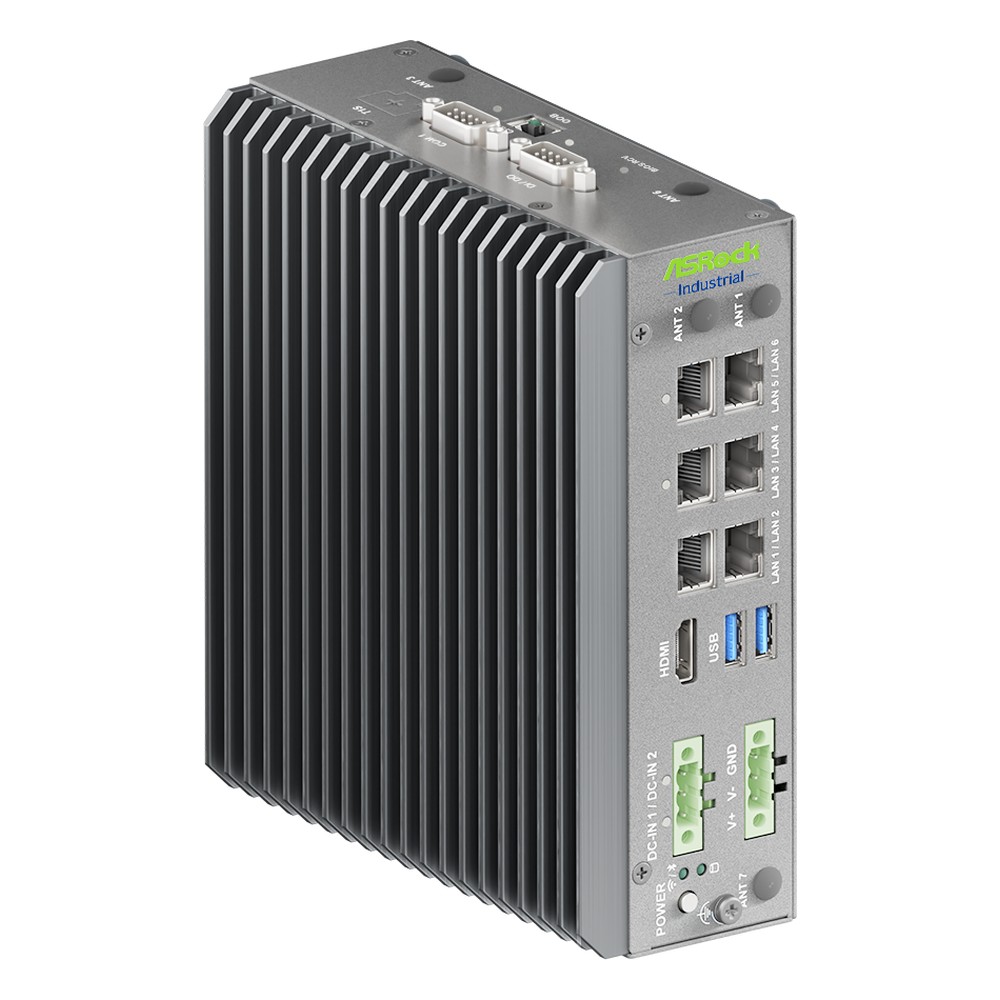
Intel Panther Lake Core Ultra X7 358H Fanless DIN-Rail PC with Out-of-Band Management
- AI
- 50 TOPS
- CPU
- Intel Core Ultra 3 (Panther Lake)
- Ethernet
- 3× 2.5GbE, 4× GbE
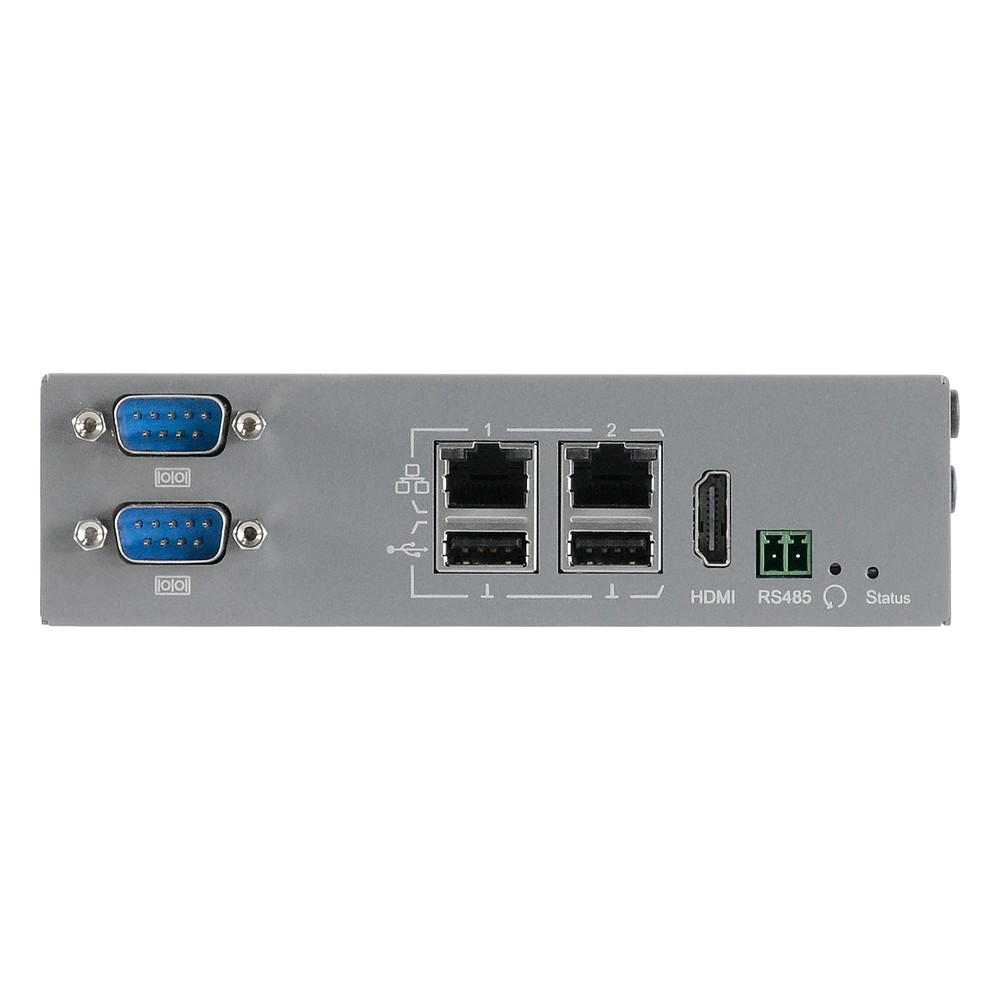
NXP i.MX 8M Mini DIN Rail PC with 4x COM, 4GB, TPM and Extended Temperature
- CPU
- NXP i.MX 8M Mini
- Ethernet
- 2× GbE
- Temp
- −40 to +70 °C
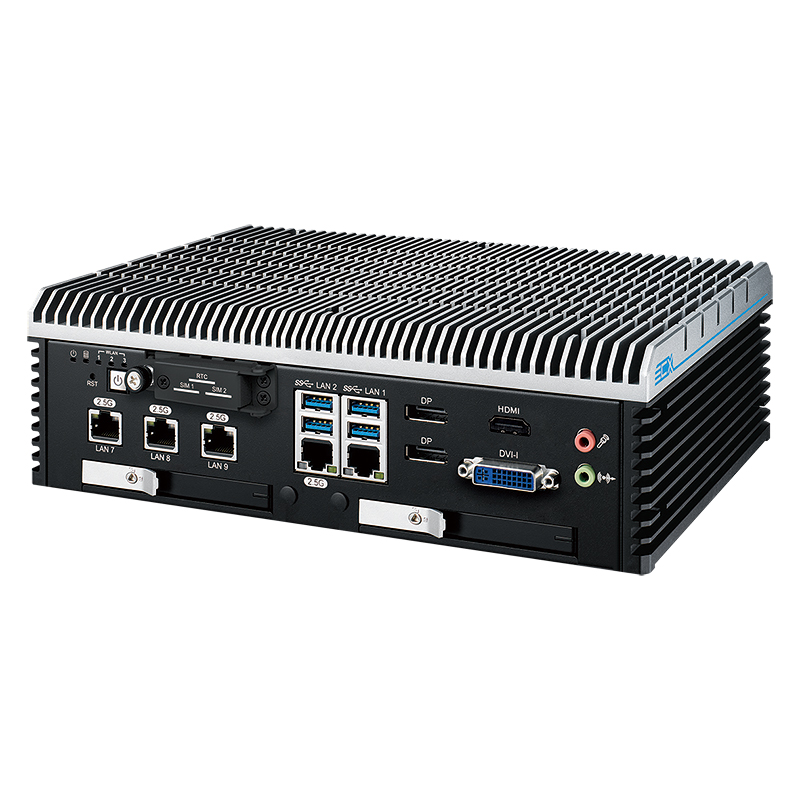
12th Gen Intel Core i9-12900E Fanless Industrial PC with Dual LAN and Removable SSD
- CPU
- Intel Core 12th Gen (Alder Lake)
- Ethernet
- 1× 2.5GbE, 1× GbE
- Temp
- −40 to +75 °C
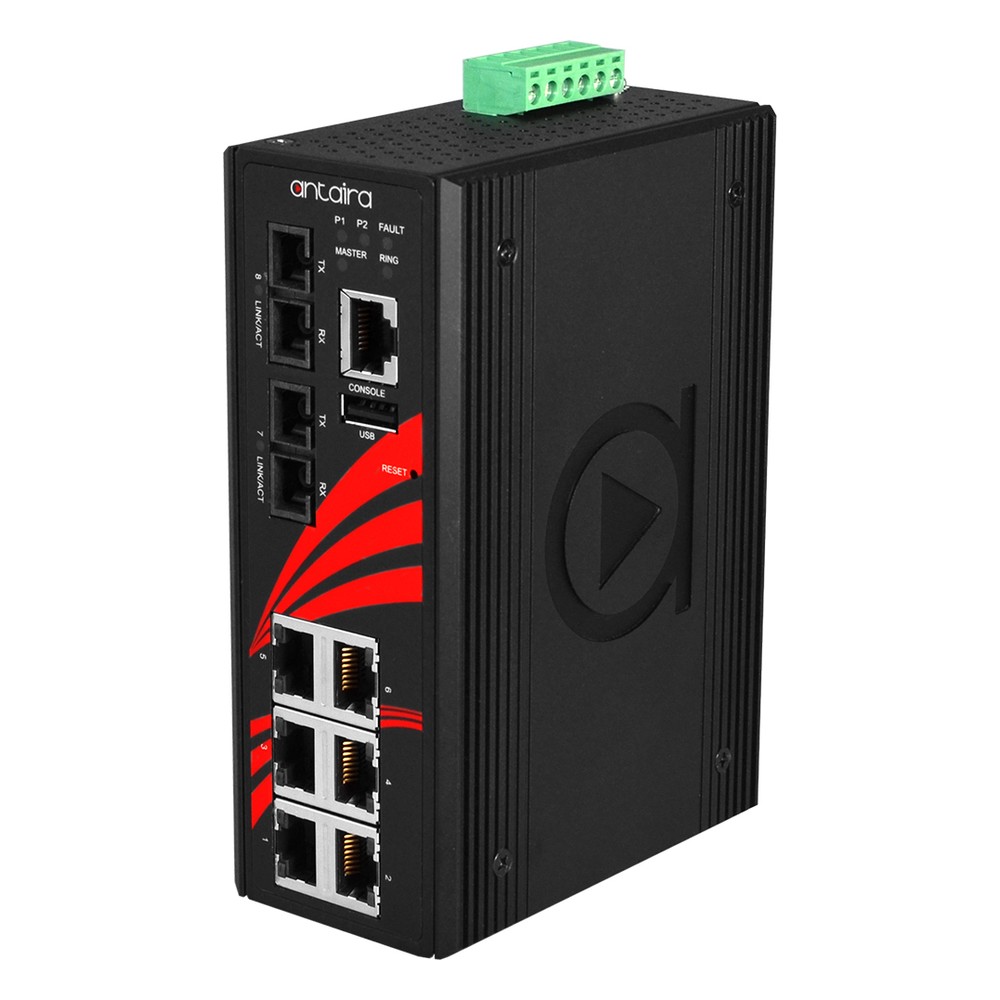
8-Port Fast Ethernet Managed Industrial Ethernet Switch with 2x 100FX SC Multi-mode Fibre
- IP Rating
- IP30
- Temp
- −10 to +65 °C
- Power
- 12–48 V DC, Terminal Block
Before you specify an OT edge device
Eight checks that turn “IEC 62443 compliant” in a tender into something a supplier can answer.
-
01
Component type and level
Decide whether the device is an embedded device, host device or network device, and the target security level of the zone it will join.
-
02
Evidence
Ask whether the claim is a certificate, a test report or “designed to”, and which model, firmware version and security level it covers.
-
03
Boot chain
Check for Secure Boot with your own keys, TPM 2.0 (discrete or firmware) and signed BIOS and firmware updates.
-
04
Lock-down
Plan the BIOS password, boot order, unused ports and services, and a saved settings profile for repeat builds.
-
05
Identity and access
Require unique credentials per device, separate roles and central authentication on switches and BMCs.
-
06
Data protection
Specify disk encryption, encrypted management protocols and a secure erase plan for the end of life.
-
07
Logs and time
Agree the syslog destination, the NTP or PTP source and how the device will be monitored.
-
08
Lifecycle
Confirm how long updates will be published, how vulnerabilities are disclosed and how versions will be recorded.
IEC 62443-4-2: common questions
Quick answers
What is IEC 62443-4-2?
The component standard of the IEC 62443 series. It sets technical security requirements for industrial automation and control system components (software applications, embedded devices, host devices and network devices) under seven foundational requirements and four security levels.
What is the difference between IEC 62443-4-1 and 4-2?
Process versus product. IEC 62443-4-1 covers how a supplier develops and maintains a product securely. IEC 62443-4-2 covers the security capabilities the product itself must have. Certification schemes often assess both.
What is the difference between IEC 62443-3-3 and 4-2?
System versus component. IEC 62443-3-3 sets requirements for a whole system or zone. IEC 62443-4-2 sets matching requirements for each component, so a system integrator can trace a zone’s target down to its devices.
Does IEC 62443-4-2 require a TPM?
Not by name. The standard is technology-neutral. A TPM 2.0 is a common way to provide the hardware roots of trust and key protection it asks for, particularly at higher security levels, but other designs can meet the same requirements.
Which security level does my equipment need?
It depends on the zone. The target level comes from the risk assessment under IEC 62443-3-2. SL2 is a common baseline in industrial tenders, and zones that face skilled, targeted attackers may need SL3 or above.
Can an industrial PC be certified to IEC 62443-4-2?
Yes, for a specific configuration. Some manufacturers certify specific models with specific firmware and operating system versions. Changing the image or the security settings may take the device outside the certified configuration.
Does a certified component make my system compliant?
No. Certified components support a compliant system, but the system also needs zones and conduits, correct configuration, operating procedures and maintenance. Compliance is assessed for the system, not inherited from its parts.
Does IEC 62443-4-2 help with the Cyber Resilience Act?
Probably, but it is not a guarantee. Its requirements overlap with the Act’s essential requirements, and the series is expected to inform harmonised standards for industrial products. Conformity depends on the final standards and the whole product.
OT security FAQs
-
What Is IEC 62443?
IEC 62443 is the international series of standards for the cybersecurity of industrial automation and control systems. Developed by ISA and the IEC, it sets requirements for asset owners, system integrators and product suppliers, and defines zones and conduits, seven foundational requirements and four security levels.
-
What Is OT Security?
OT security is the protection of the operational technology that monitors and controls physical processes: PLCs, SCADA, HMIs, industrial PCs and the networks that join them. Safety and availability come first, so controls are chosen to keep the process running, guided by standards such as IEC 62443 and NIST SP 800-82.
-
What Is the Purdue Model?
The Purdue model is a reference architecture that divides an industrial network into levels, from sensors and actuators at Level 0 up to business IT and the internet at Levels 4 and 5, with an industrial DMZ between them. It is widely used to plan network segmentation for industrial control systems.
-
What Is TPM 2.0, and Why Do Industrial PCs Need It?
A TPM, or Trusted Platform Module, is a security chip or processor function that stores encryption keys and records whether a computer started with untampered firmware. TPM 2.0 is the current version. Windows 11 requires it, and it underpins disk encryption, measured boot and device identity on industrial PCs.
-
What Is Secure Boot?
Secure Boot is a UEFI firmware feature that lets a computer start only bootloaders, drivers and operating systems signed with a trusted key. It blocks bootkits and tampered boot files before the operating system loads. Windows 11 requires a Secure Boot capable system, and major Linux distributions also support it.
-
What Is Intel Platform Trust Technology (PTT)?
Intel Platform Trust Technology (PTT) is Intel’s firmware TPM. It provides TPM 2.0 functions from firmware running in the processor’s security engine instead of a separate chip, so Windows 11, BitLocker and measured boot work without a discrete TPM. AMD’s equivalent is fTPM.
-
What Is a Baseboard Management Controller (BMC)?
A baseboard management controller (BMC) is a small, separate processor on a server or industrial motherboard that runs independently of the main CPU and operating system. Through its own network connection it lets administrators power-cycle, monitor, update and reinstall a computer remotely, even when the system has crashed or is switched off.
Specifying hardware for an IEC 62443 project?
Tell us the component type, the security level your zone needs, the operating system and where the device will be installed. We will recommend hardware with the right security features, then configure the BIOS, TPM, Secure Boot and image and test it before it ships.