
 UK
UK 
Layer 2 vs Layer 3 Switches: What’s the Difference and When You Need Layer 3
A Layer 2 switch forwards frames by MAC address within one network; a Layer 3 switch can also route IP between networks. The distinction decides whether a switch can move traffic between subnets on its own, or whether it needs a router to do it.
A Layer 3 switch is an Ethernet switch that can also route IP packets between VLANs and subnets, in hardware and at close to the full speed of its ports. It combines the MAC-address forwarding of a Layer 2 switch with the IP routing of a router, which lets one device both connect the devices in each network segment and move traffic between those segments.
The names come from the OSI model, the layers at which a switch makes its forwarding decisions. A Layer 2 switch works at the data link layer and forwards Ethernet frames by MAC address. A Layer 3 switch adds the network layer and can forward by IP address as well. In practice the question is simple: can the switch move traffic between separate subnets on its own, or does it need a router to do that?
This guide sets out what each kind of switch does, with a master comparison against a router, a short explainer on the layers, a worked inter-VLAN routing example, static and dynamic routing, gateway redundancy with VRRP, the difference between Layer 2+, light Layer 3 and full Layer 3, and when an industrial network needs Layer 3 at the edge. It ends with examples from our range and a checklist for specifying one.
Key takeaways
- 01Layer 2 switches by MAC address
- A Layer 2 switch learns which device sits on which port and forwards frames within one network or VLAN.
- 02Layer 3 routes between subnets
- A Layer 3 switch adds IP routing between VLANs and subnets, in hardware, so local traffic does not have to leave the site.
- 03VLANs do not need Layer 3
- Separating traffic into VLANs is a Layer 2 feature; routing between those VLANs is what needs Layer 3 or a router.
- 04Not every Layer 3 is equal
- Layer 2+ and light Layer 3 switches offer static routes only; full Layer 3 adds OSPF, RIP and VRRP.
- 05A router still guards the boundary
- Layer 3 switches route inside a site; WAN links, VPNs and most firewalling stay with a router.
Layer 2 switch vs Layer 3 switch vs router
The table is the quick reference. Real products blur the edges, so read it as typical behaviour and check the datasheet of the model you are considering.
| Feature | Layer 2 switch | Layer 2+ or light Layer 3 switch | Layer 3 switch | Router |
|---|---|---|---|---|
| OSI layer | Data link (Layer 2) | Layer 2 with some Layer 3 | Network (Layer 3) and data link | Network (Layer 3) and above |
| Forwards by | MAC address | MAC address; IP for static routes | MAC and IP address | IP address |
| VLANs (IEEE 802.1Q) | Yes, on managed models | Yes | Yes | Yes, often on sub-interfaces |
| Routes between VLANs and subnets | No, needs a router | Yes, by static routes | Yes | Yes |
| Static routes | No | Yes | Yes | Yes |
| Dynamic routing (OSPF, RIP) | No | No | Yes, on most models | Yes, plus BGP on many |
| Gateway redundancy (VRRP) | No | Rarely | Often | Yes |
| NAT | No | Some industrial models | Some industrial models | Yes |
| VPN and firewall | No | No | Access control lists only, on most models | Yes |
| WAN and cellular interfaces | No | No | Rarely | Yes |
| Forwarding | Hardware, wire speed | Hardware | Hardware, close to wire speed | Software or hardware, depending on the model |
| Port density | High | High | High | Low |
| Typical industrial role | Machine, cell and cabinet switching | Small segmented networks | Aggregation, plant backbone, vehicle core | Site boundary and WAN |
For the managed side of the picture, our guide to managed vs unmanaged switches covers VLANs, QoS and redundancy, and our FAQ on Layer 3 switch vs router gives the short answer to the most common question.
What do the layers mean?
The OSI model splits networking into seven layers. Switches and routers work in the bottom three, and each layer has its own kind of address.
| Layer | Name | Data carried | Address | Typical device |
|---|---|---|---|---|
| 1 | Physical | Bits on the cable or fibre | None | Cable, transceiver, media converter, hub |
| 2 | Data link | Ethernet frame | 48-bit MAC address | Layer 2 switch |
| 3 | Network | IP packet | IPv4 or IPv6 address | Router or Layer 3 switch |
A MAC address is burned into each network interface and is 48 bits long, which allows about 281 trillion addresses. It only means something within one network. An IP address is assigned and is hierarchical, so a router can tell from the address alone which network a packet belongs to. When a device wants to reach an IP address on its own subnet, it uses ARP to ask which MAC address owns it; when the address is on another subnet, it sends the frame to its default gateway, which is where a router or Layer 3 switch comes in. Our FAQ on packet switching covers the wider idea.
What is a Layer 2 switch?
A Layer 2 switch learns which device sits on which port by reading source MAC addresses, builds a forwarding table, and sends each frame only to the port it needs to reach. It supports VLANs (IEEE 802.1Q), which split one physical switch into several separate broadcast domains. Everything it does stays within a network: traffic that needs to cross from one VLAN or subnet to another has to be handed to a router. Layer 2 switching is fast, low-latency and the backbone of every LAN, and most ports in most networks are Layer 2 ports.
Layer 2 switches come in three broad kinds.
- Unmanaged. Plug-and-play switches with no settings: every port is in one network, with no VLANs, monitoring or loop protection.
- Managed Layer 2. Adds the features that make a segmented network work: VLANs, quality of service, IGMP snooping for multicast video and industrial protocols, spanning tree or ring protection against loops, link aggregation, port security and SNMP monitoring.
- Layer 2+. A managed Layer 2 switch with a little routing added, usually static routes between VLANs and DHCP features such as Option 82, but without dynamic routing protocols such as OSPF.
In an industrial network, most switches in cabinets and on machines are managed Layer 2 or Layer 2+ switches, and only the aggregation point needs full Layer 3. Our explainer on what a managed switch adds covers those settings in more detail.
How a Layer 2 switch learns
Each time a frame arrives, the switch records its source MAC address against the port it came in on. When a frame arrives for a destination it already knows, the switch sends it out of that one port. When the destination is unknown, or the frame is a broadcast, the switch floods it to every port in the VLAN and learns the answer from the reply. Entries age out after a few minutes without traffic, 300 seconds by default on many switches, so a device moved to another port is found again automatically.
| MAC address table entry | Port | VLAN | What happens to a frame for this address |
|---|---|---|---|
| PLC controller | Port 1 | 10 | Sent out of port 1 only |
| HMI panel | Port 2 | 10 | Sent out of port 2 only |
| IP camera | Port 7 | 30 | Sent out of port 7 only; never seen by VLAN 10 ports |
| Unknown address | – | 10 | Flooded to every port in VLAN 10 until the device replies |
What does a Layer 3 switch add?
A Layer 3 switch does everything a Layer 2 switch does and adds IP routing in hardware. Because the routing runs in the switching chip rather than in software on a general-purpose processor, it routes between VLANs and subnets at close to wire speed, which is far faster than a software router handles local traffic. Every Layer 3 switch supports static routes; many add dynamic routing protocols such as OSPF or RIP, gateway redundancy and access control lists. The result is a single device that both switches within VLANs and routes between them.
On the switch, each VLAN that needs routing gets a virtual interface with an IP address, often called a switch virtual interface or VLAN interface. Devices in that VLAN use the address as their default gateway. When a packet arrives for another subnet, the switch looks up the destination in its routing table, rewrites the frame with the next MAC address and forwards it, all in hardware.
Layer 2+, light Layer 3 and full Layer 3
Datasheets use several names for partial routing, and the difference matters when a network has more than a couple of VLANs or two paths between sites.
| Level | Routing features | Suits | Example from our range |
|---|---|---|---|
| Layer 2+ | Static routes, DHCP Option 82, sometimes a DHCP server | Two or three VLANs routed on one switch | Diamond Systems EPS-12G2 switch board |
| Light Layer 3 | Static routes, ARP and, on some models, NAT and DHCP Option 82 | A small segmented site with one exit | Antaira LMP-1002G-10G-SFP and LMP-1204G-SFP-bt |
| Layer 3 with static routing | IPv4 and IPv6 static routing in hardware | Fixed networks on vehicles and in rugged systems | Diamond Systems EPS-9610-L3 boards |
| Full Layer 3 | Static routes plus OSPF, RIP, VRRP and ACLs | Plant backbones, rings of routed segments, redundant gateways | Antaira LMX-1604G-4XS and LMX-2804G-4XS |
If a network has one switch routing a few VLANs and a single path to the outside, static routes are simpler and easier to audit. If it has several routed switches, redundant paths or a gateway that must survive a switch failure, plan on full Layer 3.
Inter-VLAN routing on a Layer 3 switch
Inter-VLAN routing is the job that most often turns a Layer 2 network into a Layer 3 one. The example below is a production cell split into four VLANs, with a Layer 3 switch as the gateway for all of them.
| VLAN | Devices | Subnet | Gateway on the Layer 3 switch | Allowed to reach |
|---|---|---|---|---|
| 10 Control | PLCs and remote I/O | 10.10.10.0/24 | 10.10.10.1 | VLAN 20 only |
| 20 HMI | Panel PCs and operator stations | 10.10.20.0/24 | 10.10.20.1 | VLANs 10 and 30 |
| 30 Video | IP cameras and the recorder | 10.10.30.0/24 | 10.10.30.1 | VLAN 20 only |
| 40 Engineering | Engineering laptops and the historian | 10.10.40.0/24 | 10.10.40.1 | All VLANs, by access control list |
Each device keeps its own subnet and points at its VLAN’s gateway address. The switch routes an HMI request to a PLC in hardware, without the packet leaving the cabinet, and access control lists stop the camera VLAN reaching the controllers at all. Broadcasts from the cameras stay in VLAN 30, so the PLCs never see them.
Without a Layer 3 switch, the same design needs a router connected to the switch over a trunk port, often called router on a stick. Every packet between VLANs then crosses that one link twice, once to the router and once back, which adds latency, makes the router a single point of failure and limits throughput to the trunk speed. That is fine for light traffic and a common starting point; it becomes the bottleneck once video or historian traffic moves between VLANs.
Do I need a Layer 3 switch for VLANs?
No, not to create them. Any managed Layer 2 switch can separate traffic into VLANs. You need Layer 3, in a switch or a router, only when devices in different VLANs have to talk to each other.
Static vs dynamic routing: RIP and OSPF
A routing table can be written by hand or learned from neighbouring routers. Industrial networks use both, and the choice depends on how often the network changes and how many paths it has.
| Method | Standard | How routes are learned | Strengths | Watch for |
|---|---|---|---|---|
| Static routes | Configured by hand | Each route entered on each switch | Predictable, easy to audit, no protocol traffic | Every change is manual; no automatic failover unless backup routes are set |
| RIPv2 and RIPng | RFC 2453 and RFC 2080 | Neighbours share hop counts | Simple, widely supported | 15-hop limit, slower convergence |
| OSPFv2 and OSPFv3 | RFC 2328 and RFC 5340 | Routers share link-state information and calculate shortest paths | Fast convergence, scales to large sites, IPv4 and IPv6 | More to configure and document |
A plant with one routed switch and a firewall at the boundary is usually best served by static routes. A site with several routed segments, a ring of Layer 3 switches or two paths to the control room is where OSPF earns its keep, because it finds a new path on its own when a link fails. Whatever the method, document the routing design alongside the VLAN plan; it is the first thing an integrator needs when the network changes.
Gateway redundancy with VRRP
In the inter-VLAN example, every device depends on one gateway address. If the switch holding it fails, the whole cell loses routing. VRRP, the Virtual Router Redundancy Protocol, solves that by sharing one virtual gateway address between two Layer 3 switches.
One switch is the active router for the virtual address and sends regular advertisements; the other listens. If the advertisements stop, the backup takes over the virtual IP and MAC address, and devices keep sending to the same gateway without being reconfigured. VRRP version 3 (RFC 5798) covers IPv4 and IPv6. With default timers, failover typically takes about three seconds, and shorter advertisement intervals can bring that down where the switches support them.
| Gateway design | What happens when the gateway switch fails | Suits |
|---|---|---|
| Single Layer 3 switch | Routing between VLANs stops until the switch is replaced | Small cells, non-critical segments |
| Two Layer 3 switches with VRRP | The backup takes over the virtual gateway in seconds | Production lines, utilities, transport |
| VRRP plus a switch ring | Both link and gateway failures are covered | Plant backbones and critical sites |
Pair VRRP with a ring or redundant links underneath it, so a cable failure is handled at Layer 2 in milliseconds and a switch failure at Layer 3 in seconds. Our FAQ on network redundancy covers the layers together.
Layer 3 switch vs router
Both a Layer 3 switch and a router forward IP, so the distinction is one of role rather than capability. A Layer 3 switch routes in hardware, at high throughput and high port density, and is built for fast routing inside a site, a vehicle or a machine. It usually has no WAN interfaces, no VPN and only access control lists for filtering. A router may route in software at lower throughput, but it connects networks to the outside world, with WAN and cellular links, NAT, VPNs, firewalling and a wider protocol set, and far fewer ports. Our FAQ on what a router does covers its side.
Can a Layer 3 switch replace a router?
Inside the LAN, yes: a Layer 3 switch can take over all routing between VLANs and subnets. At the edge of the site, usually not. A few industrial Layer 3 switches add NAT, but VPN tunnels, stateful firewalling and WAN or cellular interfaces stay with a router or firewall. The usual pattern is a Layer 3 switch for fast routing on site and a router or firewall at the boundary to everything beyond it.
Is a Layer 3 switch faster than a router?
For traffic between local subnets, typically yes, because the switch routes in hardware at close to wire speed on every port. Routers built for WAN work trade raw throughput for features such as encryption and deep inspection. For traffic to the internet or a remote site, the WAN link is usually the limit, not the device.
When do you need Layer 3 at the edge?
Once a network is segmented into several VLANs or subnets, with control on one, video on another and business traffic on a third, something has to route between them. Doing that on a Layer 3 switch at the edge, rather than hauling every cross-subnet packet back to a central router and out again, cuts latency, removes a single point of failure and keeps the local network routing even if the uplink drops. In distributed industrial, vehicle and defence networks, where segments are many and the link back to a central site is neither fast nor guaranteed, local Layer 3 routing is often what keeps the system deterministic and resilient.
Security frameworks point the same way. IEC 62443 organises an OT network into zones and the conduits between them, and routing with access control lists at each zone boundary is a practical way to enforce that design inside the plant. A Layer 3 switch can do it at full speed for internal traffic, with a firewall still guarding the conduits to the business network and the internet.
| Situation | Layer 2 managed | Layer 2+ or light Layer 3 | Full Layer 3 |
|---|---|---|---|
| One network, a few VLANs that never talk to each other | Yes | Not needed | Not needed |
| A few VLANs that must talk, one switch, one exit | With a router | Yes | Yes |
| Several routed switches or a ring of routed segments | No | Limited | Yes, with OSPF |
| Gateway must survive a switch failure | No | Rarely | Yes, with VRRP |
| Vehicle or rolling-stock network with many subsystems | For each subsystem | Small systems | Core switch |
| Site boundary, WAN or cellular link | No | No | Usually with a router or firewall |
Determinism adds a further layer on top. Our guides to Time-Sensitive Networking and IEEE-1588 PTP explain how some Layer 3 switches also schedule traffic and share a precise clock, and what Precision Time Protocol is gives the short version.
Layer 3 switches from our range
The table compares Layer 3 switches across our industrial, rack, board-level and rugged ranges. Facts come from each product’s own page.
| Switch | Format | Ports | Layer 3 features | Rating |
|---|---|---|---|---|
| Antaira LMX-1604G-4XS | DIN-rail industrial switch | 12× Gigabit RJ45, 4× 1G/2.5G/10G SFP+ | Static routes, OSPFv2/v3, RIPv2/RIPng, VRRPv2/v3, NAT, DHCP Option 82 | −10 to 65 °C; −40 to 75 °C on the -T build |
| Antaira LMX-2804G-4XS | 19-inch rack switch | 24× Gigabit RJ45, 4× 1G/2.5G/10G SFP+ | Static routes, OSPFv2/v3, RIPv2/RIPng, VRRPv2/v3, NAT | −10 to 65 °C; −40 to 75 °C on the -T build |
| Antaira LMP-1604G-4XS-bt | DIN-rail PoE++ switch | 12× Gigabit 802.3bt PoE++ (360 W budget), 4× 10G SFP+ | Layer 3 routing as the LMX-1604G-4XS | −10 to 65 °C; −40 to 75 °C on the -T build |
| Diamond Systems EPS-9610-L3-TSN | Switch board on the PC/104 hole pattern | 8× 1G copper, 2× 10G SFP+ | IPv4 and IPv6 static routing, TSN and IEEE-1588 PTP | −40 to 85 °C |
| Diamond Systems SabreNet-12000-220 | Sealed rugged switch | 12× Gigabit on MIL-DTL-38999 connectors | Layer 3 routing and switching software, IEEE-1588 PTP | −40 to 85 °C, IP67 design |
| Diamond Systems EPSM-8G2F | Switch module for a custom carrier | 8× 1G copper, 2× 2.5G SFP links | IPv4 and IPv6 static routing | −40 to 85 °C |
Antaira designs and builds its switches, and we supply and specify them, pre-configuring IP addressing, VLANs, routing and ring settings where you ask. Diamond Systems builds its switch boards, modules and rugged switches in full, and we supply them; our guide to embedded Ethernet switch modules explains the board-level route. Browse our managed industrial switches, rack mount industrial switches, embedded Ethernet switches and rugged Ethernet switches, or the wider industrial Ethernet switches range. For fibre uplinks, our FAQ on SFP covers the modules.
Where Layer 3 switches sit in our range
Layer 3 routing appears across our industrial, rack, board-level and rugged switches.

Managed industrial switches
DIN-rail Layer 2, Layer 2+ and Layer 3 switches with rings, VLANs and SNMP.
View range
Rack mount industrial switches
19-inch Layer 3 switches with 10G uplinks for plant backbones and control rooms.
View range
Ethernet switch boards
Board-level Layer 3 switches, including TSN and PTP builds, for OEM systems.
View range
Ethernet switch modules
Switch modules that mount on a custom carrier for drones, robots and vehicles.
View range
Rugged Ethernet switches
Sealed switches with MIL-grade power and circular connectors for vehicles.
View range
M12 Ethernet switches
IP67 managed switches with M12 connectors and light Layer 3 for rail and machines.
View rangeLayer 3 switches to start from
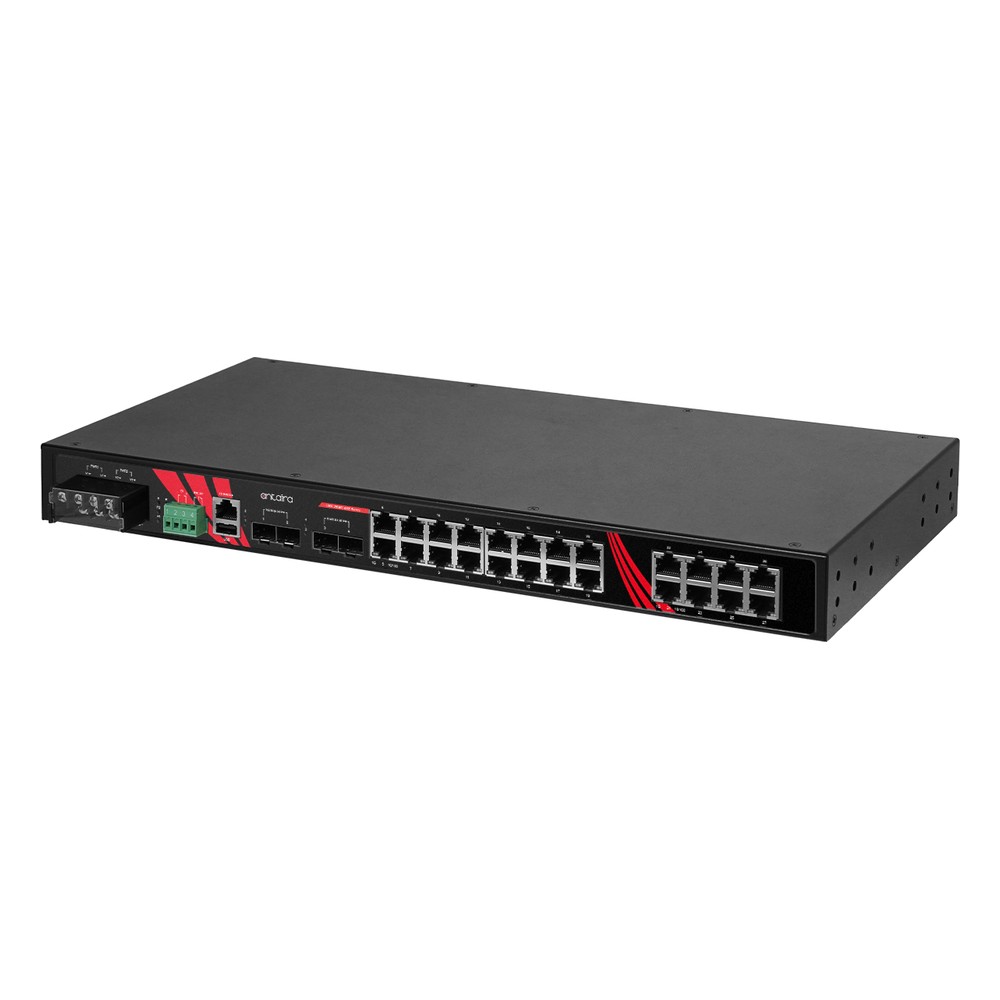
Four Layer 3 switches from the table: a DIN-rail and a rack switch with OSPF and VRRP, a TSN switch board and a sealed rugged switch.
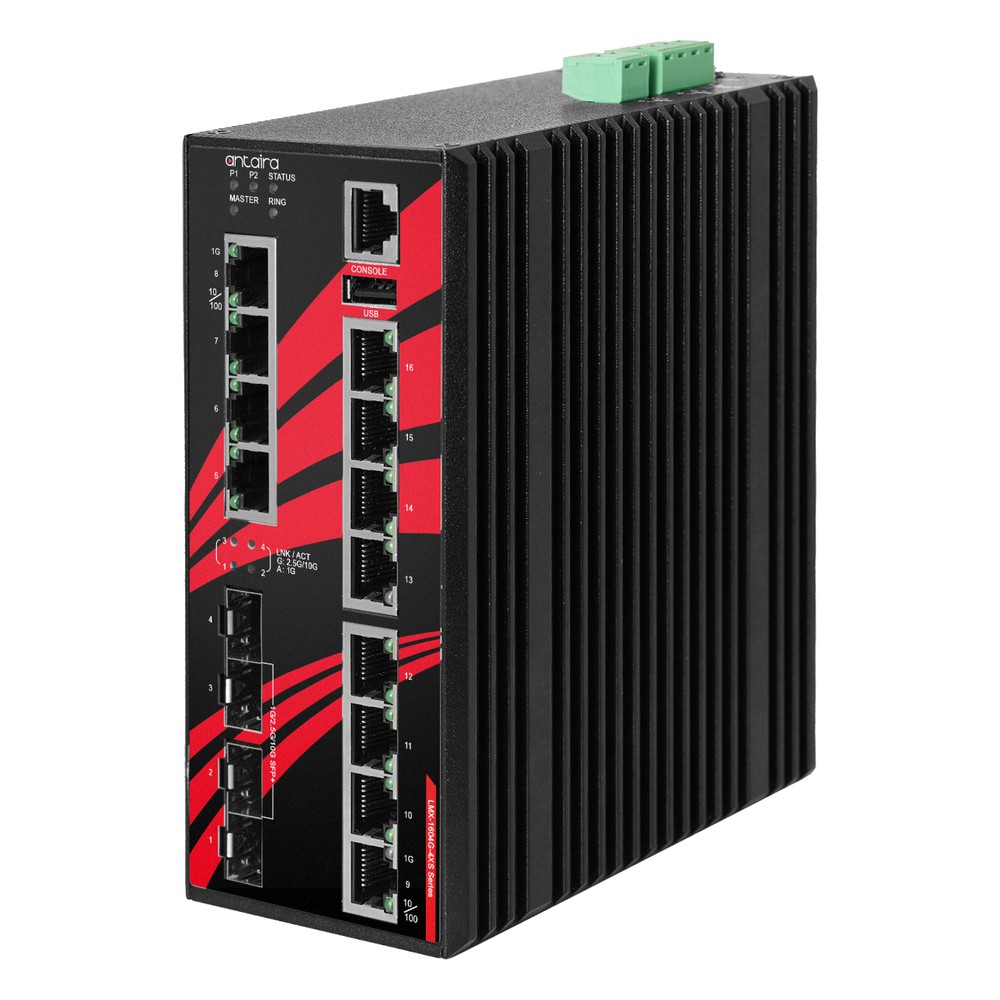
16-Port 10G Layer 3 Managed Switch with 4x 10G SFP+
- IP Rating
- IP30
- Temp
- −10 to +65 °C
- Power
- 12–48 V DC, Terminal Block
28-Port 10G Managed Rackmount Industrial Switch with 4x 10G SFP+
- IP Rating
- IP30
- Temp
- −10 to +65 °C
- Power
- 12–48 V DC, Terminal Block
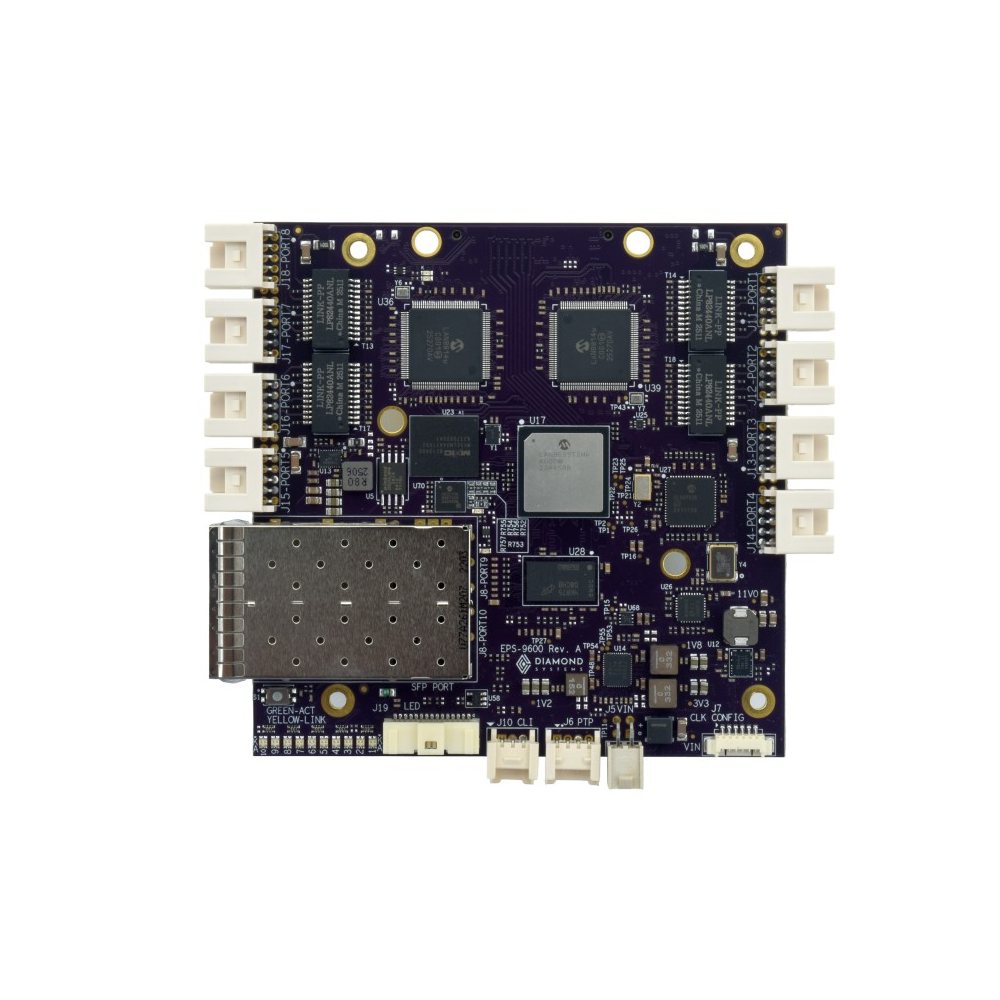
Rugged 8-Port Gigabit + 2-Port 10G SFP+ Managed Layer 3 TSN Switch with Heat Sink
- Temp
- −40 to +85 °C
- Power
- 5–36 V DC [Latching]
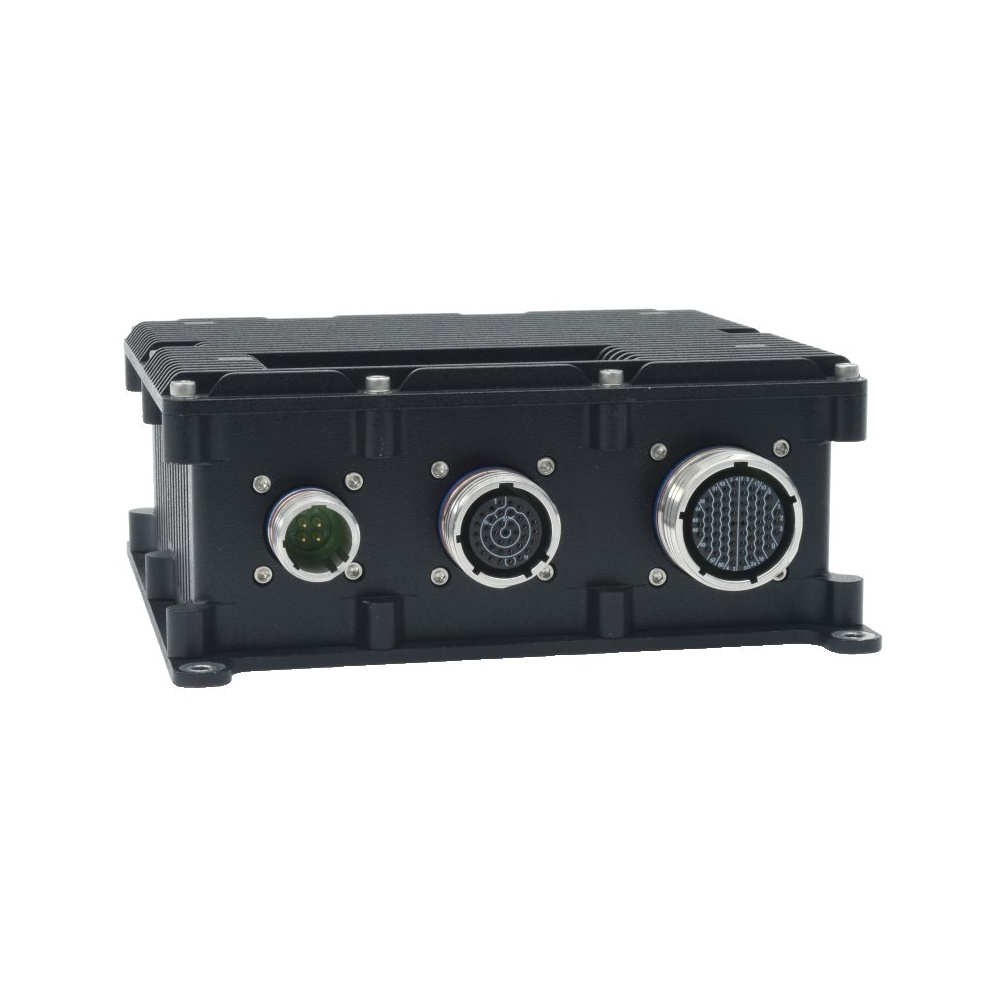
12 Port Gigabit Managed Rugged Switch With Layer 3 Software, MIL-Grade Power Supply, IEEE-1588 PTP and High-Profile Case
- IP Rating
- IP67
- Temp
- −40 to +85 °C
- Power
- 9–60 V DC Input [MIL-STD]
Specifying a Layer 3 switch
Seven questions that decide which level of Layer 3, and which switch, a network needs.
-
01
Routed VLANs
List the VLANs and which ones must reach each other; that is the routing requirement.
-
02
Static or dynamic
Choose static routes for a single routed switch, OSPF for several routed switches or redundant paths.
-
03
Gateway redundancy
Decide whether the gateway must survive a switch failure; if so, check for VRRP.
-
04
Filtering
Check for access control lists between VLANs, and keep the firewall at the site boundary.
-
05
Uplinks
Size the uplinks for the traffic that will cross subnets, often 10G SFP+ at an aggregation point.
-
06
Timing
If the network carries motion control or synchronised sensors, check for PTP and TSN support.
-
07
Environment
Match the format, temperature range, power input and connectors to the cabinet, rack or vehicle.
Layer 2 vs Layer 3 switches: common questions
Quick answers
What is a Layer 3 switch?
A switch that also routes IP. It forwards frames by MAC address like a Layer 2 switch and routes packets between VLANs and subnets by IP address, in hardware.
What is the difference between a Layer 2 and Layer 3 switch?
Routing. A Layer 2 switch forwards within one network or VLAN; a Layer 3 switch can also move traffic between networks.
Can a Layer 3 switch replace a router?
Inside the site, yes. At the boundary, a router or firewall is still needed for WAN links, VPNs and stateful firewalling.
Do I need a Layer 3 switch for VLANs?
Not to create them. Layer 2 managed switches create VLANs; Layer 3 is needed only to route between them.
What is inter-VLAN routing?
Moving traffic between VLANs. Each VLAN has a gateway address on a Layer 3 switch or router, which forwards packets from one VLAN’s subnet to another.
Is a Layer 3 switch faster than a router?
For local traffic, typically. It routes in hardware on every port; routers often trade throughput for WAN and security features.
When should I use an industrial Layer 3 switch?
When a segmented site must route locally. Plant backbones, rings of routed segments, vehicles with several subsystems and any site that needs a redundant gateway.
Layer 3 switching FAQs
-
Layer 3 Switch vs Router: What Is the Difference?
Both a Layer 3 switch and a router forward IP traffic between networks. A Layer 3 switch routes in hardware at close to wire speed across many ports, for traffic inside a site. A router connects a site to outside networks, with WAN interfaces, NAT, firewalling and VPNs, at lower throughput and with fewer ports.
-
What Is a VLAN?
A VLAN (virtual LAN) is a logical segment of a network created in a managed switch. Using IEEE 802.1Q tags, it separates traffic into independent broadcast domains over the same physical wiring, so devices behave as if they are on separate networks.
-
What Is VRRP (Virtual Router Redundancy Protocol)?
VRRP (Virtual Router Redundancy Protocol) is an open IETF standard that lets two or more routers or Layer 3 switches share one virtual default gateway address. One device is active and forwards traffic; if it fails, a backup takes over the same IP and MAC address within seconds, so hosts keep routing without any change to their settings.
-
What Is a Managed Switch?
A managed switch is an Ethernet switch you can configure, through a web interface, command line or SNMP, to set up VLANs, quality of service, redundancy and monitoring. An unmanaged switch is plug-and-play with no settings at all. Managed switches suit networks that are segmented, critical or monitored remotely.
-
What Does a Router Do?
A router connects separate networks and forwards data between them by IP address. On a home or business site it links the local network to the internet, shares one public address through NAT, hands out local addresses with DHCP and filters traffic with a firewall. Industrial routers do the same job on DIN rail, often over 4G or 5G.
-
What Is an Ethernet Switch?
An Ethernet switch is a networking device that connects computers, cameras, controllers and other equipment on a local network. It learns the address of each connected device and forwards every frame only to the port it is meant for, so many devices can communicate at full speed at the same time.
Planning Layer 3 routing at the edge?
Tell us how your network is segmented, which VLANs must talk and where it will be installed. We will recommend a Layer 2+, light Layer 3 or full Layer 3 switch to suit, board-level, DIN-rail, rack or rugged.