
 UK
Intel AMT and Out-of-Band Management for Industrial PCs
Intel AMT (Active Management Technology) is the out-of-band management engine built into Intel vPro processors and chipsets. It lets an administrator power a computer on, off or reset it, view and control its screen, open the BIOS and boot a recovery image over the network, even when the operating system has crashed or no operating system is installed.
Out-of-band management has long been the way to keep control of computers that nobody can reach easily. By giving an industrial grade PC a management channel that does not depend on its operating system, it allows troubleshooting, recovery and maintenance even when the main system has failed. Our out-of-band management explainer covers the general idea; this guide is about doing it on industrial and edge computers.
Take digital signage as an example. Frozen screens and unresponsive kiosks are common, and the usual fix is a technician visiting to restart the player. Software remote-access tools do not help when the device is off or hung. Out-of-band management does: it can power the device on or off, change BIOS settings and reload the SSD image without anyone on site.
This guide explains what Intel AMT does, compares it with Intel Standard Manageability, IPMI and Redfish baseboard management controllers and add-on out-of-band modules, lists which industrial processors support it, and covers provisioning, security and the alternatives for Atom, Arm and Jetson systems that do not have AMT.
“Integrating a remote management service on an edge computer simplifies system access and upgrades through standard protocols, so our customers’ IT teams can monitor and manage their embedded systems with ease. One of our customers once had to charter a helicopter to replace a real-time clock battery worth a few pounds, a costly and time-consuming effort that remote access to the UEFI firmware, to resynchronise the computer’s real-time clock, could have avoided.” Andrew Whitehouse, Managing Director, Things Embedded
Key takeaways
- 01AMT works below the operating system
- It runs on the Intel Management Engine and the vPro network port, so it reaches a computer that is off, hung or unbootable.
- 02Only vPro processors on the right chipset
- Core i5, i7, i9 and Core Ultra vPro parts on Q, R or W-series chipsets; Atom, Processor N and most Core i3 do not have it.
- 03Admin Control Mode suits headless systems
- Client Control Mode asks a user on site for a consent code before remote control; unattended systems need ACM.
- 04Harden it or switch it off
- Change the default password, use TLS, segment the management network and keep firmware updated.
- 05Other routes for non-Intel systems
- Servers use a BMC with IPMI and Redfish; Atom, Arm and Jetson systems use an add-on out-of-band module.
Intel AMT vs Standard Manageability vs BMC vs out-of-band modules
Several technologies offer out-of-band control of an industrial computer. They differ in what they can do, which hardware they need and how they are managed. The table compares them on the points that matter for unattended edge systems; exact features vary by generation and board, so check the computer’s datasheet.
| Feature | Intel AMT (vPro) | Intel Standard Manageability | BMC with IPMI and Redfish | Add-on OOB module (for example Allxon) | Wake on LAN plus watchdog |
|---|---|---|---|---|---|
| Remote power on, off and reset | Yes | Yes | Yes | Yes | Power-on only; watchdog resets |
| Remote screen and keyboard (KVM) | Yes, on integrated graphics | No | Yes, iKVM | Serial console on most modules | No |
| BIOS access remotely | Yes, through KVM or serial-over-LAN | Serial-over-LAN on some versions | Yes | Through serial console where supported | No |
| Boot a remote image | Yes, USB redirection | Yes on some versions | Yes, virtual media | Depends on module | PXE boot only |
| Hardware sensors and logs | Inventory and event log | Inventory and event log | Full sensors and system event log | Basic health | No |
| Hardware needed | vPro processor, Q, R or W chipset, vPro network port | Supported Intel chipset | Separate BMC chip, often with its own LAN port | Module on a header or dedicated port | WoL-capable network card |
| Architectures | Intel x86 only | Intel x86 only | x86 and Arm servers | x86 and Arm, including Jetson | Any |
| Management tools | Intel EMA, open-source consoles, third-party RMM | As AMT | Any IPMI or Redfish tool | Vendor cloud portal and API | Any WoL sender |
| Typical home | Business and industrial PCs, panel PCs, box PCs | Lower-tier business PCs | Servers and edge servers | Edge AI and IoT systems without AMT | Any PC |
A baseboard management controller is a separate processor on the board with its own power, firmware and usually its own network port, which is why servers rely on it. AMT runs on the Management Engine inside the Intel chipset and shares a network port with the operating system, so it adds out-of-band control without an extra chip. Add-on modules bring similar functions to systems that have neither.
What does Intel AMT do?
AMT is one part of Intel vPro, Intel’s set of business-class technologies for manageability, security and stability. It runs on the Intel Management Engine, a small processor in the chipset with its own firmware, which stays powered whenever the computer has standby power. Its main functions are below.
| Function | What it lets you do | Industrial example |
|---|---|---|
| Power control | Power on, power off, reset, power cycle | Restart a hung inspection PC on a night shift |
| KVM over IP | See the screen and use the keyboard and mouse remotely, from power-on | Watch a panel PC boot and fix a BIOS setting |
| Serial over LAN | Text console redirected over the network | Reach a headless gateway’s boot console |
| USB redirection | Mount a remote ISO or image as a USB drive | Reinstall the operating system on a kiosk |
| Alarm clock | Wake the system at a scheduled time | Start a fleet for maintenance overnight |
| Hardware inventory and event log | Read model, memory, storage and boot events | Audit a fleet before an upgrade |
| System defence filters | Block or allow network traffic at the hardware level | Isolate a compromised device |
The management traffic uses TCP ports 16992 and 16993 for the web and TLS interfaces, 16994 and 16995 for redirection, and 5900 when KVM is reached with a standard VNC viewer. Those ports should only be reachable from the management network.
Is Intel AMT the same as vPro?
Not quite. vPro is the brand for a platform that includes AMT along with security and stability features. A processor or system described as vPro Enterprise includes full AMT; vPro Essentials includes Intel Standard Manageability, a subset without KVM. Industrial datasheets usually say which, or simply list Intel AMT and its version.
Which industrial PCs support Intel AMT?
AMT needs three things together: a processor with vPro, a chipset that enables it, and the Intel Ethernet port wired for manageability. Firmware must ship with AMT enabled. If any one is missing, the feature is not available, whatever the processor name suggests. The table gives the usual position; always check the specific computer.
| Processor family | AMT available? | Notes from industrial designs |
|---|---|---|
| Intel Core i5, i7, i9 vPro (8th to 14th Gen) | Yes, on Q-series, R680E or W680 chipsets | Uses the I219-LM port, or I225-LM or I226-LM on newer boards; often one port only |
| Intel Core Ultra vPro | Yes, on Q870, W880 and similar chipsets | KVM uses the integrated graphics |
| Intel Core i3 | Usually no | Some boards list AMT on i5 and i7 builds only |
| Intel Xeon W and Xeon E | Yes on supported chipsets | Servers more often use a BMC |
| Intel Atom x7000E and Atom x6000E | No | Some boards add Intel In-Band Manageability, which needs the operating system running; Atom x6000E designs may enable limited out-of-band functions through the Programmable Services Engine |
| Intel Processor N and Celeron | No | Use Wake on LAN, a watchdog or an add-on OOB module |
| AMD Ryzen PRO and Ryzen Embedded | No AMT; DASH on some PRO platforms | DMTF DASH offers similar remote power and inventory |
| NVIDIA Jetson and Arm SoCs | No | Use an OOB module or a carrier board with a management controller |
Industrial datasheets are usually explicit. The DFI EC70A-ADP series, for example, offers Intel AMT on its Core i5 and i7 builds but not on the i3 builds. Embedded boards built on Q370, Q670E, R680E, Q870 and W880 chipsets list vPro and AMT, while systems built for the lowest power use Atom or Processor N parts without it. If remote KVM matters, choose the processor for it at the start; it cannot be added later.
How do I enable Intel AMT?
AMT ships unconfigured. It has to be provisioned before it can be used, and the method decides how it behaves on a headless industrial system.
| Mode | How it is set up | User consent for remote control | Suits |
|---|---|---|---|
| Client Control Mode (CCM) | From the operating system or the MEBx menu, without a certificate | Yes: a code appears on the local screen and must be read out | Desktops with a user present |
| Admin Control Mode (ACM) | With a provisioning certificate from a trusted certificate authority, or manually in MEBx | Not required | Headless, unattended and kiosk systems |
Provisioning steps
- Confirm the processor, chipset and network port support AMT, and that it is enabled in the BIOS.
- Enter the Intel Management Engine BIOS Extension (MEBx), typically with Ctrl+P at boot, and change the default password to a strong one.
- Set the network options: DHCP or a static address, and which network the management port sits on.
- Choose CCM or ACM. For unattended systems, provision ACM so remote KVM does not wait for a consent code nobody can read.
- Enable TLS and register the system with a management console, such as Intel Endpoint Management Assistant (EMA) or an open-source console.
- Test power control, KVM and USB redirection before the system leaves for site.
For systems that sit behind NAT, on cellular links or on networks you do not control, Intel’s Client Initiated Remote Access (CIRA) lets AMT open an outbound encrypted connection to the management server, so nothing needs to be exposed inbound. That is how AMT is typically used over a cellular gateway link.
Is Intel AMT a security risk?
Any interface that can control a computer below its operating system needs care. In May 2017 Intel published advisory INTEL-SA-00075 (CVE-2017-5689), a flaw that let an attacker gain control of provisioned AMT systems without a valid password; it was fixed in firmware updates. The lesson is not that AMT is unsafe, but that it must be configured and maintained like any other management interface.
| Control | Why it matters |
|---|---|
| Change the default MEBx password | The factory password is well known |
| Use TLS and certificates | Encrypts management traffic and authenticates the console |
| Provision in ACM with a trusted certificate | Avoids weak manual setups and consent workarounds |
| Keep Management Engine firmware up to date | Security fixes for AMT arrive as firmware updates |
| Put the management port on its own network zone | Limits who can reach ports 16992–16995 and 5900 |
| Disable or unprovision AMT if it is not used | Removes an unused attack surface |
| Log and review management sessions | Shows who powered or controlled a system and when |
On an industrial network the management interface belongs in its own zone, in line with the zones and conduits model of IEC 62443 and the Purdue model. Our IEC 62443-4-2 hardware security checklist covers the device-level requirements, and OT security explains the wider approach. A TPM 2.0 and Secure Boot protect the operating system image that AMT can help you recover.
What is the difference between AMT and IPMI?
IPMI (Intelligent Platform Management Interface) is an industry standard for server management, implemented on a baseboard management controller. Redfish is its modern successor from the DMTF, a RESTful API over HTTPS. A BMC monitors temperatures, fans, voltages and power supplies, keeps a system event log, and provides iKVM and virtual media. Because it has its own processor, power rail and network port, it works whatever state the host is in.
AMT does similar jobs for client and embedded systems without a separate chip. It has fewer hardware sensors and no fan or power supply management, but it costs nothing extra on a vPro system and fits small fanless computers where a BMC would not. In practice: edge AI servers and server motherboards use a BMC; box PCs, panel PCs and SBCs use AMT where they have a vPro processor; everything else uses an add-on module or simpler tools.
| Aspect | Intel AMT | IPMI and Redfish on a BMC |
|---|---|---|
| Where it runs | Intel Management Engine in the chipset | Separate BMC chip, such as an ASPEED AST2600 |
| Network | Shares the vPro Ethernet port | Dedicated management port, or shared with NC-SI |
| Sensors | Limited | Temperatures, fans, voltages, power supplies |
| Remote console | KVM on integrated graphics | iKVM on the BMC’s own graphics |
| Standards | Intel-specific, WS-Management based | IPMI 2.0 and DMTF Redfish |
| Typical systems | Box PCs, panel PCs, embedded boards | Servers and edge servers |
Out-of-band management for systems without AMT
Many edge systems use processors without AMT: low-power Atom and Processor N computers, AMD systems, and Arm and NVIDIA Jetson Orin computers. For these, industrial computer makers offer add-on out-of-band modules, usually a small microcontroller with its own network port or a header for a module, wired to the power button, reset line and serial console.
| Approach | Example from our range | What it provides |
|---|---|---|
| Allxon OOB module | Vecow EAC-5100-OOB (Jetson AGX Orin) | Dedicated 10/100 OOB LAN port on a Nuvoton NUC980 controller; remote power on, off, reset and power cycle |
| Allxon OOB module on a header | AVerMedia D133-1 (Jetson Orin NX and Nano) | Optional module for power cycling and cloud serial console access |
| Premio EDGEBoost OOB | Premio RCO-1000-ASL OOB builds (Atom x7000E) | Fitted module with a dedicated RJ45 management port |
| Advantech WISE-iBMC | Advantech MIC-770 V3 (Core and R680E) | Out-of-band power-on, power-off and reset on LAN2 through DeviceOn |
| Server BMC | Vecow ICS-2000 (AMD EPYC 8004) | AST2600 BMC with IPMI and Redfish on a dedicated management port |
Allxon out-of-band management
We partnered with Allxon for out-of-band management because its solution works across a wide range of our industrial computers, built for harsh environments at the edge. It is designed for both x86 and Arm systems and supports Windows IoT Enterprise and Ubuntu Linux, so the same management approach covers a fleet that mixes Intel box PCs and Jetson AI computers. Allxon exposes out-of-band functions such as power actions and a remote serial console through standard protocols and an API, so they can be built into an existing control centre, and it works with public clouds such as AWS and Azure, private clouds or on-premises systems.
The trade-off against AMT is depth. An OOB module typically offers power control and a serial console rather than full graphical KVM and image mounting. For many edge AI systems, which run headless and boot from a known image, that is enough to recover a hung system without a site visit.
Getting started with out-of-band management
Start by choosing the out-of-band functions your project needs, then the hardware and operating system. Tell us the system architecture, the operating system and how the systems will be reached, and we will select a computer with the right management path, AMT, a BMC or an OOB module, and configure it with the rest of the build.

Out-of-band management in industrial deployments
The value of out-of-band management is measured in site visits avoided. A truck roll to a remote cabinet can cost more than the computer inside it. The table maps common failures to the recovery action each method allows.
| Deployment | Typical failure | Recovery with AMT, BMC or OOB module | Without out-of-band management |
|---|---|---|---|
| Unmanned kiosk or signage player | Application hangs, screen frozen | Remote reset; KVM to check the screen | Site visit or wait for a watchdog |
| Roadside or utility cabinet | Operating system update fails to boot | Remote console, boot a recovery image | Technician with a USB stick |
| Rail and vehicle systems | System hangs between depot visits | Power cycle when the vehicle is in a depot with coverage | Manual reset at the next depot visit |
| Wind and solar sites | Clock drift or BIOS setting lost after a power event | Open the BIOS remotely and correct it | Climb or travel to the site |
| Edge AI cameras on poles | Inference service crashed, OS unresponsive | Power cycle and serial console through an OOB module | Lift access to the pole |
| Edge servers in a remote room | Host hangs or a disk fails | BMC iKVM, sensor logs and remote power | Site visit |
Out-of-band management works best alongside simpler tools. A watchdog timer restarts a system that stops responding, Wake on LAN powers systems on at scheduled times, and a power cycle from a switched supply is the last resort. A remote monitoring system tells you which of them to use and when.
Remote-managed computers in our range
These ranges include systems with AMT, a BMC or an out-of-band module for unattended sites.
Industrial motherboards
Boards on Q870, W880 and R680E chipsets with vPro and AMT for your own enclosure.
View range
Rack mount servers
Servers with BMCs for IPMI and Redfish management.
View range
Embedded box PCs
Fanless box PCs with AMT, watchdog and remote power options.
View range
Rugged Jetson computers
Jetson systems with optional Allxon out-of-band modules.
View range
DIN rail PCs
Cabinet computers with optional out-of-band management ports.
View range
Wide temperature computers
Systems for remote cabinets that must be recoverable without a visit.
View rangeComputers with AMT, BMC and out-of-band management
These systems show each management route in practice. We enable and provision AMT, configure BMC or OOB module network settings, set passwords and certificates, register systems with your console where required, image the operating system and test remote power and console access before the computer ships.
| Computer | Processor | Management route | Rated range |
|---|---|---|---|
| DFI EC70A-ADP4043-i545UE8 | Intel Core i5-1245UE, 15 W | Intel AMT, TPM 2.0, watchdog | −20 to 60 °C |
| Advantech MIC-770V3W-00A1 | Intel 14th Gen Core on R680E | Intel vPro and AMT, plus WISE-iBMC on LAN2 | −20 to 60 °C with 35 W CPUs |
| Premio RCO-1000-ASL-X7835RE-OOB | Intel Atom x7835RE, 12 W | EDGEBoost OOB module with dedicated RJ45 management port | −40 to 70 °C |
| Vecow EAC-5100-OOB-R64 | NVIDIA Jetson AGX Orin 64GB | Allxon OOB with dedicated 10/100 OOB LAN | −20 to 70 °C in 30 W mode |
Remote-managed industrial computers
Four management routes from the table: Intel AMT, vPro with an onboard iBMC, a fitted OOB module on an Atom system, and Allxon out-of-band management on a Jetson AGX Orin computer.
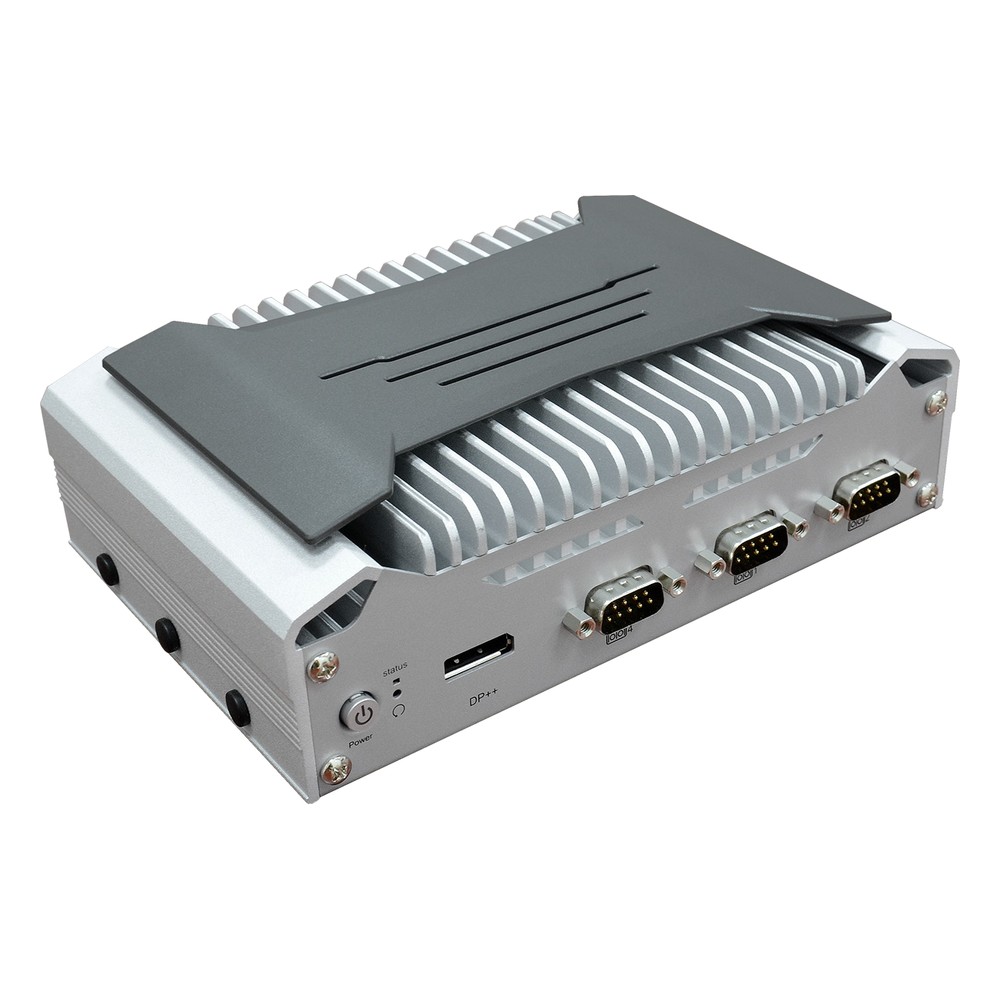
Intel Core i5 12th Gen Embedded Box PC with 2.5GbE, 4x COM and Wide Temperature
- CPU
- Intel Core 12th Gen (Alder Lake)
- Ethernet
- 1× 2.5GbE, 2× GbE
- Temp
- −20 to +60 °C
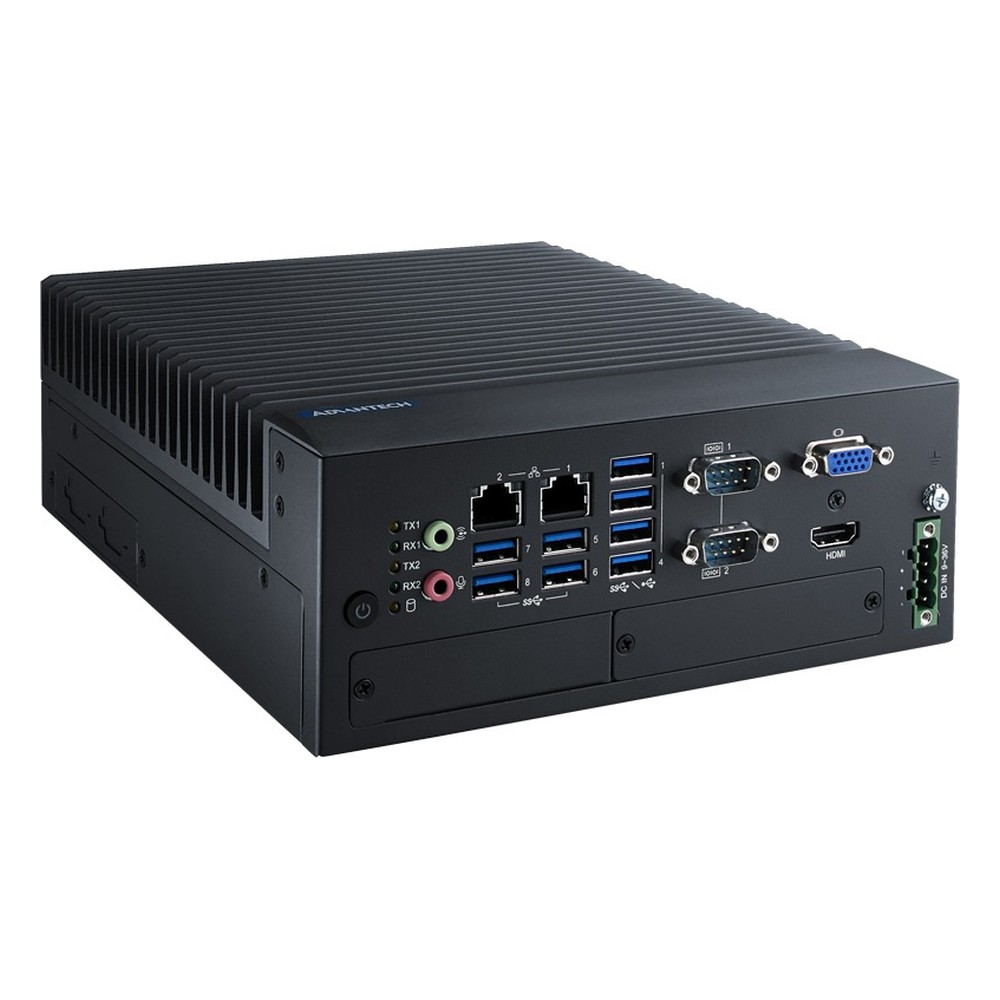
Intel 14th Gen Core LGA1700 Fanless Industrial PC with R680E Chipset, ECC Memory and RAID
- CPU
- Intel Core 14th Gen Raptor Lake Refresh
- Ethernet
- 2× GbE
- IP Rating
- IP40
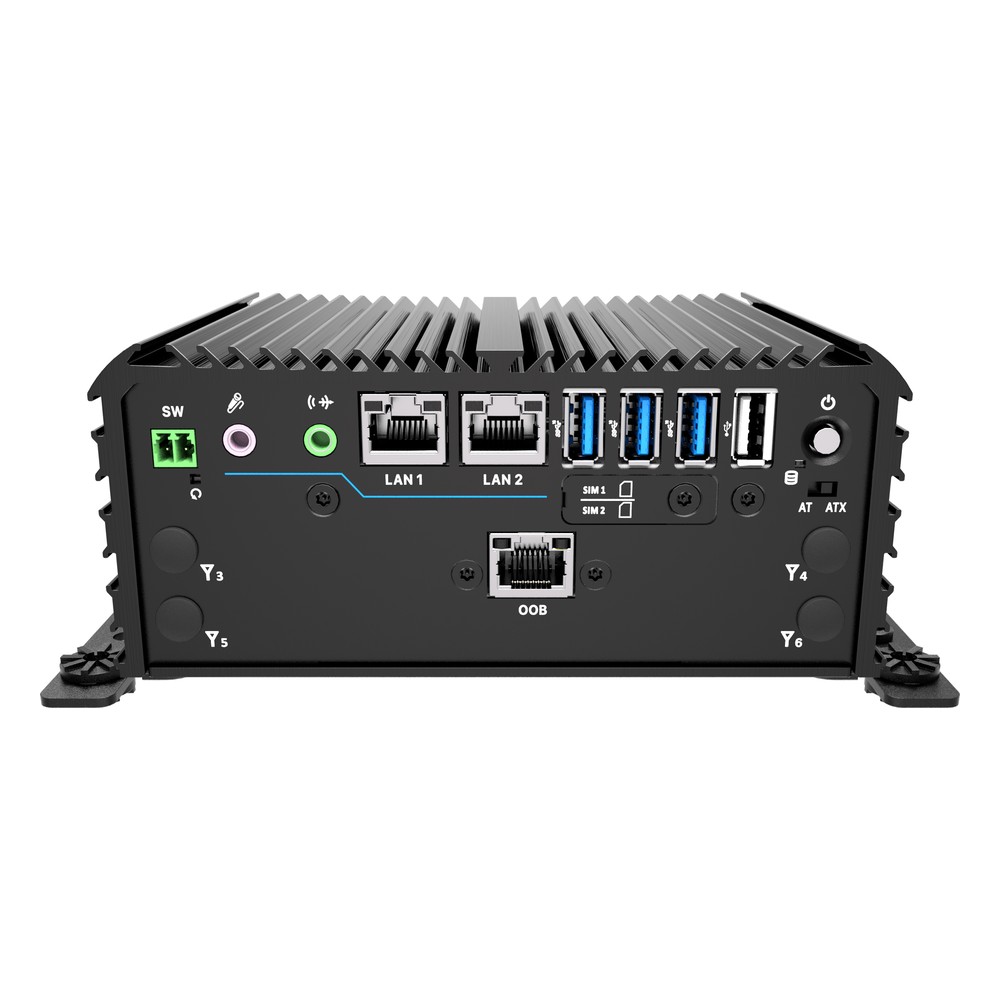
8-Core Intel Atom x7835RE Rugged Compact PC with Out-of-Band Management and 4x COM
- CPU
- Intel Atom x7835RE (Amston Lake)
- Ethernet
- 2× 2.5GbE
- Temp
- −40 to +70 °C

NVIDIA Jetson AGX Orin 64GB Embedded Industrial Computer with Allxon Out-of-Band Management
- AI
- 275 TOPS
- SOM
- NVIDIA Jetson AGX Orin 64 GB
- Ethernet
- 6× GbE (4× PoE)
Specifying out-of-band management
Seven questions that decide the management route before the computer is chosen.
-
01
Functions
Decide whether you need power control only, a serial console, full KVM or remote imaging.
-
02
Processor
Choose a vPro processor and chipset if AMT is required; otherwise plan a BMC or OOB module.
-
03
Network path
Decide whether management shares a port, has its own port or reaches out over cellular.
-
04
Provisioning
Provision AMT in Admin Control Mode, with passwords and certificates, before shipping.
-
05
Console
Choose the management console or cloud portal, and how it integrates with your systems.
-
06
Security
Put management interfaces in their own network zone and plan firmware updates.
-
07
Fallbacks
Add a watchdog, power-on after AC loss and Wake on LAN for the simpler failures.
Intel AMT: common questions
Quick answers
What is Intel AMT?
Intel’s out-of-band management technology in vPro systems. It runs on the Management Engine and allows remote power control, KVM, serial console and image mounting even when the operating system is down.
Is Intel AMT the same as vPro?
AMT is part of vPro. vPro Enterprise includes full AMT; vPro Essentials includes Intel Standard Manageability, a subset without KVM.
How do I enable Intel AMT?
Enable it in the BIOS, then provision it. Set a strong password in the MEBx menu, choose Client or Admin Control Mode, enable TLS and register the system with a management console.
Is Intel AMT a security risk?
Only if it is left unconfigured or unpatched. Change the default password, use TLS, segment the management network, keep firmware updated and disable AMT where it is not used.
Which processors support Intel AMT?
Intel vPro processors on supporting chipsets. Core i5, i7, i9 and Core Ultra vPro parts on Q, R or W-series chipsets. Atom, Processor N, Celeron and most Core i3 parts do not support it.
What is the difference between AMT and IPMI?
IPMI runs on a separate BMC chip; AMT runs in the Intel chipset. BMCs add hardware sensors and a dedicated port and suit servers; AMT suits vPro client and embedded systems.
Can AMT work over the internet?
Yes, with Client Initiated Remote Access. AMT opens an outbound encrypted connection to the management server, so it works behind NAT and over cellular links without exposing ports.
What if my edge computer has no AMT?
Use an out-of-band module or a BMC. Modules such as Allxon OOB add power control and a serial console to Atom, Arm and Jetson systems.
Remote management FAQs
-
What Is Out-of-Band Management?
Out-of-band (OOB) management is a way to control a device remotely through a separate channel that does not depend on its main operating system or network. It lets administrators power-cycle, monitor and recover a computer even when it has crashed or gone offline, without a site visit.
-
What Is a Baseboard Management Controller (BMC)?
A baseboard management controller (BMC) is a small, separate processor on a server or industrial motherboard that runs independently of the main CPU and operating system. Through its own network connection it lets administrators power-cycle, monitor, update and reinstall a computer remotely, even when the system has crashed or is switched off.
-
What Is Intel vPro?
Intel vPro is a platform for business and edge processors that adds hardware-based remote management, through Intel Active Management Technology (AMT), plus security and stability features for fleets of computers. With AMT, an administrator can power on, restart, reach the BIOS or reinstall a computer over the network, even when its operating system has stopped responding.
-
What Is a Watchdog Timer?
A watchdog timer (WDT) is a hardware countdown that resets a computer or microcontroller if its software stops responding. Healthy software restarts the countdown at regular intervals. If the software hangs and the timer reaches zero, the watchdog triggers a reset, so an unattended system recovers by itself instead of waiting for someone to restart it.
-
What Is a Power Cycle?
A power cycle is switching a device fully off, removing its power for a short time and switching it back on. Unlike a restart, it cuts power to every component, which clears memory and resets hardware that has locked up. Industrial computers can power cycle themselves through a watchdog timer or be power cycled remotely.
-
What Is TPM 2.0, and Why Do Industrial PCs Need It?
A TPM, or Trusted Platform Module, is a security chip or processor function that stores encryption keys and records whether a computer started with untampered firmware. TPM 2.0 is the current version. Windows 11 requires it, and it underpins disk encryption, measured boot and device identity on industrial PCs.
-
What Is OT Security?
OT security is the protection of the operational technology that monitors and controls physical processes: PLCs, SCADA, HMIs, industrial PCs and the networks that join them. Safety and availability come first, so controls are chosen to keep the process running, guided by standards such as IEC 62443 and NIST SP 800-82.
Need remote management on industrial PCs?
Tell us how many systems there are, where they are installed and what you need to do remotely. We will recommend computers with Intel AMT, a BMC or an out-of-band module, then provision, configure, image and test them before they ship.