
 UK
UK 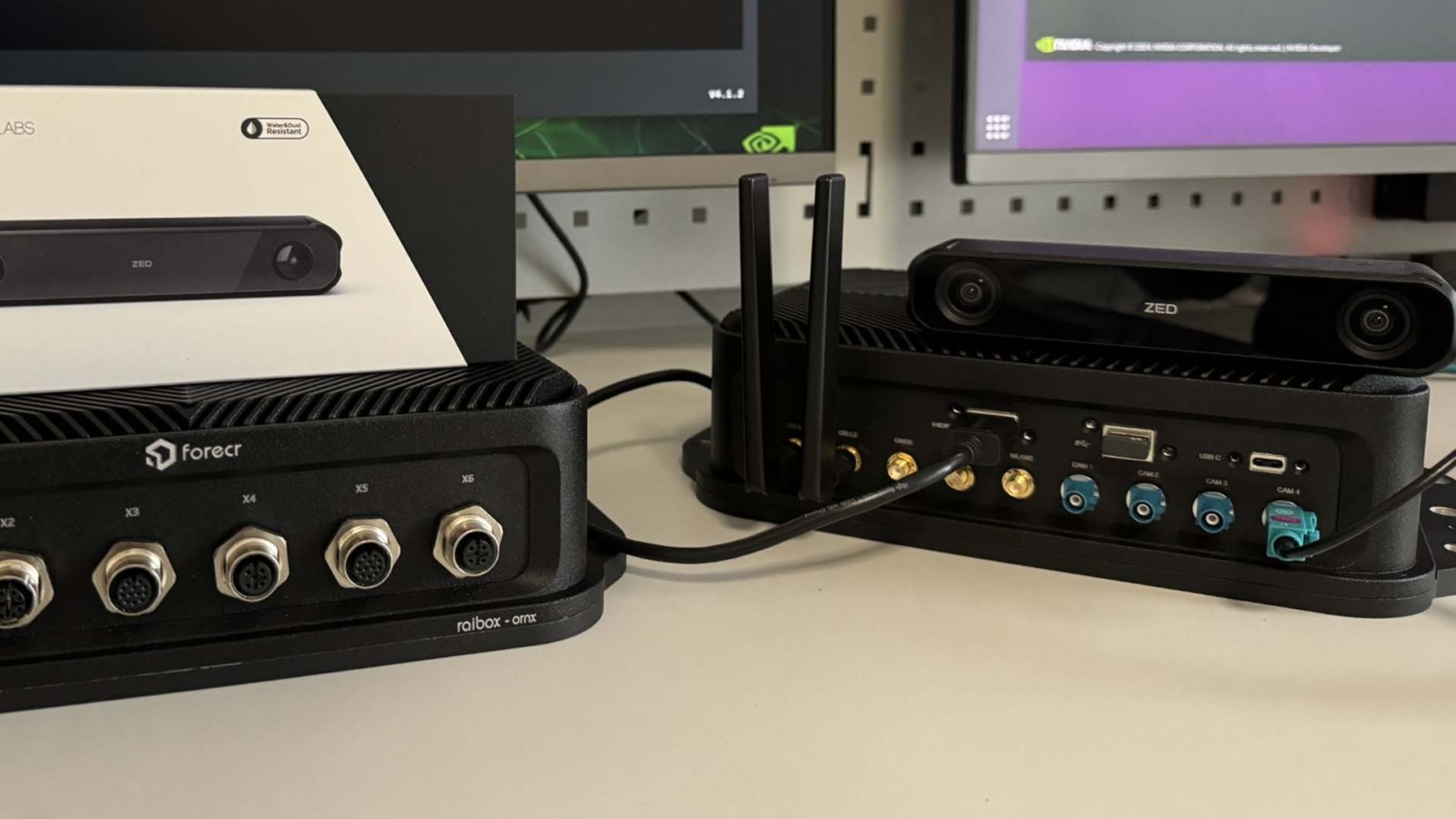
The ZED ROS2 Wrapper on NVIDIA Jetson: Setting Up a ZED X Robotics Stack
The ZED ROS2 wrapper turns a Stereolabs camera into ROS 2 depth, point cloud and odometry topics. Here is how the stack fits together on a Jetson, which ROS 2 release goes with which JetPack, how to build and launch it, and how many cameras each module can run.
The ZED ROS2 wrapper is the open-source package from Stereolabs that runs a ZED camera as a ROS 2 node, publishing its colour images, depth maps, point clouds, odometry, pose and IMU data as standard ROS 2 topics. It sits on top of the ZED SDK, so the depth and positional tracking the SDK computes on the GPU arrive in your robot software without custom driver code.
For a robot built on a Stereolabs ZED X and an NVIDIA Jetson, the wrapper is the bridge between the camera and the rest of the navigation stack. Getting there means lining up four layers in the right order: JetPack, the ZED X driver, the ZED SDK and ROS 2 with the wrapper. Most of the time on a first build goes into matching their versions, so that is where this guide starts.
It covers which JetPack goes with which ROS 2 release, building and launching the wrapper, the topics and camera models, multi-camera rigs and Isaac ROS, how much GPU each camera costs on a Jetson, and how to turn a working development setup into an image you can ship.
Key takeaways
- 01Four layers, in order
- JetPack on the Jetson, the ZED X driver for GMSL2 cameras, the ZED SDK, then ROS 2 and the wrapper.
- 02Ubuntu decides ROS 2
- JetPack 6 runs Ubuntu 22.04 and ROS 2 Humble; JetPack 7 runs Ubuntu 24.04 and ROS 2 Jazzy.
- 03Versions have to match
- The ZED X driver is built for one L4T release and capture card, and each wrapper release targets one ZED SDK version.
- 04One launch file, many cameras
- The same launch file runs every ZED model; the camera_model argument tells it which one is connected.
- 05Size the GPU for every stream
- Depth, tracking and AI models share the Jetson GPU, so each extra camera and feature needs headroom.
What does the ZED ROS2 wrapper do?
The wrapper turns the ZED SDK into a ROS 2 node. The SDK does the heavy work on the GPU: stereo matching for depth, visual-inertial tracking, spatial mapping and optional object and body detection. The wrapper exposes the results as topics, services and parameters, so navigation, mapping and perception packages can subscribe to them like any other sensor.
It works with every current ZED camera. GMSL2 models such as the ZED X, ZED X Mini and ZED X One reach the Jetson through a deserialiser, while USB models such as the ZED 2i plug straight in. Our answer on what a stereo camera is explains how two lenses become a depth map.
| Layer | What it does | What to check |
|---|---|---|
| JetPack and L4T | The Jetson operating system, CUDA and camera stack | The L4T release the driver and SDK are built for |
| ZED X driver | Loads the GMSL2 deserialiser driver and device tree, with a daemon that restarts it if needed | Built for your capture card or carrier and L4T release; not needed for USB cameras |
| ZED SDK | Computes depth, tracking, mapping and detection on the GPU | The SDK version the wrapper release expects |
| ROS 2 | The middleware your robot software runs on | The LTS release that matches the Jetson’s Ubuntu version |
| ZED ROS2 wrapper | Publishes the SDK output as ROS 2 topics | Built in your ROS 2 workspace against the installed SDK |
Our white paper on connecting a ZED X to a Jetson over GMSL covers the hardware side in depth, including the deserialiser, the device tree and the board support package. This guide picks up once the camera is seen by the operating system.
Which JetPack goes with which ROS 2 release?
ROS 2 releases are tied to Ubuntu versions, and on a Jetson the Ubuntu version is fixed by JetPack. That makes the JetPack line the first decision, and it settles the ROS 2 release for you.
| JetPack line | Jetson Linux | Ubuntu | ROS 2 LTS to use | Modules |
|---|---|---|---|---|
| JetPack 5.1 | R35 | 20.04 | Foxy (end of life; backward compatibility only) | Xavier and early Orin systems |
| JetPack 6.x | R36 | 22.04 | Humble (supported to May 2027) | Orin Nano, Orin NX, AGX Orin |
| JetPack 7.x | R38 and R39 | 24.04 | Jazzy (supported to May 2029) | Thor; Orin from JetPack 7.2 |
Stereolabs lists Humble, Jazzy and the newer Lyrical release on Ubuntu 26.04 as officially supported, with Rolling for developers and Foxy kept only for backward compatibility. Non-LTS releases may work but are not tested. For a product that will be in the field for years, pick an LTS release and plan for its end-of-support date as you would for the Jetson software itself.
If you are deciding between the two current Jetson lines, our guide to the NVIDIA JetPack software stack sets out what changes from JetPack 6 to 7, and our answer on ROS covers the middleware itself.
Step one: match JetPack, the ZED X driver and the ZED SDK
Start from the JetPack release on the Jetson, because everything else is chosen to match it. Stereolabs ship the ZED X driver as a Debian package named for the driver version, the ZED Link capture card model and the L4T release, for example stereolabs-zedx_X.X.X-ZED-LINK-DUO-L4T36.X_arm64.deb. Install it with sudo dpkg -i, reboot, and confirm the driver loaded with sudo dmesg | grep zedx. ZED Box computers and partner carrier boards with their own deserialiser use the driver package built for that hardware.
Next, install the ZED SDK for Jetson from its .run installer, choosing the build for the same L4T release. The current wrapper expects ZED SDK 5.2 at the time of writing; older SDKs work with older wrapper releases. The SDK includes ZED Explorer and ZED Depth Viewer, which are worth opening before ROS 2 comes into it. If the camera streams and shows depth there, any later problem is in the ROS layer, not the hardware.
Step two: build the wrapper in a ROS 2 workspace
With ROS 2 installed, the wrapper is cloned into a workspace and built with colcon, following the Stereolabs instructions.
mkdir -p ~/ros2_ws/src/
cd ~/ros2_ws/src/
git clone https://github.com/stereolabs/zed-ros2-wrapper.git
cd ..
sudo apt update
rosdep update
rosdep install --from-paths src --ignore-src -r -y
colcon build --symlink-install --cmake-args=-DCMAKE_BUILD_TYPE=Release
source install/local_setup.bash
The --symlink-install option lets you edit configuration files in the workspace without rebuilding. On JetPack 6, Stereolabs note that a first build can stop with a CUDA error unless the nvidia-jetpack and nvidia-jetpack-dev packages are installed first. The zed_msgs interface package now comes from apt on Humble rather than as a submodule. If a build fails, check that the wrapper release matches the installed ZED SDK version before anything else.
Step three: launch the camera and check the topics
One launch file starts every ZED model, with the camera named by the camera_model argument.
ros2 launch zed_wrapper zed_camera.launch.py camera_model:=zedx| Camera family | camera_model value | Connection |
|---|---|---|
| ZED X | zedx |
GMSL2 |
| ZED X Mini | zedxm |
GMSL2 |
| ZED X Nano | zedxnano |
GMSL2 |
| ZED X One GS and ZED X One 4K | zedxonegs, zedxone4k |
GMSL2, monocular |
| Two ZED X One as a stereo pair | virtual |
GMSL2 |
| ZED 2i and ZED Mini | zed2i, zedm |
USB |
Stereolabs adds values as new cameras arrive, including HDR models, so check the launch file’s own list with the -s option. Once it runs, the node publishes topics such as rgb/color/rect/image, depth/depth_registered, point_cloud/cloud_registered, odom and pose, which navigation, mapping and perception packages can subscribe to directly. The zed_display_rviz2 package in the examples repository opens a ready-made RViz2 view to confirm the images, depth and point cloud look right; close it in production, because RViz subscribes to many topics and costs performance.
Parameters in the YAML files under zed_wrapper/config switch on the heavier SDK features, such as spatial mapping, object detection and body tracking, so you only spend GPU time on what the robot uses. A simulation mode, started with sim_mode:=true, feeds the same pipeline from a simulator instead of a camera, which lets software teams test before hardware arrives.
For GMSL2 cameras it also helps to keep the camera, the deserialiser and the module on a single power-up order and to check that the ZED X daemon is running before the node starts, since the wrapper can only open a camera the driver has already enumerated. Logging the ZED SDK diagnostics on first boot gives a reference to compare against if a camera later drops out in the field.
ZED ROS2 wrapper features worth knowing
| Feature | What it gives the robot | GPU cost |
|---|---|---|
| Depth and point cloud | Registered depth and coloured 3D points for obstacle detection | Always on; set by depth mode and resolution |
| Positional tracking | Visual-inertial odometry and pose, optionally fused with GNSS outdoors | Moderate |
| Spatial mapping | A 3D mesh or fused point cloud of the space | High while mapping |
| Object detection | People and object boxes, including a custom YOLO-style ONNX model | High; set by the model |
| Body tracking | Human skeletons for safety zones and interaction | High |
| SVO recording and playback | Record raw stereo to an SVO file and replay it through the same node | Low to record; full cost on replay |
| Point cloud transport | Compressed point clouds across the ROS graph | Shifts load from the network to the CPU |
Two of these matter more than they look. SVO recording lets you capture a difficult site once and replay it through the wrapper as often as you need while tuning, without the robot. And the 2D mode limits tracking to a flat plane for wheeled robots indoors, which keeps odometry from drifting in height.
Settings that catch teams out
- 01The wrong camera_model
- A ZED X Mini launched as zedx starts, but with the wrong calibration and baseline assumptions for depth.
- 02Duplicate camera names
- In a multi-camera rig every camera needs its own camera_name, or their topics collide.
- 03Driver and L4T drift
- Updating JetPack without the matching ZED X driver package leaves the camera missing after the next reboot.
- 04Point cloud bandwidth
- Full-resolution point clouds are heavy; use point cloud transport or a lower resolution across the ROS graph.
- 05GPU headroom
- Depth, tracking and AI models share the Jetson GPU, so size the module for every camera and feature you enable.
Multi-camera rigs and Isaac ROS
The wrapper runs several cameras on one Jetson, each as its own node with a unique name and serial number, and ZED X cameras can be hardware-synchronised so their frames line up; Stereolabs quote alignment within 100 µs. The limit is usually the host. A ZED Box Mini takes two GMSL2 cameras, a GMSL2 capture card such as the ZED Link Quad takes up to eight on a Jetson AGX Orin, and every stream adds to the GPU load.
| Host | GMSL2 inputs | Jetson modules | Notes |
|---|---|---|---|
| ZED Link Mono | 1 | Orin Nano and Orin NX developer kits | One camera, up to 4K at 15 fps |
| ZED Link Duo | 4 (2 at 4K) | Orin Nano, Orin NX and AGX Orin developer kits | One MAX96712 deserialiser, shutter-level sync |
| ZED Link Quad | 8 (4 at 4K) | AGX Orin developer kit | Two MAX96712 deserialisers, 40 Gbps in total |
| ZED Box Mini | 2 | Orin Nano or Orin NX inside | Complete computer with frame-sync in and out |
For teams building on NVIDIA Isaac ROS, the wrapper supports NITROS, NVIDIA’s accelerated transport for ROS 2, so image and depth data can move between GPU-accelerated nodes without extra copies. That keeps a multi-camera perception pipeline efficient on the same Jetson that runs the cameras, and lets Isaac packages such as visual SLAM or nvblox consume ZED data directly.
GMSL2 cable runs of up to 15 m carry video and power on one coax, which is why it suits robots and vehicles better than USB for cameras away from the computer. Our explainer on GMSL2 covers the link itself, and our article on how GMSL carries camera data compares GMSL2 with GMSL3.
How much Jetson does each ZED camera need?
Stereo depth runs on the GPU, so the module decides how many cameras and features you can run at full frame rate. Stereolabs publish GPU load figures for the ZED Box Mini builds, measured with the ZED SDK 5.0 NEURAL LIGHT depth model at 1920 × 1200 and 30 fps, outside the MAXN SUPER mode.
| ZED Box Mini build | Module | Single stereo depth | Dual stereo depth |
|---|---|---|---|
| ZED-BOX-MINI-NANO4 | Orin Nano 4GB | About 80% GPU load | Not quoted |
| ZED-BOX-MINI-NX8 | Orin NX 8GB | About 28% GPU load | About 55% GPU load |
| ZED-BOX-MINI-NX16 | Orin NX 16GB | About 23% GPU load | About 47% GPU load |
Worked example. A warehouse robot with two ZED X cameras, positional tracking and a person detector fits on an Orin NX 16GB: the two depth streams take roughly half the GPU, leaving room for tracking and one model. Add spatial mapping and a second detector and the same robot needs an AGX Orin. Treat these figures as a starting point and measure your own pipeline with tegrastats, because resolution, depth mode and model size move them a long way.
Power modes matter too. The ZED Box Mini builds reach their top 40 W MAXN SUPER mode on Orin NX only with the fan kit fitted, so the cooling has to be chosen with the camera count. Our comparison of Jetson Orin NX and AGX Orin covers where the extra memory and I/O of the larger module start to pay.
From a working build to a robot you can ship
A wrapper that runs on a developer kit is not yet a product. Fielded robots need the same software on every robot in the fleet, a camera that comes back after a power cut, and a way to update without breaking the version chain.
| Production concern | What to do |
|---|---|
| Version pinning | Record and fix the JetPack, ZED X driver, ZED SDK and wrapper release (git tag) for each product build |
| Start-up order | Start the ZED X daemon before the ROS 2 launch, and restart the node if the camera is not found |
| Launch on boot | Run the launch file as a system service with your own YAML parameters, not the defaults |
| Containers | If you ship in containers, match the base image to the Jetson Linux release on the host |
| Updates | Move JetPack, the driver and the SDK together, and revalidate depth and tracking afterwards |
| Diagnostics | Log the ZED SDK diagnostics and ROS 2 topic rates so a field failure can be traced |
The same discipline applies to the whole robot computer. Our robot computer guide covers sizing onboard compute for mobile robots, humanoids and cobots, and our answer on autonomous mobile robots sets out where stereo depth fits alongside lidar.
How we supply a ZED X robotics stack
Four steps from your camera list to a Jetson that already publishes depth and odometry.
-
Size
Module and camerasChoose the Jetson and capture path for the camera count, features and power budget.
-
Install
Driver, SDK, wrapperFit JetPack, the matching ZED X driver, the ZED SDK and the ZED ROS2 wrapper.
-
Configure
Launch and syncSet camera names, models, synchronisation and your launch parameters.
-
Test
Streams and loadConfirm every camera streams in sync and check GPU load at the target frame rate.
Cameras and computers for ZED stacks
Categories in our range for a ZED camera robot.
Stereo depth cameras
Stereo cameras for depth, tracking and mapping.
View range
GMSL2 cameras
Cameras on locking coax for robots and vehicles.
View range
Stereolabs range
ZED cameras, ZED Link capture cards and ZED Box computers.
View range
Jetson Orin NX
Orin NX systems for two to four camera robots.
View range
Rugged Jetson computers
Jetson systems for vibration, wide temperature and vehicle power.
View range
Jetson PoE systems
Jetson computers that also power IP cameras and lidar.
View rangeZED cameras and hosts
Two ZED X stereo cameras, a GMSL2 capture card for Jetson Orin and a complete Orin NX camera computer from our Stereolabs range.
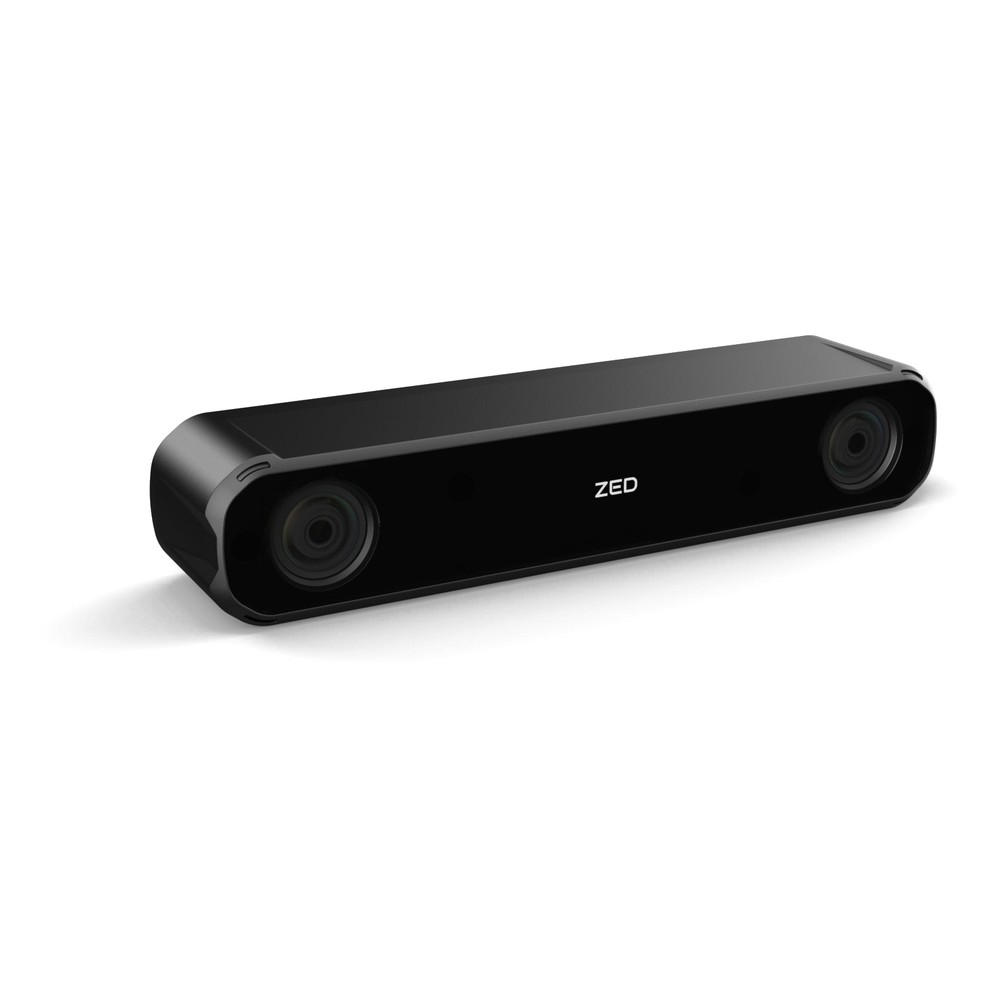
GMSL2 IP67 Stereo Camera with Wide 2.2 mm Lenses, Global Shutter and Up to 20 m Depth
- IP Rating
- IP67
- Temp
- −20 to +60 °C
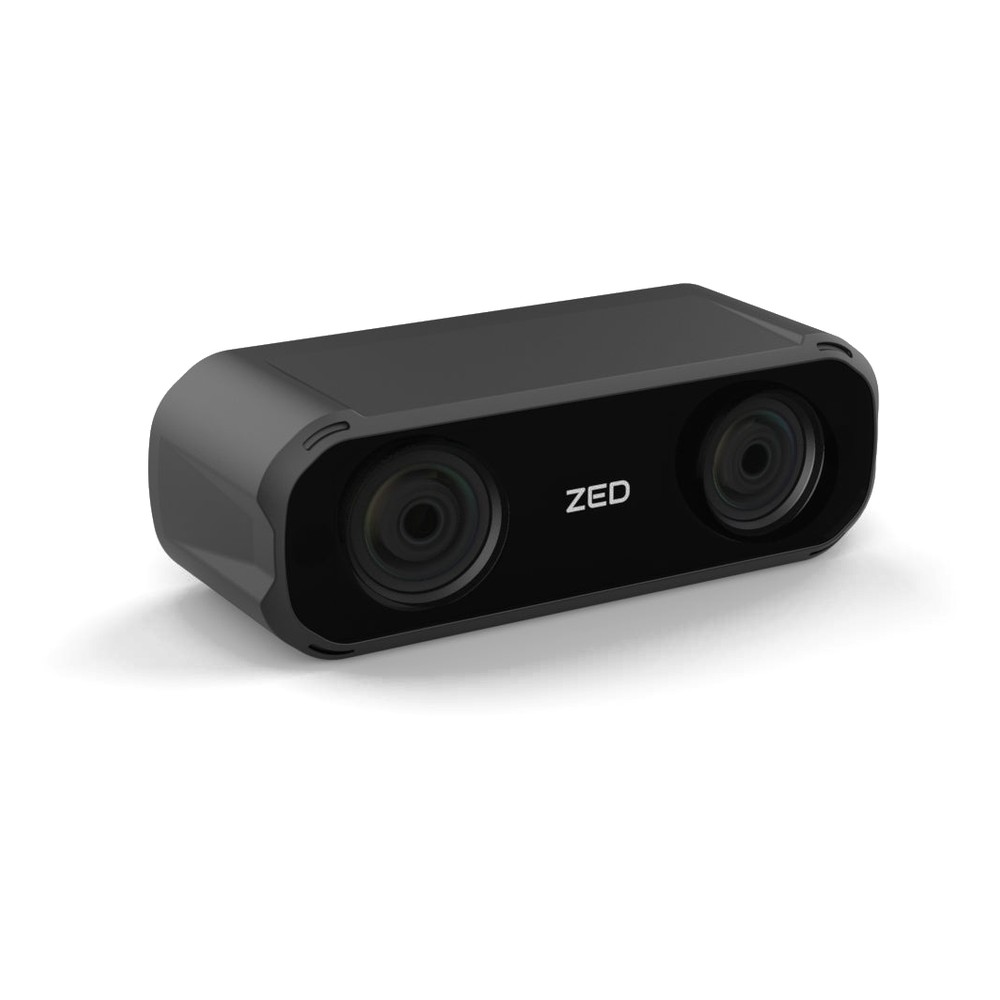
IP67 GMSL2 3D Depth Camera with Wide 2.2 mm Lenses, 5 cm Baseline and Depth from 0.1 m
- IP Rating
- IP67
- Temp
- −20 to +60 °C
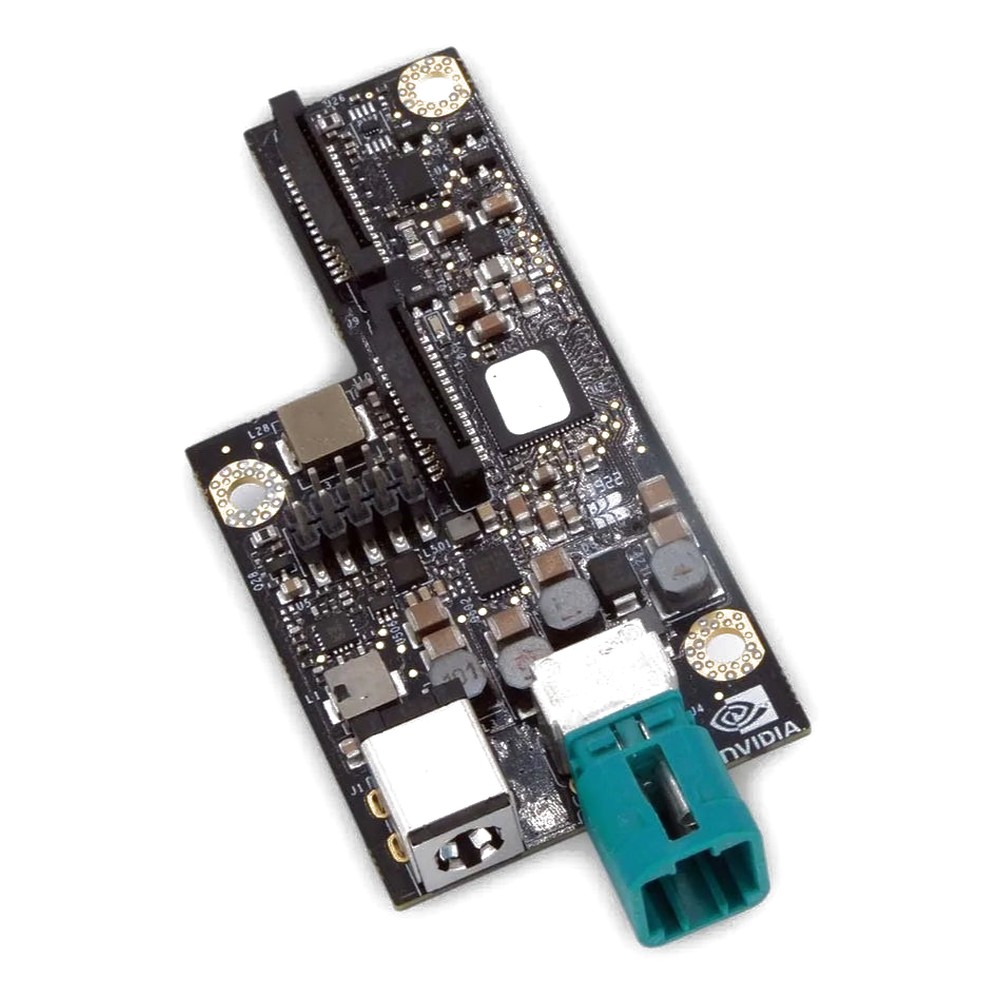
GMSL2 Capture Card for NVIDIA Jetson Orin Nano, Orin NX and AGX Orin with 4x Camera Inputs
- Inputs
- 4× GMSL2
- Max input
- 4K15 (3840×2160)
- Interface
- MIPI CSI-2 [120-Pin Samtec]
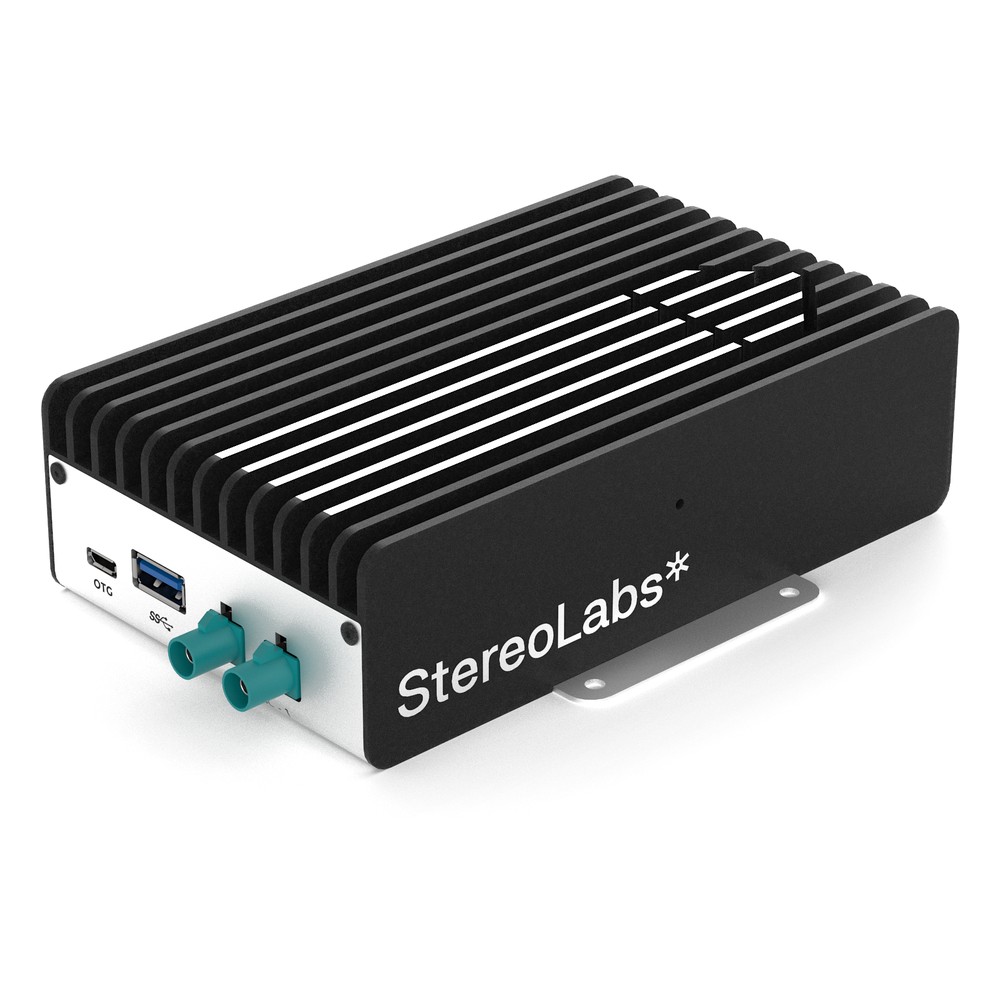
NVIDIA Jetson Orin NX 16GB Embedded Box PC with 2x GMSL2 Cameras, 100 TOPS and -20 °C Operation
- AI
- 100 TOPS
- SOM
- NVIDIA Jetson Orin NX 16 GB
- Cameras
- 2× GMSL
The products above at a glance
| Product | Role | Key facts from the product page |
|---|---|---|
| ZED-X-WIDE | Stereo camera | 2.2 mm lenses, 12 cm baseline, depth 0.3–20 m, global shutter, IP67, GMSL2 |
| ZED-X-MINI-WIDE | Close-range stereo camera | 5 cm baseline, depth from 0.1 m, global shutter, IP67, GMSL2 |
| ZED-LINK-DUO | Capture card | Four GMSL2 inputs on one MAX96712, Orin Nano, Orin NX and AGX Orin developer kits |
| ZED-BOX-MINI-NX16 | Camera computer | Orin NX 16GB, two GMSL2 inputs, frame-sync in and out, 40 W mode with fan kit |
We supply each camera with the computer it runs on, set up with JetPack, the ZED X driver, the ZED SDK and the wrapper, and tested before it ships.
ZED ROS2 wrapper: common questions
Quick answers
What is the ZED ROS2 wrapper?
A ROS 2 package from Stereolabs. It runs a ZED camera as a ROS 2 node and publishes images, depth, point clouds, odometry, pose and IMU data as topics.
Which ROS 2 versions does the ZED wrapper support?
The LTS releases. Humble on Ubuntu 22.04, Jazzy on Ubuntu 24.04 and Lyrical on Ubuntu 26.04, with Foxy for backward compatibility and Rolling for developers.
Does the ZED ROS2 wrapper run on NVIDIA Jetson?
Yes. It runs on Jetson Orin and Thor with the ZED SDK for Jetson; on JetPack 6, install the nvidia-jetpack packages before building.
Do I need the ZED X driver for a ZED 2i?
No. USB cameras such as the ZED 2i and ZED Mini need only the ZED SDK; the ZED X driver is for GMSL2 cameras.
Can I run several ZED cameras in ROS 2?
Yes, one node per camera. Give each camera a unique name and serial number, and size the Jetson and capture card for every stream.
Does the wrapper work with Isaac ROS?
Yes. It supports NITROS, so ZED images and depth can pass to GPU-accelerated Isaac ROS nodes without extra copies.
ZED and ROS 2 FAQs
-
What Is a Stereo Camera?
A stereo camera is a camera with two image sensors a fixed distance apart, like a pair of eyes. By finding the same point in both images and measuring how far it shifts between them, it calculates the distance to every pixel, so one device gives a robot or vehicle a 3D depth map as well as a colour image.
-
What Is GMSL2?
GMSL2 (Gigabit Multimedia Serial Link 2) is a high-speed serial link that carries uncompressed camera video, power and control data over one coaxial cable of up to around 15 metres. Developed for automotive cameras, it is now widely used on robots, autonomous machines and drones with NVIDIA Jetson computers.
-
What Is ROS (Robot Operating System)?
ROS (Robot Operating System) is a free, open-source set of software libraries and tools for building robot applications. Despite the name, it is not an operating system: it runs on Linux and handles communication between the parts of a robot, such as sensors, navigation and motor control. ROS 2 is the current version.
-
What Is an Autonomous Mobile Robot?
An autonomous mobile robot (AMR) is a robot that moves through a building or site on its own. It builds a map with lidar and cameras, works out where it is, plans a route and steers around people and obstacles, so it needs no tape, wires or fixed tracks. AMRs move goods, tow carts, clean, inspect and deliver.
-
What Is Linux for Tegra (L4T)?
Linux for Tegra, or L4T, is the NVIDIA operating system for Jetson edge AI modules: an Ubuntu-based Linux plus the board support package (bootloader, kernel and drivers) that makes Linux run on Jetson hardware. NVIDIA now calls it Jetson Linux, and it is the base layer of JetPack.
-
LiDAR vs Camera: What Is the Difference?
LiDAR measures distance directly with laser pulses, giving accurate 3D depth in any light. A camera captures colour, texture and fine detail at low cost, but needs light and has to work out depth indirectly, through stereo vision or AI. Many autonomous machines use both, combining the camera’s detail with LiDAR’s depth.
Building a ZED X robot on Jetson?
Tell us about your cameras, the ROS 2 stack you run and the machine they go on. We will recommend the Jetson and capture path, then supply it with the driver, ZED SDK and wrapper set up and tested.