
 UK
UK 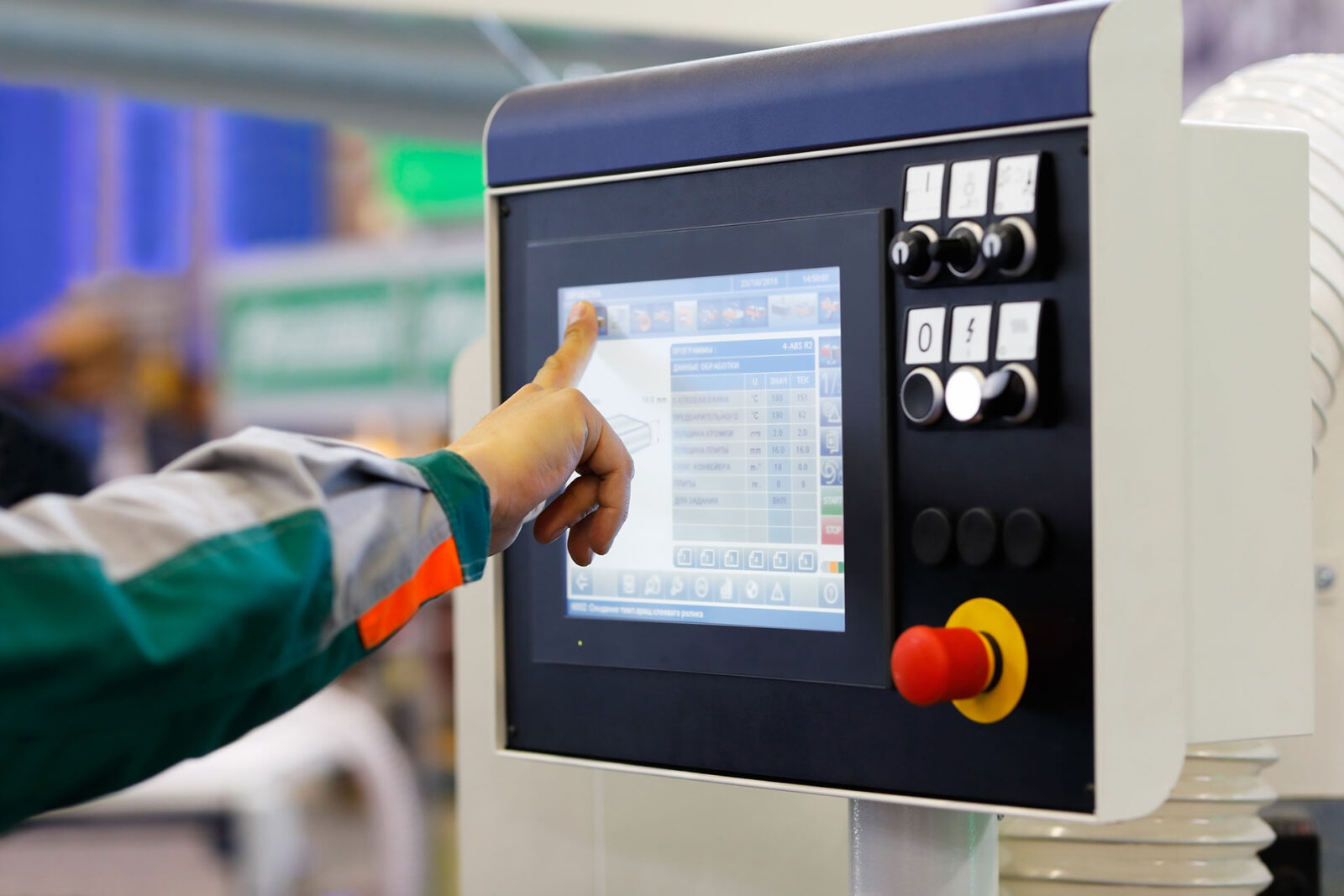
Touch Screen Technology: Choosing the Right Touch Type for Industrial Displays
Touch screen technology turns a finger, glove or stylus on a display into input. Here are resistive, surface capacitive, PCAP, SAW and infrared touch compared, with gloves, water, cover glass, electrical noise and how to choose by application.
Touch screen technology is the sensor and controller that let a display detect where a finger, glove or stylus touches it and pass that position to the computer as input. Five technologies cover almost every industrial touch display: resistive, surface capacitive, projected capacitive (PCAP), surface acoustic wave (SAW) and infrared (IR). Each senses touch in a different way, so each behaves differently with gloves, water, scratches, sunlight and electrical noise.
You have probably used several of them today. Self-service kiosks, ticket machines and point-of-sale terminals use touch to speed up transactions, and on the factory floor the touch screen on a human-machine interface (HMI) is how operators run and monitor a process. The right choice depends on who touches the screen and with what, where it is installed, how often it is used and how hard it will be treated.
This guide compares the five types side by side, explains how each one works and where it struggles, then covers gloves and water, cover glass and impact ratings, electrical noise and touch controllers, and a selection table by application.
Key takeaways
- 01PCAP is now the default
- Projected capacitive touch gives multi-touch, a clear image and a hard glass front, and it has overtaken resistive as the most widely used touch technology.
- 02Resistive still has a place
- Resistive touch responds to pressure, so it works with any glove or stylus and ignores water, which keeps it common on legacy HMIs and in heavy-glove work.
- 03SAW and IR suit indoor screens
- Both keep the image clear because there is little or no coating over the panel, but water, dirt and sunlight can cause false touches.
- 04Gloves and water need tuning
- PCAP controllers can be set for thick gloves and to reject water, but the settings must be tested with the gloves operators really wear.
- 05The glass matters as much as the sensor
- Cover glass thickness, coatings, optical bonding and the IK impact rating decide how a touch screen survives and how it reads in bright light.
What are the five types of touch screen technology?
The table compares the five technologies on the points that matter most for industrial displays. Figures are typical; a particular sensor, controller and cover glass can move them either way.
| Resistive | Surface capacitive | PCAP | SAW | Infrared (IR) | |
|---|---|---|---|---|---|
| How it senses | Pressure joins two conductive layers | Finger draws charge from a coated glass surface | Finger changes the capacitance of an electrode grid behind the glass | Touch absorbs ultrasonic waves across the glass | Touch breaks a grid of infrared beams |
| Works with | Any finger, glove or stylus | Bare finger or conductive stylus | Bare finger, thin gloves, conductive stylus; thicker gloves with tuning | Finger, gloved finger, soft-tipped stylus | Any object that blocks the beams |
| Multi-touch | Single, some dual | Single | True multi-touch, often 10 points | Single or dual | Multi-touch with suitable controllers |
| Water and rain | Unaffected | Affected | Rejects droplets with water modes; flowing water can still cause problems | Droplets cause false touches | Drops and debris can break beams |
| Light transmission | About 75–85% | About 85–90% | About 85–92% | About 90–92% | Up to 100% with no overlay |
| Surface durability | Soft film; scratches and cuts damage it | Coating wears over time | Hard glass, can be thick and toughened | Plain glass, very hard wearing | Sensor sits in the bezel, not on the glass |
| Front sealing | Easily sealed to front IP65 | Can be sealed | Flat glass front sealed to IP65, IP66 or IP69K | Hard to seal; edges must stay clear | Raised bezel; harder to seal |
| Electrical noise | Very low sensitivity | Moderate | Sensitive; needs good grounding and filtering | Low | Low; sunlight is the bigger issue |
| Typical sizes | Small to mid-size, up to about 22 inch | Up to about 32 inch | 7 inch to 86 inch and beyond | Up to about 42 inch | Up to 100 inch and beyond |
| Typical industrial use | Legacy HMIs, heavy gloves, defence | Older indoor kiosks | Most modern HMIs, panel PCs, outdoor and washdown screens | Indoor kiosks and control rooms | Large format and signage displays |
Behind every one of them sits a touch controller, a small board or chip that turns the raw sensor signal into coordinates and sends them to the computer, usually over USB. Our explainer on how touch screens work follows that signal path from the sensor to the operating system.
Resistive touch: pressure on two layers
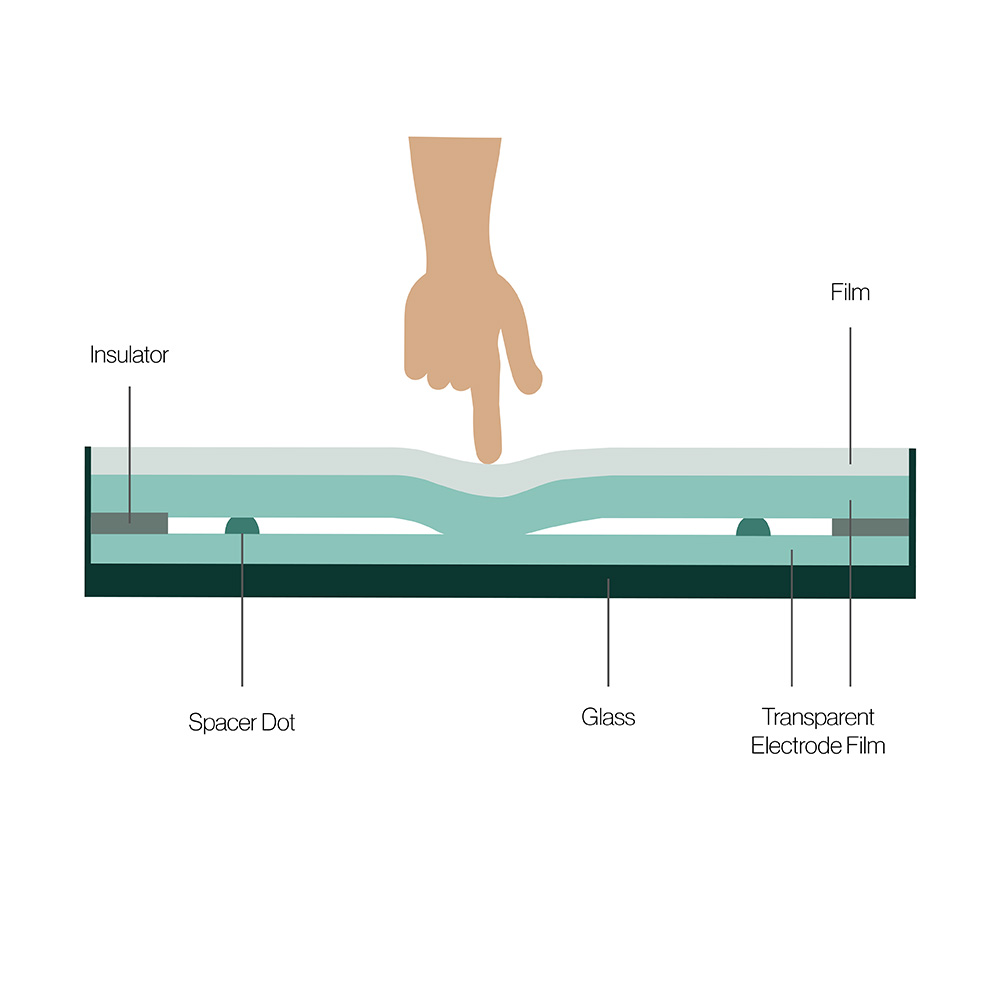
Resistive touch was the most widely used touch technology for many years and is still common on industrial HMIs. The sensor is a flexible transparent plastic front film over a rear glass panel. The facing surfaces carry a thin conductive coating, usually indium tin oxide (ITO), and a slim air gap, kept open by tiny spacer dots, separates them. One layer carries a small measured voltage. When a finger, glove or stylus presses the film, the two layers touch, the voltage at the point of contact changes, and the touch controller calculates the position from it.
Because it senses pressure rather than charge, resistive touch works with anything: a bare finger, a thick work glove, a pen or a tool. It is unaffected by water on the surface or by most contaminants, draws little power and gives off negligible electromagnetic interference, which is why it has long been used in military and medical equipment. The flexible front can be sealed to front IP65 for wet areas.
4-wire, 5-wire and 8-wire resistive
The wire count describes how the controller drives and reads the layers, and it decides how the screen ages.
| Type | How it works | Durability | Where it is used |
|---|---|---|---|
| 4-wire | Voltage alternates between the front and rear layers to read X and Y | The front film carries the measuring gradient, so wear and scratches cause drift; often quoted at a few million touches | Low-cost and small screens |
| 5-wire | Both axes are measured on the rear glass; the front film only senses the voltage | Wear or damage to the film has little effect on accuracy; often quoted at 30 million touches or more at one point | Industrial HMIs and panel PCs |
| 8-wire | A 4-wire design with sense lines that correct for drift | Better stability than 4-wire, but the front film still carries the gradient | Larger 4-wire screens |
For industrial use, 5-wire is the usual choice: the stable rear-glass measurement keeps the screen accurate long after the front film has picked up wear.
Strengths and limits
- Works with any glove, stylus or tool, and ignores water and most surface contamination
- Low power and negligible electromagnetic emissions
- Can be sealed to front IP65 for wet and dusty areas
- Lower light transmission than glass-fronted technologies, because of the film and conductive coatings
- The plastic front can be scratched, cut or punctured by sharp objects, and a damaged area stops working
- Generally single or dual touch, so no pinch or swipe gestures
- Long-term wear can cause touch drift, especially on 4-wire sensors
We supply resistive touch in two forms: resistive touch panel PCs, with the computer built in, and resistive touch monitors for an existing controller or PC.
Surface capacitive touch
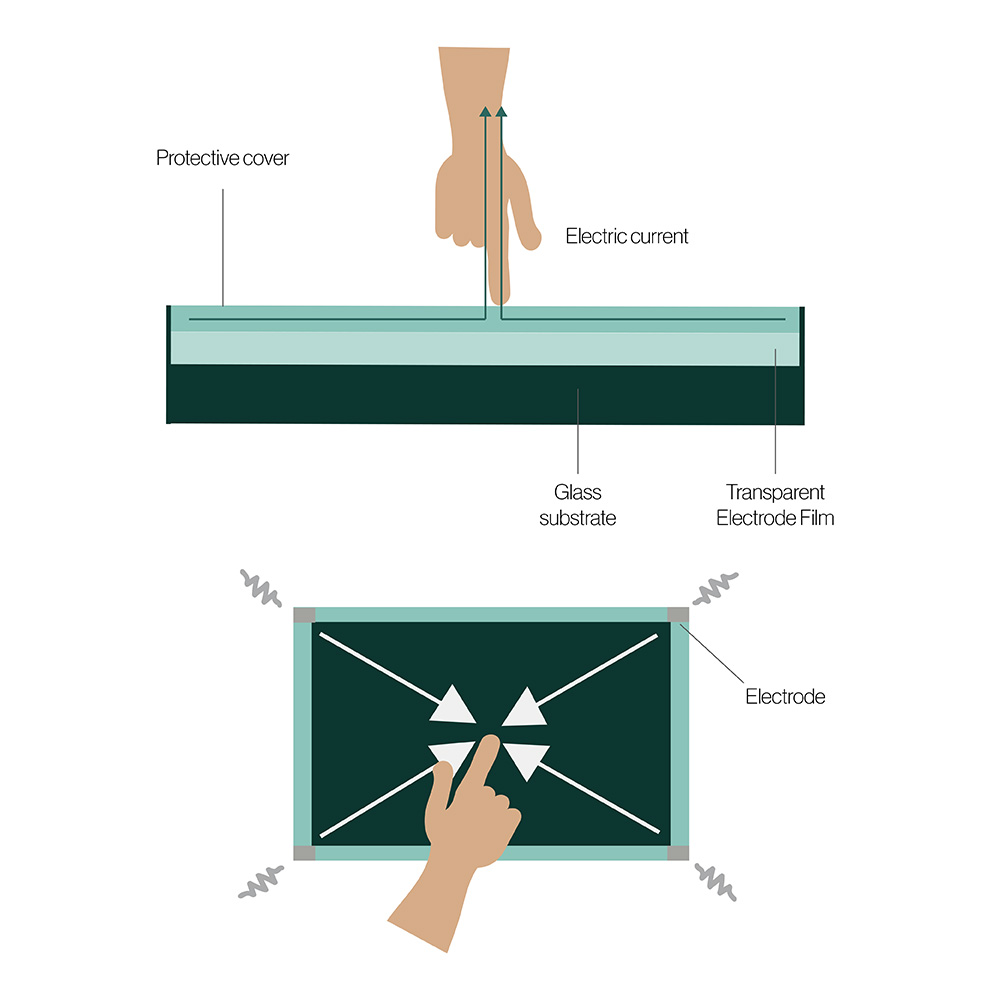
A surface capacitive sensor is a glass panel with an ultra-thin transparent conductive layer, again usually ITO, under a protective coating. A small, controlled voltage is applied to the layer from electrodes at the four corners. When a bare finger or a conductive stylus touches the screen, it draws a tiny current, and the controller works out the position from how much current flows from each corner.
Surface capacitive gave better image quality than resistive at a modest cost, and it suited supervised indoor uses where durability was not critical. It has largely been replaced by projected capacitive, which does the same job through thicker glass and adds multi-touch, so it is now rare in new industrial designs.
- Better image clarity than resistive, and not affected by dust or grime on the surface
- Sizes up to about 32 inch (32″)
- Needs a bare finger or a conductive stylus; gloves and ordinary pens do not work
- Liquids and damage to the coating affect operation, and wear causes touch drift
- Single touch only, and each sensor is calibrated to its own controller, which makes replacement costly
Projected capacitive (PCAP) touch
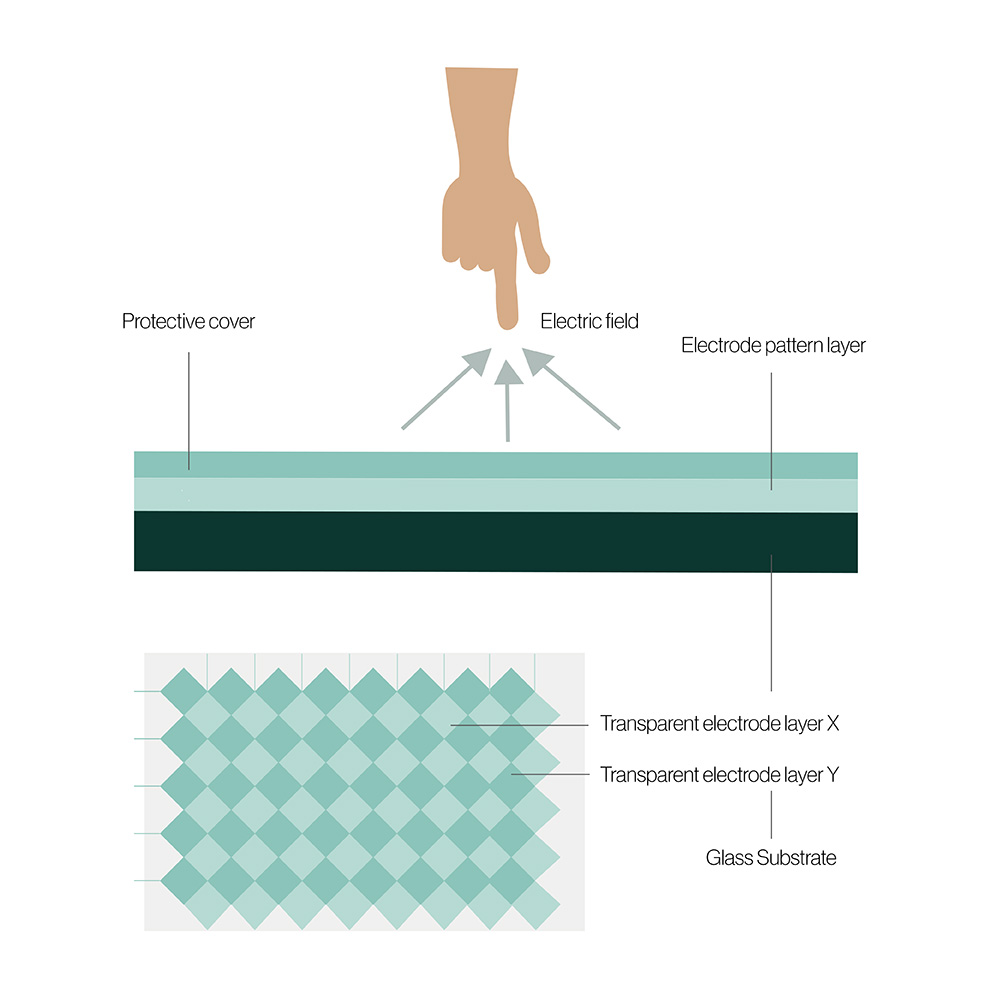
Projected capacitance has overtaken resistive as the leading touch technology worldwide. Like surface capacitive, it relies on a conductive object changing the electrical charge of the screen, but it senses through the cover glass rather than on its surface. Behind the front glass sits a grid of transparent electrodes arranged in rows and columns. When they are charged, they create an electrostatic field that projects through the glass. A finger or conductive stylus near the screen changes the capacitance at the nearby electrode crossings, and the controller finds the touch at the point of greatest change.
There are two ways to measure that change, and most industrial controllers use both.
| Method | What it measures | Strength | Limit |
|---|---|---|---|
| Mutual capacitance | Capacitance at each crossing of a row and a column | True multi-touch: every touch point is resolved separately | More affected by water films on the glass |
| Self capacitance | Capacitance of each row and column to ground | Very sensitive, so it helps with gloves and hover | Cannot resolve two touches on its own (“ghost” points) |
Using both lets a controller track several fingers while recognising that a film of water is not a touch. Our explainer on what a capacitive touch screen is covers ghost touches, calibration and the ITO grid in more detail.
Strengths and limits
- High brightness and image clarity, because the front is plain glass
- Very resistant to scratching and impact, especially with thick toughened or chemically strengthened glass
- A flat, bezel-free glass front that is easy to clean and seal to IP65, IP66 or IP69K
- Largely unaffected by dust, grease and water droplets with the right controller settings
- True multi-touch for pinch, zoom and swipe
- Works with thin gloves as standard and with thicker gloves when tuned
- Typically costs more than resistive, is more sensitive to electrical noise and needs more care in integration
PCAP is available both as PCAP touch panel PCs and as PCAP touch monitors, with glove touch modes on a number of models.
Surface acoustic wave (SAW) touch
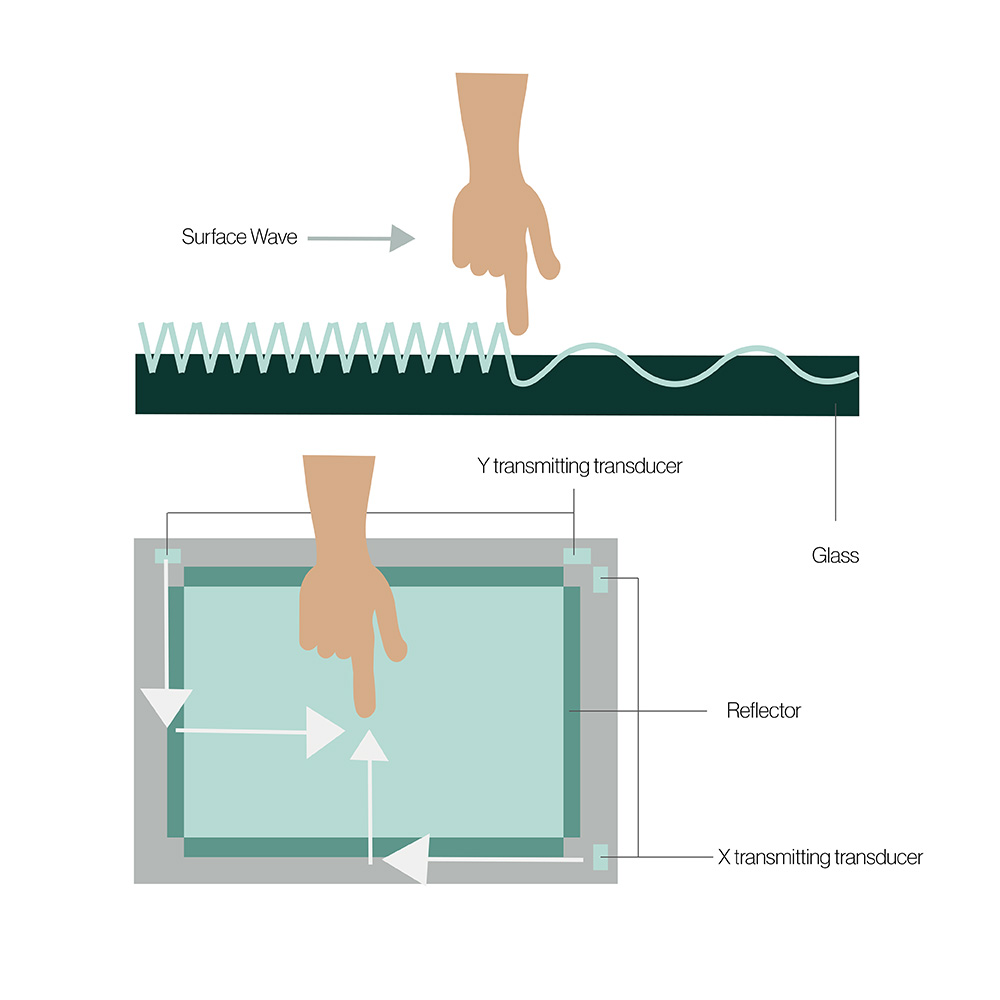
A SAW screen sends ultrasonic waves across the surface of a plain glass panel. Piezoelectric transducers at the edges generate the waves, reflector arrays spread them across the glass, and receivers on the opposite edges pick them up. A finger or soft object touching the glass absorbs part of the wave, and the controller locates the touch from where and when the signal drops. Because the size of the drop depends on how firmly the screen is pressed, some SAW controllers also report touch pressure.
With no conductive coating on the glass, SAW gives excellent image clarity and the surface is very hard wearing. It is best suited to indoor use: the waves are absorbed by anything resting on the glass, so water droplets, dirt and adverse weather affect it.
- Works with a finger, a gloved finger or a soft-tipped stylus
- Excellent image clarity, with no coating over the panel
- Unaffected by most scratches, and good endurance to wear
- Does not respond to hard objects such as a pen or fingernail
- Water droplets cause false touches, and residue creates dead areas until it is cleaned off
- Hard to seal, because the wave must travel freely to the screen edges, so dust and liquid can get in
- Can be affected by shock and vibration, and is limited to single or dual touch
For indoor kiosks and control rooms, our SAW touch monitors cover a range of screen sizes.
Infrared (IR) touch
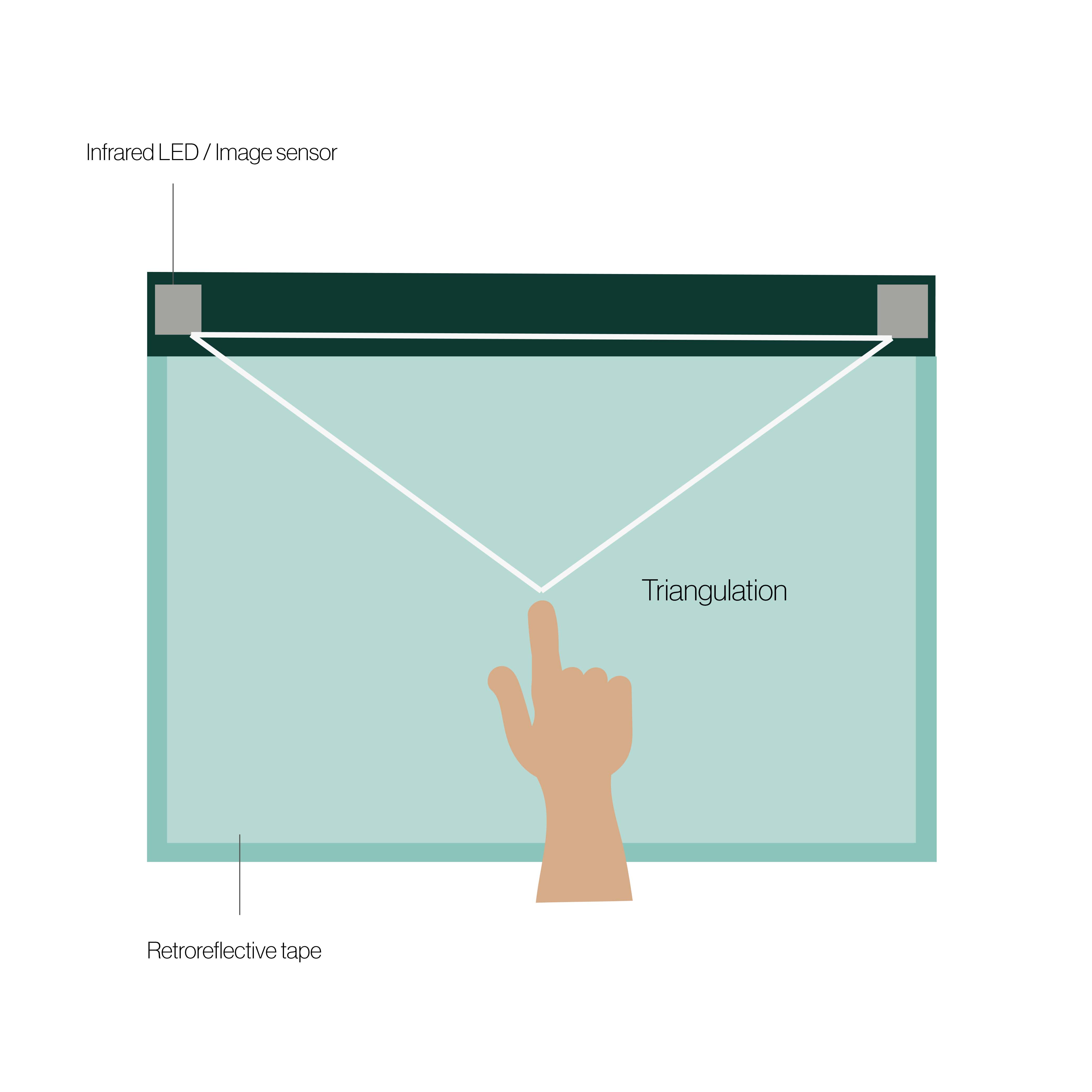
Unlike most touch technologies, an infrared touch screen needs no sensing overlay on the display. Infrared transmitters and receivers sit in a frame, usually plastic or aluminium, fixed around the display bezel. They create an invisible grid of light beams across the screen, side to side and top to bottom. When a finger or object breaks the beams, the controller finds the touch from the X and Y coordinates of the interrupted beams. A protective glass or plastic sheet is often fitted over the panel to guard the LCD surface.
IR suits monitored, well-kept indoor uses where a large or cost-effective touch screen is needed and the risk of damage to the frame or contamination is low. It is not a good choice outdoors: sunlight contains infrared, which can swamp the receivers, and rain, insects and debris break the beams.
- Display brightness and image clarity unaffected, because nothing covers the panel
- Scales to very large displays, 100 inch (100″) and beyond
- Multi-touch with the right controller
- Low cost, simple integration and easy frame replacement if it fails
- The frame must stand proud of the screen, so a flat front is not possible
- Sunlight and other infrared sources cause interference
- Anything that breaks the beams triggers a touch, and dust on the frame can stop it working
Two other approaches appear occasionally. Optical imaging touch uses cameras in the corners of a large screen, and in-cell or on-cell touch builds PCAP electrodes into the LCD panel itself, as phones do. In-cell panels are rare in industrial displays because they tie the touch sensor to one LCD and limit the choice of cover glass.
Which touch screen technology works with gloves?
Gloves are the most common reason an industrial touch screen disappoints. Resistive and SAW respond to a gloved finger by design. PCAP senses the conductive body through the glove, so the thicker and more insulating the glove, the weaker the signal. The difference between resistive and capacitive touch comes down to this pressure-versus-charge distinction.
| What touches the screen | Resistive | PCAP, standard | PCAP, glove mode | SAW | IR |
|---|---|---|---|---|---|
| Bare finger | Yes | Yes | Yes | Yes | Yes |
| Thin nitrile or latex gloves | Yes | Usually | Yes | Yes | Yes |
| Leather or fabric work gloves | Yes | Often not | Usually, once tuned | Yes | Yes |
| Thick insulated, chemical or welding gloves | Yes | No | Sometimes; test first | Usually | Yes |
| Hard stylus or pen | Yes | No | No | No | Yes |
| Conductive or active stylus | Yes | Yes | Yes | Soft tip only | Yes |
PCAP tuning for gloves and water
Glove and water performance on a PCAP screen is set by the controller firmware and the cover glass, not by the sensor alone. Raising the sensitivity lets the controller detect a gloved finger, but it also makes the screen more likely to react to water, a resting palm or electrical noise. Thicker cover glass protects better against impact but moves the finger further from the electrodes. Every PCAP design is a balance between the two.
| Setting | What it does | Trade-off |
|---|---|---|
| Glove mode | Raises sensitivity so a gloved finger registers | More prone to false touches from water and noise |
| Water rejection or rain mode | Uses self and mutual capacitance together to ignore water films and droplets | Can reduce the number of touch points or the response speed |
| Palm and edge rejection | Ignores large contact areas and touches at the bezel | Very large gloved fingers may be rejected |
| Thick glass profile | Tunes the controller to the cover glass and any bonding | Must match the glass actually fitted |
| Noise filtering | Filters out interference from power supplies and motors | May add a little latency |
Ask for glove and rain modes by name, and test with the gloves operators really wear and the liquids that really reach the screen. Several of the stainless steel panel PCs in our range have PCAP with glove and rain modes; where operators wear heavy gloves all shift, 5-wire resistive remains the dependable choice.
Which touch screen is best for outdoor or wet environments?
Outdoors and in wet areas the choice narrows quickly. The table summarises what usually works, and the IP rating chart explains the sealing levels it refers to.
| Environment | Usual choice | Why | Watch for |
|---|---|---|---|
| Hosed-down food and beverage lines | Flat-front PCAP with rain mode, sealed to IP69K | Smooth glass with no edges to trap residue, and water rejection for wet hands | Gloves used at the line; chlorinated cleaners and the stainless grade |
| Outdoor in direct sun | Optically bonded PCAP behind anti-reflective glass | Fewest added reflections, and glass stands up to weather | Brightness of 1,000 nits or more; avoid IR, which sunlight upsets |
| Rain on vehicles and machinery | PCAP with rain and glove modes, or 5-wire resistive | Both ignore droplets once set up correctly | Vibration, wide DC supplies and gloves |
| Cleanrooms, labs and medical | Flat-front PCAP | Joint-free glass tolerates daily wipe-downs with alcohol and disinfectants | Gloved use and the cleaning chemicals approved on site |
| Dusty heavy industry | PCAP behind thick glass, or 5-wire resistive | Neither is affected by dust on the surface | Impact from tools; specify an IK rating |
| Public kiosks and ticket machines | PCAP behind thick toughened glass | Senses through glass that resists impact and scratching | IK rating and hidden fixings |
| Indoor control rooms and signage | PCAP, SAW or IR | Clean, dry conditions suit all three | Screen size and multi-touch needs |
For brightness and reflections in direct sun, see our guide to choosing a sunlight readable display. For hosed-down areas, our guide to hygienic design for washdown computers covers seals, stainless grades and cleaning, and IP69K panel PCs are built for high-pressure, high-temperature cleaning. In cleanrooms, the same flat front matters for particles; see clean room computers.
Temperature affects touch too. Resistive films stiffen in the cold and soften in heat, and the adhesives in any touch stack have their own limits, so check the touch screen’s rated range as well as the computer’s. A rugged rugged panel PC rated for wide temperatures states the range for the whole system, touch included.
Cover glass, optical bonding and impact ratings
On PCAP and SAW screens, the cover glass is the part operators touch, so it decides how the screen survives knocks, scratches and cleaning. Most industrial glass is either chemically strengthened, which keeps it thin and very scratch resistant, or thermally toughened, which suits thicker panels and breaks into small fragments if it fails.
Coatings add to it. An anti-glare (AG) etch scatters reflections and hides fingerprints, while an anti-reflective (AR) coating cuts reflected light for better contrast in bright conditions; the difference between anti-glare and anti-reflective explains which suits which setting. Anti-fingerprint and antimicrobial coatings are used on public and healthcare screens.
Optical bonding and touch accuracy
Optical bonding fills the gap between the touch sensor or cover glass and the LCD with a clear resin or optically clear adhesive. It removes internal reflections, so the screen reads better in bright light, and stops condensation forming inside the stack. It also makes the touch screen stiffer and reduces parallax, the offset between where the finger lands and the image underneath, which helps touch accuracy on thick glass.
Impact ratings under IEC 62262
Impact resistance is graded by the IK code in IEC 62262, which sets the energy of a standard impact the enclosure must withstand. Our explainer on IK ratings covers the test itself.
| IK code | Impact energy | Typical touch screen use |
|---|---|---|
| IK06 | 1 joule | Supervised indoor screens |
| IK07 | 2 joules | Light industrial and retail |
| IK08 | 5 joules | Factory HMIs and semi-public kiosks |
| IK09 | 10 joules | Public kiosks and transport |
| IK10 | 20 joules | Unsupervised outdoor kiosks and high-risk sites |
For screens in public places, our explainer on what makes a touch screen vandal-proof covers glass, fixings and the IK level a public kiosk usually needs.
Electrical noise, touch controllers and drivers
PCAP measures very small changes in capacitance, so it is the touch technology most affected by electrical noise. Switching power supplies, variable-frequency drives, welding equipment and poor grounding can all inject noise that the controller mistakes for touches or that makes the cursor jitter. Electromagnetic interference of this kind is why industrial PCAP designs pay attention to grounding, shielding and controller filtering, and why conducted immunity under IEC 61000-4-6 is part of EMC testing for touch displays. Resistive, SAW and IR are far less sensitive.
| Interface | Where you meet it | What it means for integration |
|---|---|---|
| USB HID | Most current touch monitors and panel PCs | Recognised by Windows and Linux without extra drivers; multi-touch reported to the operating system |
| RS-232 serial | Older resistive touch monitors and HMIs | Needs a driver and calibration utility; still found when replacing legacy equipment |
| I²C | Touch modules built into embedded boards | Handled by the board support package rather than a separate cable |
Resistive screens usually need a one-off calibration so the touch lines up with the image, and may need recalibrating as the film ages. PCAP is calibrated by the manufacturer and normally needs none. On a separate touch monitor, touch comes back to the computer over its own USB cable alongside the video cable; our guide to monitor connection types covers the video side.
When we supply a touch display, we configure the touch controller settings, such as glove, water and sensitivity profiles, then test the display with the host computer before it ships. On a panel PC, the touch driver and settings are part of the system image we build and test.
Choosing touch screen technology by application
Most projects can be placed in one of the rows below before looking at individual models. Choosing the touch screen is one part of choosing an industrial HMI, alongside the computer, mounting and software.
| Application | Usual choice | Why | Example from our work |
|---|---|---|---|
| Factory floor HMI | PCAP, or 5-wire resistive for heavy gloves | Flat glass front sealed to IP65, multi-touch for modern HMI software | Rugged touch panel PCs in heavy industry |
| Food and beverage washdown | Flat-front PCAP with rain mode | No edges to trap residue; survives hot, high-pressure cleaning | Waterproof HMIs for food and beverage manufacturers |
| Self-service kiosk | PCAP behind toughened glass | Multi-touch and an impact-resistant front | Self-service kiosk computers for OEMs |
| Vehicle cab or forklift | PCAP with glove and rain modes, or resistive | Works in gloves and rain, and with vibration | Vehicle mount computers with PCAP screens |
| Defence and military vehicles | 5-wire resistive or ruggedised PCAP | Gloves, stylus use and low emissions | Military monitors with resistive or PCAP options |
| Medical and laboratory | Flat-front PCAP | Easy to disinfect, works with thin gloves | Medical grade monitors |
| Replacing a legacy HMI | Resistive, often a 4:3 screen | Matches the original software, cut-out and operator habits | Resistive panel PCs and monitors |
| Large interactive or signage display | PCAP or IR | Both scale to large sizes; IR costs less, PCAP seals better | Large format touch monitors |
Interactive public screens have their own requirements for content, mounting and vandal resistance; our explainer on interactive kiosks covers them. For built-in displays, our guide to open frame displays explains how the touch screen fits into an OEM enclosure.
Where each touch technology fits in our range
The touch screen is chosen with the display or computer around it, so these are the categories where the choice matters most.
Stainless steel panel PCs
Flat-front PCAP or 5-wire resistive panel PCs sealed to IP66 or IP69K for washdown lines.
View range
Open frame monitors
Built-in displays for kiosks and machines, with resistive, SAW or PCAP options.
View range
Sunlight readable panel PCs
Bright, bonded PCAP screens for outdoor and in-cab HMIs.
View range
Vehicle mount computers
Cab terminals with touch that works in gloves and rain, on vehicle DC supplies.
View range
Rugged tablets
Handheld PCAP touch for inspection and maintenance away from the machine.
View range
Medical grade monitors
Flat, cleanable touch screens for clinical and laboratory areas.
View rangeTouch screen computers and displays
Panel PCs with the computer built in, touch monitors for an existing PC, and large interactive and signage screens.
-
01

All-in-one touch screen computers
Panel PCs with resistive or PCAP touch, from compact HMIs to full HD screens.
View range -
02
Industrial touch screen monitors
PCAP, resistive and SAW touch monitors for a computer in the cabinet.
View range -
03
Interactive displays
Large format touch monitors for control rooms and interactive installations.
View range -
04
Digital signage kiosks
Touch kiosks and signage screens for public and retail spaces.
View range
Touch screens to start from
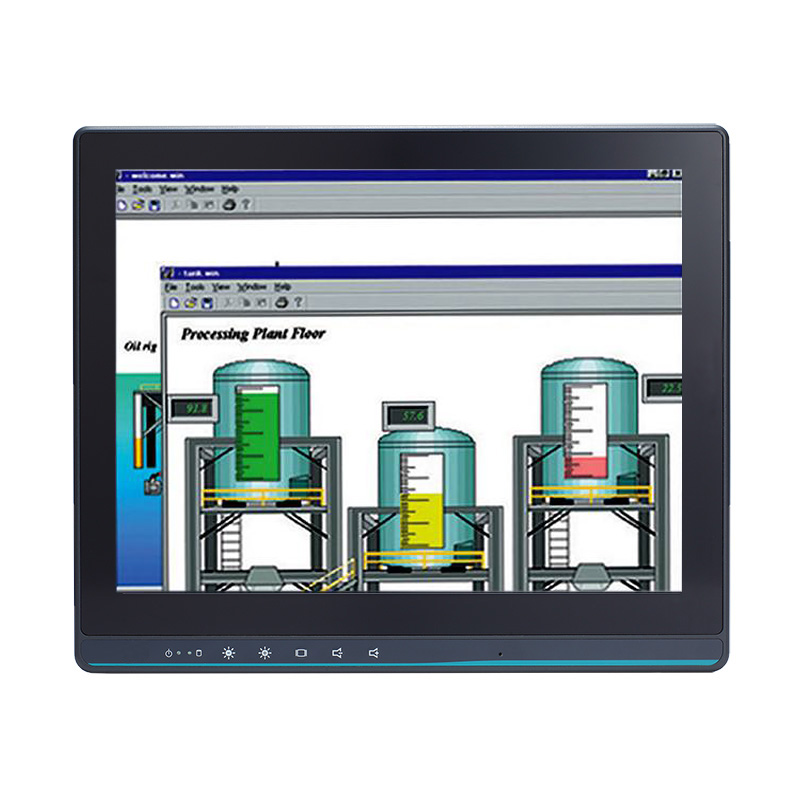
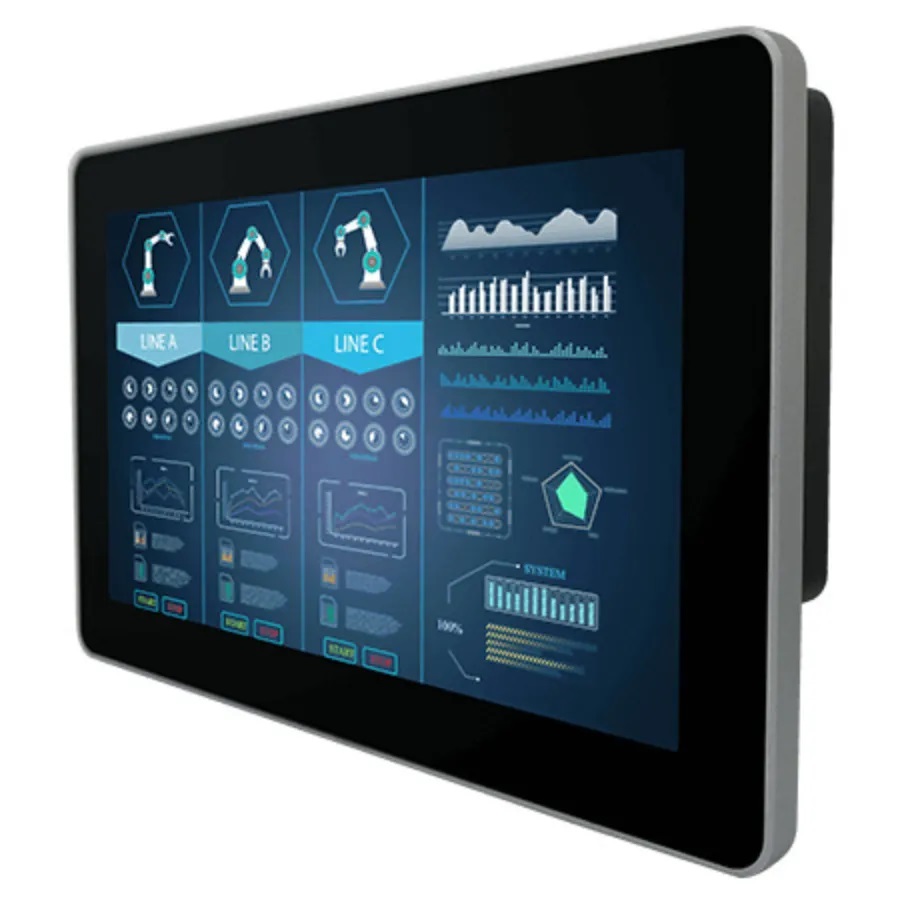
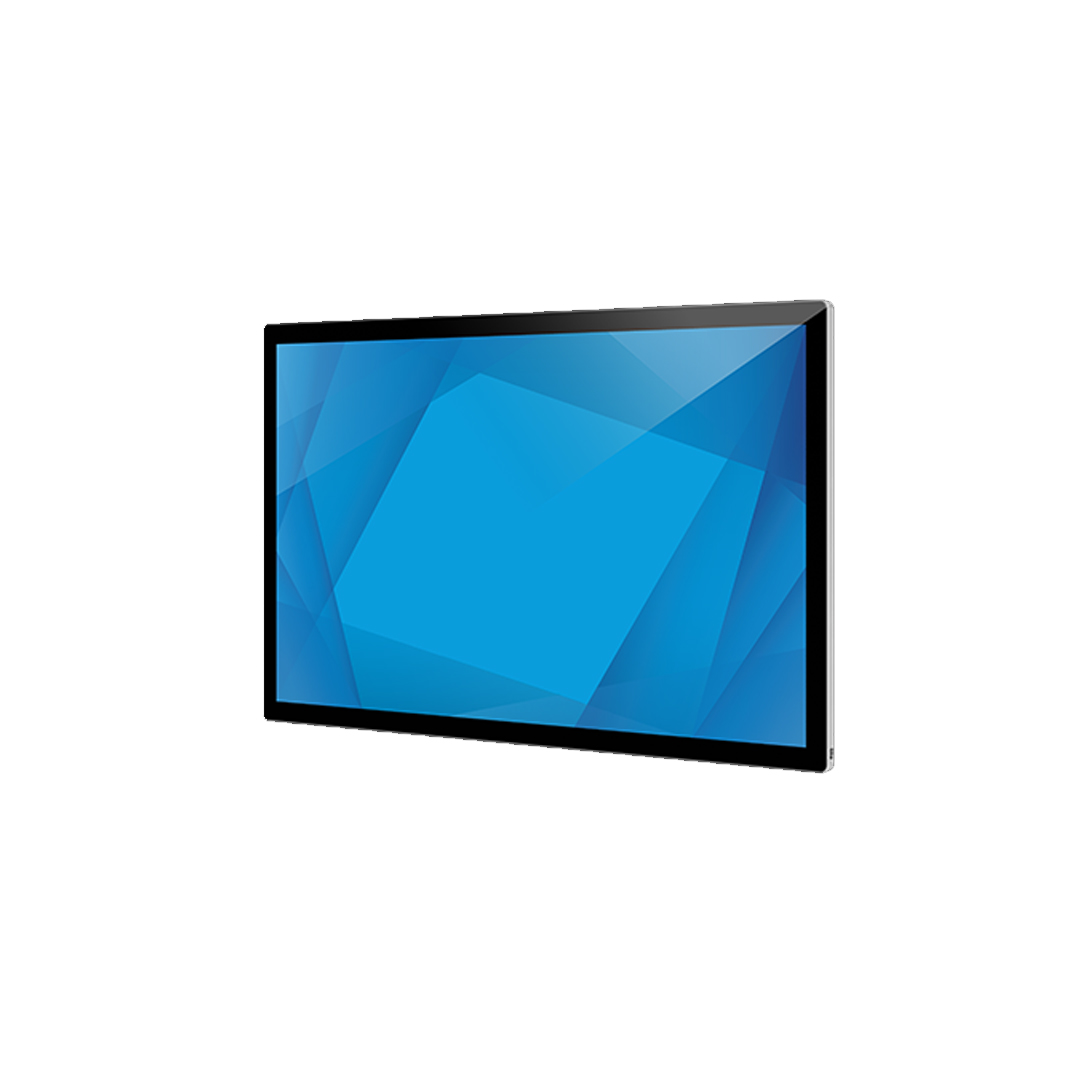
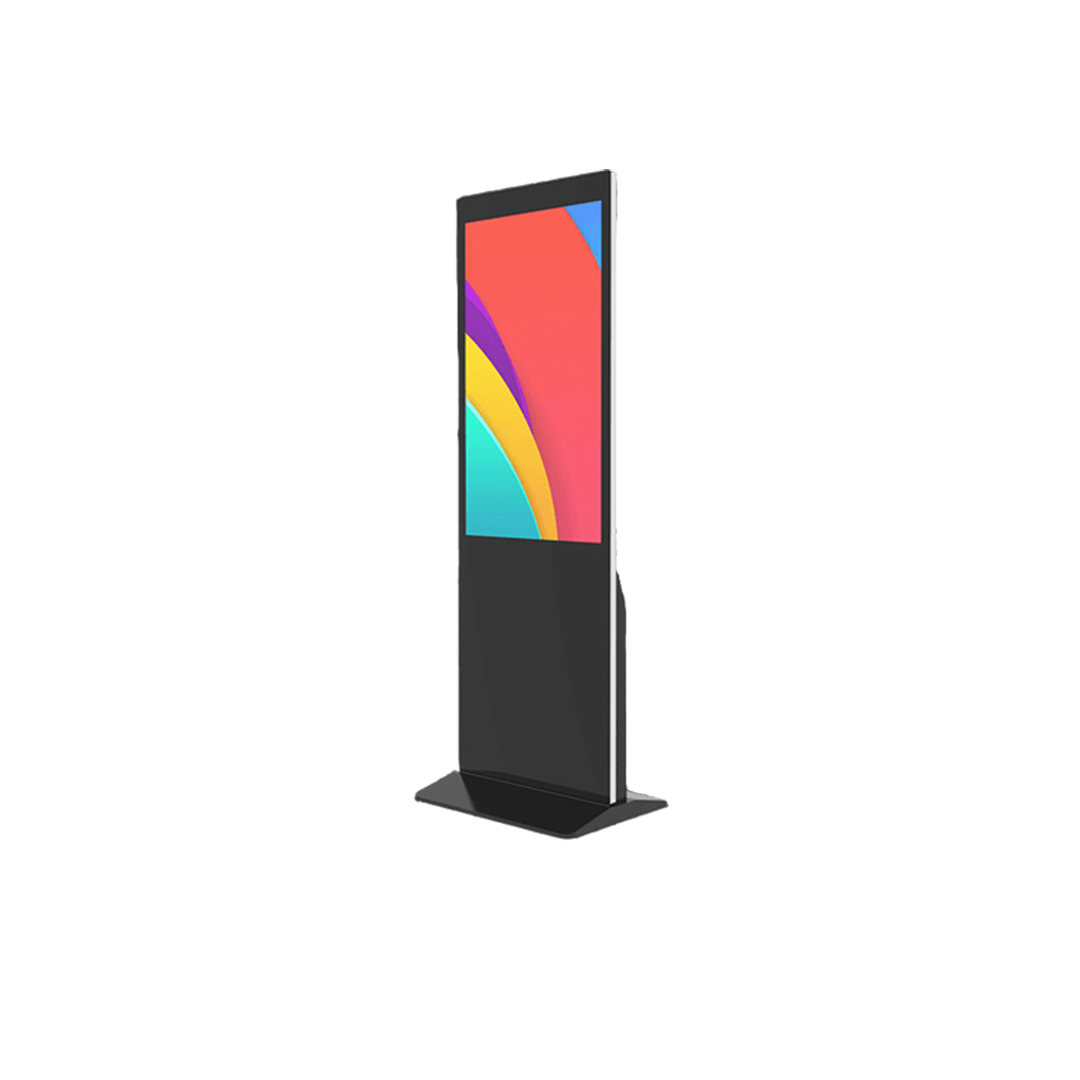
Four different approaches: a 15 inch (15") flat-front stainless steel panel PC with PCAP glove and rain modes; a 15" 5-wire resistive panel PC with a front IP66 aluminium bezel; a 12.1 inch open frame monitor with resistive or SAW touch options; and a 23.8" PCAP panel mount monitor sealed to IP65 at the front.
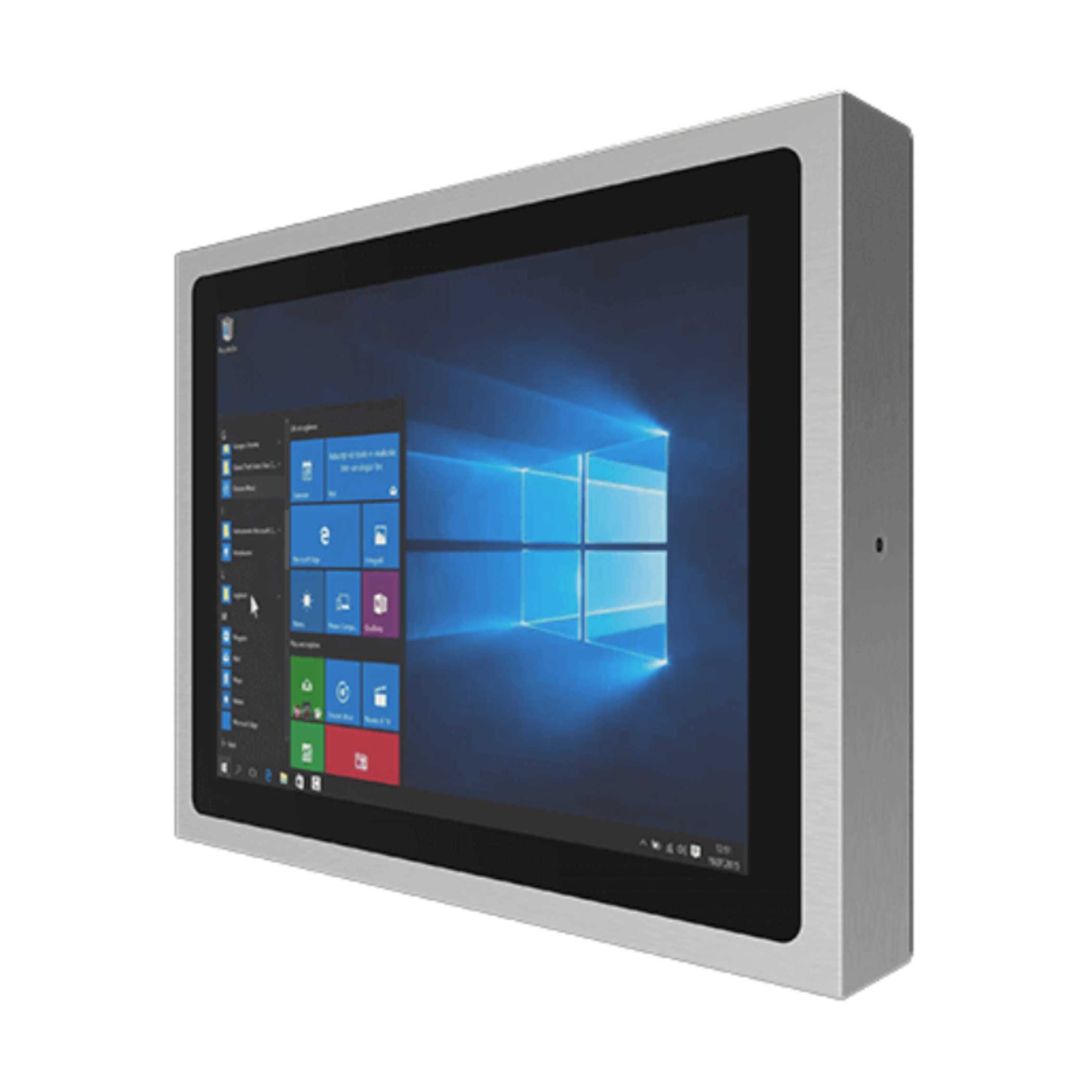
15″ Flat Front IP65 316 Stainless Panel PC with Intel Celeron N6211 and PCAP Touch
- Display
- 15″ (4:3, 1024×768, XGA)
- Brightness
- 300 nits
- Touch
- Multi Touch PCAP
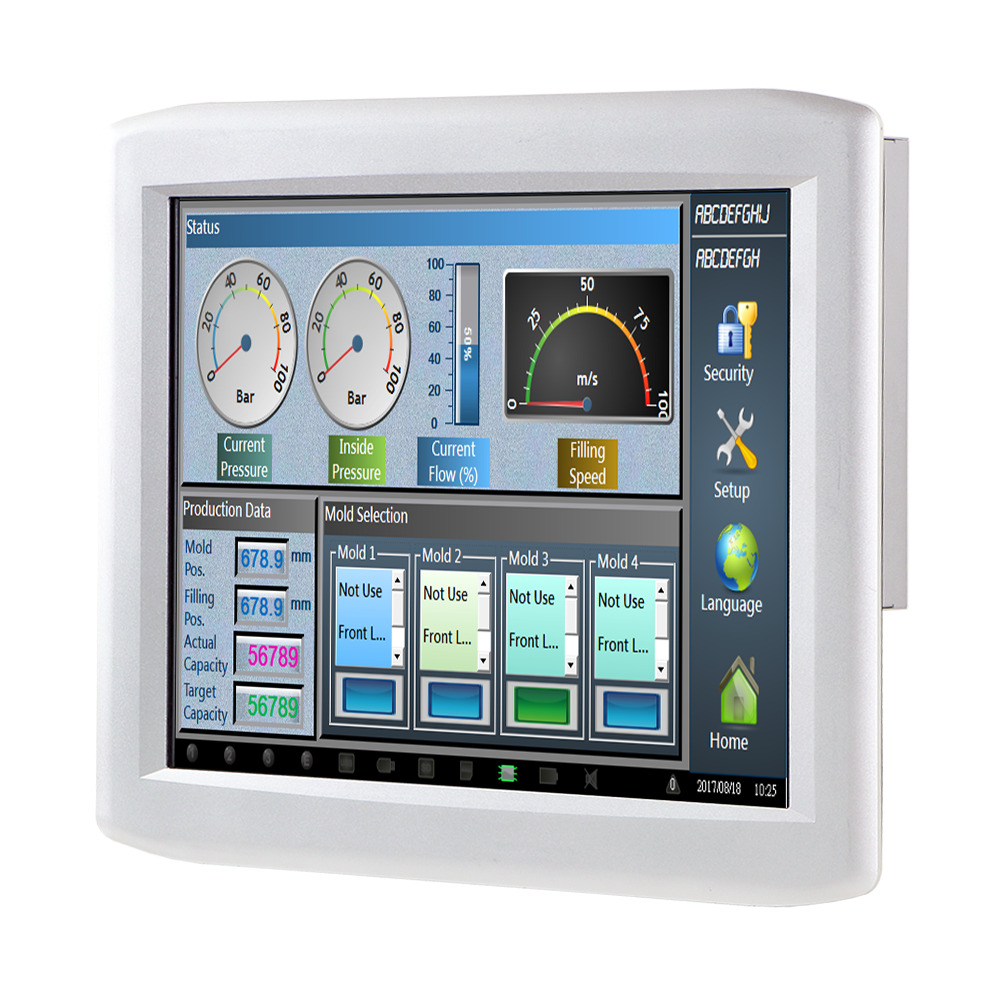
15″ 5-Wire Resistive Industrial Panel PC with Intel Pentium N4200 and Front IP66 Aluminium Bezel
- Display
- 15″ (4:3, 1024×768, XGA)
- Brightness
- 300 nits
- Touch
- Projective Capacitive Touch
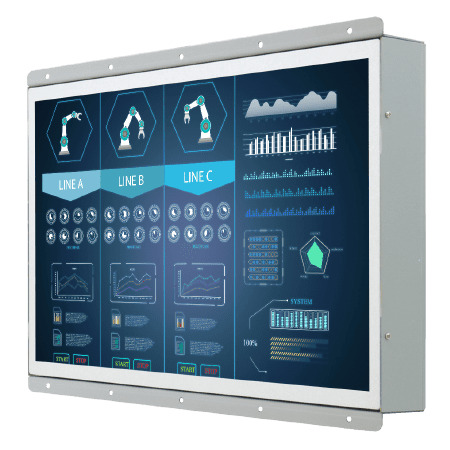
12.1″ Open Frame Monitor with WXGA LCD and Resistive or SAW Touch Options
- Display
- 12.1″ (5:3, 1280×800, WXGA)
- Brightness
- 400 nits
- Touch
- Optional Resistive Touch
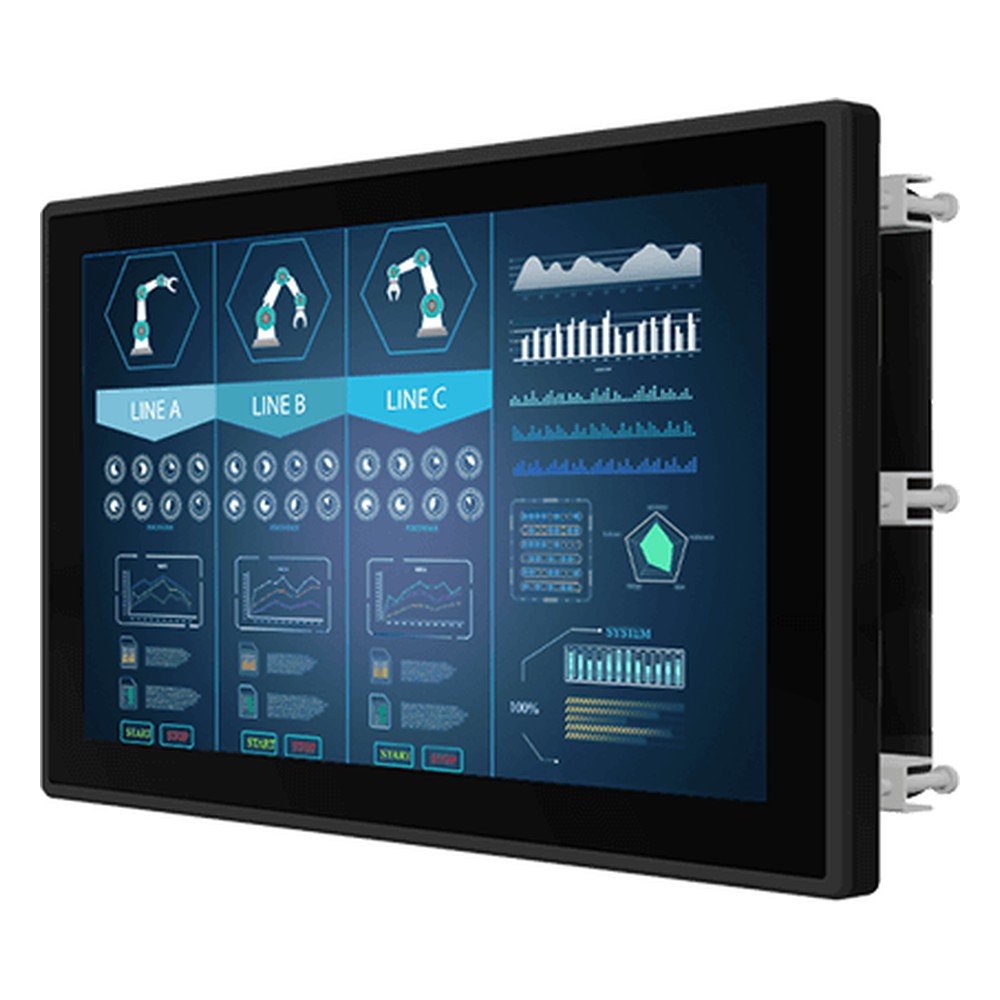
23.8″ PCAP Panel Mount Monitor with FHD LCD and 250 Nits
- Display
- 23.8″ (16:9, 1920×1080, FHD)
- Brightness
- 250 nits
- Touch
- Multi Touch PCAP
Specifying a touch screen
Seven questions that settle the touch technology, the glass and the controller settings.
-
01
Operator
What touches the screen: bare fingers, thin gloves, heavy work gloves or a stylus?
-
02
Gestures
Does the software need multi-touch gestures, or is single touch enough?
-
03
Liquids
Will water, cleaning chemicals or rain reach the screen, and does it need rain mode?
-
04
Light
Indoor, near windows or in direct sun? Sunlight rules out IR and calls for bonded, anti-reflective glass.
-
05
Impact
Is the screen supervised or public? Set the IK rating and the cover glass to match.
-
06
Sealing
Front IP65, IP66 or full IP69K, and can the chosen touch technology be sealed to it?
-
07
Size and fit
Screen size in inches, aspect ratio, the existing cut-out and the touch interface the host expects.
Touch screen technology: common questions
Quick answers
What are the types of touch screen technology?
Five cover most industrial displays. Resistive, surface capacitive, projected capacitive (PCAP), surface acoustic wave (SAW) and infrared (IR). PCAP is now the most common, with resistive still widely used on industrial HMIs.
How does a touch screen work?
A sensor reports where it is touched. Resistive screens sense pressure, capacitive screens sense the charge of a finger, and SAW and IR screens sense a break in sound waves or light beams. A controller turns the signal into coordinates for the computer.
Which touch screen technology works with gloves?
Resistive works with any glove. SAW and IR also respond to gloved fingers. PCAP works with thin gloves as standard and with thicker gloves when the controller is set to a glove mode.
What is the difference between resistive and capacitive touch screens?
Pressure versus charge. Resistive registers a press that joins two layers, so anything can operate it. Capacitive senses a finger’s charge through glass, giving multi-touch, a clearer image and a harder surface.
What is PCAP touch?
Projected capacitive touch. A grid of transparent electrodes behind the cover glass senses a finger through the glass, tracking several touches at once. It is the technology used in most current industrial touch screens.
Which touch screen is best for outdoor or wet environments?
Usually bonded PCAP with rain mode. A sealed glass front with water rejection copes with rain and washdown, and anti-reflective glass keeps it readable in sun. Resistive is the alternative where heavy gloves are worn.
Which touch screen is the most durable?
Glass-fronted PCAP and SAW. Both sense through or across plain glass, which resists scratches far better than a resistive film. PCAP behind thick toughened glass also reaches high IK impact ratings.
Touch screen FAQs
-
How Do Touch Screens Work?
A touch screen works by placing a sensor over the display that detects where a finger or stylus touches and sends those coordinates to the computer as pointer input. Resistive screens sense pressure, capacitive screens sense the electrical charge of a finger, and surface acoustic wave and infrared screens sense a break in sound waves or light beams.
-
Resistive vs Capacitive Touch Screen: What Is the Difference?
A resistive touch screen registers a touch when pressure pushes two conductive layers together, so it works with any finger, glove or stylus. A capacitive touch screen, usually projected capacitive (PCAP), senses a finger’s electrical charge through glass, giving multi-touch, a clearer image and a harder surface that resists scratches.
-
What Is a Capacitive Touch Screen?
A capacitive touch screen detects touch by sensing the small change in capacitance a finger causes in a grid of transparent electrodes behind the glass. Almost every capacitive screen made today is projected capacitive (PCAP), which tracks several touches at once through thick cover glass, giving multi-touch gestures, a clear image and a hard, easy-to-clean front.
-
What Makes a Touch Screen Vandal-Proof?
A vandal-proof touch screen combines strengthened cover glass, a touch technology that senses through that glass, and a sealed, rigid housing with hidden fixings. Its impact resistance is graded with an IK rating under IEC 62262: IK07 withstands a 2 joule impact and IK10 a 20 joule impact.
-
What Is an IK Rating?
An IK rating grades how well an enclosure resists mechanical impact, from IK00 (no protection) to IK10, which withstands a 20 joule impact. It is defined by IEC 62262 (EN 62262) and is used alongside the IP rating to specify displays, panel PCs and enclosures for public and industrial sites.
-
What Is the Difference Between Anti-Glare and Anti-Reflective?
Anti-glare (AG) is a textured, matte surface that scatters reflections so they no longer form a sharp mirror image. Anti-reflective (AR) is a thin-film coating that cancels reflected light, cutting it to a fraction of plain glass while keeping the image sharp. AG suits bright indoor lighting; AR suits direct sunlight.
-
What Makes a Display Sunlight Readable?
A sunlight readable display stays clear in bright light because it combines high brightness, typically 1,000 nits or more for direct sun, with low reflection. Optical bonding removes the air gap behind the cover glass, and anti-reflective or anti-glare treatment cuts surface glare, so contrast holds up outdoors and in bright vehicle cabs.
Need help choosing a touch screen for your display?
Tell us who uses the screen, what they wear on their hands and where it will be installed. We will recommend the touch technology, glass and mounting, then configure and test the display before it ships.