
 UK

Types of Ethernet Switches: Industrial, Rugged and Military
The types of Ethernet switches range from unmanaged to managed and Layer 3, and from DIN-rail and rack mount to M12, board-level and military builds. This guide compares them and shows which type suits each industrial installation.
The types of Ethernet switches fall into two groups: by management, from unmanaged through smart and managed to Layer 3, and by build, from office desktop switches to industrial DIN-rail, rack mount, M12, board-level and sealed military switches. Every type forwards Ethernet frames in the same way; what changes is how much control you have over the traffic and where the switch can survive.
Rugged Ethernet switches are the industrial end of that range: switches built to run in dust, water, extreme temperatures and vibration, on the factory floor for control and automation, outdoors in smart city and roadside cabinets, on board rolling stock and vehicles, and in military systems where demanding environmental specifications must be met. Our Ethernet switches cover each of these types.
This guide sets out every type in one table, explains the difference between industrial and commercial switches in figures, then works through form factors, connectors, management, redundancy, PoE and certifications. It ends with a decision table, a checklist, examples from our range and answers to the questions buyers ask most.
Key takeaways
- 01Two ways to classify
- Switches are typed by management level and by physical build; most industrial choices combine one of each.
- 02Unmanaged, smart, managed
- These are the three management types; Layer 3 switches are managed switches that also route.
- 03Industrial means environment
- Industrial switches add −40 to 75 °C ratings, redundant DC inputs, DIN-rail or sealed cases and industrial EMC immunity.
- 04Form follows installation
- DIN-rail suits cabinets, rack mount suits control rooms, M12 suits machines and vehicles, board-level suits OEM systems.
- 05Redundancy needs management
- Ring protocols that recover in tens of milliseconds only run on managed switches.
What are the different types of Ethernet switches?
The table lists the types industrial buyers meet most often. A single switch usually belongs to more than one row: an M12 switch can be managed and PoE, and a board-level switch can be Layer 3. Read the rows as features to combine, not as exclusive categories.
| Type | Management | Typical ports and speeds | Environment | Where it is used |
|---|---|---|---|---|
| Unmanaged switch | None, plug and play | 5–16 ports, Fast Ethernet or Gigabit, often with SFP | Office or industrial builds | Small fixed networks in one cabinet or machine |
| Smart (web-managed) switch | Web interface with a subset of features | 8–24 ports, Gigabit | Mostly office, some industrial | Small segmented networks |
| Managed Layer 2 switch | Full: VLANs, QoS, rings, SNMP, security | 8–28 ports, Gigabit with 1G, 2.5G or 10G uplinks | Office, industrial and rugged builds | Plant cells, rings, anything monitored remotely |
| Layer 3 switch | Managed, plus routing between VLANs | As managed, often 10G uplinks | Industrial, rack and board-level | Plant backbones and segmented sites |
| PoE switch | Unmanaged or managed | Ports supplying 15.4–90 W each | Office and industrial | IP cameras, access points, panel PCs |
| Industrial DIN-rail switch | Any | 5–20 ports, SFP fibre | −40 to 75 °C, redundant DC input | Control cabinets and field enclosures |
| Rack mount industrial switch | Usually managed | 24–32 ports, 10G SFP+ uplinks | Extended temperature, AC or DC | Control rooms, substations, aggregation |
| M12 rugged switch | Unmanaged or managed | 8–18 ports on locking M12 connectors | IP65 to IP67, vibration rated | Rail, vehicles, machines and washdown areas |
| Board-level switch and module | Managed, often Layer 3 | 8–28 ports, up to 10G | −40 to 85 °C, conduction cooled | OEM systems, drones, robots, vehicles |
| Military rugged switch | Managed, often Layer 3 | 8–24 ports on MIL-DTL-38999 connectors | Sealed case, MIL-STD-461 filtered power | Military vehicles, shelters and masts |
At its simplest, every switch does the job our FAQ on what an Ethernet switch is describes, and none of them repeats traffic to every port the way an old hub did; see network hub vs switch. The rest of this guide takes each dimension in turn.
What are the 3 types of switches?
When people ask for the three types of network switch they usually mean the management types: unmanaged, smart and managed. Network designers sometimes mean something else, the three layers of a hierarchical network: access switches that connect end devices, distribution switches that aggregate them and apply policy, and core switches that carry traffic between distribution blocks. Industrial networks use the same idea at a smaller scale, with machine or cabinet switches at the access layer and a managed or Layer 3 backbone above them.
| Meaning | Type 1 | Type 2 | Type 3 |
|---|---|---|---|
| By management | Unmanaged: no configuration | Smart: web interface, basic VLANs and QoS | Managed: full control, redundancy and security |
| By network layer | Access: connects devices | Distribution: aggregates and applies policy | Core: high-speed backbone |
| By build (industrial view) | Commercial: office and data room | Industrial: DIN-rail and rack, extended temperature | Rugged: sealed, M12 or MIL connectors, vibration rated |
What is a rugged Ethernet switch?
Aside from its design and specification to withstand harsh environments, a rugged Ethernet switch works in the same way as a commercial switch. It sits between connected devices so they can communicate across multiple ports. A switch receives frames on one port, reads the destination MAC address, looks it up in its address table and forwards the frame to the right port in a few microseconds. Industrial Ethernet switches send and receive in both directions at once on every port, at different bit rates where needed.
Fast Ethernet at 100 Mbit/s is still common on PLCs, drives and field devices, but high-resolution cameras and sensors have pushed industrial networks to Gigabit at the edge, with 2.5G and 10G uplinks where many devices share one link back to the core.
| Speed class | Rate | Typical industrial use |
|---|---|---|
| Fast Ethernet | 100 Mbit/s | PLCs, I/O, drives, meters and older field devices |
| Gigabit Ethernet | 1 Gbit/s | Cameras, HMIs, computers and most new installations |
| 2.5G | 2.5 Gbit/s | Multi-gigabit cameras and ring links on newer switches |
| 10 Gigabit Ethernet | 10 Gbit/s | Uplinks, backbones and video aggregation, usually over SFP+ fibre |
Fibre links use plug-in transceivers; our FAQs on SFP and single-mode vs multimode fibre explain the choices.
Industrial vs commercial Ethernet switches
An industrial switch is defined by where it can work rather than by what it does. The switching is the same; the build, the power input and the testing are not. Figures below are typical; check each model’s datasheet.
| Commercial switch | Industrial switch | Rugged or military switch | |
|---|---|---|---|
| Operating temperature | About 0 to 40 °C | Typically −10 to 60 °C standard, −40 to 75 °C extended | Typically −40 to 85 °C |
| Cooling | Often a fan | Fanless | Fanless, conduction cooled |
| Power input | Mains AC, single supply | 12–48 V DC or wider, redundant inputs, alarm relay | Wide DC with MIL-STD-1275 or MIL-STD-704 compatible supplies on some models |
| Mounting | Desk or 19-inch rack | DIN rail, panel or 19-inch rack | Bolted, sealed enclosure or board-level |
| Enclosure | Plastic or light steel, IP20 | Metal, IP30 to IP40 | IP65 to IP67 |
| Connectors | RJ45 | RJ45 and SFP, terminal-block power | M12 or MIL-DTL-38999 |
| EMC | Office levels | Industrial immunity, such as IEC 61000-6-2 | Military, such as MIL-STD-461 |
| Shock and vibration | Not specified | Tested to IEC 60068-2 parts | Tested to MIL-STD-810 methods on many models |
| Lifecycle | Short, frequent model changes | Long availability | Long availability, controlled changes |
The DIN-rail format is the industrial default; our FAQ on DIN rail explains the standard. Wide-temperature ratings matter more than they appear: a cabinet in direct sun can run 20 °C or more above the outside air.
Rugged Ethernet switch form factors
The four builds below cover most rugged installations, from a cabinet rail to a sealed military enclosure.
-
01

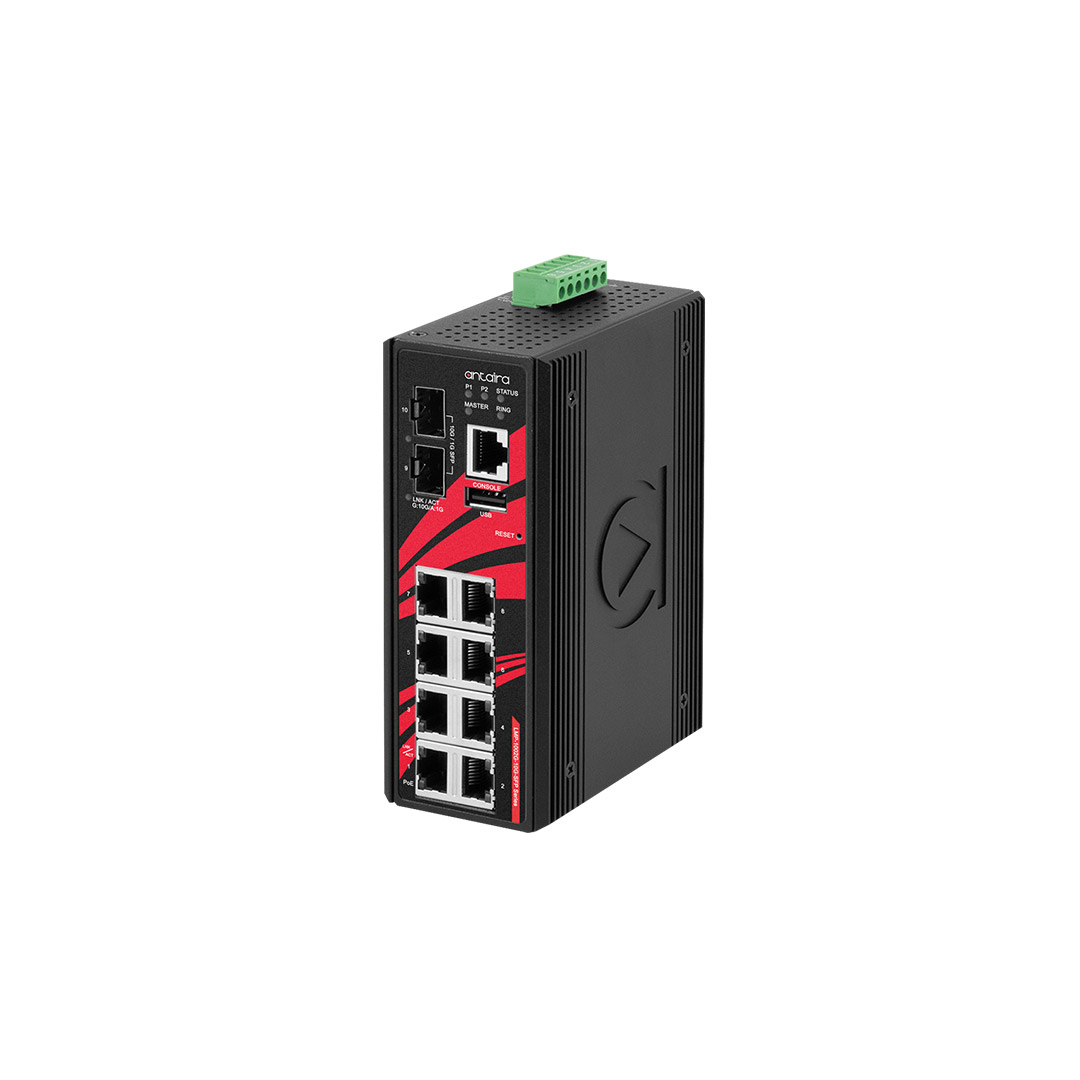
Rugged DIN-mount Ethernet switches
Compact switches that clip onto a DIN rail in a control cabinet or field enclosure.
View range -
02
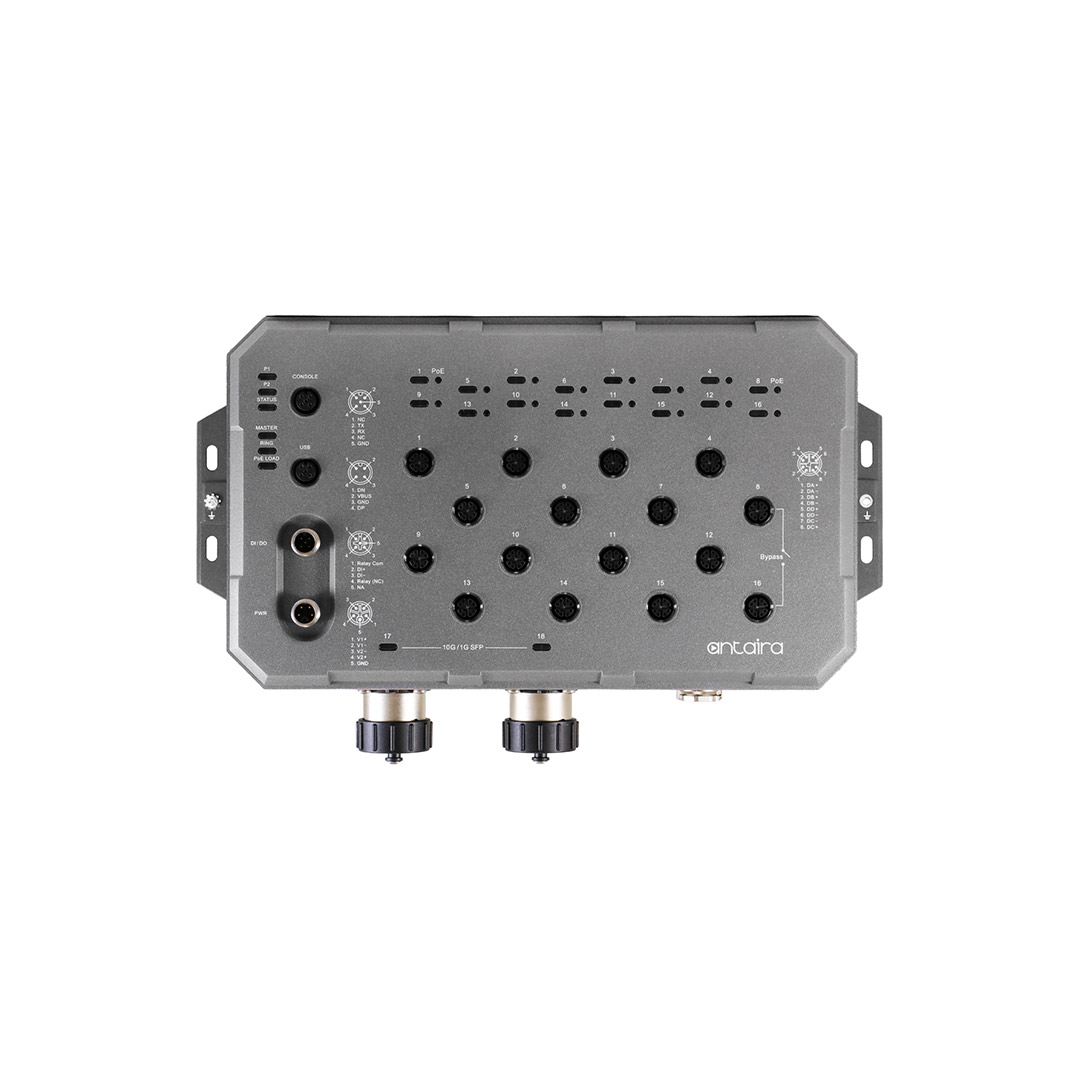
Waterproof M12 Ethernet switches
IP67 switches with locking M12 connectors that mount beside the machine without a cabinet.
View range -
03
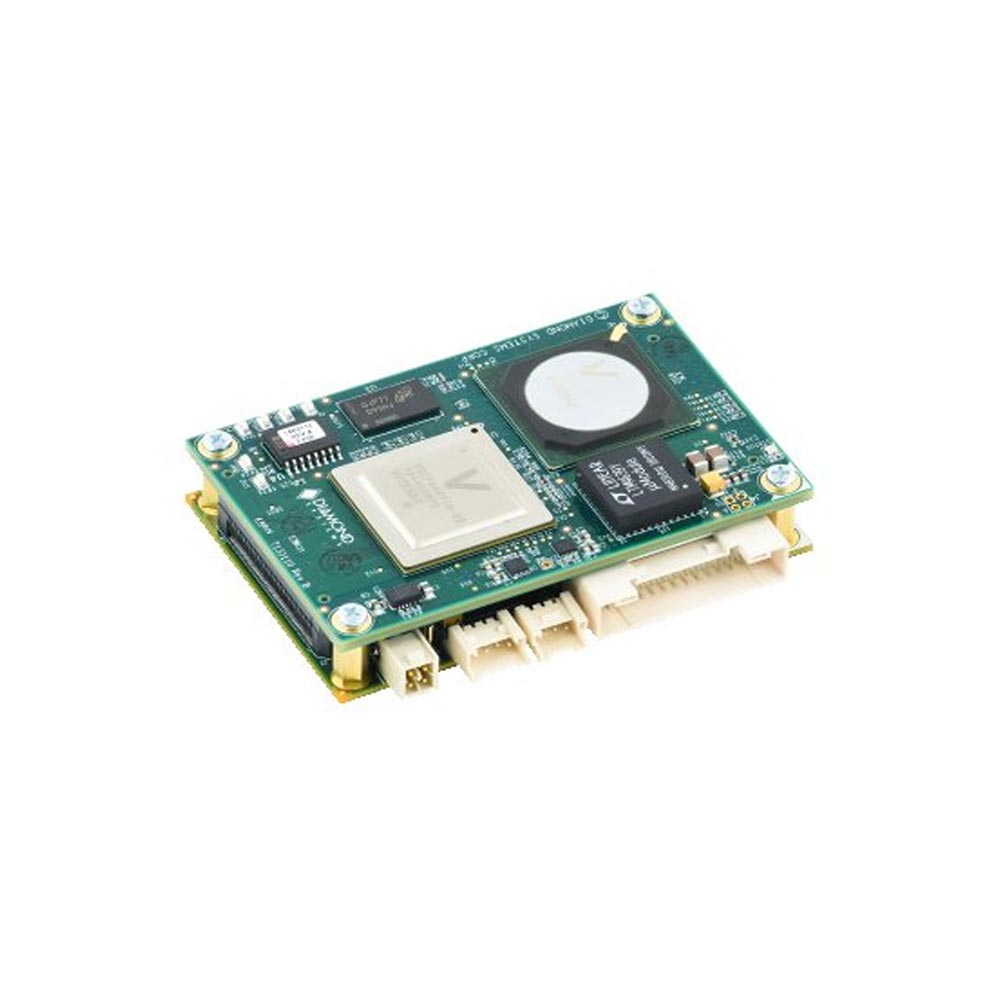
Rugged board-level Ethernet switches
Switch boards and modules that build into an OEM enclosure.
View range -
04
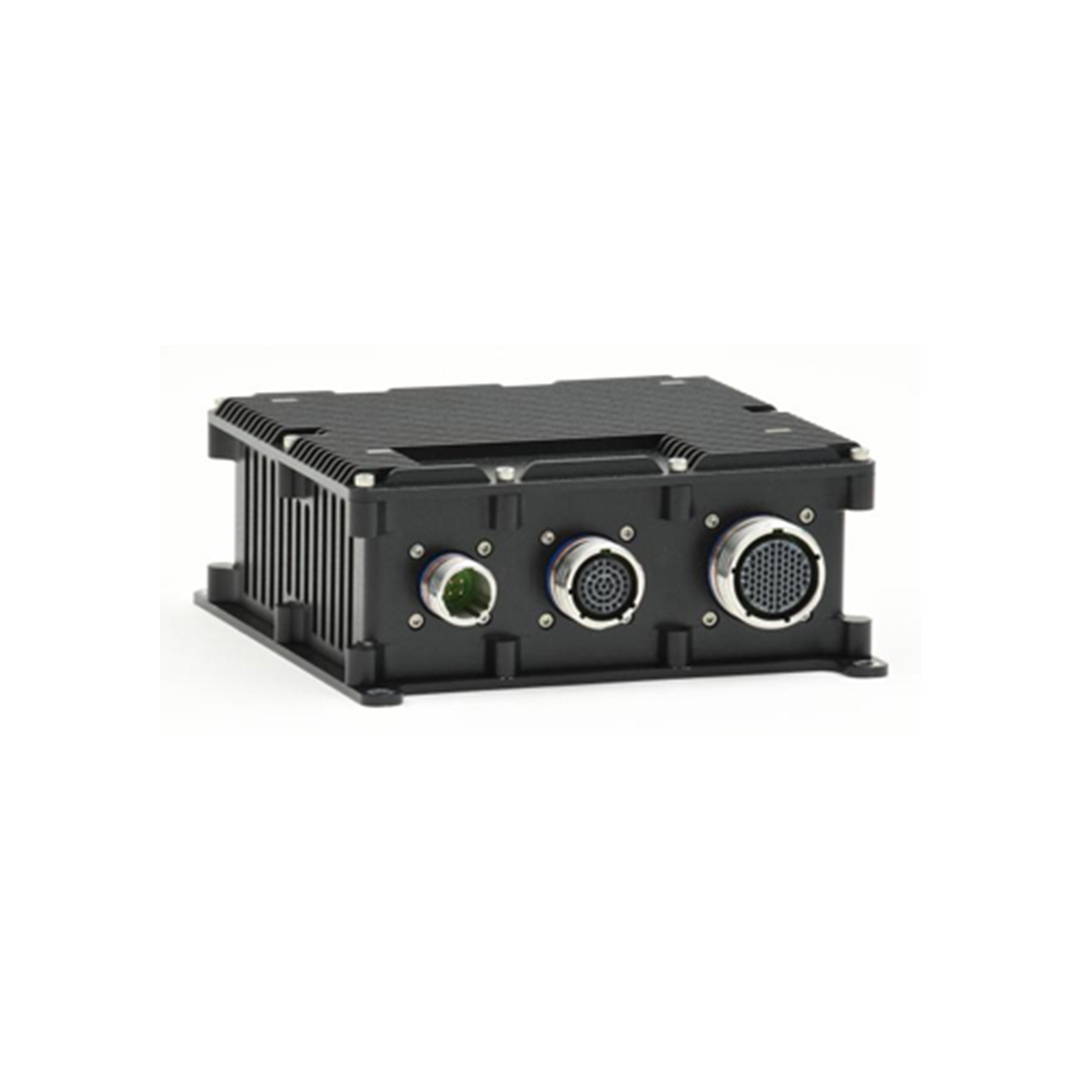
Rugged military Ethernet switches
Sealed switches with MIL-DTL-38999 connectors and filtered military power.
View range
Choosing a form factor
The installation usually decides the form factor before any feature does. A control cabinet wants DIN rail. A control room or substation wants a 19-inch rack. A machine, vehicle or washdown area without a cabinet wants an IP67 M12 switch. An OEM building its own enclosure wants a board or module.
| Form factor | Where it fits | Typical ports | Our category |
|---|---|---|---|
| DIN rail | Control cabinets, field enclosures, kiosks | 5–20, with SFP | Managed industrial switches |
| 19-inch rack | Control rooms, substations, head-end cabinets | 24–32, with 10G SFP+ | Rack mount industrial switches |
| M12, IP67 | Rail, vehicles, machines, outdoor | 8–18 on M12 | M12 Ethernet switches |
| Switch board | OEM systems with their own enclosure | 8–24, up to 10G | Ethernet switch boards |
| Switch module | OEM carrier boards in drones, robots and vehicles | Up to 28 on a carrier | Ethernet switch modules |
| Sealed military | Military vehicles, shelters and masts | 8–24 on MIL connectors | Rugged Ethernet switches |
Board-level switching is covered in depth in our guide to embedded Ethernet switch modules, and the military end of the range in how a military Ethernet switch is put together from board-level switching, isolated power and a sealed enclosure.
Rugged Ethernet connectors
RJ45 is the standard connector across most of our switches, and it suits installations without shock, vibration or water. Some makers add a locking screw to an RJ45, but there are better options where the environment is harder.
Locking M12 connectors resist shock and vibration and seal to IP67, or IP69K with suitable connectors, so an M12 switch can be mounted outdoors or next to machinery without a protective cabinet, which simplifies cabling and installation. Gigabit and 10G links use X-coded M12, Fast Ethernet uses D-coded; our FAQ on M12 coding explains the codes.
Where space is tight on board-level switches, latching connectors carry each port, and some designs group several ports on one connector for a breakout cable. For military and aerospace use, MIL-DTL-38999 connectors are used on sealed military switches: miniature, high-density circular connectors made for some of the harshest environments, defined by a US Department of Defense specification.
| Connector | Sealing | Vibration resistance | Typical use |
|---|---|---|---|
| RJ45 | None, IP20 | Low; can work loose | Cabinets, racks, offices |
| RJ45 with locking screw | None | Better | Cabinets with some vibration |
| M12 D-coded | IP67 when mated | High, screw locking | Fast Ethernet on machines and vehicles |
| M12 X-coded | IP67 when mated | High, screw locking | Gigabit and 10G on rail, vehicles and machines |
| Latching board connectors | Depends on the enclosure | High | Board-level and module switches |
| MIL-DTL-38999 | Sealed | Very high, bayonet or threaded | Military vehicles and aircraft |
Our overview of what the main US MIL-STDs cover explains the military standards behind those connectors and enclosures.
Managed vs unmanaged rugged Ethernet switches
Rugged switches are available as simple unmanaged switches or as managed switches with configuration, monitoring and security. The choice of an unmanaged switch or managed switch depends on what the application needs the network to do.
Rugged unmanaged Ethernet switches
Rugged unmanaged switches are typically used for simple line or star networks. They let connected devices talk to each other, but little else. An unmanaged switch has no IP address, so it is neither visible nor addressable on the network. These plug-and-play switches install quickly with no configuration and can be replaced without setting anything up. They are useful in smaller networks for adding ports where control, diagnostics and other management are handled by another device. Browse our unmanaged industrial switches.
Rugged managed Ethernet switches
A managed switch can be configured, monitored and diagnosed remotely through a web interface, SSH, Telnet or a serial command line. Each managed switch has its own IP address and is visible as a member of the network. That makes shared plant networks possible: VLANs separate traffic types, QoS prioritises control traffic, IGMP snooping contains camera multicast and SNMP feeds monitoring systems. Our FAQ on what a managed switch is gives the short version.
Redundant ring networks need a managed switch. If a cable or switch fails, the managed switches find and use another path. The time taken, called the recovery or switchover time, is a key measure of switch performance.
Industry example: managed vs unmanaged
A food and beverage plant might use an unmanaged switch for a subsystem that measures one ingredient on the process line, and a managed switch for the IP video surveillance system that sends high-definition images of the plant floor in real time, where multicast control, VLANs and monitoring matter.
Where do Layer 3 switches fit?
A Layer 3 switch is a managed switch that also routes between VLANs and subnets in hardware, so a segmented site does not need a separate router for local traffic. Light Layer 3 models add static routes; full Layer 3 models add dynamic routing such as OSPF. Our guide to Layer 2 vs Layer 3 switches explains when routing belongs in the switch.
Redundancy protocols
Redundant cabling only helps if a protocol stops the extra links forming a loop and moves traffic onto them when a link fails. The protocol decides how long the network is interrupted.
| Method | Standard | Typical recovery | Notes |
|---|---|---|---|
| Spanning Tree (STP) | IEEE 802.1D | About 30–50 s | Largely replaced by RSTP |
| Rapid Spanning Tree (RSTP) | IEEE 802.1w, now in 802.1Q | Typically under a few seconds | Vendor neutral, any topology |
| Multiple Spanning Tree (MSTP) | IEEE 802.1s, now in 802.1Q | Similar to RSTP | Separate trees for groups of VLANs |
| Ethernet ring protection (ERPS) | ITU-T G.8032 | Under 50 ms; under 20 ms quoted on some Antaira switches | Vendor-neutral ring protocol |
| Link aggregation (LACP) | IEEE 802.1AX | Usually sub-second | Parallel links that add bandwidth and resilience |
| Parallel redundancy (PRP and HSR) | IEC 62439-3 | Zero, frames are duplicated | Used where no interruption is acceptable, such as substations |
Our FAQs on RSTP, ring topology and link aggregation explain each method. Where traffic needs guaranteed timing as well as redundancy, Time-Sensitive Networking adds scheduled delivery and zero-loss path replication, and switches with IEEE 1588 PTP carry precise time for cameras and sensors.
What is a PoE switch?
A PoE switch supplies DC power as well as data on its copper ports, so cameras, wireless access points, panel PCs and sensors need no separate supply. PoE switches come in unmanaged and managed builds; managed PoE switches can report power per port and power-cycle a device remotely. Our guide to Power over Ethernet covers the standards, classes and power budgets in depth.
| Standard | Common name | Power per source port | Power at the device |
|---|---|---|---|
| IEEE 802.3af | PoE | 15.4 W | 12.95 W |
| IEEE 802.3at | PoE+ | 30 W | 25.5 W |
| IEEE 802.3bt Type 3 | PoE++ | 60 W | 51 W |
| IEEE 802.3bt Type 4 | PoE++ | 90 W | 71.3 W |
The total budget of the switch, not its port count, decides how many high-power devices can run at once. Industrial PoE switches often need a higher input voltage for the PoE ports than for the switch itself, such as 45–57 V DC for PoE++. Browse our industrial PoE switches. PoE is available on our Antaira industrial switches; the Diamond Systems board-level and military switches do not supply PoE.
Certifications for industrial and rugged switches
Certifications show that a switch has been tested for a specific industry. They are listed per model, and the same series can carry different approvals, so check the exact part number. We describe products as designed or tested to a standard only where the manufacturer states it.
| Standard | Industry | What it covers |
|---|---|---|
| EN 50155 and EN 50121-3-2 | Railway rolling stock | Electronics on trains: temperature, power, shock, vibration and EMC |
| IEC 61850-3 and IEEE 1613 | Electrical substations | EMC, temperature and surge for substation networking |
| NEMA TS2 | Traffic control | Roadside cabinet temperature, power and vibration |
| E-mark (UN ECE R10) | Road vehicles | Vehicle electromagnetic compatibility |
| Class I Division 2 and ATEX | Hazardous areas | Equipment that will not ignite a flammable atmosphere |
| MIL-STD-810, MIL-STD-461, MIL-STD-1275 | Military | Environment, EMC and vehicle power |
Our guides to EN 50155 and FAQs on IEC 61850, MIL-STD-461 and Class I Division 2 explain these in more detail.
Which type of Ethernet switch do I need?
Match the switch to the installation and to what the network has to do. The table gives starting points; the checklist below covers the details.
| Scenario | Type to start from | Why |
|---|---|---|
| Five devices in one sealed control cabinet | Unmanaged DIN-rail switch | Fixed devices, nothing to configure or monitor |
| A production line with PLCs, HMIs and cameras | Managed DIN-rail switch with a ring | VLANs, multicast control and ring recovery |
| IP cameras across a yard | Managed PoE switch with fibre uplinks | Power on the cable, budget reporting, long uplinks |
| A plant backbone joining several areas | Rack mount Layer 3 switch | Routing between segments and 10G uplinks |
| Onboard a train or bus | M12 managed switch with rail or vehicle approvals | Locking connectors, wide DC input, certification |
| An OEM robot or drone | Switch board or module | Fits inside the product enclosure |
| A military vehicle or shelter | Sealed military switch | MIL-DTL-38999 connectors and filtered military power |
| Motion control or synchronised sensors | Managed switch with TSN or PTP | Deterministic delivery and precise time |
Switch types compared from our range
Examples of each type from our catalogue. Figures are from each product’s page.
| Product | Type | Ports | Management | Rating |
|---|---|---|---|---|
| Antaira LNX-1002G-SFP-T | Unmanaged DIN-rail | 8× Gigabit, 2× SFP | Unmanaged | −40 to 75 °C, 12–48 V DC redundant |
| Antaira QMX-0804G-2Q2S-T | Managed DIN-rail | 4× Gigabit, 4× SFP (two at 2.5G) | Layer 2, ERPS under 20 ms, IEEE 1588 v2 | −40 to 85 °C, 20–60 V DC |
| Antaira LMX-1802G-M12-10G-SFP-67 | M12, IP67 | 16× Gigabit on X-coded M12, 2× 10G SFP | Light Layer 3, ERPS under 50 ms | −10 to 65 °C, 24–55 V DC |
| Antaira QMP-2820G-4X16S-bt-T | Rack mount PoE++ | 8× PoE++ RJ45, 16× SFP, 4× 10G SFP+ | Layer 2, 500 W PoE budget | −40 to 85 °C, 36–60 V DC |
| Diamond Systems EPS-24G4X-L3 | Switch board | 24× Gigabit, 4× 10G SFP+ | Layer 3 with OSPFv2 | Designed for vehicle and rugged use |
| Diamond Systems EPSM-10GX4 | Switch module | 24× Gigabit, 4× 10G on a carrier | Layer 2+ | For custom carrier boards |
| Diamond Systems SabreNet-12000-100 | Sealed military | 12× Gigabit on MIL-DTL-38999 | Layer 3 | MIL-STD-461 filtered supply |
| Diamond Systems SABRENET-24000 | Sealed rugged, IP67 | 24× Gigabit, up to 4× 10G | Layer 3 with IEEE 1588 PTP | IP67 rated case |
Antaira designs and builds its switches and we supply and specify them, pre-configuring IP addressing, VLANs and ring settings where you ask. Diamond Systems builds its switch boards, modules and rugged switches in full, and we supply them. Browse the rugged Ethernet switches range for sealed and military builds.
Ethernet switch types across our range
Every type in this guide maps to one of our switch categories.
Unmanaged industrial switches
Plug-and-play DIN-rail switches with wide DC input and extended temperature.
View range
Managed industrial switches
VLANs, rings, SNMP and security for plant networks.
View range
Industrial PoE switches
PoE+ and PoE++ switches that power cameras and devices.
View range
Rack mount industrial switches
19-inch switches with 10G uplinks for backbones and control rooms.
View range
M12 Ethernet switches
IP67 switches with locking M12 connectors for rail and machines.
View range
Embedded Ethernet switches
Switch boards and modules for OEM systems.
View rangeIndustrial switches to start from
Antaira unmanaged, managed, M12 and rack mount switches from the comparison table.
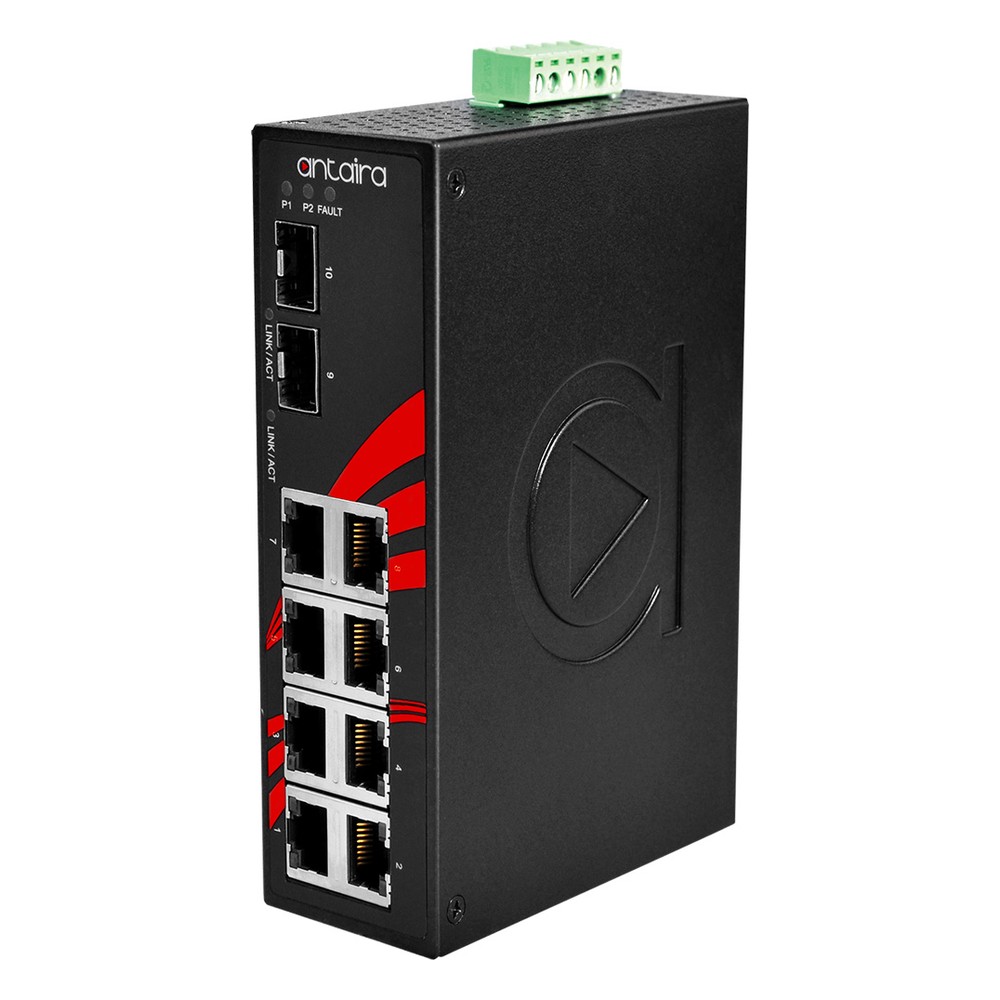
10-Port Gigabit Unmanaged DIN Rail Switch with 2x SFP and -40 to 75 °C
- IP Rating
- IP30
- Temp
- −40 to +75 °C
- Power
- 12–48 V DC, Terminal Block
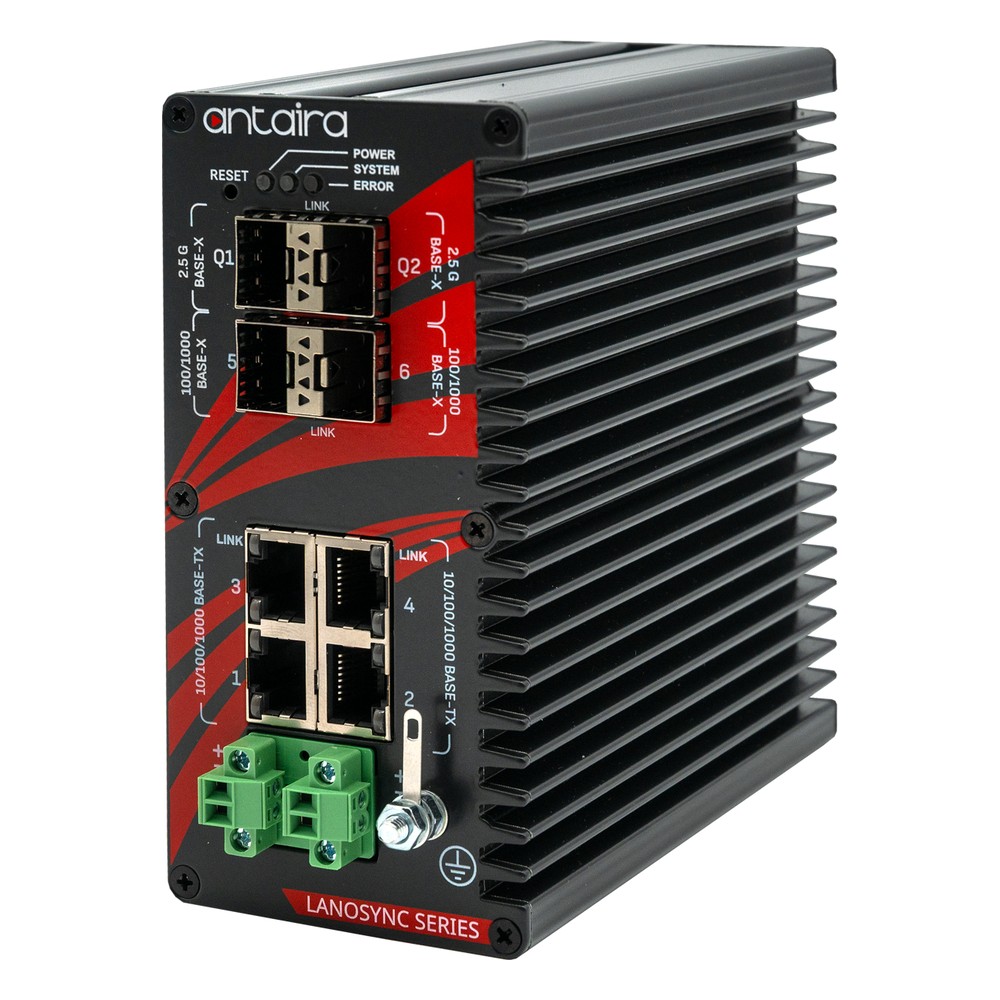
8-Port Gigabit Managed Industrial Switch with 2x SFP, 2x 2.5G SFP and Extended Temperature
- IP Rating
- IP40
- Temp
- −40 to +85 °C
- Power
- 20–60 V DC [Terminal Block]
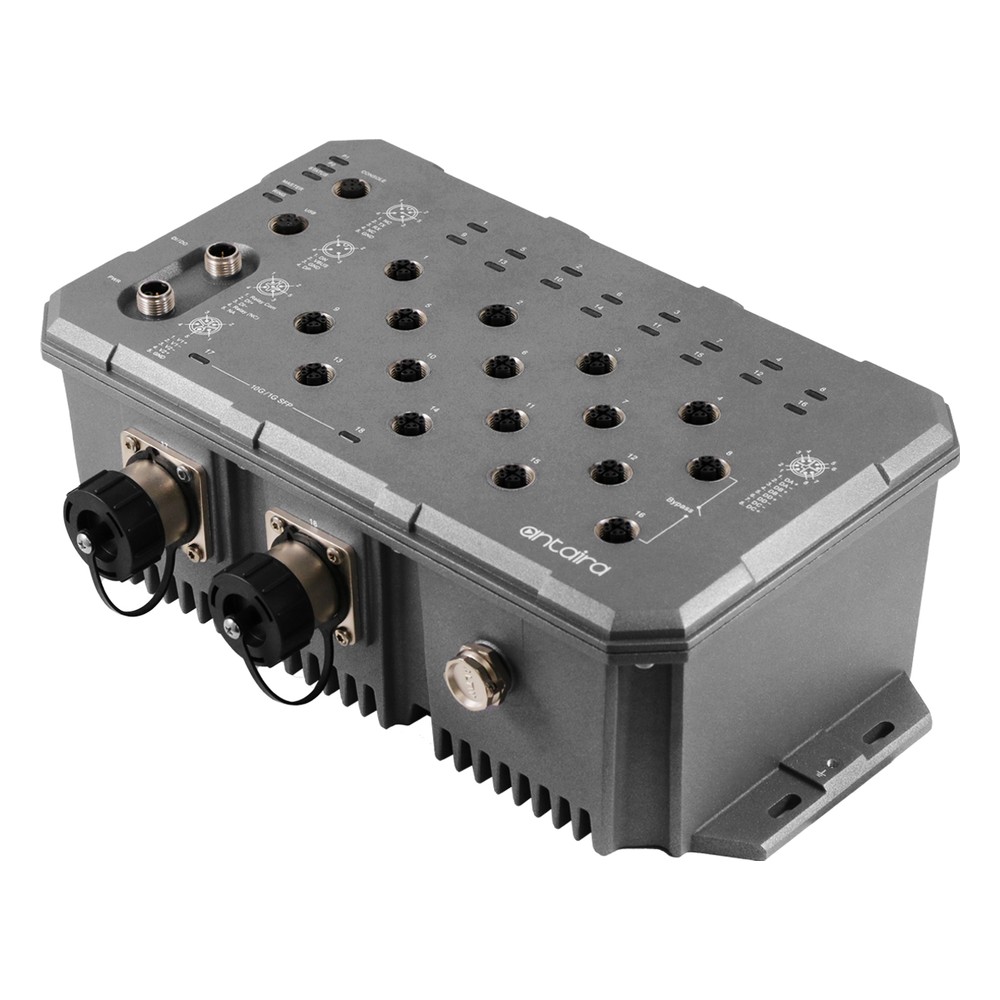
18-Port 10G Managed M12 Ethernet Switch with 2x 10G SFP+ and IP67
- IP Rating
- IP67
- Temp
- −10 to +65 °C
- Power
- 24–55 V DC [M12]
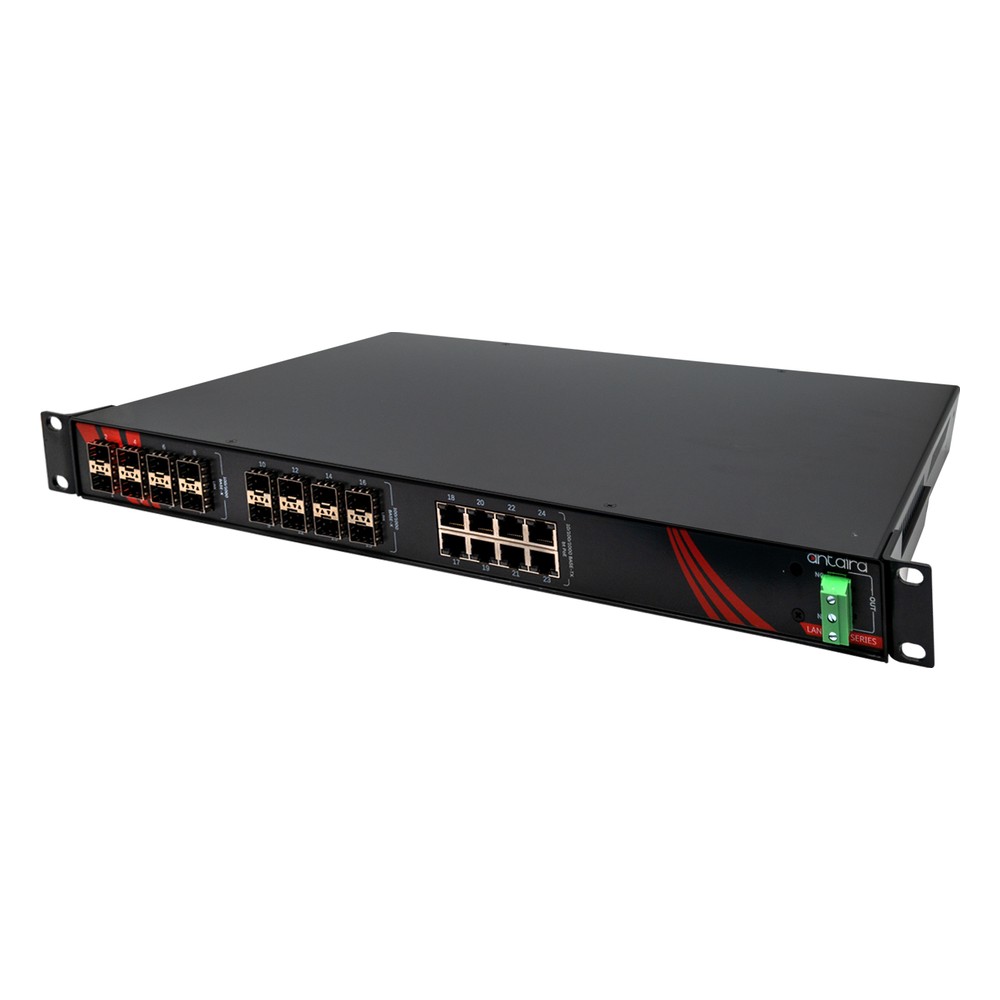
28-Port 10G Managed Rackmount Industrial Switch with 8x PoE++, 16x SFP, 4x 10G SFP+ and Extended Temperature
- IP Rating
- IP30
- Temp
- −40 to +85 °C
- Power
- 36–60 V DC [Terminal Block]
Embedded and military switches to start from
Diamond Systems switch board, switch module and two sealed rugged switches.

Rugged Layer 3 Managed 24 Port Gigabit Ethernet Switch with 4 10G SFP+ Ports
- Temp
- −40 to +80 °C
- Power
- 7–40 V DC [Latching]

Compact Layer 2 Managed 28 Port Ethernet Switch Module with 4 10G Ports
- Temp
- −40 to +85 °C
- Power
- 5 V DC [Board]
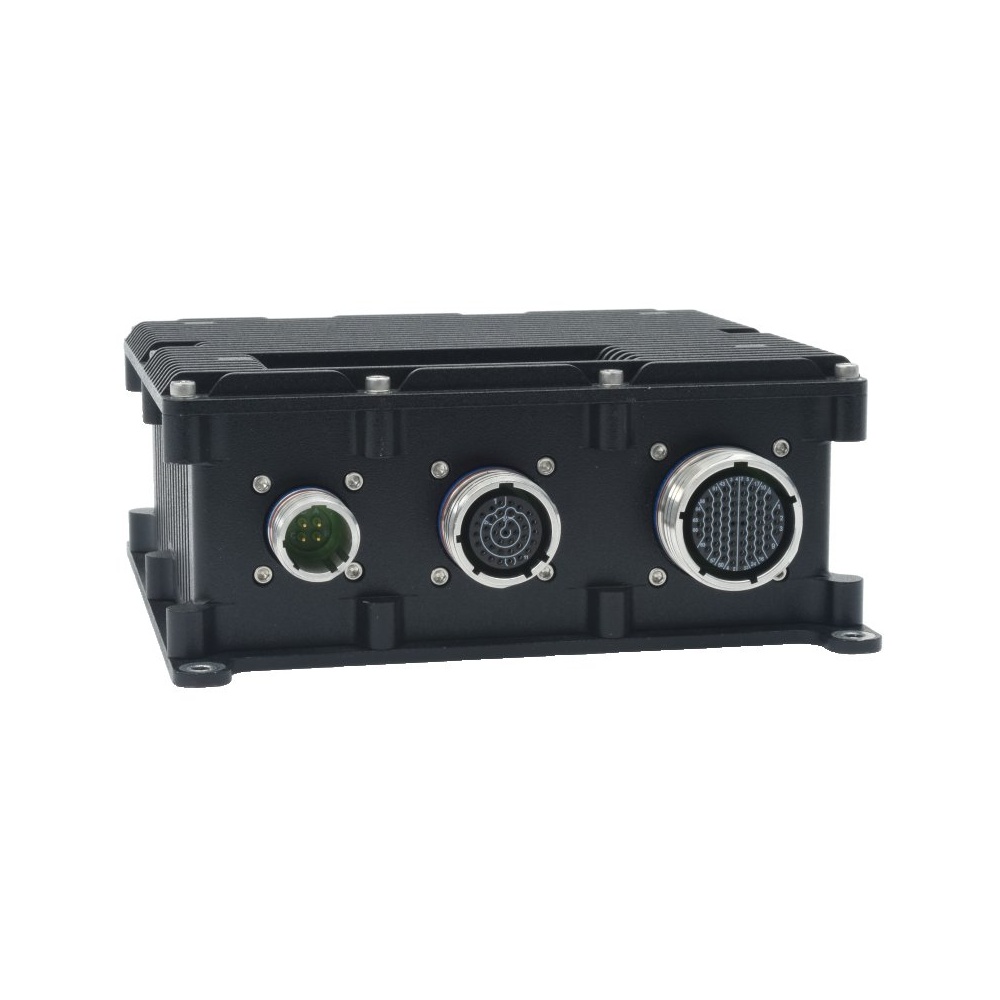
12 Port Gigabit Managed Rugged Switch With Layer 3 Software, MIL-STD-461 Filter and Low-Profile Case
- IP Rating
- IP67
- Temp
- −40 to +85 °C
- Power
- 7–34 V DC [MIL-STD]
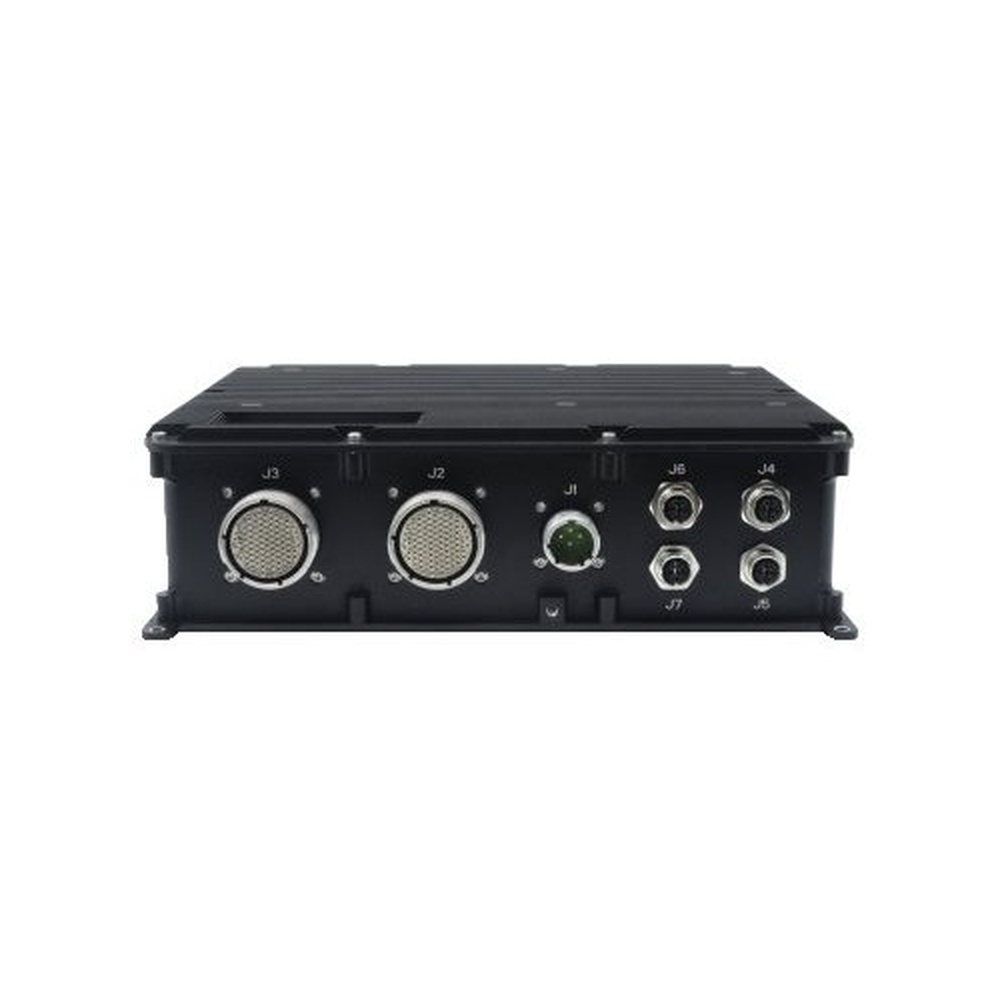
Rugged 24-Port Gigabit Ethernet Switch With 4x 10GbE
- IP Rating
- IP67
- Temp
- −40 to +85 °C
- Power
- 7–40 V DC [MIL-STD]
Choosing the right type of Ethernet switch
Answer these and the type usually picks itself.
-
01
Installation
Cabinet, rack, machine, vehicle or inside your own product: this sets the form factor.
-
02
Environment
Temperature range, ingress, vibration and the power available on site.
-
03
Ports
Count copper and fibre ports, their speeds and any uplinks, with spares for growth.
-
04
Management
Decide whether you need VLANs, rings, monitoring and security, or just more ports.
-
05
Routing
Check whether traffic must move between VLANs or subnets, which needs Layer 3.
-
06
Power to devices
List PoE devices with their class and add up the budget.
-
07
Approvals
Confirm the certifications the site or vehicle requires for the exact part number.
Types of Ethernet switches: common questions
Quick answers
What are the different types of Ethernet switches?
By management and by build. Unmanaged, smart, managed and Layer 3 by management; office, industrial DIN-rail, rack mount, M12, board-level and military by build.
What is the difference between managed and unmanaged switches?
Control. An unmanaged switch forwards traffic with nothing to configure; a managed switch adds VLANs, QoS, redundancy, monitoring and security.
What is an industrial Ethernet switch?
A switch built for harsh sites. It adds wide temperature ratings, redundant DC power, DIN-rail or rack mounting and industrial EMC immunity to normal switching.
What is a Layer 3 switch?
A managed switch that also routes. It forwards by MAC address within a VLAN and routes between VLANs and subnets by IP address, in hardware.
What is a PoE switch?
A switch that powers devices over the Ethernet cable. Each port supplies 15.4 to 90 W depending on the standard, within the switch’s total budget.
What are the 3 types of switches?
Usually unmanaged, smart and managed. Network designers may instead mean access, distribution and core switches.
Do I need a managed switch?
If the network must do more than connect fixed devices. Shared traffic, redundancy, remote diagnosis, cameras or security all point to a managed switch.
Ethernet switch FAQs
-
What Is an Ethernet Switch?
An Ethernet switch is a networking device that connects computers, cameras, controllers and other equipment on a local network. It learns the address of each connected device and forwards every frame only to the port it is meant for, so many devices can communicate at full speed at the same time.
-
What Is a Managed Switch?
A managed switch is an Ethernet switch you can configure, through a web interface, command line or SNMP, to set up VLANs, quality of service, redundancy and monitoring. An unmanaged switch is plug-and-play with no settings at all. Managed switches suit networks that are segmented, critical or monitored remotely.
-
Network Hub vs Switch: What Is the Difference?
A network hub repeats every incoming frame out of all its other ports, so connected devices share one half-duplex link and its bandwidth. A switch learns which device sits on which port and forwards each frame only to its destination, giving every port full-duplex bandwidth. Hubs are obsolete, and switches have replaced them.
-
What Is a PoE Switch?
A PoE switch is a network switch whose ports supply DC power as well as data over Ethernet cable. It connects devices such as IP cameras, access points and sensors and powers them at the same time, so each device runs from one cable without its own power supply or injector. It shares a fixed power budget across its ports.
-
Layer 3 Switch vs Router: What Is the Difference?
Both a Layer 3 switch and a router forward IP traffic between networks. A Layer 3 switch routes in hardware at close to wire speed across many ports, for traffic inside a site. A router connects a site to outside networks, with WAN interfaces, NAT, firewalling and VPNs, at lower throughput and with fewer ports.
-
What Is a VLAN?
A VLAN (virtual LAN) is a logical segment of a network created in a managed switch. Using IEEE 802.1Q tags, it separates traffic into independent broadcast domains over the same physical wiring, so devices behave as if they are on separate networks.
-
What Is RSTP (Rapid Spanning Tree Protocol)?
RSTP (Rapid Spanning Tree Protocol) is the faster version of Spanning Tree Protocol, first published as IEEE 802.1w. It keeps redundant Ethernet links loop-free like STP, but neighbouring switches negotiate directly instead of waiting on timers, so recovery after a link failure typically takes around a second or less instead of 30 to 50 seconds.
-
What Is a DIN Rail?
A DIN rail is a standard metal rail used to mount electrical and control equipment inside cabinets. The most common type is the 35 mm top-hat rail defined in EN 60715. Circuit breakers, power supplies, PLCs, terminal blocks, network switches and compact industrial PCs clip onto it side by side, which keeps wiring tidy and makes parts quick to swap.
-
What Is M12 Coding?
M12 coding is the key and pin layout inside an M12 connector that stops incompatible plugs and sockets being mated. Each coding has a job: A for sensors and DC power, B for PROFIBUS, D and X for Ethernet, and L, T, S and K for power. A plug only fits a socket with the same coding.
Want to discuss rugged Ethernet switches?
Tell us where the switch will be installed, what it connects and how the network must behave. We will recommend the type and the model, and pre-configure IP addressing, VLANs and ring settings where you ask.