
 US
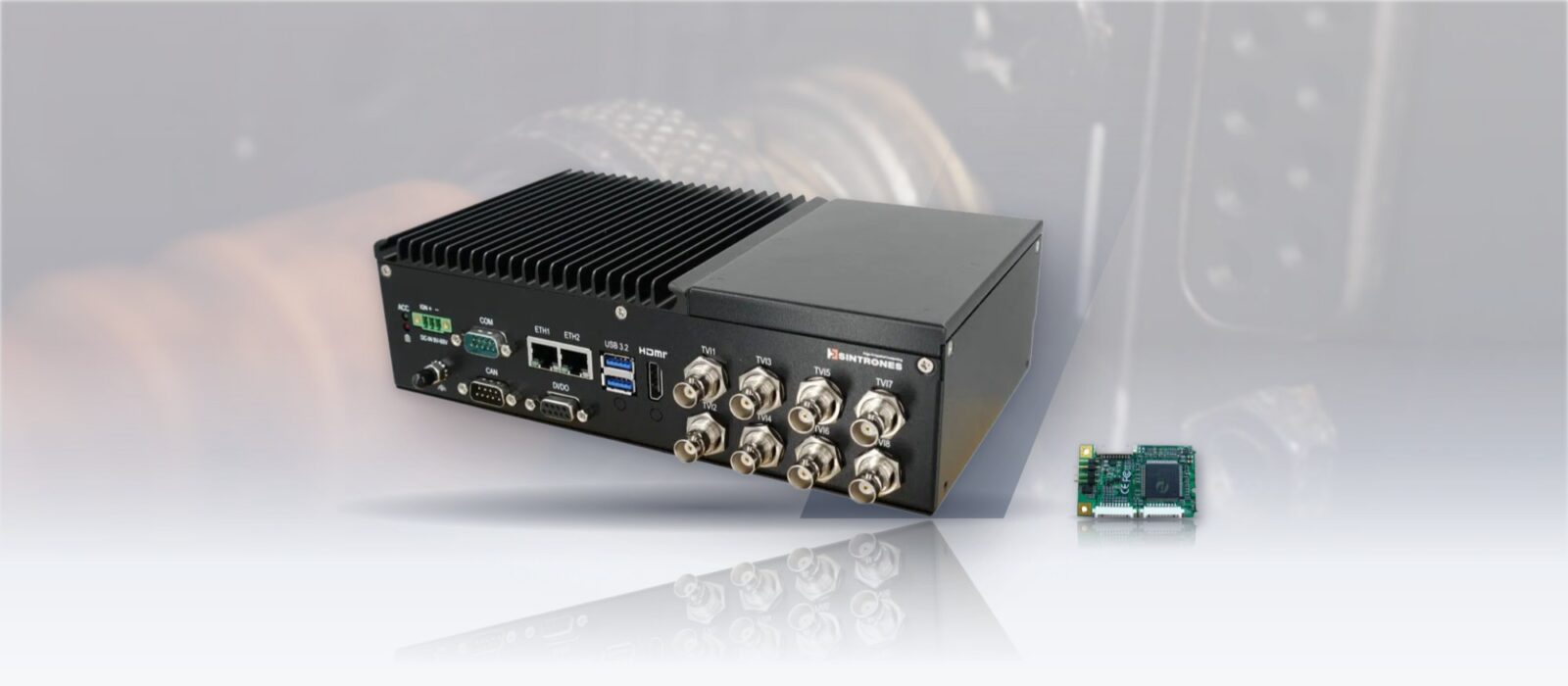
A Guide to SDI Capture for Edge AI
SDI carries uncompressed, broadcast-grade video over long, locking coax runs, which makes it a strong fit for real-time edge AI. Here are the SDI standards and link types compared, SDI against HDMI and GMSL, the capture interfaces, bandwidth and latency, and how SDI capture fits Jetson and x86 systems.
SDI capture is the process of bringing uncompressed video from a Serial Digital Interface (SDI) source, such as a broadcast, inspection or defense camera on coaxial cable, into a computer through a capture card or frame grabber, so it can be recorded, streamed or analyzed. Because SDI carries uncompressed video with near-zero transport latency over long, locking cable runs, it suits real-time edge AI as well as broadcast.
An SDI capture card or module receives the SDI feed and turns it into a data stream the host can use over PCIe, M.2, Mini PCIe or USB. Once ingested, the video can be recorded, streamed or passed through GPU pipelines for edge AI inference, defect detection, situational awareness or autonomous navigation. In industrial edge computing, SDI capture is the bridge between rugged cameras in the field and the computers that turn pixels into decisions.
This guide compares the SDI standards and link configurations, sets SDI against HDMI, GMSL and IP video, covers the capture interfaces and how many channels a host can take, explains where latency comes from, and shows how SDI capture fits NVIDIA Jetson and x86 edge AI systems.
Key takeaways
- 01Uncompressed and deterministic
- SDI carries raw video at a fixed bit rate, so latency is set by the capture and processing chain, not the cable.
- 02Pick the standard by format
- HD-SDI for 1080i, 3G-SDI for 1080p60, 6G-SDI for 4K30 and 12G-SDI for 4K60 on one coax.
- 03Long, locking cables
- BNC on 75-ohm coax runs around 100 m at 3G-SDI and about 70 m at 12G-SDI on good cable.
- 04The bus sets the channel count
- A 4K60 stream needs about 6 Gb/s into the host; PCIe x8 cards carry four, M.2 cards one or two.
- 05Confirm the driver for your JetPack
- Capture on Jetson needs a Linux Arm driver for the release you run; check before you fix the build.
SDI standards compared
Over the past three decades, SDI has grown from standard-definition broadcast signals into ultra-high-resolution video transport. Each generation of SD-SDI, HD-SDI, 3G-SDI, 6G-SDI and 12G-SDI raised the bandwidth for higher frame rates, greater color depth and larger images, and each is backward compatible with the ones before it.
| Standard | SMPTE standard | Bit rate | Typical formats | Color depth | Typical cable reach |
|---|---|---|---|---|---|
| SD-SDI | ST 259 | 270 Mb/s | 480i (NTSC) or 576i (PAL) | 8–10 bit | Up to about 300 m on good coax |
| HD-SDI | ST 292 | 1.485 Gb/s | 720p and 1080i up to 60 Hz | 10 bit | Up to about 100 m |
| 3G-SDI | ST 424 and ST 425 | 2.97 Gb/s | Up to 1080p60 | 10 bit | Up to about 100 m without repeaters |
| 6G-SDI | ST 2081 | 5.94 Gb/s | Up to 4Kp30 | 10 or 12 bit | Up to about 70 m on high-quality coax |
| 12G-SDI | ST 2082 | 11.88 Gb/s | Up to 4Kp60 | 10 or 12 bit | Up to about 70 m on high-quality coax |
All of them use BNC connectors on 75-ohm coaxial cable, and every standard can carry embedded audio and ancillary data, such as timecode, alongside the picture. Cable reach depends heavily on the cable grade and the receiver’s equalisation, so treat the distances as planning figures and check the camera and card datasheets for your run. Fiber converters extend any of them to kilometers where needed.
Single, dual and quad link SDI
As formats grew, SDI changed not only in bit rate but in how signals are delivered. Single-link SDI is the simplest path; more demanding formats can split the picture across several synchronized links.
| Configuration | How it works | Where it is used |
|---|---|---|
| Single link | One coax, up to 12G-SDI for 4Kp60 | Most new 4K systems; simplest cabling |
| Dual link | Two synchronized channels | Historically 1080p60 before 3G-SDI; still used in some high dynamic range workflows |
| Quad link | Four synchronized 3G-SDI links | 4Kp60 before 12G-SDI was common; 8K capture with four 12G-SDI links |
Quad-link sources come in two layouts, square division and two-sample interleave, and the capture card has to support the one the camera sends. Multi-channel 12G-SDI cards can usually combine four inputs into one quad-link 8K60 capture. Our 4K and 8K capture cards list the formats each card accepts.
SDI vs HDMI, GMSL and IP video for edge AI
SDI is one of several ways to bring cameras into an edge AI computer. The right one depends on cable length, the camera you can buy, latency and whether the signal is compressed on the way.
| Interface | Typical reach | Compression | Connector | Typical edge AI use |
|---|---|---|---|---|
| SDI | About 70–100 m on coax; km on fiber | None | Locking BNC | Broadcast, defense EO/IR, medical and inspection cameras |
| HDMI | A few meters without extenders | None | Friction-fit; locking options | Desktop sources, consumer cameras, short runs |
| GMSL2 | Up to about 15 m on coax | None | Locking FAKRA | Robots and vehicles with automotive cameras |
| GigE Vision | 100 m on copper | Usually none | RJ45 or M12 | Machine vision with PoE cameras |
| IP video (RTSP) | 100 m per segment, then the network | H.264 or H.265 | RJ45 or M12 | Surveillance and analytics on networked cameras |
SDI wins where the camera already speaks it, where runs are long and where a locking connector and no compression matter, which is why it remains the default on broadcast, surgical and many EO/IR defense cameras. Our answers on SDI vs HDMI, GMSL2 and GigE Vision cameras compare each link in more depth, and our explainer on the BNC connector covers the connector itself.
Integrating SDI frame grabbers: PCIe, M.2, Mini PCIe and USB
The edge is not one form factor, it is many. From rugged industrial PCs to compact NVIDIA Jetson systems, SDI capture adapts to the host through PCIe, Mini PCIe, M.2 and USB, so uncompressed video can flow into neural networks at the edge whether the computer is a rackmount server or a small fanless box.
| Interface | Typical host | Channels per card | Strengths | Watch for |
|---|---|---|---|---|
| PCIe capture cards | Rackmount servers, expandable box PCs, GPU computers | One to eight | Most channels and bandwidth; on-board scaling and color conversion | Needs a slot and the lanes to feed it |
| M.2 SDI capture cards | Fanless edge PCs and Jetson carriers | One to four | Small; uses an M.2 Key M socket on PCIe x4 | Shares the socket with NVMe storage |
| Mini PCIe SDI cards | Legacy and long-life embedded systems | One | Fits older rail, aerospace, defense and medical designs | Lower bandwidth; usually up to 3G-SDI |
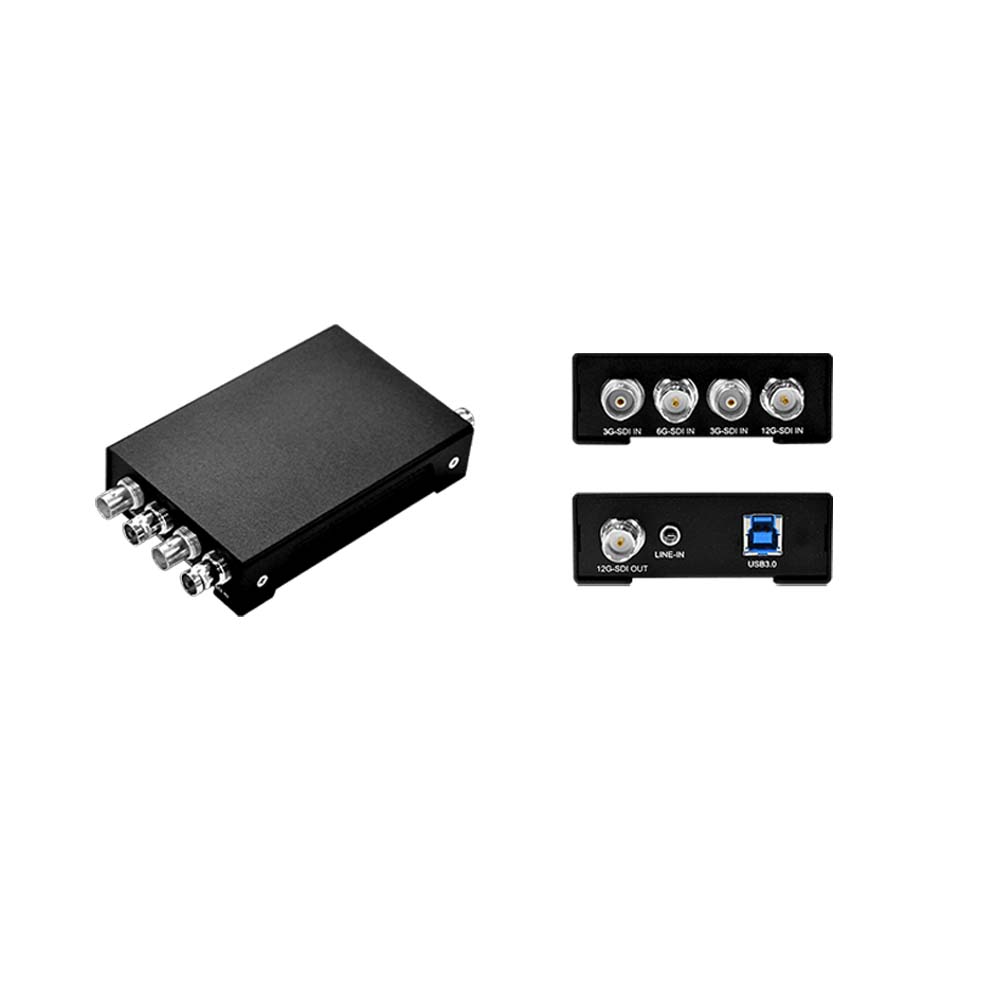
| USB SDI capture devices | Laptops, small PCs, portable kits | One | Plug and play as a UVC device | Less deterministic than PCIe; USB bandwidth limits 4K60 |
High-performance PCIe cards carry FPGAs or ASICs that handle scaling, color space conversion and frame synchronization on the card, which keeps the host CPU and GPU free for inference. M.2 cards have made SDI practical on Jetson and other compact edge AI computers where size and thermal design are tight, and Mini PCIe cards keep SDI capture alive in industries where system replacement cycles span decades.
SDI capture card form factors
-
01

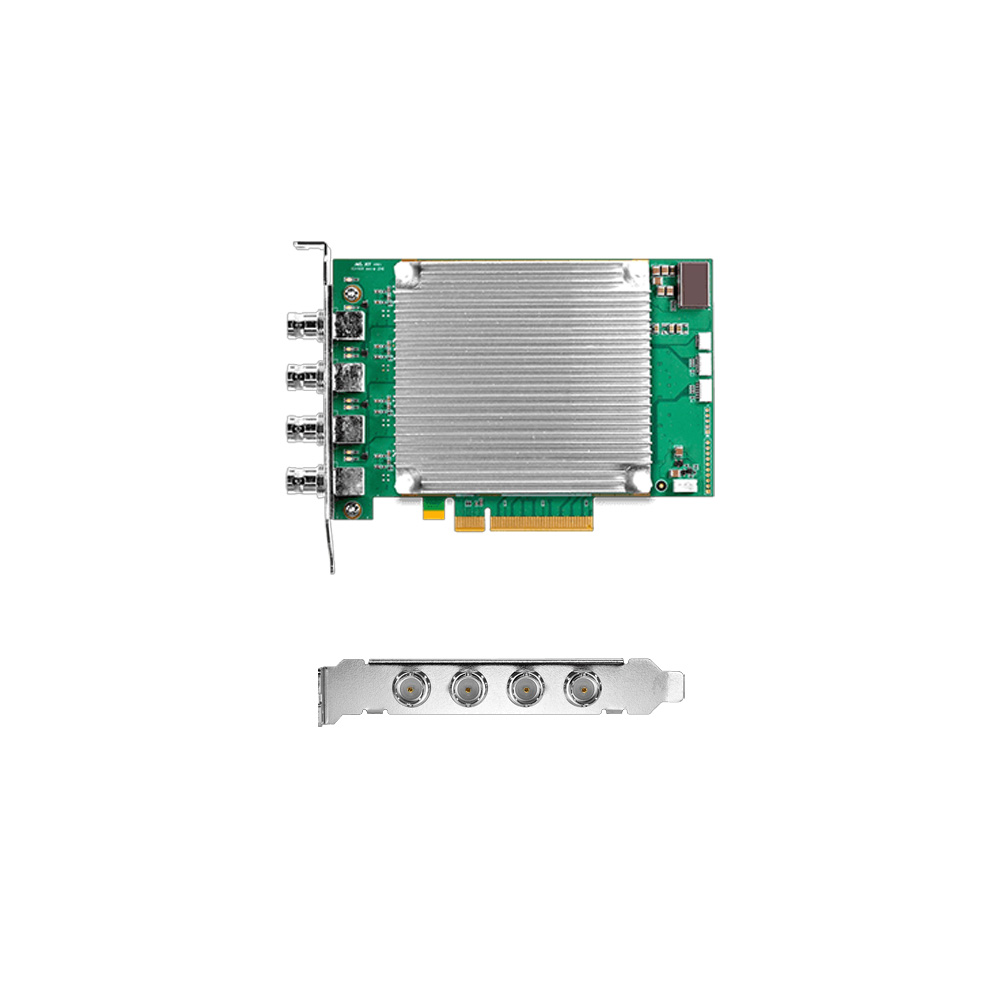
PCIe SDI capture cards
Found in rackmount servers, expandable industrial box PCs and GPU computers, PCIe cards deliver multi-channel ingest with on-board pre-processing.
-
02
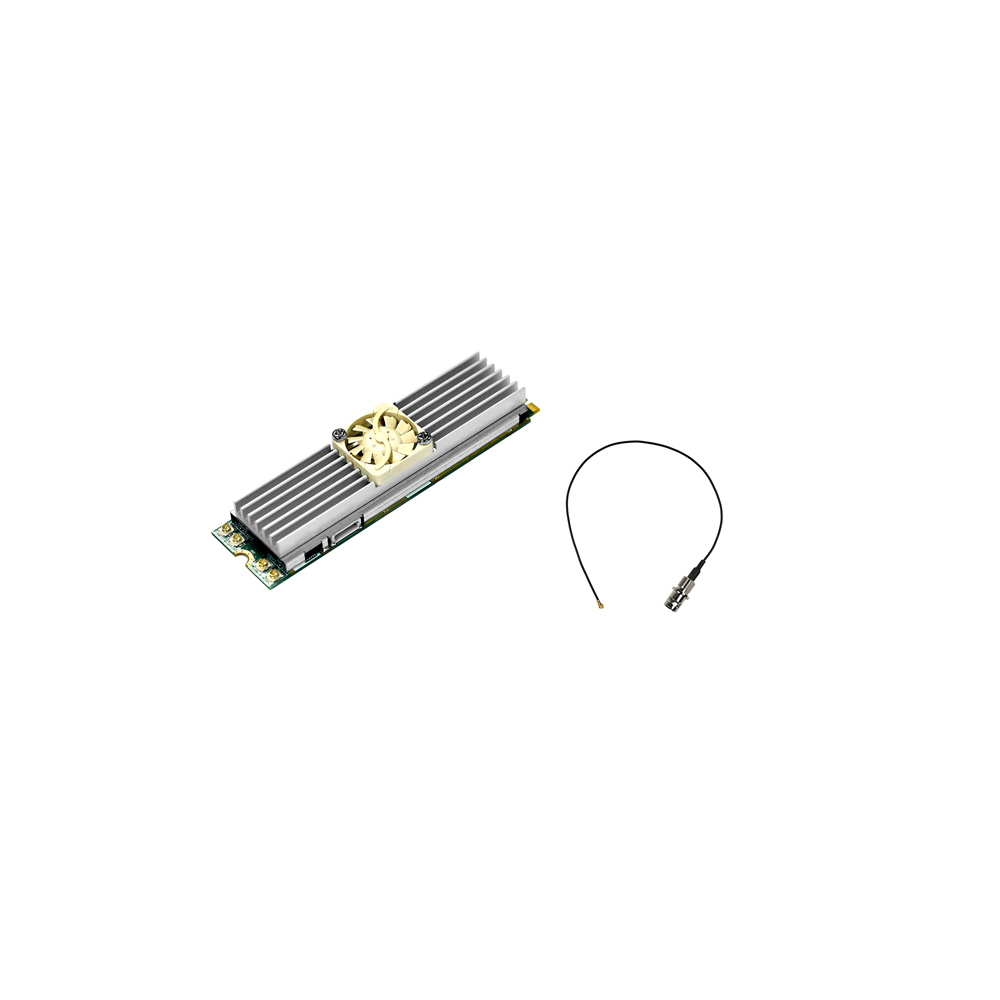
M.2 SDI capture cards
Small M.2 modules put SDI inputs directly into fanless edge devices and Jetson systems.
-
03
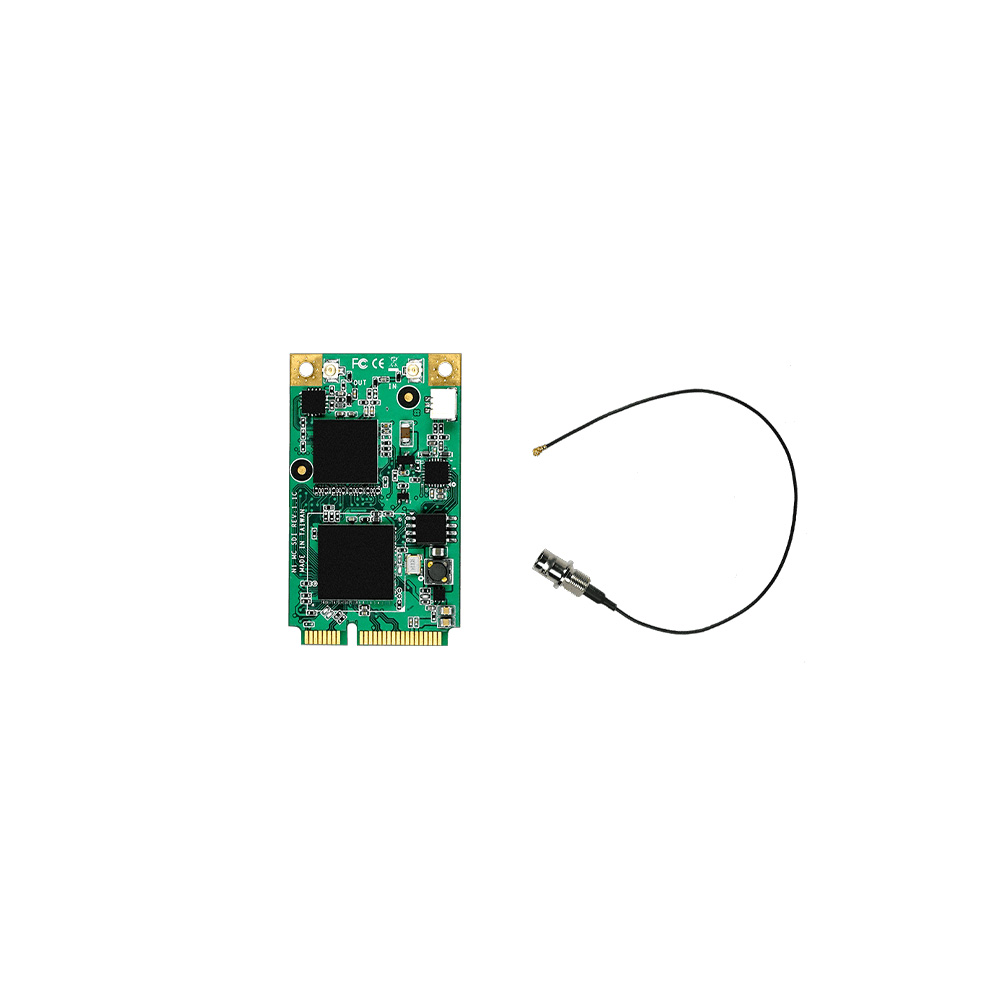
Mini PCIe SDI capture cards
Mini PCIe cards extend SDI capture into legacy rail, aerospace, defense and medical systems.
-
04
USB SDI capture devices
USB 3.2 and USB4 devices suit prototyping and portable kits where there is no expansion slot.
How many SDI channels can a host take?
The SDI bit rate is not what the host sees. The capture card decodes the signal and delivers frames in a pixel format, and that is what has to fit through the bus and into memory. A quick calculation avoids most bottlenecks.
| Stream delivered to the host | Approximate data rate | What usually carries it |
|---|---|---|
| 1080p60, YUY2 (4:2:2, 8-bit) | About 250 MB/s (2 Gb/s) | Any PCIe, M.2 or USB 3 card |
| 4× 1080p60, YUY2 | About 1 GB/s (8 Gb/s) | PCIe x4 or an M.2 x4 four-channel card |
| 4Kp60, NV12 (4:2:0, 8-bit) | About 750 MB/s (6 Gb/s) | PCIe x4 or M.2 x4 |
| 4Kp60, P010 (4:2:0, 10-bit) | About 1.5 GB/s (12 Gb/s) | PCIe x4 Gen 3 or better |
| 4× 4Kp60, NV12 | About 3 GB/s (24 Gb/s) | A PCIe x8 card in an x8 slot |
Worked example. A Jetson AGX Orin vehicle computer takes four 1080p60 3G-SDI cameras through an M.2 four-channel card. At about 1 GB/s in total the stream fits a PCIe x4 M.2 socket comfortably, and the AGX Orin’s 204.8 GB/s memory bandwidth leaves room for inference on every feed. Move the same cameras to 4K and the stream rises to about 3 GB/s, which calls for a PCIe x8 card and a host with an x8 slot. Our answer on 4K resolution covers the formats, and the figures here are planning estimates before blanking and driver overhead.
Achieving low latency with SDI capture
In AI workloads, milliseconds matter. SDI video is uncompressed, so SDI latency is set not by transport over the cable but by the capture and processing chain inside the system. Every element of the pipeline, from the capture card to the bus to the GPU memory path, decides how quickly pixels become decisions.
| Stage | Typical contribution | How to reduce it |
|---|---|---|
| Cable and SDI receiver | Negligible | Nothing to gain |
| Capture card buffering | A fraction of a frame to one frame | Low-latency capture modes; avoid on-card frame buffering |
| Copy into memory | Up to a frame if copied twice | DMA straight into memory the GPU can read |
| Color conversion and scaling | Milliseconds on the CPU | Do it on the card, or on the GPU or VIC engine |
| Inference | Set by the model and module | TensorRT optimization and a smaller input size |
| Encode or display | One frame or more | Hardware encoders; skip the step if only results are needed |
High-performance SDI capture devices with FPGAs or ASICs offload color space conversion, scaling and synchronization at wire speed, reducing the load on the host CPU. Paired with newer PCIe generations, they give the bandwidth for multi-channel 4K or 8K feeds without bottlenecks, and M.2 modules bring the same capability into compact fanless edge systems at the point of capture.
With GPUDirect RDMA, where the capture card’s driver supports it, frames can bypass a staging copy and land directly in GPU-accessible buffers where CUDA pipelines and TensorRT engines run. On a Jetson, the CPU and GPU already share one memory, so the gain comes from avoiding extra copies rather than crossing a bus. Either way, the aim is a sub-frame budget from capture to decision. Our answer on RDMA for edge AI explains the mechanism.
SDI capture on NVIDIA Jetson and x86
Most SDI capture cards present a standard Video4Linux (V4L2) device on Linux and a DirectShow device on Windows, with a vendor SDK for multi-card, ancillary data and audio control. That makes them straightforward to bring into GStreamer, OpenCV, DeepStream or a TensorRT application.
| x86 edge AI computer | NVIDIA Jetson | |
|---|---|---|
| Driver | Windows and Linux drivers from the card maker | A Linux Arm driver built for the Jetson Linux release |
| Typical slot | PCIe x4 to x16 | M.2 Key M on the carrier, or PCIe on AGX carriers |
| Pipeline | V4L2 or SDK into CUDA on a discrete GPU | V4L2 into GStreamer and DeepStream, with unified memory |
| Channel count | Highest, with several cards | Set by the carrier’s PCIe lanes and the module’s memory bandwidth |
| Built-in SDI | Rare | Some rugged Jetson computers take SDI straight to the module |
The driver is the step to check first on Jetson. Yuan, for example, lists Linux Arm support and names Jetson TX2, Nano and Xavier modules for many of its M.2 and Mini PCIe SDI cards; for an Orin or Thor build, confirm a driver exists for the JetPack release you will run before you fix the design. Where SDI is central, rugged Jetson computers with SDI inputs built in avoid the question. For bigger channel counts, x86 edge AI servers with PCIe capture cards and a discrete GPU take more streams per system.
Where SDI capture is used at the edge
| Application | Typical SDI source | What the AI does |
|---|---|---|
| Autonomous vehicles and drones | Rugged SDI cameras and gimbals | Navigation, object detection and tracking from low-latency feeds |
| Industrial inspection | 4K SDI cameras on production lines | Defect detection at high resolution |
| Defense and aerospace | EO/IR sensors and multi-link SDI payloads | Situational awareness, tracking and mission recording |
| Medical imaging | HD-SDI and 3G-SDI surgical and endoscopy cameras | Real-time assistance and recording in surgical robots and diagnostic devices |
| Broadcast-grade AI | Studio and outside-broadcast SDI feeds | Live content analysis, captioning, compliance and streaming |
Our AI medical cart project shows the medical case with endoscopy video capture, and our answer on EO/IR cameras covers the defense sensors that often output SDI.
Specifying SDI capture for edge AI
Seven points to settle before choosing a card and host.
-
01
Format
Confirm the camera’s output standard, resolution, frame rate and link type.
-
02
Channels
Count every input now and in the next revision.
-
03
Bandwidth
Add up the delivered data rate and match it to the slot’s PCIe lanes.
-
04
Host and driver
Confirm a driver for the operating system or JetPack release you will run.
-
05
Cabling
Check run lengths, cable grade and whether fiber is needed.
-
06
Ancillary data
Decide whether embedded audio, timecode or genlock matter.
-
07
Environment
Match the card and host to the temperature, vibration and sealing on site.
SDI capture in our range
Categories for capturing, converting and processing SDI video.

Video capture cards
Capture cards for SDI, HDMI and other video inputs.
View range
Frame grabbers
Frame grabbers for GMSL, Ethernet and USB cameras.
View range
SDI and HDMI converters
Converters, extenders and splitters for SDI and HDMI.
View range
SDI monitors
Industrial monitors with SDI inputs and loop-through.
View range
Rugged Jetson computers
Jetson systems for vibration, wide temperature and vehicle power.
View range
Mission computers
Sealed computers with video capture for defense platforms.
View rangeSDI capture cards and Jetson computers with SDI
Two rugged Jetson computers with SDI inputs built in and two M.2 SDI capture cards for compact edge AI hosts.
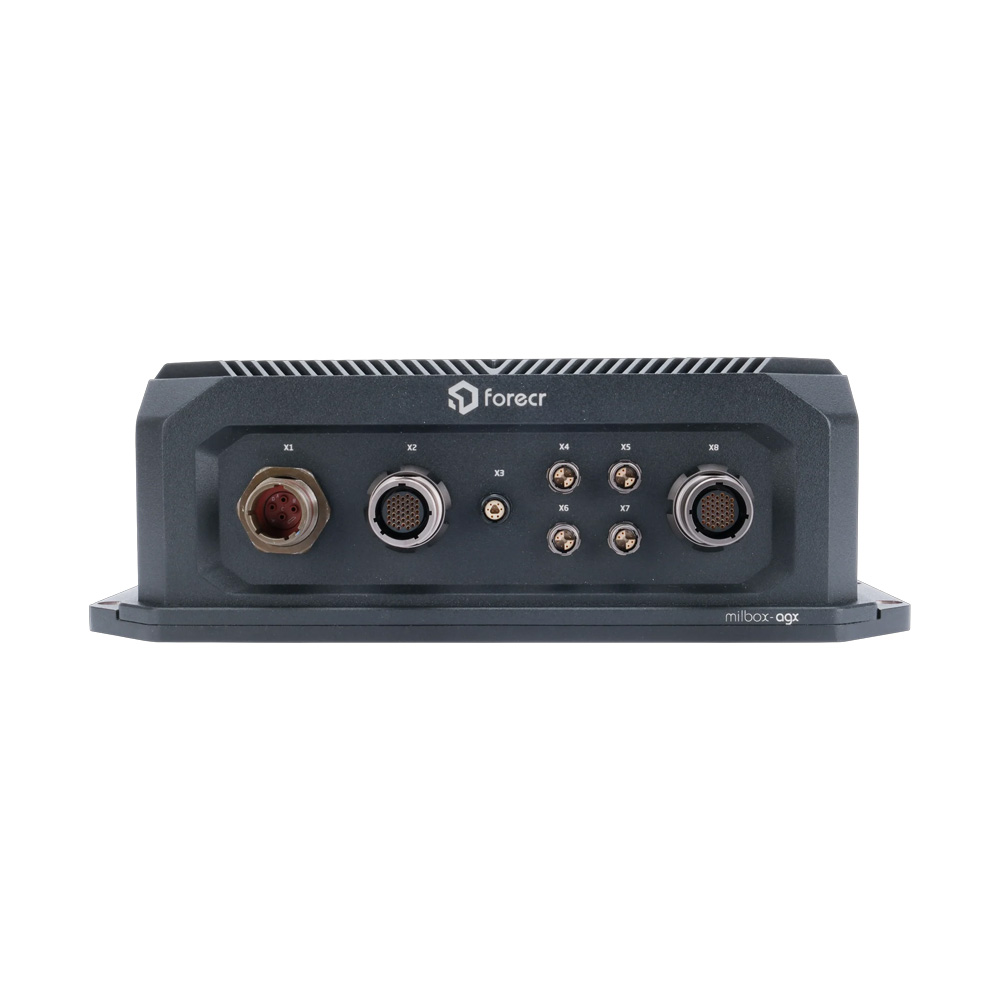
NVIDIA Jetson AGX Orin 64GB Tactical Computer with 4x SDI Capture
- AI
- 275 TOPS
- SOM
- NVIDIA Jetson AGX Orin 64 GB
- Ethernet
- 4× GbE
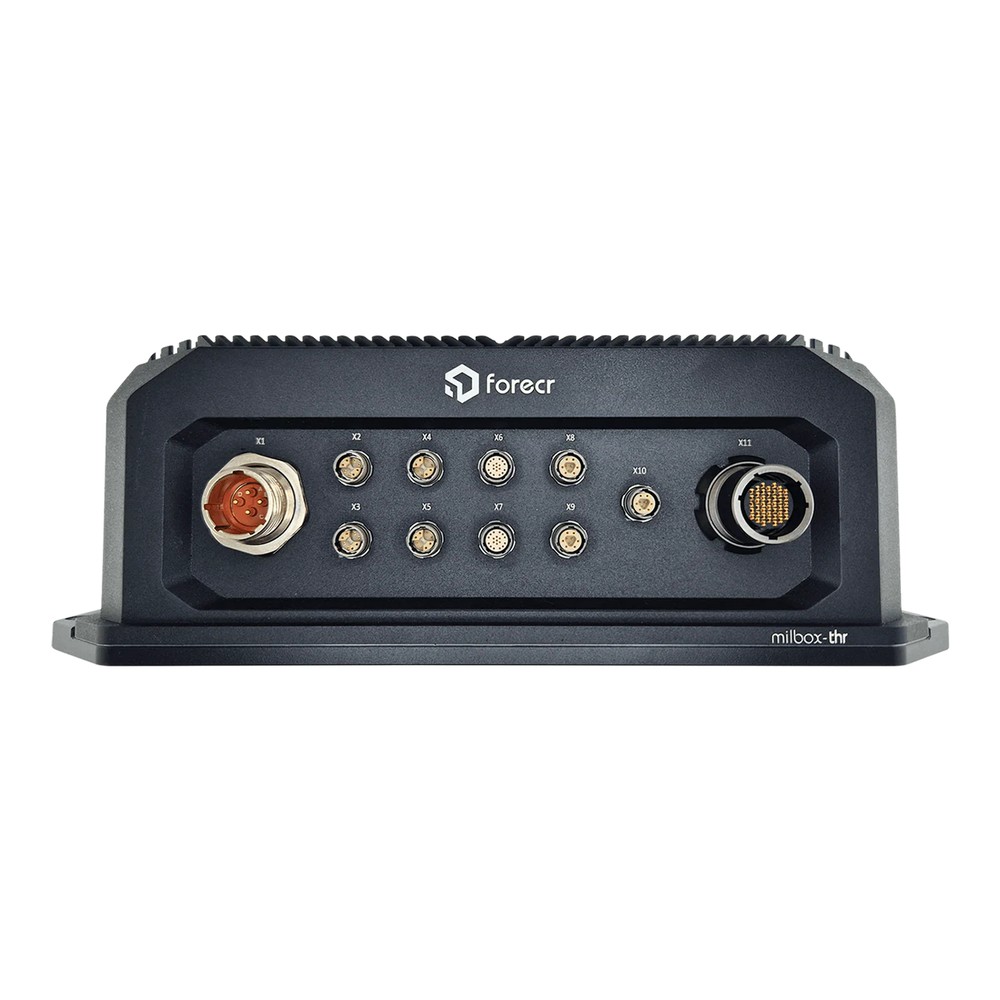
NVIDIA Jetson AGX Thor T5000 Rugged Mission Computer with IP67 Sealing
- AI
- 2,070 TOPS
- SOM
- NVIDIA Jetson T5000
- Ethernet
- 4× 10GbE
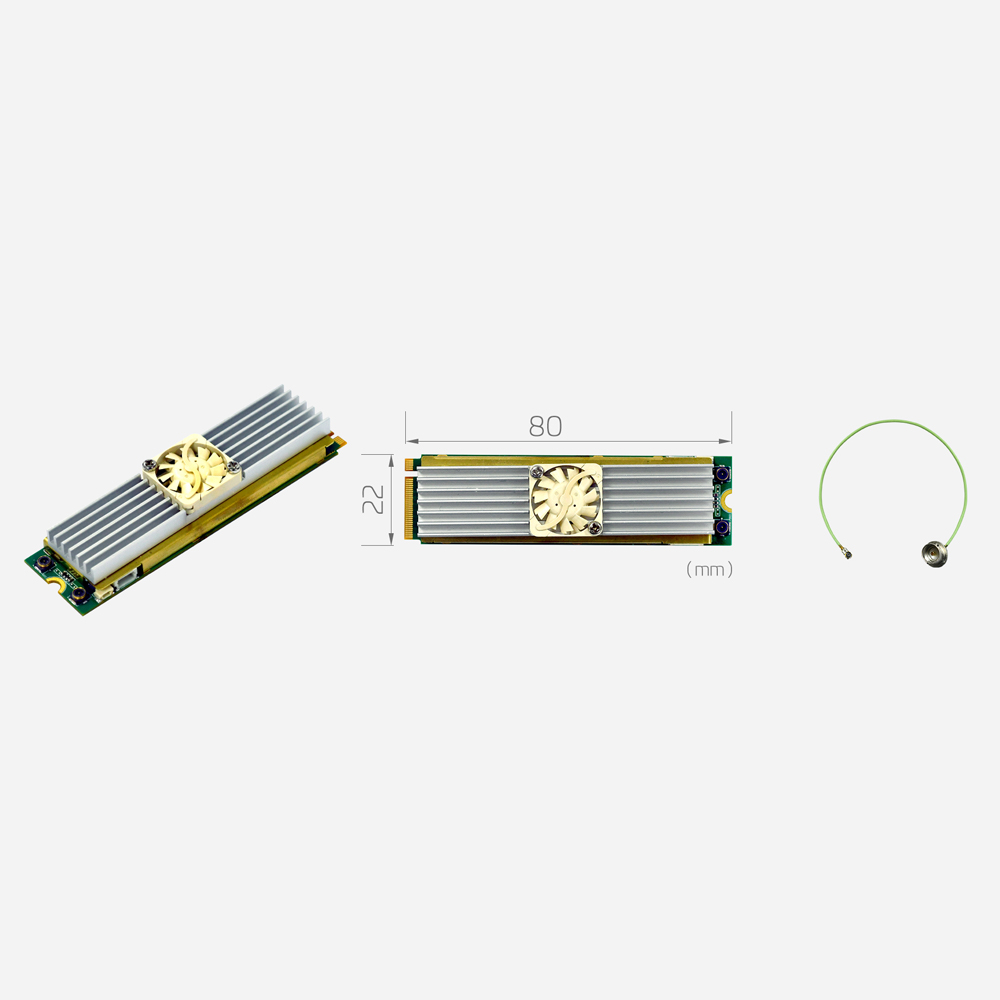
M.2 SDI Capture Card with 12G-SDI Input at 4K60
- Inputs
- 1×12G-SDI
- Max input
- 4K60 (4096×2160)
- Interface
- M.2 M-Key

M.2 SDI Frame Grabber with 4 x 3G-SDI Inputs at 1080p60
- Inputs
- 4×3G-SDI
- Max input
- HD60 (1920×1080)
- Interface
- M.2 M-Key
The products above compared
| Product | Type | Key facts from the product page |
|---|---|---|
| Forecr MILBOX‑AGX‑SDI‑64S | Jetson AGX Orin 64GB tactical computer | 4× SDI on BNC straight to the module; 12–36 V DC; designed to MIL-STD-810, MIL-STD-461 and IP67 |
| Forecr MILBOX‑THR5000 | Jetson Thor T5000 mission computer | 2× 3G-SDI in and 2× 3G-SDI out by default; 11–60 V DC; IP67; JetPack 7.x |
| Yuan SC710N1 M2 12G-SDI | M.2 capture card | Single-link 12G-SDI to 4096 × 2160 at 60 fps, loop-through, PCIe x4, V4L2 |
| Yuan SC400N4 M2 SDI | M.2 frame grabber | 4× 3G-SDI at 1080p60, four embedded stereo audio channels, PCIe x4, V4L2 |
We configure each capture card in its host, install the driver for the operating system or JetPack release, and test every channel before the system ships.
SDI capture: common questions
Quick answers
What is SDI capture?
Taking uncompressed SDI video into a computer. A capture card or frame grabber receives the coax signal and delivers frames to the host for recording, streaming or AI.
What is the difference between 3G-SDI and 12G-SDI?
Bandwidth and format. 3G-SDI carries 2.97 Gb/s for up to 1080p60; 12G-SDI carries 11.88 Gb/s for up to 4Kp60 on one cable.
How far can SDI run?
About 100 m at 3G-SDI and 70 m at 12G-SDI. Reach depends on cable grade; fiber converters extend it to kilometers.
Can a Jetson capture SDI?
Yes. Through an M.2 or PCIe SDI card with a Linux Arm driver, or a rugged Jetson computer with SDI inputs built in.
Is SDI lower latency than HDMI?
About the same on the cable. Both are uncompressed; SDI adds long, locking runs, and latency is set by the capture and processing chain.
Do I need a PCIe slot for 4K SDI?
Not for one stream. One 4Kp60 input fits an M.2 x4 card; four 4K inputs need a PCIe x8 card.
SDI and video capture FAQs
-
SDI vs HDMI: What Is the Difference?
SDI and HDMI both carry uncompressed digital video, but for different settings. SDI runs over coaxial cable with locking BNC connectors and covers long distances, around 100 m for 3G-SDI, making it the standard in broadcast, defense and industry. HDMI is a consumer interface with short cables and push-fit connectors, common on monitors, PCs and cameras.
-
What Is a Capture Card?
A capture card is a device that takes a video signal from a camera or other source, such as HDMI or SDI, and converts it into digital frames a computer can record, stream or analyze. It can be an internal PCIe or M.2 card or an external USB device, and industrial versions feed medical imaging and edge AI systems.
-
What Is a BNC Connector?
A BNC connector is a coaxial connector with a quarter-turn bayonet lock. It carries video and radio-frequency signals over coax cable and comes in two impedances: 75 ohm for video such as SDI and CCTV, and 50 ohm for RF, test equipment and timing signals.
-
What Is a Coaxial Cable?
A coaxial cable is a cable with a centre conductor, an insulating layer, a metal shield and an outer jacket, all sharing one axis. The shield keeps interference out and the signal in, so coax carries video, broadband and radio-frequency signals over long runs with low loss.
-
What is RDMA and why does it matter for edge AI?
RDMA (remote direct memory access) lets one computer read from or write to another computer’s memory through the network card, without passing the data through either CPU or operating system. It cuts latency and frees processor time, which matters for AI clusters and multi-node edge AI. It runs over InfiniBand, or over Ethernet as RoCEv2 or iWARP.
-
H.264 vs H.265: What Is the Difference?
H.265, also called HEVC, is the newer video compression standard that followed H.264, or AVC. It can deliver similar picture quality at up to about half the bitrate, which cuts network traffic and storage per camera. The trade-off is more processing to encode and decode, and less universal playback support than H.264.
-
What Is 4K Resolution?
4K resolution is a picture about 4,000 pixels wide. On monitors, TVs and cameras it almost always means 3840 × 2160 pixels at 16:9, also called 4K UHD or 2160p. That is about 8.3 million pixels, four times full HD (1080p). Cinema 4K is slightly wider, at 4096 × 2160.
Ready to deploy SDI capture at the edge?
Tell us your cameras, formats and channel count. We will recommend the capture card and host, install the drivers for your operating system or JetPack release and test every channel before it ships.