
 US
What Is an NPU? Neural Processing Units for Edge AI
An NPU is the part of a processor built to run AI models efficiently. How it works, which chips have one, how fast they are and when an edge system needs one.
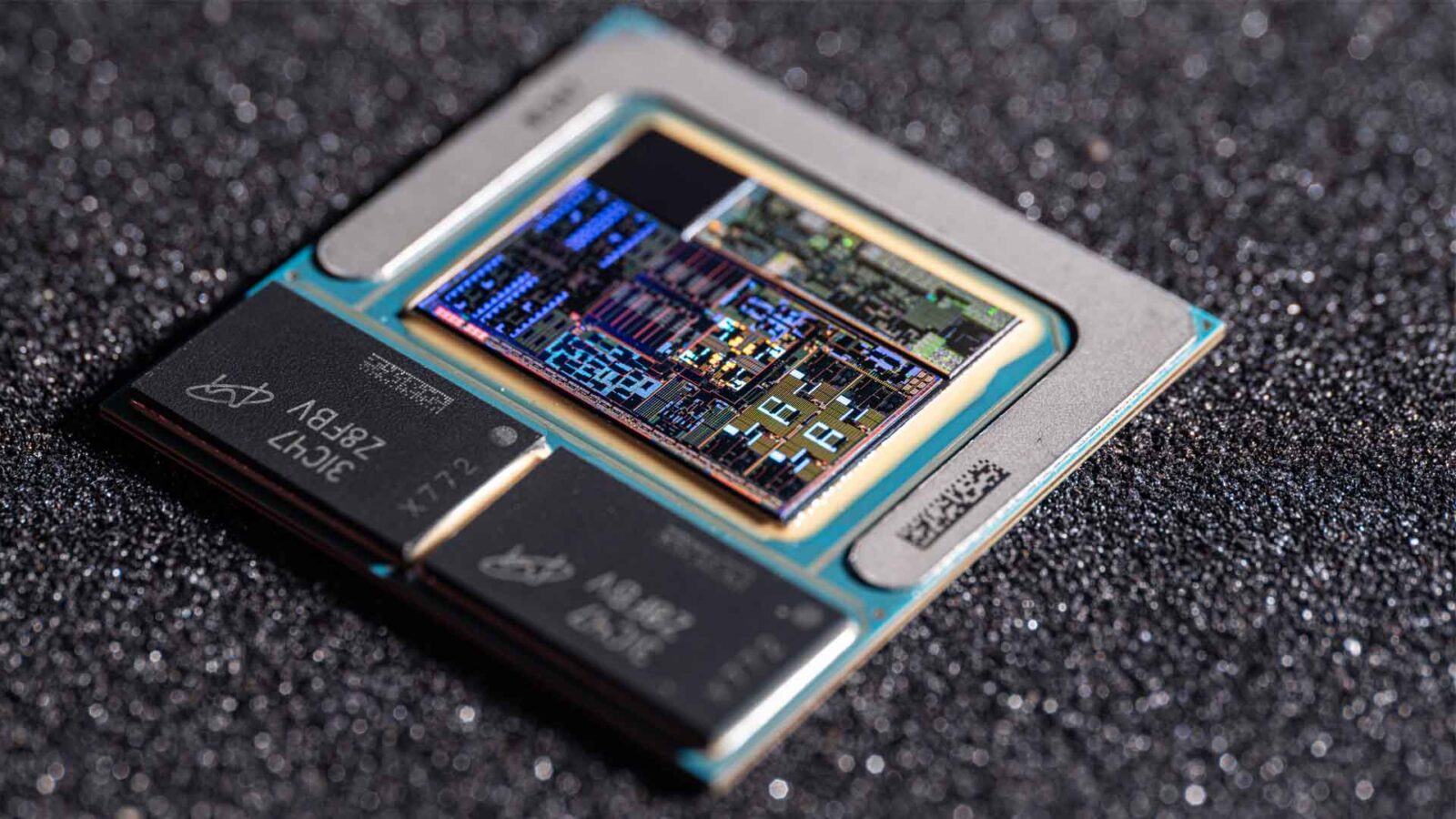
An NPU, or neural processing unit, is a processor core built to run neural networks: it performs the huge numbers of low-precision multiply-accumulate operations that AI inference needs, using arrays of arithmetic engines fed from on-chip memory, at a small fraction of the power a CPU or GPU would use for the same work. NPUs run trained models rather than train them, and they are now built into most new laptop, embedded and edge processors.
If you are asking what an NPU is in a computer, the short answer is that it is the part of the processor that runs AI features locally. In an industrial or edge system that means object detection on a camera feed, people counting, defect checks, speech commands or a small language model, running on the device instead of in the cloud. Intel calls its NPU AI Boost, AMD uses the XDNA architecture under the Ryzen AI name, Qualcomm has the Hexagon NPU and NVIDIA builds deep learning accelerators into its larger Jetson modules.
This guide explains how an NPU works, which processors and accelerators have one and how fast they are, how NPUs compare with CPUs, GPUs and TPUs, what they are used for at the edge and when a system needs one. For a head-to-head on choosing an accelerator, see our guide to NPU vs GPU for edge AI.
Key takeaways
- 01An NPU is an inference engine
- It runs trained neural networks efficiently; training still happens on GPUs, usually in a data centre.
- 02Efficiency comes from low precision and local memory
- INT8 and INT4 arithmetic and on-chip SRAM cut the energy spent moving data, which is most of the cost of AI.
- 03Integrated or add-on
- NPUs are built into Core Ultra, Ryzen AI and many Arm SoCs, or added as M.2 modules such as Hailo-8.
- 04TOPS range from 2 to 50 and more
- From 2.3 TOPS on an NXP i.MX 8M Plus to 50 TOPS on AMD Ryzen AI 300, before counting the GPU.
- 05Software support decides what runs
- Each NPU has its own compiler and list of supported layers, so check the model runs before choosing the hardware.
How does an NPU work?
A neural network is mostly matrix arithmetic. Each layer multiplies an input, such as the pixels of a camera frame or the output of the previous layer, by a set of learned weights and adds the results. A CPU does that a few numbers at a time. An NPU is built to do thousands of those multiply-accumulate (MAC) operations in parallel, every clock cycle.
| Building block | What it does | Why it saves power |
|---|---|---|
| MAC arrays | Grids of multiply-accumulate engines that compute many weights and inputs at once | Fixed arithmetic needs far fewer transistors per operation than a programmable core |
| Low-precision arithmetic | Works in 8-bit or 4-bit integers, sometimes 16-bit floating point | An 8-bit multiply uses a fraction of the energy and silicon of a 32-bit one |
| On-chip SRAM | Holds weights and intermediate results close to the MAC arrays | Reading external DRAM costs much more energy than the arithmetic itself |
| DMA engines | Move data between system memory and the NPU without the CPU | Keeps the CPU free and the MAC arrays fed |
| Dataflow scheduling | The compiler maps each layer to the hardware in advance | Little control logic is needed at run time |
| Activation and pooling engines | Apply functions such as ReLU between layers in hardware | Avoids sending data back to the CPU |
The common thread is data movement. In a neural network, fetching a weight from external memory can cost many times more energy than multiplying it, so NPU designs keep as much of the model and its intermediate results on the chip as they can. That is also why an NPU’s rated TOPS are only reached when the model fits its memory and every layer is supported.
Inference, not training
Training a model means running it forwards and backwards millions of times in high precision to learn the weights. That is GPU and data-centre work. AI inference runs the finished model on new data, and that is what an NPU is for. Before it runs on an NPU, a model is usually converted to 8-bit integers, as our explainer on INT8 quantisation describes, and compiled for that NPU.
A short history of the NPU
NPUs started in smartphones. In 2017 Huawei’s Kirin 970 and Apple’s A11 Bionic each added a dedicated neural engine to run camera, face recognition and voice features on the phone. Arm SoC makers followed, and NXP, Rockchip and Qualcomm brought NPUs to embedded and industrial processors over the following years: the NXP i.MX 8M Plus, Rockchip RK3588 and Qualcomm QCS6490 are all common in industrial boards today.
x86 caught up in 2023, when AMD added an XDNA NPU to its Ryzen 7040 processors and Intel put an NPU into the first Core Ultra processors. In 2024 Microsoft set 40 TOPS of NPU performance as the threshold for its Copilot+ PCs, and the next generations jumped to 45–50 TOPS. Embedded versions of the same processors reach industrial computers a little later, which is why NPUs are now a standard line on edge computer datasheets. Our guide to Intel Core Ultra covers Intel’s side of that change.
Which processors have an NPU?
The table lists the NPUs you are most likely to meet in industrial and embedded computers, with manufacturers’ published ratings. Ratings are for the NPU alone unless stated; most are INT8 figures, and some vendors quote INT4, so treat them as a guide rather than a like-for-like comparison.
| Processor or accelerator | NPU | Rated performance | Architecture | Main software |
|---|---|---|---|---|
| Intel Core Ultra Series 1 (Meteor Lake) | Intel AI Boost | About 11 TOPS | x86 | OpenVINO |
| Intel Core Ultra 200H and 200S (Arrow Lake) | Intel AI Boost | 13 TOPS | x86 | OpenVINO |
| Intel Core Ultra 200V (Lunar Lake) | Intel AI Boost | 48 TOPS | x86 | OpenVINO |
| AMD Ryzen 7040 series | XDNA | 10 TOPS | x86 | Ryzen AI Software |
| AMD Ryzen 8000 series (8040 and 8045) | XDNA | 16 TOPS | x86 | Ryzen AI Software |
| AMD Ryzen AI 300 series | XDNA 2 | 50 TOPS | x86 | Ryzen AI Software |
| Qualcomm QCS6490 (Dragonwing) | Hexagon | 12.5 TOPS (AVerMedia rating) | Arm | Qualcomm AI Hub, QNN |
| Qualcomm QCS5430 | Hexagon | About 3.5 TOPS | Arm | Qualcomm AI Hub, QNN |
| Rockchip RK3588 | Rockchip NPU | 6 TOPS | Arm | RKNN-Toolkit2 |
| NXP i.MX 8M Plus | NXP NPU | 2.3 TOPS | Arm | NXP eIQ |
| NVIDIA Jetson AGX Orin and Orin NX | NVIDIA DLA beside the GPU | Part of the module’s 117–275 TOPS | Arm | TensorRT |
| Hailo-8 (M.2 module) | Hailo | 26 TOPS | Add-on, any host | Hailo Dataflow Compiler |
| Hailo-8L (M.2 module) | Hailo | 13 TOPS | Add-on, any host | Hailo Dataflow Compiler |
| Hailo-10H (M.2 module) | Hailo | 40 TOPS (INT4) | Add-on, any host | Hailo Dataflow Compiler |
Two points stand out. First, the NPU is not always the largest AI engine on the chip: on Intel Core Ultra 200S processors the NPU and integrated graphics together reach up to 36 TOPS, and on Jetson the GPU provides most of the module’s rating. Second, the Arm SoCs used in industrial boards carry smaller NPUs than the newest laptop processors, but they run within a few watts and on long-lifecycle parts. Our explainers on the Qualcomm Hexagon NPU, AMD Ryzen AI, Intel AI Boost and the Hailo-10H cover each one in more depth.
Integrated NPUs and add-on accelerators
An NPU reaches a computer in one of three ways, and the route affects cost, power, software and how easily a design can be upgraded.
| Type | Examples | Advantages | Limits |
|---|---|---|---|
| Built into an x86 processor | Intel Core Ultra, AMD Ryzen AI and Ryzen 7040/8000 | No extra hardware; shares memory with CPU and GPU; Windows and Linux support | Fixed TOPS; shares memory bandwidth |
| Built into an Arm SoC | NXP i.MX 8M Plus, Rockchip RK3588, Qualcomm QCS6490 | Very low power; long-lifecycle parts; small boards | Smaller NPUs; vendor-specific toolchains |
| M.2 or PCIe accelerator | Hailo-8, Hailo-8L, Hailo-10H | Adds AI to almost any computer with a free M.2 socket; scalable to several modules | Uses an M.2 socket; data crosses PCIe |
| Accelerators on an AI module | NVIDIA DLA on Jetson AGX Orin and Orin NX | Offloads supported layers from the GPU | Only supported layers; the GPU still does most work |
Add-on accelerators are often the practical route in industrial projects, because they let a proven x86 or Arm computer gain AI without changing the processor, the operating system image or its certifications. The Hailo range covers M.2 modules and systems built around them, and our guide to Hailo-8 accelerators explains how they integrate.
NPU vs CPU vs GPU vs TPU
All four can run a neural network. They differ in how much of the work is fixed in hardware, and so in flexibility and efficiency.
| Processor | Architecture | Best at | Precision | Power for AI work | Programmability | Edge examples |
|---|---|---|---|---|---|---|
| CPU | A few powerful general-purpose cores | Control, logic, small models | FP32, FP16, INT8 | Moderate, but low throughput | Any code | Intel Atom, Core, AMD Ryzen, Arm Cortex-A |
| GPU | Thousands of parallel cores, often with tensor cores | Training, large models, many streams | FP32 to FP4 | Tens to hundreds of watts | High (CUDA, OpenCL) | NVIDIA RTX, Jetson, Intel Arc |
| NPU | Fixed MAC arrays with on-chip memory | Efficient inference | INT8, INT4, some FP16 | A few watts | Compiled models, supported layers | Intel AI Boost, AMD XDNA, Hexagon, Hailo |
| TPU | Google’s matrix accelerator | Training and inference in Google’s cloud | BF16, INT8 | Data-centre scale | TensorFlow, JAX | Edge TPU in Coral devices |
In practice an edge computer uses them together. The CPU runs the application and the operating system, the GPU decodes video and draws the screen, and the NPU runs always-on inference. Our explainers on NPU vs CPU and NPU vs TPU compare each pair, and what an AI accelerator is covers the wider family.
How is NPU performance measured?
NPUs are rated in TOPS, trillions of operations per second, where one multiply-accumulate counts as two operations. The figure is a peak at a stated precision, usually INT8, and assumes every MAC engine is busy every cycle. Real models never quite reach it, and two NPUs with the same TOPS can differ widely on the same model. Our explainer on what TOPS means covers the arithmetic.
A more useful measure is inferences or frames per second on a named model, such as a YOLO-class detector at a set resolution, and the power drawn while doing it. For sizing, our guide to how many TOPS an NPU needs gives rules of thumb by workload: a single camera running a small detector can fit within a few TOPS, while several streams or larger models need tens of TOPS or more.
What an NPU cannot do
An NPU’s efficiency comes from fixing work in hardware, and that sets limits worth knowing before a design depends on one.
- It cannot train models. Training needs high-precision arithmetic and backpropagation, which NPUs do not provide.
- It runs supported layers only. A new layer type may not compile, and a layer that falls back to the CPU can slow the whole model.
- Large models strain it. When weights do not fit on-chip memory, the NPU waits on system memory and its rated TOPS are out of reach.
- Compiled models are not portable. A model compiled for one vendor’s NPU has to be recompiled, and often requantised, for another.
- It is not general-purpose compute. Video decode, image pre-processing and the application itself still run on the GPU and CPU.
None of these rule an NPU out; they decide which models and projects it suits. Where a model is too large, too new or needs FP16, a GPU or a Jetson module is usually the answer, as our GPU vs CPU explainer and the NPU vs GPU guide describe.
What is an NPU used for at the edge?
In industrial and commercial systems, NPUs run the AI that needs to happen close to the sensor: fast, private and without a network round trip. That is the core of edge AI, and our explainer on edge AI vs cloud AI covers the trade-off.
| Application | Typical model | NPU class that usually fits |
|---|---|---|
| People counting and occupancy | Small object detector | Integrated NPU or Arm SoC NPU |
| Automated visual inspection | Classification or anomaly detection | Integrated NPU or Hailo-8 |
| Traffic and vehicle analytics | Detection and tracking, several cameras | Hailo-8 or Jetson |
| Retail shelf and checkout monitoring | Detection and classification | Integrated NPU or Hailo-8 |
| Speech commands and noise suppression | Small audio models | Integrated NPU |
| Predictive maintenance on sensor data | Small time-series models | CPU or integrated NPU |
| Small language and vision language models | Quantised transformer | Ryzen AI 300, Hailo-10H or Jetson |
The common factor is a trained model that runs continuously. An NPU suits that well, because it can run all day at a few watts while the CPU stays free for the application, the database and the network. Many of these jobs start with computer vision models built on convolutional neural networks, which NPUs handle particularly well.
Why NPUs matter in industrial and embedded systems
Industrial computers are often fanless, sealed and powered from a vehicle or a cabinet supply. A discrete GPU adds heat, power and size that those installations cannot always take. An NPU brings useful inference into a compact, fanless computer, keeps data on the device, and can be added to an existing design. That is the difference between adding AI to a computer already on the line and specifying a separate GPU computer.
Three industrial factors shape the choice. Lifecycle: embedded versions of Core Ultra, Ryzen and the Arm SoCs above are built for years, so a model qualified on one can be rebuilt on the same hardware. Temperature: the NPU sits inside the processor or on an M.2 module rated with the computer, so wide-temperature builds are possible, such as the Vecow EIC-2000 on the NXP i.MX 8M Plus, rated from −25 to 70 °C. Software: the NPU’s toolchain has to be supported on the operating system image the computer ships with, which we fix and test as part of the build. For how NPUs fit into processor choices more widely, see our guide to CPU generations and embedded processors and what a system on chip is.
How a model gets onto an NPU
A trained model does not run on an NPU as it comes out of training. These five steps take it from a PyTorch or TensorFlow file to a deployed edge computer, and each one is where a project can slip if it is left late.
-
Export
Open formatThe trained model is exported from PyTorch or TensorFlow to an exchange format, usually ONNX, which most NPU toolchains accept. Layers the format cannot express have to be replaced at this stage, before any hardware is chosen.
-
Quantise
INT8 or INT4The model’s 32-bit weights are converted to 8-bit or 4-bit integers using a calibration set of real images or signals from the site. Accuracy is checked against the original model; quantisation-aware training recovers it where it drops.
-
Compile
Vendor toolchainThe NPU vendor’s compiler, such as OpenVINO, the Hailo Dataflow Compiler or RKNN-Toolkit2, maps each layer onto the hardware and reports any layer it cannot run, which would fall back to the CPU.
-
Validate
On targetThe compiled model runs on the target computer with recorded data, at the frame rate and ambient temperature of the installation, to confirm throughput, accuracy and power together.
-
Deploy
Fixed imageThe model, runtime and drivers go into the operating system image with version numbers fixed, so every computer in the rollout behaves the same. We build and test that image as part of the computer.
Do you need an NPU?
Not every edge computer needs one. The table is a quick test.
| Situation | NPU needed? | Why |
|---|---|---|
| No AI workload, now or planned | No | A processor without an NPU may suit better on cost or lifecycle |
| One or two cameras with a small detector | Yes, usually integrated | Runs within a few watts beside the application |
| AI must be added to an existing computer | Yes, as an M.2 accelerator | Hailo-8 adds 26 TOPS without changing the processor |
| Fanless, sealed or vehicle installation | Yes, rather than a GPU | Keeps total power within the enclosure’s limit |
| Many streams, large or new model types | An NPU alone may not be enough | Consider NVIDIA Jetson or a GPU computer |
| Model training or frequent retraining on site | No, a GPU | NPUs run inference only |
| Windows application with AI features | Often | Core Ultra and Ryzen AI NPUs are supported in Windows |
If the answer is not obvious, test the model. Compile it for the candidate NPU, run it on recorded data from the site and measure frames per second, accuracy and power. That costs days, and it avoids choosing hardware that cannot run the model.
NPU systems in our range
Each range brings an NPU to a different size, power and lifecycle point.

Intel Core Ultra computers
Fanless and compact systems with an Intel NPU and Arc graphics.
View range
AMD Ryzen AI 300 computers
Systems with a 50 TOPS NPU, from mini PCs to fanless industrial PCs.
View range
Hailo accelerators
M.2 AI modules and systems with Hailo-8 and Hailo-8L.
View range
Qualcomm computers
Arm boards and box PCs with Hexagon NPUs on Dragonwing processors.
View range
Rockchip computers
RK3588 and RK3576 boards and players with a 6 TOPS NPU.
View range
Edge AI computers
Every AI-ready computer in our range, from NPU boxes to Jetson and GPU systems.
View rangeNPU computers from our range
These systems show the main ways an NPU reaches an edge computer. We configure them with the NPU drivers and runtime your model needs, image the operating system and test the complete computer before it ships.
| NPU | Example from our range | Configuration |
|---|---|---|
| AMD Ryzen AI 300, 50 TOPS | ASRock Industrial 4X4 BOX-AI300 | Ryzen AI 7 350, up to 96 GB DDR5 5600, four displays |
| AMD Ryzen AI 300 plus Hailo options | SolidRun Bedrock RAI300 | Ryzen AI 9 HX 370 with 50 TOPS NPU; two M.2 sockets for Hailo-8 or Hailo-10 modules; fanless |
| Qualcomm Hexagon, 12.5 TOPS | AVerMedia QL601 | Dragonwing QCS6490, 8 GB LPDDR4, two MIPI CSI-2 camera inputs |
| NXP i.MX 8M Plus, 2.3 TOPS | Vecow EIC-2000 | Four Cortex-A53 cores, dual GbE, two SIM sockets, 9–55 V DC |
For processor-integrated NPUs, see our fanless PCs on Core Ultra and Ryzen, and for the Arm side our Arm SBCs.
NPU computers to start from
Four NPU options: a Ryzen AI 300 NUC PC, a fanless Ryzen AI 9 industrial PC with Hailo options, a Qualcomm QCS6490 box PC and an NXP i.MX 8M Plus embedded AI computer.
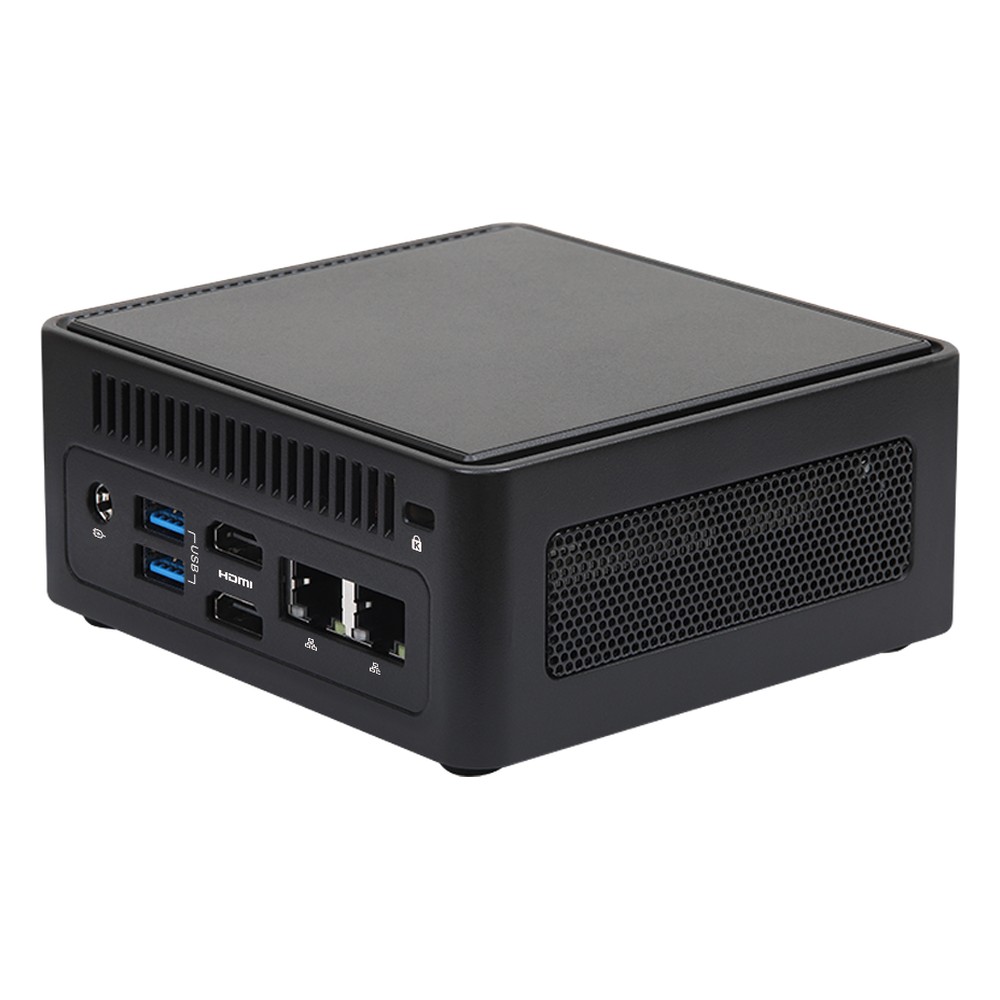
AMD Ryzen AI 7 350 NUC PC with 50 TOPS NPU, Quad Display and 2.5GbE
- AI
- 50 TOPS
- CPU
- AMD Ryzen AI 300 Krackan Point
- Ethernet
- 1× 2.5GbE, 1× GbE
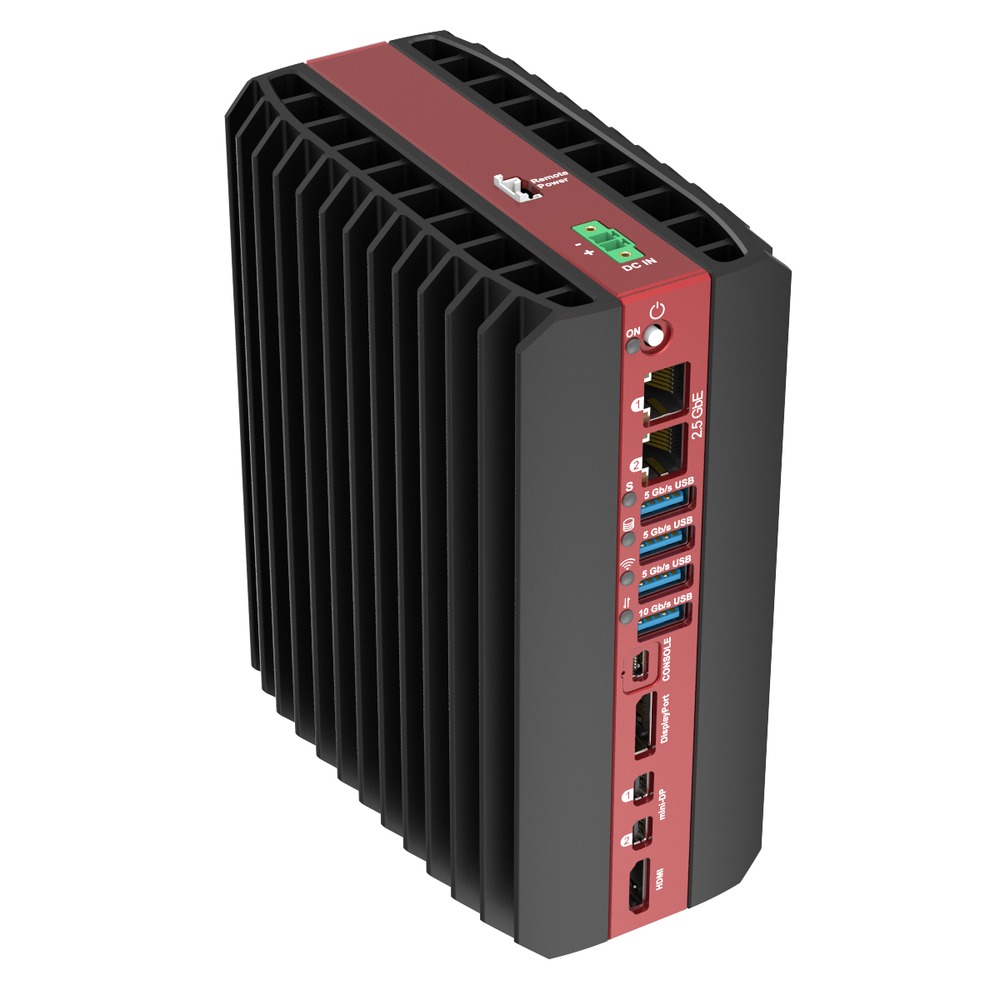
AMD Ryzen AI 9 HX 370 Industrial AI PC with NPU and Hailo AI Options
- AI
- 26–50 TOPS
- CPU
- AMD Ryzen AI 300 (Strix Point)
- Ethernet
- 4× 2.5GbE
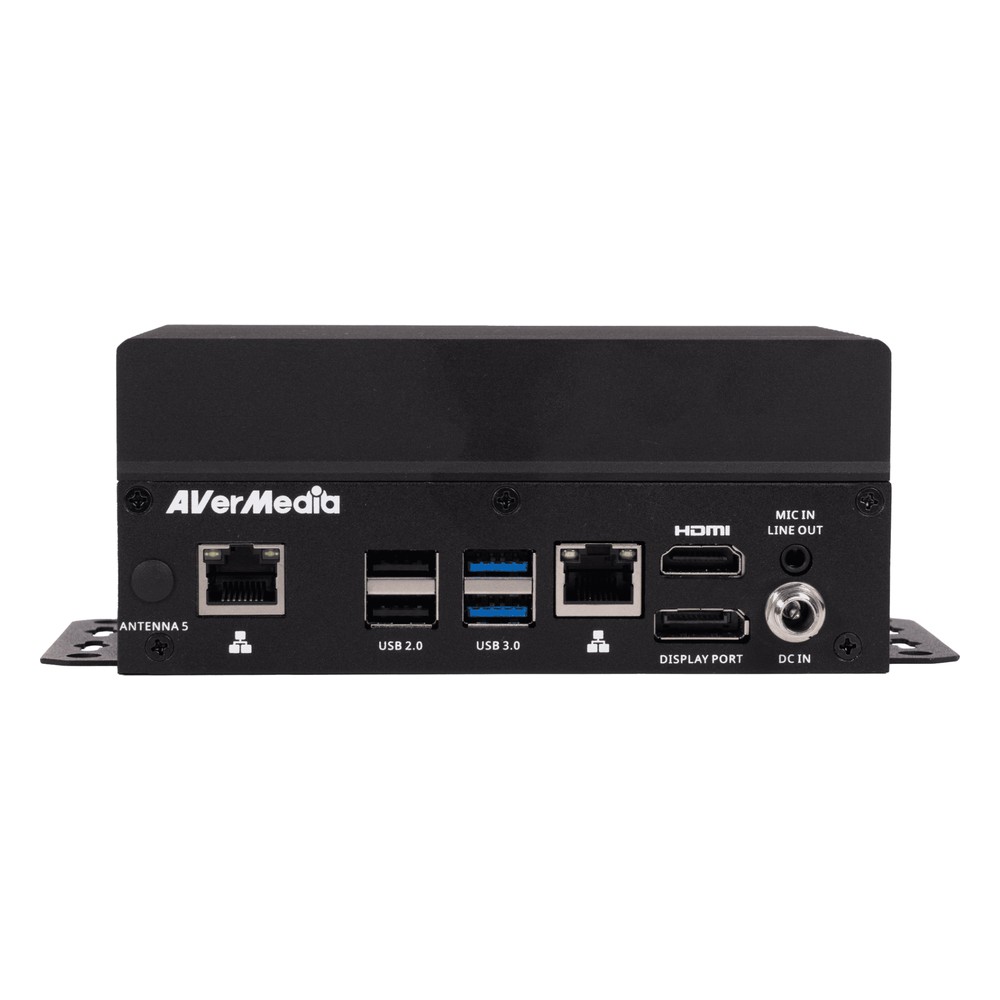
Qualcomm QCS6490 (Dragonwing) Fanless Edge AI Box PC with Hexagon NPU and 4G/5G Options
- AI
- 12 TOPS
- CPU
- Qualcomm Dragonwing QCS6490
- Ethernet
- 1× GbE
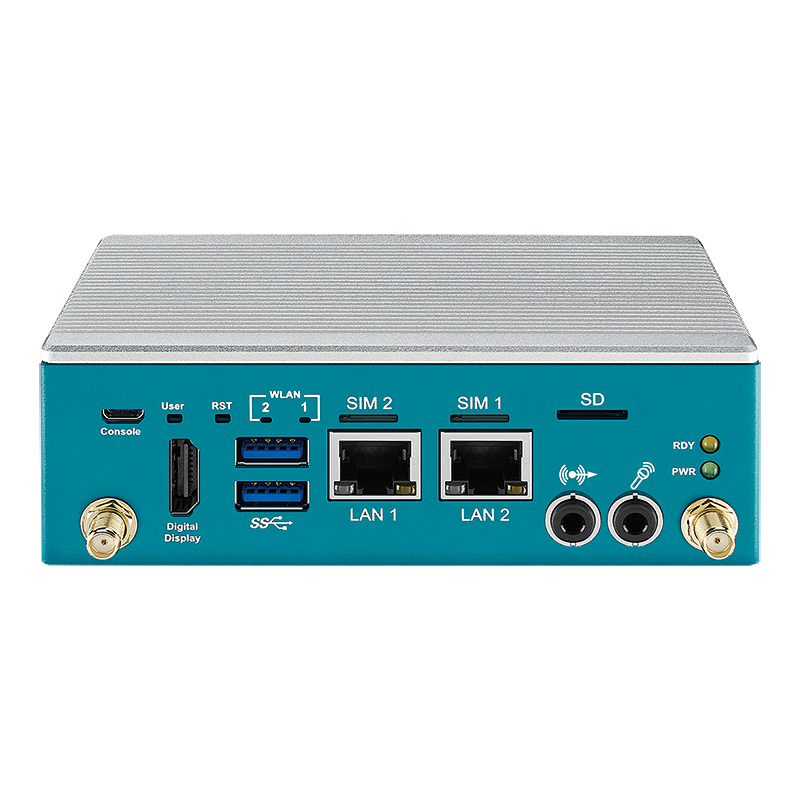
NXP i.MX8M Plus Fanless Embedded AI Computer with Integrated NPU
- CPU
- NXP i.MX 8M Plus
- Ethernet
- 2× GbE
- Temp
- −25 to +70 °C
What to check on an NPU datasheet
Six details that show what an NPU will really do for your model.
-
01
Rated precision
Confirm whether TOPS are INT8 or INT4, and whether the figure is the NPU alone or the whole chip.
-
02
Supported layers
Check the vendor’s operator list against every layer in your model.
-
03
Toolchain and OS
Confirm the compiler and runtime support the operating system the computer will run.
-
04
Memory
Check the model fits the NPU’s memory or that system memory bandwidth is enough.
-
05
Power and temperature
Check the computer’s rating with the NPU fully loaded at your ambient temperature.
-
06
Lifecycle
Check the processor or module will be available for as long as the deployment needs.
NPUs: common questions
Quick answers
What is an NPU in a computer?
The part of the processor that runs AI. It is a dedicated engine for neural network inference, built into the processor or added as a module, which runs AI features with far less power than the CPU or GPU.
What does NPU stand for?
Neural processing unit. Vendors use their own names too: Intel AI Boost, AMD XDNA, Qualcomm Hexagon and NVIDIA DLA.
Do I need an NPU?
Only if the system runs AI models. For light, continuous inference in a compact or fanless computer, an NPU is usually the most efficient choice. Without an AI workload, it adds nothing.
What does an NPU do in an AI PC?
It runs on-device AI features. Examples are background blur, noise suppression, transcription and local assistants, which run without the cloud and leave the CPU and GPU free.
How many TOPS does an NPU need?
It depends on the model. A single camera with a small detector often fits in a few TOPS; several cameras or a small language model may need 26–50 TOPS or more.
Is an NPU better than a GPU for AI?
More efficient, less flexible. An NPU uses far less power per inference on supported models; a GPU runs larger and newer models and can train. Our NPU vs GPU guide compares them in detail.
Which processors have an NPU?
Most new laptop and embedded processors. Intel Core Ultra, AMD Ryzen 7040, 8000 and Ryzen AI 300, Qualcomm Dragonwing, Rockchip RK3588 and NXP i.MX 8M Plus all include one, and M.2 modules such as Hailo-8 add one to other computers.
Can an NPU train AI models?
No. NPUs are built for inference at low precision. Training needs the high-precision arithmetic and memory of a GPU.
NPU and edge AI FAQs
-
NPU vs CPU: What Is the Difference?
A CPU is the general-purpose processor that runs the operating system, applications and any code you give it. An NPU, or neural processing unit, is built only for the matrix maths in AI models, so it runs inference using far less power than the CPU and leaves the CPU cores free. Many modern processors now include both on one chip.
-
NPU vs TPU: What Is the Difference?
NPU, or neural processing unit, is a general term for an AI engine built into a processor, used by Intel, AMD, Qualcomm, NXP, Rockchip and others. TPU, or tensor processing unit, is Google’s name for its own AI chips: Cloud TPUs in Google’s data centres, and the small Edge TPU for devices. Both speed up neural network maths.
-
What Is an AI Accelerator?
An AI accelerator is hardware designed to run neural networks faster and more efficiently than a general-purpose CPU. The main types are GPUs, NPUs built into processors, dedicated accelerator chips such as Hailo modules, and FPGAs. Each takes over the repetitive maths of AI inference, so the CPU stays free for the rest of the system.
-
How Many TOPS Does an NPU Need?
There is no single figure: the TOPS an NPU needs depends on the model, image resolution, frame rate and number of camera streams. Check whether a rating is for the NPU alone or the whole platform, since vendors often add CPU and GPU TOPS together. The reliable test is to benchmark your own model on the target processor.
-
What Does TOPS Mean in AI?
TOPS stands for tera operations per second: the number of trillion simple operations an AI processor can perform each second. It is the headline figure used to compare AI accelerators such as NVIDIA Jetson modules and the NPUs in Intel and AMD processors. It is usually quoted for 8-bit integer (INT8) maths, and sometimes with sparsity, which doubles the figure.
-
What Is the Qualcomm Hexagon NPU?
Qualcomm Hexagon is the processor block Qualcomm uses for AI inference in its Snapdragon and Dragonwing chips. It began as a digital signal processor (DSP) for audio, imaging and sensors, and has grown into a dedicated NPU. It works alongside the CPU and Adreno GPU, which together Qualcomm calls the Qualcomm AI Engine.
-
What Is AMD Ryzen AI?
AMD Ryzen AI is AMD’s name for the AI hardware and software in its Ryzen processors. At its centre is an NPU based on AMD’s XDNA architecture, built onto the processor beside the CPU cores and Radeon graphics. In our range, Ryzen 8000-series processors carry a 16 TOPS NPU and Ryzen AI 300-series processors a 50 TOPS NPU.
Adding AI to an edge system?
Tell us the AI model, the cameras or sensors it reads and where the computer will be installed. We will recommend the right NPU, integrated or add-on, or a GPU where the model needs one, then configure, image and test the computer with your runtime before it ships.