
 US
Industrial Computer Mounting: Wall, DIN Rail, VESA, Panel and Rack Options
Industrial computer mounting decides whether a computer stays secure, stays cool and stays reachable. Here are wall, DIN rail, VESA, panel, rack and vehicle mounting compared, with the standards behind them, how mounting affects cooling and vibration, and a decision table by installation.
Industrial computer mounting is the way a computer is fixed in place, on a wall or backplate, a DIN rail, a VESA arm, a panel cut-out, a 19 inch rack or a vehicle, so that it stays secure, stays cool and stays reachable for cables and service. The right method depends on the type of computer, where it is installed and what it has to survive.
Many of our customers install their industrial computers directly onto equipment, inside enclosures and cabinets, or outdoors, where secure mounting is essential. Choosing the mounting method matters as much as thermal management and the environment: a computer on a vibrating machine may need shock-resistant hardware and a damping bracket, while a DIN-mountable PC may suit a control cabinet better. This guide compares the main mounting methods, explains the standards behind them, covers how mounting affects cooling and vibration, and ends with a decision table and checklist.
Key takeaways
- 01Match the method to the product
- Box PCs usually wall or DIN rail mount, panel PCs fit a cut-out or VESA arm, and rackmount systems take a 19 inch rack.
- 02Mounting is part of the cooling
- A fanless computer sheds heat through its fins or base, so orientation and clearance follow from the mounting choice.
- 03Use the standard patterns
- VESA MIS hole patterns, 35 mm IEC 60715 DIN rail and the 19 inch EIA-310 rack make parts interchangeable.
- 04Vibration needs a plan
- On machines and vehicles, use the bracket the computer was tested with, damping where needed and locking connectors.
- 05Leave room to work
- Plan cable access, service clearance and strain relief before the computer goes in.
Industrial computer mounting methods compared
Popular options include wall mounting, DIN rail mounting, VESA mounting, panel mounting and rack mounting. The table compares them by what they suit and what they mean for cooling, vibration and access.
| Method | Suits | Standard | Cooling | Vibration | Access |
|---|---|---|---|---|---|
| Wall or flat mount | Box PCs, gateways, edge AI computers | Maker’s brackets or mounting ears | Fins kept vertical; flat-top models bolt to a wall to conduct heat | Good when bolted to a rigid surface | Front or top I/O stays reachable |
| DIN rail | Compact box PCs, gateways, cabinet equipment | IEC/EN 60715 35 mm top-hat rail | Shares cabinet air; needs space above and below | Fine for light systems; heavier ones need a wall bracket | Quick to fit and swap |
| VESA | Panel PCs, monitors, NUC-size PCs | VESA MIS, 75 × 75 mm to 400 × 400 mm patterns | Rear of the case stays in free air | Moderate; depends on the arm | Arms let operators reposition the screen |
| Panel (flush) mount | Panel PCs and touch monitors in a cabinet door or console | Maker’s cut-out and clamps | Rear heat goes into the cabinet | Good; the bezel clamps to the panel | Front sealed; rear access from inside |
| Open frame | Kiosks, machines, custom housings | Maker’s rear studs or brackets | Depends on the housing design | Good when fixed to a frame | Built into the OEM enclosure |
| 19 inch rack | Rackmount PCs, servers, monitors and KVM drawers | EIA-310; 1U = 44.45 mm height | Front-to-back airflow, or fanless 2U designs | Good with rear supports or rails | Hot-swap trays at the front |
| Vehicle and damped mounts | In-vehicle computers and terminals | Maker’s damping brackets; RAM-style arms for screens | Keep fins clear of carpets and trim | Damping isolates shock and vibration | Mount where cables can be secured |
For a quick reference on the standards, our FAQs explain VESA mount sizes, what a rack unit is and what a DIN rail is.
Wall mounting an industrial computer
Wall mounting is one of the most popular and versatile ways to install an industrial computer. Most box PCs have two mounting ears or a bracket kit that fixes the system securely to any flat, rigid surface: a cabinet backplate, a machine frame, a wall or the inside of an enclosure.
For passive cooling on a wall-mounted fanless PC, orient the heatsink fins vertically. Natural convection then lets heat rise off the fins and draws cooler air in below, and keeping obstructions away from the fins further improves heat transfer. Where the computer sits inside an unventilated cabinet, a flat-top heatsink designed to bolt against the cabinet wall is the better option: it conducts heat through the wall to the outside while the cabinet stays sealed against dust and moisture.
| Wall-mount style | How it cools | Use it when |
|---|---|---|
| Finned, fins vertical | Natural convection into the surrounding air | There is free air around the computer |
| Flat-top or heat spreader against the wall | Conduction into the cabinet or enclosure wall | The cabinet is sealed or crowded, with little airflow |
| Finned, fins horizontal or facing down | Reduced convection; warm air is trapped | Only if the maker rates it, with derating and monitoring |
Our guide to how a fanless PC works explains why fin orientation matters, and the conduction cooling FAQ covers the flat-top approach.
Wall mounting a fanless computer
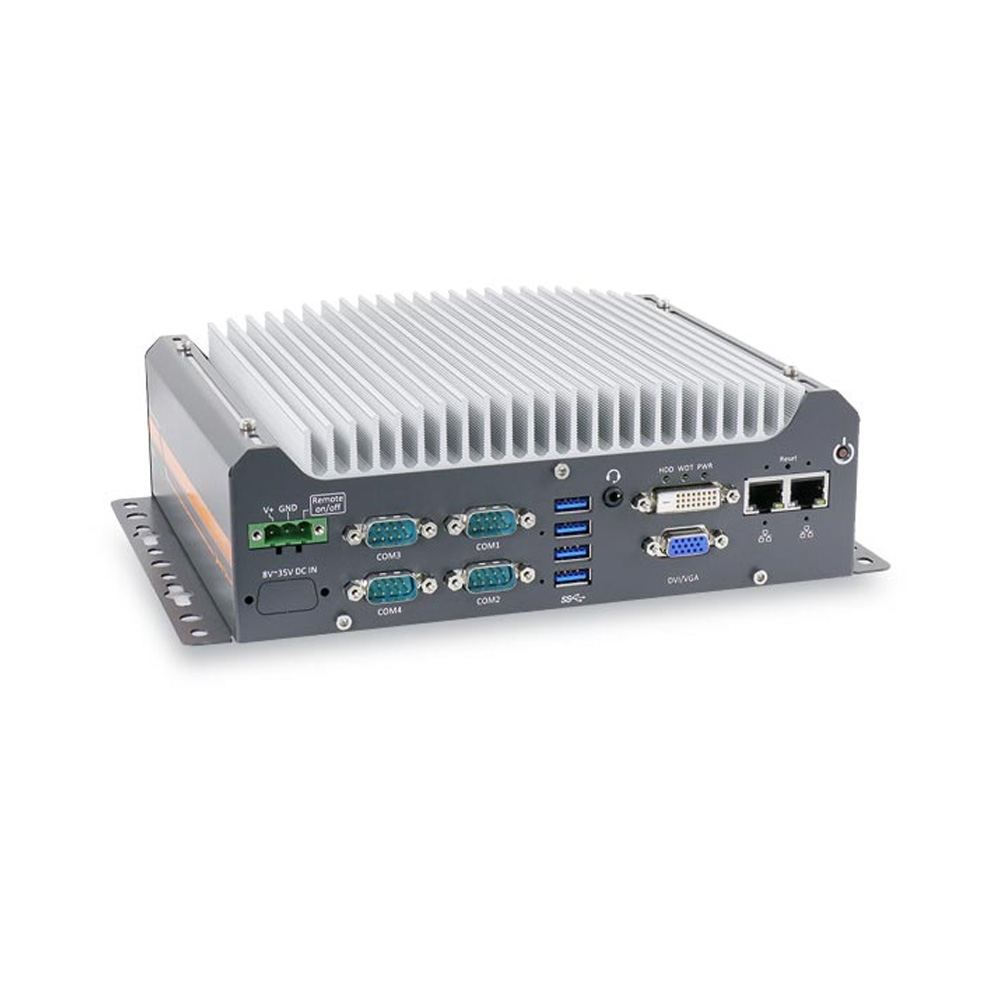
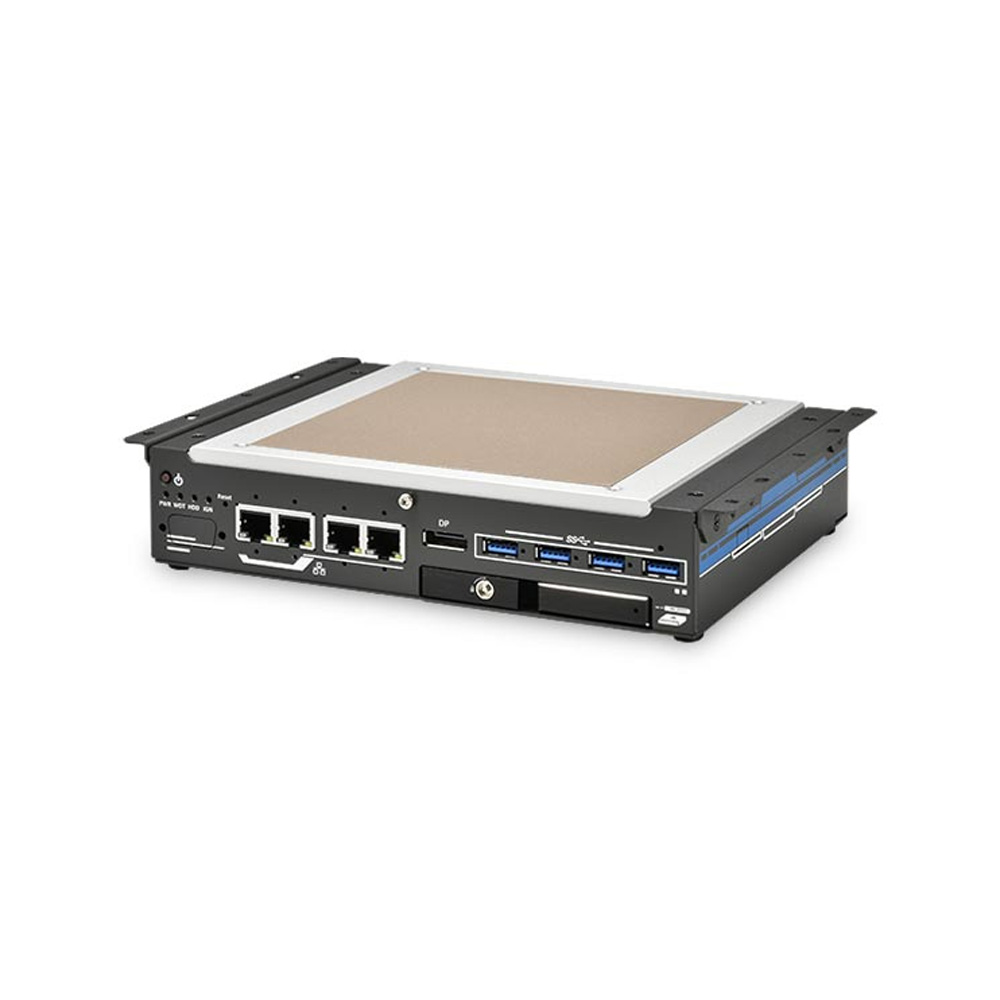
Two ways to wall mount a fanless industrial PC: a finned chassis in free air, or a flat heatsink mated to the cabinet wall.
-
01

Finned chassis, fins vertical
Mounted with its heatsink fins running vertically, a fanless PC uses natural convection: heat rises off the fins and cooler air moves in below. Keep the area around the fins clear so the air can flow.
-
02
Flat heatsink against the wall
In a sealed cabinet with no ventilation, a flat heatsink in direct contact with the cabinet’s inner wall conducts heat out through the enclosure, while the cabinet stays closed against dust and moisture.
DIN rail mounting
A DIN rail is a standardized metal rail, most often the 35 mm top-hat rail in IEC/EN 60715, used to mount industrial control equipment compactly inside an enclosure. PLCs, protocol converters, power supplies and terminals sit side by side, and DIN rail PCs clip on in the same way. Depending on the computer and the space, it can mount flat on its base or on its edge; edge mounting is often the most efficient where width on the rail is limited.
To get the most from DIN rail mounting, check the total space in the enclosure and the dimensions of every device on the rail, and leave room for air to move around the computer. Heavier box PCs can also take a DIN rail kit, but above a kilogram or two, or on a vibrating machine, a wall bracket is often the better choice. Our guide on how to mount DIN rail computers covers rail types, the mounting steps and how to remove a device from the rail.

VESA mounting for panel PCs, monitors and compact PCs
The VESA mounting standard was created by the Video Electronics Standards Association for televisions and monitors, and has been widely adopted for industrial computing. It suits compact computers such as the NUC from ASRock Industrial and all-in-one panel PCs, and is often used with flexible arms so operators can reposition the screen. When choosing a VESA mount, match the hole pattern on the device to the bracket or arm, and check the arm is rated for the weight.
| VESA pattern | Hole spacing | Typical screws | Where you see it |
|---|---|---|---|
| MIS-D 75 | 75 × 75 mm | M4 | NUC-size PCs, small monitors and panel PCs |
| MIS-D 100 | 100 × 100 mm | M4 | Most 10 to 24 inch panel PCs and monitors |
| MIS-E | 200 × 100 mm | M4 | Some mid-size monitors and panel PCs |
| MIS-F | 200 × 200 mm and larger | M6 (M8 on the largest) | Large displays and heavier panel PCs |
The patterns are a standard, so a bracket from one maker fits a screen from another. Most compact industrial computers that support VESA use the 75 or 100 mm pattern, and many come with a bracket that hangs the PC behind its display. In vehicles and on machines, a heavy-duty arm or a RAM-style ball mount carries the screen; our FAQ on RAM mounts explains how they work.

What is a panel mount PC?
A panel mount PC is a panel PC built to fit a cut-out in a cabinet door, machine console or control desk. The display and its bezel sit on the outside, the computer body sits behind the panel, and clamps or studs pull the bezel against a gasket so the front keeps its IP65 or IP66 rating. Panel mount PCs are the standard choice for machine HMIs.
| Step | What to check |
|---|---|
| Cut-out | Cut to the maker’s drawing and tolerance; a loose cut-out lets the gasket leak |
| Panel thickness | Within the range the clamps are designed for, usually stated in the manual |
| Gasket and clamps | Gasket seated evenly; clamps tightened in sequence to the stated torque |
| Rear space | Depth for the body and cables, and air for the computer’s heatsink inside the cabinet |
| Front seal | Front IP65 or IP66 applies only when mounted as instructed |
Where the front of the machine is too hot or tight for a computer, a panel mount monitor on the door with a computer inside the cabinet does the same job.
Rack mounting industrial computers
Rackmount industrial computers, common for servers, fit standard 19 inch rack enclosures. Rack height is measured in rack units (U), where 1U is 44.45 mm, or 1.75 inches, which keeps equipment from different makers compatible and makes efficient use of rack space. Many customers rack mount low-profile industrial computers for their compact design and easy integration, and adapters suit half-rack or full-rack configurations.
As edge computing grows, rugged rackmount computers with fanless GPUs are becoming more common in 19 inch racks on vehicles, trains and remote sites. These systems are built for wide temperatures, vibration and shock, and fixing them with rear supports or slide rails as well as the front ears keeps the weight off the front panel. Our rack mount servers and rack mount panel PCs cover both ends of the rack.

Mounting for vibration and shock
On machines, vehicles, trains and ships, the mounting carries the vibration into the computer, so it decides whether the computer stays within what it was tested to. A few rules keep connectors seated and fixings tight:
| Measure | Why it helps | Where it matters |
|---|---|---|
| Use the bracket the computer was tested with | Vibration and shock ratings apply to a specific mounting kit | Any MIL-STD-810H or IEC 60068 rating |
| Damping brackets or isolators | Reduce shock and high-frequency vibration reaching the computer | Off-road vehicles, mining, heavy machinery |
| Rigid, flat mounting surface | Stops the case flexing or resonating | Thin sheet-metal panels, vehicle trim |
| Locking connectors and strain relief | Stop cables working loose or levering the computer | Screw-lock USB and LAN, M12 connectors |
| Thread-locking fixings | Stop screws backing out over time | Vehicles and machines in constant use |
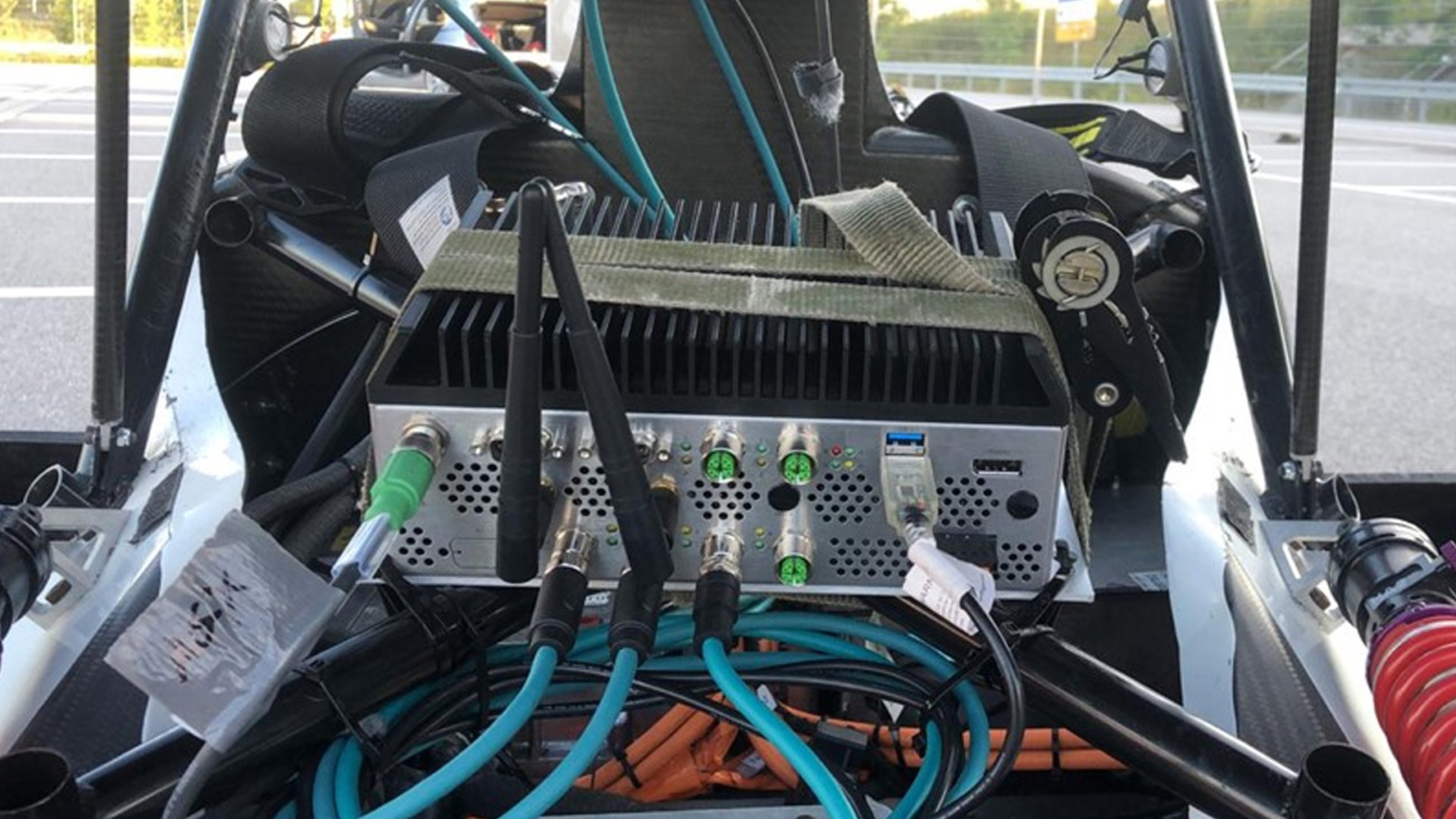
Test standards to look for include IEC 60068-2-6 (sinusoidal vibration), IEC 60068-2-64 (random vibration) and IEC 60068-2-27 (shock), and the MIL-STD-810H vibration and shock methods for defense and vehicles; our FAQ on MIL-STD-810H explains them. Railway computers are tested to IEC 61373. In vehicles, in-vehicle computers are mounted on damping brackets, and ruggedized systems can be strapped down where space is tight.
Which mounting method suits your installation?
Start from where the computer will live, then pick the mounting method and the computer to suit it.
| Installation | Usual mounting | Computer to consider | Watch for |
|---|---|---|---|
| Control cabinet | DIN rail or wall, flat-top against the backplate | DIN rail PC or compact fanless box PC | Cabinet air temperature and heat from drives below |
| Machine door or console | Panel (flush) mount | Panel mount PC with front IP65 or IP66 | Cut-out accuracy, rear depth, gasket compression |
| Kiosk or OEM housing | Open frame or VESA | Open frame panel PC or NUC-size PC | Airflow inside the housing |
| Operator workstation | VESA arm or yoke | Panel PC or touch monitor | Arm rating for the weight; cable management |
| Control room or server room | 19 inch rack | Rackmount PC, server or KVM drawer | Rear support and front-to-back airflow |
| Vehicle or mobile machine | Damped bracket, RAM-style arm for screens | In-vehicle computer with ignition control | Vibration, cable retention, heat in enclosed bays |
| Outdoors | Pole or wall bracket | IP66 or IP67 computer, or an enclosure | Sun, condensation, wind load |
For outdoor sites, our guide to outdoor computer enclosures covers ratings, solar heat and condensation. Once the mounting is chosen, our guide to installing a control cabinet PC covers power, earthing, cabling and thermal checks for reliable performance.
Mounting options across our range
These computers show the main mounting styles, with each fact taken from the product page. We configure, image and test each one, and can supply the mounting kit to suit the installation.
| Example from our range | Mounting | Key facts |
|---|---|---|
| ASRock Industrial iBOX-1115G4E | VESA bracket behind a display, or wall | Intel Core i3-1115G4E fanless PC; 0 to 40 °C; four display outputs |
| Winmate W15IT7T-PPA4 | Panel cut-out with supplied clips, or 75 or 100 mm VESA | 15.6 inch front IP65 PCAP panel PC with Intel Core i5-1135G7 |
| Neousys GT-92GC | 2U 19 inch rack, or wall with the optional kits | Fanless rackmount GPU computer with RTX 2000 Ada; tested to EN 50155 and IEC 61373 vibration and shock |
| SolidRun BEDROCK R7000 BASIC TILE | Flat walls with threaded holes for a cold plate or cabinet wall | AMD Ryzen 7 7840U; conduction cooled; 12–60 V DC |
Computers for every mounting style
A VESA-mount compact PC, a panel mount PC, a 2U rackmount GPU computer and a conduction-cooled mini PC, each supplied configured and tested.

Intel Core i3-1115G4E Tiger Lake Fanless NUC PC with VESA Mount and COM Port
- CPU
- Intel Core 11th Gen (Tiger Lake)
- Ethernet
- 1× 2.5GbE, 1× GbE
- Temp
- 0 to +40 °C
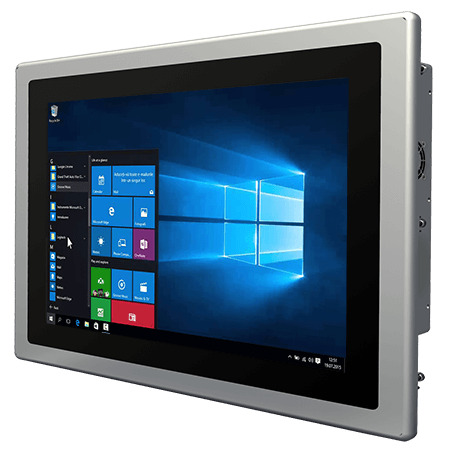
15.6″ Front IP65 Panel Mount PC with Intel Core i5-1135G7 and PCAP Touch
- Display
- 15.6″ (16:9, 1920×1080, FHD)
- Brightness
- 300 nits
- Touch
- Multi Touch PCAP
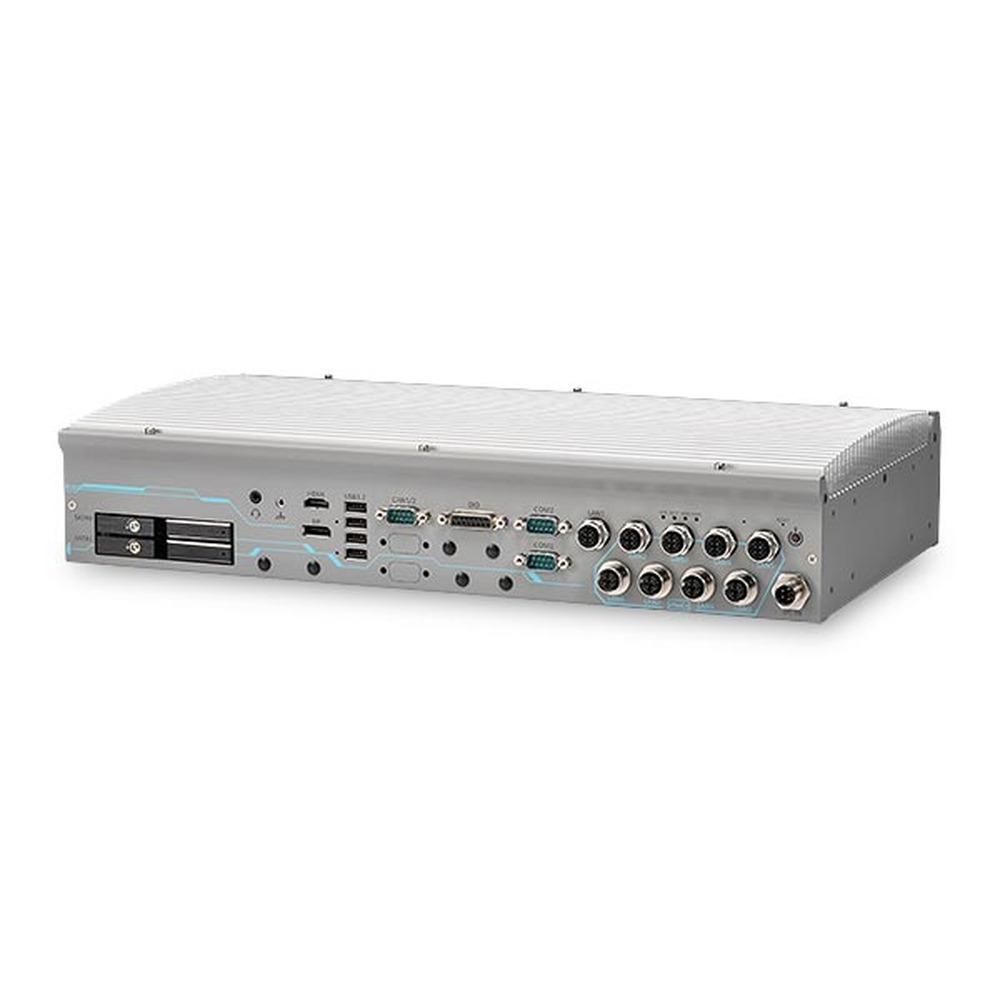
Intel 14th/13th/12th Gen Core 2U Fanless Rackmount GPU Computer with RTX 2000 Ada
- CPU
- Intel Core 13th Gen (Raptor Lake)
- GPU
- NVIDIA RTX 2000 Ada
- AI
- 192 TOPS
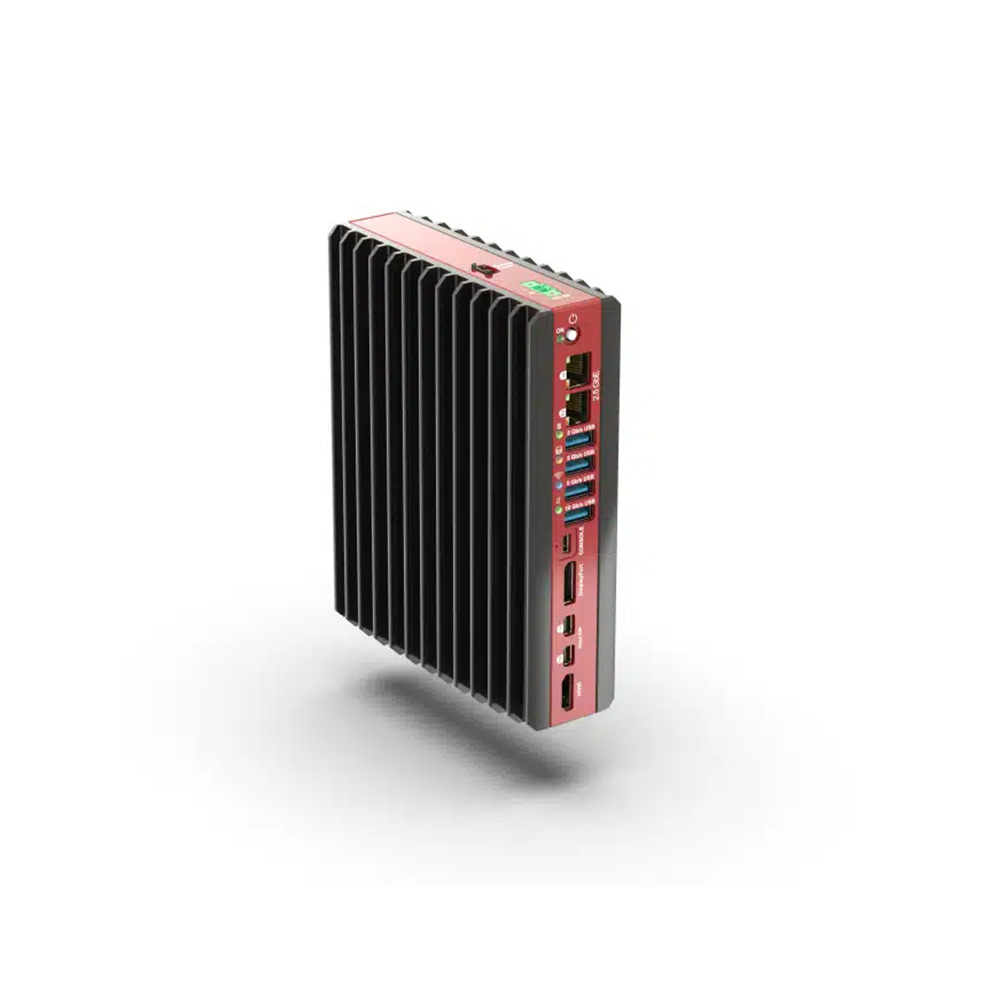
AMD Ryzen 7 7840U Low-Profile Industrial Mini PC with 12-60 V DC and DIN Mount
- AI
- 10 TOPS
- CPU
- AMD Ryzen
- Ethernet
- 2× 2.5GbE
Mounting styles in our range
Browse by how the computer will be fixed in place.

Industrial mini PCs
Compact computers for wall, VESA and DIN rail mounting.
View range
Chassis and VESA mount panel PCs
Panel PCs with VESA patterns for arms, yokes and walls.
View range
Open frame panel PCs
Panel PCs that build into kiosks and OEM housings.
View range
19 inch rack mount monitors
Rackmount displays and touch screens for control rooms and consoles.
View range
Vehicle mount computers
Rugged terminals with mounts made for cabs and mobile machines.
View rangeBefore you mount an industrial computer
Six checks for a secure, cool and serviceable installation.
-
01
Method
Wall, DIN rail, VESA, panel, rack or vehicle mount, matched to the computer type.
-
02
Kit
The maker’s bracket, rail clip, VESA plate or rack ears, and the one used in vibration tests.
-
03
Orientation
Fins vertical or as rated; flat-top models bolted to a conductive wall.
-
04
Clearance
Space around the case for air, and nothing hot mounted underneath.
-
05
Cables
Room for connectors and bend radius, locking connectors and strain relief.
-
06
Service
Access to I/O, drives and power without removing the computer.
Mounting an industrial computer: common questions
Quick answers
What is the best way to mount an industrial computer?
The method its maker designed it for, in the place it has to live. Box PCs usually wall or DIN rail mount, panel PCs use a cut-out or VESA, rackmount systems use a 19 inch rack.
How do I know my VESA mount size?
Measure the horizontal and vertical distance between the centres of the four holes. Industrial computers and monitors mostly use 75 × 75 mm or 100 × 100 mm; larger screens use 200 mm patterns and above.
Can any computer be VESA mounted?
Only if it has VESA holes or a VESA bracket kit. Many compact PCs and panel PCs do; larger box PCs use wall brackets instead.
How do you mount an industrial PC on a DIN rail?
Hook the top of the clip over the rail and press the bottom until it clicks. Then fit end stops, connect the earth and check the computer cannot lift off; heavier systems need a wall bracket.
What is a panel mount PC?
A panel PC that fits a cut-out in a cabinet door or console. Clamps pull the bezel against a gasket so the front stays sealed to IP65 or IP66.
Can a fanless PC be mounted in any orientation?
Not always; most are rated with the fins vertical. Other orientations reduce convection and may need derating, so check the manual.
How do you mount a computer in a vehicle?
On a damping bracket fixed to a rigid part of the vehicle structure. Secure cables, keep the fins clear and use a computer with ignition control and a wide DC input.
Mounting FAQs
-
What Are VESA Mount Sizes?
VESA mount sizes are standard screw-hole patterns on the back of a monitor, TV or panel PC, given in millimeters between hole centres, horizontal first. The common sizes are 75 × 75 and 100 × 100 for small and mid-size screens, 200 × 200 for larger ones, and 400 × 400 and up for big displays.
-
What Is a Rack Unit?
A rack unit (U or RU) is the standard measure of height for equipment in a 19 inch rack. One rack unit is 1.75 inches, or 44.45 mm, so a 2U server is 3.5 inches tall and a 4U server 7 inches. Racks are sized the same way: a 42U rack has 42U of mounting space.
-
What Is a DIN Rail?
A DIN rail is a standard metal rail used to mount electrical and control equipment inside cabinets. The most common type is the 35 mm top-hat rail defined in EN 60715. Circuit breakers, power supplies, PLCs, terminal blocks, network switches and compact industrial PCs clip onto it side by side, which keeps wiring tidy and makes parts quick to swap.
-
What Is a RAM Mount?
A RAM mount is a ball-and-socket mounting system, from RAM Mounts by National Products Inc., widely used to fix computers, tablets and displays in vehicles. A rubber-coated ball on the base and another on the device clamp into a double-socket arm, so the screen can be angled exactly and locked in place, while the rubber absorbs vibration.
-
What Is MIL-STD-810H?
MIL-STD-810H is the current revision of the US Department of Defense standard for environmental engineering and laboratory testing. It describes test methods for temperature, shock, vibration, humidity, altitude, sand, rain and more, and explains how to tailor them to the conditions equipment will meet. It is a test method standard, not a certification, so claims should name the methods used.
-
What Is Conduction Cooling?
Conduction cooling moves heat out of a computer through solid materials rather than moving air. Thermal pads, heat spreaders and heat pipes carry heat from the processor, memory and storage into the metal chassis, which passes it to the surface it is mounted on or to the surrounding air. With no fans or vents, the system can be fully sealed.
Need help mounting an industrial computer?
Tell us where the computer will be installed, how much space and airflow there is and what it has to withstand. We will recommend a computer and mounting kit to suit, then configure, image and test it before it ships.