
 US
PoE in Surveillance and NVR Systems
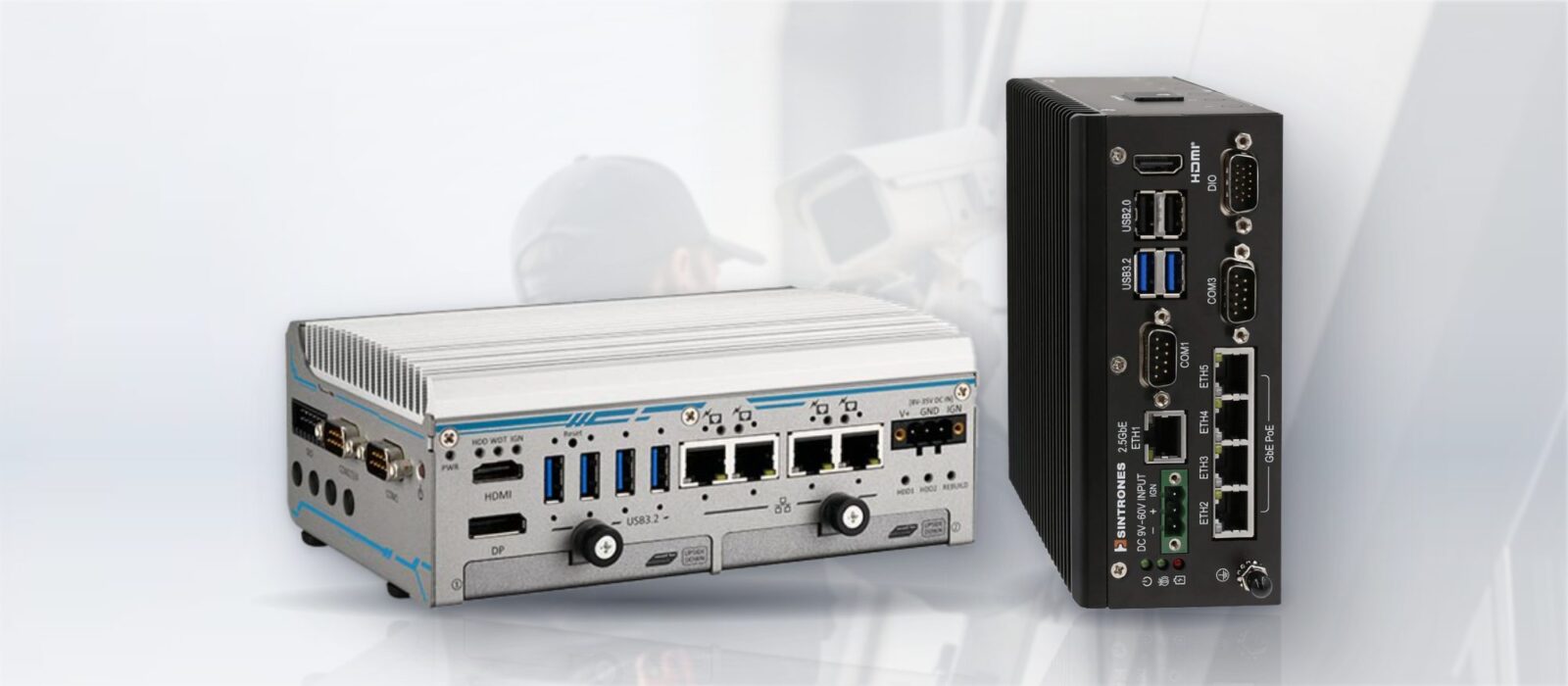
A PoE NVR powers, connects and records IP cameras over one cable. This guide compares PoE NVRs, NVRs, DVRs and PoE edge computers, and shows how to size the PoE budget, bandwidth and storage for an industrial site.
A PoE NVR is a network video recorder with a built-in Power over Ethernet switch, so each IP camera plugs straight into the recorder and takes its power, its network connection and its recording path from one cable. It removes the separate PoE switch, the power supply at every camera position and much of the network set-up that a standard NVR needs.
PoE is the backbone of modern IP surveillance. Running a separate power cable to each camera is often the most awkward part of an install, and PoE removes it. The footage is aggregated and recorded centrally, either on a dedicated network video recorder or on an industrial PoE computer that powers the cameras, records them and analyses the video in the same box.
This guide compares a PoE NVR with a standard NVR, a DVR and a PoE edge computer, shows how to size the PoE budget, the bandwidth and the storage with worked examples, and covers the extra demands of outdoor, vehicle and rail sites. It ends with a checklist, examples from our range and answers to the questions buyers ask most.
Key takeaways
- 01One cable per camera
- A PoE NVR powers, connects and records each camera over a single Ethernet cable up to 100 m long.
- 02Budget, not port count
- The total PoE budget, not the number of ports, usually limits how many PTZ or heated cameras can run.
- 03Storage follows bitrate
- Gigabytes per day are roughly the camera bitrate in Mbit/s × 10.8; H.265 roughly halves it against H.264.
- 04Edge computers add analytics
- A PoE computer with an NPU or GPU can record and run detection, counting or ALPR on the same streams.
- 05Environment sets the build
- Roadside cabinets, depots and vehicles need fanless, wide-temperature hardware with the right certifications.
PoE NVR vs NVR vs DVR vs PoE edge computer
The recorder choice comes down to what the cameras are, how they are powered and what you want the recorder to do with the video. Our FAQs on what an NVR is and NVR vs DVR cover the basics; the table puts the four options side by side.
| DVR | Standard NVR | PoE NVR | PoE edge computer | |
|---|---|---|---|---|
| Camera type | Analog or HD-over-coax | IP cameras | IP cameras | IP cameras |
| Power to cameras | Separate supply at each camera or in the cabinet | Separate PoE switch or injectors | Built-in PoE ports | Built-in PoE ports, PoE cards or an external PoE switch |
| Encoding | In the recorder | In the camera | In the camera | In the camera |
| Channels | Fixed by the inputs | Set by license and bandwidth | Set by PoE ports, license and bandwidth | Set by ports, processor and software |
| Analytics | Usually none or basic | Depends on the model | Usually basic motion and some AI on newer models | Full analytics on an NPU or GPU, with your choice of software |
| Expandability | Limited | Through the network | Limited to the built-in ports | PCIe cards, extra drives, wireless and I/O |
| Environment | Indoor | Indoor | Indoor, mostly consumer and small business | Fanless, wide temperature and vehicle options |
| Typical deployment | Legacy coax upgrades | Larger sites with an existing network | Homes, shops and small sites | Industrial, transport, smart city and remote sites |
A PoE NVR suits a self-contained system of a few cameras. Once the system has to survive a hot cabinet or a vehicle, run analytics, or fit into a managed site network, an industrial recorder or a PoE edge computer is the better fit for the installation.
What is the difference between a PoE NVR and a regular NVR?
A regular NVR has one or two network ports. The cameras connect to a separate PoE switch, or each takes power from a PoE injector, and the NVR records their streams across the network. A PoE NVR builds the switch into the recorder: the cameras plug into its rear ports, which supply power and often put the cameras on a private subnet that the recorder manages, so they are found and added with little configuration.
| PoE NVR | Regular NVR with a PoE switch | |
|---|---|---|
| Cabling | Every camera cable runs back to the recorder | Cameras can connect to any switch on the network |
| Set-up | Cameras are discovered and addressed automatically | Cameras need IP addresses and adding to the recorder |
| Power budget | Fixed by the recorder’s PoE supply | Chosen with the switch, and can be split across several switches |
| Distance | Up to 100 m from the recorder to each camera | Up to 100 m from the nearest switch, so cameras can be spread out |
| Network separation | Cameras isolated behind the recorder | Separated with VLANs on a managed switch |
| Scale | Limited to the built-in ports | Grows with the network |
In industrial systems the second pattern is more common, because cameras are spread across a site and the network is shared. A managed switch then keeps camera traffic in its own VLAN and uses IGMP snooping so multicast streams reach only the recorders and viewers that want them. Our guide to managed vs unmanaged switches covers that choice.
How PoE surveillance is wired
The cameras are the powered devices and the recorder, switch or card is the power source; our FAQ on PoE PD vs PSE explains the two roles. The source is either a PoE switch feeding a recorder, or a PoE computer with built-in PoE ports that powers the cameras directly and records them, removing the separate switch. Which you choose depends on camera count, the power each camera needs, and whether you also want analytics running on the same box. Where a computer has too few PoE ports, a PoE card in a PCIe slot adds four more; our Ethernet and PoE frame grabbers include cards with PoE+ and PoE++ ports.
How many cameras can a PoE NVR power?
As many as its PoE budget allows, which is often fewer than it has ports. Each port has a per-port limit set by the PoE standard, and the recorder or switch has a total budget shared across all of them. Fixed cameras draw little; PTZ cameras, cameras with infrared illuminators and cameras with heaters draw much more, and their peak draw is what counts.
| PoE standard | Power at the source port | Power at the camera | Typical cameras |
|---|---|---|---|
| IEEE 802.3af (PoE) | 15.4 W | 12.95 W | Fixed domes and bullets |
| IEEE 802.3at (PoE+) | 30 W | 25.5 W | Cameras with IR illuminators, small PTZ cameras |
| IEEE 802.3bt Type 3 (PoE++) | 60 W | 51 W | PTZ cameras, multi-sensor cameras |
| IEEE 802.3bt Type 4 (PoE++) | 90 W | 71.3 W | Large PTZ cameras with heaters and wipers |
Our FAQ on PoE vs PoE+ vs PoE++ explains the standards, and how much power PoE delivers covers the voltages. Before settling on a recorder, work out the PoE power budget for every camera at peak load, since a source’s total budget is often lower than its per-port figure suggests.
Worked example: sizing the PoE budget
A depot yard has six fixed cameras with IR illuminators and two PTZ cameras with heaters. The figures are typical maximums from camera datasheets; always use the actual cameras’ peak figures.
| Cameras | Peak draw each | Class needed | Total |
|---|---|---|---|
| 6 fixed cameras with IR | 10 W | 802.3af | 60 W |
| 2 PTZ cameras with heaters | 45 W | 802.3bt Type 3 | 90 W |
| Subtotal | 150 W | ||
| Headroom, about 20% | 30 W | ||
| Budget to specify | About 180 W, with two ports able to supply 60 W |
A recorder with eight 802.3at ports and a 120 W budget would fail this site twice: the PTZ ports cannot supply 60 W, and the total is short. The PTZ cameras would either move to a PoE++ switch or card, or the recorder would be chosen for an 802.3bt budget. Cable length matters too: PoE and Ethernet both reach 100 m per run, and the power at the far end allows for the loss in that length of cable.
Bandwidth, recording and storage
The number of channels, their resolution and frame rate, the codec and how long you keep footage drive the storage and the recorder. H.265 typically needs about half the bitrate of H.264 for similar quality, which halves both the network load and the disk; our FAQ on H.264 vs H.265 explains the trade-off, and H.266 is the next step on. Bitrates below are typical for continuous recording of a busy scene; quiet scenes and motion-only recording use much less.
| Resolution | H.264 at 25 fps | H.265 at 25 fps | Storage per camera per day (H.265) |
|---|---|---|---|
| 1080p (2 MP) | About 4–6 Mbit/s | About 2–3 Mbit/s | About 22–32 GB |
| 4 MP | About 6–8 Mbit/s | About 3–4 Mbit/s | About 32–43 GB |
| 4K (8 MP) | About 12–16 Mbit/s | About 6–8 Mbit/s | About 65–86 GB |
Worked example: 16 cameras for 30 days
Sixteen 4 MP cameras record continuously in H.265 at an average of 6 Mbit/s each, which allows for busy periods. The total stream into the recorder is 96 Mbit/s. Each camera writes about 65 GB a day, so the system writes about 1.04 TB a day and about 31 TB over 30 days. With RAID 1 mirroring, that becomes about 62 TB of raw disk; with RAID 5 across four drives, about 41 TB.
Size the storage for the retention you actually need, not the maximum the cameras can produce, and check the recorder’s incoming bandwidth limit as well as its disk capacity. A surveillance computer often carries several drives, sometimes in RAID for redundancy, and removable or front-access trays make swapping a drive or collecting footage easier. Retention periods are set by your own policy and the regulations that apply to the site.
Indoor, outdoor, vehicle and rail sites
Where the equipment lives shapes the build. An indoor recorder in a comms room has an easy life; a roadside cabinet, a depot or a vehicle does not. For those, a fanless, wide-temperature computer survives the environment, and the cameras themselves need the right ingress rating. The recorder can sit centrally or out at the edge near the cameras, depending on bandwidth and resilience.
| Site | What matters | What to specify |
|---|---|---|
| Comms room or office | Channel count, storage, network integration | Rack or desktop recorder; managed PoE switch |
| Roadside or outdoor cabinet | Heat, cold, dust, no air conditioning | Fanless recorder rated from about −25 or −40 °C to 60 or 70 °C; wide DC input |
| Depot, yard or plant | Spread-out cameras, long cable runs, electrical noise | Managed PoE switches near camera clusters; fiber uplinks |
| Buses and service vehicles | Vibration, ignition power, E-mark | Vehicle computer with ignition control, locking connectors and removable drives |
| Rolling stock | EN 50155, EN 50121-3-2 EMC, fire rules | Railway-certified recorder with M12 PoE ports and removable storage |
On vehicles, M12 connectors replace RJ45 so PoE links stay connected under vibration. Our guides to EN 50155 and E-mark certification set out the approvals, and our railway computers and in-vehicle computers include PoE models.
Running edge AI on the footage
Recording is only half of what modern surveillance does. A PoE-powered computer with an NPU or GPU can run analytics on the streams it records, for example licence-plate recognition, people counting or intrusion detection, without sending video to the cloud. These are edge AI computers: doing the inference on site cuts bandwidth and keeps the footage local. Analytics also change the recording: many systems keep full-rate video only around detected events and store metadata for the rest.
Interoperability matters when the recorder and cameras come from different makers. ONVIF profiles define how cameras stream video (Profile S, and Profile T for H.265 and advanced streaming), record at the edge (Profile G) and share analytics metadata (Profile M). PTZ cameras add control commands that the recording software must support. Video management software then sits on top, and we check the chosen software against the computer and operating system when we build the system.
Our case studies show both sides: AI-enabled NVRs monitoring station activity, and PoE computers running ALPR for automated barrier control.
The recorder: NVR or PoE computer
For straightforward recording, an industrial NVR captures and stores the streams. Where you want analytics as well, a PoE computer can power the cameras, record and run the inference in one box. See our guide to industrial Power over Ethernet for the power side, and our industrial PoE switches where the cameras are spread across a site.
| Product | Type | Camera ports | Storage | Rating |
|---|---|---|---|---|
| Vecow ECX-4025 | Fanless AI computer, Intel Core Ultra 200S, up to 36 TOPS | 8× 2.5GbE, 4 with PoE+ at 25.5 W, plus 1× GbE | 2× SATA with RAID 0 or 1, M.2 NVMe | −40 to 70 °C, 9–50 V DC |
| EverFocus eNVP-JAO-AI-V0008 | AI NVR on NVIDIA Jetson AGX Orin | 8× 10/100 PoE at 30 W per port, 120 W in total; 10GbE and GbE uplinks | 2× SATA bays, M.2 NVMe, SD | −20 to 60 °C, 9–55 V DC with ignition control |
| Premio RCO-6000-ADL-8PM12 | Rugged computer, 12th or 13th Gen Intel Core | 8× M12 PoE GbE on Intel I350 | 2× 2.5 inch bays, one removable, RAID 0 or 1 | −25 to 70 °C with 35 W processors, 9–48 V DC |
| Vecow ECX-3025R | EN 50155 industrial PC, 12th Gen Intel Core | 8× 2.5GbE, 4 with PoE+, plus 1× GbE | 2× front-access 2.5 inch trays, RAID 0 or 1 | −40 to 70 °C, 9–50 V DC |
| Antaira QMP-1204G-2Q2S-bt-T | Managed PoE++ DIN-rail switch | 8× PoE++ up to 90 W, 240 W total | Not applicable | −40 to 85 °C |
| Vecow PE-6004H | PCIe PoE++ card | 4× 2.5GbE 802.3bt, up to 140 W total | Not applicable | −25 to 55 °C |
We configure, image and test the computers and recorders we supply, with the PoE budget checked against the cameras. Antaira designs and builds its switches; we supply and specify them and pre-configure IP addressing and VLANs where you ask.
Surveillance hardware across our range
Recorders, PoE computers, switches and cards for camera systems from a single cabinet to a fleet.

Industrial NVR
Recorders and AI computers built for continuous video capture.
View range
PoE computers
Fanless computers that power cameras and record them in one box.
View range
Industrial PoE switches
Managed and unmanaged PoE+ and PoE++ switches for camera clusters.
View range
PoE frame grabbers
PCIe cards that add PoE camera ports to a computer.
View range
Railway computers
EN 50155 recorders and computers for onboard video.
View range
In-vehicle computers
Vehicle computers with ignition control and M12 PoE ports.
View rangePoE recorders to start from
Four recorders from the table: a Core Ultra AI computer, a Jetson AGX Orin AI NVR, a rugged M12 PoE computer and an EN 50155 industrial PC.
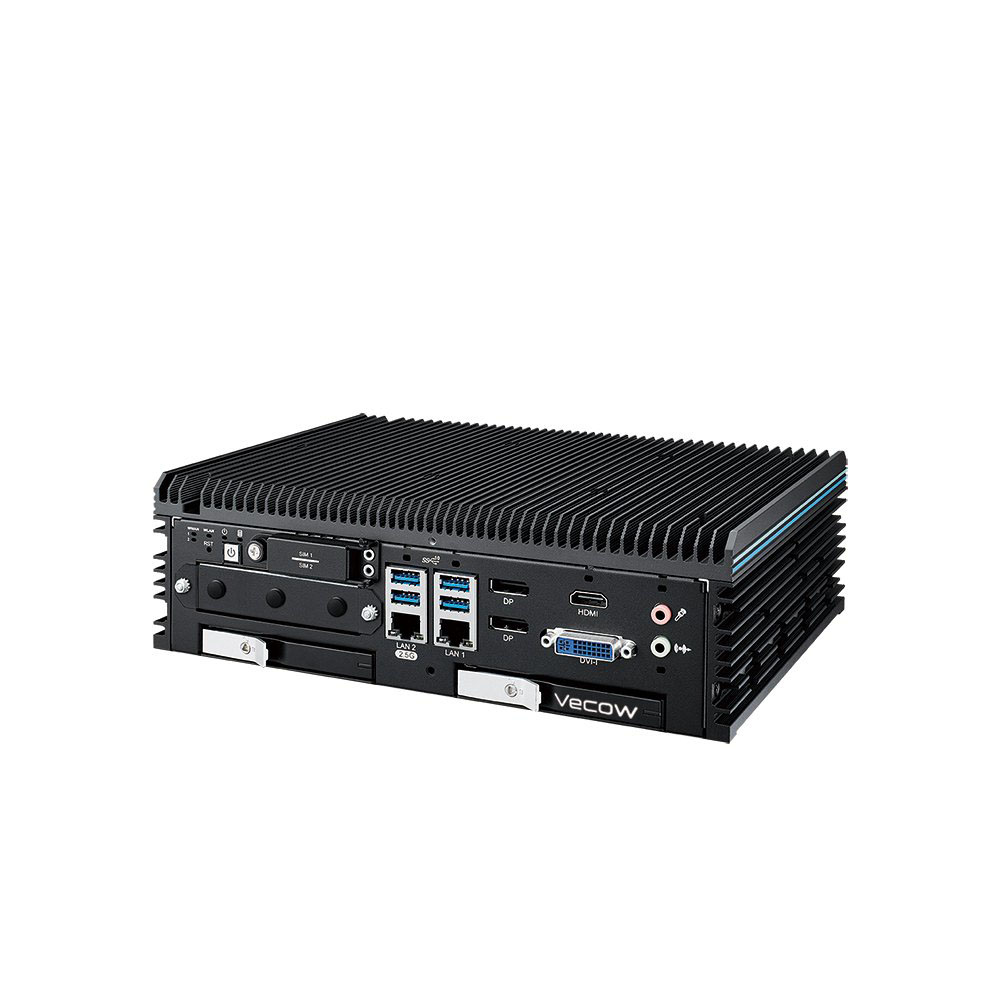
Intel Core Ultra Fanless AI Computer with 8x 2.5GbE and 4x PoE+
- AI
- 13 TOPS
- CPU
- Intel Core Ultra 2 Arrow Lake-S
- Ethernet
- 8× 2.5GbE, 1× GbE (4× PoE)
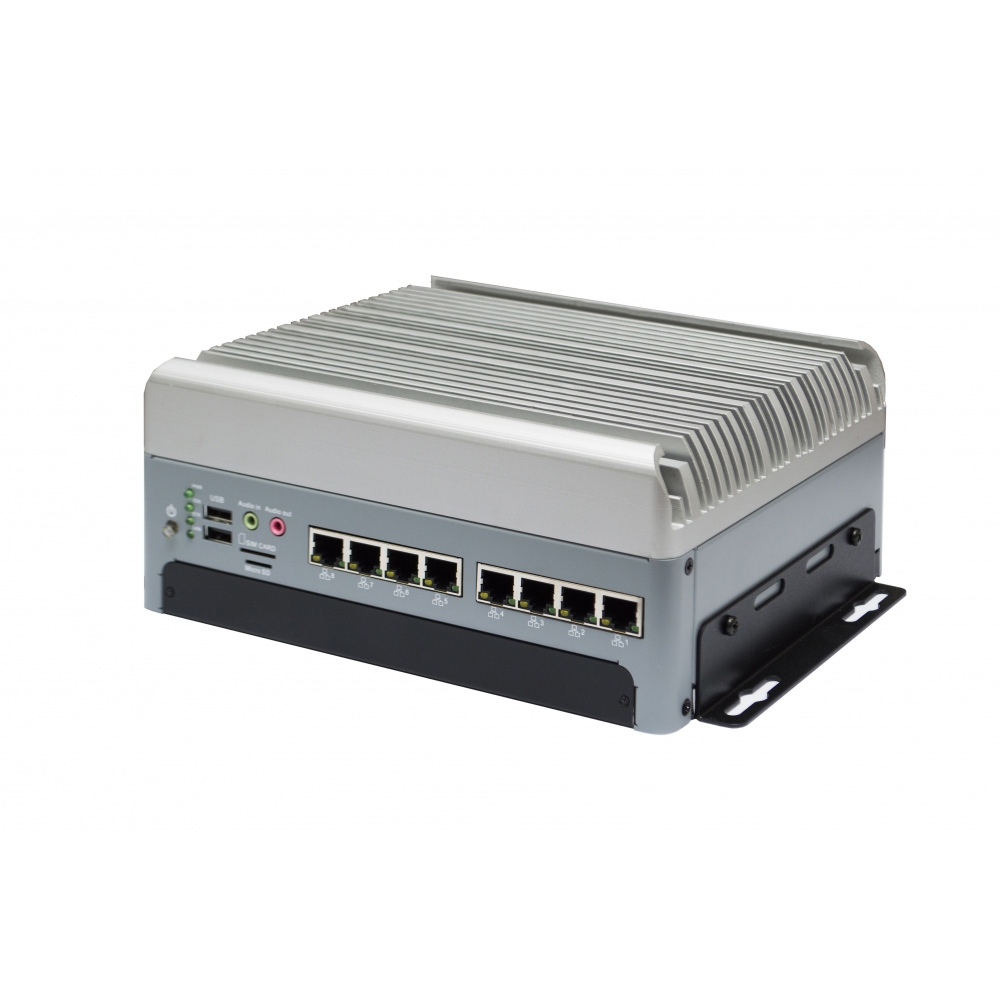
NVIDIA Jetson AGX Orin 32GB/64GB Industrial AI Computer with 8x PoE and 10GbE
- AI
- 200–275 TOPS
- SOM
- NVIDIA Jetson AGX Orin 64 GB
- Ethernet
- 1× 10GbE, 9× GbE (8× PoE)
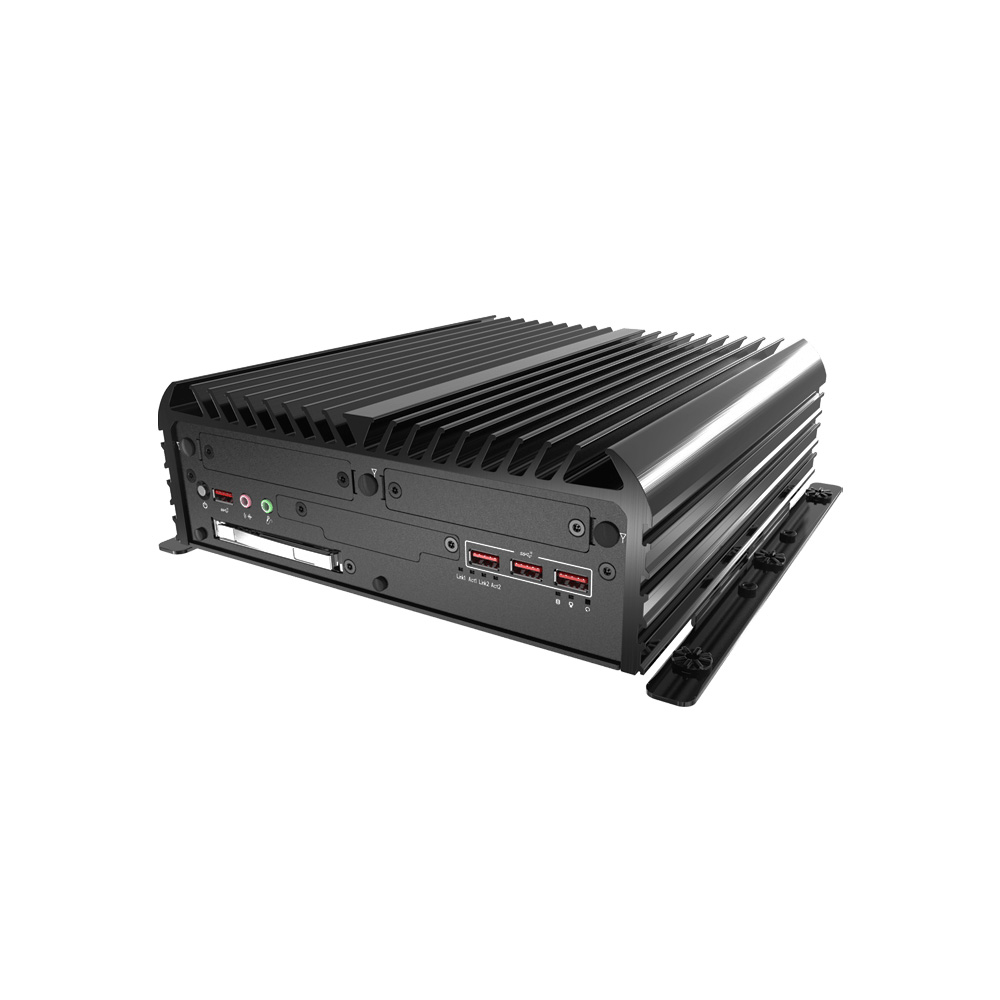
12th Gen Intel Core Wide Temperature Rugged Industrial Computer with 8x M12 PoE GbE
- CPU
- Intel Core 13th Gen (Raptor Lake)
- Ethernet
- 10× GbE (8× PoE)
- Temp
- −25 to +70 °C
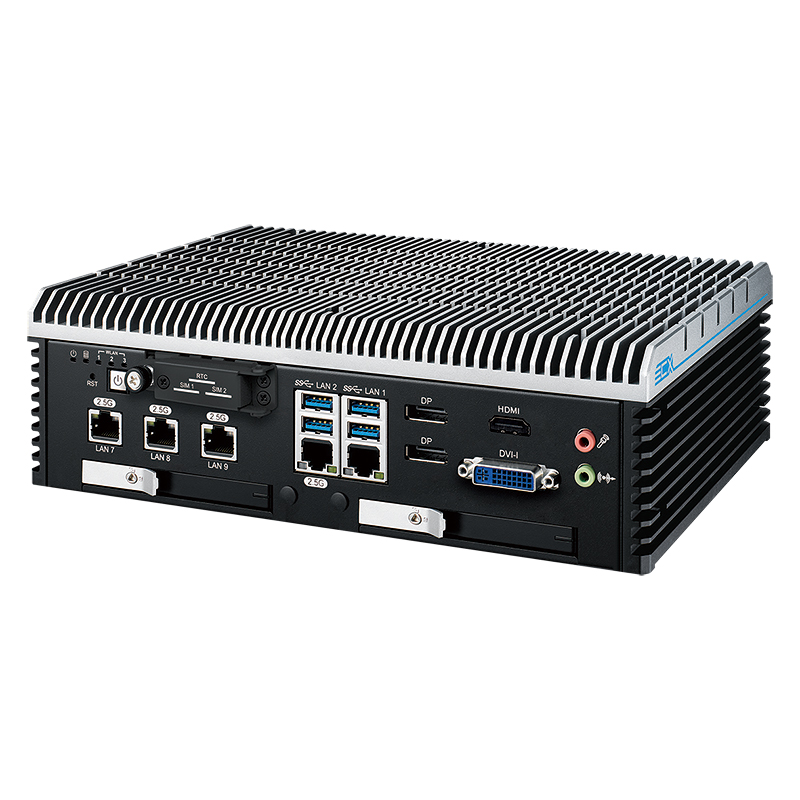
12th Gen Intel Core i9-12900E EN 50155 Industrial PC with 9 LAN
- CPU
- Intel Core 12th Gen (Alder Lake)
- Ethernet
- 8× 2.5GbE, 1× GbE (4× PoE)
- Temp
- −40 to +75 °C
Specifying a PoE recorder
Answer these before choosing an NVR, a PoE computer or a switch.
-
01
Cameras
List every camera with its resolution, frame rate, codec and PoE class at peak draw.
-
02
PoE budget
Add the peak draws, add about 20% headroom, and check per-port class as well as the total.
-
03
Bandwidth
Add the camera bitrates and check the recorder’s incoming limit and uplink speed.
-
04
Retention
Multiply the daily storage by the retention period and allow for RAID.
-
05
Analytics
Decide what runs on the recorder, such as ALPR or counting, and size the NPU or GPU for it.
-
06
Software
Confirm ONVIF profile support and compatibility with your video management software.
-
07
Environment
Match temperature range, power input, ignition control, connectors and certifications to the site.
PoE NVR: common questions
Quick answers
What is a PoE NVR?
A network video recorder with a built-in PoE switch. Cameras plug straight into it and take power, network and recording from one cable.
What is the difference between a PoE NVR and a regular NVR?
Where the power comes from. A PoE NVR powers cameras from its own ports; a regular NVR relies on a separate PoE switch or injectors.
How many cameras can a PoE NVR power?
As many as its total PoE budget allows. Port count is the upper limit, but PTZ and heated cameras can use up the budget well before every port is filled.
Do PoE cameras need a PoE NVR?
No. Any PoE switch or injector can power them, and any NVR or computer that supports the cameras can record them.
How far can PoE cameras be from the NVR?
Up to 100 m of cable per run. Beyond that, use a switch closer to the cameras, a PoE extender or a fiber link.
How much storage does an NVR need?
About bitrate in Mbit/s × 10.8 GB per camera per day. Multiply by the number of cameras and days of retention, then allow for RAID.
PoE and surveillance FAQs
-
What Is an NVR?
An NVR (network video recorder) is a recorder that receives video streams from IP cameras over a network, stores them, and lets users watch live and recorded footage locally or remotely. PoE NVRs also power the cameras. An AI NVR adds a GPU or AI accelerator so it can analyze the video, detecting people, objects and events as it records.
-
NVR vs DVR: What Is the Difference?
A DVR (digital video recorder) records analog cameras connected by coaxial cable, converting their video to digital inside the recorder. An NVR (network video recorder) records IP cameras over a network, with each camera encoding its own video. NVRs support higher resolutions and flexible camera placement, and PoE NVRs power cameras over the same cable.
-
H.264 vs H.265: What Is the Difference?
H.265, also called HEVC, is the newer video compression standard that followed H.264, or AVC. It can deliver similar picture quality at up to about half the bitrate, which cuts network traffic and storage per camera. The trade-off is more processing to encode and decode, and less universal playback support than H.264.
-
What Is ONVIF?
ONVIF is an open industry standard that lets IP cameras, network video recorders and video management software from different manufacturers work together. A camera and an NVR that support the same ONVIF profile can find each other on the network, share live video and recordings, and exchange settings without a custom driver for each brand.
-
What Is a PoE Switch?
A PoE switch is a network switch whose ports supply DC power as well as data over Ethernet cable. It connects devices such as IP cameras, access points and sensors and powers them at the same time, so each device runs from one cable without its own power supply or injector. It shares a fixed power budget across its ports.
-
PoE PD vs PSE: What Is the Difference?
In a PoE link the PSE (power sourcing equipment) supplies the power and the PD (powered device) draws it. A PoE switch, injector or PoE computer acting as a source is the PSE; a camera, phone, access point or PoE-powered display is the PD. The IEEE 802.3 standards define how the two detect, classify and power each other.
-
How Much Power Does PoE Deliver?
PoE delivers up to about 15 W per port (802.3af), PoE+ up to about 30 W (802.3at), and PoE++ up to 60 W or 90 W (802.3bt), all at around 48 V DC (44 to 57 V). Some power is lost in the cable, so the device receives a little less than the source supplies.
-
PoE vs PoE+ vs PoE++: The 802.3af, 802.3at and 802.3bt Standards
PoE, PoE+ and PoE++ are the three generations of IEEE Power over Ethernet. PoE (802.3af) supplies about 15 W per port, PoE+ (802.3at) about 30 W, and PoE++ (802.3bt) 60 W (Type 3) or 90 W (Type 4). PoE and PoE+ use two of the four cable pairs; PoE++ can use all four.
Building a PoE surveillance system?
Tell us the camera count and resolution, the storage you need and the environment. We will recommend an NVR or PoE computer to suit, then configure, image and test it before it ships.