
 US

10 Gigabit Ethernet for Edge AI: Why 2.5GbE Is No Longer Enough
10 Gigabit Ethernet gives edge AI systems four times the bandwidth of 2.5GbE. This guide compares Ethernet speeds, 10GBASE-T and SFP+, the cabling and host each needs, and when multi-camera and multi-node AI justify 10GbE.
10 Gigabit Ethernet (10GbE) is Ethernet running at 10 Gbit/s, ten times Gigabit and four times 2.5GbE, over copper twisted pair (10GBASE-T), fiber or direct-attach cable in SFP+ ports. At the edge it matters because modern AI systems handle several 4K video streams, LiDAR or radar feeds and high-rate sensor telemetry at once, and together those inputs begin to saturate a 2.5GbE link well before the compute is being stretched.
When the network becomes the limit, more GPU performance stops turning into more useful work: the system looks under-used on paper while the application feels slow. This guide sets out the Ethernet speeds side by side, compares 10GBASE-T with SFP+, works through the bandwidth that real edge workloads need, and explains what a computer needs to run 10GbE at full rate. It keeps the original argument of this article, why 2.5GbE is a transitional step for edge AI and what 10GbE with RDMA changes, and ends with a migration plan, a checklist and examples from our range.
Key takeaways
- 01Four times 2.5GbE
- 10GbE gives edge AI systems headroom for multi-camera video, sensor fusion and multi-node clusters.
- 02Cabling decides the media
- 10GBASE-T needs Cat6a for 100 m; SFP+ takes fiber for long or noisy runs and direct-attach cable inside a cabinet.
- 03SFP+ runs cooler
- A 10GBASE-T port draws several watts and adds about 2 µs of latency; SFP+ optics and DAC use less of both.
- 04The host must keep up
- Two 10GbE ports need about PCIe Gen3 x4 to run at full rate in both directions.
- 05RDMA changes the CPU load
- RoCEv2 moves data between nodes without the CPU, which matters most in multi-node edge clusters.
1, 2.5, 5, 10 and 25 Gigabit Ethernet compared
The table compares the Ethernet speeds used in industrial and edge computers. Reach figures are the IEEE limits for the stated cable; power figures are typical per port and vary with the controller and the transceiver.
| Speed | IEEE standard | Copper cable for 100 m | Fiber and direct-attach | Typical power per port | Typical edge use |
|---|---|---|---|---|---|
| 1GbE | 802.3ab (1000BASE-T) | Cat5e | SFP fiber modules | Under 1 W | Control, HMIs, single cameras, management |
| 2.5GbE | 802.3bz (2.5GBASE-T) | Cat5e | 2.5G SFP on some switches | About 1 W | Multi-gigabit cameras, gateways, ring links |
| 5GbE | 802.3bz (5GBASE-T) | Cat6, often Cat5e on shorter runs | Rare | About 1–2 W | Upgrades where Cat6 is already installed |
| 10GbE | 802.3an (10GBASE-T); 802.3ae (fibre) | Cat6a; Cat6 up to 55 m | SFP+ optics or DAC | About 2–5 W copper; about 1 W SFP+ | Multi-camera AI, uplinks, storage, multi-node clusters |
| 25GbE | 802.3by | Not common on copper | SFP28 optics or DAC | About 1–2 W SFP28 | Edge servers and high-density GPU systems |
Our FAQ on what 10GbE networking is gives the short definition. The rest of this guide is about when 10GbE earns its place at the edge and how to build it into an industrial system.
Where edge AI is now
The workload profile at the edge has moved on. A single node now routinely handles several 4K video streams, LiDAR or radar feeds, high-frequency telemetry from industrial sensors, and an inference stage that needs all of it presented cleanly and in order. Each of those inputs on its own is manageable. Together, they begin to saturate a 2.5GbE link well before the compute side is being stretched.
Latency matters as much as throughput
Throughput gets most of the attention, but latency is often the real constraint in edge AI. Machine vision lines, robotics and closed-loop control systems are sensitive not to average bandwidth but to the tail of the latency distribution: the occasional slow frame, the jittery packet, the queue that backs up under load. Intermediate Ethernet speeds help with throughput but do not address the underlying architectural issue, which is CPU involvement in every stage of the data path.
Edge AI is becoming multi-node
The single-box inference engine is no longer the whole picture. Edge deployments increasingly look like small clusters: a capture node, a pre-processing node, an inference node, and often a local storage or gateway node, all expected to talk to each other in real time. Once the architecture looks like that, networking becomes infrastructure rather than a peripheral, and the choice of link speed has to be made with that in mind.
Why 2.5GbE is a transitional step for edge AI
2.5GbE has a legitimate role. It is a sensible upgrade over copper, it reuses existing Cat5e cabling, and it gives a meaningful lift over 1GbE for gateway and aggregation tasks. For a lot of general-purpose industrial workloads it is the right answer; our FAQ on whether 2.5GbE is fast enough for edge AI sets out where it is enough.
| Shortcoming for edge AI | Why it matters |
|---|---|
| Marginal for multi-camera video analytics | Particularly once resolutions move beyond 1080p, frame rates climb or cameras stream uncompressed |
| Does not change the CPU-bound model | Latency-sensitive inference pipelines still compete with the networking stack for processor cycles |
| Scales poorly into multi-node clusters | Traffic between nodes quickly exceeds what a 2.5GbE fabric can carry cleanly |
None of this makes 2.5GbE the wrong choice for every project. It does make it a weak choice for projects being built seriously for edge AI over the next three to five years.
What 10GbE delivers at the edge
10GbE gives edge systems enough headroom to carry high-resolution video, large AI datasets and multi-sensor telemetry together without the link becoming the constraint. In practice the inference stage stops waiting on data, and the system can run closer to its designed performance.
| Benefit | What it means in practice |
|---|---|
| Headroom for the workloads you run | Several cameras, sensors and a storage stream share one link without queuing |
| Shorter, more predictable latency | Faster data movement supports shorter inference cycles in vision-guided robotics, trackside monitoring and inspection on a moving line, and keeps latency steadier under load |
| Simpler physical topologies | One 10GbE connection can replace several slower links, cutting cabling, port count and the number of things to diagnose in a crowded cabinet |
| Room to grow | Cameras get added, sensor coverage widens and new models need more input; a 10GbE backbone carries that growth without a network redesign mid-lifecycle |
What fills a 10GbE link at the edge?
Compressed video is lighter than people expect; uncompressed machine vision and bulk data movement are heavier. The table shows typical loads and the link each needs. Usable throughput is below the line rate, about 0.94 Gbit/s on 1GbE, 2.35 Gbit/s on 2.5GbE and 9.4 Gbit/s on 10GbE, and it is wise to plan for no more than about 70% sustained use.
| Workload | Calculation | Load | Link that carries it |
|---|---|---|---|
| 16 × 4K cameras, H.265 | 16 × about 8 Mbit/s | About 0.13 Gbit/s | 1GbE |
| 1 × 5 MP mono camera, uncompressed, 30 fps | 5 million pixels × 8 bits × 30 | About 1.2 Gbit/s | 2.5GbE |
| 4 × 5 MP mono cameras, uncompressed, 30 fps | 4 × 1.2 Gbit/s | About 4.8 Gbit/s | 10GbE |
| 2 × 12 MP mono cameras, uncompressed, 30 fps | 2 × 12 million × 8 × 30 | About 5.8 Gbit/s | 10GbE |
| Copying 1 TB of recorded data | 8,000 Gbit at usable rate | About 2.4 h on 1GbE, 57 min on 2.5GbE, 14 min on 10GbE | 10GbE for regular offloads |
Compressed surveillance video rarely needs 10GbE at the camera, as our guide to PoE NVR systems shows with its storage examples; the codec trade-off is in our FAQ on H.264 vs H.265. It is uncompressed GigE Vision cameras, aggregation of many streams, multi-node traffic and data offload that push systems to 10GbE.
What is the difference between 10GBASE-T and SFP+?
Both have their place. 10GBASE-T runs over RJ45 and twisted-pair copper, so it works with structured cabling and negotiates down to slower devices. An SFP+ port takes a plug-in module: fiber for long or electrically noisy runs, or a direct-attach copper cable for short links inside a cabinet. Our FAQs on SFP+ vs RJ45 for 10GbE and SFP cover the basics.
| 10GBASE-T (RJ45) | SFP+ with fiber | SFP+ with direct-attach copper | |
|---|---|---|---|
| Reach | 100 m on Cat6a; up to 55 m on Cat6 | Up to 300 m multimode (10GBASE-SR, OM3); 10 km single-mode (10GBASE-LR) | A few meters |
| Power per port | About 2–5 W | About 1 W per module | Lowest, under 1 W |
| Latency added by the PHY | About 2 µs | Well under 1 µs | Well under 1 µs |
| Electrical noise | Copper, so shielding and earthing matter | Immune to electromagnetic interference | Copper, short runs only |
| Backward compatibility | Negotiates 5G, 2.5G, 1G and 100M on many controllers | Fixed to the module speed | Fixed |
| Best for | Existing copper cabling, short indoor runs | Long runs, between buildings, noisy plant | Links within a rack or cabinet |
For fanless edge computers, heat is the deciding factor more often than anyone expects: a 10GBASE-T PHY can draw several watts per port that the chassis has to lose without a fan. SFP+ tends to be the more practical choice for industrial deployments, with longer reach over fiber, immunity to interference and the flexibility to mix copper and fiber. RJ45 10GbE remains a reasonable option for shorter indoor runs where cabling is already in place. Our FAQ on single-mode vs multimode fiber helps choose the optics.
Do I need Cat6a for 10GbE?
For 100 m over copper, yes: 10GBASE-T is specified for Cat6a. Cat6 supports 10GBASE-T up to about 55 m, depending on the installation and alien crosstalk, and Cat5e is not specified for 10GbE at all, although short runs sometimes work. Shielded cable helps in electrically noisy plant, provided it is earthed correctly. Where the run is long, crosses buildings or passes heavy machinery, fiber in an SFP+ port avoids the question.
What do you need for a 10GbE network?
A 10GbE link is only as fast as the slowest part of the path: the computer’s PCIe lanes, the network controller, the switch and the software stack all have to keep up.
| Part | What to check | Typical figures |
|---|---|---|
| PCIe lanes to the controller | Enough bandwidth for every port in both directions | One 10GbE port needs about PCIe Gen3 x2; two need about Gen3 x4 or Gen4 x2; Gen2 x4 limits two ports to about 16 Gbit/s each way |
| Network controller | Offloads, jumbo frames, PTP and RDMA support | Intel X710, X550 and E610, and Marvell AQC113, are common in our range |
| Switch | 10G ports or SFP+ uplinks, enough buffer, QoS | Managed switches with 10G SFP+ uplinks |
| Jumbo frames | Larger frames cut per-packet overhead for vision and storage | 9,000-byte MTU set end to end |
| CPU and interrupts | Enough cores and interrupt steering for the packet rate | RSS and interrupt moderation tuned in the image |
| Storage | Drives that can absorb the incoming rate | NVMe for sustained writes above about 500 MB/s |
Our guide to PCIe generations and bandwidth gives the lane figures, and our FAQ on network interface cards covers adding ports with a card. Where the computer has no onboard 10GbE, a PCIe card adds two or four ports.
RDMA and RoCEv2: the part that is not about link speed
10GbE on its own is a meaningful upgrade. It becomes more interesting when paired with RDMA and RoCEv2, which is where much of the practical edge AI benefit comes from. Remote Direct Memory Access lets one system read from or write to another system’s memory without routing the data through the CPU at either end. RoCEv2, RDMA over Converged Ethernet version 2, brings that capability onto a routed Ethernet network, which is what most industrial infrastructure is.
| Effect | What it means for edge AI |
|---|---|
| CPU cycles freed for inference | Processor time that would be spent moving data is available for the AI workload |
| Lower, more consistent latency | Transfers between compute, storage and accelerator nodes become tighter and more repeatable |
| Multi-node clusters behave as one system | Nodes share data directly rather than acting as separate machines trading packets |
In a single-node system the benefit is real but modest. In a multi-node edge cluster it is often the difference between a system that meets its latency budget and one that quietly misses it. RoCEv2 needs network controllers that support it and switches configured for it, usually with priority flow control or explicit congestion notification and QoS for the RDMA traffic class; a SmartNIC can take on more of that work.
Where 10GbE shows up in real deployments
These are the edge workloads where we see 10GbE specified most often.
| Deployment | What drives the bandwidth | Typical 10GbE role |
|---|---|---|
| Smart surveillance and video analytics | Many high-resolution streams with analytics rather than simple recording; more than a handful of 4K feeds makes slower links a visible bottleneck | Uplink from camera switches to the AI recorder; recorder to storage |
| Industrial automation and machine vision | Consistent, low-latency transfer between camera, inference engine and control system; a dropped frame or late decision costs scrap or downtime | Uncompressed GigE Vision cameras on 10GbE ports or cards |
| Autonomous and semi-autonomous systems | AGVs, AMRs and in-vehicle systems coordinate sensors, compute nodes and actuators under tight timing | Backbone between sensor hubs and the AI computer |
| Medical and scientific imaging | Large datasets moving between acquisition, processing and storage; time to first result matters | Link between acquisition systems and processing or storage |
| Edge data centres and test rigs | Data logging and offload from vehicles or test benches | Fast offload of recorded data to a server |
Our last-mile fiber verification case study shows a small industrial PC working with multi-gigabit links in the field.
Designing a 10GbE-ready edge system
The network around a 10GbE edge computer matters almost as much as the computer itself. Three points are worth settling early: RDMA compatibility across switches and network cards, because RoCEv2 benefits disappear quickly on infrastructure that does not support it cleanly; quality-of-service configuration for latency-sensitive traffic, especially in mixed OT and IT networks; and headroom for bandwidth growth, so the network is not re-designed every time a camera or sensor is added. A managed switch with 10G uplinks is usually the starting point, and where traffic crosses subnets our guide to Layer 2 vs Layer 3 switches explains where routing belongs.
Industrial realities still apply
A faster link does not remove the usual industrial requirements. Thermal performance, vibration and shock tolerance, wide-temperature operation and mechanical fit in real enclosures still matter. 10GbE does not change the list of things an industrial computer has to do; it raises the expectation of what it has to carry while doing them. Where traffic must also arrive on a schedule, Time-Sensitive Networking adds bounded latency, and in vehicles single pair Ethernet is bringing multi-gigabit links to sensors over one pair.
Moving from 2.5GbE without starting over
For most systems, a move to 10GbE is not a rip-and-replace program. Our FAQ on when to upgrade from 2.5GbE to 10GbE lists the triggers; a reasonable sequence looks like this.
| Step | What to do |
|---|---|
| Identify the real bottleneck | Separate bandwidth problems from latency problems before deciding what to upgrade |
| Prioritize high-impact AI workloads | Multi-camera analytics, machine vision and multi-node clusters first, rather than treating every link the same |
| Plan for a hybrid network | 10GbE at the core and on heavy nodes, with 2.5GbE or 1GbE kept where it is genuinely enough |
| Specify RDMA-capable hardware from the outset | The move to RoCEv2 then becomes a configuration step rather than a purchasing cycle |
| Build in lifecycle headroom | Choose compute and networking with enough expansion for the next three to five years of growth |
Done in that order, the transition is an engineering exercise, not a disruption. Looking further ahead, 10GbE is becoming the practical baseline for serious edge AI work, with 25GbE already in use for higher-density systems, and edge computers are moving towards tighter integration of compute, storage and networking.
10GbE computers, cards and switches compared
Examples from our catalog. Figures are from each product’s page.
| Product | Type | 10GbE ports | Other networking | Rating |
|---|---|---|---|---|
| Vecow ECX-4071 | Fanless AI computer, Intel Core Ultra 200S | 2× SFP+ on Intel X710-BM2 | 5× 2.5GbE, 4 with PoE+; 1× GbE | −40 to 55 °C |
| Sintrones ABOX-5221 | Fanless AI computer, 14th Gen Intel Core | 2× RJ45 on Marvell AQC113 | 4× 2.5GbE on Intel I226 | −40 to 70 °C, 9–60 V DC |
| Premio RCO-6000-ADL-D10G | Rugged computer, 12th or 13th Gen Intel Core | 2× RJ45 on Intel X710 (EDGEBoost module) | 2× 2.5GbE with TSN | −25 to 70 °C with 35 W processors |
| Forecr DSBOARD‑AGXMAX‑AC | Jetson AGX Orin 64GB carrier board | 1× SFP+ cage | 2× GbE | −25 to 85 °C |
| Vecow FE-1071 | Low-profile PCIe card | 2× SFP+ on Intel X710-BM2, IEEE 1588 | None | −40 to 55 °C |
| Vecow PE-9002 | PCIe Gen4 x4 PoE+ card | 2× 10GbE RJ45 on Intel E610, PoE+ 25.5 W each | Negotiates 5G, 2.5G, 1G, 100M | −40 to 70 °C |
| Vecow LE-1055 | PCIe x4 card | 2× 10GBASE-T on Intel X550-AT2 | None | −40 to 55 °C with fan |
| Antaira LMP-1002G-10G-SFP-24 | Managed PoE+ DIN-rail switch | 2× 1G/10G SFP+ | 8× Gigabit PoE+ | −40 to 60 °C, 12–55 V DC |
We configure, image and test the computers we supply, with the network cards fitted and the drivers installed. Antaira designs and builds its switches; we supply and specify them, pre-configuring IP addressing and VLANs where you ask. Browse our edge AI computers, industrial GPU computers, Ethernet and PoE cards and rack mount industrial switches for more 10GbE options.
10GbE across our range
10GbE appears on edge AI computers, cards, carrier boards and the switches that aggregate them.

Edge AI computers
Inference computers with 10GbE and SFP+ for multi-camera AI.
View range
Industrial GPU computers
GPU computers for heavy vision and multi-node workloads.
View range
Ethernet and PoE cards
PCIe cards with 10GbE SFP+, 10GBASE-T and PoE+.
View range
Managed industrial switches
DIN-rail switches with 10G SFP+ uplinks.
View range
Ethernet switch boards
Board-level switches with 10G SFP+ for OEM systems.
View range
Industrial NVR
AI recorders with 10GbE uplinks for video analytics.
View range10GbE computers to start from
Three Intel computers with dual 10GbE and a Jetson AGX Orin carrier board with an SFP+ cage.
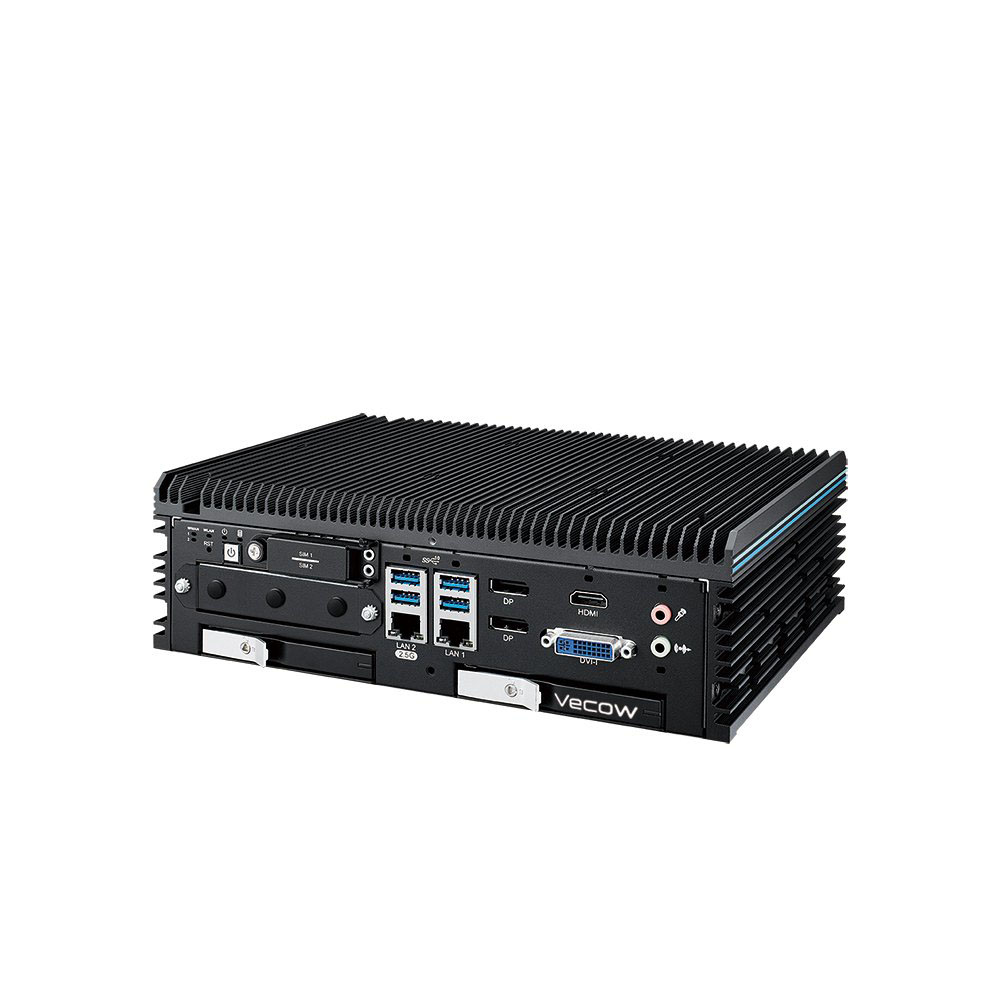
Intel Core Ultra Fanless AI Computer with Dual 10GbE SFP+, 5x 2.5GbE and 4x PoE+
- AI
- 13 TOPS
- CPU
- Intel Core Ultra 2 Arrow Lake-S
- Ethernet
- 2× 10GbE, 5× 2.5GbE, 1× GbE (4× PoE)
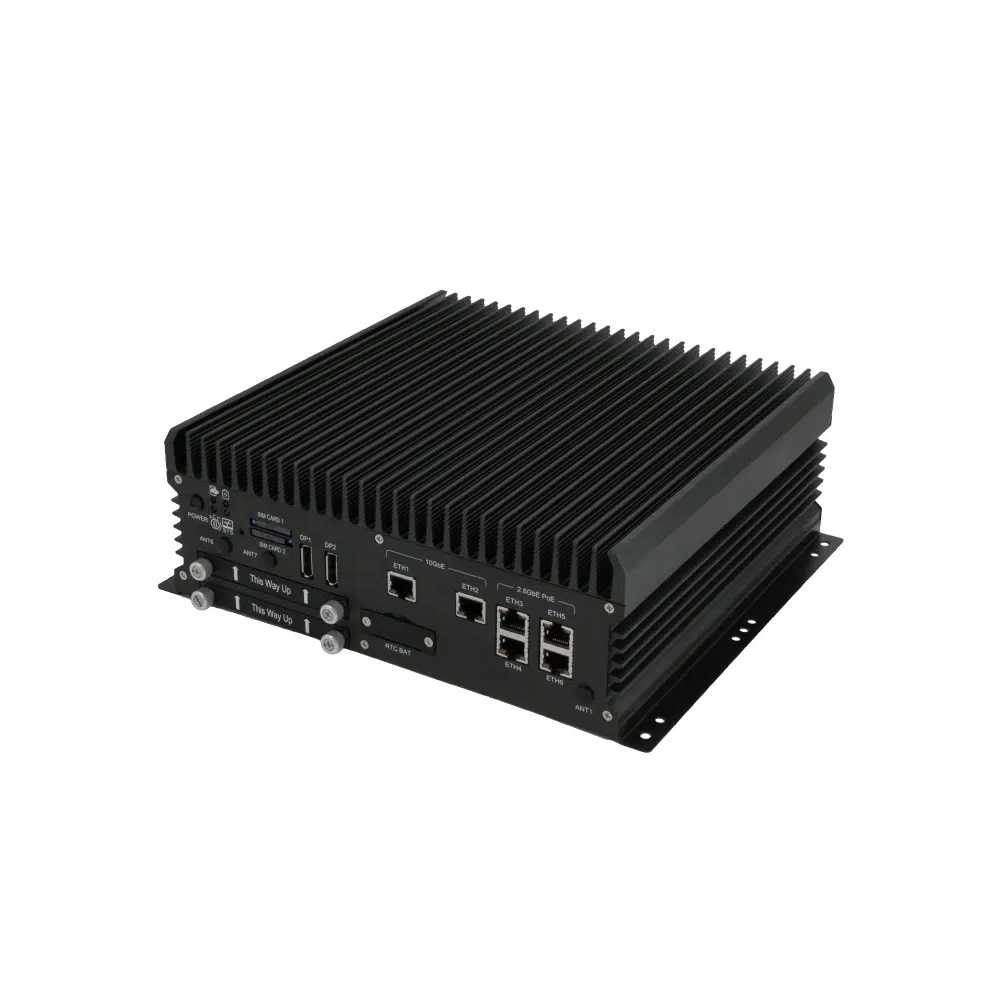
Intel 14th Gen Core Fanless Industrial AI Computer with Dual 10GbE and 4x 2.5GbE
- CPU
- Intel Core 14th Gen Raptor Lake Refresh
- Ethernet
- 2× 10GbE, 4× 2.5GbE
- Temp
- −40 to +70 °C
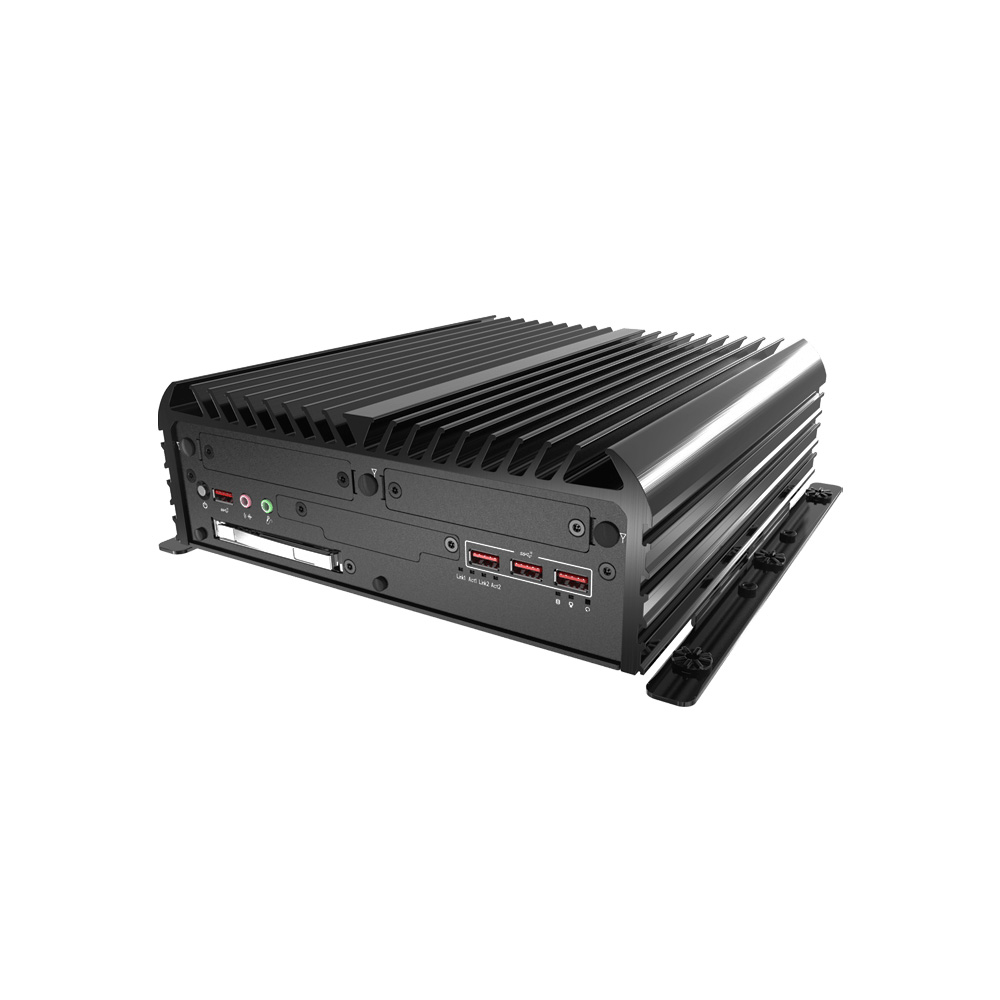
Intel Core i9-12900E Rugged Industrial Computer with 2x 10GbE LAN
- CPU
- Intel Core 13th Gen (Raptor Lake)
- Ethernet
- 2× 10GbE, 2× GbE
- Temp
- −25 to +70 °C
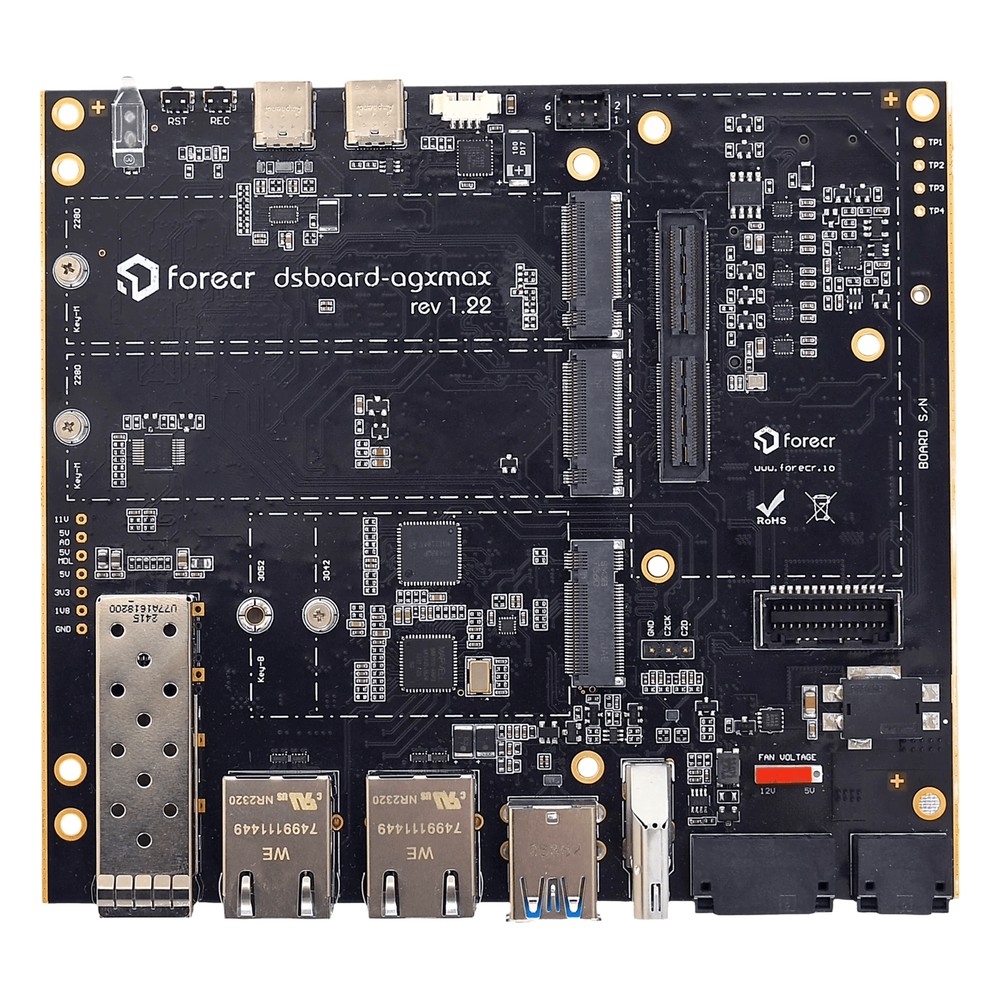
NVIDIA Jetson AGX Orin 64GB Carrier Board with 10GbE SFP+, Dual GbE and 275 TOPS
- AI
- 275 TOPS
- SOM
- NVIDIA Jetson AGX Orin 64 GB
- Ethernet
- 1× 10GbE, 2× GbE
10GbE cards and switches
Two-port SFP+, PoE+ and 10GBASE-T cards for an existing computer, and a managed PoE+ switch with 10G uplinks.
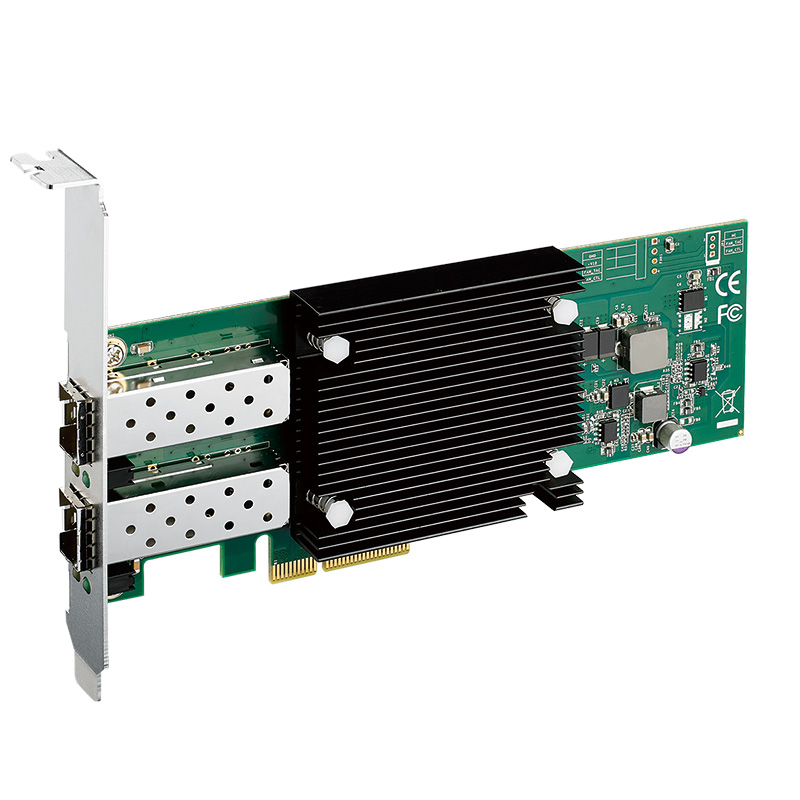
Low-Profile Dual 10GbE SFP+ Wide-Temperature PCIe Expansion Card
- Ethernet
- 2× 10GbE
- Temp
- −40 to +55 °C
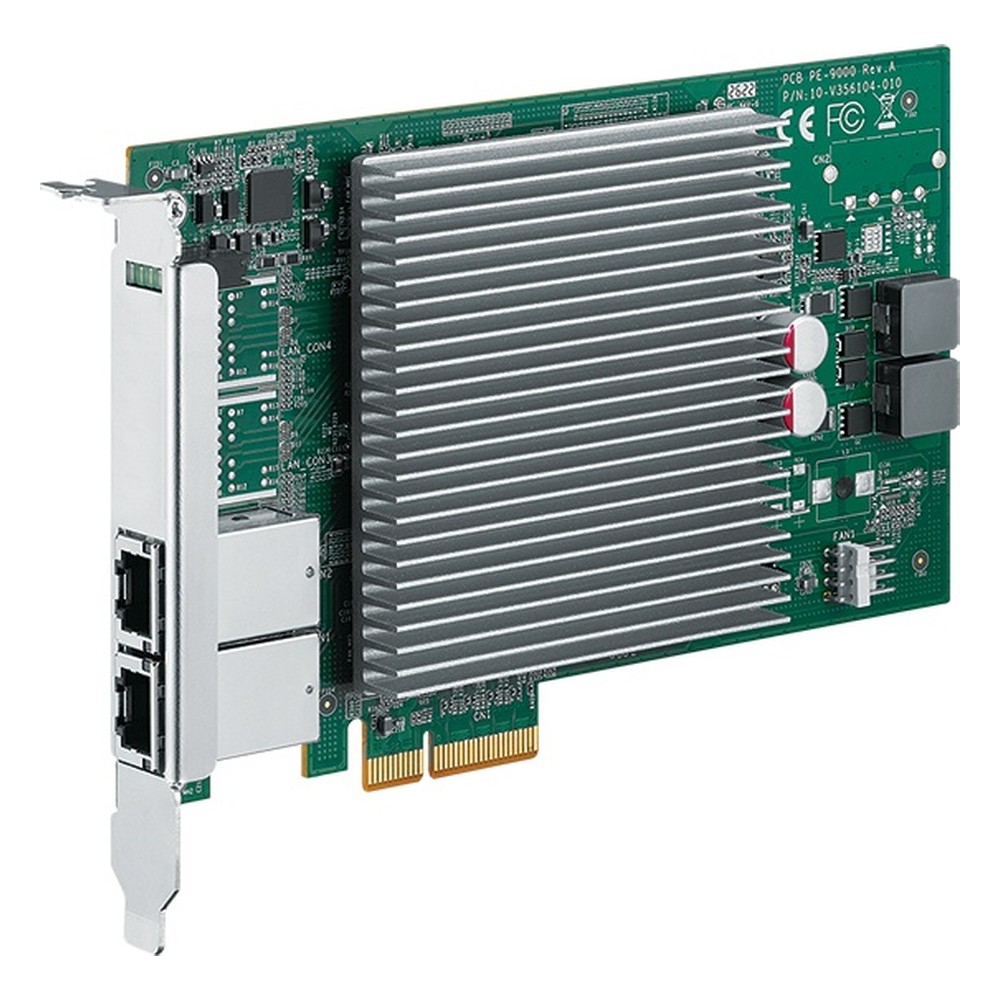
Intel E610-XAIT2 2-Port 10GbE 802.3at PoE+ Frame Grabber Card for -40 to 70 °C
- Ethernet
- 2× 10GbE (2× PoE)
- Temp
- −40 to +70 °C
- Power
- 12 V DC [4-Pin]
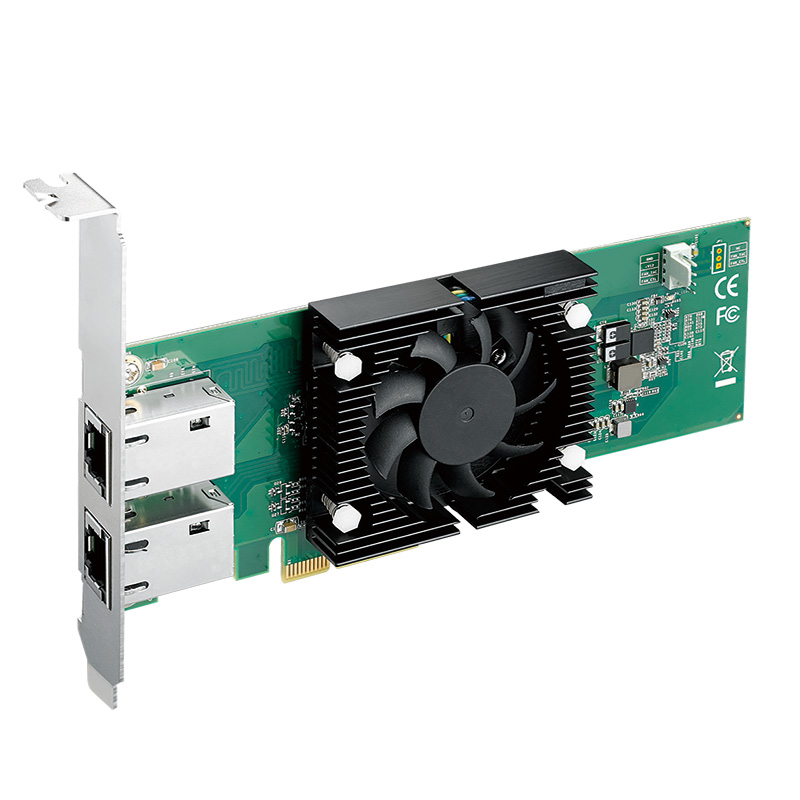
Intel X550-AT2 Dual-Port 10GBASE-T Wide-Temperature 10GbE LAN Expansion Card
- Ethernet
- 2× 10GbE
- Temp
- −40 to +55 °C
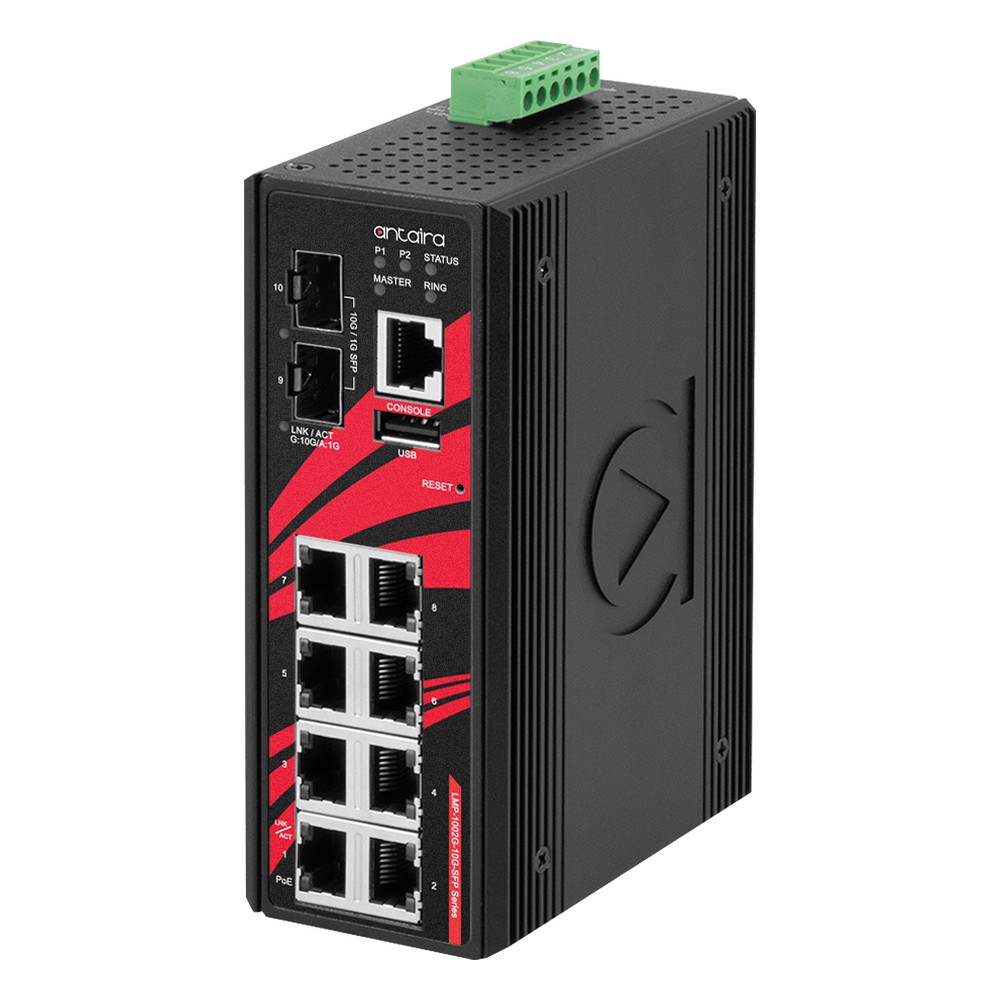
10-Port 10G Managed Industrial Ethernet Switch with 8x PoE+, 2x 10G SFP+, 12-55V DC and Extended Temperature
- IP Rating
- IP30
- Temp
- −40 to +60 °C
- Power
- 12–55 V DC [Terminal Block]
Specifying 10GbE for edge AI
Questions to answer before choosing computers, cards and switches.
-
01
Load
Add up the streams the link must carry, compressed and uncompressed, and plan for about 70% sustained use.
-
02
Media
Choose 10GBASE-T for existing copper, SFP+ fiber for long or noisy runs, and DAC inside a cabinet.
-
03
Cabling
Use Cat6a for 100 m copper runs; check Cat6 runs are under about 55 m.
-
04
Host
Check PCIe lanes and generation for every 10GbE port, and NVMe storage for sustained writes.
-
05
Heat
Allow for several watts per 10GBASE-T port in a fanless chassis, or choose SFP+.
-
06
RDMA
Decide now whether RoCEv2 is needed and choose controllers and switches that support it.
-
07
Switching
Size switch uplinks, buffers and QoS for the aggregated traffic.
10 Gigabit Ethernet: common questions
Quick answers
What is 10GbE?
Ethernet at 10 Gbit/s. It runs over Cat6a copper as 10GBASE-T, or over fiber and direct-attach cable in SFP+ ports.
Do I need Cat6a for 10GbE?
For 100 m over copper, yes. Cat6 reaches about 55 m and Cat5e is not specified for 10GbE.
Is 10GbE worth it over 2.5GbE?
For multi-camera AI, clusters and data offload, usually. For single-camera inference and gateways, 2.5GbE is often enough.
What is the difference between 10GBASE-T and SFP+?
Copper RJ45 vs a plug-in module. 10GBASE-T uses existing cabling but draws more power; SFP+ takes fiber or DAC, runs cooler and reaches further on fiber.
How far can 10GbE run over copper?
Up to 100 m on Cat6a. For longer runs use fibre: about 300 m multimode or 10 km single-mode.
Why do 10GbE cards run hot?
The 10GBASE-T PHY works hard to recover the signal. Several watts per port is typical, so cards often carry a heat sink or fan.
What is the difference between 10GbE and 10 Gbps?
10GbE is the Ethernet standard; 10 Gbps is the rate. Usable throughput on 10GbE is a little lower, about 9.4 Gbit/s after protocol overhead.
10GbE and networking FAQs
-
What is 10GbE networking?
10GbE (10 Gigabit Ethernet) is a networking standard that carries data at 10 gigabits per second, four times faster than 2.5GbE. Defined in the IEEE 802.3 family, it runs over SFP+ fiber or copper and over Cat6A twisted pair, and is increasingly the baseline for edge AI systems handling high-resolution video and multi-sensor data.
-
Is 2.5GbE fast enough for edge AI?
For many edge AI systems, yes. 2.5GbE carries about 2.35 Gbit/s of real traffic over existing Cat5e cable, enough for single-camera inference, compressed multi-camera video and gateway aggregation. It usually falls short for uncompressed machine-vision cameras, multi-sensor fusion and multi-node inference clusters, where 10GbE with RDMA has become the practical baseline.
-
When should you upgrade from 2.5GbE to 10GbE?
Upgrade from 2.5GbE to 10GbE when a workload needs more than about 2 Gb/s of sustained traffic per link, such as several uncompressed camera streams, multi-sensor fusion, multi-node inference or latency-sensitive control. The best time is usually the next platform refresh, specifying RDMA-capable network cards from the start.
-
SFP+ vs RJ45 for 10GbE — what’s the difference?
SFP+ and RJ45 are the two ports used for 10GbE. SFP+ is a cage that takes a plug-in fiber transceiver or a direct-attach copper cable, so one port can reach hundreds of meters or more. RJ45 (10GBASE-T) runs over Cat 6a twisted pair to 100 m and reuses existing copper cabling.
-
What is RDMA and why does it matter for edge AI?
RDMA (remote direct memory access) lets one computer read from or write to another computer’s memory through the network card, without passing the data through either CPU or operating system. It cuts latency and frees processor time, which matters for AI clusters and multi-node edge AI. It runs over InfiniBand, or over Ethernet as RoCEv2 or iWARP.
-
What is RoCEv2?
RoCEv2 (RDMA over Converged Ethernet, version 2) is a networking standard that carries RDMA inside UDP/IP packets, so low-latency, low-CPU data transfer can run and be routed over standard Ethernet. It needs RDMA-capable network cards at each end and switches set up to keep packet loss low, usually with PFC and ECN.
-
What Is SFP?
SFP stands for small form-factor pluggable: a compact, hot-swappable transceiver that plugs into a port on a switch, router or computer. The module sets the connection type, so the same port can take multimode fiber, single-mode fiber or copper RJ45. Standard SFP carries up to 1 Gbit/s, and the same-sized SFP+ carries 10 Gbit/s.
-
What Is a Managed Switch?
A managed switch is an Ethernet switch you can configure, through a web interface, command line or SNMP, to set up VLANs, quality of service, redundancy and monitoring. An unmanaged switch is plug-and-play with no settings at all. Managed switches suit networks that are segmented, critical or monitored remotely.
-
Layer 3 Switch vs Router: What Is the Difference?
Both a Layer 3 switch and a router forward IP traffic between networks. A Layer 3 switch routes in hardware at close to wire speed across many ports, for traffic inside a site. A router connects a site to outside networks, with WAN interfaces, NAT, firewalling and VPNs, at lower throughput and with fewer ports.
Specifying 10GbE for an edge AI system?
Tell us the cameras, sensors and nodes the network has to carry, and where the system will run. We will recommend 10GbE computers, cards and switches, and configure, image and test the computers before they ship.