
 US
US 
x86 vs Arm: Architectures Compared for Industrial and Embedded Systems
x86 and Arm are the two architectures behind almost every industrial computer. How they differ on power, software, boot and maintenance, and how to choose for an embedded project.
x86 vs Arm is the choice between the two instruction set architectures behind almost every industrial and embedded computer: x86, designed and built by Intel and AMD, and Arm, licensed by Arm to dozens of chip makers who build it into systems on chip. x86 offers the widest native software compatibility, standard firmware and plenty of expansion; Arm offers more performance per watt, highly integrated chips and very low power. Software decides most projects before performance does.
They are not just different brands. An instruction set architecture is the language a processor understands, so a program compiled for x86 will not run natively on Arm, and the reverse. The two also come with different commercial models, boot processes and maintenance habits, and those differences matter more over a ten-year industrial deployment than any benchmark.
This guide compares x86 and Arm on the terms that matter for an industrial or embedded project: architecture, power, software and driver compatibility, emulation, boot and firmware, long-term maintenance, the processor families on industrial boards, and a decision table with worked examples. For a deeper look at the Arm side, see our guide to Arm processors in embedded and industrial systems.
Key takeaways
- 01Software comes first
- Existing Windows applications, x86-only drivers and PLC runtimes usually settle the question in favor of x86 before power or price.
- 02Arm wins on watts and integration
- Arm SoCs put CPU, GPU, NPU, video and I/O on one chip, often within 2–15 W, which suits fanless and battery designs.
- 03x86 boots generically, Arm boots per board
- x86 uses UEFI and runs standard OS images; most embedded Arm boards need a vendor board support package.
- 04Emulation helps applications, not drivers
- Windows on Arm and Linux tools can run x86 applications, but kernel drivers must be native.
- 05Mixed fleets are normal
- An x86 controller with Arm gateways, cameras or Jetson AI modules uses each architecture where it fits.
x86 vs Arm at a glance
The table compares the two as they appear in industrial and embedded computers today. Individual chips vary, so treat the ranges as typical.
| Feature | x86 | Arm |
|---|---|---|
| Instruction set | CISC heritage; x86-64 (AMD64) since 2003 | RISC; AArch64 (Armv8-A and Armv9-A) on current application processors |
| Who makes the chips | Intel and AMD | Arm licenses cores and the architecture to NXP, Qualcomm, Rockchip, NVIDIA, TI, MediaTek and others |
| Typical power in embedded designs | About 6 W (Atom x7211E) to 65 W and more | About 2 W to 15 W for most SoCs; up to about 60 W on Jetson AGX Orin |
| Integration | CPU and GPU, often NPU; chipset or SoC for I/O | CPU, GPU, NPU, video, camera inputs and I/O on one SoC |
| Boot firmware | UEFI BIOS with ACPI | U-Boot with a device tree on most embedded boards; UEFI on Arm SystemReady designs |
| Operating systems | Windows IoT Enterprise, Linux, real-time OSs | Linux (Yocto, Debian, Ubuntu), Android; Windows on selected Qualcomm chips |
| Software compatibility | Runs decades of x86 software and drivers natively | Native Arm software runs well; x86 software needs recompiling or emulation |
| Memory | SO-DIMM or DIMM, often 32–128 GB | Usually soldered LPDDR4 or LPDDR5, often 2–16 GB; more on Jetson |
| Expansion | Many PCIe lanes, M.2, sometimes full-size PCIe slots | A few PCIe lanes, M.2 and MIPI CSI-2 camera inputs |
| Real-time features | Intel TCC and TSN on selected processors | Often a Cortex-M or Cortex-R core on the SoC for real-time tasks |
| Lifecycle | Long-life embedded SKUs from Intel and AMD | Long-life programs from NXP and TI; varies by vendor |
| Typical fit | Industrial PCs, control, vision, virtualization, Windows HMIs | Gateways, HMIs, compact controllers, cameras, signage, edge AI on Jetson |
Neither column is better in general. The right column is the one your software, power budget and lifecycle point to, which is why the rest of this guide spends more time on software and maintenance than on speed.
CISC vs RISC: why it matters less than it used to
x86 began as a CISC (complex instruction set computing) design: instructions vary in length and a single instruction can do several steps, such as loading from memory and adding. Arm is a RISC (reduced instruction set computing) design: fixed-length, simpler instructions, with memory accessed by separate load and store instructions. In the 1980s that difference shaped the whole chip.
Today it shapes much less. Modern x86 cores decode their instructions into simpler internal micro-operations and execute them on RISC-like hardware, while high-end Arm cores have grown wide, deep and complex. The power gap now comes mostly from design choices around the instruction set: how wide the cores are, how high they clock, how much is integrated on one chip and how aggressively idle parts are switched off. A CPU built for 6 W behaves very differently from one built for 65 W, whatever its instruction set.
| CISC (x86) | RISC (Arm) | |
|---|---|---|
| Instruction length | Variable, 1–15 bytes | Fixed, 4 bytes (AArch64) |
| Memory access | Many instructions can read or write memory | Only load and store instructions |
| Decoding | Complex; instructions split into micro-operations | Simpler, which saves some power and area |
| Registers | 16 general-purpose registers in x86-64 | 31 general-purpose registers in AArch64 |
| Where the difference shows today | Decoder power and design effort | Easier to scale down to very low power |
Both are 64-bit today. Our explainer on 32-bit vs 64-bit covers why that matters for memory and software, and older 32-bit Arm (Armv7) boards are still found in long-running installations.
What about RISC-V?
RISC-V is a third instruction set: open and royalty-free, governed by RISC-V International, so any company can design a core without a license fee. It is already common in microcontrollers and in management cores inside larger chips, and application processors that run Linux are appearing. For industrial PCs it is still early, with a small software base and few long-life parts, but it is worth watching for future embedded designs.
Software and driver compatibility
Software is usually the deciding factor. On x86, essentially every Windows and Linux application of the last thirty years runs natively. On Arm, native software runs very well, and Linux on Arm is mature, but anything compiled only for x86 has to be recompiled or emulated. The checks below catch most problems early.
| Check | x86 | Arm | What to ask |
|---|---|---|---|
| Existing Windows applications | Run natively | Need Windows on Arm and emulation, or a port | Is there an Arm64 build? |
| Device drivers for PCIe, USB or fieldbus cards | Widely available | Often missing; emulation cannot run drivers | Does the vendor supply Arm64 drivers? |
| PLC and soft-PLC runtimes | Widely supported | Supported by some runtimes on Linux | Is the runtime licensed for Arm? |
| Container images | linux/amd64 standard | Need linux/arm64 builds | Is every image multi-architecture? |
| AI frameworks | OpenVINO, CUDA on discrete GPUs, ONNX Runtime | TensorRT on Jetson, vendor NPU toolchains, ONNX Runtime | Which toolchain does the model use? |
| Development tools | Native compilers and IDEs | Cross-compiling common; native on larger SoCs | Who builds and maintains the image? |
For a new application written for the target, Arm is no barrier: modern compilers, Python, Node.js, .NET and Java all support both. For a system that must run an existing x86 binary, a control package or a driver for an expansion card, x86 removes the question. That is also why Windows IoT Enterprise systems in industry are overwhelmingly x86.
Can Arm run x86 software?
Applications, often; drivers, no. Emulation translates x86 instructions into Arm instructions as a program runs, and it has improved a great deal, but it has limits.
| Environment | Emulation tool | Runs | Does not run |
|---|---|---|---|
| Windows on Arm (Qualcomm) | Microsoft Prism | Most 32-bit and 64-bit x86 applications | x86 kernel drivers, some anti-cheat and low-level tools |
| Linux on Arm | QEMU user mode, box64, FEX | Many x86 Linux applications | Kernel modules; performance-sensitive code may be slow |
| macOS on Apple silicon | Rosetta 2 | Most x86 Mac applications | Not relevant to industrial Arm boards |
| Containers | QEMU with binfmt | x86 images on Arm, for testing | Production workloads at native speed |
Emulated code typically runs slower than native code, with Microsoft and reviewers often reporting around 70 to 80% of native speed for Prism, depending on the application. For an HMI or a business application that may be acceptable. For a real-time control loop or a driver, it is not. Windows on Arm itself runs on selected Qualcomm processors; the AVerMedia QL601 series on the Qualcomm QCS6490 is offered with Qualcomm Linux, Windows 11 IoT LTSC or Android 13 by order code, and some options, such as the cellular module and MIPI camera inputs, are not available on every operating system.
Boot, firmware and long-term maintenance
This is the difference that matters most over the life of an industrial fleet, and the one consumer comparisons ignore. An x86 computer boots through a UEFI BIOS that describes the hardware to the operating system in a standard way (ACPI), so a standard Windows or Linux image boots on almost any x86 board. Most embedded Arm boards boot through U-Boot with a device tree that describes that specific board, and the operating system is built for it.
| Aspect | x86 | Typical embedded Arm |
|---|---|---|
| Firmware | UEFI with ACPI | U-Boot with a device tree; UEFI on Arm SystemReady boards |
| Operating system image | Standard distribution or Windows image | Built per board from a board support package, often with Yocto |
| Kernel version | Mainline kernels widely supported | Often tied to the SoC vendor’s kernel; mainline support varies |
| Security updates | From the OS vendor | From the board vendor or your own build system |
| Secure boot and TPM | UEFI Secure Boot and TPM 2.0 standard | SoC-specific secure boot; TPM on some boards |
| Moving to a new board | Usually the same image with new drivers | A new BSP, device tree and often a new kernel |
None of this makes Arm harder to deploy if it is planned. Embedded Linux on Arm is how most connected industrial devices are built, and a well-maintained BSP or Yocto build can run for many years. But it has to be owned: someone must track the vendor kernel, apply security fixes and rebuild the image. On x86 more of that work is done by the operating system vendor. Arm’s SystemReady program narrows the gap by bringing UEFI to Arm boards. Our explainer on embedded Linux covers the build side, and for Jetson the NVIDIA software stack is covered in our guide to JetPack.
Security, virtualization and real-time
Both architectures provide the building blocks for secure, deterministic industrial systems, but they package them differently.
| Feature | x86 | Arm |
|---|---|---|
| Root of trust | TPM 2.0, as a chip or firmware TPM | SoC secure boot fuses; TPM chip on some boards; TrustZone secure world |
| Verified boot | UEFI Secure Boot | SoC-specific signed boot chain, or UEFI Secure Boot on SystemReady boards |
| Virtualization | Intel VT-x and AMD-V; KVM, Hyper-V and other hypervisors | Arm virtualization extensions; KVM and Xen on larger SoCs |
| Real-time control | Intel TCC and real-time Linux on selected processors | A Cortex-M or Cortex-R core beside the main cores on many SoCs |
| Deterministic networking | TSN on Intel I226 and similar controllers | TSN on selected SoC Ethernet ports |
The i.MX 8M Plus is a good example of the Arm approach: alongside its Cortex-A53 application cores it carries a Cortex-M7 core that can run a real-time task independently of Linux. On x86 the same job is usually done with real-time extensions on the main cores, as on Atom x7000E processors with Intel TCC. For hypervisor-based consolidation of several workloads on one computer, x86 remains the more common choice, with more memory and mature tools.
How long will the processor be available?
Industrial projects often need to rebuild the same computer for seven to ten years or more, so the processor’s availability matters as much as its speed. Both architectures offer long-life parts, but the commitments come from different places.
On x86, Intel and AMD publish embedded versions of their processors with extended availability, typically several years longer than the consumer parts on the same silicon; AMD quotes up to ten years of planned availability for many Ryzen Embedded processors. On Arm, availability depends on the chip maker. NXP runs a product longevity program with 10- and 15-year commitments for many i.MX processors, and TI offers long availability on its Sitara range, while some SoCs designed first for consumer devices have shorter or less formal commitments. Whichever architecture you choose, check the commitment for the exact part number, and plan the operating system image for the same span, as our guide to how long computers last explains.
x86 and Arm processor families on industrial boards
These are the families you are most likely to meet in industrial computers and boards. Power figures are typical for the processor; NPU ratings are manufacturers’ figures.
| Family | Architecture | Cores | Typical power | Graphics and AI | Where it fits |
|---|---|---|---|---|---|
| Intel Atom x7000E (Amston Lake) | x86 | 2–8 E-cores | 6–12 W | Intel UHD Graphics | Gateways, controllers, DIN rail PCs |
| Intel Core Ultra | x86 | Up to 24 cores | 15–65 W | Arc graphics, NPU of about 11–13 TOPS | Vision, edge AI, HMIs |
| AMD Ryzen Embedded and Ryzen 7040/8000 | x86 | Up to 8 cores | 15–54 W | Radeon graphics; NPU on 7040, 8000 and AI 300 | Industrial PCs, multi-display, edge AI |
| NXP i.MX 8M Plus | Arm | Up to 4× Cortex-A53 plus Cortex-M7 | A few watts | 2.3 TOPS NPU | Gateways, HMIs, light vision |
| Rockchip RK3588 | Arm | 4× Cortex-A76 plus 4× Cortex-A55 | About 15 W | Mali-G610 GPU, 6 TOPS NPU, 8K decode | Signage, video walls, AI panels |
| Qualcomm QCS6490 | Arm | 8 Kryo cores | A few to about 10 W | Adreno GPU, Hexagon NPU, 12.5 TOPS (AVerMedia rating) | Robots, retail analytics, rugged tablets |
| TI Sitara AM335x | Arm | 1× Cortex-A8 (32-bit) | Under a few watts | Basic graphics | Long-running controllers and HMIs |
| NVIDIA Jetson Orin | Arm | Up to 12× Cortex-A78AE | About 7–60 W per module | Ampere GPU, 67–275 TOPS | Multi-camera edge AI, robotics |
x86 in embedded today
x86 is not standing still against Arm. Intel and AMD both run embedded roadmaps with long-life versions of their processors, and the newest parts add NPUs and stronger integrated graphics, which closes some of the integration gap. In October 2024 the two companies also formed an x86 advisory group with software and hardware vendors to keep the instruction set consistent across future processors, which matters to anyone planning ten years of software on x86. Our article on Intel and AMD uniting for x86 embedded computing covers that group and the embedded x86 families behind it.
At the low-power end, Atom x7000E processors run within 6 to 12 W, which brings x86 into fanless gateways and DIN rail controllers once considered Arm territory. The DFI EC700-ADN series, for example, runs an Atom x7425E at 12 W with Intel TCC for deterministic control and soldered LPDDR5 memory, in a slim fanless chassis. For how x86 generations line up, see our guide to CPU generations and embedded processors.
Is Arm better for embedded systems?
Sometimes. The table matches common industrial situations to the architecture that usually fits. It is a starting point; a project can have reasons to go the other way.
| Situation | Usually choose | Why |
|---|---|---|
| Existing x86 Windows application or driver | x86 | Runs unchanged; no emulation or porting |
| New Linux application, fanless, under 10 W | Arm | Lowest power and integrated I/O |
| Battery or solar powered device | Arm | Idle power and sleep states |
| Multi-camera AI with GPU acceleration | Arm (Jetson) or x86 with a discrete GPU | Jetson integrates the GPU; x86 adds PCIe expansion |
| Virtualization and several workloads | x86 | Mature hypervisors, more memory and cores |
| Expansion cards for I/O, capture or fieldbus | x86 | PCIe lanes and driver availability |
| Android HMI or kiosk | Arm | Android is native on Arm SoCs |
| Ten-year fixed-specification fleet | Either, chosen on vendor lifecycle | Check longevity commitments for the exact part |
A worked example: a water utility needs 200 outstation gateways reading Modbus and DNP3 devices, sending data over 4G, on a 12 V supply with solar backup and a ten-year life. A Linux gateway on an NXP i.MX 8M Plus, such as the DFI M8MP553 series rated from −30 to 80 °C on 9–36 V DC, fits the power budget and the lifecycle. The same utility’s control room, running a Windows SCADA client and a historian, stays on x86. At a treatment works with eight cameras for intrusion detection, an Arm-based Jetson computer does the AI. Three sites, both architectures, each where it fits.
Mixed fleets need one discipline: build and test an image for each architecture, and keep both in the same update process. That is part of the work we do when we configure and image computers for a rollout.
x86 and Arm in our range
Both architectures across boards and systems, so the choice follows the application.

Arm SBCs
NXP, Rockchip and Qualcomm single board computers for gateways, HMIs and signage.
View range
Intel single board computers
x86 boards from Atom to Core Ultra in standard embedded form factors.
View range
NVIDIA Jetson
Arm-based edge AI computers with integrated NVIDIA GPUs.
View range
DIN rail PCs
Fanless x86 and Arm controllers for cabinets and panels.
View range
Industrial IoT gateways
Low-power gateways with cellular, serial and fieldbus connections.
View range
Intel industrial PCs
x86 box PCs for control, vision and Windows applications.
View rangex86 and Arm systems from our range
These four show the two architectures at similar sizes, so the trade-offs are easy to see. We configure the BIOS or bootloader, build and image the operating system, whether Windows, a Linux distribution or a Yocto build, and test the complete computer before it ships.
| Architecture | Example from our range | Configuration |
|---|---|---|
| x86, Intel Atom x7425E | DFI EC700-ADN-x7425E | 12 W quad-core, 16 GB LPDDR5, Windows 11 IoT Enterprise or Ubuntu, DFI Out-of-Band management |
| x86, AMD Ryzen 7040 | SolidRun Bedrock R7000 Basic | Eight Zen 4 cores, 10 TOPS NPU on 7840U and 7840HS, up to 64 GB DDR5, −40 to 85 °C builds |
| Arm, NXP i.MX 8M Plus | DFI M8MP553-ECC-81QDI | Quad Cortex-A53, 8 GB LPDDR4, Yocto 5.0 by default, −30 to 80 °C |
| Arm, Rockchip RK3588 | Avalue ACP-3588 | Four Cortex-A76 and four Cortex-A55 cores, two HDMI 2.1 outputs, Android 12 |
Comparing the four makes the usual pattern clear: the x86 systems take more memory and run Windows; the Arm boards integrate video, camera and serial I/O on the SoC at lower power and run Linux or Android.
x86 and Arm computers to compare
Two x86 and two Arm options of similar size: an Atom x7425E fanless PC, a Ryzen 7040 mini PC, an NXP i.MX 8M Plus board and a Rockchip RK3588 SBC.
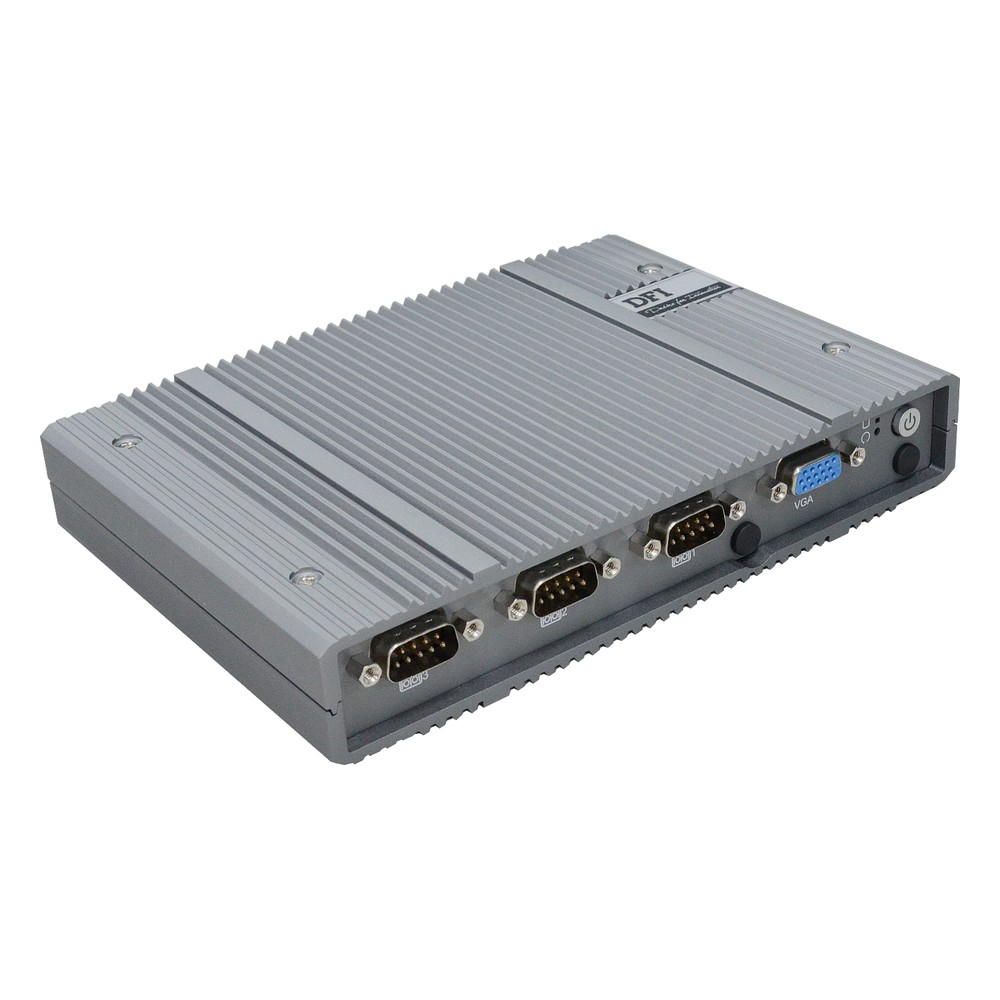
Intel Atom x7425E Fanless Embedded PC with 9-36V DC, 2x 2.5GbE and OOB
- CPU
- Intel Atom x7425E (Alder Lake)
- Ethernet
- 2× 2.5GbE, 1× GbE
- Temp
- −5 to +60 °C
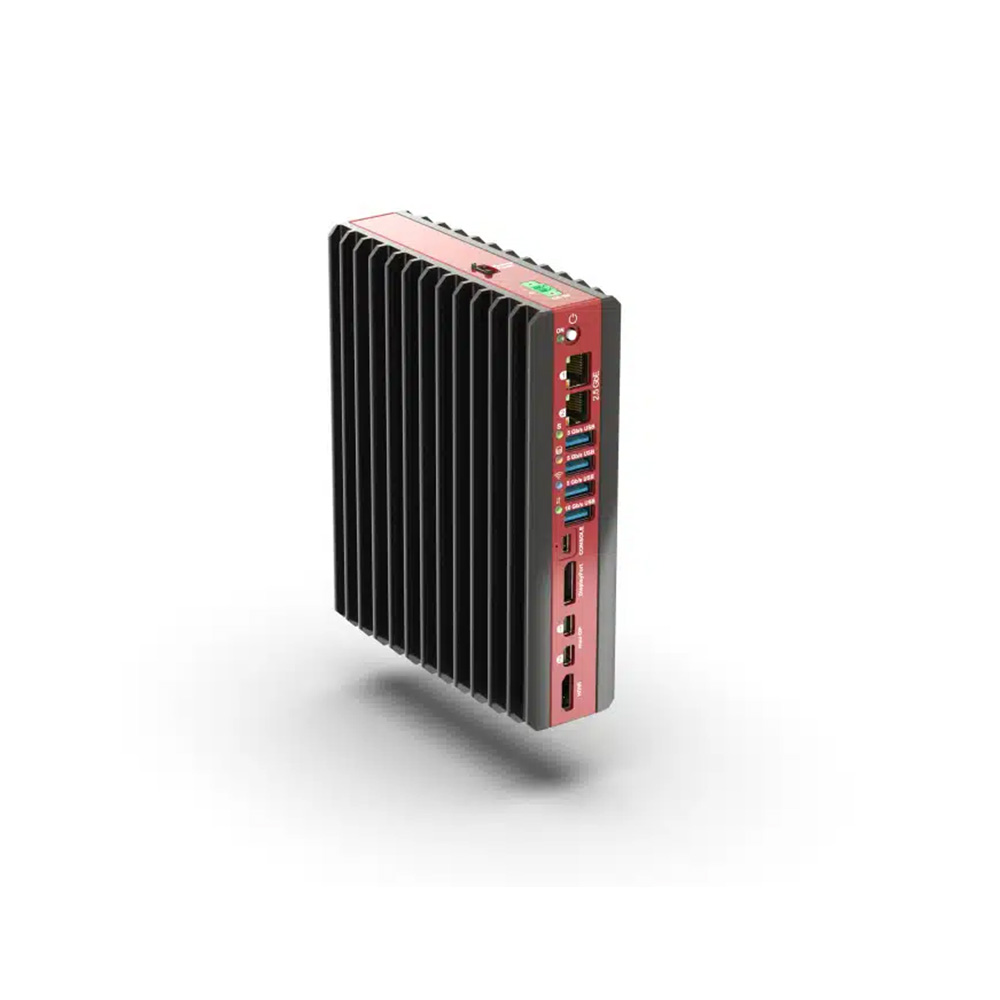
AMD Ryzen 7040 Series Fanless Industrial Mini PC with 2x 2.5GbE and 4x USB 3.2
- AI
- 10 TOPS
- CPU
- AMD Ryzen
- Ethernet
- 2× 2.5GbE
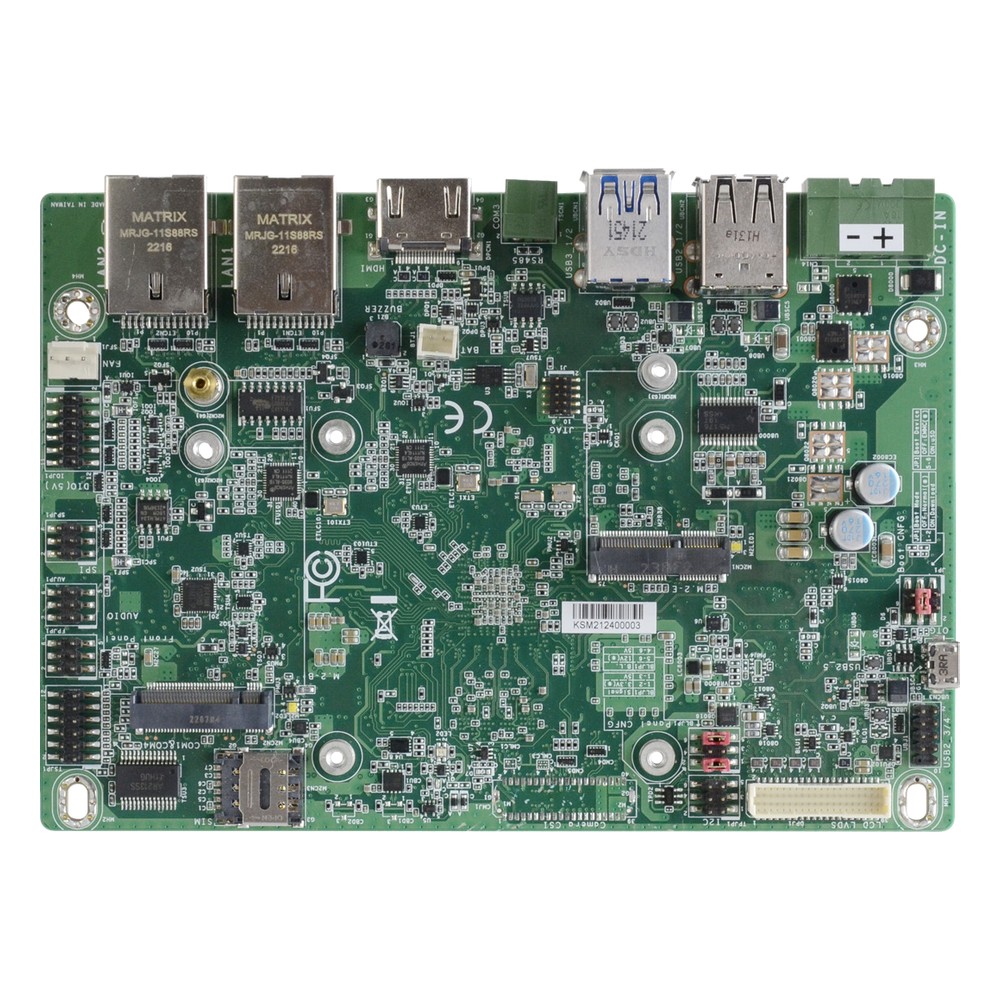
NXP i.MX 8M Plus Quad 3.5″ Embedded Board with 9 to 36 V DC Input, 8GB LPDDR4 Memory and Wide Temperature
- CPU
- NXP i.MX 8M Plus
- Ethernet
- 2× GbE
- Temp
- −30 to +80 °C
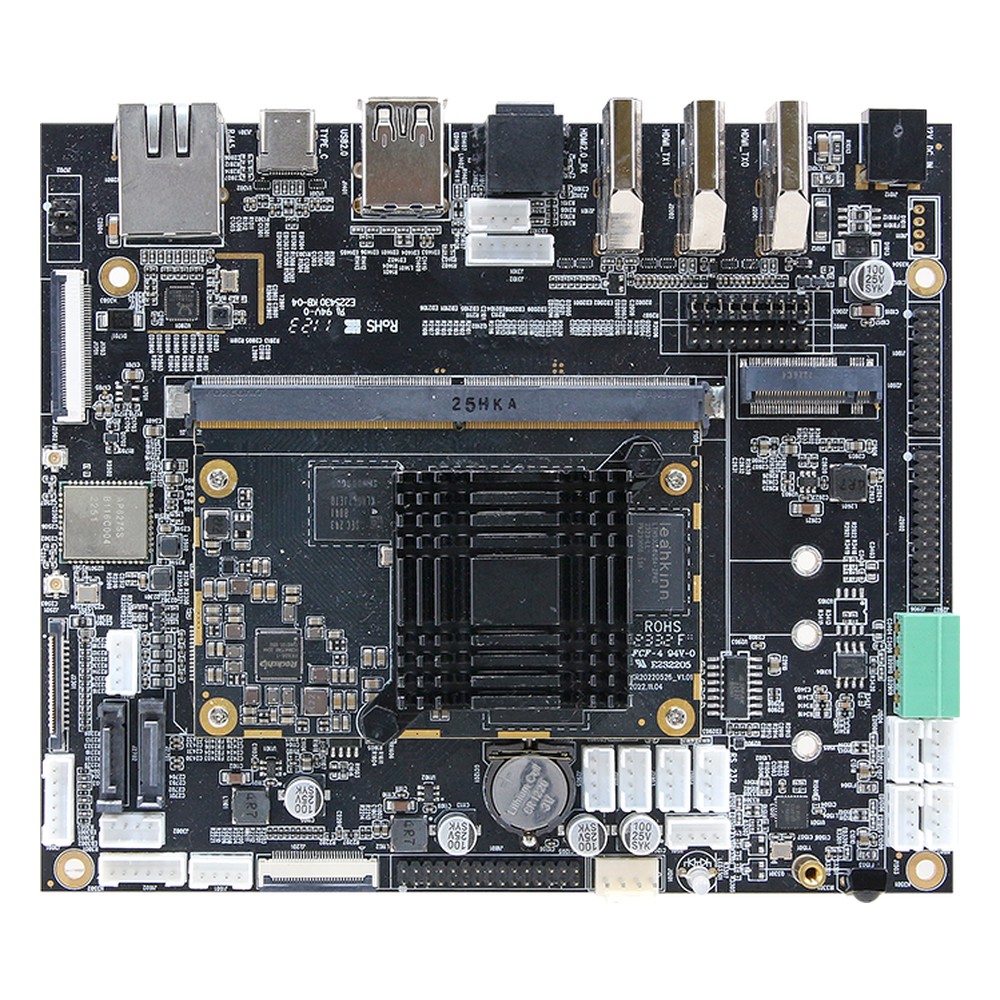
Rockchip RK3588 SBC with 32GB eMMC, Dual HDMI, LVDS and eDP
- AI
- 6 TOPS
- CPU
- Rockchip RK3588
- Ethernet
- 1× GbE
Choosing between x86 and Arm
Seven questions to answer before the architecture is fixed.
-
01
Software
List every application, runtime and library and confirm each has a native build for the architecture.
-
02
Drivers
Check drivers exist for every expansion card, USB device and fieldbus interface.
-
03
Operating system
Decide on Windows, a Linux distribution, Yocto or Android, and who maintains the image.
-
04
Power and cooling
Set the power budget; under 10 W favours Arm, while GPUs and many cores favor x86.
-
05
I/O and expansion
Count PCIe lanes, M.2 sockets, camera inputs and serial ports the design needs.
-
06
Lifecycle
Check the vendor’s longevity commitment for the exact processor, not just the family.
-
07
Security updates
Confirm how kernel and firmware fixes will reach the fleet over its life.
x86 vs Arm: common questions
Quick answers
What is the difference between x86 and Arm?
Two different instruction sets. x86 is made by Intel and AMD and runs the widest range of existing software; Arm is licensed to many chip makers and leads on performance per watt and integration.
Is Arm faster than x86?
Not in general. High-end chips of both kinds are fast. x86 usually leads on peak single-thread speed and expansion in industrial designs; Arm usually leads on performance per watt.
Can Arm run x86 software?
Applications often, drivers no. Windows on Arm uses Prism emulation and Linux has tools such as box64 and FEX, typically at reduced speed. Kernel drivers must be native Arm code.
Why is Arm more power efficient than x86?
Mostly design, not the instruction set. Arm chips are built for low power, integrate more on one die and switch idle blocks off aggressively. The simpler RISC decoding helps a little.
Is Arm better for embedded systems?
For low-power Linux devices, often. For systems that must run existing x86 software or drivers, or need lots of expansion, x86 is usually the better fit.
Will Arm replace x86?
Not in industrial computing soon. Arm is growing in servers, laptops and edge AI, but the installed base of x86 software, drivers and certified systems keeps x86 central for industrial PCs.
What is CISC vs RISC?
Two instruction set philosophies. CISC uses complex, variable-length instructions; RISC uses simple, fixed-length ones. Modern x86 and Arm chips both use RISC-like execution inside.
Does Windows run on Arm?
Yes, on selected Qualcomm processors. Windows 11 on Arm runs native Arm64 applications and emulates most x86 ones. Most embedded Arm boards run Linux or Android instead.
Processor and software FAQs
-
32-Bit vs 64-Bit: What Is the Difference?
A 32-bit processor works with 32-bit registers and memory addresses, so it can address about 4 GB of memory. A 64-bit processor uses 64-bit registers and addresses, so it can reach far more memory and handle larger numbers in one step. A 64-bit operating system runs most 32-bit software, but not the reverse.
-
What Is a CPU?
A CPU, or central processing unit, is the chip that runs a computer’s software. It fetches instructions from memory, decodes them and carries them out, billions of times a second. A modern CPU packs several cores, cache memory and often graphics and an NPU into one package.
-
UEFI vs BIOS: What Is the Difference?
BIOS is the original PC firmware from 1981: it starts in 16-bit mode, boots from an MBR disk and cannot check what it loads. UEFI is its replacement, published by the UEFI Forum: it runs in 32 or 64-bit mode, boots from GPT disks and supports Secure Boot. Most current PCs use UEFI, and Windows 11 requires it.
-
What Is the Yocto Project?
The Yocto Project is an open-source set of tools for building a custom Linux operating system for one embedded device. Instead of installing a ready-made distribution, you describe the hardware, software and settings you need in layers and recipes, and the BitBake build engine produces a small, repeatable image for that device.
-
What Is a Board Support Package (BSP)?
A board support package (BSP) is the low-level software that lets an operating system run on a particular board: the bootloader, kernel, device drivers and hardware description such as the device tree. For NVIDIA Jetson, the BSP is Jetson Linux, delivered as part of JetPack, and custom carrier boards need it adapted to their hardware.
-
What Is Embedded Linux?
Embedded Linux is the Linux kernel and a trimmed set of software built to run one dedicated device, such as an industrial controller, gateway, camera or edge AI computer, rather than a general-purpose PC. It is assembled for specific hardware, often an Arm processor, and usually boots straight into the device’s application.
-
What Is Windows IoT Enterprise?
Windows IoT Enterprise is the edition of Windows for fixed-purpose devices such as industrial PCs, kiosks, HMIs and signage players. It is the full Windows Enterprise operating system, licensed to device builders and preinstalled on the hardware, with lockdown features for single-purpose use and an LTSC option that receives security updates for 10 years.
x86 or Arm for your project?
Tell us the software the system must run, the power and size budget, the I/O and how long it must stay in production. We will recommend x86, Arm or a mix of both, then configure, image and test each computer before it ships.