
 US
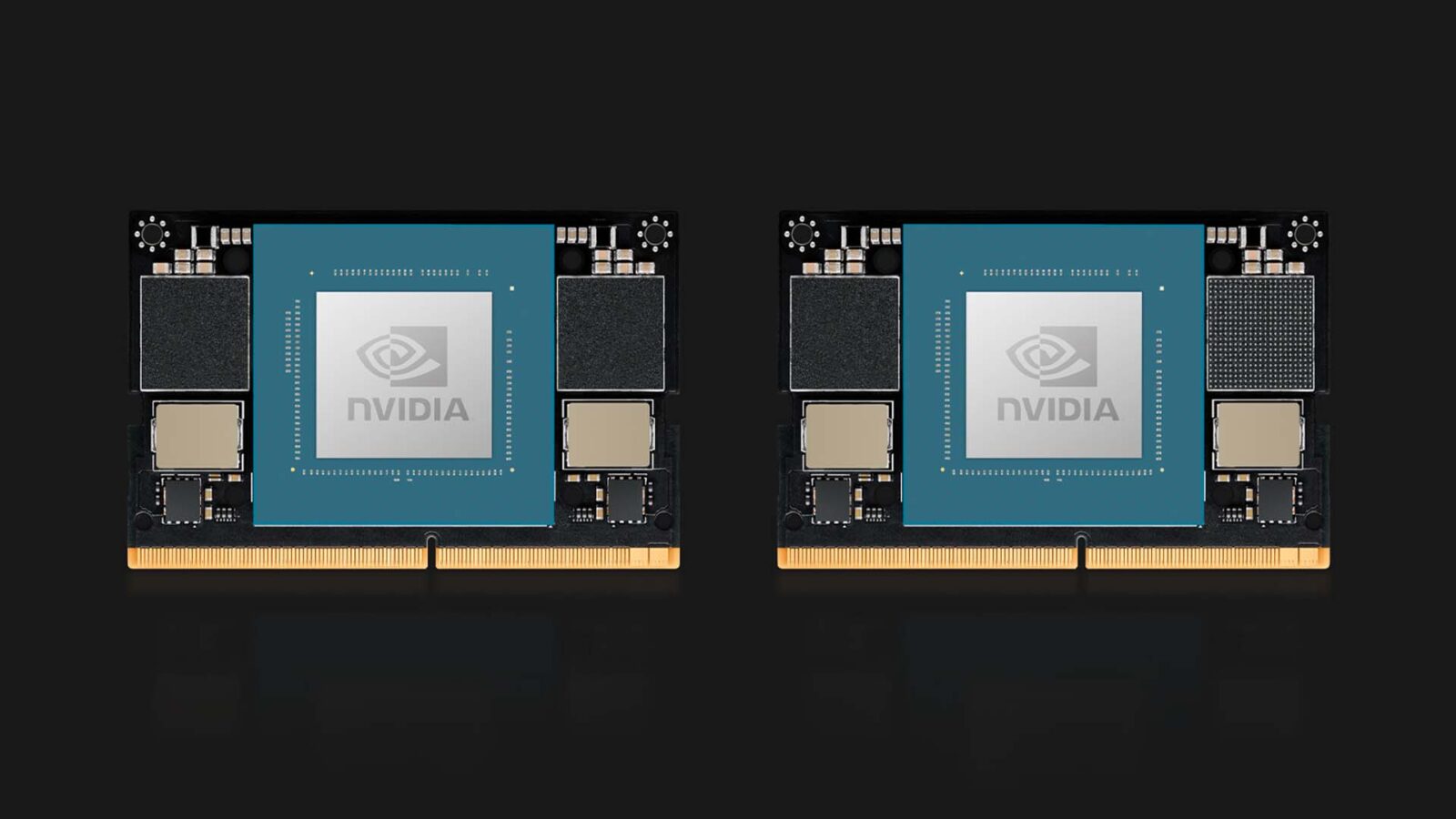
NVIDIA Jetson Orin Nano Super: What the 67 TOPS Update Means
The Jetson Orin Nano Super is the Orin Nano running JetPack 6.2’s Super modes, lifting the 8GB module from 40 to 67 TOPS on the same silicon. Here are the original and Super figures, the power and cooling it needs, how to upgrade and how to take it into production.
The Jetson Orin Nano Super is the NVIDIA Jetson Orin Nano module running the higher-power Super modes that NVIDIA released in JetPack 6.2, which lift the 8GB module from 40 to 67 TOPS of AI performance on the same silicon. It is not a new chip: the GPU, CPU and memory run at higher clocks inside a higher power limit, and the same change reaches the Orin NX.
The name covers two things. NVIDIA launched the Jetson Orin Nano Super Developer Kit in December 2024 at a lower launch price than the original kit, and in January 2025 it brought the same modes to every production Jetson Orin Nano and Orin NX module through a software update. A design already in the field can usually gain the extra performance with a reflash, provided its carrier board and cooling can take the extra power. Our explainer on Jetson Super mode covers the power modes themselves.
This guide is the full reference: original and Super figures for all four Orin Nano and Orin NX modules, how to enable the modes, how much power and cooling they need, what 67 TOPS lets you run, and how to take a design from the developer kit to a deployable industrial system. For the wider platform, start with our overview of NVIDIA Jetson.
Key takeaways
- 01Same silicon, higher limits
- Super is a set of power modes in JetPack 6.2. The module, its connector and its cores are unchanged; clocks and the power ceiling go up.
- 02Up to 1.7× the AI rating
- Orin Nano 8GB rises from 40 to 67 TOPS and Orin NX 16GB from 100 to 157 TOPS, both sparse INT8 peak figures.
- 03Memory bandwidth matters most
- On the Orin Nano 8GB, bandwidth rises from 68 to 102 GB/s, which helps generative and transformer models more than raw TOPS.
- 04Power and heat go up too
- The Orin Nano tops out at 25 W instead of 15 W, so the carrier, power supply and enclosure need margin for it.
- 05The kit is not the product
- Production systems use the bare module on an industrial carrier, with the cooling, power input and temperature rating the site needs.
Orin Nano and Orin NX: original vs Super mode
NVIDIA published new ratings for all four modules in the Orin Nano and Orin NX families when it added the Super modes. The table shows the original figures and the Super figures side by side, from NVIDIA’s published specifications.
| Module | AI performance (original → Super) | GPU max clock | CPU max clock | Memory bandwidth | Power modes (original → Super) |
|---|---|---|---|---|---|
| Orin Nano 4GB | 20 → 34 TOPS | 625 → 1,020 MHz | 1.5 → 1.7 GHz | 34 → 51 GB/s | 7–10 W → 7–25 W |
| Orin Nano 8GB | 40 → 67 TOPS | 625 → 1,020 MHz | 1.5 → 1.7 GHz | 68 → 102 GB/s | 7–15 W → 7–25 W |
| Orin NX 8GB | 70 → 117 TOPS | 765 → 1,173 MHz | 2.0 GHz (unchanged) | 102 GB/s (unchanged) | 10–20 W → 10–40 W |
| Orin NX 16GB | 100 → 157 TOPS | 918 → 1,173 MHz | 2.0 GHz (unchanged) | 102 GB/s (unchanged) | 10–25 W → 10–40 W |
All TOPS figures are NVIDIA’s sparse INT8 peaks, which assume a model pruned for structured sparsity; dense INT8 is about half. Our explainer on what TOPS means sets out why the headline number and real model throughput differ. In practice the uplift on a real network is smaller than 1.7× but still large, often well over 50 percent on GPU-bound work.
The Orin Nano gains the most because its original power limit held it furthest below what the silicon could do. The Jetson Orin NX already ran its memory at full speed, so its gain comes from GPU clock and the higher power ceiling, with its deep learning accelerators adding to the total.
What changed inside the module
Nothing physical. The Orin Nano 8GB keeps its 1,024-core NVIDIA Ampere GPU with 32 Tensor Cores, its six-core Arm Cortex-A78AE CPU and its 8 GB of 128-bit LPDDR5. What JetPack 6.2 changes is the operating point: a higher GPU clock, a higher CPU clock, the memory running at its full rated speed, and a power budget large enough to sustain them. That is why the same carrier boards, connectors and software apply.
Jetson Orin Nano Super specifications
With the Super modes enabled, the two Orin Nano modules line up as follows. These are module figures; the carrier board decides which interfaces reach a connector.
| Specification | Orin Nano 4GB (Super) | Orin Nano 8GB (Super) |
|---|---|---|
| AI performance | Up to 34 TOPS (sparse INT8) | Up to 67 TOPS (sparse INT8) |
| GPU | 512-core Ampere, 16 Tensor Cores, up to 1,020 MHz | 1,024-core Ampere, 32 Tensor Cores, up to 1,020 MHz |
| CPU | 6-core Arm Cortex-A78AE, up to 1.7 GHz | 6-core Arm Cortex-A78AE, up to 1.7 GHz |
| Deep learning accelerator | None | None |
| Memory | 4 GB 64-bit LPDDR5, 51 GB/s | 8 GB 128-bit LPDDR5, 102 GB/s |
| Storage | External NVMe or SD on the carrier | External NVMe or SD on the carrier |
| Video encode | None in hardware (CPU encode) | None in hardware (CPU encode) |
| Video decode | Hardware H.265 and H.264 | Hardware H.265 and H.264 |
| Camera interface | Up to 8 lanes MIPI CSI-2 | Up to 8 lanes MIPI CSI-2 |
| PCIe | PCIe Gen 3, up to one ×4 and three ×1 links | PCIe Gen 3, up to one ×4 and three ×1 links |
| Power modes | 7 W, 15 W, 25 W, MAXN SUPER | 7 W, 15 W, 25 W, MAXN SUPER |
| Module connector | 260-pin SO-DIMM | 260-pin SO-DIMM |
Two rows catch people out. The Orin Nano has no hardware video encoder, so recording or re-streaming H.264 and H.265 runs on the CPU cores, and it has no deep learning accelerator, so every model runs on the GPU. Our guide to CUDA cores vs Tensor Cores explains where the AI figure comes from, and MIPI CSI-2 covers the camera lanes.
The SO-DIMM connector is shared with the Orin NX, so a carrier designed for both can move up a tier without a board change, as long as its power design and board support package cover the higher-power module.
Do existing Orin Nano modules get Super mode?
Yes. Super mode is software, so every Orin Nano and Orin NX module that has shipped can run it. What it needs is a JetPack 6.2 or later image for the specific carrier board, with the board configuration that includes the Super power modes. Our guide to how JetPack versions decide what a Jetson module can run explains how the JetPack release, the Jetson Linux version and the carrier vendor’s support fit together.
| Your situation | What to do | What to check |
|---|---|---|
| Orin Nano Super Developer Kit | Use the JetPack 6.2 image or later from NVIDIA | Nothing extra; the kit’s carrier and cooler are sized for the modes |
| Original Orin Nano Developer Kit | Update the firmware, then flash JetPack 6.2 or later | Older kits may need a firmware update before they boot a JetPack 6 image; follow NVIDIA’s getting-started guide |
| Production module on a third-party carrier | Install the carrier vendor’s JetPack 6.2 board support package | That the vendor’s BSP enables the Super modes and the carrier is rated for 25 W (Orin Nano) or 40 W (Orin NX) |
| Deployed system in a sealed enclosure | Reflash only after a thermal check | Run the real workload at the hottest site temperature and confirm the module holds its clocks |
| Battery or power-limited design | Stay on a fixed lower mode | The original 7 W and 15 W modes remain available |
The carrier vendor’s software matters as much as NVIDIA’s. The board support package carries the device tree and power settings for that carrier, which is why a third-party board needs its own JetPack 6.2 release before the Super modes appear. Our explainer on the board support package covers what it contains, and Linux for Tegra explains the operating system underneath.
Major JetPack upgrades are a reflash rather than a package update, because they change the kernel and Ubuntu release. Plan the move to JetPack 6.2 as a validated image change: rebuild the application against the new CUDA and TensorRT versions, retest it, then roll it out.
Enabling Super mode on an Orin Nano
Four steps take a module from its original limits to the Super modes, with a check at the end that the performance is real.
-
Flash
JetPack 6.2 or laterFlash JetPack 6.2 or later using the board configuration for your carrier that includes the Super power modes. On a third-party carrier, use the vendor’s BSP release rather than NVIDIA’s developer kit image.
-
Select
Power modeChoose the mode with the nvpmodel tool or the desktop power menu. The fixed 25 W mode keeps power predictable; MAXN SUPER removes the cap and lets the module draw what the workload asks for.
-
Verify
Clocks under loadRun the real model and watch the GPU clock, power draw and temperature with tegrastats or jtop. A module that reports a Super mode but holds the old clocks is throttling or current-limited.
-
Lock
Production imageSet the mode in the production image so it persists across reboots, and record the JetPack, BSP and power mode in the build documentation.
How much power does the Jetson Orin Nano Super need?
The module itself draws up to 25 W in its top fixed mode, against 15 W before. The whole system draws more, because the carrier board, NVMe drive, USB devices and cameras all take power on top of the module. NVIDIA lists these power modes with JetPack 6.2:
| Module | Fixed power modes | Uncapped mode | Typical use |
|---|---|---|---|
| Orin Nano 4GB | 7 W, 15 W, 25 W | MAXN SUPER | Battery devices at 7 W; mains-powered systems at 25 W |
| Orin Nano 8GB | 7 W, 15 W, 25 W | MAXN SUPER | Single-camera vision and small generative models at 25 W |
| Orin NX 8GB | 10 W, 15 W, 25 W, 40 W | MAXN SUPER | Multi-camera pipelines at 25–40 W |
| Orin NX 16GB | 10 W, 15 W, 25 W, 40 W | MAXN SUPER | Larger models and several pipelines at 40 W |
A worked power budget
Catalog figures show how far system power sits above the module mode. Sintrones measured its IBOX-600 Orin Nano 8GB build at about 29 W from a 24 V input with the module in its 15 W mode, and Yuan rates the Pandora Nano 8GB Super at a maximum of 43.5 W. A reasonable planning figure for an Orin Nano system in a Super mode is therefore 35–45 W at the input, depending on storage, USB loads and any PoE cameras, with the supply and wiring sized above that.
The developer kit avoids the question with its own DC adapter. Forum questions about powering the kit from a battery or a robot’s supply usually come down to the same point: the input has to carry the module’s top mode plus everything else on the board, with headroom for start-up surges.
Heat and fanless enclosures
Every extra watt becomes heat the enclosure has to remove. A fanless system sized for a 15 W module can hold the Orin Nano at its old limit, or let it throttle under sustained load, which gives back much of the Super gain. Our Jetson thermal design guide shows how to size a heatsink and enclosure for a given power mode, and thermal throttling explains what happens when the cooling falls short.
Fanless Orin Nano computers in our range are typically rated from −25 °C up to between 55 and 80 °C, depending on the enclosure and whether airflow is assumed. Check whether the datasheet’s upper limit applies at the Super mode you plan to ship, and treat the inside of a cabinet, not the room, as the ambient temperature.
What can you run on a Jetson Orin Nano Super?
More of everything the Orin Nano already ran, plus small generative models that were borderline before. The higher GPU clock helps convolutional vision models, and the extra memory bandwidth helps large language models and vision language models, which are often limited by how fast weights can be read rather than by compute.
| Workload | Fit on Orin Nano 8GB Super | What to watch |
|---|---|---|
| Object detection on one or two cameras (YOLO-class models) | Good fit, with higher frame rates or a larger model than before | Optimize with TensorRT and INT8 for the best throughput |
| Classification, counting and presence detection | Comfortable, often leaving room for a second model | CPU load from video encoding if streams are recorded |
| Small language models (about 1–8 billion parameters, 4-bit) | Runs for chat, summaries or voice assistants at modest speed | 8 GB is shared between the model, the OS and the application |
| Vision language models for scene description | Small models run; larger ones belong on Orin NX 16GB or above | Latency per frame is seconds, not milliseconds |
| Four or more camera streams with tracking | Possible at lower resolution; often better on Orin NX | No hardware encoder; memory bandwidth across streams |
| Robot perception with ROS 2 | Entry-level AMRs and research robots | Several concurrent nodes compete for the same GPU |
NVIDIA’s own benchmarks for the Super release show generative AI throughput rising by up to around 1.7× on the same module, and NVIDIA’s Jetson AI Lab publishes containers for small language models, speech and vision language models that run on the 8GB module. Most production gains come from the toolchain rather than the mode: TensorRT compilation and INT8 quantisation typically matter as much as the extra clock.
For language models, memory sets the limit before TOPS do. A 4-bit model in the 7–8 billion parameter range needs roughly 4–5 GB for its weights alone, which leaves little room on an 8 GB module that also runs the operating system and the camera pipeline. Our explainer on running a local LLM covers the trade-offs, and the Orin NX 16GB is the usual next step when the model or the context grows.
How the Orin Nano Super compares with Orin NX and AGX Orin
Super narrows the gap to the next module but does not close it. At 67 TOPS, the Orin Nano 8GB is about 40 percent of the Orin NX 16GB’s 157 TOPS, with half the memory and no hardware encoder. Our Orin Nano vs Orin NX explainer goes deeper on the two smaller modules, and the Jetson AGX Orin sits above both.
| If the system needs… | Orin Nano Super | Orin NX (Super) | AGX Orin |
|---|---|---|---|
| One or two cameras, one model | Best fit | More than needed | More than needed |
| Three to six cameras or several models | Tight | Best fit | Comfortable |
| Hardware H.264 or H.265 encoding | No (CPU only) | Yes | Yes |
| A language or vision language model above 8 GB | No | Orin NX 16GB | Yes, up to 64 GB |
| Top power mode | 25 W | 40 W | Up to 60 W |
| Same carrier board footprint | 260-pin SO-DIMM | 260-pin SO-DIMM | 699-pin connector |
The choice usually follows the camera count and the largest model. Where the workload sits between tiers, a carrier that takes both the Orin Nano and Orin NX keeps the decision open until benchmarks on the real model settle it. Our comparison of Orin NX vs AGX Orin covers the next step up, and the guide to choosing a Jetson module walks the whole range, including Jetson Thor.
Developer kit vs production system
The developer kit is the fastest way to benchmark the Super modes and build an application, but it is not what ships. The kit is NVIDIA’s reference carrier with an Orin Nano 8GB module and a fan-cooled heatsink, designed for a bench. We cover the module versus a developer kit in full; the table shows what changes on the way to a product.
| Area | Developer kit | Production system |
|---|---|---|
| Carrier board | NVIDIA reference carrier | Industrial carrier chosen for the I/O, size and connectors |
| Cooling | Active fan heatsink | Fanless heatsink or conduction to the enclosure, sized for the chosen mode |
| Power input | Single DC adapter | Wide-range DC input, often 9–36 V or wider, with surge and reverse protection |
| Operating temperature | Office or lab | Typically −25 °C to 60 °C or beyond, depending on the enclosure |
| Connectors | Desktop-style USB, Ethernet and barrel jack | Locking connectors, M12 options, CAN, serial and isolated I/O |
| Storage | microSD or a consumer NVMe drive | Industrial NVMe rated for temperature and write endurance |
| Software | NVIDIA developer image | Locked production image with the BSP, application and power mode set |
| Certification and lifecycle | Evaluation use | CE, FCC and sector approvals such as EN 50155 where needed, with a module supported into the early 2030s |
A deployed system pairs the bare module with a Jetson carrier board built for the job, in an enclosure that can dissipate 25 W at the site’s hottest temperature. Our guide to choosing a Jetson carrier board covers off-the-shelf, adapted and custom carriers, and the industrial temperature range explainer sets out what the common ratings mean.
Lifecycle is part of the case for Orin Nano. NVIDIA lists the Orin modules in production into the early 2030s, which suits a product that has to ship for years; our answer on how long NVIDIA Jetson is supported sets out the published position. The Orin Nano is also not the same product as the original Jetson Nano: the original Jetson Nano is a Maxwell-generation module that stops at JetPack 4.6, while the Orin Nano is its successor on the Ampere architecture.
Orin Nano systems rated for Super mode
These systems from our range list Super mode support for the Orin Nano in their manufacturers’ specifications. Ratings are the manufacturers’ own.
| System | Orin Nano build | Power input | Operating temperature | Notable for |
|---|---|---|---|---|
| Advantech MIC-712 | Orin Nano 8GB or 4GB, up to 67 TOPS with Super mode on JetPack 6.2 | 19–36 V DC | −25 °C to 70 °C with 0.7 m/s airflow | Slim fanless chassis, four USB 3.2 Gen 2, optional 5G |
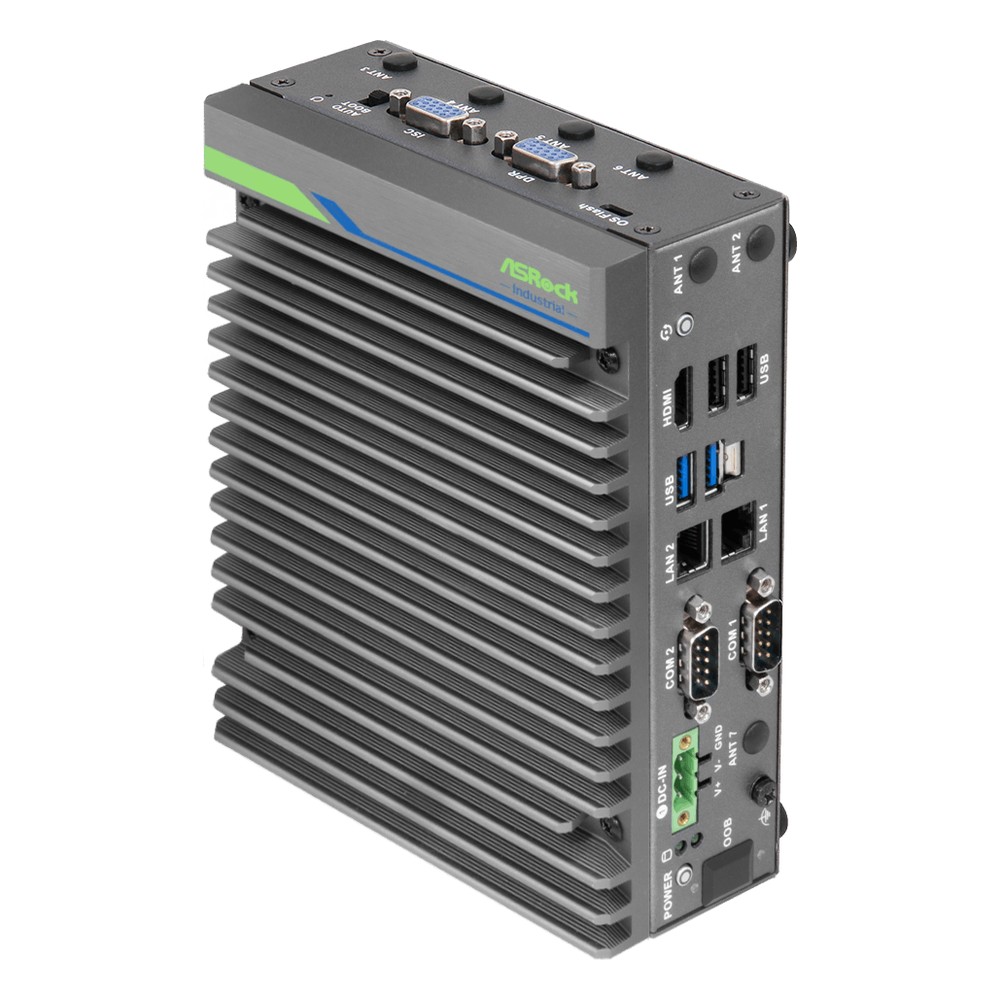
| ASRock Industrial iEP-6022E | Orin Nano 8GB, up to 67 TOPS sparse with Super Mode | 12–36 V DC with 80 V surge protection | −25 °C to 60 °C with airflow | CAN, DIO and serial for machine control |
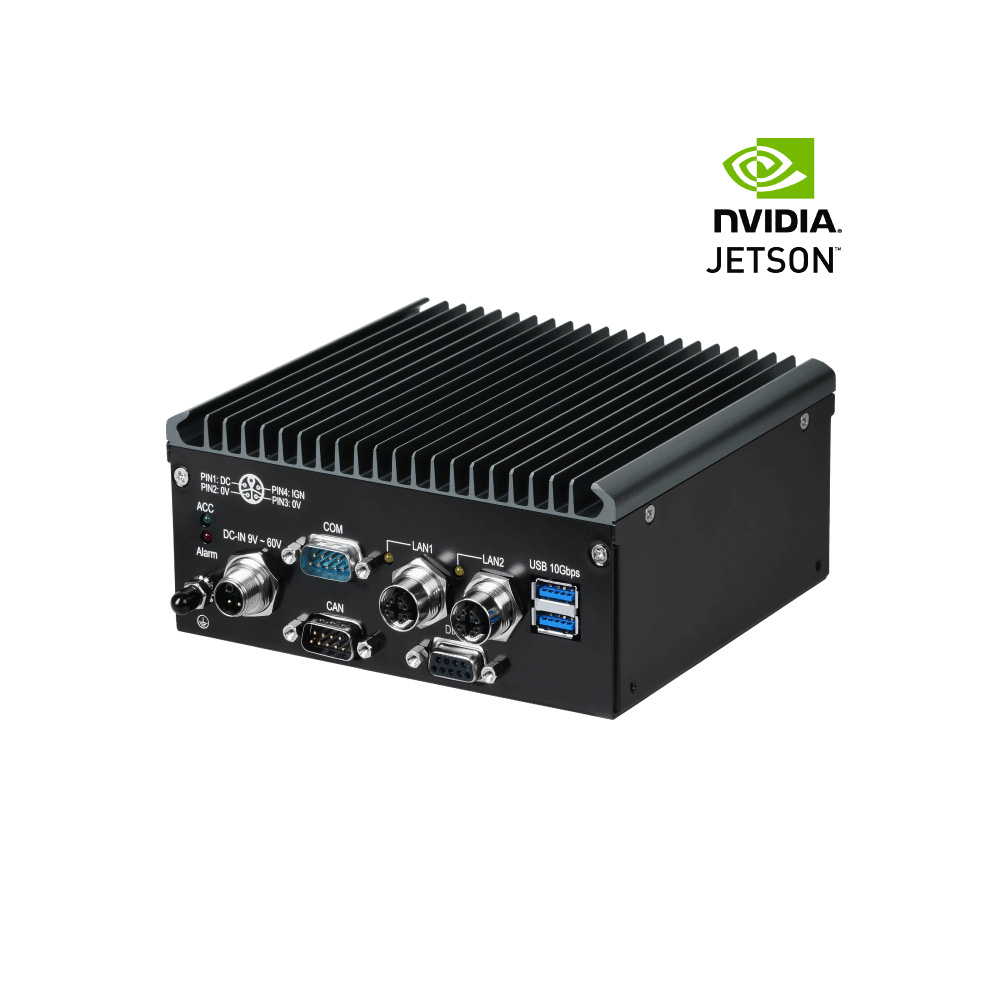
| Sintrones IBOX-600 | Orin Nano 8GB with JetPack 6.2 Super Mode support | 9–60 V DC with ignition pin | −25 °C to 70 °C with 0.6 m/s airflow | EN 50155, EN 45545-2 and E-Mark for rail and vehicles |
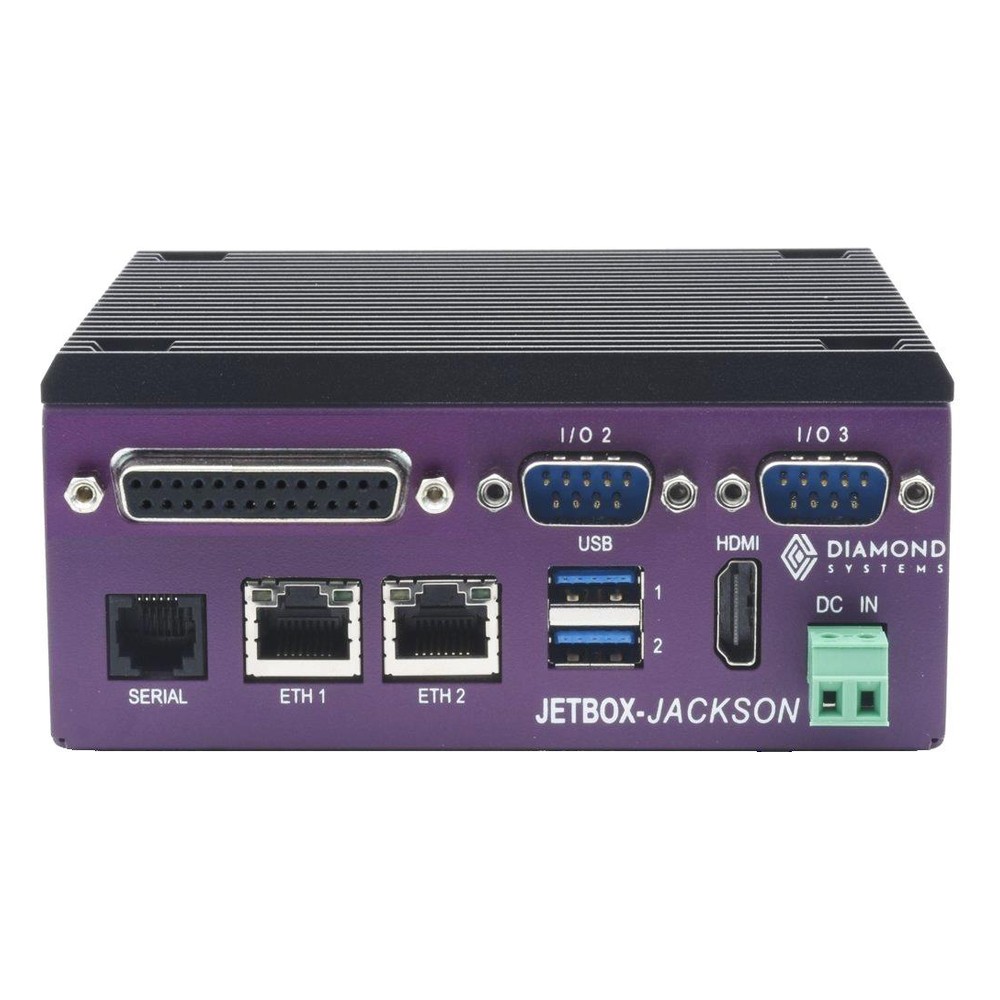
| Diamond Systems JETBOX-JACKSON | Orin Nano 8GB; Super Mode quoted at 67 TOPS in the manual | 8–20 V DC | −25 °C to 80 °C fanless | DIN rail mounting and 16 GPIO |
We configure, image and test each system with the module, storage and JetPack image fitted, and set the power mode to suit the enclosure and the site, so it ships ready to run in the mode it was validated in.
Where Orin Nano Super systems fit in our range
Orin Nano modules run across these categories, from bare carrier boards to sealed computers.

Jetson Orin Nano carrier boards
Carriers for the Orin Nano and Orin NX, from compact boards to I/O-rich industrial designs.
View range
Fanless PCs
Sealed fanless computers for dusty and warm sites, sized for the module’s power mode.
View range
Jetson PoE systems
Jetson computers that power IP cameras over Ethernet for multi-camera vision.
View range
DIN rail PCs
Compact computers that mount in a control cabinet beside the machine they serve.
View range
Rugged Jetson computers
Jetson systems built for vibration, wide temperature and vehicle power.
View range
Edge AI computers
The wider range of AI computers, from Jetson to x86 systems with GPUs and NPUs.
View rangeOrin Nano computers with Super mode
Four fanless Orin Nano systems from the table above, from a slim Advantech chassis to a rail-approved Sintrones build and a DIN rail Diamond Systems PC.
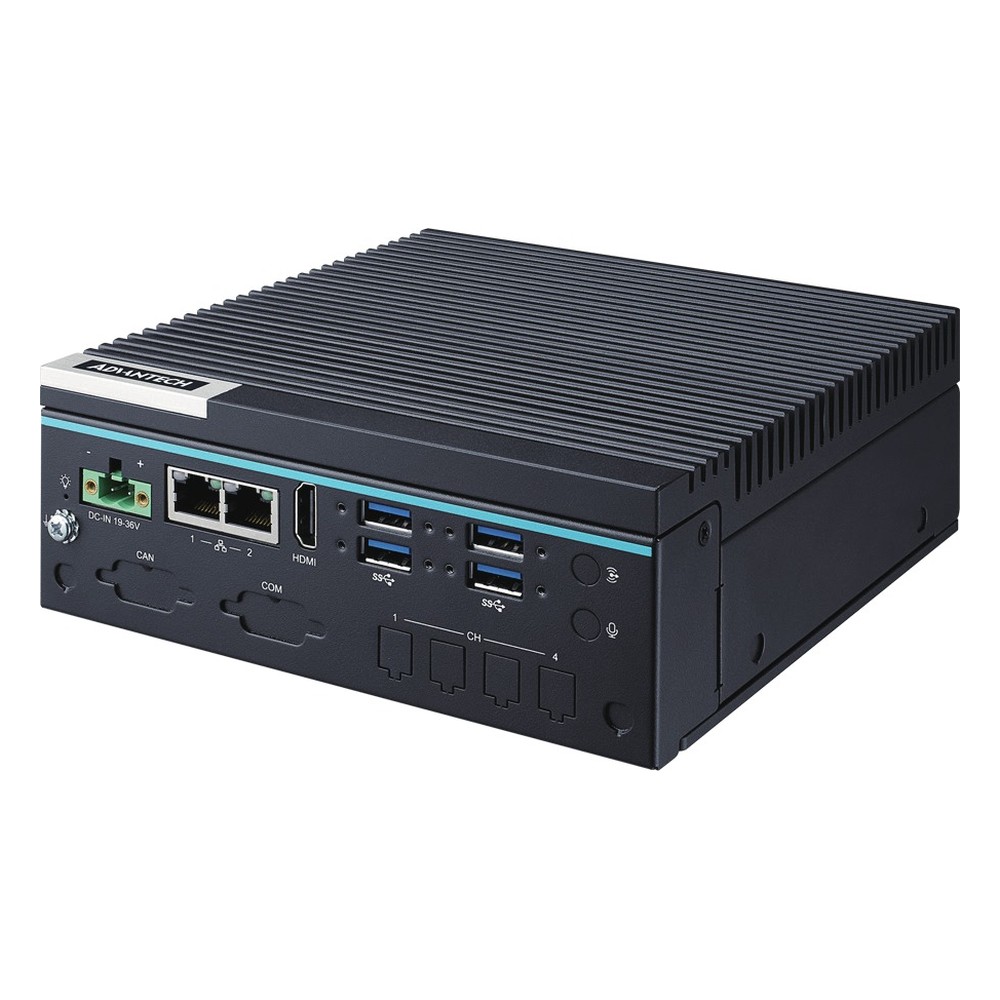
NVIDIA Jetson Orin Nano Fanless Embedded Computer with 4x USB 3.2 Gen 2 and Wide Temperature
- AI
- 20–40 TOPS
- SOM
- NVIDIA Jetson Orin Nano 8 GB
- Ethernet
- 2× GbE
NVIDIA Jetson Orin Nano 8GB Fanless Edge AI Computer with Dual GbE and CAN
- AI
- 40 TOPS
- SOM
- NVIDIA Jetson Orin Nano 8 GB
- Ethernet
- 2× GbE
NVIDIA Jetson Orin Nano 8GB Fanless Rugged Embedded PC for Rail and Vehicle
- AI
- 40 TOPS
- SOM
- NVIDIA Jetson Orin Nano 8 GB
- Ethernet
- 1× 2.5GbE, 1× GbE
NVIDIA Jetson Orin Nano 8GB Fanless DIN Rail PC with 1TB NVMe SSD, RS-232/485 and Wide Temperature
- AI
- 40 TOPS
- SOM
- NVIDIA Jetson Orin Nano 8 GB
- Ethernet
- 1× GbE
Before you ship an Orin Nano Super design
Seven checks that keep the Super figures in the field rather than only on the datasheet.
-
01
Module and memory
Confirm 4GB or 8GB against the largest model and the camera count; move to Orin NX if the model will not fit.
-
02
JetPack and BSP
Use JetPack 6.2 or later with the carrier vendor’s BSP that enables the Super modes.
-
03
Power mode
Pick the fixed mode or MAXN SUPER deliberately, and set it in the production image.
-
04
Power input
Size the supply for the module’s top mode plus storage, USB and cameras, typically 35–45 W for an Orin Nano system.
-
05
Thermal rating
Check the enclosure’s temperature rating at the chosen mode, at the cabinet’s internal temperature.
-
06
Throttling test
Run the real workload at the hottest expected ambient and log clocks and power with tegrastats.
-
07
Video encode
If the system records or re-streams video, budget CPU for software encoding or choose Orin NX.
Jetson Orin Nano Super: common questions
Quick answers
What is the Jetson Orin Nano Super?
The Orin Nano running NVIDIA’s higher-power Super modes. JetPack 6.2 raises its clocks and power limit, lifting the 8GB module from 40 to 67 TOPS and the 4GB module from 20 to 34 TOPS on the same hardware.
Is the Jetson Orin Nano Super worth it?
Usually, yes. For an existing design it is a free software change if the cooling and power can take 25 W. For a new design, size the thermal and power budget for the Super modes from the start.
Can I upgrade my Jetson Orin Nano to Super?
Yes, with a reflash. Flash JetPack 6.2 or later with a board configuration that includes the Super modes. Original developer kits may need a firmware update first, and third-party carriers need the vendor’s BSP.
How much power does the Jetson Orin Nano Super need?
Up to 25 W for the module. A complete system typically needs 35–45 W at its input once the carrier, storage and peripherals are included.
What can you run on a Jetson Orin Nano Super?
Vision models and small generative models. Detection and classification on one or two cameras, small language models in the 1–8 billion parameter range at 4-bit, and small vision language models.
What is the difference between the Jetson Orin Nano and Orin NX?
Performance, memory and video encoding. The Orin NX 16GB reaches 157 TOPS with 16 GB and a hardware encoder; the Orin Nano 8GB reaches 67 TOPS with 8 GB and encodes on the CPU. They share the same connector.
Which JetPack version enables Super mode?
JetPack 6.2 and later. It added the Super power modes for production Orin Nano and Orin NX modules in January 2025.
Does Super mode shorten the life of the module?
Not when it is cooled properly. The modes are an NVIDIA-supported specification. Keeping the module inside its rated temperature matters more than the mode it runs in.
Questions about the Orin Nano Super
-
Is the Jetson Orin Nano Super Worth It?
Yes, in almost every case, because the Super is a free software update rather than new hardware. JetPack lifts an existing Jetson Orin Nano from 40 to 67 TOPS by unlocking higher clocks and power, so deployed and new designs gain roughly 70 percent more AI performance at no hardware cost, provided the cooling handles 25 W.
-
What Is Jetson Super Mode?
Jetson Super Mode is a set of higher-power operating modes NVIDIA added for Jetson Orin Nano and Orin NX modules with JetPack 6.2. Raising clock speeds and power limits lifts AI performance substantially, for example to up to 67 TOPS on Orin Nano 8GB and up to 157 TOPS on Orin NX 16GB, on the same hardware.
-
Jetson Orin Nano vs Orin NX: What Is the Difference?
The Jetson Orin Nano delivers up to 67 TOPS in 7 to 25 W with 4 to 8 GB of memory, suited to entry-level, low-power vision. The Orin NX steps up to 157 TOPS in 10 to 40 W with 8 to 16 GB, adds deep learning accelerators and a hardware video encoder, and handles multi-camera, heavier inference.
-
What Is NVIDIA JetPack?
NVIDIA JetPack is the software development kit for the Jetson platform. It provides the operating system, Jetson Linux (also called Linux for Tegra, based on Ubuntu), plus the AI, computer vision and multimedia libraries, including CUDA, cuDNN and TensorRT, that let a Jetson run GPU-accelerated AI. Each JetPack version supports particular Jetson modules.
-
What Does TOPS Mean in AI?
TOPS stands for tera operations per second: the number of trillion simple operations an AI processor can perform each second. It is the headline figure used to compare AI accelerators such as NVIDIA Jetson modules and the NPUs in Intel and AMD processors. It is usually quoted for 8-bit integer (INT8) maths, and sometimes with sparsity, which doubles the figure.
-
CUDA Cores vs Tensor Cores: What Is the Difference?
CUDA cores are the general-purpose parallel processors in an NVIDIA GPU, each handling one floating-point or integer operation at a time. Tensor Cores are specialized blocks that multiply small matrices in a single step at reduced precision, which is the core maths of AI. A GPU uses CUDA cores for graphics and general compute, and Tensor Cores for AI.
-
What Is the Difference Between a Jetson Module and a Developer Kit?
An NVIDIA Jetson developer kit is a reference carrier board with a module fitted, meant for evaluation and prototyping. A production system uses the production module on a carrier board designed for your I/O, environment and lifecycle. The silicon and software are the same; the kit is not what you deploy.
Building on the Orin Nano Super?
Tell us your workload, your cameras and the enclosure it has to run in. We will recommend the Orin Nano or Orin NX build, then configure, image and test it in the power mode it will run at on site.