
 US
US 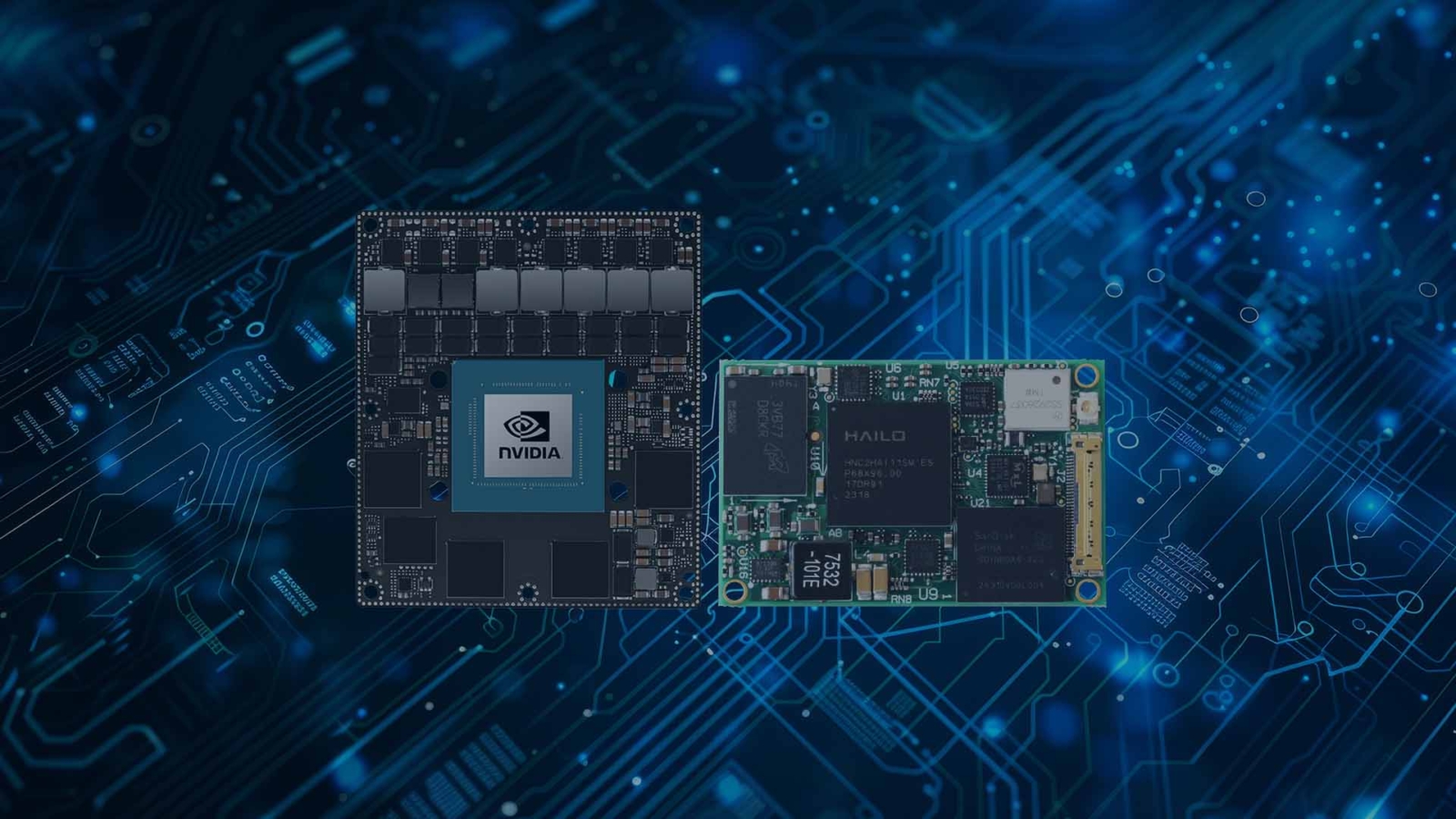
What Is a System-on-Module (SoM)?
A system-on-module puts the processor, memory and storage on one small board that plugs into a carrier. Here is what that buys you, how a SoM differs from a single board computer, and which module standards are worth knowing before you commit a design.
A system on module (SoM) is a complete computing core, with the processor, memory, storage and power management built onto one small board, that plugs into a second board called a carrier. The carrier supplies the connectors, expansion slots, sensor interfaces and mechanical fit the product needs; the module supplies the compute. Separating the two lets a product keep its carrier design while the module underneath is upgraded, replaced or scaled.
The same idea goes by several names. PICMG calls it a computer-on-module (CoM), which is where the COM Express and COM-HPC standards get their names. NVIDIA calls its Jetson products modules, and the boards they plug into Jetson carrier boards. Raspberry Pi calls its version a compute module. In every case the principle is the same: the difficult, high-speed, short-lifecycle engineering lives on the module, and the application-specific engineering lives on the carrier.
This guide explains what goes on the module and what goes on the carrier, how a SoM compares with a system-on-chip and a single board computer, which module standards matter and how they differ, where NVIDIA Jetson fits, the advantages of a module-based design and when an SBC is simpler, and how to choose a module and turn it into a working system.
Key takeaways
- 01A SoM is the compute, a carrier is the product
- The module carries CPU, memory, storage and power sequencing. The carrier carries everything the application can see: Ethernet, USB, cameras, CAN, display, expansion and the connectors the enclosure needs.
- 02Standards decide what you can swap
- COM Express, COM-HPC, SMARC, Qseven and OSM each define a connector and a pinout, so a module from one vendor can go onto a carrier designed to the same standard. NVIDIA Jetson is a proprietary SoM with its own connector per generation.
- 03Lifecycle is the main reason to choose one
- When a processor reaches end of life, a module-based design swaps the module and keeps the carrier. That is how industrial products stay in production for a decade or more without a board respin.
- 04A single board computer is the alternative
- An SBC has the processor fitted to the same board as the I/O. It is simpler for one fixed configuration, and costs a redesign when the processor changes.
- 05You still need a working system
- A module and a carrier are parts. Someone has to select them, fit them, image the operating system, validate thermals and I/O, and support the result. That is the work Things Embedded does as standard.
SoM vs SoC vs SBC: what the terms mean
The vocabulary overlaps, so it helps to pin it down. System on module and computer on module mean the same thing; SoM is the generic term and CoM is the PICMG term used by the COM Express and COM-HPC standards. A system-on-chip (SoC) is the silicon itself, the single package that holds the CPU cores, graphics and I/O controllers, and is what sits at the centre of the module. A single board computer (SBC) is a complete computer on one board, with the processor, memory and all the I/O connectors together, and no module to remove.
| SoC | SoM or CoM | Carrier board | SBC | |
|---|---|---|---|---|
| What it is | The processor package: CPU, GPU and I/O controllers on one die or substrate | SoC plus memory, storage and power on a small board with a defined connector | The application board the module plugs into; supplies I/O, power input and mechanics | Processor and I/O on one board, no module |
| What you buy | A chip, for a board designer | A module, to fit a carrier | Off the shelf, adapted or custom | A finished board |
| Who designs the board around it | You design everything | You design, or buy, only the carrier | The carrier maker, or you | The board maker |
| Flexibility | Total, at the highest effort | High: custom I/O on a standard core | Defines the product’s I/O | Fixed by the board maker |
| Time to a working design | Longest: high-speed layout, power and memory validation | Shorter: the hard layout is done | Shortest when bought off the shelf | Shortest: ready to use |
| Typical volume | High-volume products | Tens to tens of thousands a year | Matches the module | One-offs to thousands |
| Example | NXP i.MX 8M Plus, Intel Core Ultra | A SMARC module, a COM Express Type 6 module, a Jetson Orin NX | A COM Express Type 6 carrier with PCIe/104 | A 3.5 inch SBC or a Raspberry Pi-class board |
There is a grey area worth knowing. Several rugged board makers sell a carrier with the module already fitted and call the result a COM-based SBC. It is used like an SBC, but because the module can be changed it keeps the lifecycle advantage of a modular design. Our COM Express carrier boards are sold both ways: bare, for customers fitting their own module, and preassembled with the Intel module, heat spreader and storage in place, while our COM Express SBCs come ready to run.
For more on the chip at the centre of every module, how a system-on-chip combines CPU, graphics and I/O on one die explains the trade-offs against a discrete design.
What is on the module and what is on the carrier
The split is consistent across every standard. The module carries the parts that are hardest to lay out and that change most often: the processor or system-on-chip, DRAM (usually soldered), boot storage such as eMMC or NVMe, the power sequencing the processor demands, and often the Wi-Fi or trusted platform module. High-speed signals such as PCIe, USB 3, display and Ethernet are routed to the module connector but not to any physical port.
The carrier board turns those signals into a product. It decides which of the available PCIe lanes become an M.2 slot, a MiniCard socket or a 10GbE controller; which USB lines reach a locking connector on the front panel; whether the display output is HDMI, DisplayPort or an embedded panel; and what the board looks like mechanically. It also carries the parts the module does not: the DC input stage and any wide-range or isolated power, serial ports, CAN bus, digital and analog I/O, camera connectors, ignition control and the mounting holes that match the enclosure.
| On the module | On the carrier |
|---|---|
| Processor or SoC, with graphics and any NPU | DC input, wide-range or isolated power, protection |
| DRAM, usually soldered for shock and vibration | Ethernet PHYs and magnetics, RJ45 or M12 connectors |
| Boot storage: eMMC, UFS or an NVMe site | M.2, MiniCard and PCIe slots for storage, Wi-Fi and 5G |
| Power sequencing for the processor | USB, display, serial, CAN and digital I/O connectors |
| Often TPM, Wi-Fi and a board controller | Camera inputs such as MIPI CSI-2 or GMSL deserialisers |
| The module connector with its defined pinout | Mounting, thermal interface to the enclosure, EMC filtering |
That is why two products on the same module can look nothing alike. A Jetson Orin NX on a 3.5 inch industrial carrier with dual Gigabit Ethernet and CAN is a machine controller; the same module on a carrier with four GMSL camera inputs is a perception computer. The compute is identical; the carrier is the difference.
How does a system on module work?
Electrically, the module connector is a contract. The standard fixes which pin carries which signal, so a carrier designed to it knows where to find each PCIe lane, USB port, display interface and power rail, whichever vendor made the module. The carrier supplies power, usually a single input such as 12 V or 5 V depending on the standard, and the module brings itself up from that.
In software, the module is described by a board support package (BSP): the boot loader, kernel, drivers and device tree or ACPI tables that tell the operating system what hardware is present. x86 modules use a standard UEFI BIOS and boot Windows or Linux much like a PC. Arm modules usually ship with a Linux BSP, often built with Yocto, and the carrier’s own devices are added to the device tree. When a carrier is designed, the BSP is extended to match it.
| Interface on the module connector | Typical use on the carrier | Notes |
|---|---|---|
| PCI Express lanes | M.2 slots, network controllers, FPGAs, capture cards | Lane count and generation vary widely by standard and module |
| USB 2.0 and USB 3 | Front-panel ports, internal modems, touch controllers | USB 3 lanes are often shared with other functions |
| Ethernet (MAC or PHY level) | RJ45 or M12 ports, switches, TSN | Some standards route a full PHY, others only the MAC interface |
| Display: DisplayPort, HDMI, eDP, LVDS or MIPI DSI | Monitors, embedded panels | LVDS remains common on industrial panels |
| Camera: MIPI CSI-2 | Image sensors, GMSL deserialisers | Standard on Arm and Jetson modules; see MIPI CSI-2 |
| Low-speed buses: I2C, SPI, UART, CAN, GPIO | Sensors, controllers, serial ports, vehicle networks | Pin-muxed on many Arm modules |
| Power and management | Power button, reset, sleep, board controller | Sequencing is handled on the module |
Module standards at a glance
Open module standards are published by two bodies. PICMG maintains COM Express and COM-HPC, aimed mainly at x86 performance; SGET maintains SMARC, Qseven and OSM, aimed mainly at lower-power Arm and x86 designs. NVIDIA Jetson sits outside both as a proprietary family. The table compares them by connector, processor class and typical power, which is how most selections narrow down.
| Standard | Body | Connector | Typical processors | Typical power class | Best for |
|---|---|---|---|---|---|
| COM Express Type 6 | PICMG | Two 220-pin board-to-board connectors | Intel Core and Xeon, AMD Ryzen Embedded | Mid to high | General-purpose x86 with PCIe and digital displays |
| COM Express Type 7 | PICMG | Two 220-pin connectors, headless pinout | Intel Xeon D, Atom C-series, AMD EPYC Embedded | Mid to high | Headless servers with 10GbE |
| COM Express Type 10 (Mini) | PICMG | One 220-pin connector | Intel Atom, Processor N, Core Ultra | Low to mid | Small, low-power x86 designs |
| COM-HPC Client | PICMG | Two 400-pin connectors | Intel Core, AMD Ryzen | Mid to high | High-bandwidth embedded workstations, PCIe Gen 4 and 5 |
| COM-HPC Server | PICMG | Two 400-pin connectors | Intel Xeon, AMD EPYC | High | Edge servers with many cores and large memory |
| SMARC | SGET | 314-pin edge connector | Arm SoCs, low-power x86 | Low | HMIs, medical and portable equipment |
| Qseven | SGET | 230-pin edge connector | Arm SoCs, Intel Atom | Low | Long-life products already in service |
| OSM | SGET | Solder-down LGA, no connector | Arm application processors | Very low | High-volume, cost-sensitive devices |
| NVIDIA Jetson | NVIDIA (proprietary) | 260-pin SO-DIMM edge connector (Orin Nano, Orin NX); board-to-board (AGX Orin, AGX Thor) | NVIDIA Orin and Thor SoCs | Low to high | Edge AI on camera and sensor data |
Power classes are broad because each standard covers a range of modules: a Type 6 carrier might take a low-power Atom module or a high-performance Core module. COM-HPC is not a replacement for COM Express, which continues alongside it; our comparison of COM-HPC and COM Express sets out where each one fits.
Computer on module standards compared
A computer on module (COM), also written computer-on-module, is the same thing as a system on module: the term comes from PICMG and SGET, the two bodies that publish the main open module standards. The table compares the four open standards most often met in industrial designs.
| Standard | Body | Module size | Connector | Typical processors | Typical use |
|---|---|---|---|---|---|
| COM Express | PICMG | 125 × 95 mm (Basic), 95 × 95 mm (Compact), 84 × 55 mm (Mini) | Two 220-pin board-to-board connectors (one on Type 10) | Intel Core, Xeon and Atom; AMD Ryzen Embedded | Industrial PCs, medical, test and rugged systems |
| SMARC | SGET | 82 × 50 mm or 82 × 80 mm | 314-pin edge connector | Arm SoCs and low-power x86 | HMIs, portable and battery-powered equipment |
| Qseven | SGET | 70 × 70 mm (µQseven 40 × 70 mm) | 230-pin edge connector | Arm SoCs and Intel Atom | Long-life products already in service |
| OSM | SGET | 30 × 15 mm to 45 × 45 mm | Solder-down LGA, no connector | Arm application processors | High-volume, cost-sensitive devices |
COM Express suits x86 performance with PCIe expansion, SMARC and Qseven suit low-power Arm designs that need a removable module, and OSM suits products built in volume where the module is placed like any other component. Our COM Express modules fit the carrier boards described above.
For a full comparison of sizes, connectors and carrier design across all five standards, see our SMARC vs Qseven vs OSM vs COM Express guide.
COM Express types: matching module and carrier
COM Express defines pinout types as well as sizes. The type fixes which interfaces appear on the connector, so a module and carrier must share a type to work together, while modules of different sizes but the same type can often share a carrier with suitable mounting points. Three types are current; older ones still appear on long-life products.
| Pinout type | Connectors | Interface mix | Typical use |
|---|---|---|---|
| Type 6 | Two | PCIe, USB 3, SATA, DisplayPort, HDMI and LVDS or eDP | General-purpose systems with displays |
| Type 7 | Two | Up to 32 PCIe lanes and 10GbE interfaces, no graphics | Headless edge servers and network appliances |
| Type 10 | One | Reduced PCIe and USB, one Ethernet, display | Mini modules for small, low-power systems |
| Type 2 (legacy) | Two | PCI, IDE and PCIe, older display interfaces | Existing designs still in production |
Our FAQ on COM Express module types covers the history and the less common types in more detail.
Is NVIDIA Jetson a system on module?
Yes. Every Jetson is a system on module: an NVIDIA Orin or Thor SoC with its memory, storage and power management on a small board, designed to plug into a carrier. What sets Jetson apart is that it follows NVIDIA’s own specification rather than an open standard, so modules come from one source and each generation defines its own connector and carrier requirements.
Orin Nano and Orin NX share a 260-pin SO-DIMM-style edge connector and a common carrier design, so a carrier built for Orin NX also takes Orin Nano. Jetson AGX Orin and AGX Thor use a board-to-board connector and a higher power budget. A Thor design therefore needs a Jetson Thor carrier board rather than an Orin one.
| Jetson module | Connector | Carrier compatibility | Typical use |
|---|---|---|---|
| Jetson Orin Nano | 260-pin SO-DIMM edge connector | Shares carriers with Orin NX | Entry edge AI, smart cameras, small robots |
| Jetson Orin NX | 260-pin SO-DIMM edge connector | Shares carriers with Orin Nano | Multi-camera inference, drones, AMRs |
| Jetson AGX Orin | Board-to-board connector | AGX Orin carriers | High-throughput vision and robotics |
| Jetson AGX Thor | Board-to-board connector | Thor carriers only | Humanoid robots, multi-sensor physical AI |
Buyers accept the single source for the AI performance and software stack Jetson brings, and NVIDIA publishes lifecycle dates for each module. Our guides explain which Jetson module to choose and the difference between a Jetson module and a developer kit, and our range of NVIDIA Jetson carrier boards covers every current generation.
Arm modules: i.MX, Rockchip and Qualcomm
Most SMARC, Qseven and OSM modules carry Arm application processors, and the choice of SoC drives the choice of module. NXP i.MX processors are common in long-life industrial and medical products, with published longevity programmes; the NXP i.MX 8M Plus adds an NPU for light inference. Rockchip parts such as the RK3588 offer high multimedia performance at low power, and Qualcomm Dragonwing processors bring integrated AI engines and wireless.
Arm modules usually run Linux or Android rather than Windows, through the vendor’s BSP, and pin muxing means the same connector pin can serve different functions on different modules, so carriers are checked against each module’s documentation as well as the standard. Our guides to Arm processors for embedded and industrial use and x86 vs Arm cover the processor side.
What are the advantages of a SoM?
The strongest reason is lifecycle. Embedded processors are typically available for seven to fifteen years, but the products built on them often have to be supported for longer, and the need for more performance usually arrives well before the end of that window. With a module-based design the carrier, the enclosure, the cabling and the certification evidence stay as they are; the module is swapped for a newer one on the same connector and the software is revalidated. Rugged board makers have kept products in production for well over a decade this way.
The second reason is scalability. Most standards allow a range of modules on one carrier, from a low-power part to a high-performance one, so a single product design can be offered at several performance points. A Type 6 carrier might ship with an Intel Atom module for a basic configuration and a Core or Xeon module for the top one; a Jetson carrier designed for Orin NX also takes Orin Nano.
The third is time and risk. Laying out DDR5 memory and PCIe Gen 4 to a modern processor is exacting, multilayer work with a long validation cycle. Buying that as a finished, tested module lets the product team spend its engineering time on the carrier, which is comparatively simple, and lets a custom carrier be turned around in months rather than the year or more a full board design can take.
Finally there is supply. Because the module is a standard part with several sources, a carrier designed to COM Express or SMARC is not tied to one vendor’s roadmap. Jetson is the exception: it is single-source, and buyers accept that for what it brings.
| Design task | Full custom board | Module on a custom carrier | Off-the-shelf SBC |
|---|---|---|---|
| Processor, memory and power layout | Your team, with high-speed simulation | Done by the module maker | Done by the board maker |
| Board spins before production | Several are common | Usually fewer, on a simpler board | None |
| BSP and OS bring-up | From the SoC vendor’s reference | Module BSP plus carrier additions | Supplied |
| Custom I/O and mechanics | Anything | Anything on the carrier | Limited to the board |
| Processor upgrade later | New board design | Swap the module, revalidate | New board, often a new enclosure |
| Certification evidence on upgrade | Repeated | Largely reused, with delta testing | Repeated |
| Best fit | Very high volume | Custom products at moderate volume | Standard products and short runs |
When a single board computer is the better choice
A module is not automatically the right answer. If the product has one fixed configuration, a standard form factor such as Mini-ITX or 3.5 inch already fits the enclosure, and the lifecycle requirement is covered by the board maker’s own long-life program, then a single board computer is simpler to buy, simpler to cool and usually lower cost at the volumes most industrial products run at. There is no connector between the processor and the I/O, which also removes one source of vibration-related faults.
The trade-off is what happens when the processor or the I/O has to change. On an SBC that is a new board. Teams that expect either to happen inside the product’s life, or that need an I/O set no standard board offers, are the ones a module-based design pays back. Our guide to what a single board computer is covers SBC form factors in detail.
What goes on the carrier board
A carrier is where the product’s character is set, and where most of the integration work happens. Whether it is bought off the shelf, adapted or designed from scratch, the same items need deciding.
| Carrier element | What to decide | Why it matters in industrial use |
|---|---|---|
| Power input | Voltage range, protection against reverse polarity and surges, any isolation, ignition sensing | Vehicles, 24 V cabinets and battery systems are noisy supplies |
| Network | Number of ports, PHYs, PoE, connector type | M12 or locking RJ45 connectors survive vibration |
| Storage and expansion | M.2 keys and lengths, MiniCard, PCIe slots, SIM sockets | Sets which SSDs, modems and accelerators fit; see M.2 keying |
| Cameras | MIPI CSI-2 connectors, GMSL2 deserialisers, USB or GigE | Decides the perception workload the system can run |
| Industrial I/O | Serial ports, CAN bus, isolated digital I/O | Connects PLCs, sensors and vehicle networks |
| Display | HDMI, DisplayPort, LVDS or eDP bridges and backlight control | Embedded panels need the right bridge and timings |
| EMC and protection | Filtering, ESD protection, ground scheme | Needed to pass EMC testing for CE, UKCA or FCC |
| Mechanics and heat | Mounting holes, heat spreader interface, connector placement | The heat path to the enclosure sets the temperature rating |
Each of those choices ends up as copper on a printed circuit board, and they are easier to get right with the enclosure, cabling and certification in view from the start. A carrier sized for one spare expansion socket is often what turns a two-year product into a ten-year one.
How a module becomes a deployed system
A module and a carrier are parts, and a parts list is not a product. These are the steps we take to turn them into a validated system.
-
Select
Module and standardMatch the processor, memory, AI performance and lifecycle to the application, and choose the standard or Jetson generation that delivers it.
-
Carrier
Standard or customStart from a standard carrier where one fits; adapt one or design a custom carrier where the I/O, power or mechanics need it.
-
Integrate
Fit and imageFit the module, heat spreader, storage and wireless, configure the BIOS or boot loader, and image the operating system and application.
-
Validate
Heat, I/O and powerTest thermals in the target enclosure across the temperature range, every interface under load and behavior on the real power supply.
-
Support
LifecycleTrack module and carrier lifecycles, plan last-time buys and qualify the replacement module before the old one runs out.
From module to deployed system
Things Embedded supplies Jetson and COM Express carrier boards as working systems: we recommend the module and carrier to start from, fit and image them, validate thermals and I/O in the target enclosure, and support the result through its life. Where no standard carrier fits the requirement, we design a custom one; a fanless GPU computer built on a custom Jetson carrier board is a recent example, and a COM Express SBC running deep learning on Intel Iris Xe graphics shows the x86 side.
Validation is where modular designs earn their reputation. We test the complete system across the operating temperature range it will see, with the storage, wireless and expansion cards fitted, and record the configuration so the same build can be repeated for the life of the product.
How to choose a system on module
Environment. Where does it run and how is it powered? Wide-temperature operation, conformal coating, shock and vibration, and a vehicle or MIL-STD power input all belong on the carrier, and the module has to be rated to match. Latching connectors and a heat spreader that mates to the enclosure matter more in a vehicle than in a cabinet.
Performance. Is the workload general-purpose x86, or AI inference? An Intel Core or Xeon module on a Type 6 carrier suits control, data acquisition and machine vision with conventional software; a Jetson module and carrier suit neural-network inference on camera and sensor data, and an Arm module with an NPU or an AI accelerator on the carrier suits lighter inference at low power.
Expansion. Which interfaces does the product need on day one, and which might it need later? PC/104 and PCIe/104 stacking, MiniCard and M.2 sockets, camera inputs and isolated I/O are carrier decisions.
Lifecycle. How long must it be supportable, and who supports it? Ask for the module and carrier availability commitments in writing, confirm that a newer module on the same standard is on the roadmap, and plan the software so a module swap is a revalidation rather than a rewrite.
| Question | Options | What it points to |
|---|---|---|
| Processor architecture | x86 or Arm | COM Express or COM-HPC for x86; SMARC, Qseven or OSM for Arm |
| AI performance | None, NPU, discrete accelerator, Jetson | Jetson for heavy inference; NPU-equipped x86 or Arm for lighter models |
| Operating temperature | Commercial, extended, industrial −40 to 85 °C | An industrial-grade module and carrier, tested together |
| Operating system | Windows, Linux, Android, Yocto | x86 modules for Windows; Arm modules usually Linux through the vendor BSP |
| Lifecycle | 5, 10 or 15 years | Modules from vendors with published longevity programs |
| Pinout | Open standard or proprietary | Open standards for second sources; Jetson for NVIDIA’s AI stack |
| Volume | Tens, thousands, tens of thousands | Connector-based modules at moderate volume; OSM at high volume |
For Jetson, NVIDIA publishes end-of-life dates for each module, which our FAQ on how long Jetson is supported summarizes. For Arm and x86 modules, the module maker’s longevity program is the figure to ask for.
Modules and carrier boards in our range
Module-based systems in our range, from bare carriers to ready-to-run boards.
COM Express
COM Express modules and boards for x86 designs, from Mini Type 10 to Compact Type 6.
View range
COM Express carrier boards
Type 6 and Type 10 carriers, bare or preassembled with the module.
View range
COM Express SBCs
Carriers supplied with the module fitted, ready to run as a single board computer.
View range
Jetson carrier boards
Carriers for Jetson Orin Nano, Orin NX and AGX Orin modules.
View range
Jetson Thor carrier boards
Carriers designed for the Jetson AGX Thor module and its board-to-board connector.
View range
PC/104
Stackable PC/104 and PCIe/104 boards and I/O modules for rugged systems.
View rangeCOM Express modules and carriers from our range
These boards show the module and carrier split in practice. We fit the module, heat spreader, memory and storage, configure the BIOS, image the operating system and test the assembled board or system before it ships, or supply bare carriers to customers fitting their own modules.
| Role | Example from our range | What it is |
|---|---|---|
| x86 module, Compact size | DFI TGU968 | 11th Gen Intel COM Express Compact module with 2.5GbE |
| x86 module, Mini size | DFI MTU9A2 | Intel Core Ultra COM Express Mini Type 10 module |
| Low-power Mini module | DFI ADN9A2-BC86-N97 | Intel Processor N97 COM Express Mini Type 10 module |
| Carrier in a standard form factor | DFI COM332-BR-A | microATX COM Express Type 6 carrier board |
| Rugged carrier with wide DC input | Diamond Systems JSP-BB01D | COM Express Type 6 carrier with 18 to 36 V DC input |
| Stackable carrier | Diamond Systems GEM-BB01 | PCI/104-Express carrier for COM Express Compact Type 6 modules, −40 to 85 °C |
| Module-based SBC | Diamond Systems ZETA-E3940-8G064A | Rugged Type 10 COM Express SBC with data acquisition |
Stackable carriers like the Gemini follow the PC/104 family of form factors, which lets I/O, power and network boards stack on the carrier in rugged systems.
COM Express modules and carrier boards
Two COM Express modules and two Type 6 carrier boards from the table above, from an 11th Gen Intel Compact module to a rugged carrier with an 18 to 36 V DC input.
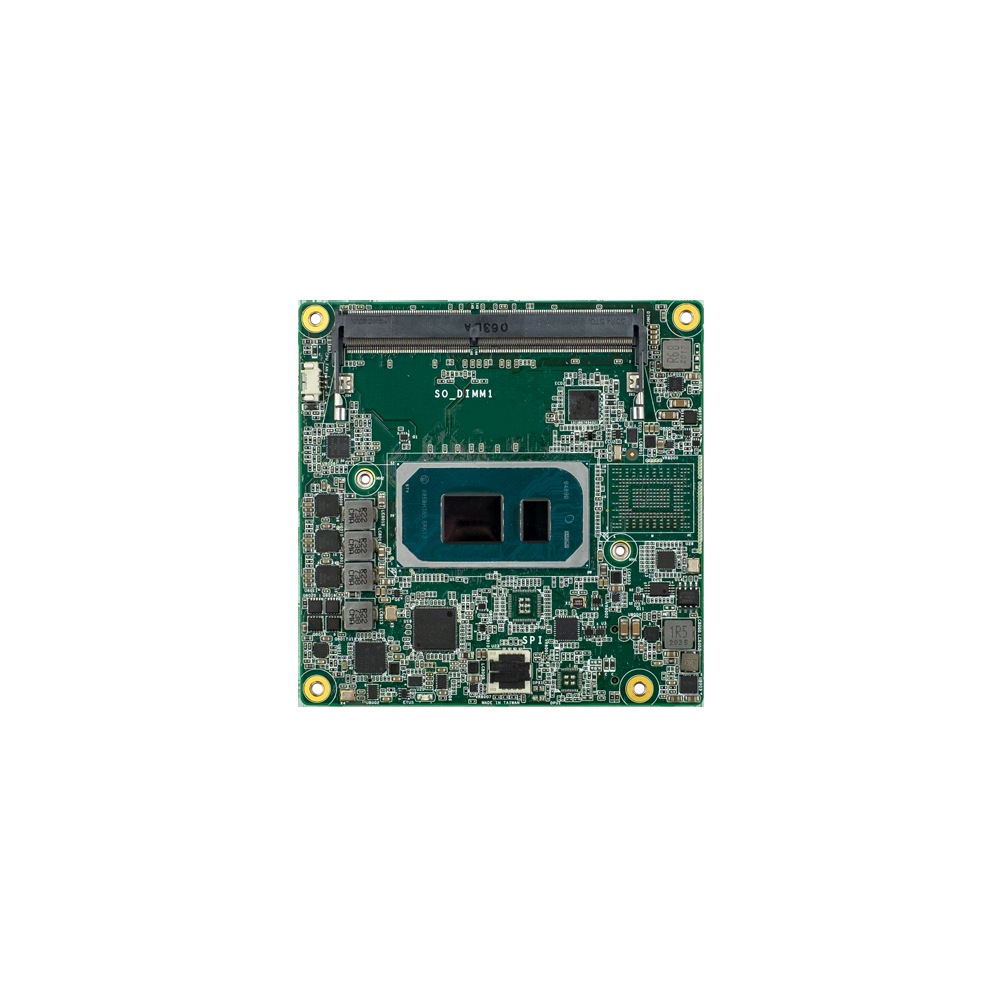
11th Gen Intel COM Express Compact Module with 2.5GbE
- CPU
- Intel Core 11th Gen (Tiger Lake)
- Ethernet
- 1× 2.5GbE
- Memory
- 2× DDR4-3200 SO-DIMM, up to 64 GB
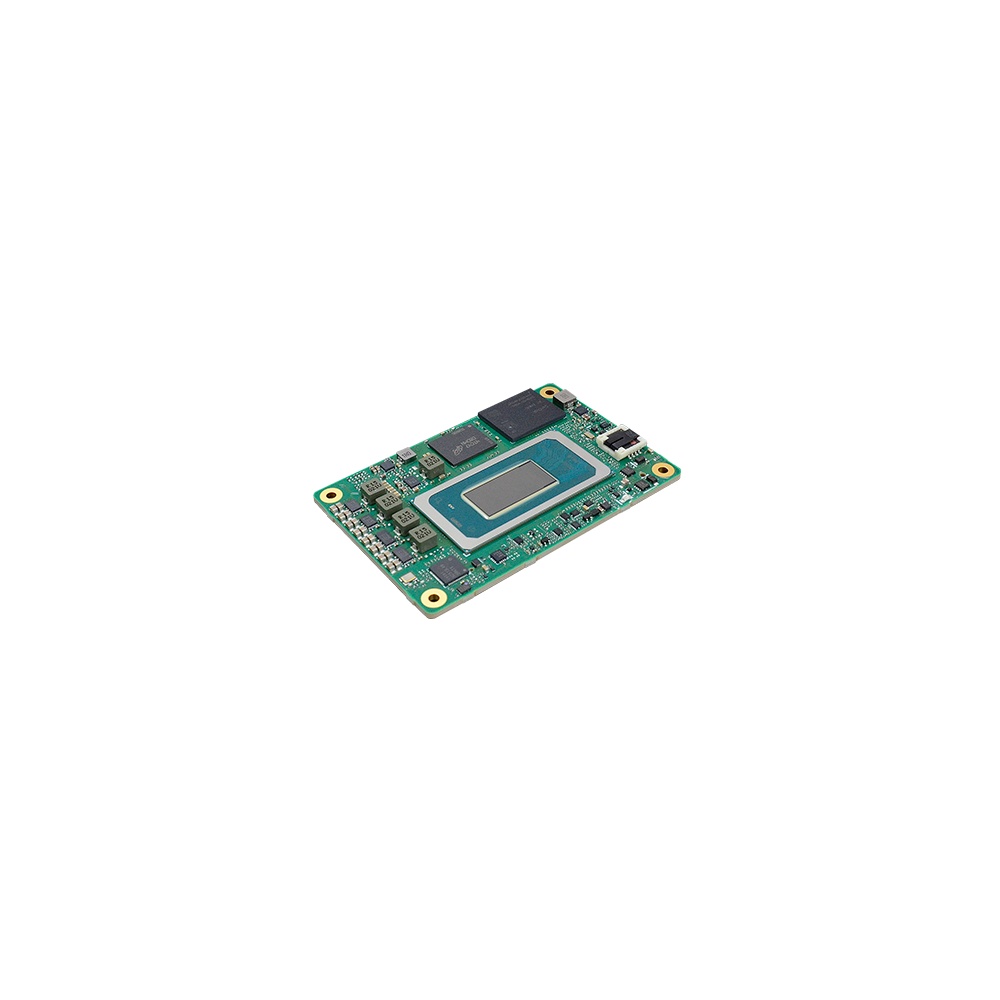
Intel Core Ultra COM Express Mini Type 10 Module
- AI
- 11 TOPS
- CPU
- Intel Core Ultra 1 (Meteor Lake)
- Ethernet
- 1× 2.5GbE
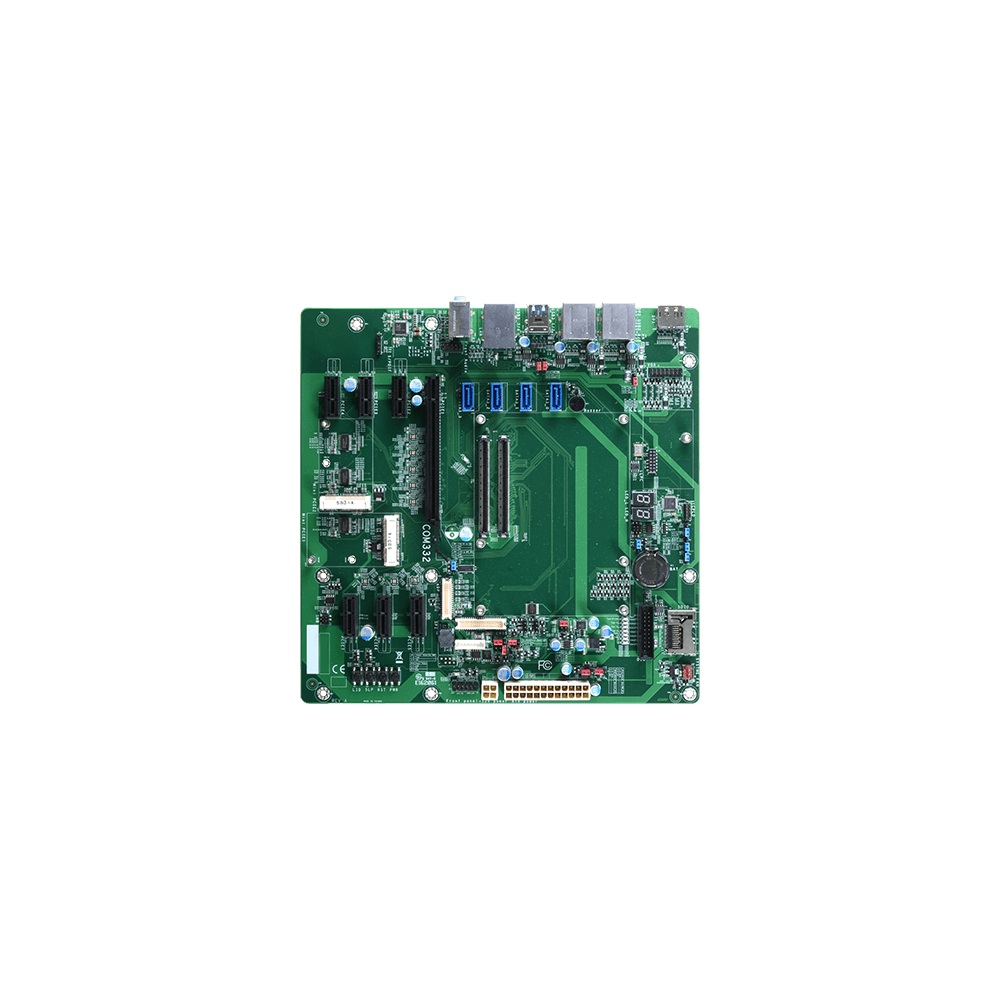
microATX COM Express Type 6 Carrier Board
- Ethernet
- 1× GbE
- Temp
- 0 to +60 °C
- Power
- 12 V DC
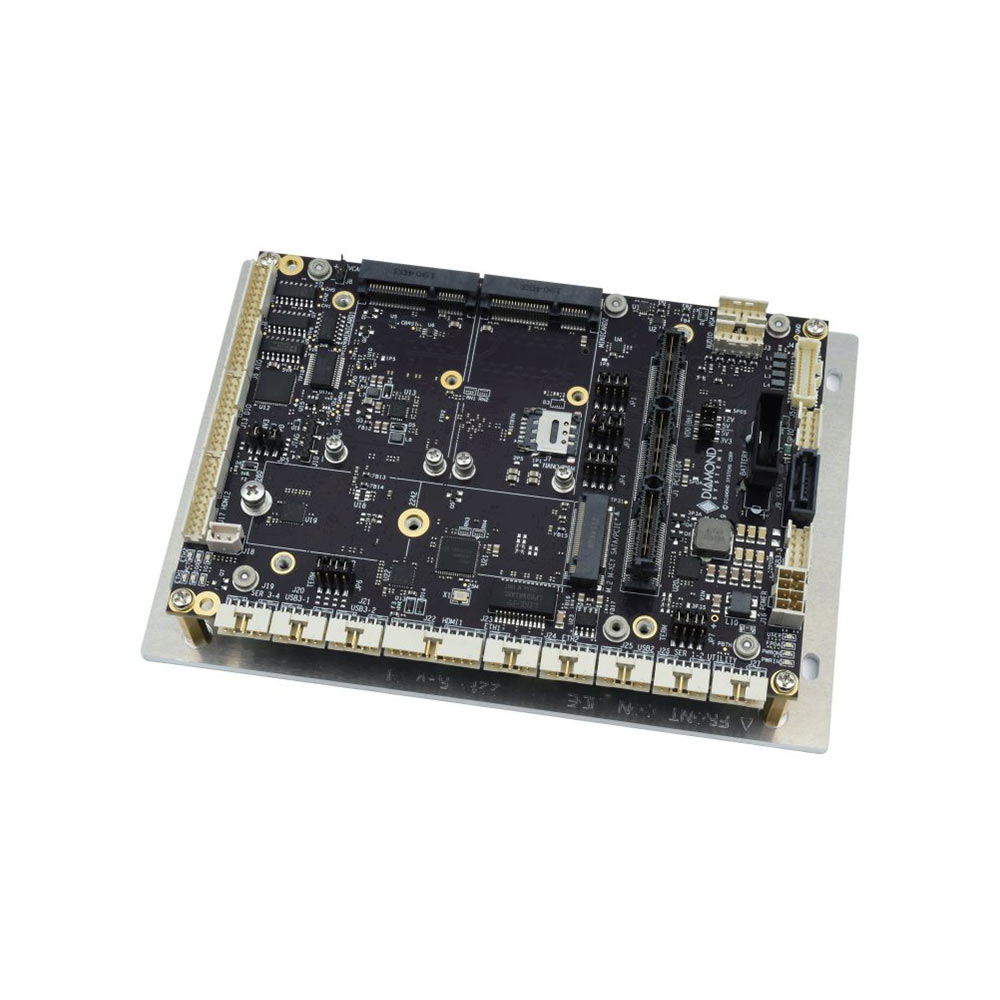
COM Express Carrier Board for Type 6 Modules with 18 to 36 V DC Input
- Ethernet
- 1× GbE
- Temp
- −40 to +85 °C
- Power
- 12 V DC, 18–36 V DC [Terminal Block]
Before you commit a design to a module
Seven questions that save a respin later.
-
01
Standard
The module standard or Jetson generation has a roadmap beyond the product’s planned life.
-
02
Pinout type
Module and carrier share a pinout type, such as COM Express Type 6 or 10, and the features you need are on it.
-
03
Second source
A second vendor offers a module on the same standard, or the single-source risk is accepted.
-
04
Thermal path
The heat spreader and enclosure can remove the module’s full power at the top of the temperature range.
-
05
Power
The carrier’s input stage suits the real supply, including transients, reverse polarity and brownouts.
-
06
Software
The BSP, drivers and operating system support the module and the carrier’s devices.
-
07
Lifecycle
Availability commitments for module and carrier are in writing, with a plan for last-time buys.
System on module: common questions
Quick answers
What is a system on module?
A small board carrying a complete computing core. It holds the processor, memory, storage and power management, and plugs into a carrier board that supplies the product’s connectors and I/O.
What is the difference between SoM and SoC?
A SoC is a chip; a SoM is a board built around one. The system-on-chip is the processor package. The system on module adds memory, storage, power and a standard connector so it can plug into a carrier.
What is the difference between SoM and SBC?
An SBC has the I/O on the same board as the processor. A SoM needs a carrier to work. An SBC is complete in itself, which is simpler for a fixed design but means a new board when the processor changes.
What is a carrier board?
The board a module plugs into. It supplies power and turns the module’s signals into connectors, slots and interfaces such as Ethernet, USB, cameras, CAN and display.
What is SMARC?
An SGET module standard for low-power processors. SMARC modules use a 314-pin edge connector and usually carry Arm SoCs or low-power x86, and suit HMIs, medical and portable equipment.
What are the advantages of a SoM?
Lifecycle, scalability and lower design risk. The module can be replaced with a newer one while the carrier and enclosure stay the same, one carrier can take a range of modules, and the hardest layout work is already done.
Is NVIDIA Jetson a system on module?
Yes, a proprietary one. Each Jetson is a SoM on NVIDIA’s own connector specification, and each generation needs a carrier designed for it.
What is the difference between SoM and computer on module?
None in practice. Computer on module is the term PICMG and SGET use in their standards; system on module is the generic term for the same thing.
System on module FAQs
-
Does Jetson Thor Need a New Carrier Board?
Yes. The NVIDIA Jetson Thor module uses a different connector, higher power (up to 130 W) and new I/O compared with AGX Orin, so it needs a carrier board designed for Thor rather than an Orin board. Moving from AGX Orin to Thor is a platform change, not a drop-in module swap.
-
What Is the Difference Between a Jetson Module and a Developer Kit?
An NVIDIA Jetson developer kit is a reference carrier board with a module fitted, meant for evaluation and prototyping. A production system uses the production module on a carrier board designed for your I/O, environment and lifecycle. The silicon and software are the same; the kit is not what you deploy.
-
What Are the COM Express Module Types?
COM Express is a PICMG standard for computer-on-modules, and its pin-out types define which interfaces a module provides. Type 6 is the most common, with display outputs, USB and PCIe for general embedded systems. Type 7 is headless, with up to four 10GbE ports for edge server use. Type 10 is a smaller, lower-power pin-out for Mini modules.
-
What Is a Board Support Package (BSP)?
A board support package (BSP) is the low-level software that lets an operating system run on a particular board: the bootloader, kernel, device drivers and hardware description such as the device tree. For NVIDIA Jetson, the BSP is Jetson Linux, delivered as part of JetPack, and custom carrier boards need it adapted to their hardware.
-
What Is the Yocto Project?
The Yocto Project is an open-source set of tools for building a custom Linux operating system for one embedded device. Instead of installing a ready-made distribution, you describe the hardware, software and settings you need in layers and recipes, and the BitBake build engine produces a small, repeatable image for that device.
-
Jetson Orin Nano vs Orin NX: What Is the Difference?
The Jetson Orin Nano delivers up to 67 TOPS in 7 to 25 W with 4 to 8 GB of memory, suited to entry-level, low-power vision. The Orin NX steps up to 157 TOPS in 10 to 40 W with 8 to 16 GB, adds deep learning accelerators and a hardware video encoder, and handles multi-camera, heavier inference.
-
How Long Is NVIDIA Jetson Supported?
NVIDIA gives Jetson modules long, published production lifecycles, which is part of why they suit industrial designs. Current Orin modules run well into the 2030s, and Industrial variants carry a ten-year production life. The exception is the older LPDDR4 generation, Xavier and TX2, which NVIDIA has brought to early end-of-life, with last-time-buy orders closing on 1 July 2026.
Designing around a module?
Tell us the application, the environment it runs in and how long it has to stay in production. As your system integrator we will recommend the module and carrier board to start from, or design a custom carrier, and deliver it as a validated system.