
 US
US 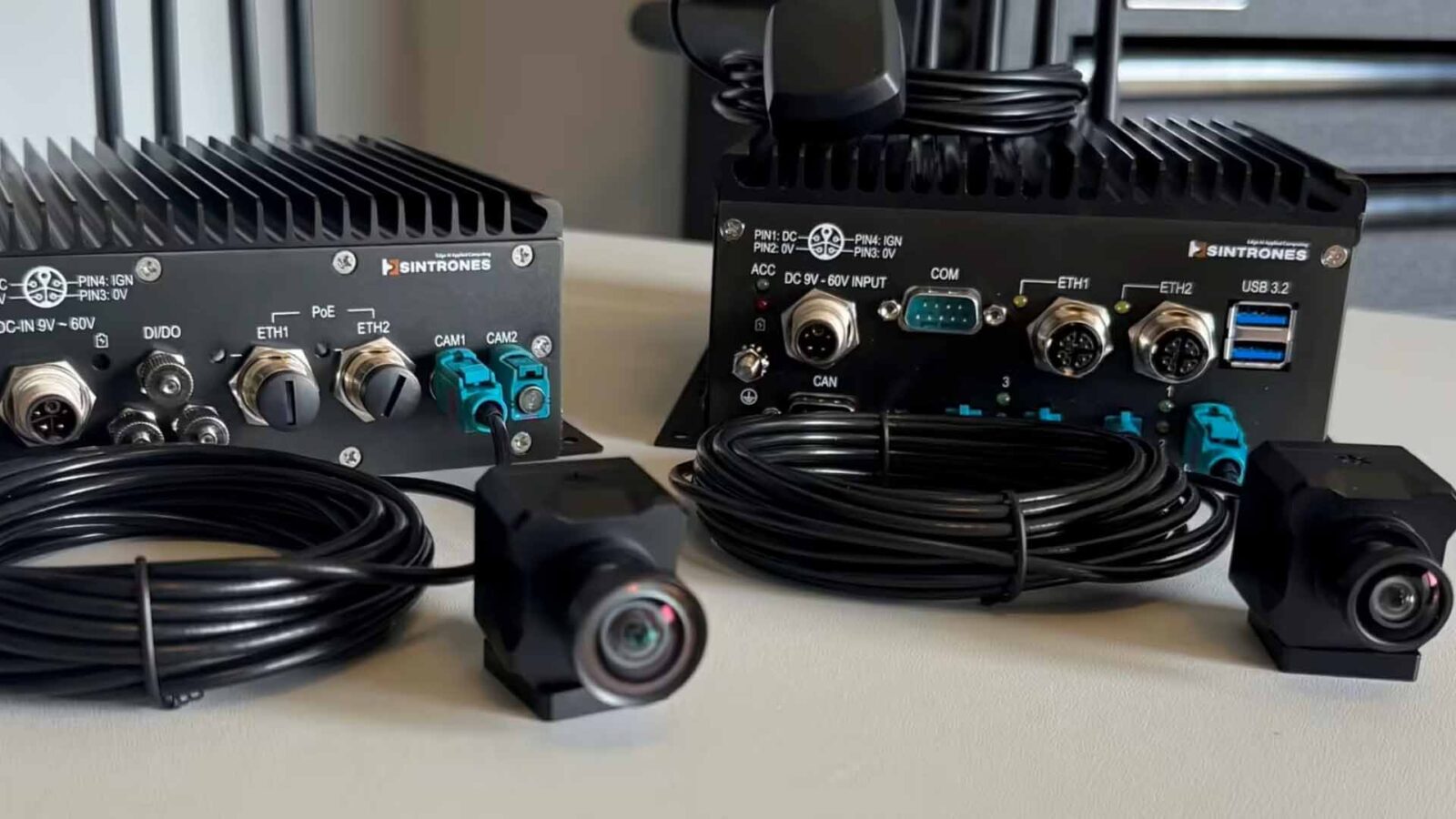
The GMSL Camera Interface: Integrating Stereolabs ZED X with NVIDIA Jetson
The ZED X is a GMSL2 camera, not USB. Connecting it to a Jetson means the right deserialiser on the carrier board and a board support package configured to match. Here is how the integration actually works.
The GMSL camera interface is the serialiser–deserialiser link that carries uncompressed video, power and control from a camera such as the Stereolabs ZED X to an NVIDIA Jetson over a single coaxial cable, ending as MIPI CSI-2 at the Jetson module. It is what lets a robot or vehicle place several synchronized cameras meters from its computer without USB’s cable limits or Ethernet’s packet handling.
The Stereolabs ZED X is built for robotics and industrial machine vision, and it connects over GMSL2 rather than USB. That choice buys long cable runs, rugged locking connectors and tight multi-camera synchronization, which is exactly what an outdoor robot or a production cell needs.
It also means the camera cannot simply be plugged into a Jetson and recognized. The GMSL2 signal has to be deserialised back to MIPI CSI-2 on the carrier board, and the Jetson has to be told how to read it. That is a board support package job, and it is where most ZED X on Jetson projects stall. This guide covers how the interface works, how it compares with other camera links, which Jetson systems support GMSL cameras, and what the integration involves.
Key takeaways
- 01GMSL is a camera link, not a network
- A serializer at the camera and a deserialiser at the computer turn MIPI CSI-2 into a long, rugged coax link and back again.
- 02One cable per camera
- Video, Power over Coax, control and frame-sync triggers all share one FAKRA-terminated coax, typically up to 15 m.
- 03Synchronization is the advantage
- The back-channel carries hardware triggers, so ZED X cameras capture in step to around 15 microseconds.
- 04The carrier board decides support
- The deserialiser, its driver and the device tree must match the board and the JetPack release.
- 05Pair the camera with the computer
- ZED X cameras run best on Jetson systems that already carry a GMSL deserialiser and a supported driver.
GMSL vs MIPI CSI-2, GigE Vision, USB3 and FPD-Link
Each camera interface suits a different distance, bandwidth and level of integration. The table compares the links used on edge AI computers; figures are typical and depend on the exact parts and cables.
| Feature | GMSL2 | MIPI CSI-2 direct | GigE Vision | USB3 Vision | FPD-Link III |
|---|---|---|---|---|---|
| Typical cable reach | Up to about 15 m coax | Tens of centimeters | Up to 100 m copper | Up to about 5 m passive | Up to about 15 m coax |
| Bandwidth per camera | Up to 6 Gbps (12 Gbps on GMSL3) | Several Gbps across 2–4 lanes | 1 Gbps, up to 10 Gbps on 10GigE | Up to 5 Gbps | Around 4 Gbps |
| Power on the cable | Yes, Power over Coax | No | Yes, with PoE | Yes, bus power | Yes, Power over Coax |
| Latency | Very low, uncompressed | Lowest | Low to moderate; host reassembles packets | Low | Very low, uncompressed |
| Multi-camera sync | Hardware triggers on the back-channel | Board-level GPIO | PTP (IEEE 1588) or trigger wires | Trigger wires | Hardware triggers on the back-channel |
| Connector | FAKRA, locking | Flex or board connector | RJ45 or M12 | USB Type-C or Micro-B, screw-lock options | FAKRA, locking |
| Host side | Deserialiser to CSI-2 | Native CSI-2 | Ethernet port | USB controller | Deserialiser to CSI-2 |
| Best for | Robots and vehicles with several synchronized cameras | Cameras inside the computer’s enclosure | Fixed inspection cells, long runs | Benches, labs, short runs | Automotive designs built on TI parts |
GMSL vs MIPI CSI-2. They are partners rather than rivals. MIPI CSI-2 is the camera interface the Jetson reads; GMSL extends it from centimeters to meters. A CSI-2 camera on a flex cable suits a sealed smart camera, while GMSL suits cameras mounted around a machine.
GMSL vs FPD-Link. FPD-Link from Texas Instruments is the other automotive SerDes family. The two work the same way, but they are not interoperable: a GMSL camera needs a GMSL deserialiser. The ZED X range and most industrial robot cameras use GMSL2.
GMSL vs GigE Vision and USB. GigE Vision cameras run further and use standard networking, and PoE powers them, but the host has to reassemble frames and synchronization relies on PTP. USB cameras such as the ZED 2i are the simplest to start with and suit short, fixed installations.
What is a GMSL camera?
A GMSL camera is a camera with a GMSL serializer built in. GMSL, or Gigabit Multimedia Serial Link, is a serialiser–deserialiser interface for moving uncompressed high-resolution video over a single coaxial cable. A serializer on the camera packs the sensor data onto the coax; a deserialiser on the host board unpacks it back into MIPI CSI-2, the interface the Jetson actually reads.
For the ZED X that deserialiser is typically an Analog Devices (formerly Maxim) MAX9296A on a one- or two-camera board, or a MAX96712 where four cameras share one quad deserialiser. Stereolabs ship this silicon as the ZED Link family of capture cards and the ZED Box Mini, but the same parts appear on partner Jetson carrier boards designed for camera-heavy edge AI.
GMSL generations at a glance
Most GMSL cameras on Jetson today, including every ZED X model, are GMSL2. GMSL3 doubles the rate for higher-resolution sensors, and GMSL1 survives in older automotive cameras. Our explainer on GMSL2 covers the current generation in brief.
| Generation | Forward rate | Reverse channel | Example serializer | Example deserialiser |
|---|---|---|---|---|
| GMSL1 | Roughly 1.5–3.12 Gbps | Low-rate control channel | MAX9271, MAX96705 | MAX9286 |
| GMSL2 | 3 or 6 Gbps | 187.5 Mbps | MAX9295A, MAX96717 | MAX9296A, MAX96712, MAX96724 |
| GMSL3 | Up to 12 Gbps | 187.5 Mbps | MAX96793 | MAX96792A |
GMSL3 parts can run GMSL2 modes, so GMSL2 cameras work on GMSL3 deserialisers set to GMSL2. A single ZED X at full resolution needs a fraction of a GMSL2 link, so GMSL3 matters for 4K cameras at high frame rates rather than for today’s stereo cameras.
From camera to Jetson: the signal path
The path is the same whichever board you use. The ZED X serializes its stereo sensors onto GMSL2 coax. At the carrier board the deserialiser converts GMSL2 to MIPI CSI-2 and forwards it across the Jetson module connector. The Jetson camera subsystem then exposes it as a V4L2 device that the ZED SDK can open.
| Stage | Where it happens | What can go wrong |
|---|---|---|
| 1. Image sensors expose and read out | Camera | Exposure and gain set wrongly for the scene |
| 2. Serializer packs CSI-2 onto GMSL2 | Camera | Link rate or mode not matched to the deserialiser |
| 3. Coax carries video, power and control | Cable and FAKRA connectors | Too much loss from long or low-grade cable, loose connectors |
| 4. Deserialiser recovers the stream | Capture card or carrier board | Link fails to lock; I²C address clash between cameras |
| 5. CSI-2 into the Jetson VI and ISP | Jetson module | Lane count, virtual channel or clock settings wrong in the device tree |
| 6. V4L2 device and ZED SDK | Jetson software | Driver built for a different L4T release; daemon not loading |
GMSL2 also carries power and a back-channel for control and triggering. That back-channel is why ZED X capture over GMSL supports hardware synchronization to around 15 microseconds across multiple cameras, an accuracy a USB camera chain cannot reach. Synchronized capture is what makes stereo depth, multi-camera fusion and SLAM on a moving robot reliable; our comparison of global shutter vs rolling shutter explains why every ZED X stereo model uses global shutter sensors for the same reason.
How long can a GMSL cable be, and does it carry power?
A GMSL2 camera can typically sit up to about 15 m from the deserialiser over automotive coax. The ZED Link Mono product data quotes the same figure for ZED X cameras on Stereolabs GMSL2 FAKRA cables. Reach is limited by the cable’s signal loss rather than by a fixed length, so cheap or thin coaxial cable, extra in-line joints and high temperatures shorten it.
Yes, GMSL carries power. Power over Coax puts the camera’s DC supply on the same cable as the video and control channels; the ZED Link cards supply 12 V to the camera. That leaves one cable per camera on a robot arm or a vehicle body, with Z-coded FAKRA connectors that lock and cannot be plugged into the wrong port.
| Cable decision | Recommendation |
|---|---|
| Cable type | Use the GMSL2 FAKRA cables the camera maker supplies, or cable proven against the GMSL channel specification |
| Length | Order the shortest length that routes cleanly; plan up to about 15 m |
| Moving axes | Use flex-rated cable in drag chains and keep bend radius generous |
| Panel entry | Use sealed FAKRA bulkheads on IP66 or IP67 computers, and keep in-line joints to a minimum |
| Power budget | Add camera power to the computer’s DC budget; PoC draws from the computer’s supply |
Which Jetson supports GMSL cameras?
Every current Jetson module can take GMSL cameras through a deserialiser, from Orin Nano to Thor. What changes is how many cameras fit, which boards carry the deserialiser, and whether a ZED X driver already exists for that board. The matrix lists systems and capture cards from our range; the deserialiser is given where the manufacturer publishes it.
| Board or system | Jetson module | GMSL inputs | Deserialiser | ZED X support |
|---|---|---|---|---|
| ZED Link Mono | Orin Nano, Orin NX | 1 × GMSL2 | MAX9296A, up to 6 Gbps | Stereolabs driver, any ZED X or ZED X One |
| ZED Link Duo | Orin Nano, Orin NX, AGX Orin developer kits | 4 × GMSL2 (2 at 4K 15 fps) | MAX96712 | Stereolabs driver |
| ZED Link Quad | AGX Orin developer kit | 8 × GMSL2 (4 at 4K 15 fps) | 2 × MAX96712 | Stereolabs driver |
| ZED Box Mini | Orin Nano or Orin NX | 2 × GMSL2 | Stereolabs design | Built for ZED X |
| DFI X6-ORN-GMSL | Orin Nano or Orin NX | 2 × GMSL2 | Not published | Board support package work |
| Neousys NRU-161V-AWP | Orin Nano or Orin NX | 6 × GMSL2 | Not published | Board support package work |
| AVerMedia D135 GMSL build | Orin NX 16GB | 8 × GMSL2 | Not published | Board support package work |
| Neousys NRU-230V-AWP | AGX Orin | 8 × GMSL2 | Not published | Board support package work |
| Advantech MIC-742-AT | Jetson T4000 or T5000 | 8 × GMSL2 with the MIC-FG-8G2C1 option | Not published | Board support package work |
“Board support package work” means the camera can be made to run, but the ZED X driver and device tree have to be built and validated for that board and JetPack release, as the next section explains. Where a project has no strong reason to use another board, a ZED Link card or ZED Box Mini is the shortest route. Our guide to the Jetson modules compared helps size the module for the number of cameras.
What the board support package has to configure
- 01The deserialiser
- The driver has to match the exact part on the carrier board, MAX9296A or MAX96712, and the way its ports map to the Jetson CSI lanes.
- 02The device tree
- A device tree blob describes the CSI lane count, I²C addresses, GPIO and clocking for the camera and deserialiser. If it does not match the board wiring, capture times out.
- 03The JetPack and L4T version
- The ZED Link driver ships as a Debian package built for a specific L4T release. A driver for L4T 35.x will not load on JetPack 6 (L4T 36.x); the version has to line up with the flashed module.
- 04Synchronization and GPIO
- Hardware triggering and multi-camera sync are configured through the GMSL back-channel and board GPIO, not in software alone.
- 05Validation
- The ZED daemon loads the driver and device tree on boot; the camera then has to confirm as a live V4L2 device before the SDK will see it.
Why this is a configuration job, not a download
Stereolabs publish ready-made drivers for their own ZED Link cards and for several reference Jetson developer kits. On those, installation is close to a single command: a deb package drops in the kernel module, the device tree and the ZED daemon, and a reboot applies them.
The moment the carrier board is not one of those reference designs, the device tree no longer describes the hardware. The CSI lane mapping, the deserialiser address and the GPIO assignments are board-specific, and a mismatched device tree shows up as a V4L2 capture timeout: the camera looks present but never delivers a frame. Resolving that means taking the deserialiser driver and rebuilding the device tree against the actual carrier board, then validating capture and synchronization. Our guides to NVIDIA JetPack and to choosing a Jetson carrier board cover the software and hardware sides.
The ZED X GMSL camera range
Stereolabs build their GMSL2 range in two families: stereo depth cameras and single-sensor ZED X One cameras. All take the same ZED Link cards and ZED SDK, so a robot can mix them on one Jetson. Figures are from our product pages.
| Series | Type | Sensor | Depth or output | Protection | Typical use |
|---|---|---|---|---|---|
| ZED X | Stereo, 12 cm baseline | 2 × 2.3MP global shutter | 0.3–20 m (wide), up to 35 m (narrow) | IP67, −20 to 60 °C | AMRs, outdoor vehicles, navigation |
| ZED X Mini | Stereo, 5 cm baseline | 2 × 2.3MP global shutter | From 0.1 m (wide), up to 12 m (narrow) | IP67 | Arms, small robots, close manipulation |
| ZED X Nano | Stereo, 18 mm baseline | 2 × global shutter | From 3 cm | Compact body | Wrist cameras on humanoids and grippers |
| ZED X One GS | Mono | 2.3MP global shutter | 1920 × 1200 at 60 fps, 960 × 600 at 120 fps | Rated −20 to 55 °C | Surround views, custom stereo rigs |
| ZED X One S | Mono, mini | Global shutter | Full HD with hardware sync | IP69K (wide lens build) | Washdown lines, farm machines |
| ZED X One 4K | Mono | 8.4MP rolling shutter, HDR | 3840 × 2160 at 15 fps | Lockable GMSL2 connector | Inspection, barcodes, detail |
Polarised builds of the ZED X and ZED X Mini cut glare from wet tarmac, glass and water outdoors. The full range is on our Stereolabs page.
Pairing ZED cameras with our GMSL edge AI computers
Several of the rugged Jetson carrier boards and box PCs we work with already carry a GMSL deserialiser and FAKRA camera ports, which makes them a natural starting point for a ZED X build. As the system integrator, our job is to recommend the right computer for the application first, often one where the camera is already supported, and then take on the board support package work where it is needed: matching the ZED Link driver and device tree to the board and module, confirming the deserialiser configuration, and validating capture and multi-camera sync.
| Application | Cameras | Computer to start from | Why |
|---|---|---|---|
| Indoor AMR, front and rear depth | 2 × ZED X wide | ZED Box Mini on Orin NX 16GB | Two GMSL2 ports, frame-sync, Stereolabs driver ready |
| Outdoor delivery or inspection robot | ZED X Mini polarised plus ZED X One GS | IP66 Orin NX computer with 6 × GMSL2 | Sealed connectors and room for surround cameras |
| Autonomous yard vehicle, surround view | 4–8 × ZED X narrow or ZED X One GS | IP66 or IP67 AGX Orin computer with 8 × GMSL2 | AGX Orin CSI-2 capacity and isolated vehicle I/O |
| Humanoid or large mobile manipulator | ZED X Nano on the wrists, ZED X in the head | Jetson Thor system with the eight-channel GMSL2 option | Thor memory for perception plus language models |
| Inspection cell with an x86 PC | GMSL2 automotive cameras | x86 computer with a PCIe GMSL2 frame grabber | Keeps an existing Windows or Linux application |
The result is a computer that arrives with the camera already enumerating, not a deserialiser the integrator still has to fight. For robots, our robot computer guide covers the rest of the onboard compute, and our ROS explainer covers the software framework most ZED X robots run.
Industrial checks for a GMSL camera system
Cameras and computers on machines face heat, water and vibration, and the GMSL link is only as reliable as the hardware at each end.
| Check | What to confirm | Typical figure |
|---|---|---|
| Temperature | Both camera and computer cover the site range | ZED X −20 to 60 °C; rugged Jetson computers to −25 to 70 °C or wider |
| Sealing | Connectors keep the IP rating when cameras are fitted | IP67 ZED X; IP66 or IP67 computers with sealed FAKRA |
| Power input | Vehicle or machine supply, including cranking and spikes | 9–50 V DC on many vehicle-ready computers |
| Vibration | Locking connectors and tested chassis | ZED X rated for 2 g RMS vibration |
| Lifecycle | Module, camera and software release available for repeat builds | Plan Jetson and camera availability with us at the start |
Our industrial temperature range explainer sets out what the ratings mean, and our Jetson thermal design guide covers sealed computers in the heat.
GMSL camera hardware in our range
Cameras, capture cards and the Jetson computers that host them.

GMSL cameras
ZED X stereo and ZED X One cameras with GMSL2, global shutter and hardware sync.
View range
Stereo cameras
Depth cameras over GMSL2 or USB for robots and vehicles.
View range
Frame grabbers
GMSL2, Ethernet and USB capture cards for Jetson and x86 computers.
View range
Jetson Orin NX carrier boards
Carrier boards for Orin NX, several with GMSL2 camera ports.
View range
Jetson AGX Orin computers
AGX Orin systems with up to eight GMSL2 inputs for surround perception.
View range
Holoscan sensor bridges
Bridges that carry GMSL2 camera feeds to a Holoscan pipeline over fiber.
View rangeZED X cameras and GMSL Jetson computers
A ZED X stereo camera, a four-input ZED Link card and four GMSL Jetson computers, from a two-camera ZED Box Mini to an eight-camera Jetson Thor system.
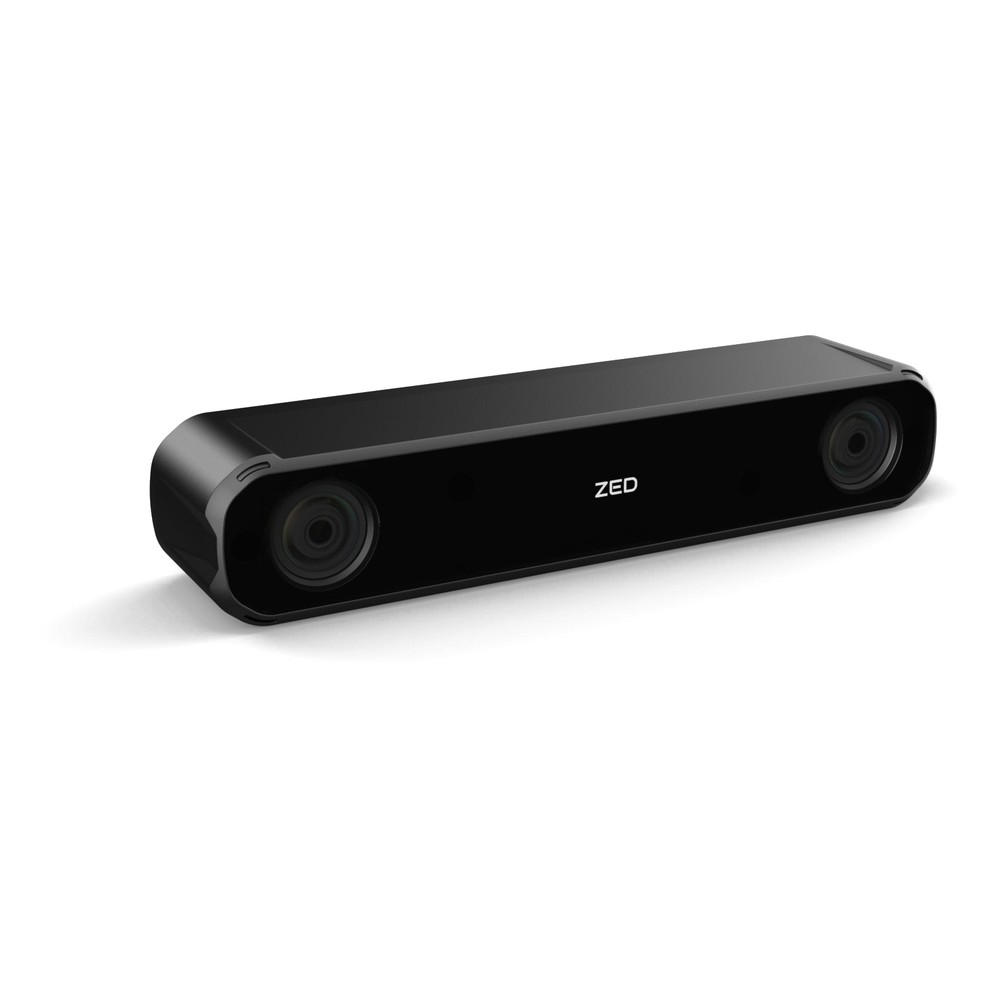
GMSL2 IP67 Stereo Camera with Wide 2.2 mm Lenses, Global Shutter and Up to 20 m Depth
- IP Rating
- IP67
- Temp
- −20 to +60 °C
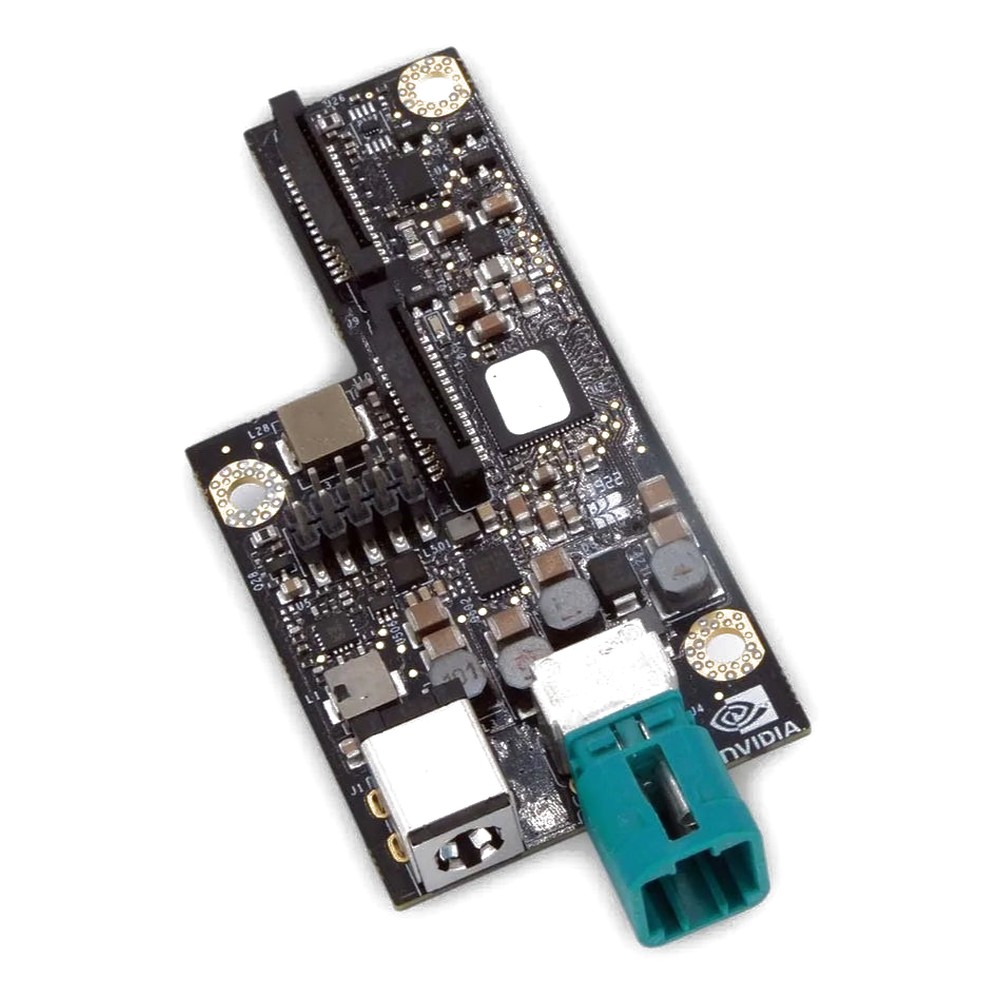
GMSL2 Capture Card for NVIDIA Jetson Orin Nano, Orin NX and AGX Orin with 4x Camera Inputs
- Inputs
- 4× GMSL2
- Max input
- 4K15 (3840×2160)
- Interface
- MIPI CSI-2 [120-Pin Samtec]
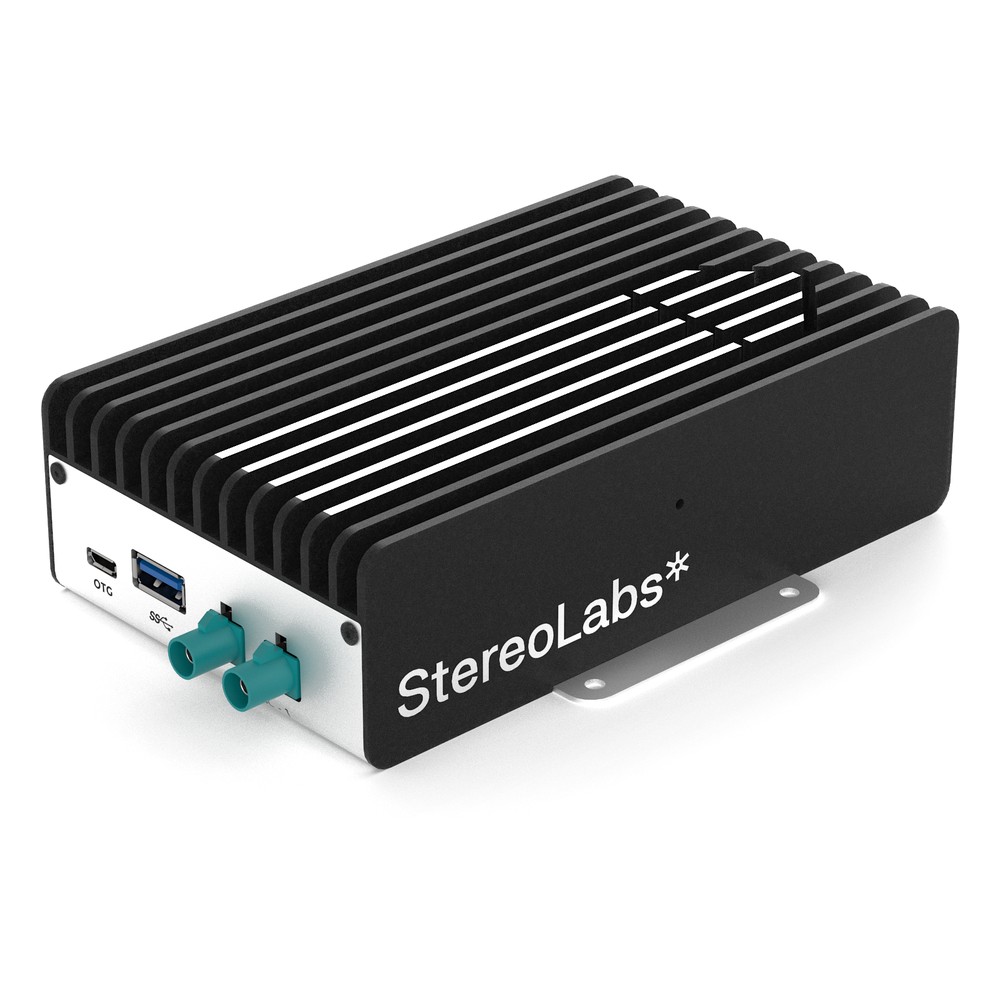
NVIDIA Jetson Orin NX 16GB Embedded Box PC with 2x GMSL2 Cameras, 100 TOPS and -20 °C Operation
- AI
- 100 TOPS
- SOM
- NVIDIA Jetson Orin NX 16 GB
- Cameras
- 2× GMSL
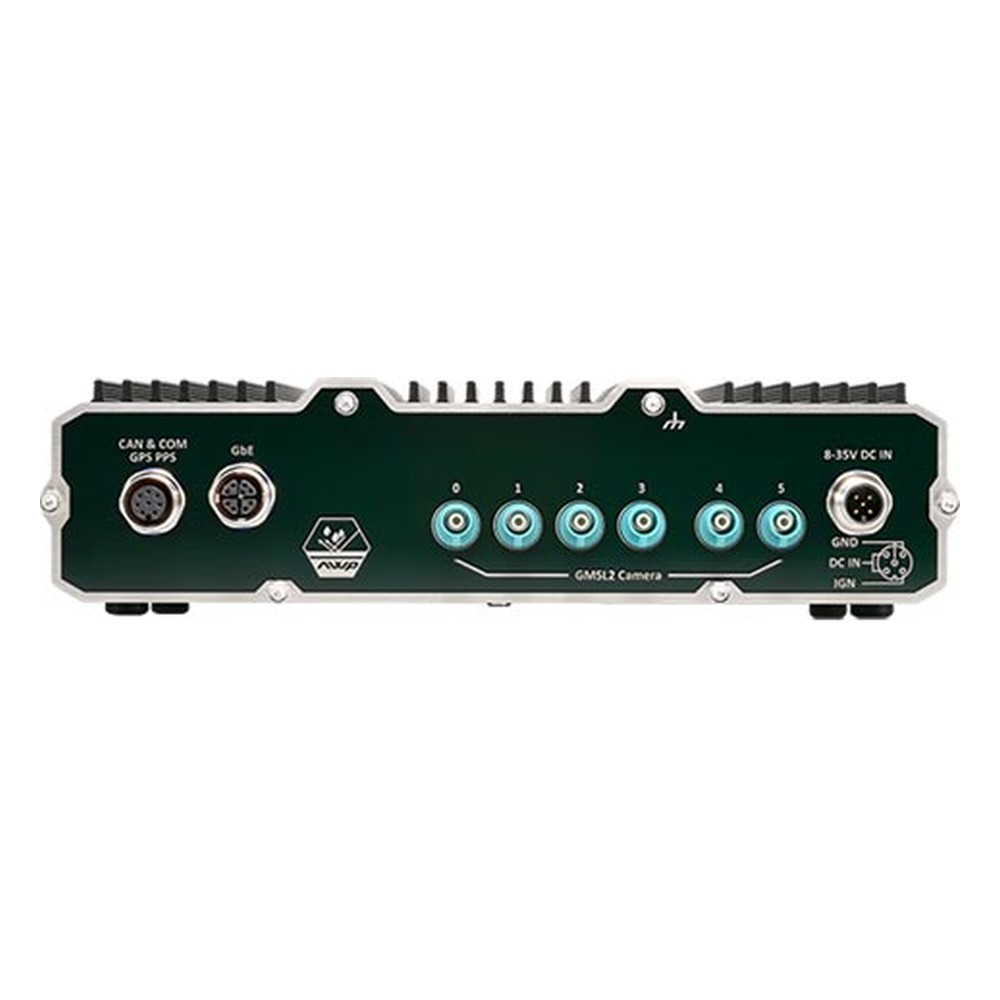
NVIDIA Jetson Orin NX or Orin Nano IP66 Waterproof Computer with 6x GMSL2 Cameras
- AI
- 20–100 TOPS
- SOM
- NVIDIA Jetson Orin NX 16 GB
- Cameras
- 6× GMSL
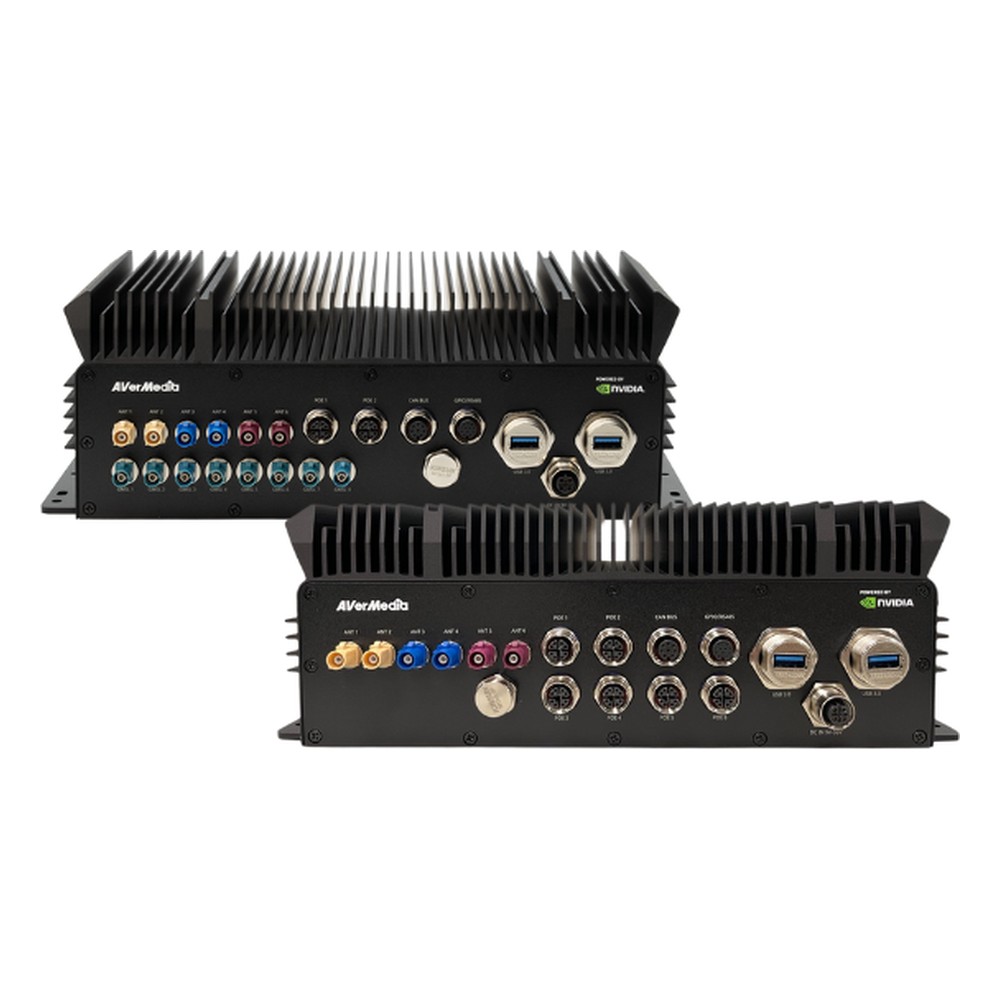
NVIDIA Jetson Orin NX 16GB IP65 Waterproof Computer with 8x GMSL2 Cameras, M12 PoE and -40 to 70 °C
- AI
- 100 TOPS
- SOM
- NVIDIA Jetson Orin NX 16 GB
- Cameras
- 8× GMSL
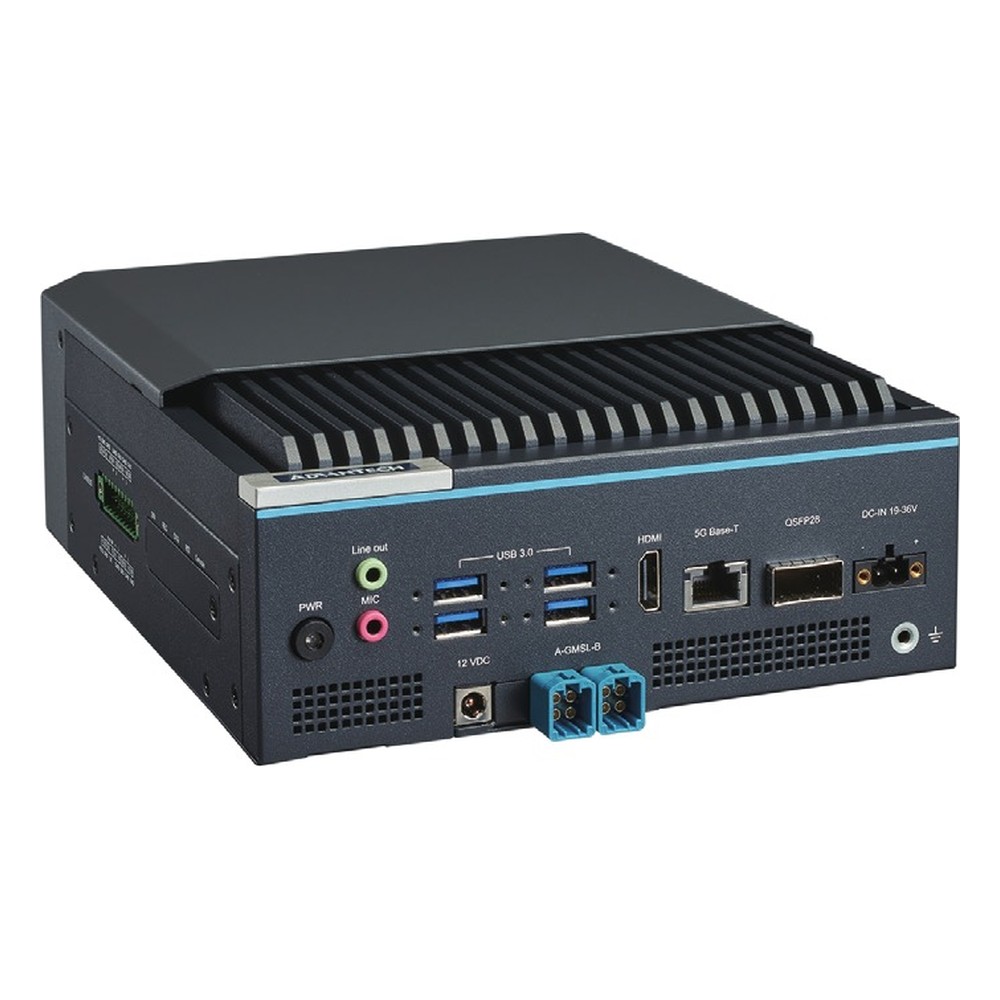
NVIDIA Jetson Thor T5000 Industrial AI Computer with 4x 25GbE QSFP28, 4x CAN FD and 8-Channel GMSL2 Option
- AI
- 2,070 TOPS
- SOM
- NVIDIA Jetson T5000
- Ethernet
- 4× 25GbE, 1× 5GbE
Planning a GMSL camera system on Jetson
Seven checks that settle the cameras, the link and the computer together.
-
01
Cameras and views
List each camera, its lens and what it must see; decide stereo or mono for each position.
-
02
Shutter and frame rate
Use global shutter where the machine or scene moves; set the frame rate the model needs.
-
03
Camera count
Count GMSL ports and CSI-2 capacity on the Jetson module, with room for one more camera.
-
04
Board support
Check whether a ZED X driver exists for the board and JetPack release, or budget the work.
-
05
Cables
Measure routes, choose lengths up to about 15 m and plan sealed panel entries.
-
06
Sync
Plan hardware frame-sync across cameras, and PPS or PTP alignment with LiDAR if used.
-
07
Environment
Match temperature, sealing, power input and vibration ratings to the machine.
GMSL cameras: common questions
Quick answers
What is a GMSL camera?
A camera with a GMSL serializer built in. It sends uncompressed video, and receives power and control, over one coaxial cable to a deserialiser on the host computer, which presents it as MIPI CSI-2.
How long can a GMSL cable be?
Typically up to about 15 m. The limit is the cable’s signal loss, so cable grade, connectors and temperature decide the usable length.
What is the difference between GMSL2 and GMSL3?
Link rate. GMSL2 runs at 3 or 6 Gbps and GMSL3 at up to 12 Gbps. GMSL3 parts can run GMSL2 modes, so GMSL2 cameras still connect.
GMSL vs MIPI CSI-2: what is the difference?
Distance. MIPI CSI-2 is the camera interface the processor reads, over centimeters. GMSL carries CSI-2 data over meters of coax and converts it back at the computer.
GMSL vs FPD-Link III?
Two competing automotive SerDes families. They work in a similar way but are not interoperable. GMSL comes from Analog Devices and FPD-Link from Texas Instruments.
Does GMSL carry power?
Yes. Power over Coax delivers the camera supply on the same cable as video and control; ZED Link cards supply 12 V.
Which Jetson supports GMSL cameras?
All current modules, through a deserialiser. Orin Nano, Orin NX, AGX Orin and Thor all take GMSL cameras through a capture card or carrier board, with a driver for the board and JetPack release.
GMSL camera FAQs
-
What Is GMSL2?
GMSL2 (Gigabit Multimedia Serial Link 2) is a high-speed serial link that carries uncompressed camera video, power and control data over one coaxial cable of up to around 15 meters. Developed for automotive cameras, it is now widely used on robots, autonomous machines and drones with NVIDIA Jetson computers.
-
What Is MIPI CSI-2?
MIPI CSI-2 (Camera Serial Interface 2) is the standard high-speed link between a camera’s image sensor and a processor, defined by the MIPI Alliance. It carries image data over one to four differential lanes on a short flex cable, and it is the native camera input on NVIDIA Jetson, NXP i.MX, Raspberry Pi and most smartphone processors.
-
What Is a FAKRA Connector?
A FAKRA connector is an automotive coaxial connector: an SMB-type 50 ohm RF contact inside a colour-coded, keyed plastic housing that clicks and locks. Standardized in ISO 20860 and USCAR-18, it carries antenna signals such as GPS, cellular and radio, and is the usual connector on GMSL cameras for edge AI and vehicle vision systems.
-
What Is a Stereo Camera?
A stereo camera is a camera with two image sensors a fixed distance apart, like a pair of eyes. By finding the same point in both images and measuring how far it shifts between them, it calculates the distance to every pixel, so one device gives a robot or vehicle a 3D depth map as well as a color image.
-
What Is a GigE Vision Camera?
A GigE Vision camera is an industrial camera that sends images and takes commands over standard Ethernet, following the GigE Vision interface standard. It runs over long, low-cost network cables, can be powered by PoE, and lets many cameras share one network through a switch, which makes it a common choice for machine vision on lines and vehicles.
-
What Is a Coaxial Cable?
A coaxial cable is a cable with a centre conductor, an insulating layer, a metal shield and an outer jacket, all sharing one axis. The shield keeps interference out and the signal in, so coax carries video, broadband and radio-frequency signals over long runs with low loss.
-
What Is ROS (Robot Operating System)?
ROS (Robot Operating System) is a free, open-source set of software libraries and tools for building robot applications. Despite the name, it is not an operating system: it runs on Linux and handles communication between the parts of a robot, such as sensors, navigation and motor control. ROS 2 is the current version.
Integrating a ZED X on a Jetson platform?
Tell us about your cameras and what the system has to do. As your system integrator we will recommend the Jetson computer to start from, often one that already supports the camera, then configure, image and test it with your cameras and sync set up before it ships.